




Aero Workflow Pricing 2026: $108–$365 a Month per Firm
Aero Workflow costs $108, $200 or $295 a month per firm on yearly billing ($135–$365 monthly), set by team size. See the plans, terms and the Uku alternative.


Contents
- Aero Workflow pricing summary
- Aero Workflow pricing: in-depth overview
- Aero Workflow terms, hidden costs and add-ons
- Where Aero Workflow falls short
- Best Aero Workflow alternative: Uku
- Aero Workflow vs Uku: feature value breakdown
- The five-person firm test
- How to switch from Aero Workflow to Uku
- Final verdict: Aero Workflow vs Uku
- Read more
If you have tried to work out what Aero Workflow will cost your firm, the good news is that the answer fits on one line. Aero charges a flat monthly rate for the whole firm, and the only thing that moves it is how many people log in. The part that takes longer to see is what that rate leaves to other software, and what happens to your bill when you hire your sixth person.
Aero Workflow is a workflow and task management tool built for bookkeeping, accounting and CAS firms, most of them QuickBooks ProAdvisors. In the US it costs $108, $200 or $295 per month on yearly billing (Startup for 1–5 users, Growth for 6–25, Scaling for 26–50), or $135, $250 and $365 month to month. Every plan has the same features. Firms with more than 50 users move to an Enterprise plan priced per extra group of 10 users.
Aero Workflow’s pricing is a good fit if:
- You have between three and 25 people and want one predictable number, whatever the headcount inside the tier
- Your firm runs on QuickBooks Online and already sends invoices from there
- You want onboarding, training and one-on-one support included at no extra cost
- Your main problem is standardising recurring bookkeeping work with checklists
Aero Workflow’s pricing is not a good fit if:
- You are a solo practitioner or a two-person firm, where a flat $108 is a lot per head
- You want invoices built from contracts and tracked time in the same system as the work
- Your clients need a portal to send documents and answer questions
- You sit at five or six people, where one hire moves the bill from $108 to $200 a month
We compared on 5 November 2026. Aero Workflow’s prices, terms and limits come from the US tab of its own pricing page, its FAQ, terms of service and help centre; Uku’s from getuku.com/pricing. The Updated date above moves when a number changes.
Aero Workflow pricing summary
| Aero Workflow | Uku | |
|---|---|---|
| Pricing model | Flat rate per firm, tier set by user count | Per member; clients free and unlimited from Team up |
| Free trial | 14 days, no card, unlimited users | 14 days of the full Elite plan, no card |
| Entry plan | Startup: $108/mo annual, $135 monthly, 1–5 users | Solo: $19/mo annual, $25 monthly, 1 member, 20 active clients |
| Mid tier | Growth: $200/mo annual, $250 monthly, 6–25 users | Team: $38/member/mo annual, $49 monthly |
| Upper tier | Scaling: $295/mo annual, $365 monthly, 26–50 users | Elite: $48/member/mo annual, $62 monthly |
| Past the top tier | Enterprise: 50+ users, set fee per extra 10 users | Enterprise: $88/member/mo annual, $99 monthly |
| Invoicing | In QuickBooks Online, from synced time | Built in, from contracts and tracked time |
| Best for | Standardising recurring work in a QuickBooks Online firm | Running the work, the time and the billing in one place |
Here is what that means for a firm at four sizes, subscriptions only, annual billing:
| Team size | Aero Workflow | Uku Team |
|---|---|---|
| 1 person | $108 (Startup) | $19 (Solo) |
| 5 people | $108 (Startup) | $190 |
| 10 people | $200 (Growth) | $380 |
| 25 people | $200 (Growth) | $950 |
Read the table as it is: from three people up, Aero’s flat fee is the cheaper subscription, and the gap widens with every hire. Uku costs more because it does more of the job in one place, mainly invoicing and a client portal. Whether that is worth the difference depends on what you pay for those today, which is what the rest of this article works through.
Aero Workflow pricing: in-depth overview
Aero’s pricing page has one message: “no per-user fees, no hidden costs, and no complicated tiers”. Its FAQ says the same thing in fewer words: “The amounts you see on our pricing page are the flat monthly rate for the firm.”
The three plans are identical apart from the user range. Each card lists the same items:
- Unlimited customers, tasks, templates and contacts
- Over 150 pre-built checklist templates
- 20+ reports
- Forwarding tasks from your inbox
- All integrations, with no charge to use the API
- Onboarding, support and training included
Paying yearly saves 20% on Startup and Growth and about 19% on Scaling ($295 against $365). Aero’s FAQ rounds it to “a 20% discount over the month-to-month subscription”. In dollars, yearly billing saves $324 a year on Startup, $600 on Growth and $840 on Scaling.
There is no ProAdvisor discount. Aero’s FAQ explains that most of its users are ProAdvisors, so “the prices you see on our pricing page ARE our ProAdvisor prices.” The pricing page also has tabs for Australia, Canada and the United Kingdom with prices in local currency; this article uses the US tab.
Aero Workflow Startup: $108/month annual, $135/month monthly
| Price | Limits |
|---|---|
| $108/month annual, $135/month monthly | 1–5 users, unlimited customers |
Startup is the whole product for up to five users. At five people it works out to $21.60 per user per month on yearly billing, which is hard to beat for a workflow tool with onboarding and support included.
At one or two people the maths turns around. A solo bookkeeper pays the same $108 as a firm of five, because Aero has no smaller plan.
| Startup pros | Startup cons |
|---|---|
| ✅ Every feature, from the first user | ❌ $108 a month even for one person |
| ✅ Unlimited customers and templates | ❌ The sixth user moves you to Growth |
| ✅ Free onboarding, training and support | ❌ Invoices are created in QuickBooks Online |
| ✅ API included at no charge | ❌ No client portal on the plan card |
The Bottom Line 👉 Startup is excellent value for a firm of three to five, and an expensive way to buy a checklist tool for a firm of one.
Aero Workflow Growth: $200/month annual, $250/month monthly
| Price | Limits |
|---|---|
| $200/month annual, $250/month monthly | 6–25 users, unlimited customers |
Growth has the same features as Startup. What you pay for is room: up to 25 users for one flat fee. At 25 users that is $8 per user per month on yearly billing; at 10 users, $20.
The catch sits at the bottom of the range. The sixth user costs $92 a month on yearly billing ($1,104 a year), or $115 month to month, because it moves the whole firm from $108 to $200. If you sit at five people, plan your next hire with that step in mind. Aero’s help centre is clear that inactive team members do not count toward your user total, so a leaver frees up a seat straight away.
| Growth pros | Growth cons |
|---|---|
| ✅ Up to 25 users for one fee | ❌ $33 per user at six people |
| ✅ Lowest per-user cost in the 15–25 range | ❌ No new features over Startup |
| ✅ Hiring inside the tier costs nothing | ❌ Same QuickBooks Online dependency for invoices |
The Bottom Line 👉 Growth is where Aero’s flat fee is strongest: a firm of 15 to 25 pays less for its workflow tool than almost any per-user product charges.
Aero Workflow Scaling: $295/month annual, $365/month monthly
| Price | Limits |
|---|---|
| $295/month annual, $365/month monthly | 26–50 users, unlimited customers |
Scaling is Growth with room for 50 users. At 50 users it is $5.90 per user per month on yearly billing. The step from Growth costs $95 a month when the 26th user joins.
| Scaling pros | Scaling cons |
|---|---|
| ✅ Up to 50 users for one fee | ❌ Same feature set as Startup |
| ✅ Under $6 per user at 50 people | ❌ Past 50, Enterprise pricing is not published |
| ✅ Onboarding and support still included | ❌ Invoicing and client communication still elsewhere |
The Bottom Line 👉 Scaling keeps the flat-fee logic for a mid-sized firm, as long as the work Aero does not cover is already handled by other tools.
Aero Workflow Enterprise: 50+ users
Aero’s FAQ says that past 50 users “we place you on our Enterprise plan, where we charge a set fee for each additional group of 10 users.” Neither the pricing page nor the FAQ names the fee, so a firm above 50 people needs a quote.
Aero Workflow free trial: 14 days, no credit card
| Feature | Details |
|---|---|
| Duration | 14 days |
| Credit card | Not required to start |
| Users | As many as you want |
| Integrations | All of them |
| Checklist library | Opens when you add a card; not charged until the trial ends |
The trial is a real Aero account, so what you set up carries over if you stay. Aero’s FAQ also says you can open a second trial if the first one lapsed without much use.
The Bottom Line 👉 Fourteen days is enough to set up one client’s recurring work and see whether Aero’s checklist style suits your team. Add the card early if the library templates are the reason you are trying it.
Aero Workflow terms, hidden costs and add-ons
Aero is right that its price list has no hidden fees: no setup charge, no support tier, no per-integration cost. The things to know are in its terms and help centre:
| Term | What Aero says |
|---|---|
| Annual plan refunds | None if you cancel before the 12 months are over (FAQ) |
| Partial months, upgrades, downgrades | No refunds or credits (refund policy) |
| Cancelling | Access to the end of the paid period, then the account and database are deleted for good |
| Notice | The agreement is month to month; either side can end it on 30 days’ written notice (terms of service) |
| Price changes | Aero can adjust fees on at least 60 days’ notice; you have 30 days to object and terminate |
| Taxes | Sales and use taxes come on top of the plan price |
| Late payment | 1.5% a month on overdue amounts, and up to $50 for a chargeback |
Two costs sit outside the price list:
QuickBooks Online. Aero builds no invoices of its own. Time tracked in Aero syncs to QuickBooks Online, where billable entries can be added to customer invoices. For most Aero firms this costs nothing extra, because QuickBooks Online is already their ledger. It does mean billing happens in a second system, and a firm on another ledger has no native sync: Aero’s integrations page lists QuickBooks Online and QuickBooks Time as its accounting connections, plus Zapier, Office 365 and Zoho Flow.
Aero Advisor accounts. Aero Advisor lets a firm open connected, white-labelled Aero accounts for its clients. Those managed accounts are priced at a wholesale rate and billed to your firm, and the rate is not on the pricing page.
Where Aero Workflow falls short
Aero does one job, and its own help centre describes it plainly: checklists, scheduling, time captured on tasks, reports and a vault for client credentials. What that leaves to other tools:
Billing. Aero sends time to QuickBooks Online and stops there. Entries marked fixed fee are not available to add to an invoice at all, and if someone edits a time entry in QuickBooks, the change does not flow back to Aero. Fixed-fee pricing, per-client price lists and month-end invoicing are QuickBooks work, not Aero work.
The client side. A client portal is not listed on Aero’s plan cards, its homepage features or the feature summary in its own help centre. Collecting documents, chasing missing items and showing clients what is outstanding happen by email or in another tool. Aero’s inbox integration helps on the firm’s side: it brings client emails from Office 365 into Aero and turns them into tasks.
Small firms. With no plan below $108, a sole practitioner pays for five seats to use one.
The step at six users. A flat fee is predictable inside a tier and abrupt at its edge. The sixth hire adds $92 a month to the bill.
Leaving. Cancelling deletes the database at the end of the paid period, and a cancelled annual plan is not refunded. Neither is unusual, but both mean you should export your reports to CSV before you give notice.
Best Aero Workflow alternative: Uku
Uku is practice management for accounting firms: workflow, time tracking, billing, a client portal and the team, in one system. Against Aero, the difference is where the work goes after it is done. In Aero, time leaves for QuickBooks Online and the invoice is built there. In Uku, each client’s contract and the time tracked on its tasks become the invoice, which Uku then exports to QuickBooks Online, Xero or your other accounting software.
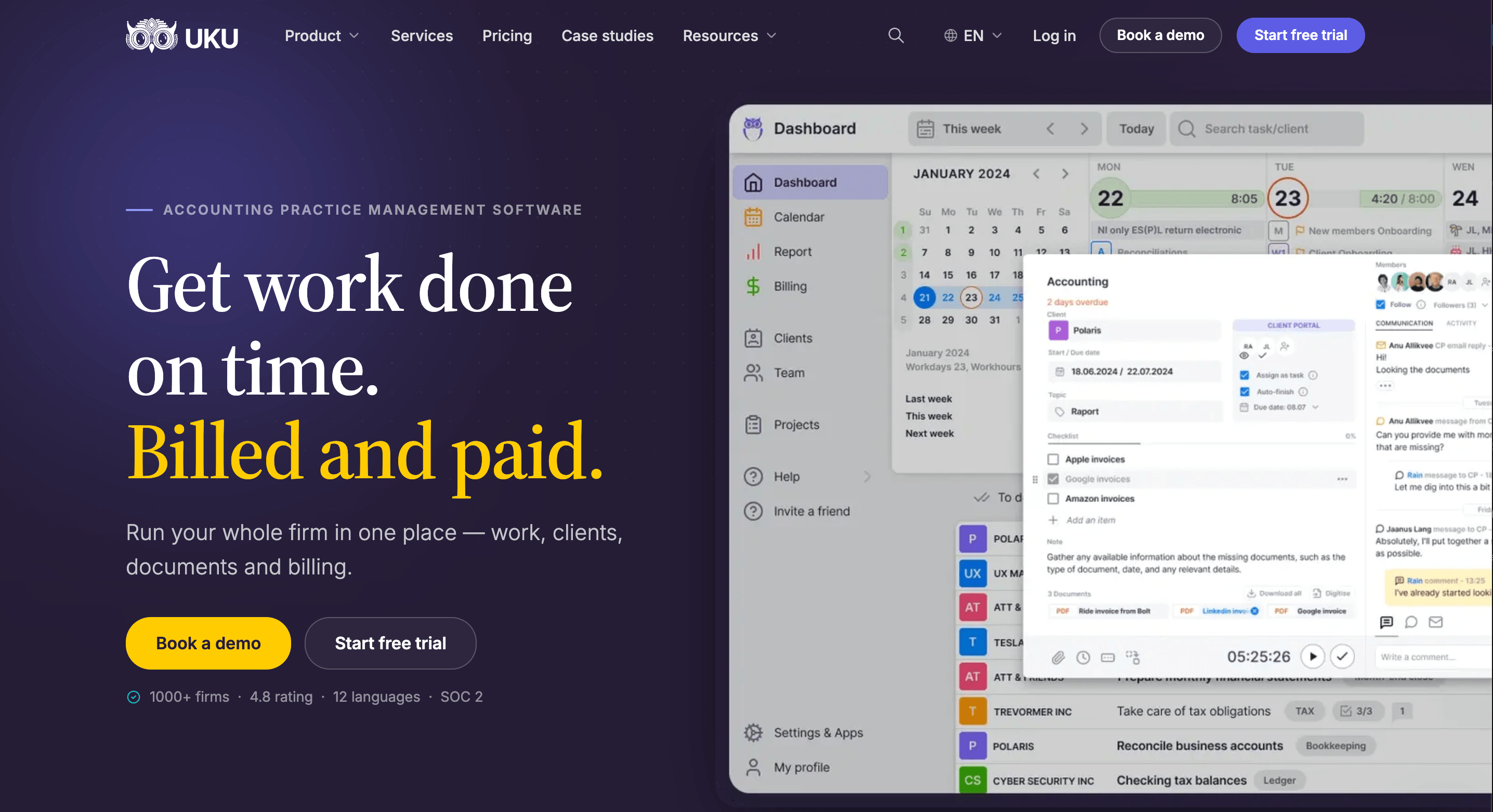
Uku charges per member, and clients, including the ones who use the client portal, cost nothing. That makes it cheaper than Aero for one or two people and more expensive from three up, so this section is about what the extra money buys.

Uku Solo: $19/month annual, $25/month monthly
| Price | Limits |
|---|---|
| $19/month annual, $25/month monthly | 1 member, 20 active clients |
Solo is the full core toolkit for one person: CRM, calendar, workflow automation, time tracking, billing, the client portal, agreements monitoring, client budgeting, email management, document management, e-signatures, AML tools and every accounting integration. Inactive clients do not count toward the 20.
| Solo pros | Solo cons |
|---|---|
| ✅ $89 a month less than Aero Startup | ❌ One member, 20 active clients |
| ✅ Billing and client portal included | ❌ No projects or access management |
| ✅ E-signatures and document management | ❌ No public API or Zapier |
The Bottom Line 👉 For a sole practitioner, Solo costs less than a fifth of Aero Startup and covers invoicing and the client portal as well as the workflow.
Uku Team: $38/month annual, $49/month monthly per member
| Price | Limits |
|---|---|
| $38/member/month annual, $49/member/month monthly | Unlimited members and clients |
Team adds what a group needs to work together: shared clients and tasks, projects, user roles and access management, company workflow templates and one-on-one training. Billing, time tracking, the client portal and agreements monitoring are all included.
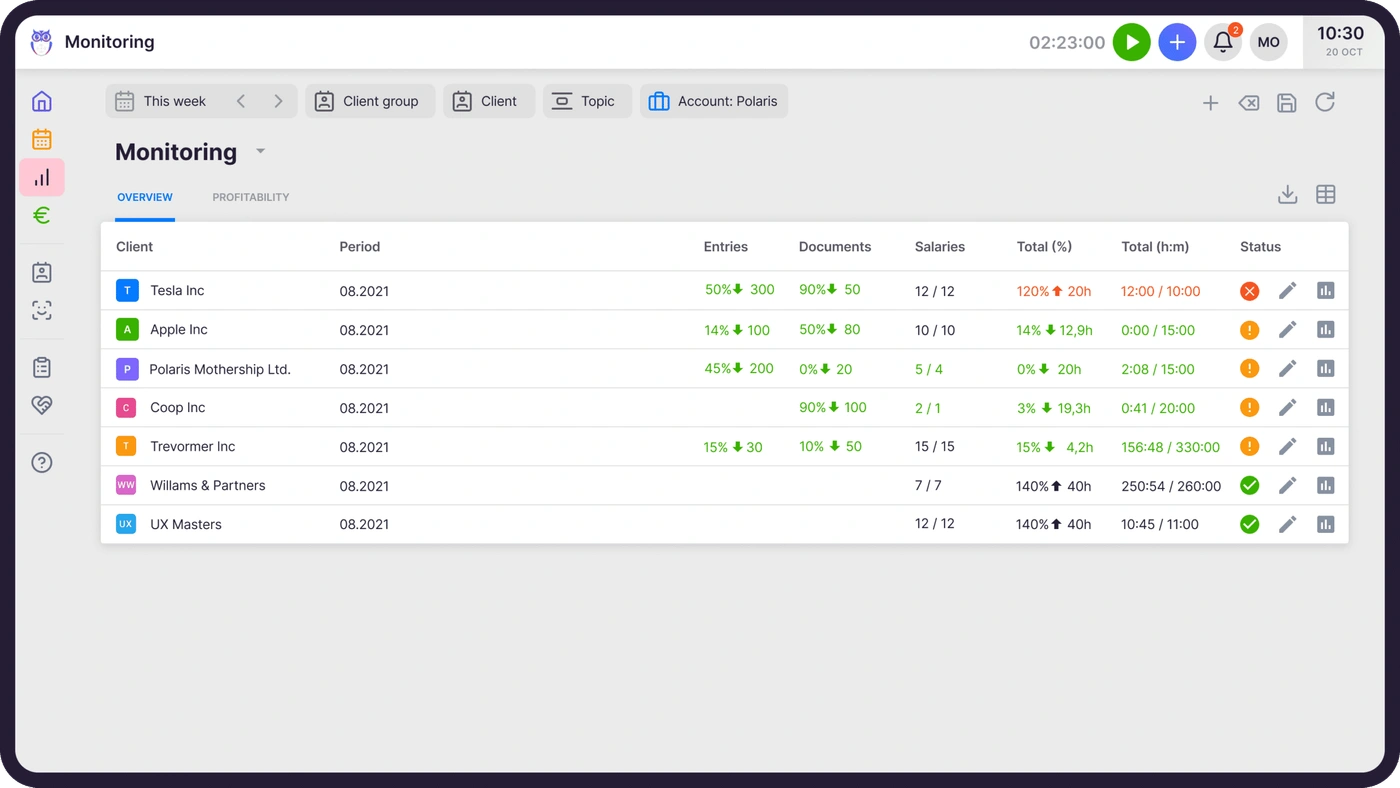
That screen is the question Aero leaves to QuickBooks reports: it sets each client’s agreed volume of work against what was delivered this period and flags the clients who are using more than their fee covers, before the month closes.
| Team pros | Team cons |
|---|---|
| ✅ Unlimited members and clients | ❌ More than Aero from three people up |
| ✅ Invoices built from contracts and time | ❌ No e-signatures or document management |
| ✅ Client portal, free for clients | ❌ No public API (Aero includes one) |
| ✅ Agreements monitoring on every client | ❌ Best rate needs annual billing |
The Bottom Line 👉 Team is the plan to compare with Aero Startup and Growth: it costs more per month and replaces the billing work done in QuickBooks and the documents chased by email.

Uku Elite: $48/month annual, $62/month monthly per member
| Price | Limits |
|---|---|
| $48/member/month annual, $62/member/month monthly | Unlimited members and clients |
Elite adds BI Analytics (production, profit and labour multiplier per client and member), client budgeting, workforce management for vacations and attendance, payment links on invoices through your own Stripe or Montonio account, document management with Google Drive, Dropbox and SharePoint, e-signatures, the public API, Zapier and the Uku MCP server.
| Elite pros | Elite cons |
|---|---|
| ✅ Profit per client, not only time per client | ❌ $10 per member more than Team |
| ✅ Public API, Zapier and Uku MCP | ❌ Aero’s API is free on every plan |
| ✅ Payment links on every invoice | ❌ Best rate needs annual billing |
The Bottom Line 👉 Elite is for a firm that wants its billing to tell it which clients make money, which a time report sent to QuickBooks cannot do on its own.

Uku Enterprise: $88/month annual, $99/month monthly per member
Everything in Elite, plus custom integrations, a dedicated account manager, assisted client import, a tailor-made team workshop, early access to new features and pay-by-invoice. It is built for multi-office firms and accounting networks.
Uku onboarding, published rather than quoted
Every Uku account gets 90 minutes of onboarding free. Beyond that, packages are optional:
| Package | Team size | Price |
|---|---|---|
| Free | Any | $0 for the first 90 minutes |
| Small | Up to 4 members | $700 |
| Medium | Up to 15 members | $2,000 |
| Big | Larger teams | Custom |
This is one place Aero is more generous: its white glove onboarding, unlimited one-on-one support sessions and training are free at every size. If you want to see how your Aero checklists would map to Uku workflows before you decide, book a demo and we will go through them with you.
Aero Workflow vs Uku: feature value breakdown
Pricing model
Aero Workflow’s approach: one flat fee per firm, in three bands of users. Hiring inside a band costs nothing; crossing into the next band costs $92 or $95 a month.
Uku’s approach: per member, with clients and client portal users free. Every hire adds $38 (Team) or $48 (Elite) a month on annual billing.
Value verdict: Aero, for subscription cost, at every size from three people up. Uku wins for one or two people.
Billing and invoicing
Aero Workflow’s approach: time is captured when a task is saved and synced to QuickBooks Online, where billable entries can be added to invoices. Fixed-fee entries stay out of invoicing.
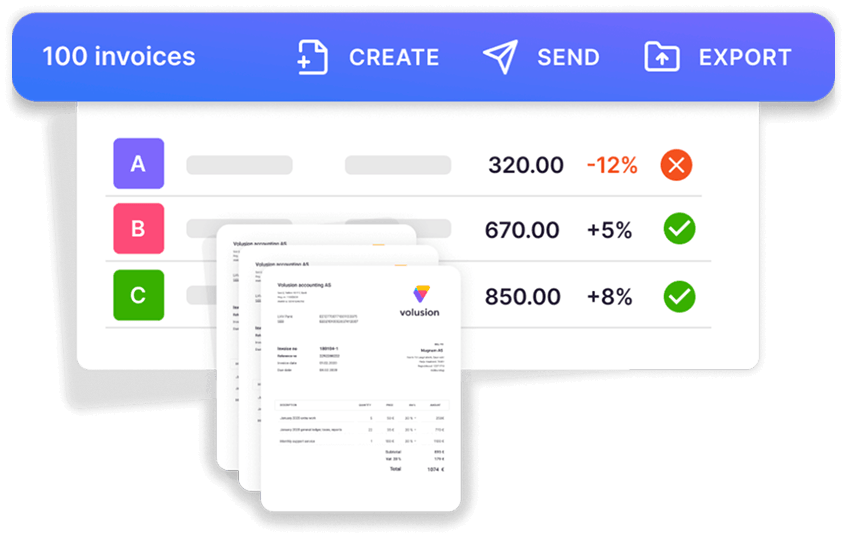
Uku’s approach: automated billing drafts the month’s invoices from each client’s contract (fixed, hourly, per piece, volume tiers) and the time tracked on tasks, then exports them to QuickBooks Online or another ledger. It reduces invoice preparation from days to about 30 minutes.
“Instead of manual billing which has been marred by a lot of errors we can comfortably use Uku for automated invoice generation.”
Value verdict: Uku. If your invoices are simple and QuickBooks Online already sends them, Aero’s sync may be enough; if fixed fees, out-of-scope hours and per-client prices take days each month, that is the work Uku removes.
Client portal
Aero Workflow’s approach: no client portal on its plan cards or feature lists. Aero Advisor opens separate managed accounts for clients, at a wholesale rate billed to the firm.
Uku’s approach: a branded client portal on every plan, with magic-link login, tasks sent to the client, document collection, messaging and, on Solo, Elite and Enterprise, e-signatures. Clients never count as seats, and the portal shows the same task your team is working on.
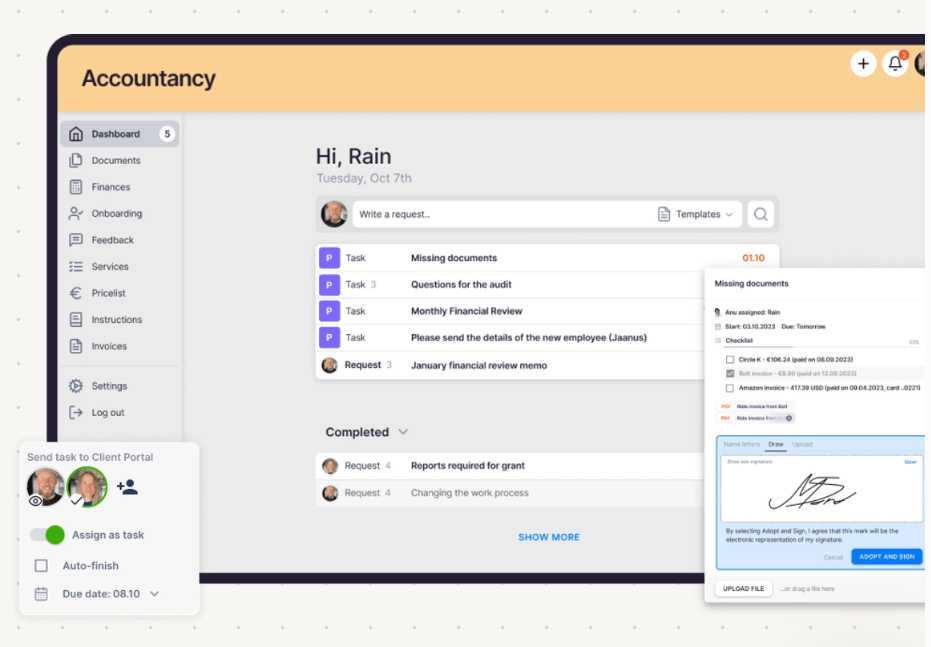
Value verdict: Uku. Aero is an internal tool by design, and its pages do not claim otherwise.
Workflow templates and checklists
Aero Workflow’s approach: a library of 150+ pre-built checklist templates for bookkeeping work, with procedures linked to each task and recurring work scheduled once.
Uku’s approach: recurring tasks with checklists, workflow templates applied per client and company templates shared across the team (Team and up).
Value verdict: Aero, for a firm that wants ready-made bookkeeping procedures on day one. Its library is the product’s centre, and it shows.
Onboarding and support
Aero Workflow’s approach: free white glove onboarding, free unlimited one-on-one support sessions, free training and certification, on every plan.
Uku’s approach: 90 minutes free, live chat support on every plan, one-on-one training from Team up, and paid onboarding packages from $700 for firms that want more hands-on help.
Value verdict: Aero, outright.
Integrations and API
Aero Workflow’s approach: QuickBooks Online, QuickBooks Time, Office 365, Zapier and Zoho Flow (its Gmail sync is closed to new users since June 2023), and an open API at no charge on every plan.
Uku’s approach: every accounting integration on every plan, including QuickBooks Online, Xero and FreeAgent; Zapier, the public API and the Uku MCP server on Elite and Enterprise.
Value verdict: split. Aero gives the API away; Uku connects to more ledgers.
The five-person firm test
Five people, annual billing, QuickBooks Online as the ledger in both cases.
| Stack | Per month |
|---|---|
| Aero Startup, invoices built in QuickBooks Online | $108 |
| Uku Team (5 × $38), invoices built in Uku and exported to QuickBooks Online | $190 |
| Uku Elite (5 × $48), plus BI Analytics, e-signatures, documents and the API | $240 |
Month to month, the same three lines are $135, $245 and $310.
Uku Team costs $82 a month more than Aero Startup, or $984 a year. For that, the firm’s invoices are drafted from contracts and tracked time instead of assembled in QuickBooks, every client gets a portal for documents and questions, and agreements monitoring flags the clients who outgrow their fee. If month-end billing takes one person a day or two, that time is usually worth more than $82.
If it does not, Aero is the cheaper and perfectly good choice. A five-person firm with simple fixed fees that already invoices from QuickBooks Online, and is happy collecting documents by email, gets a well-supported workflow tool for $108. Hire a sixth person, though, and Aero is $200 against Uku Team’s $228.
How to switch from Aero Workflow to Uku
Most firms are live in two to six weeks, at their own pace, and keep billing clients throughout. (Aero’s own FAQ puts a firm’s move into Aero at four to eight weeks, for comparison.)
- Export from Aero and import into Uku. Run Aero’s customer and recurring-work reports and export them to CSV before you give notice, because Aero deletes the database when the paid period ends. Import clients into Uku from Excel, or sync them straight from QuickBooks Online.
- Rebuild your recurring work as workflow templates. One template per service, using your Aero checklists as the starting point, then apply them to each client.
- Set up billing contracts and train the team. Put each client’s fee, hourly rate or per-piece prices on a contract so invoices draft themselves. Use the 90 minutes of free onboarding for this step.
- Go live. Run one month’s billing in Uku, invite clients to the portal, then cancel Aero. You keep access until the end of the period you have paid for.
If your firm runs an AI assistant, the Uku MCP server connects in a day and lets it work with your tasks, time and clients directly.
Final verdict: Aero Workflow vs Uku
👍 Aero Workflow is worth its price if your firm is between three and 25 people, runs on QuickBooks Online and wants recurring bookkeeping work standardised with checklists. At $108 a month for up to five users and $200 for up to 25 on yearly billing, with onboarding, support, training and the API included, it is one of the most predictable bills in practice management. Watch the step at six users, and remember the annual plan is not refundable. See Aero Workflow’s pricing.
👉 Uku is worth the higher subscription if your firm loses days to month-end billing, chases documents by email, or wants to know which clients cost more than they pay. From $19 a month for one person and $38 per member for a team, with clients free, it puts the work, the time, the invoices and the client portal in one system. Every account starts with a 14-day trial of the full Elite plan, no card required. See Uku’s pricing or book a demo to see a month of your own billing run in Uku.
Aero Workflow asks: how do we make sure the recurring work gets done the same way every time? Uku asks: how do we get the work done, billed and paid without a second system? Small firms with simple billing will be happy with the first answer. Firms whose billing has outgrown QuickBooks will want the second. Get started with Uku.
Read more
- Aero Workflow review — how the checklists, recurring tasks, time tracking and reports work day to day
- Aero Workflow vs Karbon vs Uku — a flat-fee checklist tool against Karbon’s per-user platform, feature by feature
- Aero Workflow vs Jetpack Workflow vs Uku — the two workflow specialists compared on templates, time tracking and price
- Jetpack Workflow pricing — the per-user alternative to Aero’s flat fee
- Pixie pricing — another flat-fee practice management tool, with unlimited users
- Karbon pricing — what a per-user platform costs at the same team sizes
- Financial Cents pricing — a workflow tool with billing, priced per user
- Uku automated billing and the Uku client portal
- Uku case studies
Frequently asked questions
How much does Aero Workflow cost?
Aero Workflow's US plans are a flat monthly rate for the whole firm, set by how many users you have. Startup (1–5 users) is $108 a month paid yearly or $135 month to month. Growth (6–25 users) is $200 or $250. Scaling (26–50 users) is $295 or $365. Past 50 users Aero moves you to an Enterprise plan that adds a set fee for each extra group of 10 users; the FAQ does not name the amount.
Does Aero Workflow charge per user?
No. Aero's pricing FAQ says the prices on its pricing page are the flat monthly rate for the firm. The number of users decides which plan you are on, though: the sixth user moves you from Startup to Growth, and the 26th from Growth to Scaling. Inactive team members do not count toward your user total.
Does Aero Workflow have a free trial?
Yes. Aero offers a 14-day free trial with no credit card required, full access to the app, as many users as you want and every integration. To open the checklist library during the trial you add a credit card, and Aero says it will not charge it until the trial ends.
Can I get a refund if I cancel Aero Workflow's annual plan?
No. Aero's FAQ says that if you choose the annual subscription and cancel before the 12 months are over, no refund is available. Its refund policy also rules out refunds for partial months and for upgrades or downgrades. After you cancel, you keep access until the end of the paid period; then Aero deletes the account and its database, so export what you need first.
Does Aero Workflow do invoicing?
Aero tracks time on every task and sends it to QuickBooks Online, where billable entries can be added to customer invoices. The invoice itself is created in QuickBooks Online, not in Aero. Entries marked fixed fee are not available to add to an invoice, and edits you make to a time entry in QuickBooks are not synced back to Aero.
Does Aero Workflow have a client portal?
A client portal is not listed on Aero's plan cards, its homepage feature list or the feature summary in its help centre. The nearest feature is Aero Advisor, which lets a firm open connected Aero accounts for its clients to share procedures and checklists; those managed accounts are priced at a wholesale rate and billed to the firm.
Is Aero Workflow cheaper than Uku?
For most team sizes, yes, on subscription price alone. Uku is cheaper for one person ($19 a month on Solo against $108 for Aero Startup) and for two ($76 on Uku Team). From three people up, Aero's flat fee costs less: five people pay $108 a month for Aero Startup against $190 for Uku Team, both on annual billing. What the difference buys in Uku is invoicing built from contracts and tracked time, and a client portal, in the same system.
Does Aero Workflow charge for onboarding or support?
No. Aero includes free white glove onboarding (a 1-on-1 setup call, help designing workflows, hands-on training and help importing your work), free unlimited one-on-one support sessions, and free on-demand training and certification on every plan.