Accounting Practice Automation in 2027: What AI Handles Next
Where AI agents are heading in accounting firms by 2027 - document collection, exception-based review, queryable practice data, continuous billing - and what a firm has to prepare.


Contents
- Document collection can run without constant chasing
- Transaction review can start with exceptions
- APIs are becoming part of the accounting stack
- Agents will need specific jobs
- Practice data can become something you query
- Billing can become a continuous process
- The audit trail matters as much as the AI
- The hardest part is knowing when to stop
- What accounting practice automation could look like in 2027
- What accounting firms need to prepare
Accounting software already handles many routine tasks. The problem is everything around those tasks. An accountant still has to read an email, find the right client, check for a missing document, update a task, or move information between systems.
A workflow might start with an email and end with an updated task or client record. An AI agent can handle the steps in between by reading the request, finding the relevant client information, and triggering the required action. This type of AI use is becoming more common across accounting firms. Wolters Kluwer reported that 41% of firms were using AI in 2025, up from 9% in 2024.
The next step is getting these agents to work with the software firms already use. An agent needs access to the right records, permission to perform specific actions, and clear rules for when it should stop and ask an accountant to take over.
Document collection can run without constant chasing
Document collection looks simple until you deal with real clients. Someone sends the wrong statement, uploads a file for the previous month, forgets an attachment, or replies to an email without actually providing the document.
A useful automation needs to understand those cases. Say a client uploads a file to the client portal. The automation checks the client record and the reporting period, then looks at what was uploaded. If it is the document that was requested, the task can move forward. If not, it stays open.
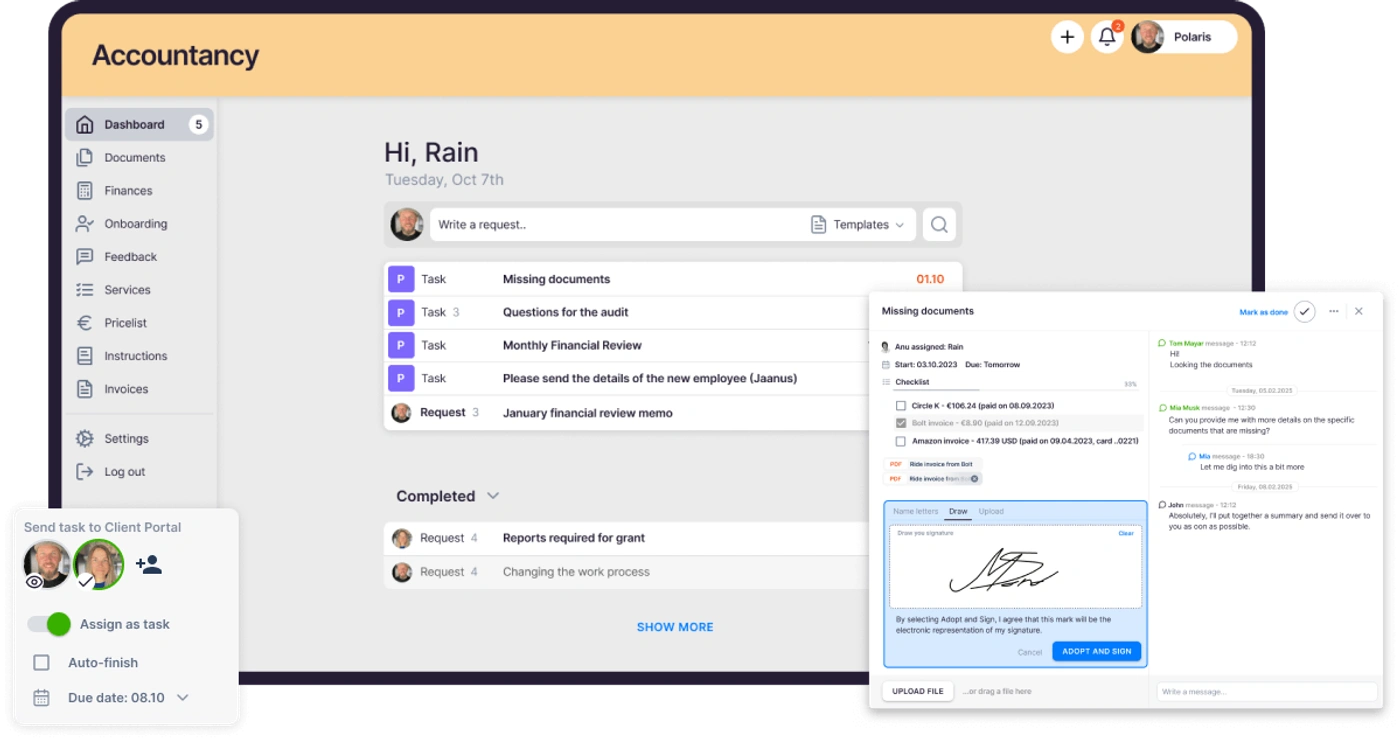
The same workflow can deal with the cases that need follow-up. It can send another request when a document is missing, flag a request that has gone overdue, or put a task on an accountant’s list. What it does depends on the information in the record and the rules set for that workflow.
Transaction review can start with exceptions
There is little value in using an AI model to look at every transaction if most transactions are completely normal. The better use case is finding the ones that deserve attention.
A system can compare new transactions with previous activity, vendor history, account categories and recurring amounts. If a payment is significantly different from the client’s normal pattern, the transaction can be flagged for review. Matri Vyas has shared examples of AI being used for bank transaction categorization, duplicate-payment checks, financial summaries and cash flow forecasting.
The important part is what happens after the flag. The system should keep the transaction, why it was flagged, and the information behind the decision. An accountant can review it, accept the classification, change it, or mark the transaction as normal.
APIs are becoming part of the accounting stack
An AI agent needs access to the systems where the work actually happens. It can understand an email about an overdue client, but that is only useful if it can also check the client record, open tasks, document status and previous messages.
That is why APIs matter. A typical agent may need to make several calls during one workflow: retrieve the client, find open tasks, check the latest document, read the last communication, and create the next task. Authentication, permissions, rate limits, error handling and logging all become part of the implementation.
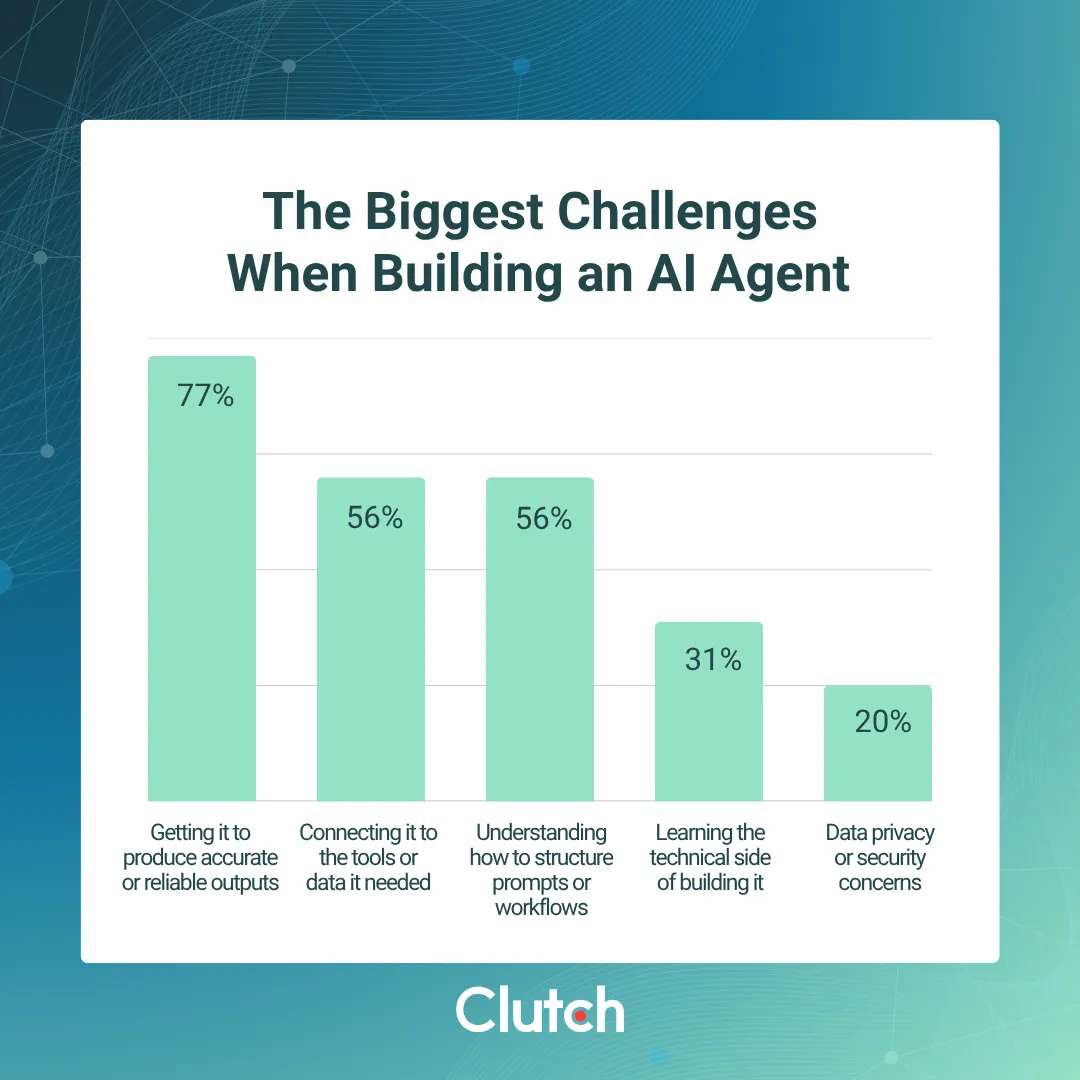
Clutch’s 2026 research shows that this is already a practical problem. Among more than 700 workers who had built their own AI agents, 56% said connecting their agents to existing tools and data was a challenge. The same research found that 56% struggled with structuring the workflow itself.
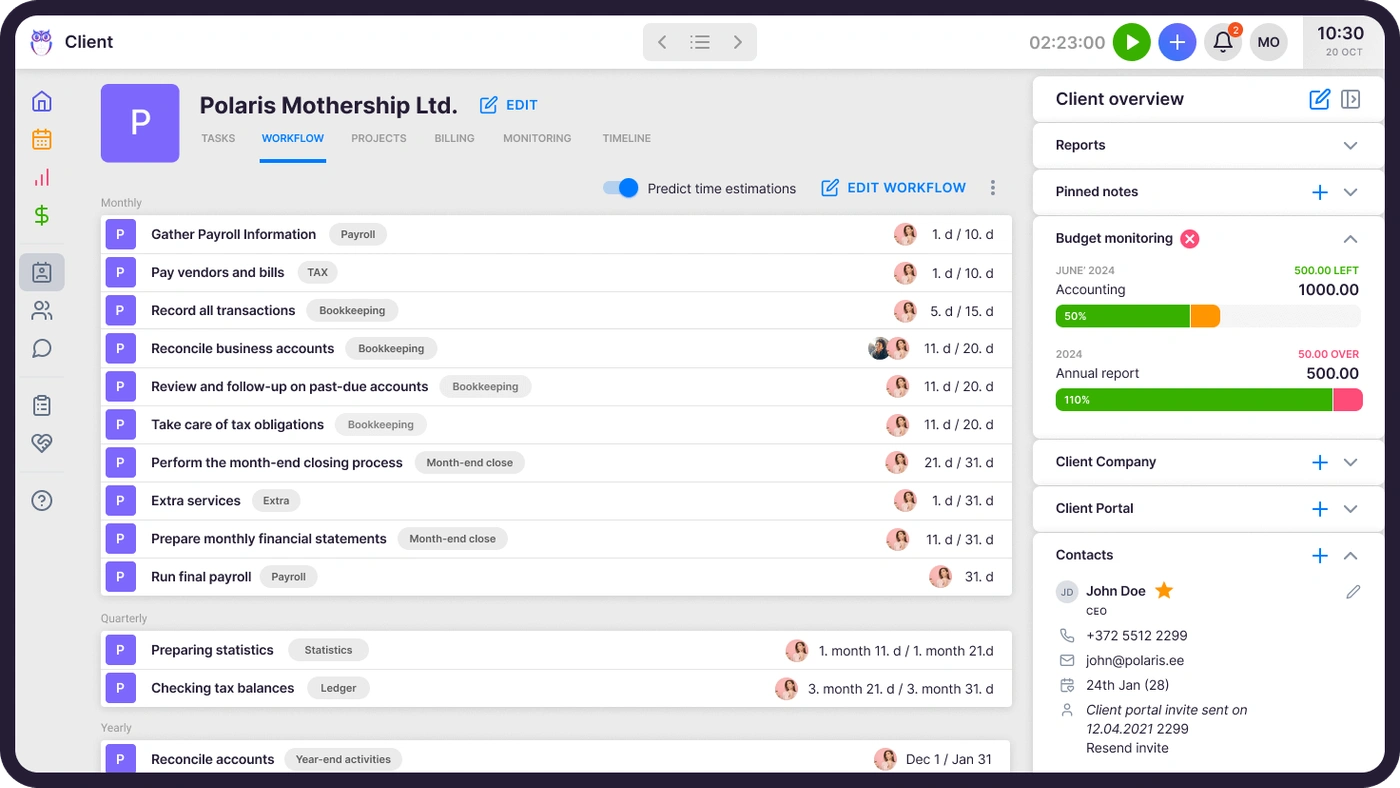
For accounting practices, workflow automation and task management give an agent the information it needs to work: which work is due for which client, who owns it, and what state it is in. If you want to see what that looks like on the API side, we wrote up Uku API v3 and how it was built for agents.
Agents will need specific jobs
Giving one AI agent access to an entire accounting practice is not a particularly good architecture. It creates a large permission scope and makes it difficult to understand why the system took a particular action.
A better setup is to give agents narrow responsibilities. One agent could handle document intake, another could prepare transaction exceptions, and another could assemble information for a billing review. Each one gets the data, tools and instructions required for its job.
Svetlana Toohey, CPA, described a similar approach, comparing an AI agent to a staff accountant with a defined role, specific inputs, boundaries and a clear definition of done. She also describes an orchestrator that manages the wider process and decides when work should move to another agent or back to a person.
That model also makes testing easier. If a document agent starts misclassifying files, you can inspect that one workflow without having to debug an enormous “accounting AI” that controls dozens of unrelated processes.
Practice data can become something you query
Most practice management data is useful, but it is often locked inside reports. An accountant may need to export time entries, invoices, client records and contracts before answering a question about profitability.
An API-connected agent can skip that manual preparation. Rain Allikvee, co-founder of Uku, demonstrated an AI agent that accessed client, time-entry and invoice data through the Uku API and produced a ranked profitability report.
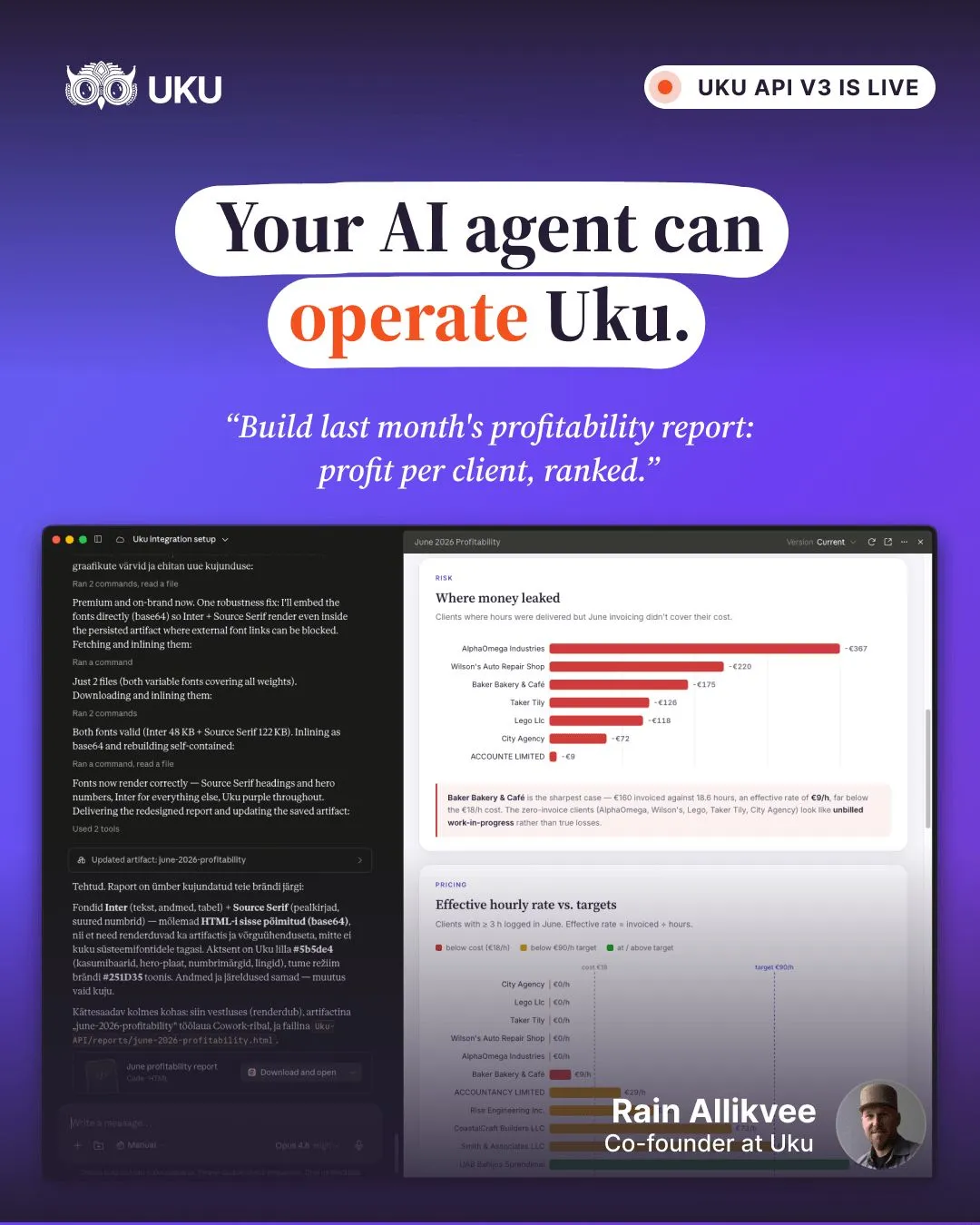
The useful part is not simply generating a report. It is being able to ask a question against current operational data. An accountant could ask which clients have unusually high time consumption, which jobs are overdue, or where billed work does not match recorded activity. The agent can retrieve the relevant records and return the calculation without someone building another spreadsheet first. For a chat assistant rather than a custom agent, the same idea runs through MCP.
Billing can become a continuous process
Put your whole firm in one place Start free for 14 days. No credit card, full access. Try Uku freeBilling is often left until the end of the month, which creates a cleanup exercise. Someone has to check time entries, completed work, contracts, recurring services and pricing before an invoice can be prepared.
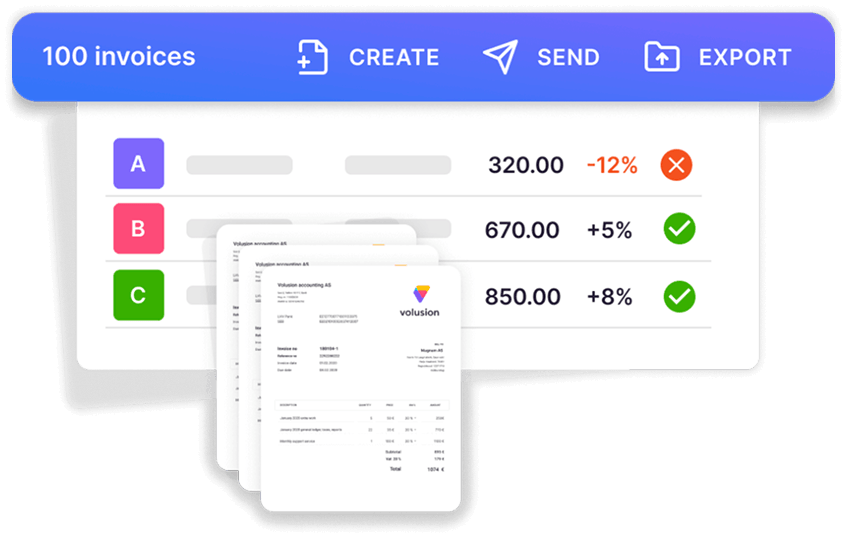
A better setup records those inputs as the work happens. Completed tasks can feed billable activity, time entries can be matched against client agreements, and recurring services can be added automatically. The invoice becomes the final output of the workflow rather than the point where someone starts reconstructing the month.
AI can add another check before the invoice goes out. It could compare the invoice with the underlying agreement, identify unusual changes from previous months, or flag a client whose recorded work does not match the expected billing pattern.
The audit trail matters as much as the AI
An accounting workflow cannot simply record that “AI made the decision.” A firm needs to know which records the system accessed, what it changed, which rule or instruction was applied, and whether a person approved the result.
That becomes especially important when an agent can take actions rather than just produce text. Reading an invoice is one permission. Editing it is another. Creating a draft email is different from sending it. A production workflow should treat those actions separately.
Every action that changes financial or client records should leave a trace. If something goes wrong, the team should be able to see what happened and where the workflow went off track. In Uku, that separation is built into the agent setup: API keys are scoped to read, edit or all, anything that touches money needs a separate permission, and an agent works as its own team member, logging its work back into Uku. Writing down what agents may and may not do is also the core of a firm’s AI policy.
The hardest part is knowing when to stop
An agent does not have to complete every workflow from start to finish. In accounting, stopping at the right point can be more valuable than pushing for full autonomy.
Take a reconciliation workflow. The agent can match transactions, identify likely discrepancies, collect supporting information and prepare the reconciliation. If everything matches within the defined tolerance, the workflow can continue. If it finds an unexplained difference, it should stop and create a review task rather than inventing an answer.
That approach also gives firms a practical way to introduce AI into existing processes. Start with the parts where the inputs are consistent and the consequences of an error are manageable. Keep the unusual cases with the accountant. As the firm collects real examples of failures and edge cases, the workflow can become more capable. If you are deciding where to begin today, see what to automate first.
What accounting practice automation could look like in 2027
A client uploads a document and the system identifies it, checks the reporting period, and updates the relevant task. A transaction that does not match previous activity goes into an exception queue. An overdue request triggers a follow-up based on the client’s actual status rather than a generic reminder.
During the month, time entries and completed work accumulate against the client’s agreement. When billing starts, the information is already there. An agent can check the draft invoice, compare it with previous activity, and flag anything unusual.
An accountant can also ask the practice system a question without first exporting several reports. The agent retrieves current records through the API, performs the calculation, and shows where the numbers came from.
That is a more realistic picture of AI in accounting than a single autonomous “AI accountant.” The practice becomes a set of smaller automated processes, with agents handling specific jobs and handing exceptions back to people.
What accounting firms need to prepare
Thomson Reuters found that 79% of tax, audit and accounting professionals expected AI to have a high or transformational impact on the profession, while only 14% said their firm already had a defined AI strategy. The firms preparing for that change will need more than an AI subscription. They will need to decide which processes to automate, what data those processes require, what each agent is allowed to do, and where an accountant has to sign off.
Uku gives accounting practices the client, task, time, workflow and billing data that can sit underneath these processes. For firms experimenting with AI agents, having that operational data in one structured system makes the automation much easier to build and maintain.
Frequently asked questions
What will AI automate in accounting firms by 2027?
The work around the accounting software rather than the ledger itself. Checking whether an uploaded document is the one that was requested, flagging transactions that break a client's normal pattern, answering questions against live practice data, and checking draft invoices against the client's agreement before they go out.
How many accounting firms use AI today?
Wolters Kluwer's 2025 Future Ready Accountant report found 41% of tax and accounting firms using AI in 2025, up from 9% in 2024. Thomson Reuters found that 79% of tax, audit and accounting professionals expect AI to have a high or transformational impact, while only 14% said their firm had a defined AI strategy.
Should one AI agent run the whole accounting practice?
No. A single agent with access to everything has a large permission scope and is hard to audit. Narrow agents work better, one for document intake, one for transaction exceptions, one for billing review, each with only the data and tools its job needs, handing unusual cases back to an accountant.
What does an AI agent need from practice management software?
An API that exposes clients, tasks, documents, time and invoices, permissions that separate reading from changing records, and a log of what the agent did. In Uku, API keys are scoped to read, edit or all, anything financial needs a separate permission, and an agent works as its own team member that logs its work back into Uku.