




Best Client Portal Software for Accountants (2026)
Compare the 10 best client portal software for accountants in 2026. White-label branding, magic link access, pricing & honest reviews — find the right secure portal for your accounting firm.


Contents
- What is client portal software?
- What is a client portal for accountants?
- Do you actually need a client portal?
- ”Client portal” vs “client accounting software” — what are you actually looking for?
- Why a white label client portal matters
- What actually differs between client portals
- The 10 best client portal software for accountants:
- Quick comparison: all 10 client portals at a glance
- 1. Uku
- 2. TaxDome
- 3. Canopy
- 4. Financial Cents
- 5. Karbon
- 6. SmartVault
- 7. Client Hub
- 8. Liscio
- 9. Content Snare
- 10. Mango Practice
- How to choose the right client portal for your accounting firm
- The bottom line
- Read more
Your clients have documents to send you. You have deadlines to meet. And somewhere between your inbox and their filing cabinet, things get lost.
Client portal software fixes that. It gives your clients one secure place to upload documents, answer questions, and communicate with your team — without the email ping-pong.
But not all client portals are built for accounting firms. Some are generic project tools. Others are built for legal or creative agencies. And some come bundled inside practice management platforms where the portal is an afterthought.
We tested and compared the 10 best client portal software options for accountants in 2026. Each review covers features, pricing, and who it’s best suited for — so you can find the right secure client portal for your accounting firm.
What is client portal software?
Client portal software is a secure, login-based space where a business and its customers exchange documents, sign paperwork, and communicate without relying on email. One login replaces the mix of email attachments, shared drives, and phone calls that most businesses default to, and both sides see the same record of what was sent, requested, and completed. Portals exist across law, healthcare, real estate, and financial services — the underlying mechanics (secure login, document exchange, messaging, task tracking) are similar everywhere, but what belongs inside the portal changes by industry.
To choose one, weigh the same handful of factors regardless of industry: how documents move in both directions (not just uploads), whether clients can sign inside the portal, whether it works from a phone, how fully you can brand it as your own, what security certifications back it, and whether client-facing tasks actually live in the portal or only the files do. We break each of those down for accounting firms specifically further down this guide.
Accounting and bookkeeping firms need a version of this built around tax documents, recurring monthly requests, and deadline-driven work — not a generic file-sharing tool retrofitted for accountants. The rest of this guide focuses on that narrower category.
What is a client portal for accountants?
A client portal for accountants is a secure, branded platform where the firm and its clients collaborate on document requests, deadlines, and communication in one place, instead of splitting the work across email chains, shared Google Drive folders, and phone calls.
Your clients log in, see their tasks, upload documents, and message your team. You see everything organized in your workflow. Automatic reminders handle the follow-ups. Nothing gets lost. Beyond collecting standard documents, managing access to sensitive financial accounts remains a critical security challenge, highlighting the need for a dedicated system that supports secure password sharing within your firm’s digital ecosystem.
The best client portals for accountants include:
- Document collection — assign tasks with file upload requirements and checklists
- Automated reminders — stop chasing clients for deadlines manually
- Secure messaging — communicate without switching to email
- White-label branding — a white label client portal with your logo, colors, and custom URL
- Easy access — magic links or simple login, no technical barriers for clients
- Integration — connect with your accounting software (QuickBooks, Xero) and practice management tools
Do you actually need a client portal?
Not every accounting firm needs a client portal. A firm with 5 clients who reliably email their documents on time can get by with a shared Google Drive folder — a portal would add setup and login friction without much benefit. The tipping point for most firms falls somewhere between 20 and 50 active clients, or as soon as a second team member needs access to a client’s document history without digging through someone else’s inbox.
You need a client portal when:
- You spend hours every week chasing clients for documents — accountants spend up to 30% of their working day on emails
- Tax season turns your inbox into chaos and deadlines get missed
- Multiple team members need access to the same client communication — not just the partner who got the email
- You want to look professional with a branded experience instead of “please email it to accounting@firm.com”
- You’re growing past 50 clients and need systems that scale beyond email
A 20-person accounting firm where each accountant spends 2 hours daily chasing clients wastes 2,000+ hours per year — that’s over €40,000 in lost productivity. A client portal gives that time back.
”Client portal” vs “client accounting software” — what are you actually looking for?
These terms get used interchangeably, and the search results mix them together. It’s worth being clear about what you need.
Client accounting software usually means the software your firm uses to manage its clients — collecting documents, messaging, tracking who owes what, and giving each client a branded place to log in. It’s the firm-facing layer. That’s the category this guide compares, and a client portal is the piece your clients actually see.
It does not mean the bookkeeping ledger your clients post their own entries into (QuickBooks, Xero, FreshBooks). Those are general-ledger tools. If that’s what you’re after, start with a QuickBooks or Xero integration instead — the platforms below connect to them.
Where an accounting document management system fits
There is a third term in the same search results, and it is the one firms most often mean when documents are the actual problem: an accounting document management system. That is software whose primary job is storing and organizing client documents — folder structure, version history, retention rules, and controlled access — rather than running the firm’s work. The client portal is the client-facing door into it; the document management system is the room behind the door.
Which one you need comes down to a single question: is document storage the job, or is it one part of the job? If a firm needs secure storage and sharing as the main use case, a dedicated accounting document management system like SmartVault (#6 below) is the better fit — it is built for exactly that and is not a practice management tool. If documents keep getting stranded from the work they belong to, an accounting document management system on its own will not fix it: what is missing is the link between the file, the task it belongs to, and the deadline it feeds. Platforms that bundle the portal into practice management — Uku, TaxDome, Canopy — keep documents attached to the job rather than in a parallel filing cabinet.
The reason this distinction matters: the best client accounting software gives your team a single source of truth for who’s doing what across every client. Instead of one accountant holding the email thread and everyone else guessing, the whole team sees each client’s documents, tasks, and deadlines in one place — so work gets done on time. A portal that only shares files misses that. The tools in this comparison are ranked on how well they deliver both: a clean experience for your clients and control for your team.
Why a white label client portal matters
When your client logs into a portal and sees someone else’s branding, it undermines your firm’s professionalism. A white label client portal shows your logo, your colors, and your custom URL — your clients see your brand, not your software vendor’s.
White-label branding builds trust. Your client portal should feel like an extension of your firm, not a third-party tool you’re renting. The best white label client portal software lets you customize:
- Logo and icon — displayed on login screen and portal header
- Brand colors — match your website and documents
- Custom domain — portal.yourfirm.com instead of app.vendor.com
- Welcome video — introduce new clients to your portal
- Language — serve international clients in their language
Not all portals offer this. In our comparison below, we flag which tools support full white-label branding and which only allow basic logo uploads.
What actually differs between client portals
Every vendor in this comparison calls itself a “client portal,” but the tools underneath differ in ways that show up the first week you use them, not on a feature list. Here’s what to check, and what each one means in daily practice.
Document exchange vs. real two-way work. Some tools are file drop boxes: the client uploads a PDF, and that’s the interaction. Others let you assign a task with a checklist (“bank statements, receipts, mileage log”), track which items are still outstanding, and route the completed set into your workflow automatically. If your bottleneck is chasing scattered documents rather than storing them, a drop box doesn’t fix the actual problem — you need the task layer on top of the files.
E-signature. Built-in e-signature means a client can review and sign an engagement letter or tax form inside the same session where they’re uploading documents. Without it, you’re exporting to DocuSign or a similar tool, tracking signature status in a second system, and manually matching signed documents back to the client file.
Mobile access. A responsive portal that works in any browser is not the same as a native mobile app with push notifications. For clients who check phones more than email, a native app (TaxDome, Liscio) nudges them the moment a document is due; a browser-based portal (most of the tools below) still works on a phone, but relies on the reminder email actually getting opened.
Branding. Full white-label — your logo, your colors, a custom domain like portal.yourfirm.com, and your own welcome message — makes the portal feel like part of your firm. Limited branding (logo and background color only, no custom domain) still shows the vendor’s name in the URL bar, which some clients notice.
Security posture. Look past the marketing word “secure” and check for the certifications behind it: SOC 2 (Type I or Type II), encryption in transit and at rest (TLS 1.3 and AES-256 are the current baseline), and role-based access so a junior team member can’t see every client’s file by default. If you handle sensitive financial data and want to see how one vendor documents this in detail, Uku’s security policy lays out its certifications, encryption, and infrastructure.
Tasks live in the portal, or only files do. This is the split that matters most day to day. A portal with real task management shows the client (and your team) what’s outstanding, what’s overdue, and what’s done — the same view a practice management platform gives you internally, extended to the client. A portal that’s really just secure file storage leaves task tracking to whatever spreadsheet or inbox you were using before.
The 10 best client portal software for accountants:
Quick comparison: all 10 client portals at a glance
| Software | Price | Magic link | White-label | Personalize | Messaging | E-sign | Capterra | |
|---|---|---|---|---|---|---|---|---|
 | Uku | $38/u | Yes | Full | Yes | Yes | Yes | 4.8 |
 | TaxDome | $58/u | — | Full | — | Yes | Yes | 4.7 |
 | Canopy | $74/u | Yes | Full | — | Yes | Yes | 4.2 |
 | Financial Cents | $49/u | Yes | Full | — | Yes | Yes | 4.8 |
 | Karbon | $59/u | Yes | Limited | — | Yes | Yes | 4.7 |
 | SmartVault | $50/u | — | Limited | — | — | Yes | 4.5 |
 | Client Hub | $49/u | — | Limited | — | Yes | Yes | 4.8 |
 | Liscio | $49/u | — | Limited | — | Yes | Yes | 4.8 |
 | Content Snare | $35/mo | Yes | Limited | — | — | — | 4.7 |
 | Mango Practice | $35/u | — | Full | — | Yes | Yes | 3.6 |
1. Uku
Best for: Accounting firms with 10-200 team members who want a clean, branded client portal included in their practice management software.
Uku is a practice management platform built for accounting firms. The client portal is included in every plan — no per-client fees, no add-ons.
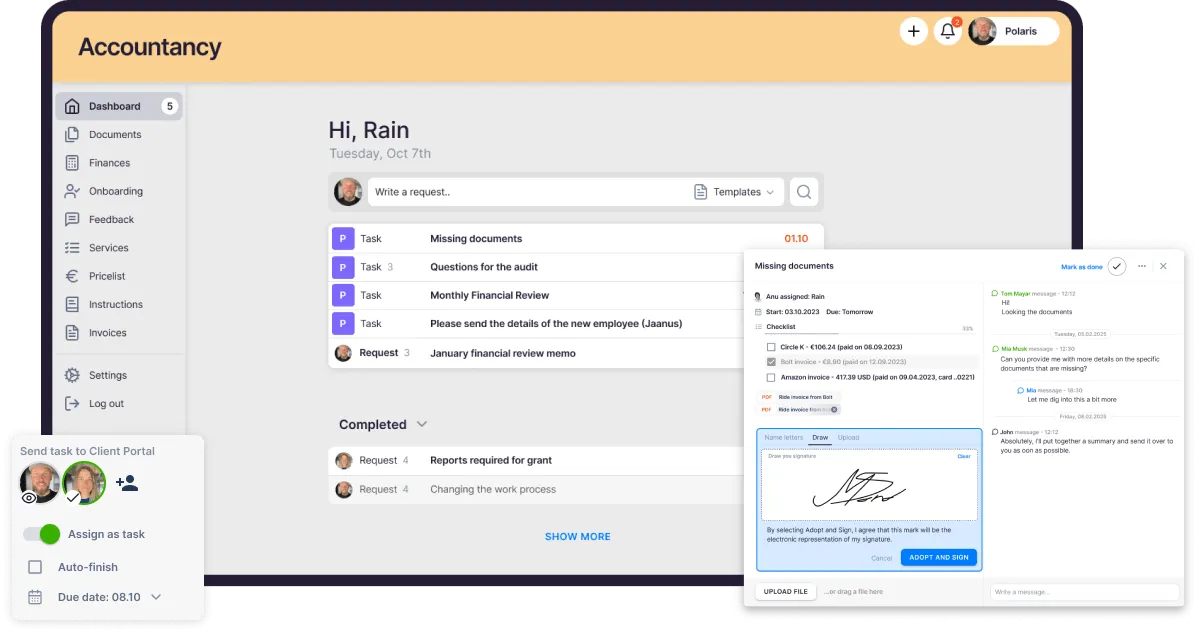
What sets Uku apart is the magic link access. Your clients click a link in their email and they’re in. No usernames, no passwords, no “I forgot my login” support tickets. This alone eliminates one of the biggest friction points with client portals.
Client portal features
- Recurring document tasks — set up monthly document requests that repeat automatically with task management
- Magic link login — zero-friction access for clients
- Full white-label branding — your logo, colors, custom URL, welcome video, and language
- Automated reminders — before and after deadlines, no manual follow-up needed
- Direct messaging — communicate with multiple client contacts through the portal via email management
- Customizable menu — show each client only what’s relevant to them
- E-signatures — clients sign documents directly in the portal
- Document digitization — one-click send to QuickBooks or Xero through digitization partners
- Multi-language support — serve international clients in their language
Who is Uku suited for?
Accounting, tax, and bookkeeping firms with 10-200 team members. The Solo plan ($19/member/month, up to 20 active clients) works for one-person firms. Uku is particularly strong for firms that value a clean, modern client experience and want the portal tightly integrated with their workflow, billing, and team collaboration.
Pricing
- Solo: $19/member/month billed yearly ($25 monthly) — single accountant, up to 20 active clients
- Team: $38/member/month billed yearly ($49 monthly)
- Elite: $48/member/month billed yearly ($62 monthly)
- Enterprise: $88/member/month billed yearly ($99 monthly)
- Client portal included in every plan at no extra cost.
Pros and cons
| Pros | Cons |
|---|---|
| Magic link access — no passwords for clients | Newer to the US market |
| Full white-label branding with custom URL | No native mobile app yet |
| Built-in e-signatures in client portal | |
| Clean, modern interface | |
| Recurring tasks with automatic reminders | |
| SOC 2 certified |
“Uku client portal has enhanced our operations, improved client satisfaction, and streamlined our processes.” — Helen T., verified on Capterra
Capterra: 4.8 | G2: 4.7
2. TaxDome
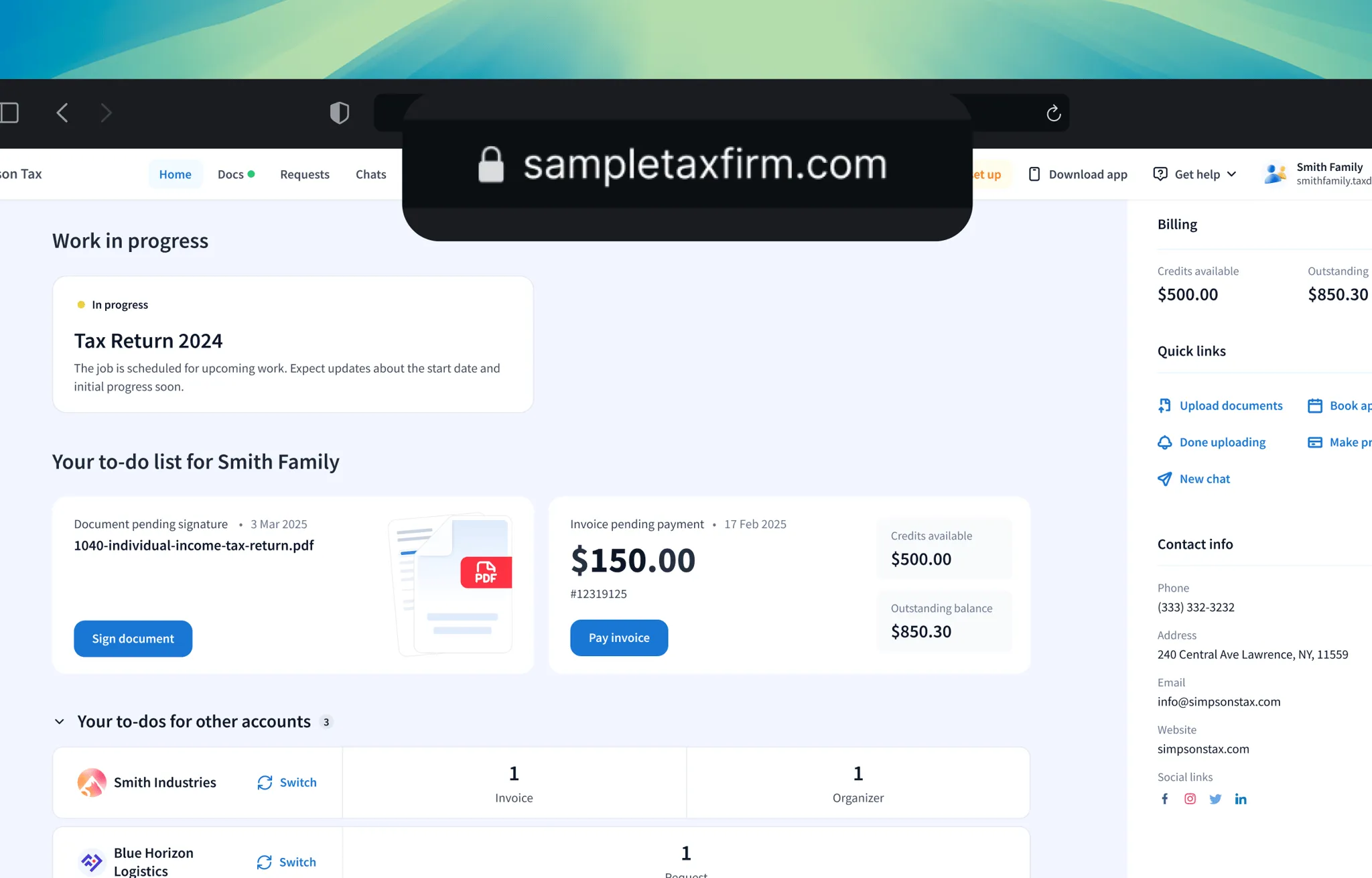
Best for: Large tax and accounting firms (50-200+) that want an all-in-one platform with everything built in.
TaxDome is an all-in-one practice management platform that includes CRM, workflow automation, billing, e-signatures, and a client portal. It’s one of the most feature-complete platforms on the market.
Client portal features
- Client-facing dashboard with tasks, messages, and documents
- Built-in e-signatures — no DocuSign needed
- Secure document storage with organized folders
- Automated workflows that trigger client tasks
- Invoice payments through the portal
- Mobile app for clients (iOS and Android)
Who is TaxDome suited for?
Tax-focused firms in the US market, especially larger practices that want everything in one platform and are willing to invest in a steeper learning curve for more comprehensive features.
Pricing
- Starts at $58/user/month (annual billing, 3-year commitment)
- Per-seat pricing — costs scale with team size
- All features included in one plan
Pros and cons
| Pros | Cons |
|---|---|
| All-in-one: portal, e-signatures, payments, CRM | Steep learning curve — complex setup |
| Mobile app for clients | Interface can feel overwhelming |
| Automated workflow triggers | Higher total cost for large teams |
| Strong US tax firm focus | Less flexible white-labeling than some competitors |
Capterra: 4.7 | G2: 4.7
3. Canopy
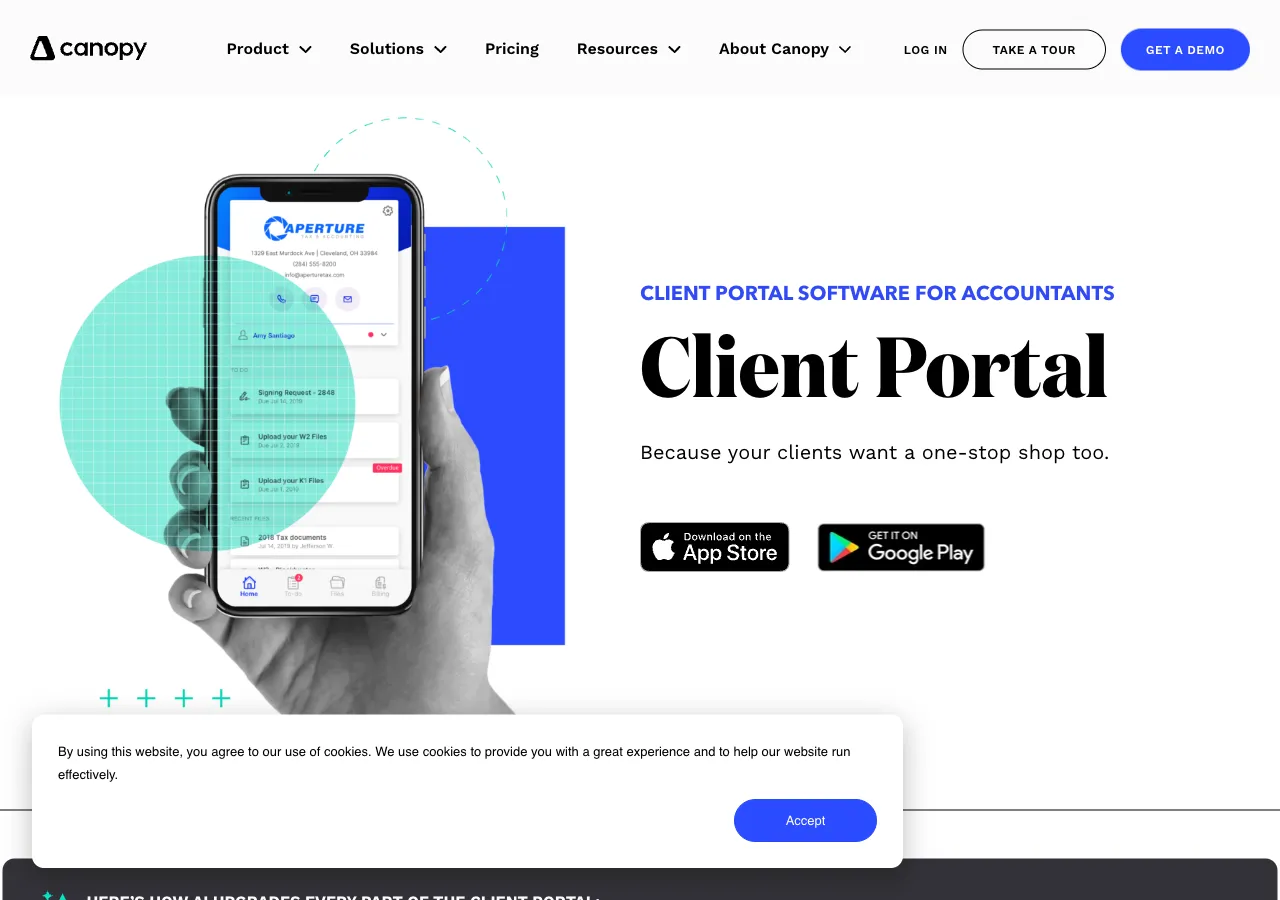
Best for: Mid-size US accounting firms (10-50 members) needing specialized tax resolution tools. (Canopy pricing checked 13 August 2026.)
Canopy offers all-in-one practice management: client management, document management, workflow, and billing are bundled into every pricing tier. Specialist tax resolution work is priced separately as a consumption-based add-on.
Client portal features
- Secure smart links — clients access specific tasks without logging in (passwordless)
- Built-in e-signatures with AI-powered signature field placement
- Secure document sharing with folder organization
- Task assignments with deadline tracking
- Payment collection through the portal
- Full white-label branding — logo, colors, custom portal appearance
- In-app messaging — comment-based communication on tasks
Who is Canopy suited for?
US-based firms with a significant tax resolution practice, or firms that need e-signatures built in from day one.
Pricing
- Starts at $74/user/month (Standard plan, annual billing) — full platform included
- Specialist tax add-ons (Tax Resolution, Tax Workflow Automation) are metered separately by usage
- Total monthly cost still depends on how much specialist tax work you run
Pros and cons
| Pros | Cons |
|---|---|
| Passwordless smart links for clients | Metered tax add-ons can add up |
| Built-in e-signatures with AI | No self-serve free tier |
| Strong tax resolution features | Interface can feel cluttered |
| Full white-label branding | Modular pricing requires careful planning |
Capterra: 4.2 | G2: 4.6
4. Financial Cents
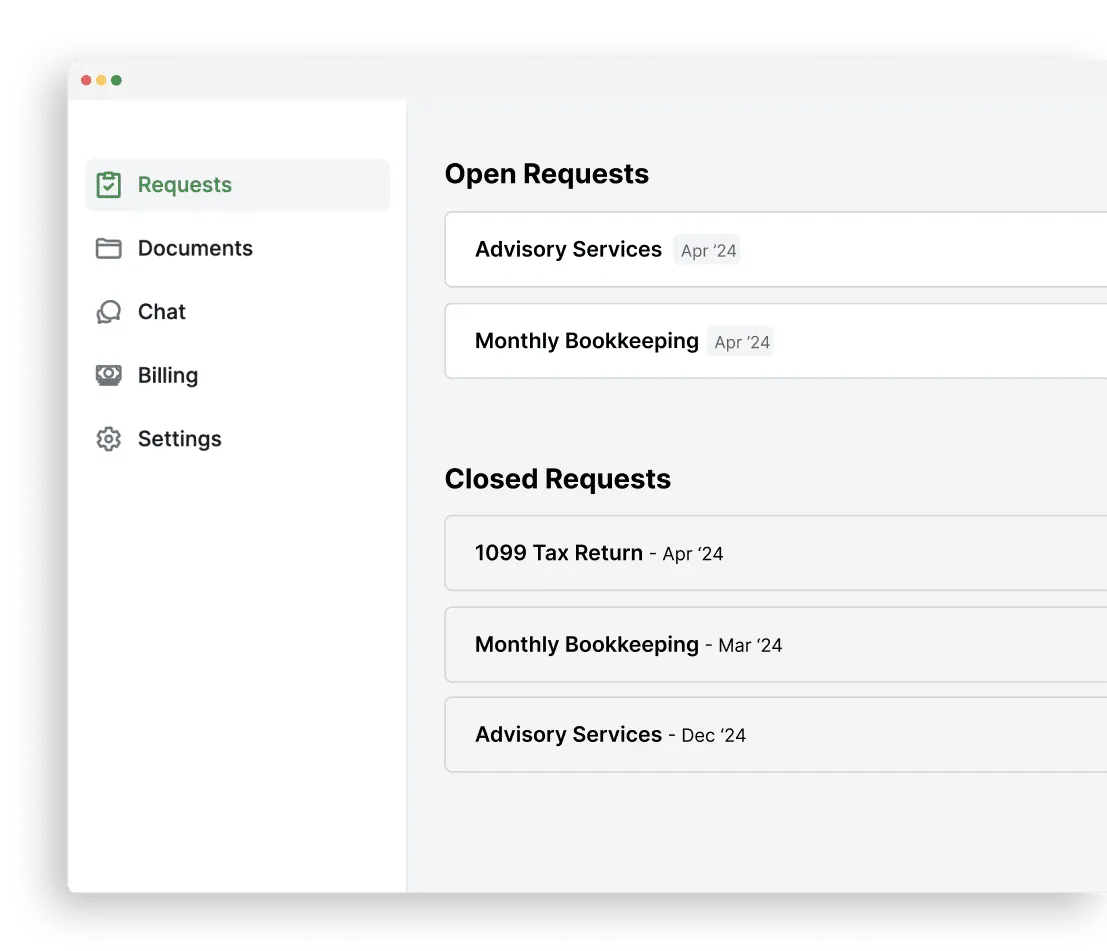
Best for: Small accounting firms (under 20 members) that want simple, affordable practice management with a client portal.
Financial Cents is designed for smaller firms that need straightforward workflow management without the complexity of enterprise tools. The client portal is included with all plans.
Client portal features
- Magic link access — “secure magic link technology” means clients never create a password
- Document request templates — pre-built for common accounting tasks
- Automated reminders via email and SMS
- Client task lists with checklists
- Secure file sharing
- Built-in e-signatures
- Full white-label branding — logo, colors, and custom domain/URL (Scale plan)
- Bulk client invitations
Who is Financial Cents suited for?
Small to mid-size US accounting firms that want an affordable, easy-to-learn platform. The SMS reminder feature is a differentiator — clients get text message reminders, not just emails. Magic link access means zero friction for clients.
Pricing
- Team: $49/user/month (most popular)
- Scale: $69/user/month (includes custom domain and advanced features)
- Solo: $19/month (1 user only)
- Client portal included in all plans
Pros and cons
| Pros | Cons |
|---|---|
| Magic link access — no passwords for clients | Custom domain only on Scale plan ($69/u) |
| SMS reminders (not just email) | Smaller firm focus — may not scale past 20 users |
| Affordable entry at $19/month | Limited integrations compared to larger platforms |
| Built-in e-signatures |
Capterra: 4.8 | G2: 4.8
5. Karbon

Best for: Mid-to-large accounting firms (10-100 members) focused on workflow automation and team collaboration.
Karbon is a workflow-first practice management platform. The client portal (Karbon for Clients) lets clients view tasks, upload documents, and communicate — but Karbon’s real strength is on the accountant side with workflow automation.
Client portal features
- Magic link access — single-use links sent per request, no passwords needed
- Client task view — clients see assigned work and deadlines
- Document upload through the portal
- Communication threads tied to specific work items in the timeline
- Built-in e-signatures via Karbon for Clients
- Automated workflow triggers based on client actions
Who is Karbon suited for?
Firms that prioritize internal workflow automation and team collaboration. The client portal (Karbon for Clients, launched 2025) works well, but Karbon’s real strength is the workflow engine on the accountant side.
Pricing
- Starts at $59/user/month (Team plan, annual billing)
- Enterprise pricing available for larger firms
- Client portal included
Pros and cons
| Pros | Cons |
|---|---|
| Industry-leading workflow automation | Client portal is secondary to workflow focus |
| Magic link access for clients | Limited white-labeling (logo + background only) |
| Triage email management | Higher starting price |
| Good for complex multi-step processes | No custom domain for client portal |
Capterra: 4.7 | G2: 4.8
Monthly tips for smarter practice management
Join 1,000+ accounting professionals who receive our newsletter.
6. SmartVault
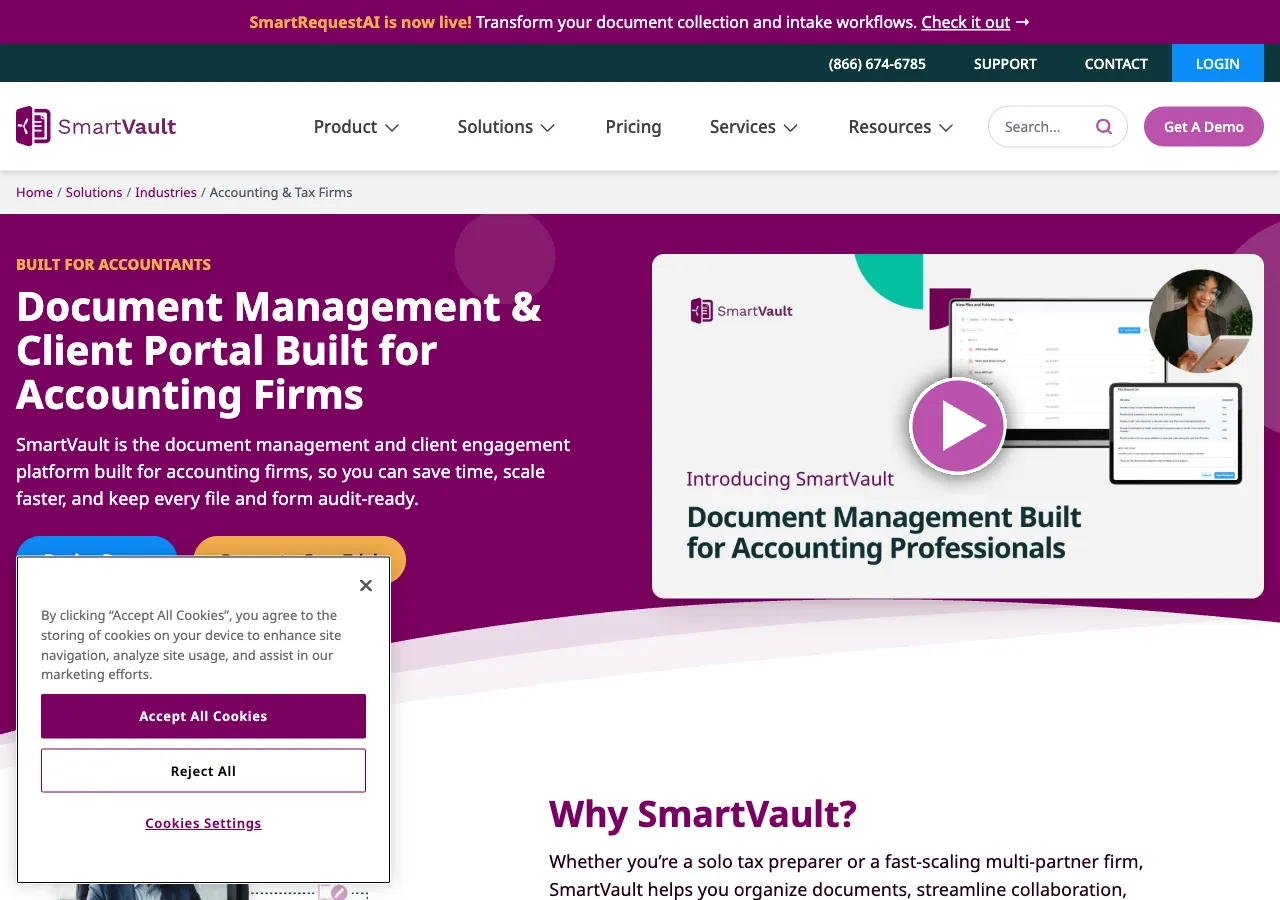
Best for: Firms of any size that need secure document management and sharing as the primary use case.
SmartVault is a document management platform with a client portal focused on secure file sharing. It’s not a practice management tool — it’s specifically for organizing, sharing, and collecting documents.
Client portal features
- Branded client portal with custom subdomain (yourfirm.smartvault.com)
- Secure file sharing with encryption
- Document requests with templates
- E-signatures via DocuSign integration
- Automated file organization by client and year
- Integration with QuickBooks, Xero, Lacerte, Drake
Who is SmartVault suited for?
Firms that already have a practice management tool (like Karbon or Jetpack Workflow) and need a dedicated document management and sharing solution. SmartVault integrates with most major accounting software.
Pricing
- Starts at $50/user/month (Business Pro, 3-user minimum, annual)
- Document storage limits vary by plan
Pros and cons
| Pros | Cons |
|---|---|
| Strong document organization and security | No workflow or task management |
| Wide accounting software integrations | No built-in messaging — document-focused only |
| Familiar folder-based structure | No magic link — clients need password login |
| E-signatures via DocuSign | Limited branding (subdomain + logo, not full custom domain) |
Capterra: 4.5 | G2: 4.1
7. Client Hub
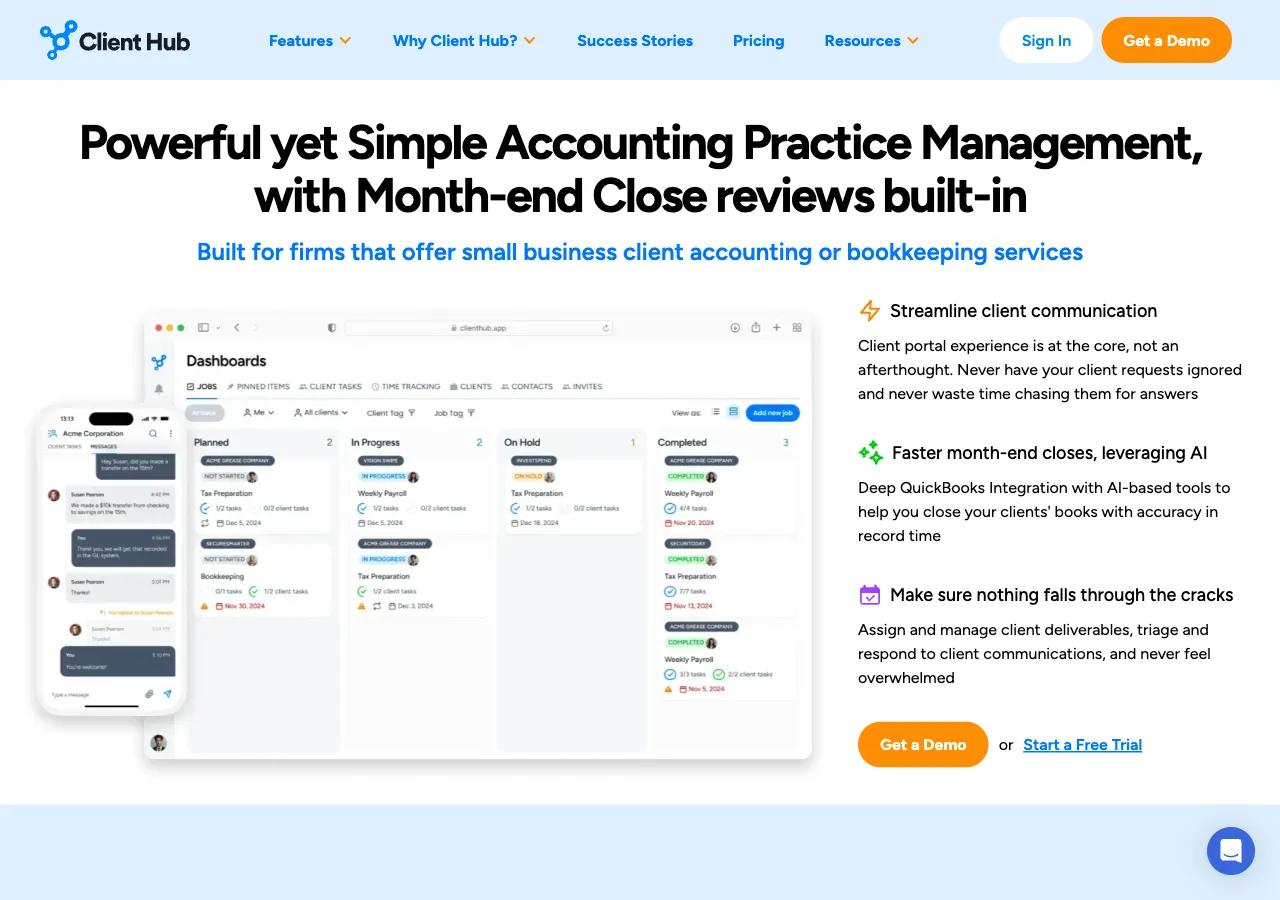
Best for: Bookkeeping firms that want a simple, branded client portal without the complexity of full practice management software.
Client Hub is purpose-built for bookkeepers and small accounting firms. The client portal is the core product — not an add-on to a larger platform.
Client portal features
- MFA-secured login — multi-factor authentication for client access
- Branding customization — logo and colors (custom domain not confirmed)
- Task management with document requests
- Automated reminders and follow-ups
- Built-in messaging between firm and clients — praised in user reviews
- Built-in e-signatures
- Workflow templates for common bookkeeping tasks
Who is Client Hub suited for?
Bookkeeping firms and small accounting practices that want a clean, dedicated client portal experience. Client Hub is simpler than TaxDome or Canopy, which can be an advantage if you don’t need the extra complexity.
Pricing
- Starts at $49/user/month (Solopreneur plan, annual billing)
- Pricing scales with team size
- Client portal is the core product
Pros and cons
| Pros | Cons |
|---|---|
| Built specifically for bookkeepers | No magic link — clients need MFA login |
| Strong built-in messaging | Limited white-labeling (no custom domain confirmed) |
| Simple, focused interface | Less comprehensive than full PM platforms |
| Built-in e-signatures | No time tracking or billing |
Capterra: 4.8 | G2: 4.5
8. Liscio
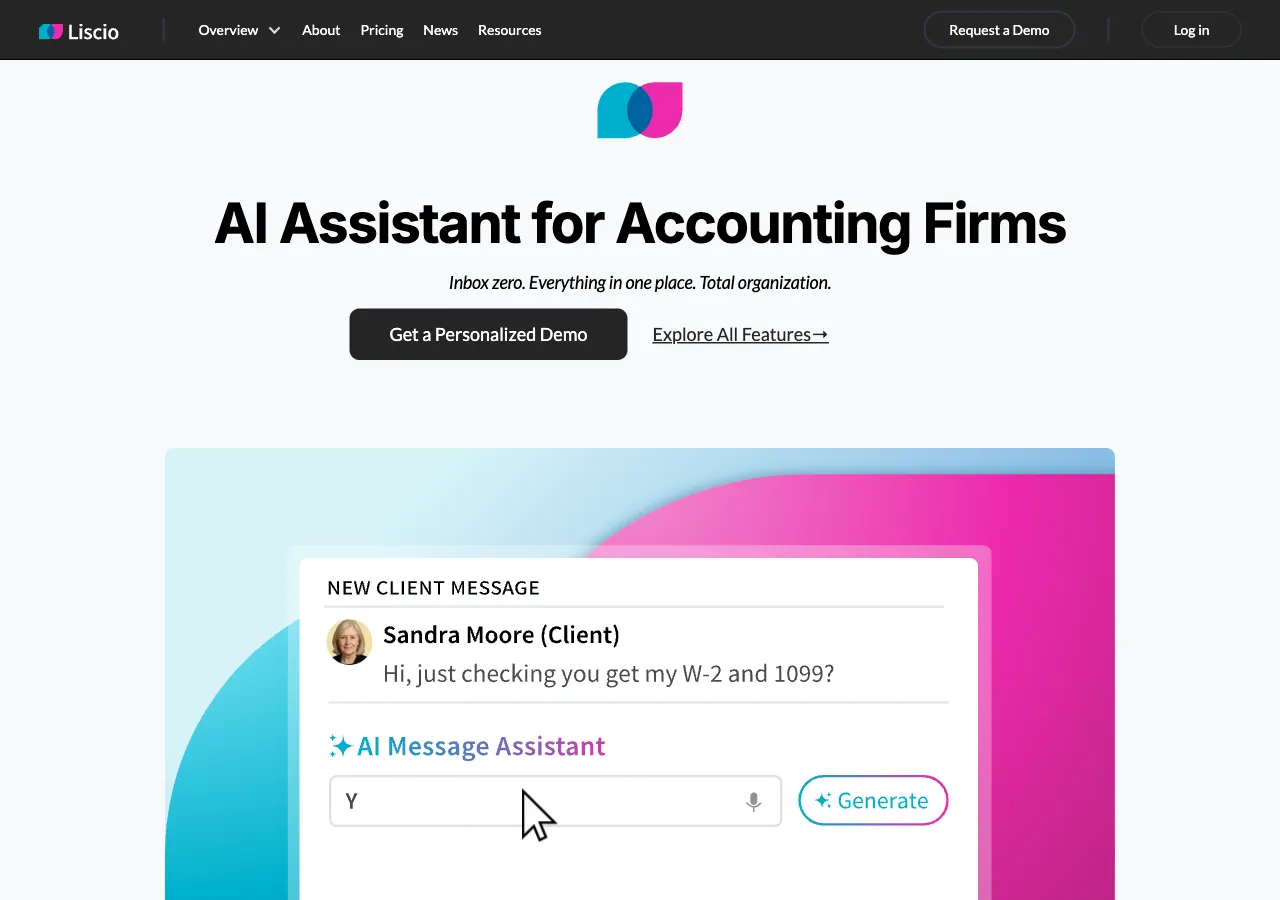
Best for: Accounting firms (5-50 members) that prioritize client communication and want a modern messaging experience.
Liscio focuses on client communication — think of it as a secure messaging app for accountants. The portal includes document sharing, e-signatures, and task management, but communication is the core.
Client portal features
- Secure messaging — app-based, similar to modern chat apps
- Document sharing with drag-and-drop upload
- E-signatures built in
- Task requests with notifications
- Mobile app for both clients and staff
- Video chat integration
Who is Liscio suited for?
Firms that find email frustrating and want a more modern, app-like communication experience with clients. Liscio’s mobile app makes it particularly good for firms with clients who prefer their phone over a computer.
Pricing
- Starts at $49/user/month (Essentials plan, annual billing)
- Higher tiers for larger firms
- Mobile apps included
Pros and cons
| Pros | Cons |
|---|---|
| Modern, app-like communication | Not a full practice management platform |
| Built-in e-signatures | Limited workflow automation |
| Strong mobile experience | Less structured document collection than dedicated tools |
| Video chat built in | White-labeling options are limited |
Capterra: 4.8 | G2: 4.8
9. Content Snare
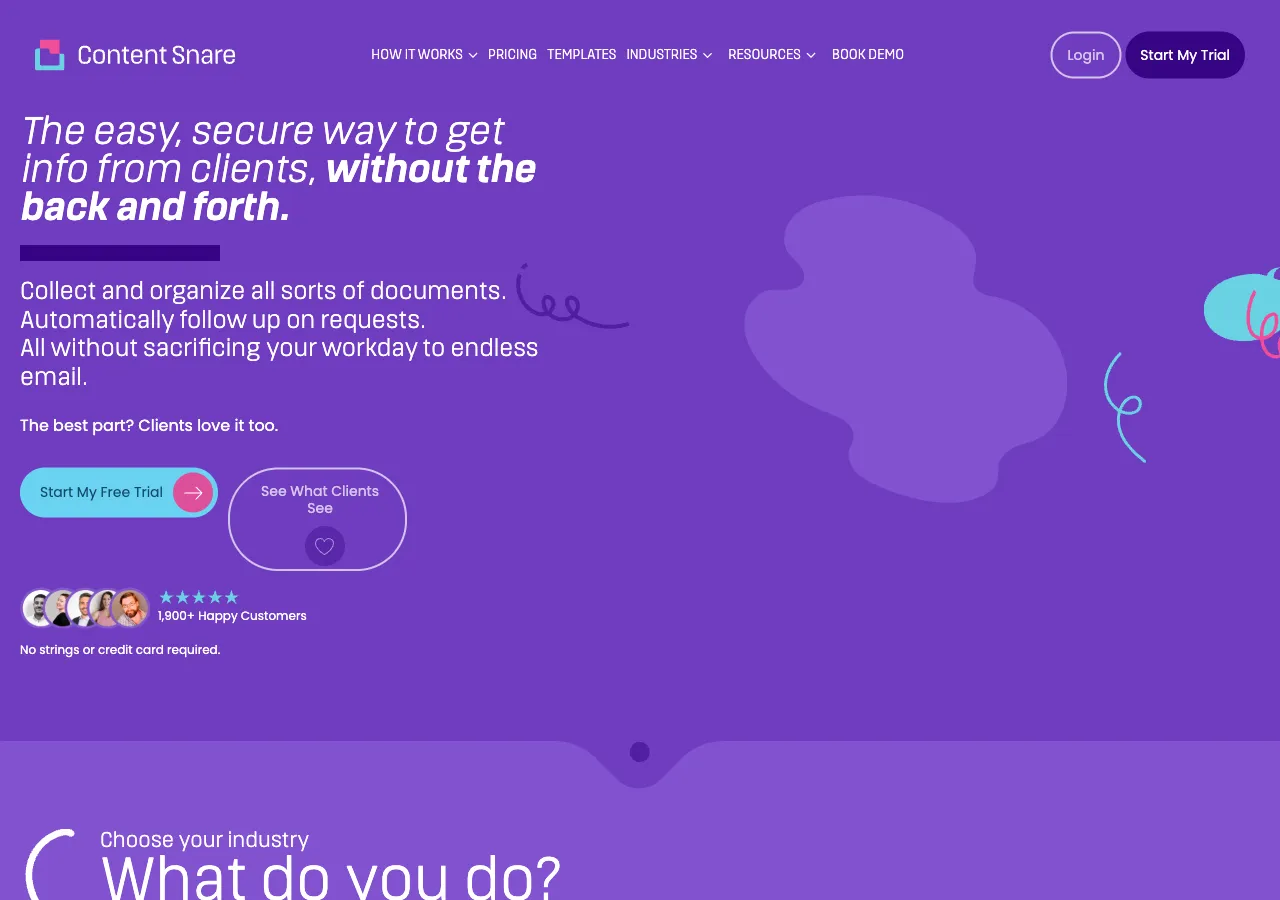
Best for: Firms that need to collect documents and information from clients efficiently — even if clients aren’t tech-savvy.
Content Snare is a document and information collection tool. It’s not a client portal in the traditional sense — it’s specifically designed to get documents and answers from clients, with a focus on making the client experience as simple as possible.
Key features
- Request templates — pre-built for accounting tasks (tax returns, onboarding, year-end)
- Automated reminders — customizable sequences until the client completes the request
- Approve/reject workflow — review uploaded documents and request corrections
- Magic link access — clients don’t need an account
- Full white-label branding — custom domain and colors
- Conditional logic — show different questions based on client answers
Who is Content Snare suited for?
Firms that struggle specifically with document collection. Content Snare isn’t a communication platform or practice management tool — it does one thing extremely well. Works best as a complement to your existing tools.
Pricing
- Basic: $35/month
- Professional: $59/month
- Enterprise: Custom pricing
- Not per-user pricing
Pros and cons
| Pros | Cons |
|---|---|
| Best-in-class document collection experience | Not a full client portal — no messaging |
| Clients don’t need accounts | No ongoing communication features |
| Excellent reminder sequences | Limited to document/info collection |
| Conditional logic for smart forms | Requires a separate tool for communication |
Capterra: 4.7 | G2: 4.7
10. Mango Practice
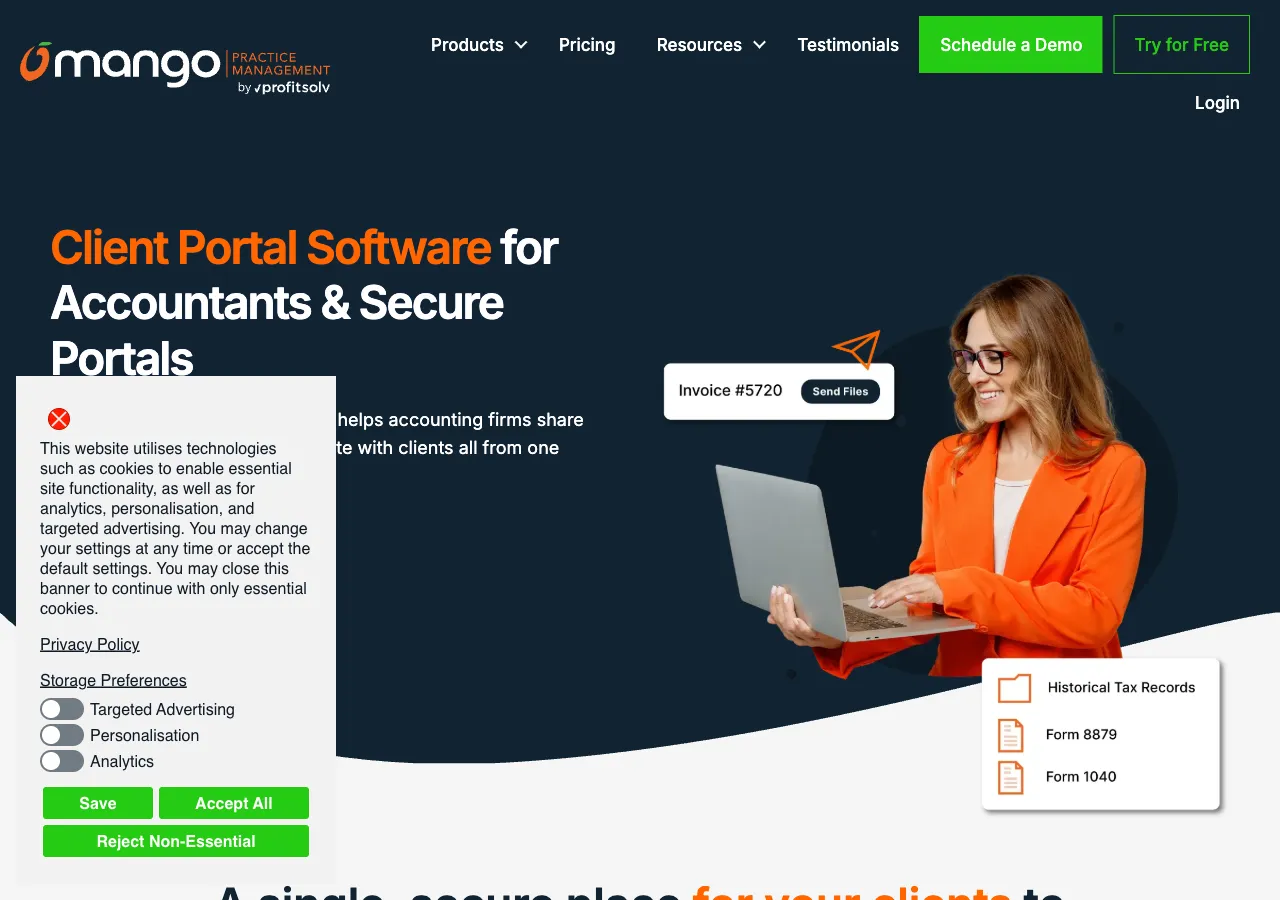
Best for: Small to mid-size firms (1-50 members) looking for an affordable all-in-one practice management solution.
Mango Practice is an all-in-one practice management platform that includes a client portal, workflow management, billing, and document management. It’s positioned as a simpler alternative to TaxDome.
Client portal features
- Client dashboard with tasks and documents
- Secure document sharing via MangoShare
- Payment collection through the portal
- Client communication — built-in secure messaging
- Automated reminders
- Full white-label branding — logo, custom domain, branding throughout portal
- Built-in e-signatures — 200 included in all plans
Who is Mango Practice suited for?
Small to mid-size firms that want an affordable all-in-one solution. Mango Practice covers the basics at a lower price point than TaxDome or Canopy, but with fewer advanced features.
Pricing
- Starts at $35/user/month (Basic plan, annual billing)
- All features included
- No per-client fees
Pros and cons
| Pros | Cons |
|---|---|
| Affordable all-in-one platform | Interface feels dated |
| Full white-label with custom domain | Lower review scores (Capterra 3.6) |
| 200 e-signatures included | Fewer integrations than competitors |
| Built-in billing and payments | Less advanced automation |
Capterra: 3.6 | G2: 2.6
How to choose the right client portal for your accounting firm
The best client portal software for a small accounting firm — under 10 people — is usually a focused, standalone tool like Client Hub or Financial Cents, because a small firm doesn’t yet have the client volume to justify a full practice management platform’s monthly cost. Once a firm grows past roughly 10-15 people and adds team members who all need shared visibility into client work, a bundled platform with practice management built in (Uku, Canopy, TaxDome) tends to earn its price back in avoided tool-switching and admin time. The right choice ultimately depends on your firm’s size, priorities, and what tools you already use — here’s the fuller decision framework:
If you don’t have practice management software yet — choose a platform with a built-in portal (Uku, TaxDome, Canopy, Financial Cents, Karbon, or Mango Practice). You get workflow, billing, and client portal in one place. No syncing headaches.
If you already have practice management software — choose a specialized tool (SmartVault for documents, Client Hub for a portal, Liscio for communication, Content Snare for document collection). Layer it on top of what you already use.
If you’re a bookkeeping firm under 10 people — Client Hub or Financial Cents. Simple, affordable, purpose-built.
If you’re a growing firm (10-50 people) — Uku or Canopy. Strong portals with the full practice management stack to grow into.
If you’re a large firm (50+) — TaxDome or Karbon. Enterprise-grade features and the depth to handle complex workflows.
Four things that matter more than you think
- Magic link access — every password reset is a support ticket. Uku, Financial Cents, Canopy, Karbon, and Content Snare offer passwordless login. Your clients will thank you.
- White-label branding — clients should see your brand, not your vendor’s. Full white-label (Uku, TaxDome, Canopy, Financial Cents, Mango) vs. limited (Karbon, SmartVault, Client Hub) is a big difference in perceived professionalism.
- Automated reminders — the #1 time saver. If document chasing is your biggest pain point, this feature alone justifies the cost.
- Pricing model — per-user vs. per-client vs. flat fee. A $38/user platform with free client portal (Uku) costs very differently than a $74/user platform (Canopy Standard, annual) where specialist tax work is metered on top.
The bottom line
A secure client portal for accountants isn’t just a nice-to-have anymore. Clients expect a professional digital experience from their accountant — the same way they expect it from their bank or their insurance company.
The firms that invest in client portal software now will spend less time chasing documents, deliver a better client experience, and free up hours for advisory work that actually grows the business.
If you’re looking for a client portal that’s built for accountants, easy for clients, and included in your practice management software — try Uku free for 14 days.
Read more
- Best Accounting Practice Management Software (2026 Comparison) — the complete guide to practice management platforms
- 5 Reasons to Use a Client Portal for Accountants — why the switch from email is worth it
- 11 Must-Have Email Templates for Accounting Practices — while you still use email, use these
- CRM for Accountants: Why, How, and When? — managing client relationships beyond the portal
Frequently asked questions
What is a client portal for accountants?
A client portal is a secure, branded platform where accounting firms and their clients collaborate. Clients log in to upload documents, complete tasks, communicate with their accountant, and track deadlines — all in one place. It replaces scattered emails, shared drives, and phone calls with a single organized workspace.
How much does client portal software cost?
Client portal software for accountants typically ranges from $19 to $75 per user per month. Some platforms like Uku include the client portal free with their Team plan, while others charge per-client fees. Standalone document collection tools like Content Snare start around $29/month for a fixed number of requests.
Do my clients need to create an account to use the portal?
It depends on the software. Some portals like Uku use magic link access — clients click a link in their email and they are in, no passwords needed. Others require clients to create accounts with usernames and passwords, which adds friction and increases support requests.
What is a white label client portal?
A white label client portal is a portal you can brand as your own. Instead of showing the software vendor's logo and colors, your clients see your firm's branding — your logo, colors, custom URL, and welcome message. This builds trust and makes the portal feel like a natural extension of your firm.
Is a client portal secure enough for accounting documents?
The best client portal software for accountants uses bank-level encryption (AES-256), SOC 2 certification, and role-based access controls. Documents are encrypted both in transit and at rest. Look for portals with SOC 2 Type II certification and passwordless login options like magic links, which eliminate the risk of weak or shared passwords.
What is client accounting software?
When accountants say "client accounting software," they usually mean the software a firm uses to manage its clients — document collection, secure messaging, task tracking, and a branded client portal — not the bookkeeping ledger their clients post entries in. That firm-facing category is what this guide covers. The right client accounting software gives your team a single source of truth for who is doing what across every client, so work gets done on time. Tools like Uku bundle the client portal into practice management, while standalone portals like Client Hub or Content Snare layer onto your existing stack.
What is an accounting document management system?
An accounting document management system is software that stores, organizes, and shares a firm's client documents — version history, folder structure, retention rules, and controlled access — rather than running the firm's work. A client portal is the client-facing door into it: the place clients upload and collect files. Firms that need document storage as the primary job usually pick a dedicated system like SmartVault; firms that want documents to sit alongside the workflow, time, and billing they belong to pick a practice management platform with the portal built in, such as Uku, TaxDome, or Canopy.
What is the best client portal software for accountants?
It depends on firm size and what you already run. Uku fits growing firms (10-200 team members) that want the portal bundled free into practice management, with magic-link access and full white-label branding. TaxDome suits larger tax-focused firms (50-200+) that want an all-in-one platform with a native mobile app. Canopy is the pick for firms with a significant tax resolution practice that need e-signatures built in from day one. Smaller bookkeeping firms under 10 people are usually better served by a focused, standalone tool like Client Hub or Financial Cents rather than a full practice management platform.

Published Apr 6, 2026 · Updated Oct 19, 2026