CCH Axcess Review 2026: Modules, Pros, Cons & Uku Alternative
CCH Axcess review 2026: Practice, Workstream, Portal and Document, Tax Essentials from $2,814, what reviewers say, and the Uku alternative for practice management.


Contents
CCH Axcess is Wolters Kluwer’s cloud platform for US accounting firms, “a seamless platform for tax, audit and firm management” that Wolters Kluwer says is “trusted by 94 of Accounting Today’s Top 100 Firms”. It isn’t one product but a family of modules: Tax, Document, Portal, Practice, Workstream, Engagement, Intelligence and more, each licensed on its own and connected by one client database.
For a large firm that runs its whole year on Axcess Tax, that connected suite is the point. For a small or mid-sized firm, the practice-management layer, Axcess Practice for time and billing and Axcess Workstream for projects, is where the questions start.
To write this CCH Axcess review, we analysed Wolters Kluwer’s module pages and integration documentation, third-party help centres that document moving off Axcess, and what users say on TrustRadius. We believe it’s the ideal choice if:
- Your firm runs CCH Axcess Tax and wants practice management on the same client database
- You are a large firm that values a suite built to scale
- You bill from time and WIP with progress and fixed-fee billing
- You want due dates updated from Wolters Kluwer’s tax calendar
- You prefer one vendor for tax, audit, documents and practice management
However, CCH Axcess might not be the best choice if:
- You need to see a price before a sales call
- You don’t want to license documents, portal, practice and workflow as separate modules
- You are a small team that needs fast, responsive support during setup
- You want staff capacity planning shown on the product pages
- You want billing drafted from each client’s agreement rather than built from WIP
In that case, consider Uku: accounting practice management software where workflow templates, a timer on every task, billing contracts, document management and a free client portal are on every plan, with published prices. Uku doesn’t integrate with Axcess Tax, which we cover honestly below.
Want to see it with your own clients? Try Uku free for 14 days, no credit card required.
Prices and features below were last checked in October 2026.
What is CCH Axcess?
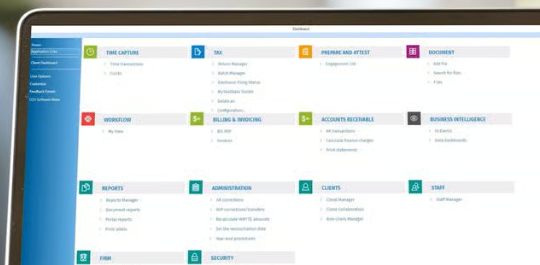
CCH Axcess is Wolters Kluwer’s modular cloud suite. Wolters Kluwer calls it “the only complete cloud solution, allowing you to transition effortlessly from return preparation, to research, to document exchange and billing”, and many firms move to it from the desktop CCH ProSystem fx suite.
 Source: Wolters Kluwer
The modules most firms mean when they say “CCH Axcess”:
| Module | What it does |
|---|---|
| Tax | Cloud tax preparation and compliance |
| Practice | Time and billing, payments, KPI reports |
| Workstream | Projects, due dates, project pools |
| Document | Document storage, retention, versions |
| Portal | Client document exchange (needs Document) |
| Engagement | Engagement management, AI-enabled |
| Intelligence | AI assistant for tax documents |
The common client database is what ties them together. A case study on Wolters Kluwer’s page describes a firm that “moved from CCH ProSystem fx Tax to CCH Axcess Tax to take advantage of centralized, cloud-based integration, a common client database, and a seamless experience from anywhere.”
Who CCH Axcess is for
Wolters Kluwer’s own headline answers this: 94 of Accounting Today’s Top 100 firms. The suite is designed for firms with tax, audit and advisory departments, many staff and many offices, where one client record shared by every module saves real time. Its reviewers on TrustRadius span firms of under 50 people to more than 5,000, and the enterprise reviewers are the happiest.
For smaller firms, Wolters Kluwer offers “special packages for up to 15 user licenses”, described as “new, affordable CCH Axcess package options for firms who need 15 licenses or less”, with complimentary support and training. That a separate small-firm package exists says something about where the standard pricing sits.
How CCH Axcess compares with Practice CS
The closest comparison is Thomson Reuters’ CS Professional Suite. There, Practice CS plays the role of Axcess Practice and shares a client database with UltraTax CS the way Axcess Practice does with Axcess Tax. The difference is architecture: Practice CS is Windows software, installed or hosted, while CCH Axcess was built for the cloud. Both are quoted rather than priced on a page, and both sell projects, documents and the portal as separate pieces. If your firm is weighing both incumbents, our Practice CS review covers the other side.
CCH Axcess Pros & Cons
| ✅ Pros | ❌ Cons |
|---|---|
| One client database across Tax, Practice, Workstream and Document | Practice, Workstream, Document and Portal priced by quote |
| Built for scale; 94 of the Top 100 firms use it | Portal requires Document; modules licensed separately |
| Published small-firm tax packages from $2,814 | Tax Essentials is for new customers only |
| Time and billing with progress, fixed and batch billing | Reviewers report slow support and siloed implementation |
| Tax calendar updates due dates automatically | Capacity planning not mentioned on the product pages |
| Open Integration Platform with APIs and a marketplace | No Zapier; integrations are developer work |
| Mobile app for time entry | No free trial |
CCH Axcess Review: How it Works & Key Features
Axcess Practice: time, billing and WIP
Axcess Practice is “a practice management solution that simplifies time and billing, enhances client service, and enables you to analyze and improve profitability”. Wolters Kluwer highlights one-screen time and billing with “easy access to clocks from the route sheet and tax return”, and billing that supports “progress billing, multiple billing fee agreements and batch billing”.
Payments run through supported partners: a Pay Now button can be added to invoice emails, templates or the client portal, and e-payments appear in accounts receivable automatically. Reports cover KPIs including productivity ratios, WIP and receivables analysis, and profit by office or project. Time can also be entered from the CCH Axcess mobile app.
 Source: Wolters Kluwer
Axcess Workstream: projects and due dates
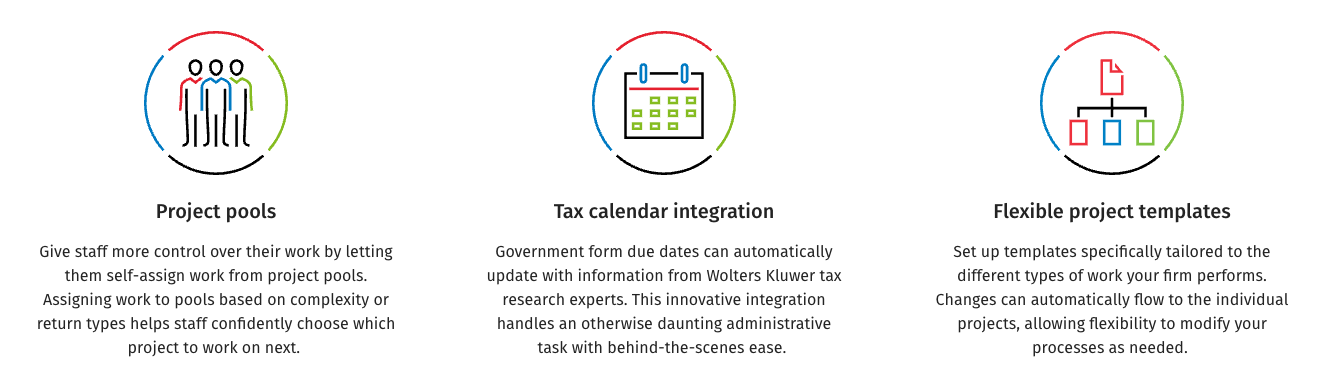
Axcess Workstream handles project tracking: “monitor due dates, manage projects, and map processes into standardized steps”. Its distinctive features are project pools, which let staff self-assign work “based on complexity or return types”, and tax calendar integration: “Government form due dates can automatically update with information from Wolters Kluwer tax research experts.”
 Source: Wolters Kluwer
Templates can be tailored per type of work, and “changes can automatically flow to the individual projects”. What the Workstream page doesn’t mention is staff capacity planning or a board view.
Axcess Document and Portal: two modules for one client conversation
Documents and the client portal are separate modules. Axcess Portal offers “secure, bi-directional electronic document exchange and storage for client files of all sizes”, with multifactor authentication and encryption, and Wolters Kluwer is explicit: “CCH Axcess Document is a prerequisite for CCH Axcess Portal users.” Files are published to the portal from Document.
Security is a strong point. Wolters Kluwer says multifactor authentication “protects clients and staff from password theft”, that files “are encrypted immediately upon upload to CCH Axcess Portal and remain encrypted even when not being accessed”, and that files are scanned for viruses before they are stored. Document adds retention policies, version control and check-in and check-out, with storage in the cloud or on the firm’s own servers.
E-signature isn’t mentioned on the Portal or Document pages; it lives in a separate package, CCH Axcess Client Collaboration, which adds electronic engagement letters, tax organizers, document request lists, integrated e-signatures and a taxpayer mobile app. It is sold online from $3,092 for 75 licences. Ask in a demo whether your firm needs Portal, Client Collaboration or both.
Integrations: the suite, APIs and a marketplace
Inside the suite, everything shares the client database. Outside it, Wolters Kluwer offers the CCH Axcess Open Integration Platform: APIs to connect client accounting systems “like QuickBooks or Xero”, CRMs, SharePoint, Excel, BI tools, e-payment platforms and calendars, plus the CCH Axcess Marketplace for third-party integrations.
Several practice-management vendors connect to Axcess Tax from their side: TaxDome syncs documents and lets you print returns into it, Financial Cents syncs through Google Drive, Firm360 syncs with FileSync, Canopy saves files, and Karbon lists a client sync as coming soon. Zapier isn’t mentioned.
Intelligence: AI for tax documents
CCH Axcess Intelligence is an “AI-powered tax assistant — embedded directly into the CCH Axcess Suite”, aimed at reviewing tax documents such as K-1s and tax research. It is not described as an AI for practice management, workflow or client communication.
CCH Axcess Pricing (2026)
CCH Axcess pricing splits in two. Wolters Kluwer sells small-firm tax and client-collaboration packages online with a price; the practice-management modules go through a quote, and TrustRadius notes that “no free version or trial is available”.
| What | Price |
|---|---|
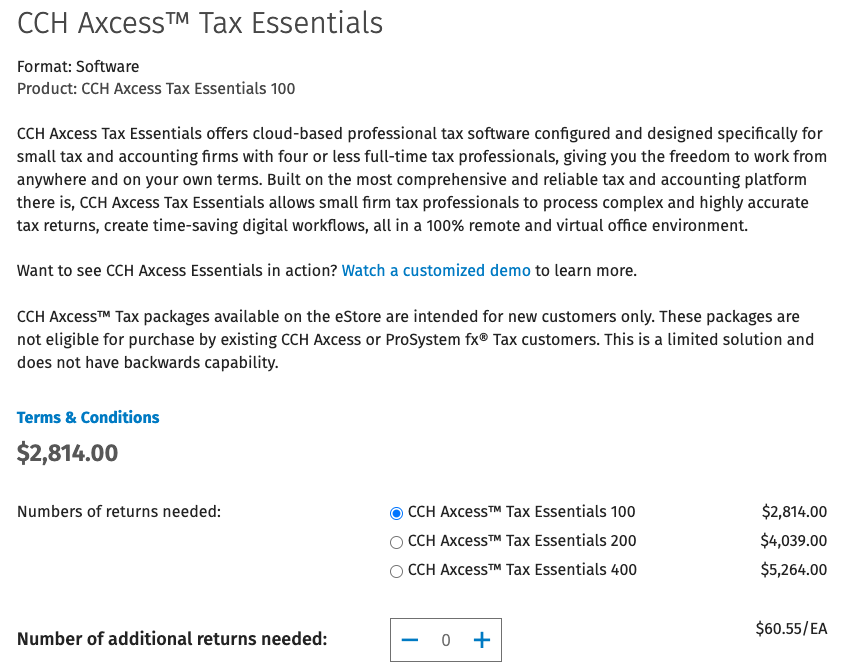
| Tax Essentials, 100–400 returns | $2,814–$5,264 |
| Additional returns | $60.55 each |
| Client Collaboration, 75–300 licences | $3,092–$11,898 |
| Practice, Workstream, Document, Portal | Quote |
| Tax Essentials Core, Accelerate, Advantage | Quote |
Prices from the Wolters Kluwer eStore, October 2026.
 Source: Wolters Kluwer eStore
Tax Essentials is for firms “with four or less full-time tax professionals”, 1–5 users, new customers only, with five states and then pay-per-state. On that packages page, time and billing management is listed under add-ons. Client Collaboration covers engagement letters, tax organizers, document requests, e-signatures and a taxpayer mobile app. Practice and Workstream have no price on the page, and the Portal page advertises “special packages for up to 15 user licenses” without a price.
For every line and what to ask in a quote, see our CCH Axcess pricing guide.
Where CCH Axcess Falls Short
No price for practice management before the sales call: tax and client collaboration have published packages, but Practice and Workstream are quoted. You can’t compare Axcess practice management with a cloud practice system until sales has priced the set.
Modules with dependencies: Practice, Workstream, Document and Portal are separate licences, and Portal requires Document. A firm that wants time, projects, documents and a client portal buys four modules.
Support and implementation: on TrustRadius, five of the eight visible reviews are one to three stars, and most of them are about support and setup rather than the tax engine. One partner wrote “DO NOT BUY ACCESS TAX”, explaining that “the support is horrible - can’t get anyone to respond to online support cases OR pick up the phone”. Another put it this way:
“Their implementation team is very siloed.”
Add-ons nobody mentioned: a partner at Bovell Financial described “hidden add-ons that they deceive prospect into believe is a part of the system”.
Capacity not on the pages, e-signature in another package: Workstream’s page covers due dates, pools and templates but doesn’t mention capacity planning; e-signature comes with Client Collaboration, not with Portal or Document.
Integrations need developers: the Open Integration Platform is powerful, but it is an API, not a no-code connector like Zapier.
Reliability questions: “is CCH Axcess down” is searched around 150 times a month in the US. Crowdsourced trackers such as StatusGator collect user reports, and in late September 2026 users reported the app not loading and freezing during recalculation. These are user reports, not Wolters Kluwer’s official status, but they show what customers worry about in season.
Reviews are thin outside TrustRadius: Capterra and Software Advice list only the older CCH ProSystem fx, not Axcess, so the public record for the cloud suite is smaller than its market share would suggest. Read the TrustRadius reviews in full before you decide.
Not every reviewer is critical. A senior accountant at Ryan & Wetmore wrote that “CCH Axcess lets you create workflow to set up stages of the return and send to the responsible staff”, and an IT director at a 5,000-plus-person firm called it “a legitimate best in class enterprise tool”, “scalable to the nth degree”.
Top CCH Axcess Alternative: Uku
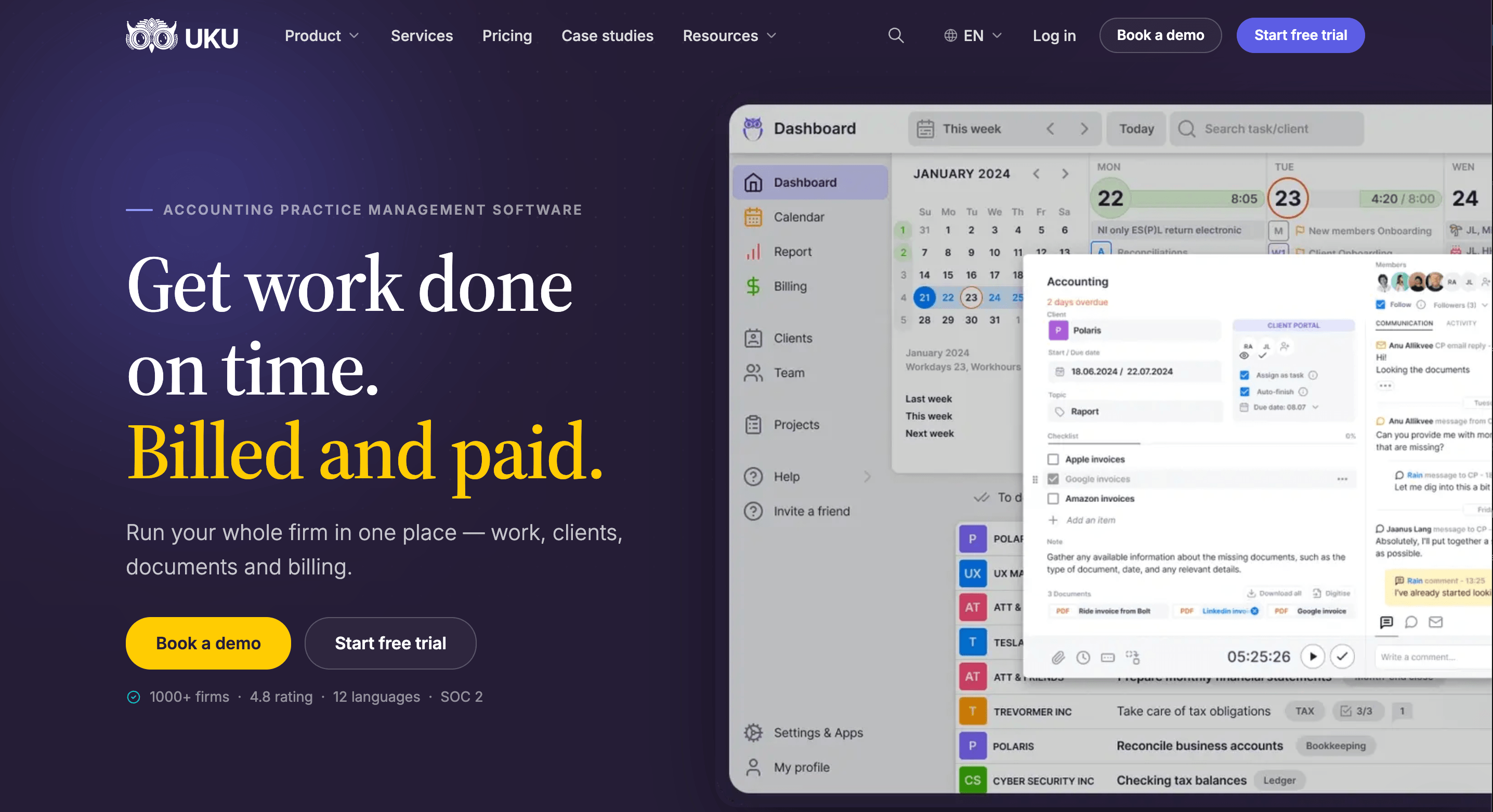
Uku is practice management for accounting, bookkeeping and audit firms that keeps the work, the time, the bill and the client conversation in one browser-based system. It serves 1,000+ firms in 25+ countries, in 12 languages, and it is modular: start with clients and tasks on day one and add billing, workflows and analytics as you grow.
Automated Billing
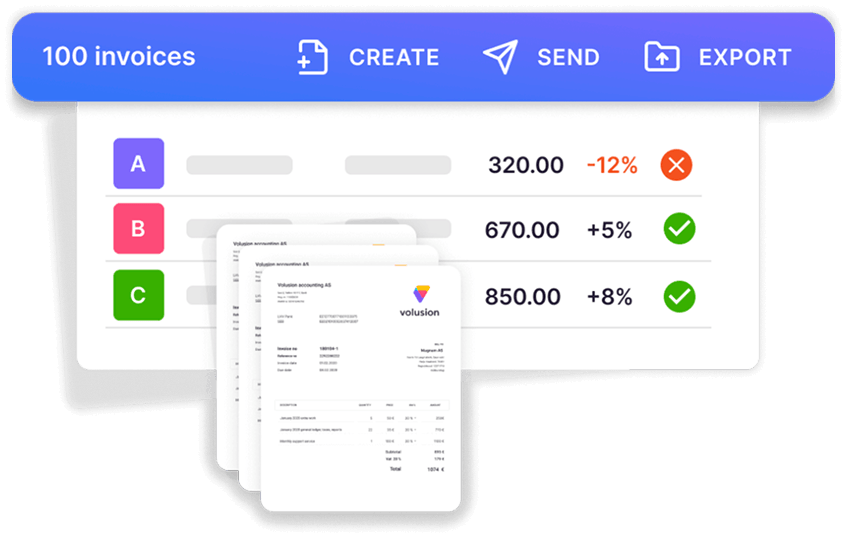
Where Axcess Practice bills from time and WIP, Uku starts from each client’s agreement. A billing contract says what the fee covers (hourly, fixed, per piece, volume tiers, or a mix), tracked time and extra work land against it, and at period end the invoices draft themselves. That reduces invoice preparation from days to about 30 minutes, and invoices sync to QuickBooks Online or Xero.

Client Portal and Documents
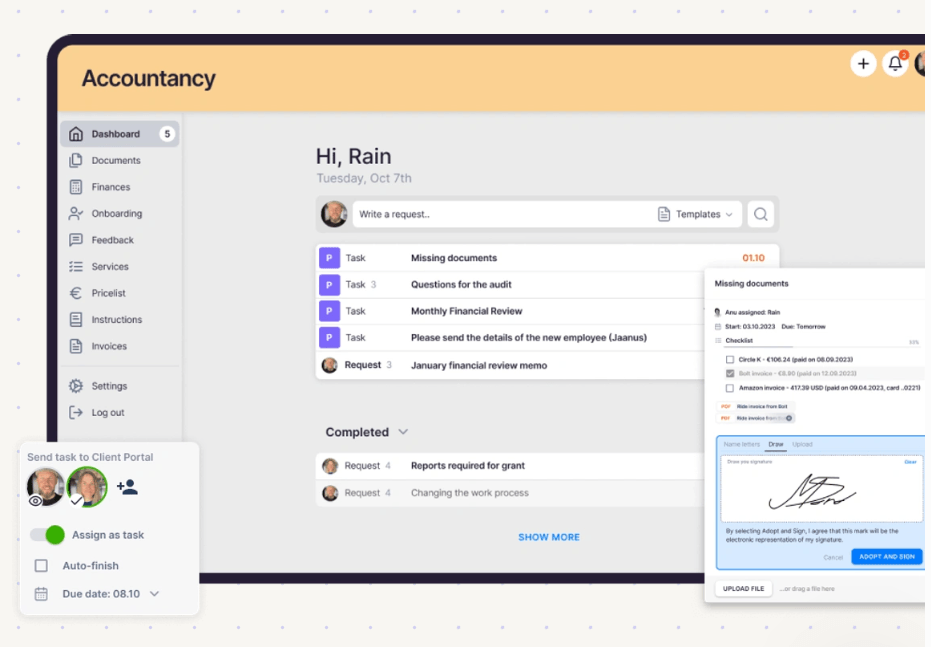
Uku’s client portal and document management are part of every plan, not separate modules. The portal is passwordless and free for clients, and it mirrors the exact same task on both sides: you ask for documents on the task, the client uploads and signs there.
Workflow
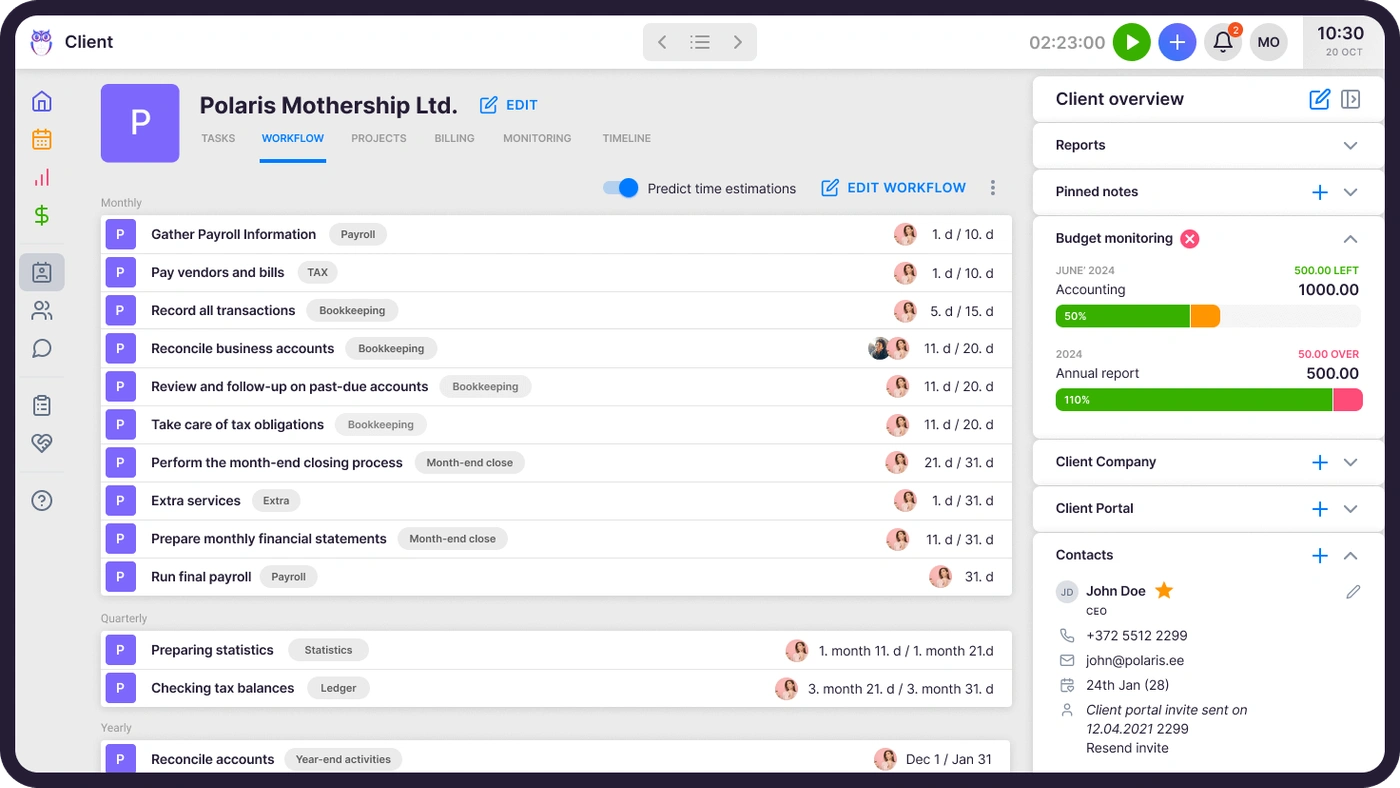
Workflow templates create every recurring task with its checklist, owner and due-date rule for every client who buys the service, and changes can be pushed to clients already using a template, much like Workstream’s templates.

Time Tracking and Analytics
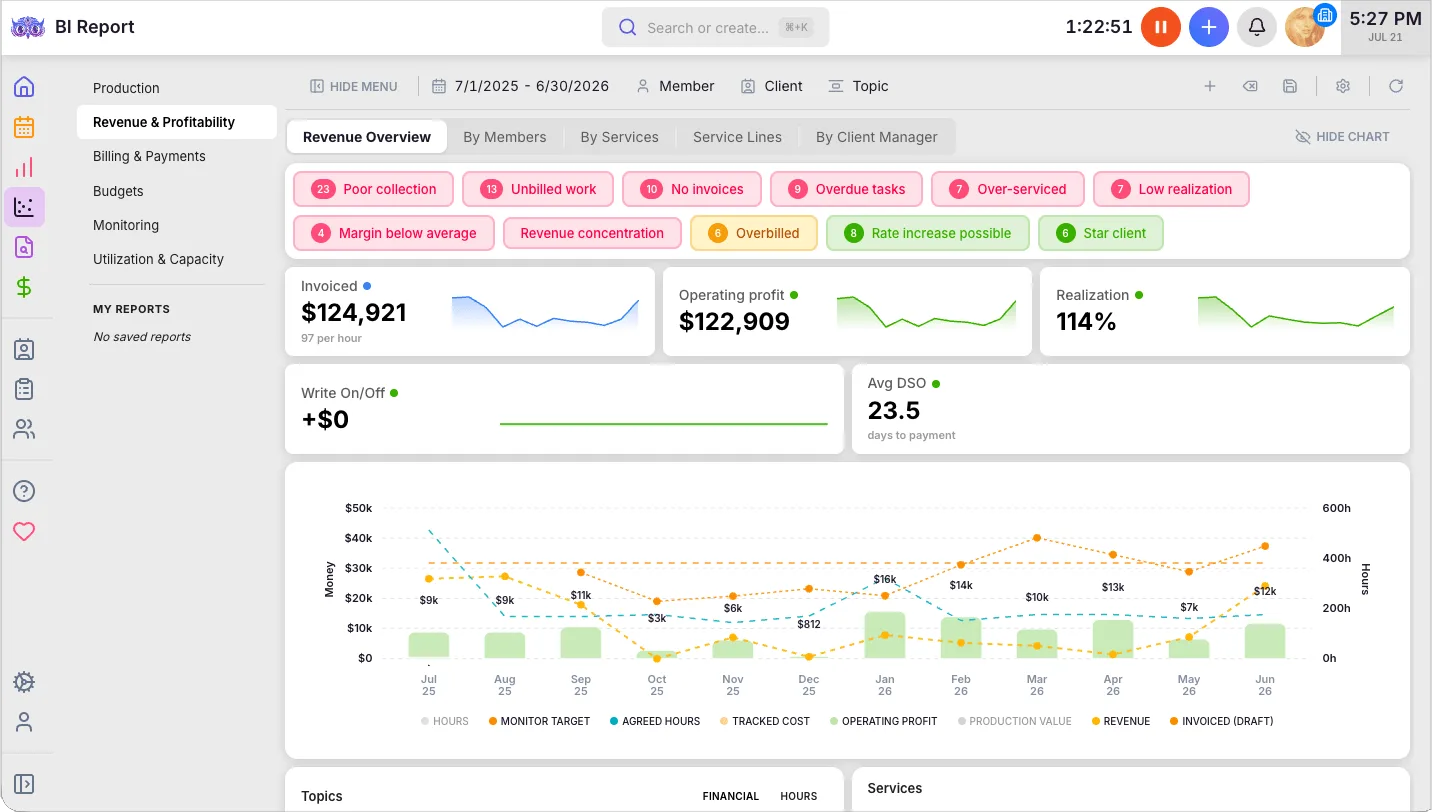
Time is tracked on the task itself, with a one-click timer, and on Elite a firm can require a time entry before a task is closed. BI Analytics on Elite shows revenue and profitability by client and service, and agreements monitoring flags over-serviced clients before the month closes.
It also carries a US tax season: Gordon J. Maier & Company, a 43-person Wisconsin CPA firm, went live on Uku weeks before tax season and ran the whole season through it.

Pricing
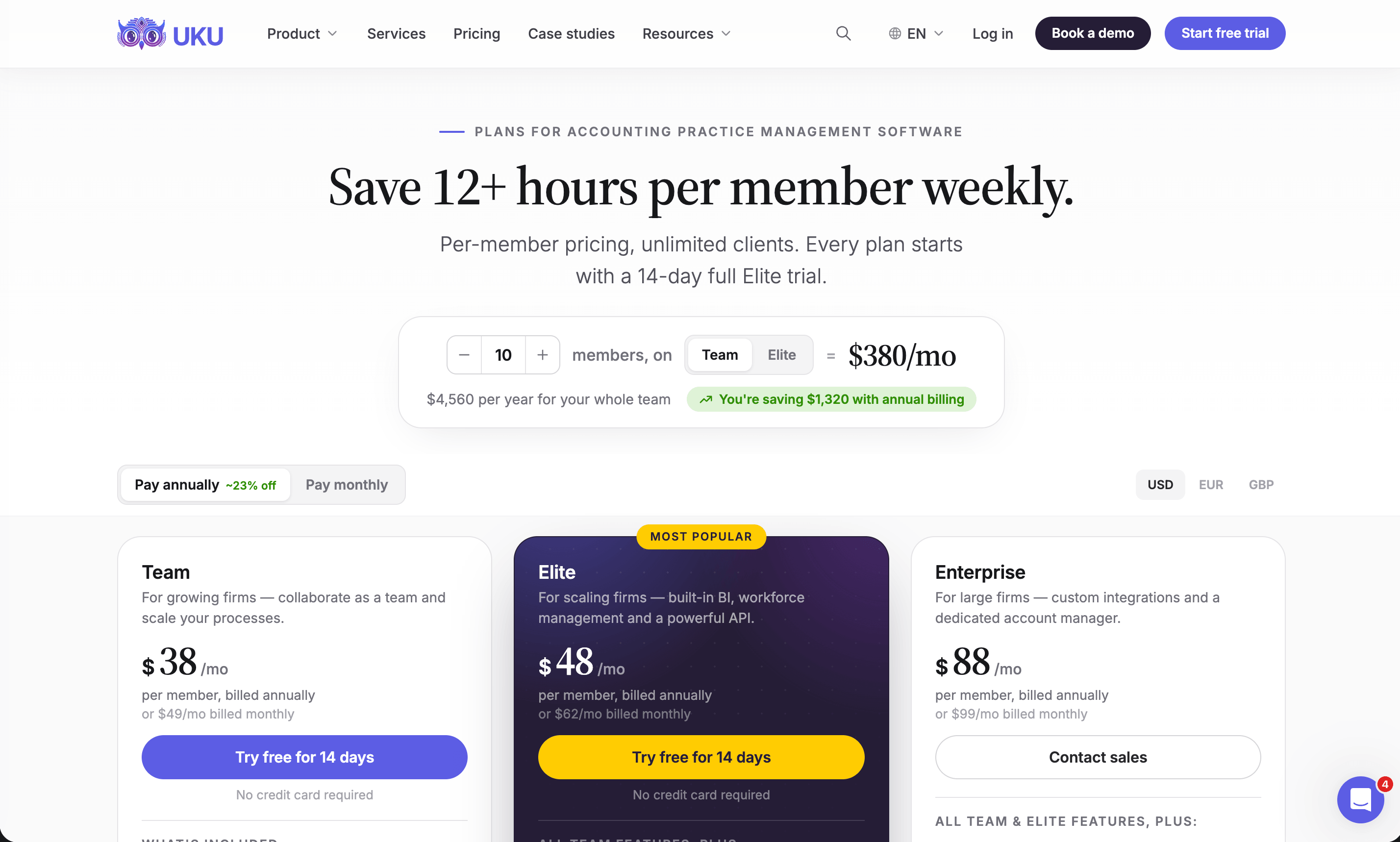
Uku publishes its prices, per member per month:
| Plan | Price | Includes |
|---|---|---|
| Solo | $19 annual, $25 monthly | One member, 20 active clients |
| Team | $38 annual, $49 monthly | Unlimited members and clients |
| Elite | $48 annual, $62 monthly | BI Analytics, API, Zapier, Uku MCP |
| Enterprise | $88 annual, $99 monthly | Custom integrations, import help |
Clients and the portal are free, every account starts with a 14-day Elite trial without a card, and every plan includes 90 minutes of onboarding.
What Uku does not do
Uku has no integration with CCH Axcess Tax or other US tax software. Firms that move keep Axcess Tax for returns, import clients from an Axcess export, and keep client details in both systems. If the suite’s shared client database is what holds your firm together, weigh that first.
CCH Axcess or Uku: Comparison Summary
| Aspect | CCH Axcess | Uku |
|---|---|---|
| What it is | Modular tax, audit and firm suite | Practice management |
| Price | Tax from $2,814, Client Collaboration from $3,092; practice modules quoted | From $19 per member a month |
| Free trial | None | 14 days of Elite, no card |
| Time and billing | Axcess Practice | Included, billing contracts |
| Projects and due dates | Axcess Workstream | Workflow templates |
| Documents | Axcess Document | Included |
| Client portal | Axcess Portal (needs Document) | Included, free for clients |
| E-signature | Client Collaboration, from $3,092 | Included on every plan |
| Tax preparation | Axcess Tax, same database | No integration |
| Integrations | Open APIs and marketplace | QuickBooks, Xero, API, Zapier |
| Best for | Large firms on the full suite | Firms of 2 to 100 people |
How to Switch from CCH Axcess to Uku
If Uku is your answer, most firms are live in two to six weeks, at their own pace, and keep serving clients throughout. Axcess Tax stays where it is; you move Practice and Workstream.
- Export and import your clients. Export the client list from Axcess (in Return Manager, set Quick Search to All, select all client IDs and choose Export Grid, as Karbon’s help centre describes) and import the sheet into Uku through the import flow.
- Rebuild your Workstream templates as Uku workflow templates. One per service, with the same steps, owners and due-date rules.
- Set up billing contracts. Recreate each client’s billing arrangement from Axcess Practice. Bill out open WIP in Axcess first, so nothing is billed twice.
- Go live. Run one billing cycle in parallel, compare it with Axcess Practice, then switch off. Use the 90 minutes of onboarding that comes with every plan.
If your firm uses an AI assistant, the Uku MCP server connects in a day and can check the move for you: which clients came across, which have no workflow yet, and how the first Uku invoice run compares with the last one from Axcess Practice.
Final Verdict
CCH Axcess is a deep, enterprise-scale suite, and for a firm running Tax, Practice, Workstream, Document and Portal on one client database, it is hard to replace. Around that core, the practice-management layer shows the cost of a modular suite: two or more modules to license, a portal that needs another module, no price on the page, and reviewers who describe support and setup as the hard part.
👉 Choose CCH Axcess if:
- You are a large firm running Axcess Tax and want practice management on the same database
- You value Wolters Kluwer’s tax calendar and enterprise scale
- You want one vendor for tax, audit, documents and practice management
👉 Choose Uku if:
- You want workflow, time, billing, documents and a client portal in one system
- You bill against agreements and want invoices drafted for you
- You want a published price, a free trial and monthly billing
- You are fine keeping Axcess Tax for returns without an integration
If that second list sounds like your firm, try Uku free for 14 days or book a demo.
Read more
- CCH Axcess alternatives — six options and what each does with Axcess Tax
- CCH Axcess pricing — every published price and what is quoted
- CCH Axcess vs Uku — the head-to-head
- Practice CS review — the Thomson Reuters equivalent
- Uku case studies
Frequently asked questions
What is CCH Axcess?
CCH Axcess is Wolters Kluwer's modular cloud platform for US accounting firms, covering tax, audit and firm management. Its modules include Tax, Document, Portal, Practice (time and billing), Workstream (project and due-date tracking), Engagement and Intelligence, and each is licensed separately. Wolters Kluwer says 94 of Accounting Today's Top 100 firms use it.
What is the difference between CCH Axcess Practice and Workstream?
Axcess Practice is time and billing: time entry with clocks, hourly, fixed and progress billing, e-payments and KPI reports including WIP and receivables. Axcess Workstream is project management: due-date tracking, project pools that staff self-assign from, tax calendar integration and project templates. Together they are the practice-management layer of the suite.
How much does CCH Axcess cost?
Wolters Kluwer sells two families of packages online: CCH Axcess Tax Essentials at $2,814 for 100 returns, $4,039 for 200 and $5,264 for 400 (small firms, new customers only), and CCH Axcess Client Collaboration from $3,092 for 75 licences. The practice-management modules, Practice and Workstream, plus Document and Portal, are priced by quote, Portal requires Document, and there is no free trial.
Does CCH Axcess have a client portal?
Yes, as a separate module. CCH Axcess Portal offers secure, two-way document exchange with clients, and Wolters Kluwer says CCH Axcess Document is a prerequisite for Portal users. The suite also lists a separate Client Collaboration module for tax workflows.
What do users say about CCH Axcess?
On TrustRadius, CCH Axcess scores 7.3 out of 10. Reviewers praise how the modules work together and how it scales for large firms, and criticise support response, implementation and add-ons they didn't expect. Capterra and Software Advice list only the older CCH ProSystem fx, not Axcess.
Is CCH Axcess down?
Wolters Kluwer runs its own support and status channels for CCH Axcess. Crowdsourced trackers such as StatusGator show user-reported issues from time to time, for example slow recalculation and the app not loading in late September 2026, but those are user reports rather than official status.
What is the best alternative to CCH Axcess Practice?
For workflow, time, billing and a client portal in one browser-based system with published prices, Uku. For Axcess returns printed straight into the practice system, TaxDome. For a small firm, Financial Cents. Most firms keep CCH Axcess Tax and replace only Practice and Workstream.

Published Oct 1, 2026 · Updated Oct 2, 2026