CCH Axcess vs Uku: Which Practice Management Software Fits Your Accounting Firm in 2026?
CCH Axcess vs Uku compared: Axcess Practice and Workstream against one system, the client portal, billing, pricing and how to move off Axcess if Uku fits.


Contents
- CCH Axcess vs Uku at a glance
- The real divide: one suite with many modules vs one system with one price
- Workflow and project management
- Client portal, documents and e-signature
- Time, WIP and billing
- Reporting and firm visibility
- Security and data
- Integrations: Axcess Tax and everything else
- CCH Axcess vs Uku pricing
- Support and implementation
- Is Uku better than CCH Axcess?
- CCH Axcess vs Uku: Which should you choose?
- How to switch from CCH Axcess to Uku
Choosing between CCH Axcess and Uku for your accounting firm comes down to five questions:
- Do you need practice management on the same client database as CCH Axcess Tax, or can tax preparation live in its own system?
- Do you want to license time and billing, projects, documents and the portal as separate modules, or have them in one plan?
- Should billing start from time and WIP, or from each client’s agreement?
- Do you need a price and a trial before you talk to sales?
- Is your firm built like a Top 100 firm, or like a firm of 2 to 100 people?
In short, here’s what we recommend:
👉 CCH Axcess is Wolters Kluwer’s modular cloud suite, “trusted by 94 of Accounting Today’s Top 100 Firms”. Its practice-management layer is Axcess Practice for time and billing and Axcess Workstream for projects and due dates, with Document and Portal for the client side, all on one client database with Axcess Tax. Practice management is quoted module by module, with no free trial; the published prices are for small-firm tax packages (from $2,814) and Client Collaboration (from $3,092). For a large firm running the whole suite, it is the natural choice.
👉 Uku is accounting practice management software that keeps the work, the time, the bill and the client conversation in one place. Workflow templates, a timer on every task, billing contracts, document management and a free client portal are on every plan, from $19 per member a month. It doesn’t integrate with Axcess Tax. You can try it for 14 days without a card.
Weighing a move off Axcess Practice and Workstream? Uku firms keep their tax software and run everything around it in one system. Start a free trial or book a demo.
CCH Axcess vs Uku at a glance
| Feature | CCH Axcess | Uku |
|---|---|---|
| What it is | Modular tax, audit and firm suite | Practice management |
| Practice management | Practice + Workstream modules | One system, every plan |
| Starting price | Tax from $2,814; practice modules quoted | $19 per member a month (Solo, annual) |
| Free trial | None | 14 days of Elite, no card |
| Time and billing | Axcess Practice | Billing contracts on every plan |
| Projects and due dates | Axcess Workstream, tax calendar | Workflow templates |
| Documents | Axcess Document | Included |
| Client portal | Axcess Portal (needs Document) | Included, free for clients |
| E-signature | Client Collaboration, from $3,092 | Included on every plan |
| Tax preparation | Axcess Tax, same database | No integration |
| Integrations | Open APIs, Marketplace | QuickBooks, Xero, API, Zapier |
| Scale | 94 of the Top 100 firms | Firms of 2 to 100 people |
| Best for | Large firms on the full suite | Firms that want one system and a public price |
The real divide: one suite with many modules vs one system with one price
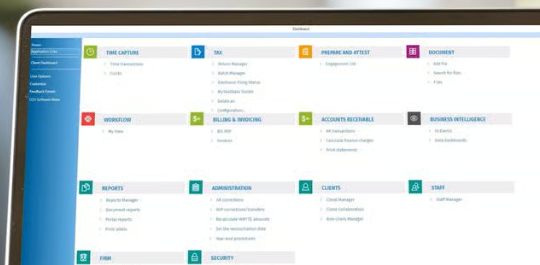
CCH Axcess is a platform. Each part of a firm’s work is a module, Tax, Practice, Workstream, Document, Portal, Engagement, Intelligence, and the modules share one client database. The value grows with every module a firm runs, which is why it fits large firms so well. Wolters Kluwer describes it as “the only complete cloud solution, allowing you to transition effortlessly from return preparation, to research, to document exchange and billing”.
 Source: Wolters Kluwer
Uku is one system for the part of the firm that isn’t tax preparation: the recurring work, the time on it, the bill and the conversation with the client. There is no second module for the portal or for projects, and the price is on the page.
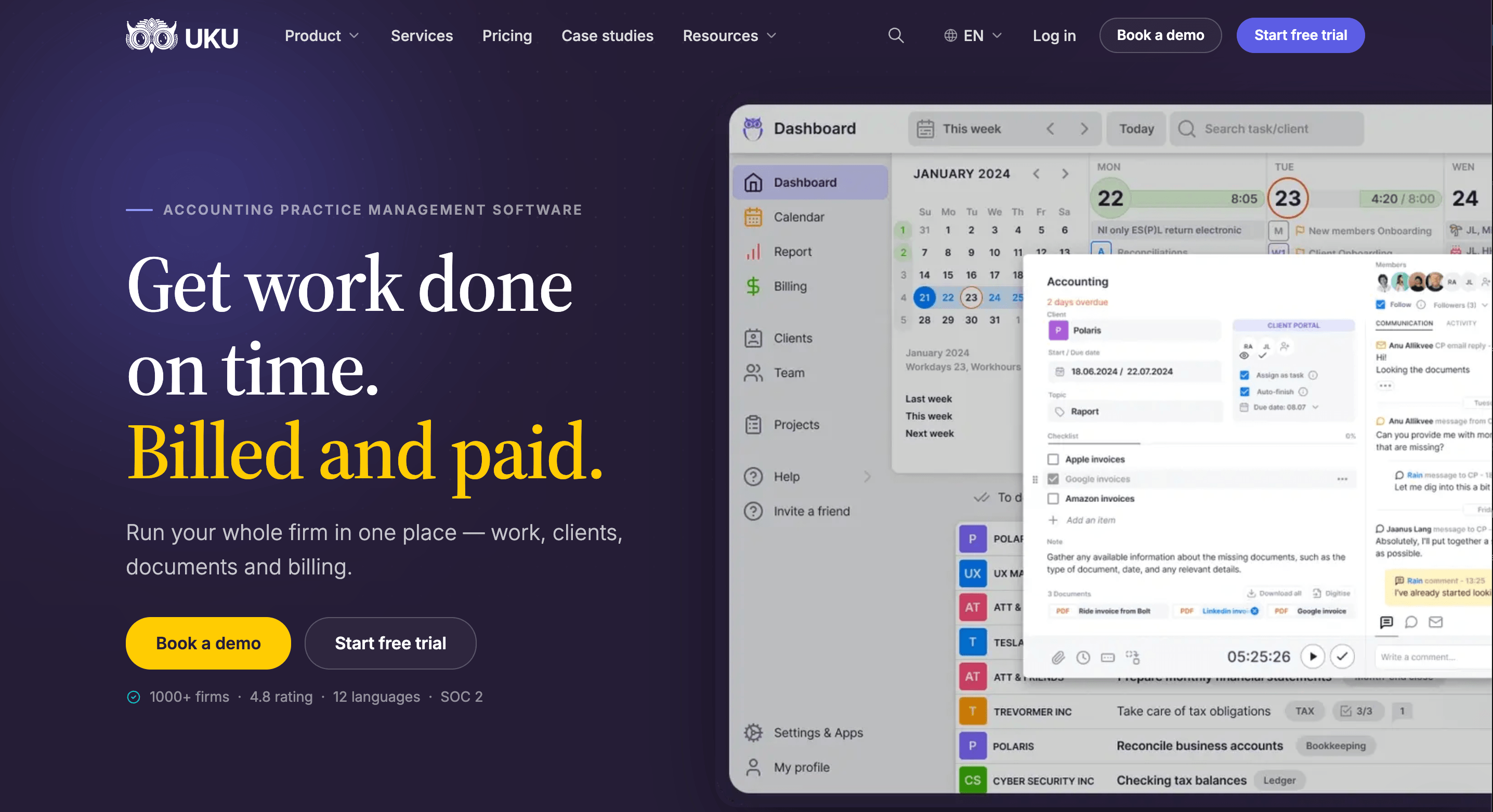
The practical question is which link matters more to your firm: Axcess’s link between tax preparation and practice management, or the link between the work, the client and the invoice.

Workflow and project management
CCH Axcess
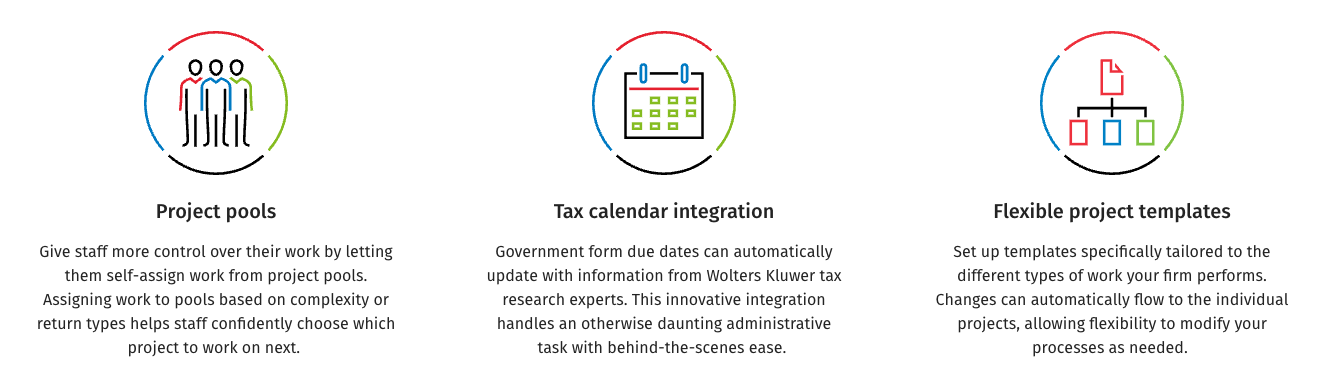
Axcess Workstream tracks projects and due dates. Its standout features are project pools, which let staff self-assign work “based on complexity or return types”, and tax calendar integration, where “government form due dates can automatically update with information from Wolters Kluwer tax research experts”. Templates are tailored per type of work, and changes flow to existing projects.
 Source: Wolters Kluwer
Capacity planning isn’t mentioned on the Workstream page.
Uku
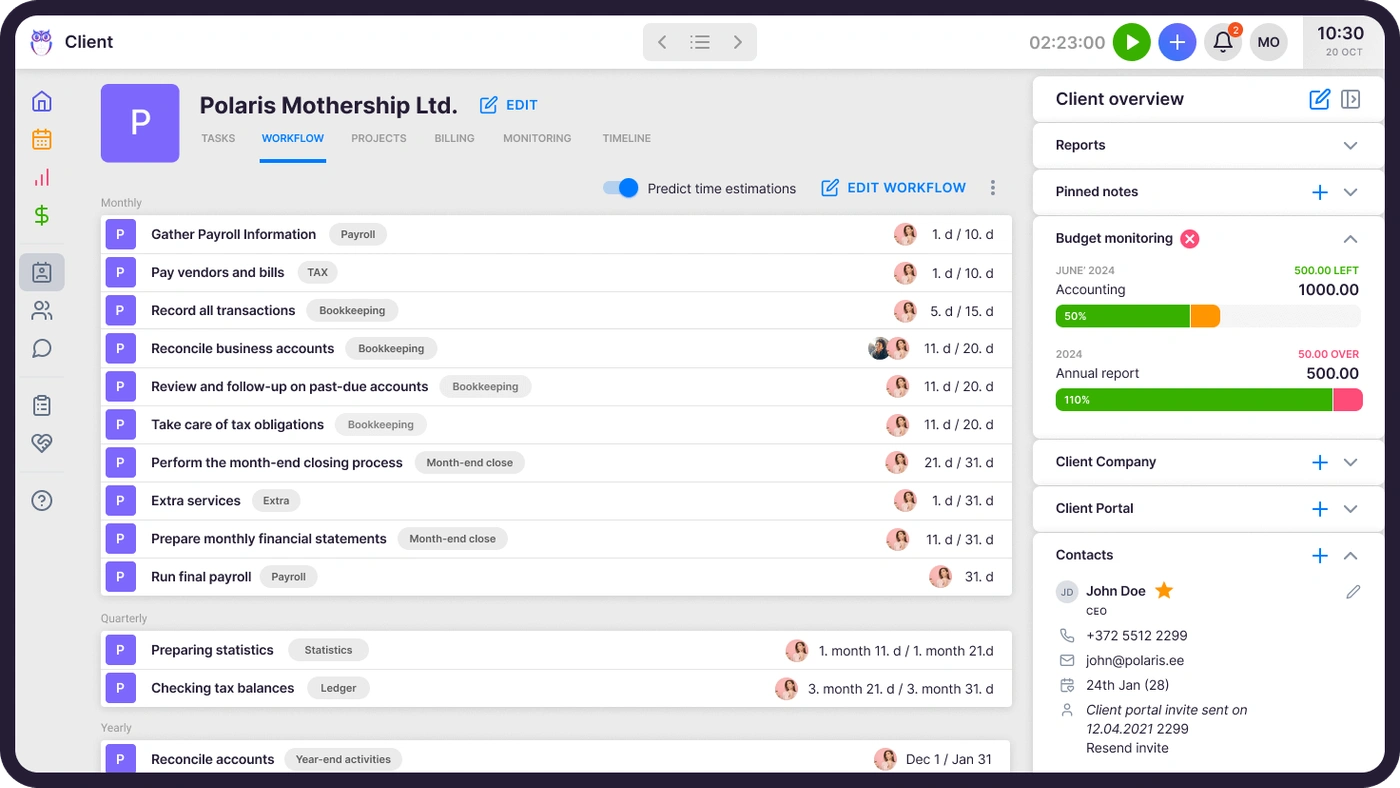
Uku’s workflow templates are on every plan. One template per service creates every recurring task with its checklist, responsible person and due-date rule, and changes can be pushed to clients already using it.
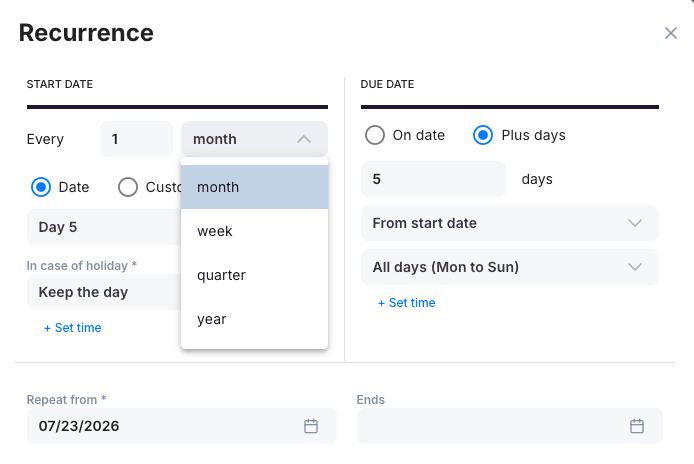
Each task can repeat on its own schedule, and on Elite, workforce management keeps staff time, attendance and vacations in the same system.

Client portal, documents and e-signature
CCH Axcess
Axcess Portal offers secure, two-way document exchange with multifactor authentication and encrypted storage. It is a separate module, and “CCH Axcess Document is a prerequisite for CCH Axcess Portal users”, so a firm licenses both. E-signatures, engagement letters and tax organizers come with a third package, Client Collaboration, sold from $3,092 for 75 licences.
Uku
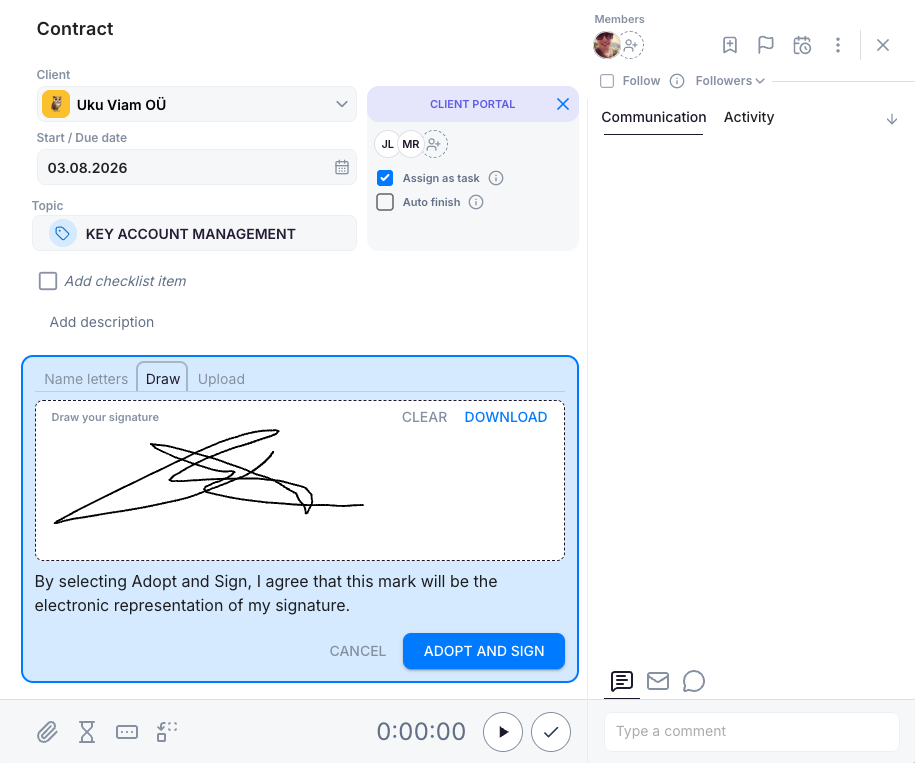
Uku’s client portal is included on every plan and free for clients. It is passwordless and mirrors the exact same task on both sides: you ask for documents on the task, the client uploads them there and signs where needed.
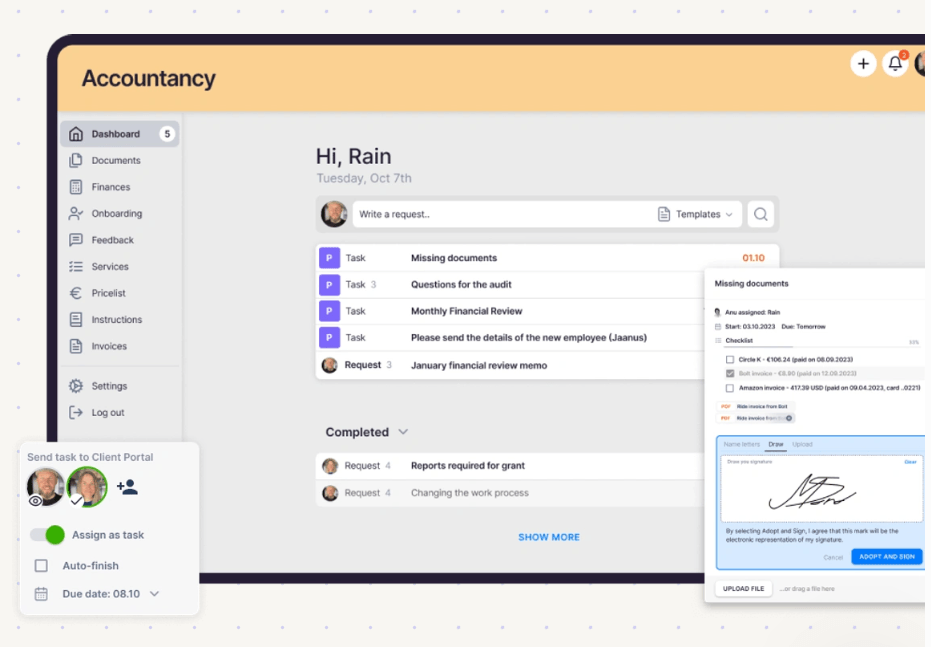
E-signatures are included, from the task itself.
Time, WIP and billing
CCH Axcess
Axcess Practice is “a practice management solution that simplifies time and billing”. It offers one-screen time entry with clocks from the route sheet and tax return, “progress billing, multiple billing fee agreements and batch billing”, e-payments through supported partners with a Pay Now button, and reports on productivity, WIP and receivables. Time can be entered from the CCH Axcess mobile app.
 Source: Wolters Kluwer
Uku
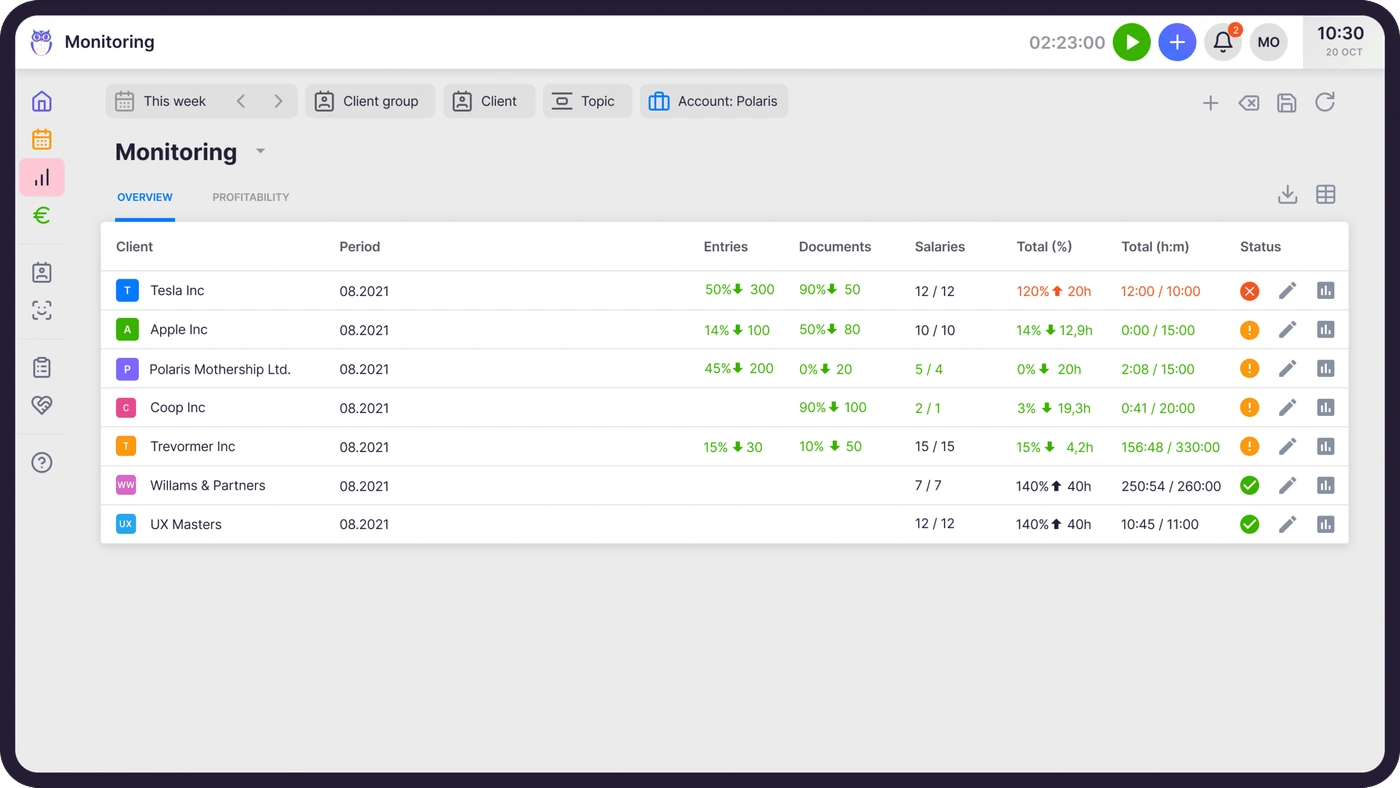
Uku starts billing from each client’s agreement. A billing contract says what the fee covers (hourly, fixed, per piece, volume tiers, or a mix), tracked time and extra work land against it, and at period end the invoices draft themselves, which reduces invoice preparation from days to about 30 minutes.
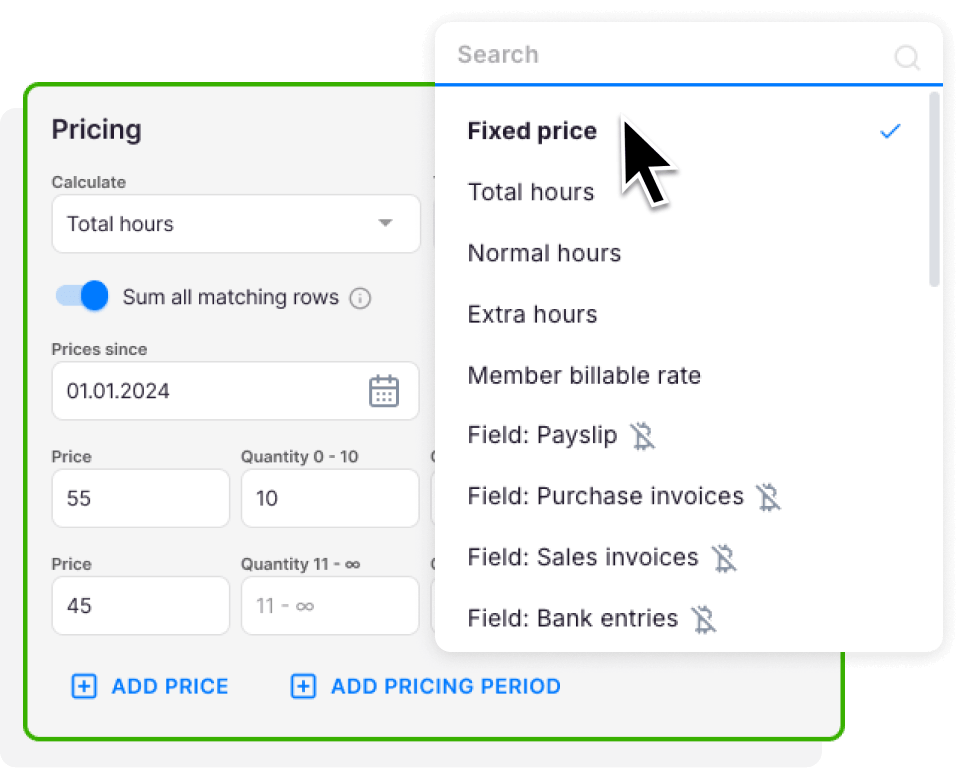
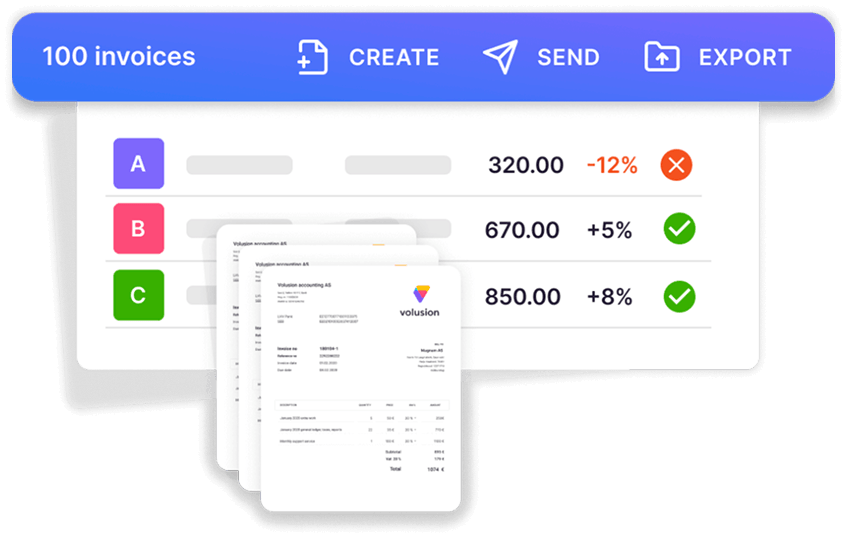
Agreements monitoring compares agreed work with delivered work for every client in the middle of the month, so over-servicing becomes a pricing conversation before the bill.

Reporting and firm visibility
CCH Axcess
Axcess Practice includes “a wide range of integrated reports that allow firm managers to monitor a wide range of KPIs, including productivity ratios, WIP/AR analysis and profit reports by office or project”. For deeper analysis, the suite has a separate module, CCH Axcess Data Axcess, to “operate more intelligently with key performance indicators using business intelligence and data visualizations”, and the Open Integration Platform lets firms pull data into Power BI or Tableau.
Uku
Uku’s BI Analytics (Elite and Enterprise) shows revenue and profitability by client and service, with health flags for unbilled work, over-serviced clients and star clients, and a 12-month view of revenue against hours. Client budgets track logged hours against what was agreed, with an alert before a budget runs over.
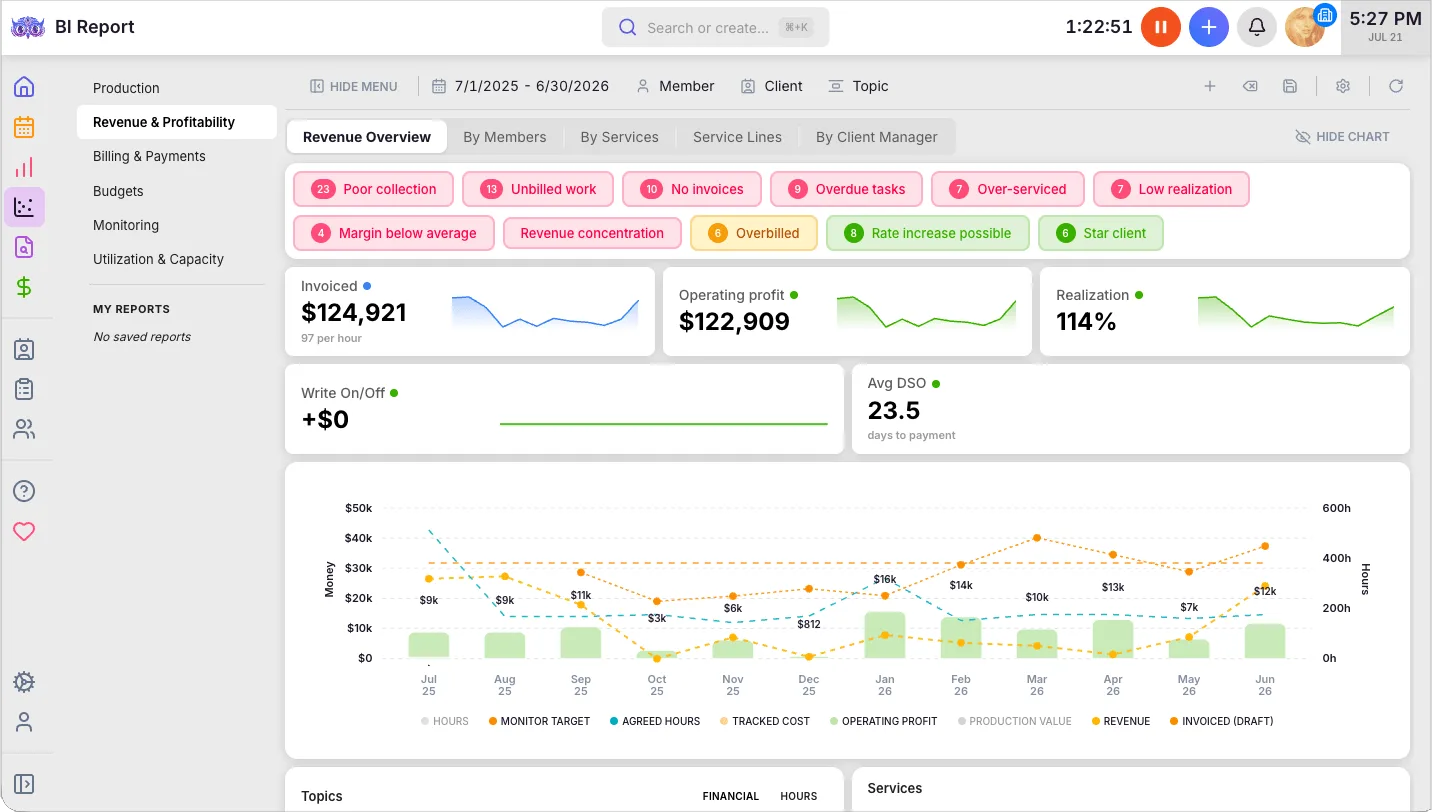
The difference is reach and timing. Axcess reports across offices and projects on a large firm’s scale, and its BI is a module of its own. Uku’s analytics are built into the plan and aimed at changing the current month, not only explaining the last one.
Security and data
CCH Axcess
Security is one of the suite’s strengths. Wolters Kluwer says multifactor authentication “protects clients and staff from password theft”, that files “are encrypted immediately upon upload to CCH Axcess Portal and remain encrypted even when not being accessed”, and that files are scanned for viruses before they are stored. Axcess Document adds retention policies, version control and check-in and check-out, with storage in the cloud or on the firm’s own servers.
Uku
Uku runs in the browser with role-based access, so members see only the clients they are assigned to, and the client portal is passwordless for clients, with every request and file on the task it belongs to. Access management, per office, member or client, is included from Team up, and the actionable audit log tracks every change and can restore deleted tasks and edits, with full history on Elite and Enterprise.
Integrations: Axcess Tax and everything else
CCH Axcess
Inside the suite, Tax, Practice, Workstream and Document share one client database. Outside it, the CCH Axcess Open Integration Platform offers APIs for QuickBooks and Xero, CRMs, SharePoint, Excel, BI tools, e-payments and calendars, and the CCH Axcess Marketplace lists third-party integrations. Zapier isn’t mentioned.
Uku
Uku has no integration with CCH Axcess Tax or any other US tax software. That is the honest trade-off of this comparison: if you move the practice-management layer, client details live in both systems and returns stay in Axcess Tax.
What Uku does connect to: QuickBooks Online and Xero (clients and invoices), Gmail and Outlook, and on Elite a public API, Zapier and the Uku MCP server for Claude and ChatGPT.

CCH Axcess vs Uku pricing
CCH Axcess publishes prices for its packages in the Wolters Kluwer eStore, not for its practice modules:
- Tax Essentials: $2,814 for 100 returns, $4,039 for 200, $5,264 for 400, plus $60.55 per additional return, for firms with four or fewer full-time tax professionals (new customers only).
- Client Collaboration: $3,092 for 75 licences, $6,067 for 150, $11,898 for 300 (engagement letters, organizers, document requests, e-signatures).
- Request a Quote on every practice-management module page: Practice, Workstream, Document and Portal.
- Portal requires Document, so a client portal is two modules.
- Special packages for up to 15 user licences, with complimentary support and training, price not published.
- No free trial, per TrustRadius.
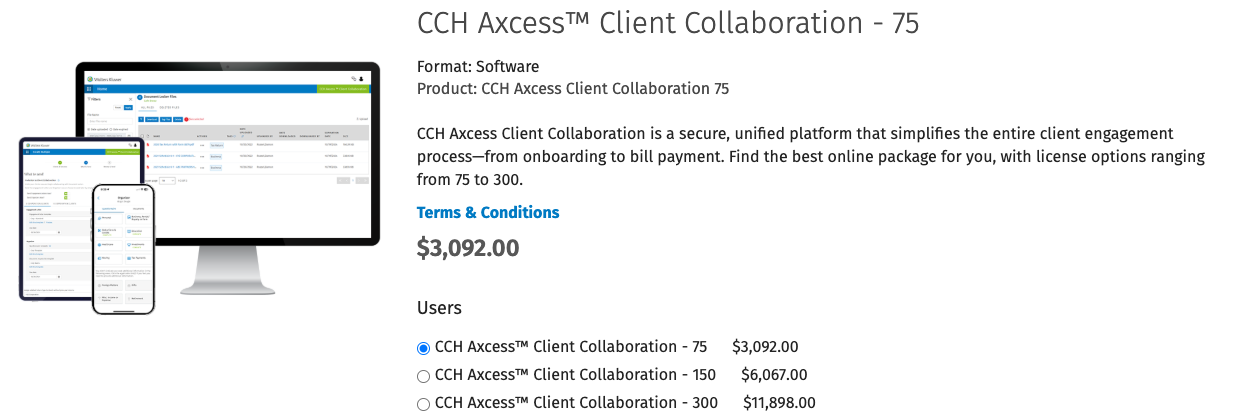 Source: Wolters Kluwer eStore
For the full cost structure and what to ask in a quote, see our CCH Axcess pricing guide.
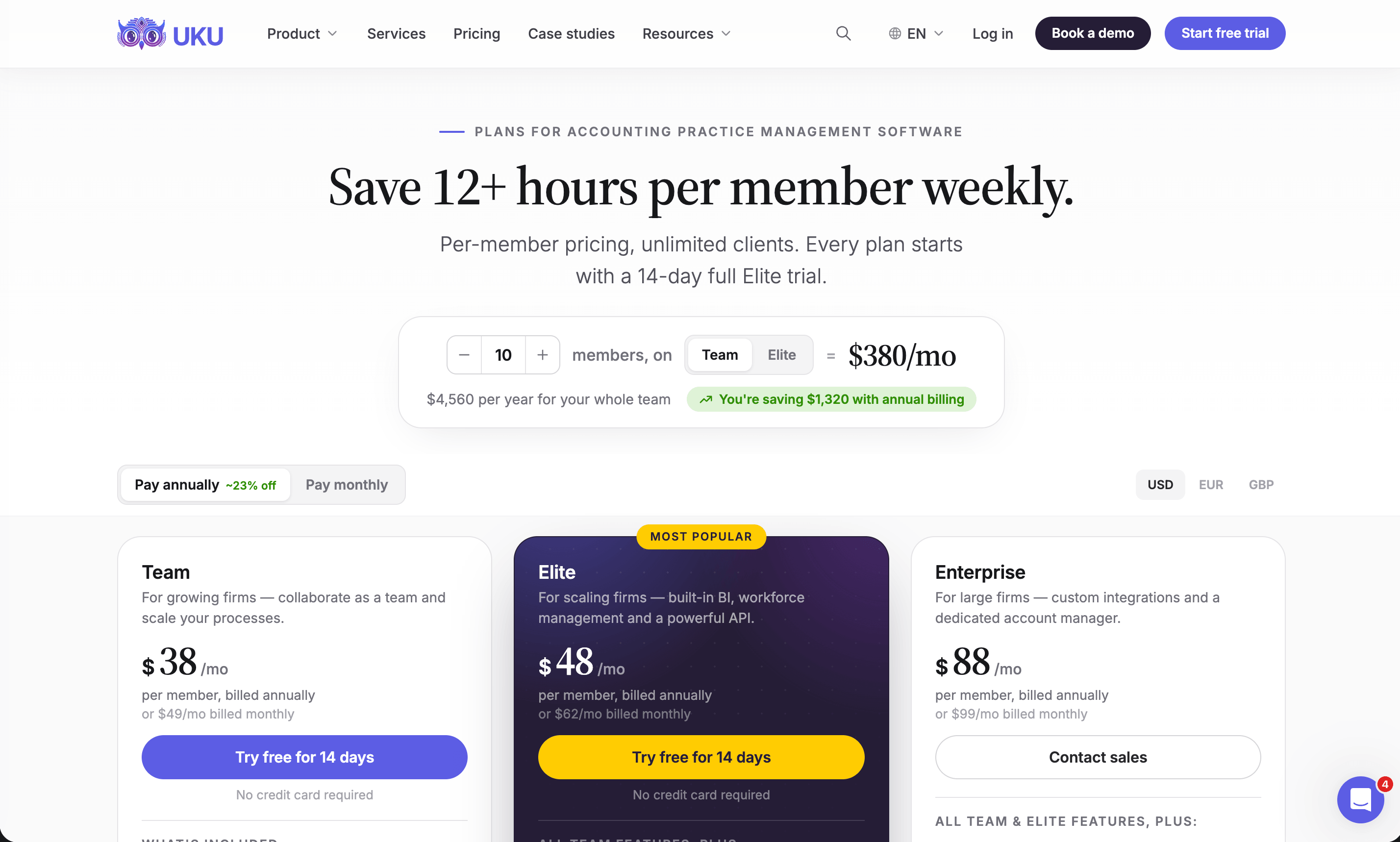
Uku publishes per-member prices on its pricing page:
- Solo $19 per month annual, $25 monthly (1 member, 20 active clients, e-signatures and document management)
- Team $38, $49 monthly (unlimited members and clients, projects, access management)
- Elite $48, $62 monthly (BI Analytics, mandatory time entries, workforce management, public API, Zapier, Uku MCP)
- Enterprise $88, $99 monthly (custom integrations, dedicated account manager, assisted client import)
Clients and the portal are free, every account starts with a 14-day Elite trial without a card, and every plan includes 90 minutes of onboarding.
Support and implementation
CCH Axcess
This is where the public reviews concentrate. On TrustRadius, where CCH Axcess scores 7.3 out of 10, five of the eight visible reviews are one to three stars, and most are about support and setup rather than the tax engine. One partner wrote that “the support is horrible - can’t get anyone to respond to online support cases OR pick up the phone”; another that “their implementation team is very siloed”.
“Customer support does not know their own product!”
Enterprise reviewers are more positive: an IT director at a firm of more than 5,000 people called it “a legitimate best in class enterprise tool”.
Uku
Every Uku plan includes 90 minutes of onboarding with the Uku team, and firms that want more can buy onboarding packages ($700 for teams of up to 4, $2,000 for up to 15) that include importing clients and contacts, company settings, task templates and team training. Enterprise adds a dedicated account manager. Most firms are live in two to six weeks.
Is Uku better than CCH Axcess?
For some firms, yes; for others, no. Here is the honest split.
Uku is better if:
- You want workflow, time, billing, documents and the client portal in one plan, not four modules
- You bill against agreements and want invoices drafted for you
- You want a published price, a trial and monthly billing
- You are a firm of 2 to 100 people that needs setup and support you can reach
CCH Axcess is better if:
- You run Axcess Tax and the shared client database is what holds your firm together
- You are a Top 100-scale firm with tax, audit and advisory departments on one platform
- You want Wolters Kluwer’s tax calendar driving due dates automatically
CCH Axcess vs Uku: Which should you choose?
Choose CCH Axcess if:
- Your firm already runs Axcess Tax and wants practice management on the same database
- You need enterprise scale and one vendor for tax, audit, documents and practice management
- You value project pools and tax-calendar due dates in Workstream
- You are comfortable licensing modules on a negotiated quote
Staying on Axcess? Ask Wolters Kluwer about the 1–15 user packages if your firm is small.
Choose Uku if:
- You want recurring work, time, billing, documents and the client portal in one browser-based system
- Your clients should upload, answer and sign on the same task your team works on, free for them
- You bill hourly, fixed or by volume and want invoices drafted from each client’s agreement
- You want agreed work checked against delivered work before the month closes
- You are fine keeping Axcess Tax for returns without an integration
- You want to try it yourself and pay monthly
See it with your own services: try Uku free for 14 days or book a demo.
How to switch from CCH Axcess to Uku
If Uku is the answer, most firms are live in two to six weeks, at their own pace, and keep serving clients throughout. Axcess Tax stays; you move the practice-management layer. CCH Axcess’s structure maps onto Uku’s: clients stay clients, Workstream project templates become workflow templates, Workstream projects become client tasks, and each client’s billing arrangement in Axcess Practice becomes a billing contract.
- Export and import your clients. Export the client list from Axcess (Karbon’s help centre describes it: in Return Manager, set Quick Search to All, select all client IDs and choose Export Grid) and import it into Uku through the import flow.
- Rebuild your Workstream templates as Uku workflow templates. One per service, with the same steps, owners and due-date rules.
- Set up billing contracts. Recreate each client’s billing arrangement; bill out open WIP in Axcess Practice first, so nothing is billed twice.
- Go live. Run one billing cycle in parallel, compare it with Axcess Practice, then switch off Practice and Workstream. Use the 90 minutes of onboarding that comes with every plan.
If your firm uses an AI assistant, the Uku MCP server connects in a day and can check the move for you: which clients came across, which have no workflow yet, and how the first Uku invoice run compares with the last one from Axcess Practice.
Both systems run a firm’s time and billing; they differ in what they connect. CCH Axcess connects practice management to the rest of a Wolters Kluwer firm. Uku connects the work, the client and the invoice. If the second matters more to your firm than the first, try Uku free for 14 days.
Still shortlisting? Our CCH Axcess alternatives compares six options and what each does with Axcess Tax, our CCH Axcess review covers each module, and Practice CS vs Uku is the same comparison for Thomson Reuters firms.
Frequently asked questions
What is the main difference between CCH Axcess and Uku?
CCH Axcess is Wolters Kluwer's modular suite for tax, audit and firm management, where practice management is two modules (Practice and Workstream) sharing a client database with Axcess Tax. Uku is a single practice-management system where workflow, time, billing, documents and the client portal are on every plan with published prices. Axcess is wired into Axcess Tax; Uku is not.
Can I use Uku with CCH Axcess Tax?
Yes, side by side. Uku has no CCH Axcess integration, so client details are kept in both systems and returns stay in Axcess Tax. Firms that do this move time, billing, workflow and the client portal into Uku and keep Axcess Tax for preparation.
Is Uku cheaper than CCH Axcess?
For practice management there is no like-for-like number, because Axcess Practice, Workstream, Document and Portal are priced by quote. What Wolters Kluwer does publish: Tax Essentials from $2,814 for 100 returns and Client Collaboration from $3,092 for 75 licences. Uku Team is $38 per member a month billed annually and includes what takes four Axcess modules. Ask Wolters Kluwer for a quote on those four and compare per user.
Does CCH Axcess have a free trial?
No. TrustRadius notes that no free version or trial is available for CCH Axcess; Wolters Kluwer offers demonstrations and quotes. Uku has a 14-day free trial of its Elite plan with no credit card.
Is CCH Axcess better for large firms?
Often, yes. Wolters Kluwer says 94 of Accounting Today's Top 100 firms use CCH Axcess, and enterprise reviewers describe it as scalable. Uku is built for firms of 2 to 100 people; a Top 100 firm running the full Axcess suite has strong reasons to stay.
How do I export clients from CCH Axcess to Uku?
Export your client list from CCH Axcess (Karbon's help centre describes it: open Return Manager, set Quick Search to All, select all client IDs and choose Export Grid) and import the file into Uku. Time entries and billing history stay in Axcess, so bill out open WIP before the switch.
How long does it take to switch from CCH Axcess to Uku?
Most firms are live on Uku in two to six weeks, at their own pace, while still serving clients: import clients, rebuild Workstream templates as workflow templates, set up billing contracts, then run one billing cycle in parallel before switching off Axcess Practice and Workstream.

Published Oct 1, 2026 · Updated Oct 2, 2026