Client Hub Review 2026: Features, Pricing, and Alternatives
Client Hub excels at QuickBooks bookkeeping workflows but lacks billing and profitability analytics. See where it fits and where firms outgrow it.


Contents
- What is Client Hub?
- Client Hub pros and cons
- How Client Hub works: the client portal
- Practice management: workflow, email sync, and time tracking
- QuickBooks and Xero bookkeeping workflows
- The AI-powered Magic Suite
- Client Hub pricing
- Where Client Hub falls short
- The top Client Hub alternative for growing firms: Uku
- Client Hub or Uku: comparison summary
- Final verdict
- Client Hub FAQ
Client Hub occupies a specific niche in accounting practice management: it is built for bookkeeping and Client Accounting Services firms whose daily work runs through QuickBooks Online, and whose biggest bottleneck is getting clients to respond.
Client Hub is the right choice if your firm’s core service is recurring bookkeeping or month-end close, you rely on QuickBooks Online, client communication is what actually slows you down, and you are based in the US or Canada.
Client Hub is not the best choice if you need billing inside the same platform, you want to know which clients are profitable, you run a mix of tax, payroll, advisory, and audit work, you operate across languages or countries, or you need a public API.
This review covers what Client Hub does well, where firms outgrow it, what it costs, and — for firms in that second group — how Uku covers the operational ground Client Hub leaves to other tools.
What is Client Hub?
Client Hub is a cloud practice management platform for accounting firms, headquartered in Ocala, Florida. It started in 2017 and launched publicly in June 2018.
Co-founder Judie McCarthy spent two decades in accounting practice as a Top 100 QuickBooks ProAdvisor. By the company’s own account, she calculated in 2017 that her bookkeeping team was spending 30% of its time chasing clients for the information needed to do the work. That number is the product’s origin story, and it explains the shape of everything in it: the client portal is not a module bolted onto a task manager, it is the center of the platform.
The company won a place in the AICPA and CPA.com Startup Accelerator in 2019 and was a CPA Practice Advisor Innovation Award finalist in 2020. Its target customers are CAS and CAAS practices, outsourced controller firms, and fractional CFO practices — firms that want one platform instead of the five to ten disconnected tools a bookkeeping practice typically accumulates.
Client Hub pros and cons
| Pros | Cons |
|---|---|
| Two-way QuickBooks Online integration for transaction resolution | No native invoicing or billing |
| Client portal designed as a core feature, not an afterthought | Mobile app stability issues reported by client-side users |
| Strong support reputation (4.9/5 for customer service on Capterra) | Limited depth for complex or multi-service workflows |
| AI-powered month-end close review with Books Review | Xero integration much narrower than QuickBooks |
| Flat per-user pricing with unlimited clients and storage | No public API for custom integrations |
| Users report setup in under 10 minutes | Basic conversation threading lacks Slack-style features |
| Magic Suite AI features embedded in existing workflows | 14-day trial only; no free plan |
One note on that support rating, because sample size matters: Client Hub’s Capterra profile shows 4.9/5 for customer service across 35 reviews and 4.7/5 overall across 40 (checked 11 August 2026). That is a genuinely strong score, and it is drawn from a small review base — a fair reading is that the firms who use it are happy, not that the sample is large enough to be conclusive.
How Client Hub works: the client portal
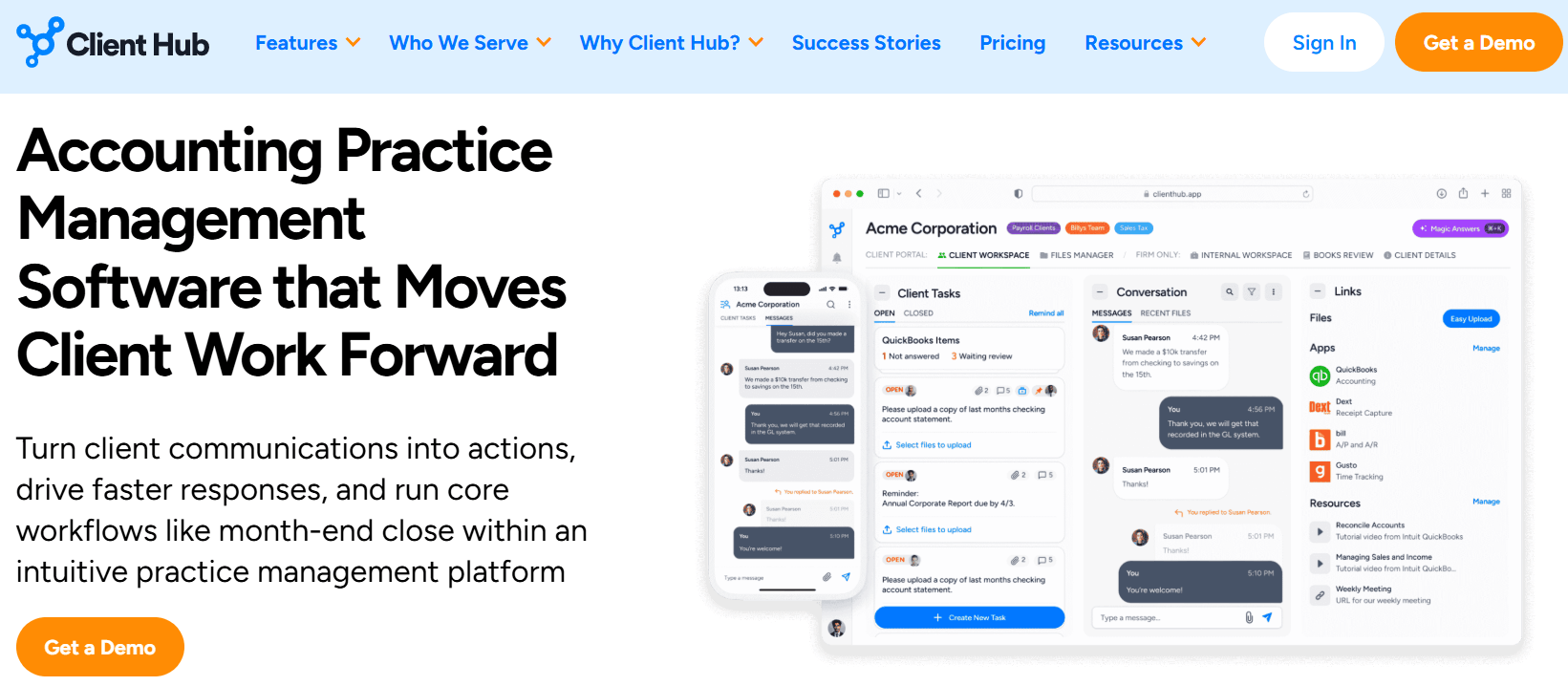
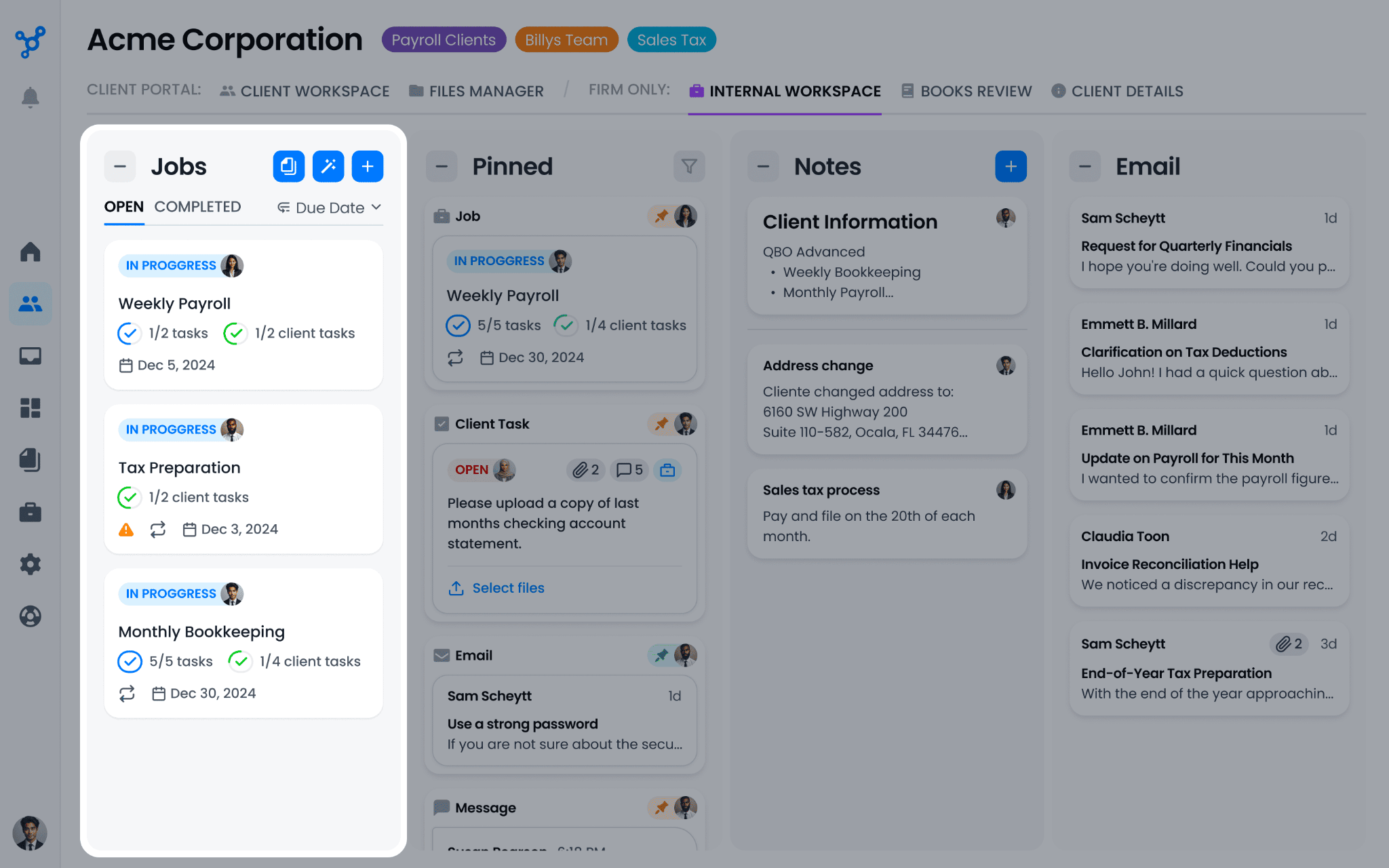
Client Hub gives each client three zones: an internal workspace only the firm sees, a client-facing portal, and a shared file manager.
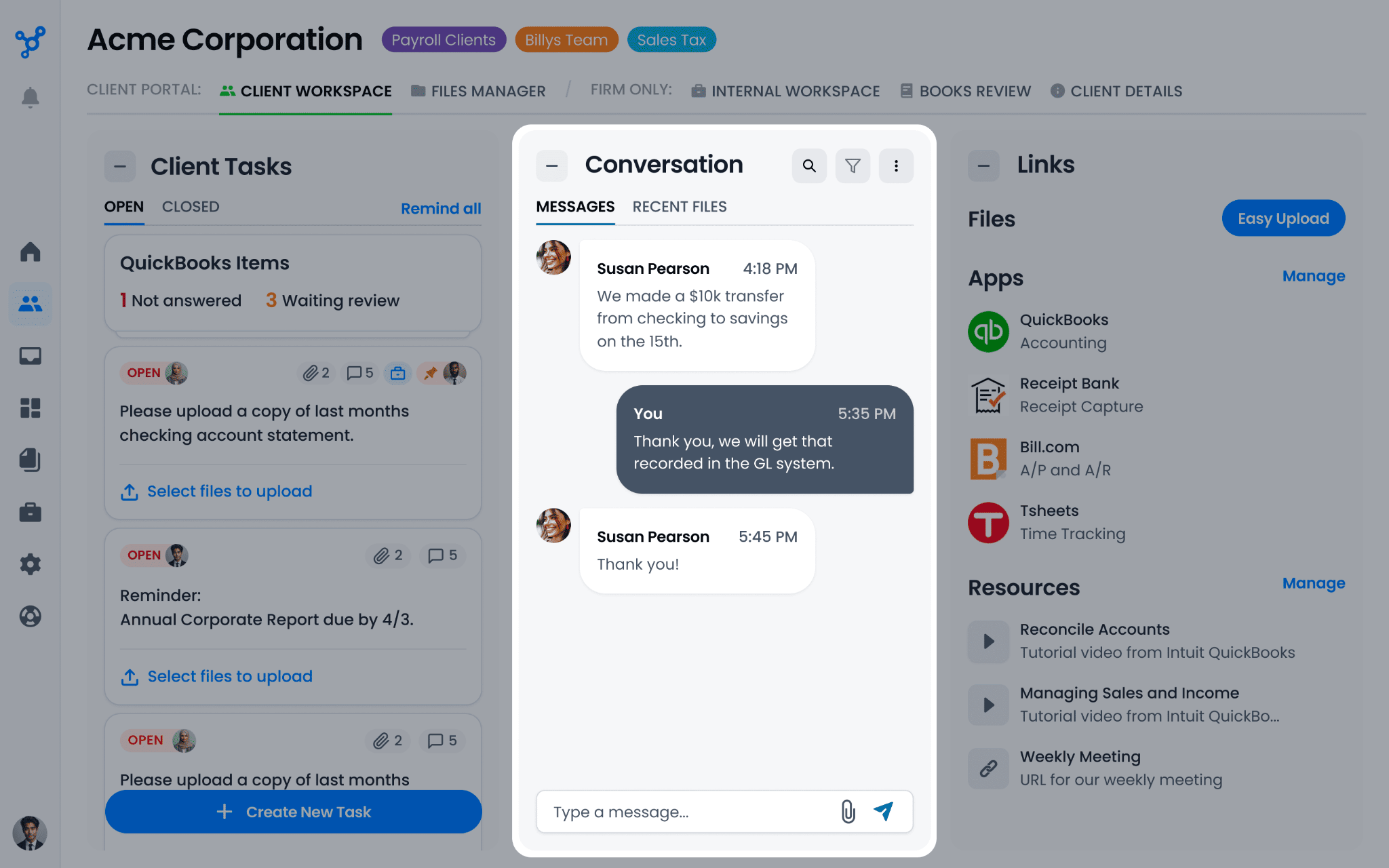
Clients reach the portal through email notifications that link straight to the relevant task or conversation, without a fresh login each time. Reviewers repeatedly compare the experience to texting, which is the point: a client who would ignore a fourth follow-up email will answer a message.
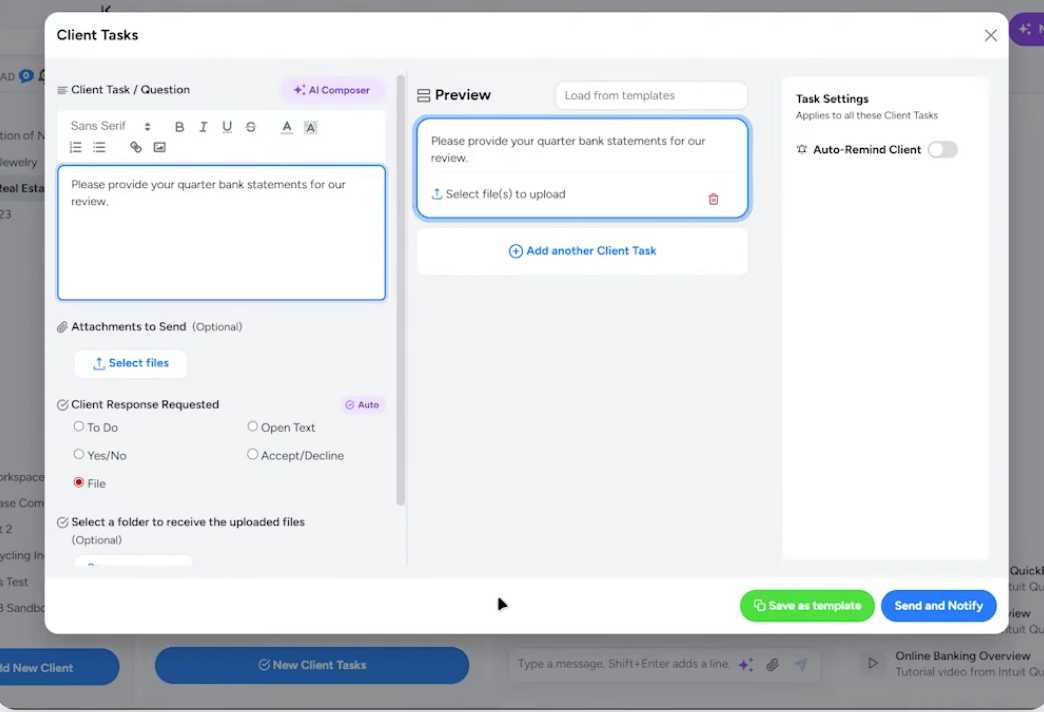
The portal supports five client task types — To Do, Yes/No, File Request, Accept/Decline, and Open Text — and eSignature is included through SignWell at no extra cost.
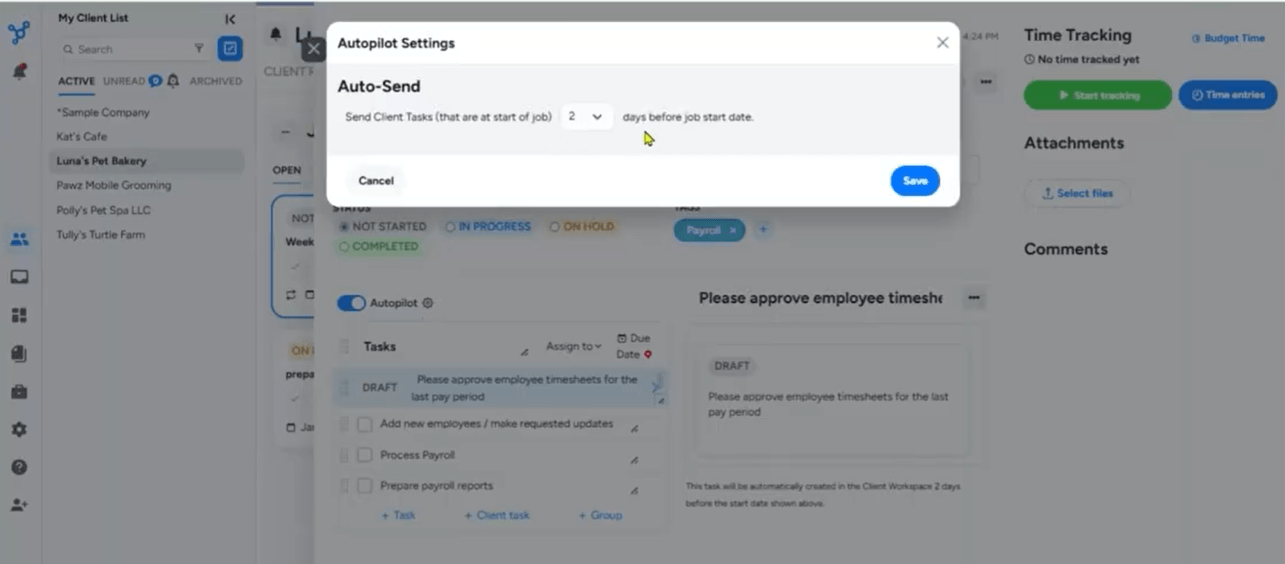
Two automations do most of the chasing. Autopilot publishes client tasks on a scheduled day before the work begins, so the request lands before the accountant needs the answer rather than after.
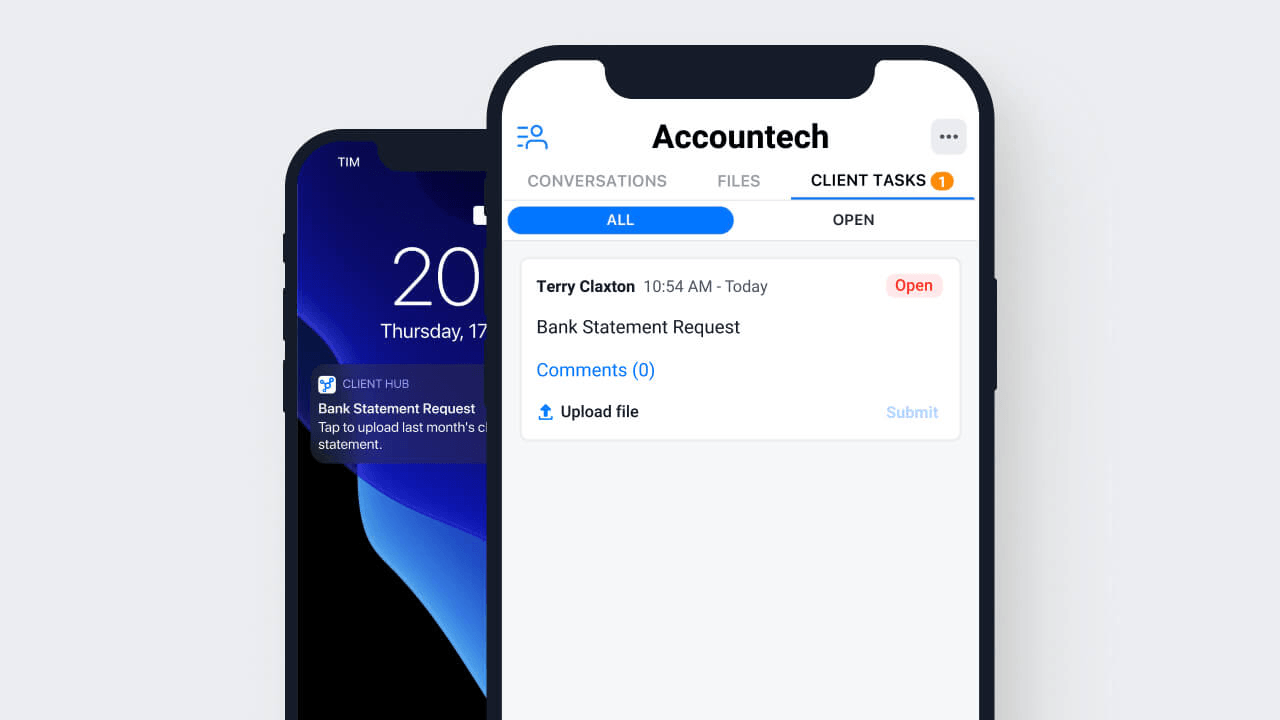
Auto-Remind then sends daily reminders after the due date until the client responds. A dedicated iOS and Android app lets clients answer from their phone.
On security, Client Hub encrypts data at rest with 256-bit encryption and in transit via TLS 1.2+, hosting application logic on Google Cloud Platform and files on AWS, with all data in US and Canada-based data centers. SMS-based two-factor authentication, real-time session monitoring, and instant access revocation are included.
Practice management: workflow, email sync, and time tracking
The unit of work in Client Hub is a Job, which holds a structured task checklist. Jobs can be created manually, from a saved template, or generated by Magic Workflow from a plain-language description.
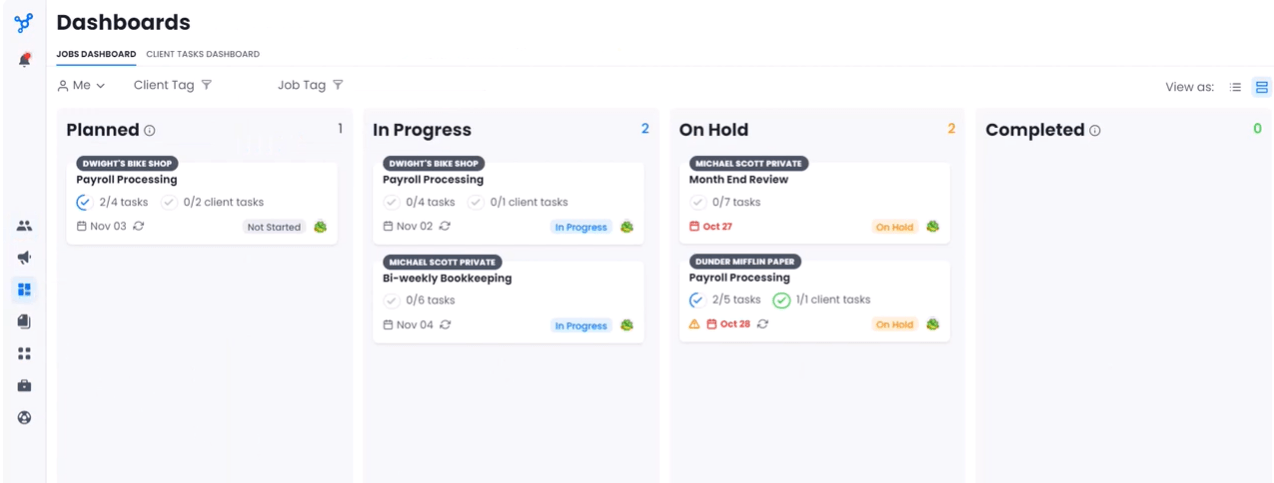
The Jobs Dashboard offers Kanban and list views across four status columns — Planned, In Progress, On Hold, Completed — with overdue flagging and bulk actions.
Recurring schedules regenerate jobs when the previous one is marked complete, and Batch Create deploys a template across many clients at once. A prebuilt Templates Library covers common accounting workflows.
Email sync with Gmail and Microsoft 365 matches incoming mail to the right client workspace automatically, and any email can become a job with the original thread attached as context. This is a genuinely good idea, and one that most practice management tools handle worse.
Time tracking is a floating timer tied to a job, with per-staff budget hours and tracked-versus-budgeted comparison on the dashboard. Reports export to Excel, PDF, or CSV.
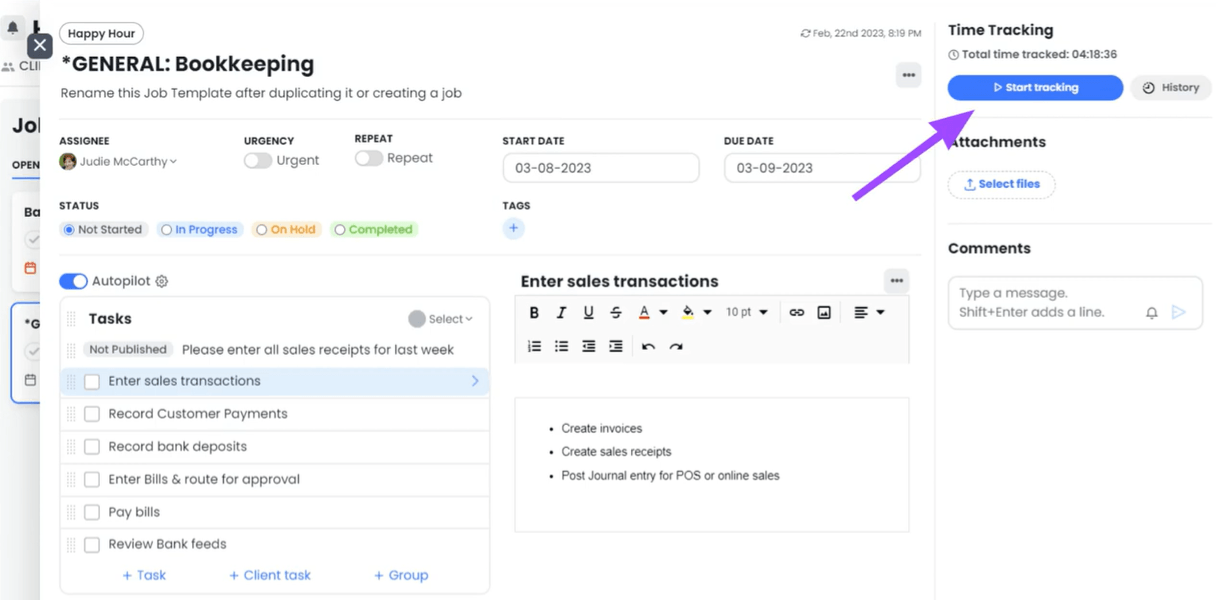
Note what happens to that time afterward: nothing. It is recorded and reported, but it does not become an invoice, and it does not become a profitability number. That gap is the theme of the “where Client Hub falls short” section below.
QuickBooks and Xero bookkeeping workflows
This is Client Hub’s real differentiator, and no other practice management platform matches it natively.
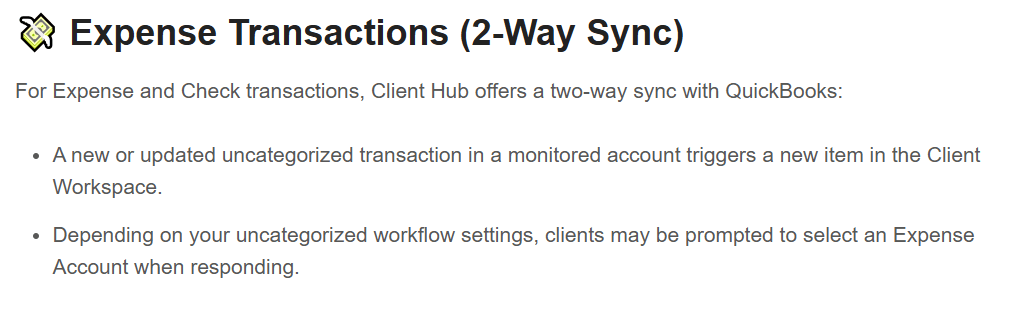
When an uncategorized expense or check posts to a monitored QuickBooks account, Client Hub turns it into an item the client can answer inside the portal: add a description, pick an expense account, attach a receipt. When the accountant closes the item, the description, account, and attachment sync back to QuickBooks. Deposits work one way — they raise a client task with a direct “Go to QuickBooks” link rather than syncing back.
Books Review adds a month-end quality control layer with two kinds of check. Rule-based hygiene scans catch purchases without a payee, purchases posted to parent accounts, large transactions above a threshold you set, transactions with no attachment, and new accounts, vendors, or customers. AI variance analysis compares the Balance Sheet and P&L against the prior period, shading rows orange for unexpected swings and green for accounts with current activity but no prior balance.
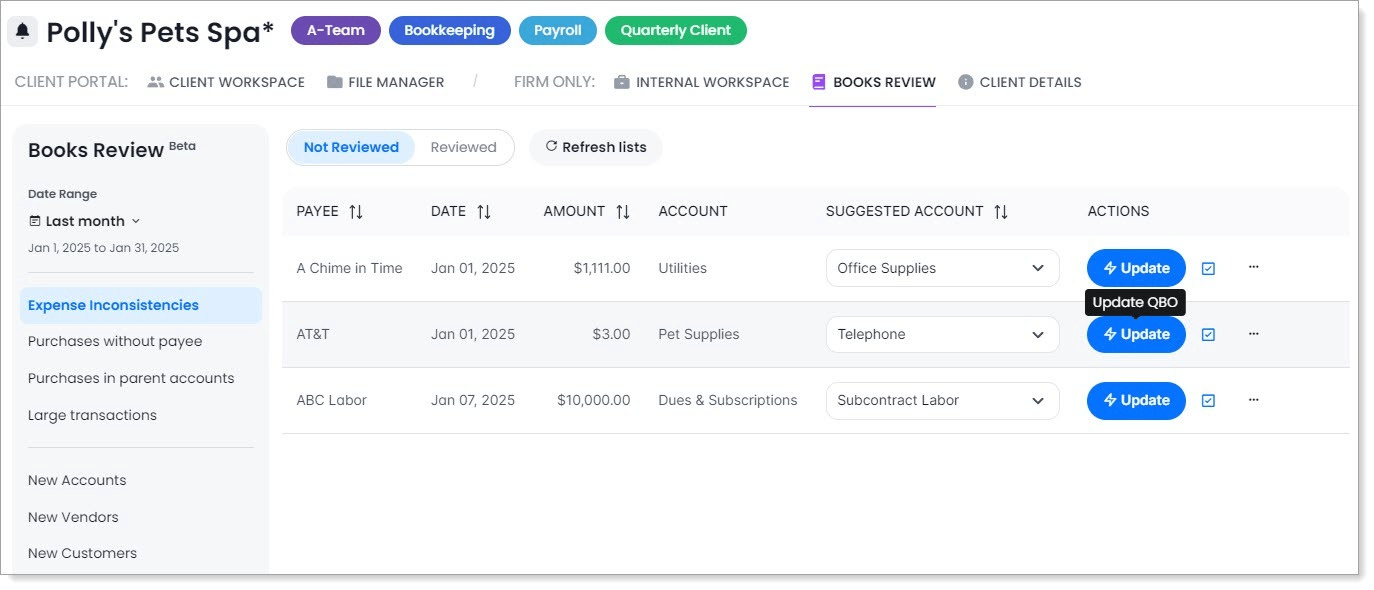
The 1099 Manager lives inside Books Review, pulling vendor payment and Tax ID data from QuickBooks, tracking W-9 request and receipt dates, pushing updates back, and exporting to CSV for filing. It converts an annual spreadsheet ritual into a tracked workflow.
The Xero caveat matters. Xero support covers uncategorized transaction resolution and stops there. Books Review, Financial Reports, and the 1099 Manager are QuickBooks-only, with no announced roadmap for parity. A Xero-based firm is buying a noticeably smaller product for the same price.
The AI-powered Magic Suite
Client Hub’s AI is branded the Magic Suite, and its design choice is worth noting: there is no prompt box. AI appears as labeled buttons — Summarize, Generate, Review — inside workflows people already use.
- Magic Workflow generates a job’s task list from a plain-language description
- Magic Emails summarizes long threads and drafts replies, with tone adjustment
- Magic Client Tasks drafts client-facing task instructions
- Magic Messages drafts secure conversation messages
- Magic Books Review runs the AI variance analysis described above
- Magic Financial Reports turns financial statements into plain-language summaries for clients
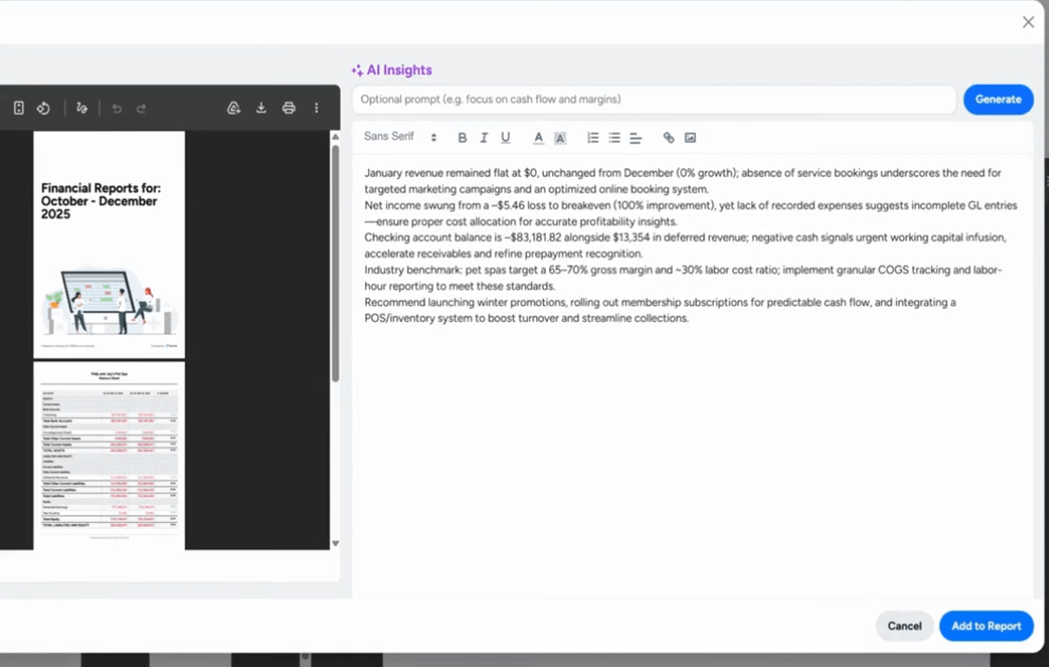
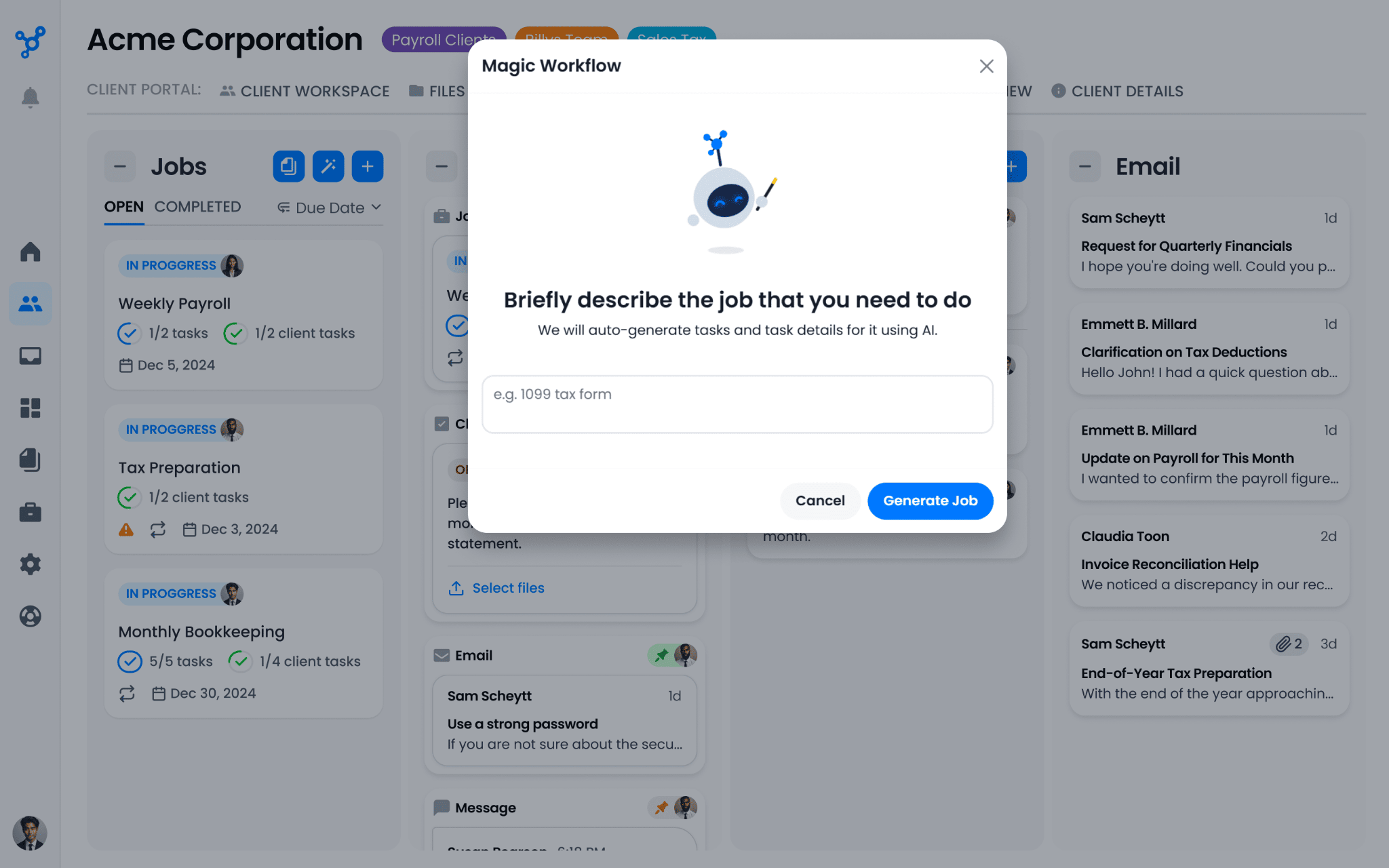
These features are included on all plans, and they work against the firm’s own data rather than a generic model with no context. For a platform in this category, that is ahead of the field today.
Client Hub pricing
Client Hub uses flat per-user pricing with no per-client fees.
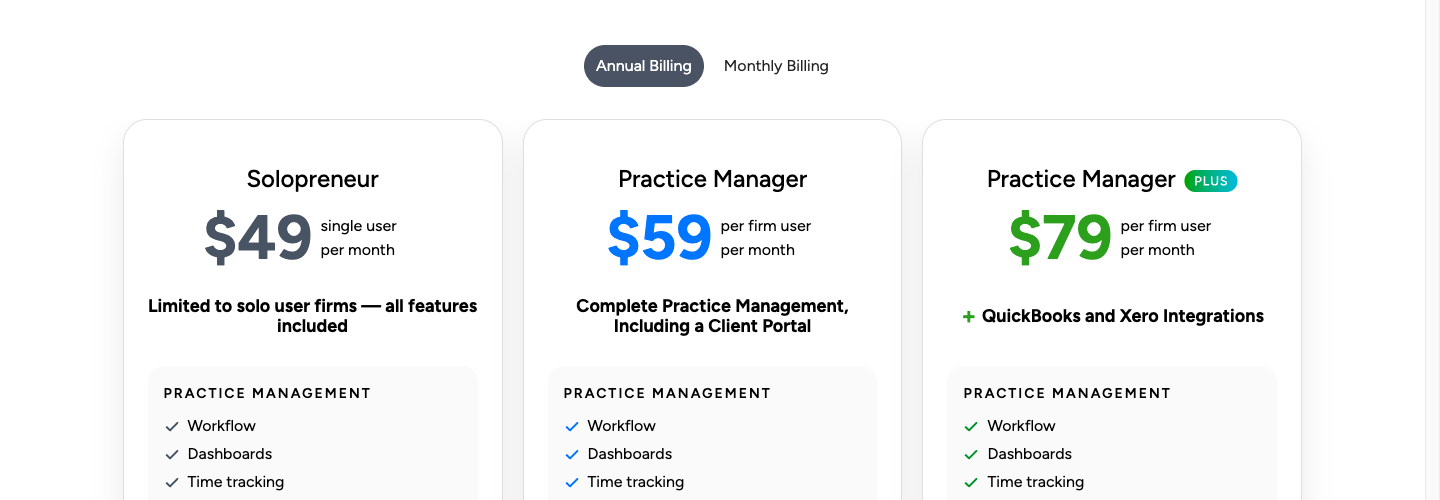
| Plan | Annual price | Monthly price | Notes |
|---|---|---|---|
| Solopreneur | $49/month | Not available | Single user only; annual billing only |
| Practice Manager | $59/user/month | $79/user/month | Multiple seats; no QuickBooks/Xero bookkeeping integration |
| Practice Manager Plus | $79/user/month | $99/user/month | Full QuickBooks + Xero integration included |
Prices checked against Client Hub’s own pricing page on 11 August 2026. For the full tier-by-tier breakdown and the costs the pricing page does not show, see our Client Hub pricing analysis.
Every plan includes unlimited clients, unlimited storage, training, the Client Hub Academy, and phone, email, and live chat support at no extra charge. A 14-day free trial with full functionality needs no credit card. There is no free plan. Unused seat time is prorated with no penalty when someone leaves.
The tier trap is worth stating plainly. The base Practice Manager plan at $59/user/month excludes the QuickBooks and Xero bookkeeping integration — no uncategorized transaction resolution, no Books Review, no Financial Reports, no 1099 Manager. Those are the features that make Client Hub distinctive, and reaching them means Practice Manager Plus at $79/user/month. A firm that budgets for $59 and expects the QuickBooks workflows has budgeted for the wrong plan.
Where Client Hub falls short
No native invoicing or billing. This is the largest gap. Client Hub records time against jobs but has no path from that time to an invoice. The Anchor integration covers proposals and contracts, not recurring billing. Firms still need at least one external system for their most revenue-critical function, which means the month-end reconciliation between what was tracked and what gets billed stays manual.
No profitability analytics. Time is tracked but never connected to what the client pays. There is no per-client margin, no agreement monitoring, no way to see that a client’s scope has quietly doubled while their fee has not.
Xero gets a fraction of the QuickBooks experience, as described above.
Workflow depth has limits. Client Hub is tuned for recurring bookkeeping cadences. Reviewers describe it as doing what is needed but lacking depth for more complex workflows. Job templates and recurring schedules cover monthly close well; task dependencies, multi-step sequential processes, and enforced standardization across a team are where firms report hitting the ceiling — which matters for multi-entity audit, complex tax, and multi-step advisory work.
No public API. Programmatic connectivity is Zapier only. Firms that want to push practice data into Power BI, a CRM, or an internal system have no direct route.
Client-side mobile app stability. Reviewers report the mobile app still has glitches, and at least one wished for Slack-like conversation features. Threading is basic — no threads, no name tags — which starts to matter as conversation volume grows.
The top Client Hub alternative for growing firms: Uku
Client Hub’s gaps cluster in one place: everything that happens after the client responds. Uku is built around exactly that half of the problem — task and workflow automation, time tracking, automated billing, profitability monitoring, BI Analytics, workforce management, and a client portal in one system, serving over 1,000 firms across 25+ countries.
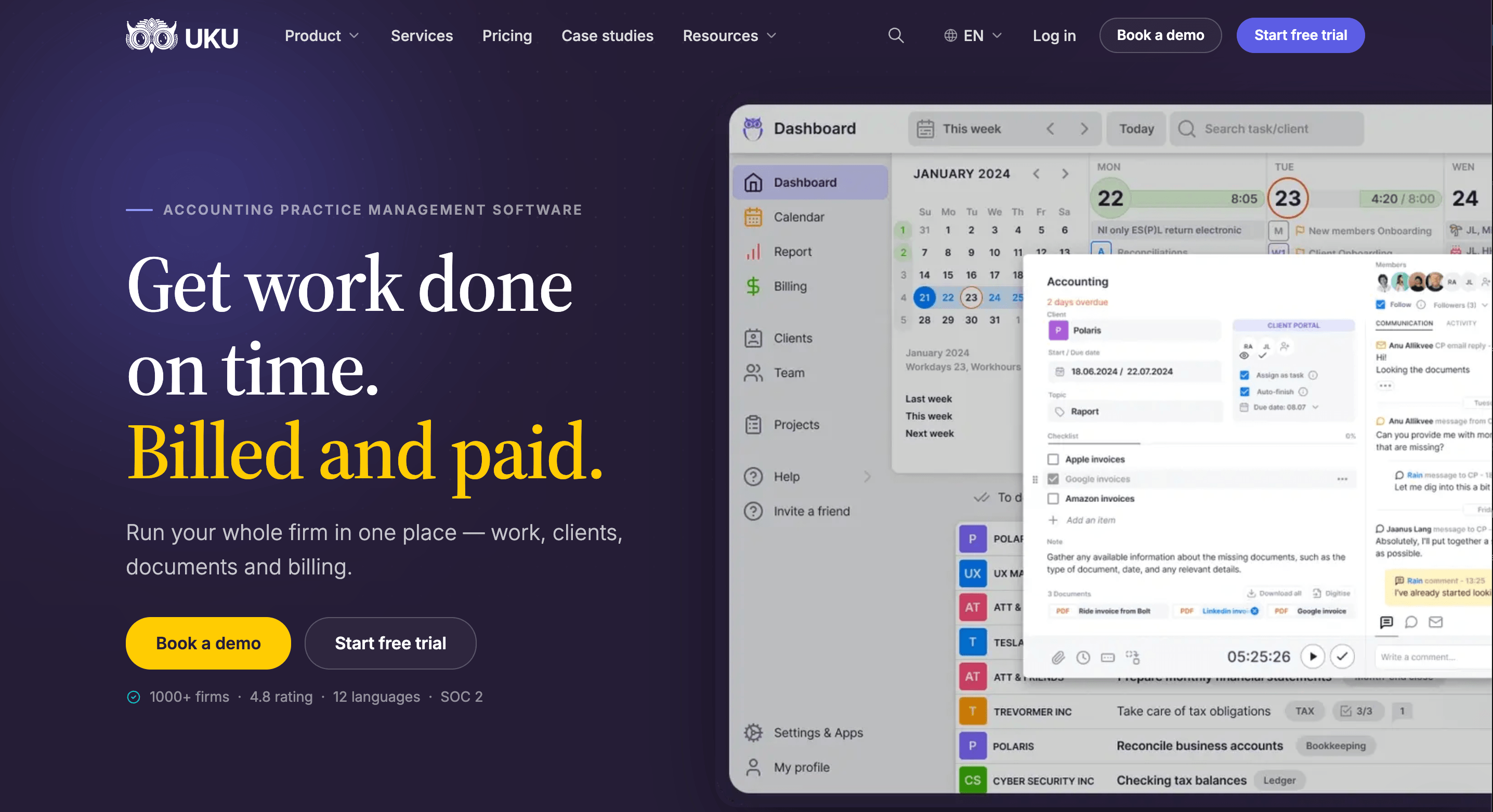
Automated billing that captures every billable hour
Client Hub records time. Uku turns it into revenue. Every time entry logged against a client task maps to a billing contract; when the period closes, Uku’s billing module reads the contract, pulls the entries, applies the pricing rules, and generates a draft invoice for review.
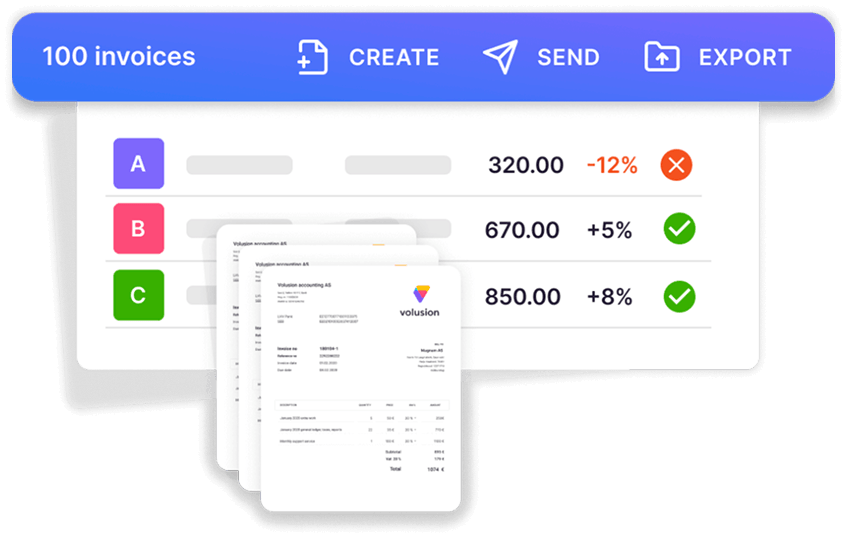
Six product types (hourly, fixed price, per-piece, member billable rate, combined, and task-triggered) and four pricing models can mix inside a single contract, which is what real engagements actually look like.
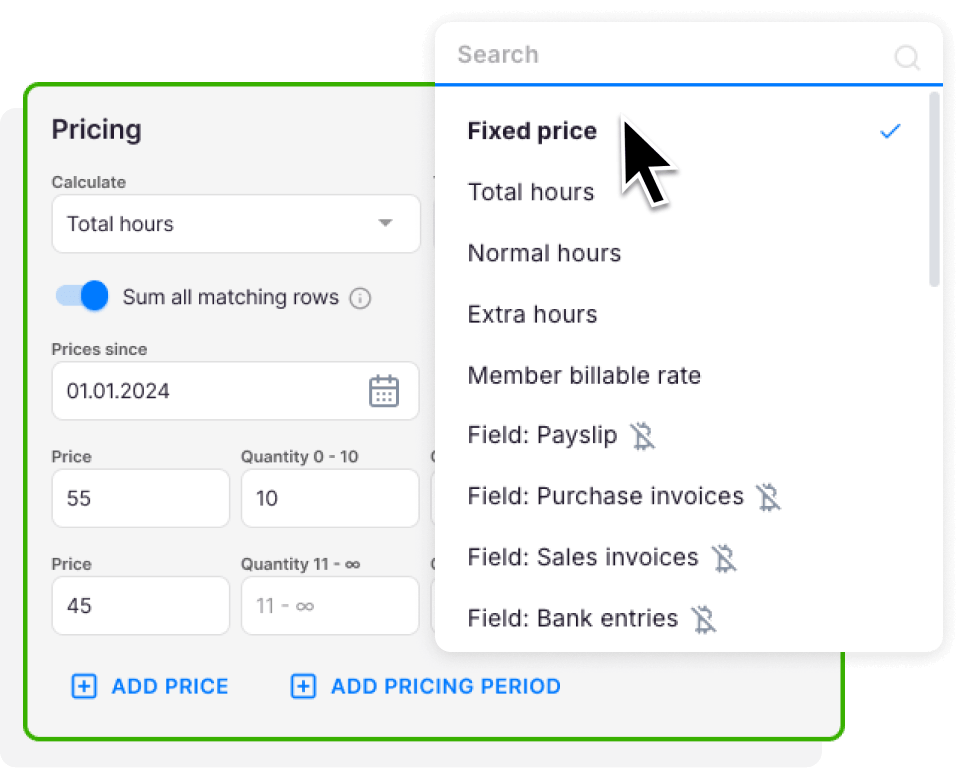

Profitability you can see before month-end
Uku’s agreements monitoring compares the work a client actually consumed — hours, documents, payroll runs, VAT filings — against what their agreement covers, and flags each client green, amber, or red continuously rather than in a monthly retrospective.
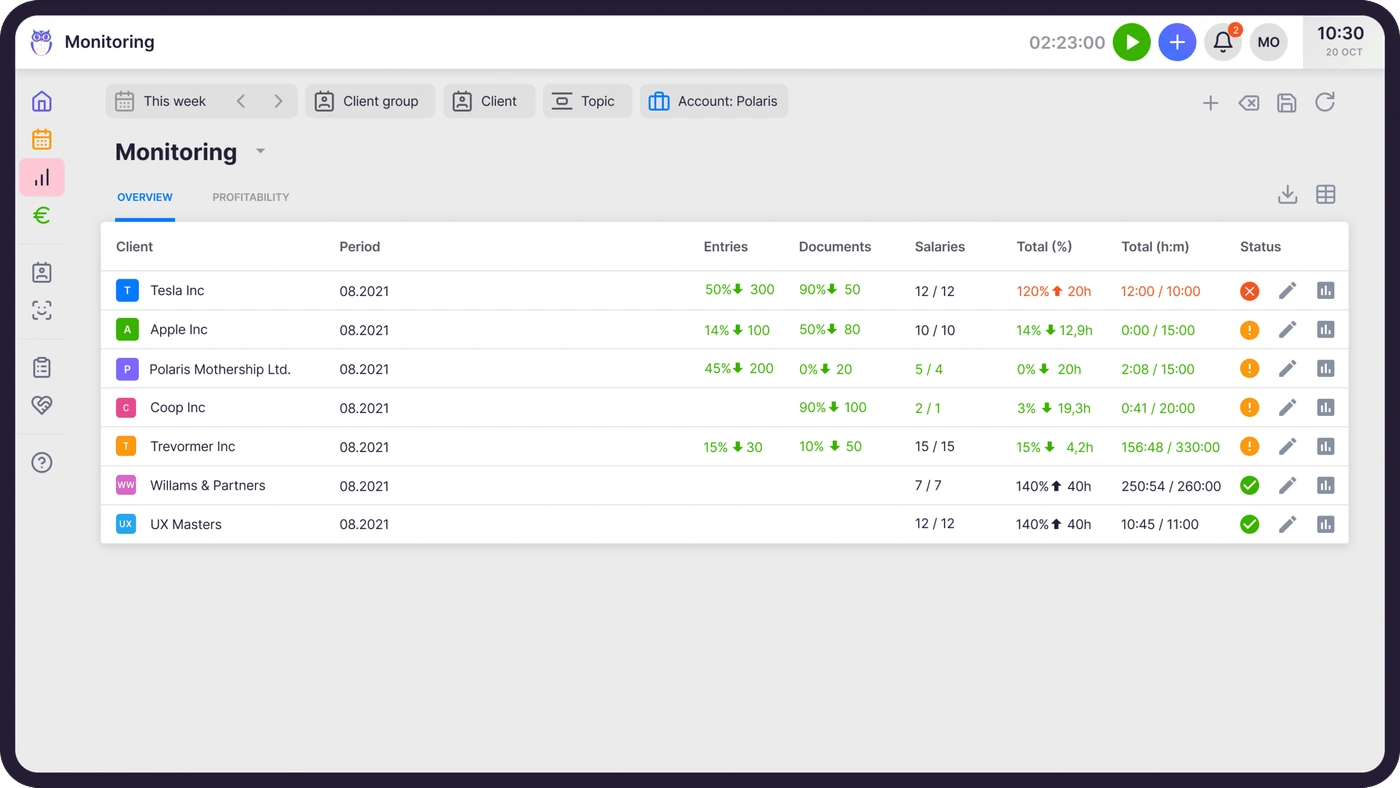
On the Elite plan, BI Analytics adds firm-level analysis across six categories: Production, Revenue & Profitability, Utilization & Capacity, Billing & Payments, Budgets, and Monitoring, with health signals that filter the table to the affected rows on click.
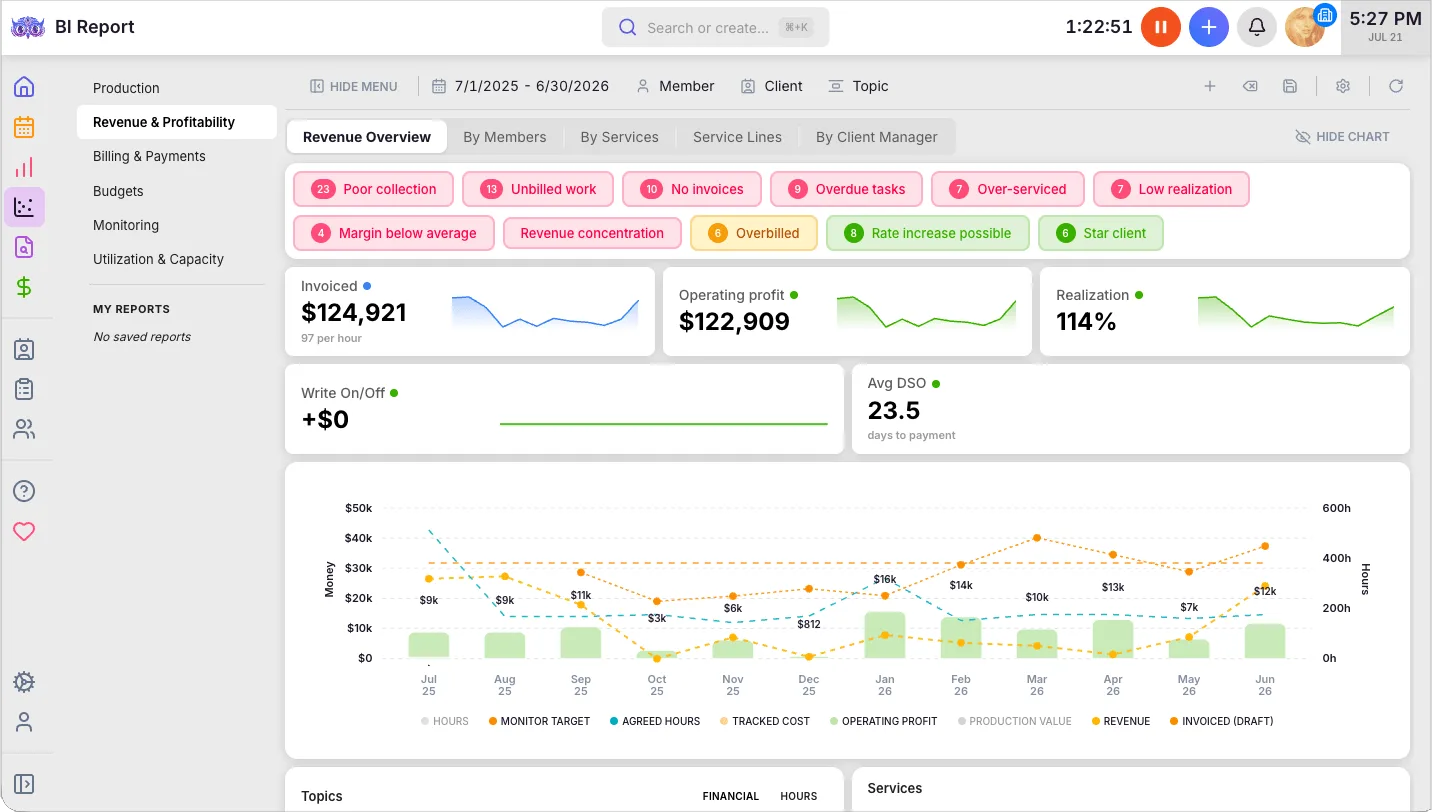
Client Hub offers no equivalent to either.

Workflow automation built for accounting rhythms
Each service is defined once as a recurring template, assigned to a client, and generates tasks on autopilot from then on. Recurrence covers weekly through yearly and custom intervals, tasks landing on weekends or holidays shift to the nearest working day, and recurring tasks can anchor to client-specific dates like fiscal year-end.
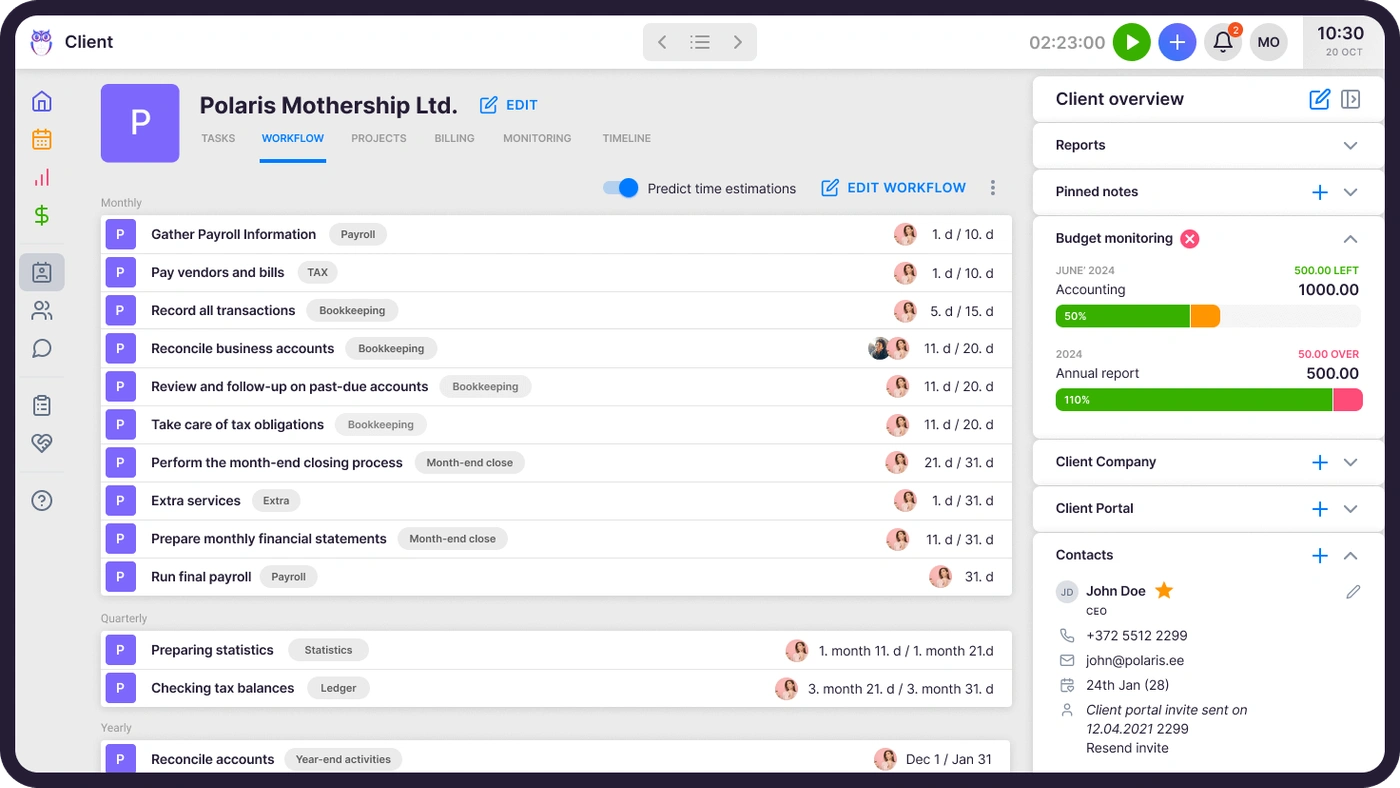
Two mechanics matter for firms that hit Client Hub’s workflow ceiling: task dependencies keep downstream tasks hidden until their predecessors are done, and template update propagation pushes a change in the master template to every existing client task derived from it, instead of requiring a per-client edit.
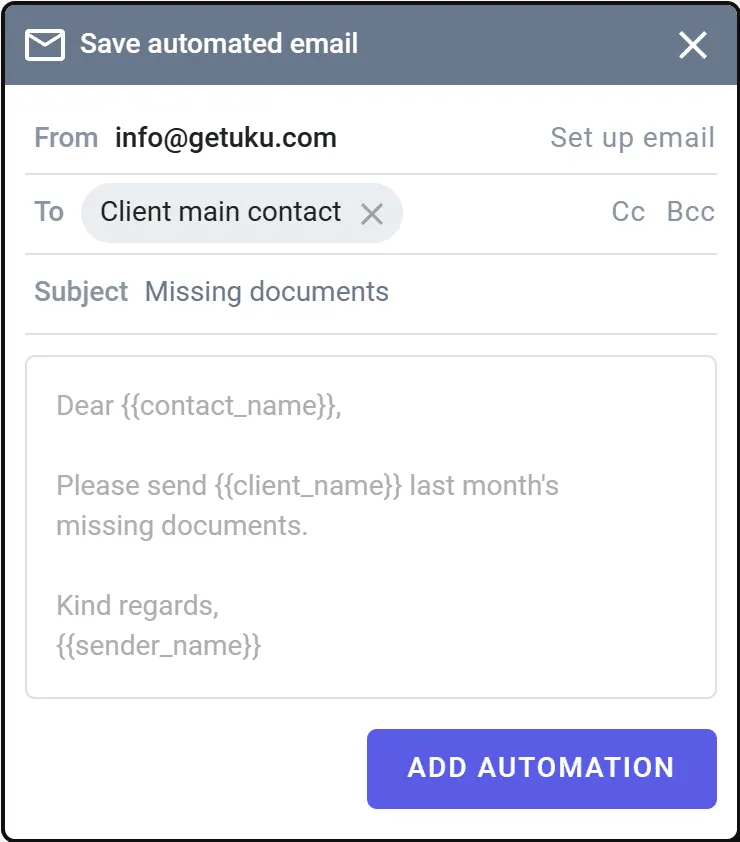
Task email automation fires on creation, update, or an approaching due date, and carries forward to every future recurring instance without reconfiguration.
A broader integration ecosystem and an open API
Client Hub connects to QuickBooks, Xero, and Zapier. Uku syncs bidirectionally with eleven accounting platforms — QuickBooks, Xero, e-conomic, Merit Aktiva, FreeAgent, SmartAccounts, Fortnox, Directo, Tripletex, Scoro, and 360 Ksiegowosc — which matters the moment a firm’s ledger is not one of the two Client Hub supports. See the full list on our integrations page.
On the Elite plan, Uku publishes an open API that covers almost everything you can do in the app — clients, contacts, tasks, time, invoices and the data behind your reports — with documentation anyone can read without an account. Uku MCP connects the whole thing to Claude or ChatGPT by signing in.
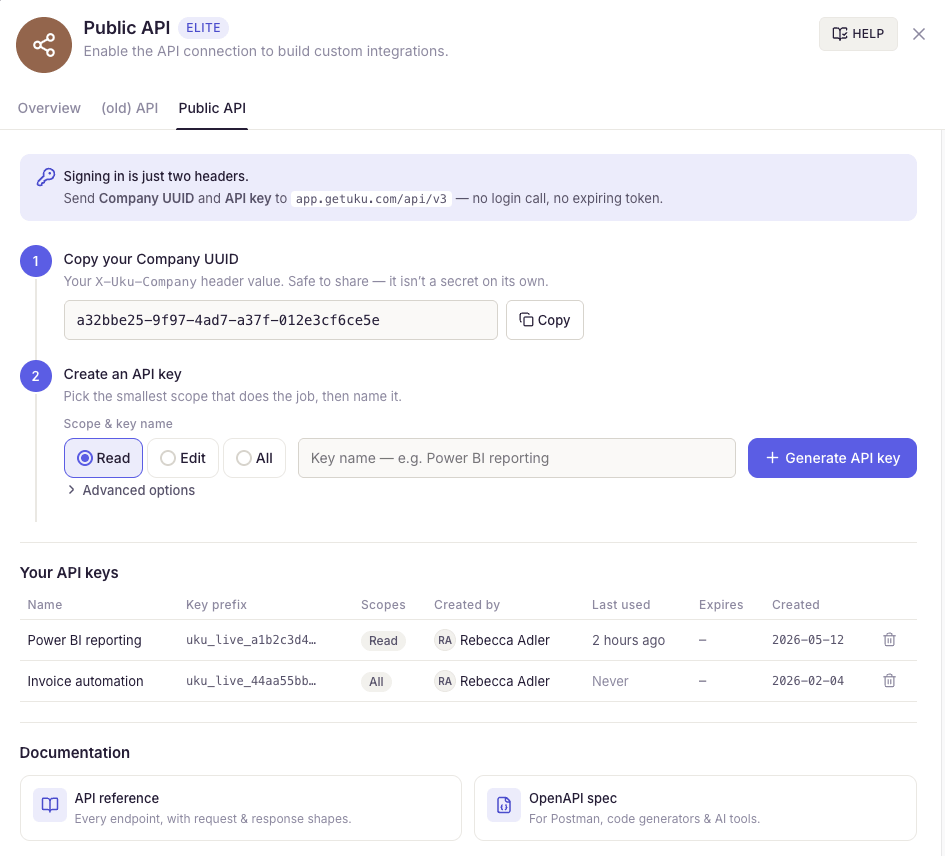
Client Hub has no public API at all.
The two take different routes to AI. Client Hub builds it in: Magic Suite is shipped and embedded across workflows. Uku opens the door instead — the open API lets the assistant a firm already uses operate the practice, and Uku MCP makes that one connection rather than a build. Email triage is still ahead of us.
Multi-language, multi-country operations
Uku runs in 12 languages across 25+ countries, with EU data residency in Frankfurt and SOC 2 Type I certification held directly. Email templates resolve to each contact’s own language from their client profile, and invoices go out in the client’s language. Client Hub is US and Canada only, with an English-only interface.
Client Hub or Uku: comparison summary
| Client Hub | Uku | |
|---|---|---|
| Workflow management | Jobs with templates and recurring schedules | Template-driven with recurring automation, dependencies, and email triggers |
| Time tracking | Live timer with manual entry and per-job budgets | Stopwatch, manual, and bulk entry |
| Billing and invoicing | Not available | Automated invoice generation from tracked time and contracts |
| Profitability analytics | Not available | Agreements monitoring + BI Analytics with health signals |
| Workforce management | Not available | Flextime, vacations, attendance tracking (Elite) |
| QuickBooks integration | Two-way transaction sync with Books Review and 1099 Manager | Bidirectional client/product/invoice sync |
| Xero integration | Uncategorized transactions only | Bidirectional client/product/invoice sync |
| Other accounting software | None | Nine additional platforms |
| AI features | Magic Suite, shipped across workflows | Open API and Uku MCP today; email triage on the roadmap |
| Client mobile app | Dedicated iOS and Android app | Portal via magic link, no dedicated app |
| Public API | Not available | Open API covering almost everything in the app (Elite) |
| Languages | English | 12 languages |
| Security | 256-bit at rest, TLS 1.2+, GCP/AWS, Intuit-vetted | SOC 2 Type I, AES-256, TLS 1.3, EU data residency |
| Starting price (annual) | $49/month solo, $59/user/month team | $19/month solo, $38/user/month team |
| Free trial | 14 days, full access, no credit card | 14 days, full Elite plan, no credit card |
| Free plan | No | No |
Client Hub wins three rows there outright — QuickBooks depth, shipped AI, and a client mobile app — and those are not small rows for a QuickBooks-centered bookkeeping firm.
Final verdict
Choose Client Hub if your work is QuickBooks-centered bookkeeping, your bottleneck is client response time, and you run a solo or small CAS practice that values simplicity over breadth. Within that shape, it is a focused, well-made tool with a support reputation to match, and the transaction-level QuickBooks integration has no equivalent anywhere in this category.
Choose Uku if you have outgrown tracking work in isolation from what it earns: you need billing in the same system as the work, you want to know which clients are profitable while there is still time to act, or you need workforce planning, multiple accounting platforms, an API, or more than one language.
Client Hub built a focused tool for the client communication problem at the heart of bookkeeping. Uku built a platform for running the entire firm.
If both are on your shortlist, Client Hub vs Uku is the full head-to-head, feature by feature. Weighing the wider field instead? Our roundup of Client Hub alternatives compares seven tools, and we also line Client Hub up against Financial Cents and Double. You can read what firms say after the switch in our case studies.
Ready to see whether Uku fits? Start a 14-day free trial of the full Elite plan, no credit card required, or book a demo and we will map your services, contracts, and workflows with you.
Client Hub FAQ
What is Client Hub used for?
Client Hub is an accounting practice management platform designed for bookkeeping and CAS firms. It combines a client portal, workflow tracking, document management, time tracking, and QuickBooks Online and Xero integration into one system. Its main strength is replacing email-based client communication with a structured workspace where firms send tasks, collect documents, resolve uncategorized transactions, and run AI-assisted month-end close reviews.
How much does Client Hub cost?
Client Hub offers three plans. Solopreneur is $49/month (annual billing only, single user). Practice Manager is $59/month per user annually or $79 monthly. Practice Manager Plus is $79/month per user annually or $99 monthly, and is the only multi-seat plan that includes the QuickBooks and Xero bookkeeping integration. All plans include unlimited clients and unlimited storage. Uku’s Team plan starts at $38/month per user annually and includes billing, profitability analytics, and broader accounting software integrations.
Does Client Hub have a free plan?
No. Client Hub offers a 14-day free trial with full functionality and no credit card required, but there is no permanently free tier. Uku also offers a 14-day free trial of the full Elite plan with no credit card required, and similarly has no permanent free plan.
Does Client Hub integrate with Xero?
Yes, but with far less depth than its QuickBooks integration. Xero support covers uncategorized transaction resolution only. Books Review, Financial Reports, and the 1099 Manager are all QuickBooks-exclusive. Uku offers bidirectional sync with both Xero and QuickBooks for clients, products, and invoices, along with nine additional accounting platforms.
Does Client Hub include invoicing or billing?
No. Client Hub offers time tracking tied to jobs, but there is no native invoicing, billing, or payment processing. Firms need a separate tool to convert tracked time into invoices. The Anchor integration handles proposals and contracts but does not cover recurring billing. Uku includes automated invoicing that generates drafts from tracked time and client contracts, supporting hourly, fixed, per-piece, volume, and mixed pricing within a single system.
What AI features does Client Hub offer?
Client Hub’s Magic Suite includes Magic Workflow, Magic Emails, Magic Client Tasks, Magic Messages, Magic Books Review, and Magic Financial Reports. All of them work on the firm’s own data inside Client Hub rather than relying on generic prompts, and all are included on every plan.
Can Client Hub handle complex, multi-service workflows?
Client Hub is optimized for recurring bookkeeping and month-end close cadences, with job templates, recurring schedules, and batch creation across clients. For workflows involving task dependencies, multi-step sequential processes, or enforced standardization, reviewers have noted limitations. Uku offers task dependencies, mandatory checklist enforcement, template update propagation across all clients, and project management built for multi-step engagements like year-end closes and audits.
Is Client Hub secure?
Yes. Client Hub encrypts data at rest with 256-bit encryption and in transit via TLS 1.2+, hosted on Google Cloud Platform and AWS with data in US and Canada-based data centers. Security features include SMS-based two-factor authentication, real-time session monitoring with remote revocation, and role-based access controls, and an Intuit-selected security partner vets the platform as a condition of its Intuit App Store listing. Client Hub references its cloud providers’ certifications but does not hold independent SOC 2 or ISO certification as an entity. Uku holds SOC 2 Type I directly, with data hosted in Frankfurt — details in our security policy.
Frequently asked questions
What is Client Hub used for?
Client Hub is an accounting practice management platform designed for bookkeeping and CAS firms. It combines a client portal, workflow tracking, document management, time tracking, and QuickBooks Online/Xero integration into one system. Its main strength is replacing email-based client communication with a structured workspace where firms can send tasks, collect documents, resolve uncategorized transactions, and run AI-assisted month-end close reviews.
How much does Client Hub cost?
Client Hub offers three plans. The Solopreneur plan is $49/month (annual billing only, single user). Practice Manager is $59/month per user on annual billing or $79 monthly. Practice Manager Plus is $79/month per user annually or $99 monthly, and is the only multi-seat plan that includes the QuickBooks and Xero bookkeeping integration. All plans include unlimited clients and unlimited storage. Uku's Team plan starts at $38/month per user annually and includes billing, profitability analytics, and broader accounting software integrations.
Does Client Hub have a free plan?
No. Client Hub offers a 14-day free trial with full functionality and no credit card required, but there is no permanently free tier. The subscription converts to a paid plan at the end of the trial unless canceled. Uku also offers a 14-day free trial of the full Elite plan with no credit card required, and similarly has no permanent free plan.
Does Client Hub integrate with Xero?
Yes, but with far less depth than its QuickBooks integration. Xero support covers uncategorized transaction resolution only. Books Review (AI-powered month-end close analysis), Financial Reports, and the 1099 Manager are all QuickBooks-exclusive features. Uku offers bidirectional sync with both Xero and QuickBooks for clients, products, and invoices, along with nine additional accounting platforms.
Does Client Hub include invoicing or billing?
No. Client Hub offers time tracking tied to jobs, but there is no native invoicing, billing, or payment processing. Firms need a separate tool to convert tracked time into invoices. The Anchor integration handles proposals and contracts but does not cover recurring billing. Uku includes automated invoicing that generates drafts from tracked time and client contracts, supporting hourly, fixed, per-piece, volume, and mixed pricing within a single system.
What AI features does Client Hub offer?
Client Hub's Magic Suite includes Magic Workflow (generates job task lists from descriptions), Magic Emails (summarizes threads and drafts replies), Magic Client Tasks (generates task requests), Magic Messages (drafts secure messages), Magic Books Review (AI-driven month-end close analysis against prior periods), and Magic Financial Reports (converts financial statements into plain-language summaries). All features work on the firm's own data inside Client Hub rather than relying on generic prompts.
Can Client Hub handle complex, multi-service workflows?
Client Hub is optimized for recurring bookkeeping and month-end close cadences. It supports job templates, recurring schedules, and batch creation across multiple clients. For workflows involving task dependencies, multi-step sequential processes, or standardization enforcement, reviewers have noted limitations. Uku offers task dependencies, mandatory checklist enforcement, template update propagation across all clients, and project management features designed for multi-step engagements like year-end closes and audits.
Is Client Hub secure?
Yes. Client Hub encrypts data at rest with 256-bit encryption and in transit via TLS 1.2+, hosted on Google Cloud Platform and AWS with data in US and Canada-based data centers. Security features include SMS-based two-factor authentication, real-time session monitoring with remote revocation, and role-based access controls. An Intuit-selected security partner vets the platform regularly as a condition of its Intuit App Store listing. Client Hub references its cloud providers' certifications but does not hold independent SOC 2 or ISO certification as an entity.

Published Aug 10, 2026 · Updated Sep 10, 2026