




6 Worst Document Management Techniques to Stay Away From
What are the most common document management mistakes your accounting firm might be making? Find out from the article


Contents
- Unreliable Paper-Based Systems
- Multiple, Unconnected Document Storage Solutions
- Confusing File Naming
- Ignoring Backups for Files
- Restricted Email as Primary Document Storage
- Failing to Implement Access Controls
- Future-Proofing Your Document Management System
- A Smarter Solution: Field Promax
- Upgrade Your Document Management Practices
According to research, an average office worker spends 30-40% of their time looking for misplaced documents, making it one of the most time-consuming tasks that provides no straightforward value. With better digital tools, why bother with ineffective document management?
Yet, many organizations continue using outdated or inefficient methods that waste time and create chaos.
Let’s go through six of the worst document management techniques you’ll want to avoid if you want an organized and efficient workspace.
Unreliable Paper-Based Systems
While papers are often seen as reliable, they can also be a liability in the face of inevitable disasters like floods or fires. Managing documents in this way is not only inefficient but also risky.
Can you imagine storing hundreds of clients’ files, invoices, agreements, etc.? You need a filing system for all that because putting them all in piles is chaos no one should go through. There are endless cabinets and folders, which you can scroll through daily to find just one piece of paper.
Did you know that 45% of printed paper is discarded within 24 hours?
The biggest win of moving your document management from paper to digital storage is that it saves space, keeps documents safe and easy to access from anywhere, and saves you hours.
Multiple, Unconnected Document Storage Solutions
If you have decided to reduce paper use and move just some of your data to the web, like emails, desktop folders, and different cloud platforms, it’s still not the best option. Distributing data around various portals confuses and wastes the valuable time you could spend offering service to your clients. You’ll likely end up with multiple versions of the same file and need a more transparent way of knowing which one is the latest.
A document management software or depository holds all your data in one place. Additionally, you can separate them into folders so there’s a system. You can search for the right files using the search bar because we all know that files get lost even with the best system in place.
Centralized storage systems boost productivity.
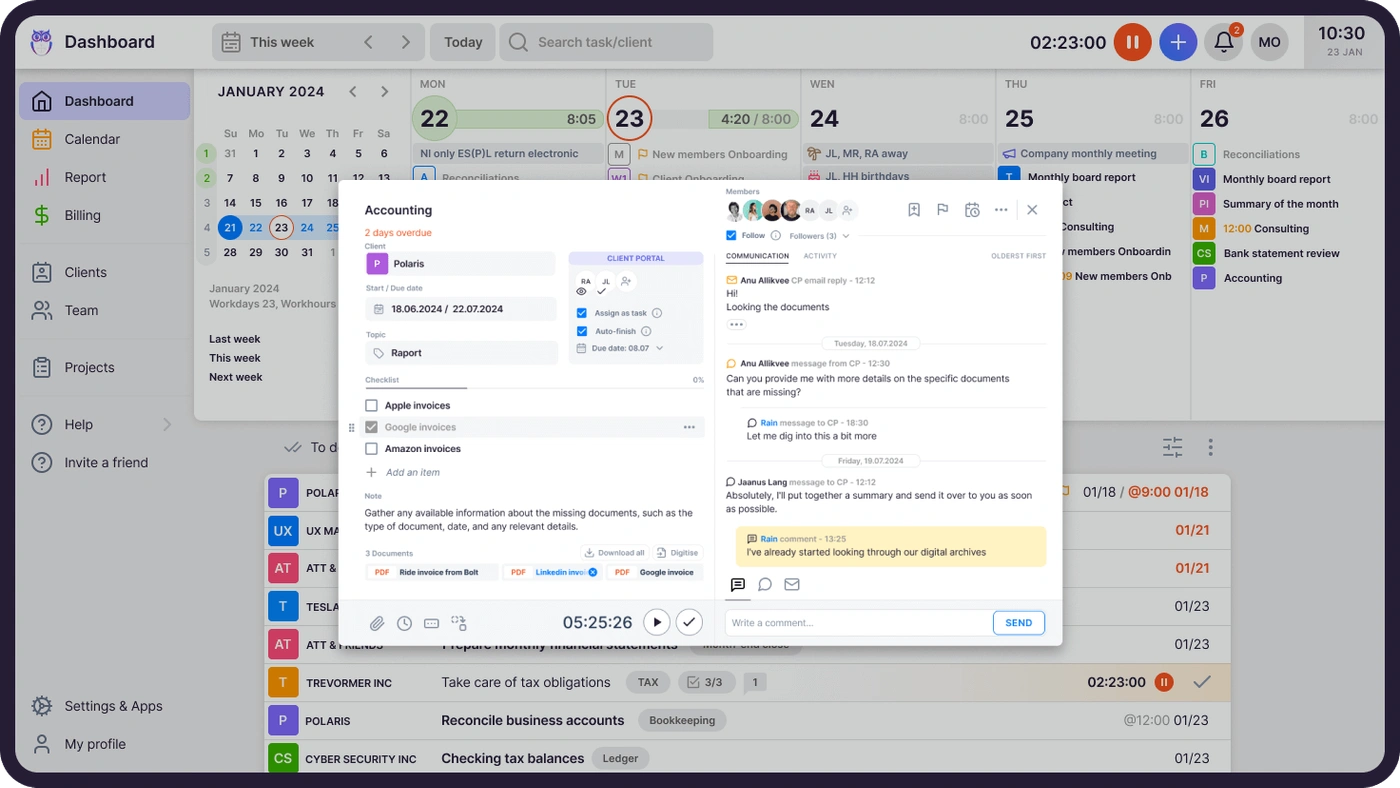
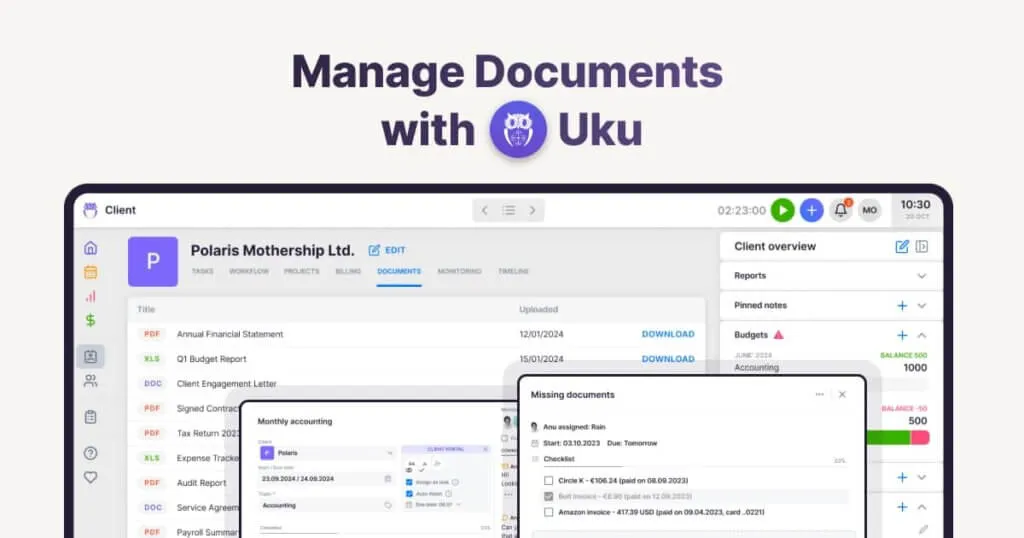
For example, with Uku’s client profiles, accounting firm employees can quickly find and access documents without hunting through multiple platforms.
How Does Uku’s Document Management Feature Work?
Every file uploaded to Uku through the client portal, team members, or task attachments Uku stores in the document management feature.
Uku even creates a structured file system to prevent inefficient document storage, organizing files into folders by client, year, and month.
Goodbye to scattered files and hours spent reorganizing folders manually.
Everyone can customize what gets saved. Choose to store only task-related files, client-uploaded documents, or files added by team members. The repository adapts to fit your accounting firm’s needs.
Confusing File Naming
If you have files named “Final_Report_v3_FINAL_revised” or even something more obscure, this paragraph is for you because it’s time for a change.
We discussed creating a system in your digital document repository in the previous paragraph. Using confusing or inconsistent naming conventions can make finding the correct file challenging, primarily if multiple people work on the same documents. You’ll waste your colleagues’ time and raise their cortisol levels.
It’s not a win-win situation.
Without clear naming conventions, teams waste time searching for “the latest version” of a file. Counting how many times “Final” is written in the file name has no value. Mislabeling files or not having a set naming system can lead to duplicate files, confusion, and wasted time.
A better alternative to creating endless files and adding a “final version” to the name is creating a simple, standardized file naming convention. For example:
- Project name
- Date or version number
- Specifics (like “report,” “invoice,” etc.)
A naming system like this can save time and simplify file retrieval.
Ignoring Backups for Files
Is digital document storage starting to look suitable for your accounting firm? It’s not the perfect solution if you’re not doing your best.
Even the most perfect solution needs a backup plan. Disasters are unexpected but inevitable. Have you considered the risk of losing critical information if you don’t have backups for your files?
Did you know that 60% of small businesses with significant data loss shut down within six months?
What are the dangers of a digital document management system?
- Hard drive failure
- Accidentally deleting the files
- Losing a computer
When choosing a file management system, ensure it’s cloud-based and has automatic backups. You can also invest in external hard drives and make employees upload their backup files there once a week. A reliable cloud storage solution can help ensure your critical accounting documents are always accessible and protected. It is also important to consider cloud cost management so you can keep your storage and backup systems efficient without overspending on unnecessary resources.
Restricted Email as Primary Document Storage
Put your whole firm in one place Start free for 14 days. No credit card, full access. Try Uku freeEmail is the easiest and often most convenient way to send files, but there are better ways to store them. Files get buried in email threads, lost in inboxes, or overlooked in huge message chains.
That’s because email inboxes are for communication rather than document storage. When you rely on email as a storage solution, finding that one attachment becomes as time-consuming as searching through endless piles of paperwork.
Once again, a cloud-based solution is much better because you can systematize the files in folders according to clients and then have an overview of all of the files connected to a specific client. This organises your documents and makes them easily accessible from anywhere with an internet connection, promoting remote work and collaboration.
Many industries, including accounting, use client portals to unify document management and emailing with their clients. Sharing and viewing documents is the cornerstone of a clientportal.
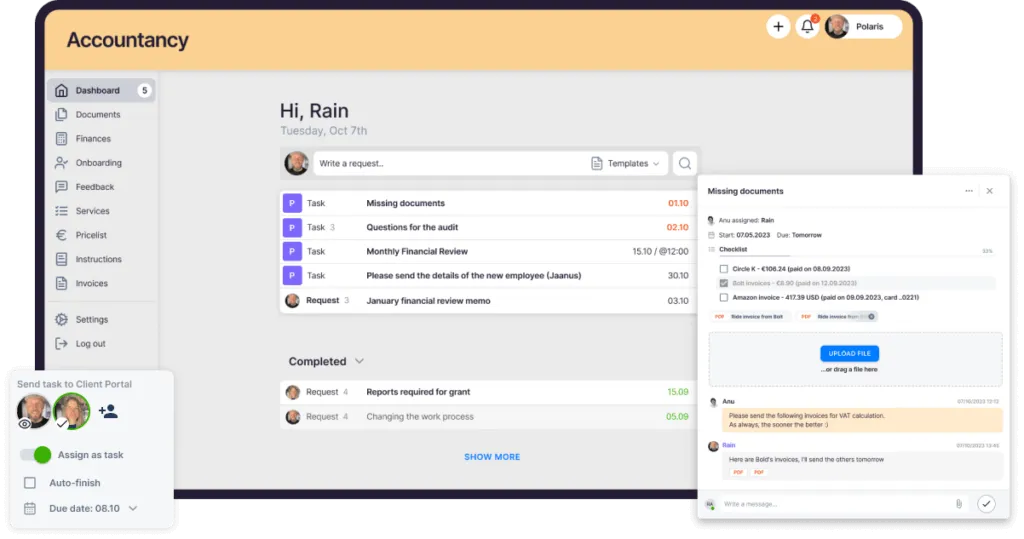
For example, Uku has built-in digitization for collected documents (using partners like CostPocket and Expensify), so you can send them in a digitized format to accounting software like QuickBooks, Xero, e-conomic, etc.
The client submits documents through the client portal, and the accountant reviews them. Digitized files move to your accounting software with a single click.
Failing to Implement Access Controls
When everyone in your organization has open access to every document, you risk everything from accidental edits to deletions. It’s not uncommon for someone in the accounting firm to be inept at detecting scams or not think twice when sharing private information, so there could even be data breaches.
Not setting up access controls can lead to severe issues, especially if sensitive information is involved. Without proper access controls, anyone can view, edit, or delete crucial documents.
30% of data breaches happen due to internal mishandling.
It would be best to implement role-based access controls in your accounting firm. This way, only authorized individuals with specific roles or responsibilities can access, edit, or delete specific files.
For instance, only the finance team should have access to financial reports, while the HR team should have access to employee records. This practice protects sensitive information and maintains data integrity.
Future-Proofing Your Document Management System
We need to start changing the ways we store documents. Thanks to cloud-based document management’s security, scalability, and accessibility, more than 50% of companies are expected to transition to cloud-based document management solutions by 2028.
To ensure your document management strategy is efficient and ready for the future, consider adopting solutions that are scalable, adaptable to technological advancements, and can accommodate your growing document management needs. This is what we mean by ‘future-proofing’ your document management system.
It’s time to ensure your document management strategy is efficient and ready for the future.
A Smarter Solution: Field Promax
If you’re searching for an all-in-one document management tool for Field teams, Field Promax could be a valuable option. Built for field service teams, it offers:
- Centralized document storage that keeps files secure and easy to access.
- User-based access controls to protect sensitive data.
- Automated backups to safeguard against data loss.
- Mobile access so your team can retrieve important documents on the go.
Field Promax isn’t just for document storage – it also helps with task tracking, scheduling, and team collaboration. This makes it an excellent choice for field service management without overwhelming you with extra software.
Upgrade Your Document Management Practices
Effective document management isn’t just about saving time—it’s about creating a workspace where information is easily accessible, organized, and secure.
Stay away from outdated methods like paper files, scattered storage solutions, and ambiguous file names; you’re setting your accounting team up for success. With the right tools and practices, document management shifts from a chaotic task to a strategic move.
For accounting firms, where accuracy and time are everything, smart, cloud-based solutions do more than simplify tasks—they enable your team to focus on delivering outstanding client service without the hassle of searching through files or untangling versions. Now’s the time to empower your team with a system built for efficiency and clarity.

Published Dec 11, 2024 · Updated Sep 28, 2026