

7 Double Alternatives: Practice Management Tools for Accounting Firms (2026)

Double has earned a solid reputation as a month-end close platform for bookkeeping firms. Its two-way integration with QuickBooks Online and Xero, AI-powered bank feeds, and structured close workflows help bookkeepers compress review cycles and catch coding errors without switching between browser tabs.
But as your firm’s needs evolve, a close-centric platform may not cover everything. You may need better billing automation, broader workflow capabilities across multiple service lines, or tools built for markets beyond the US and Canada.
That’s where this guide comes in. Whether you’re looking to:
- Automate billing and capture every billable minute with dedicated invoicing
- Manage enterprise-scale operations with advanced reporting across multiple service lines
- Unify tax preparation and bookkeeping workflows under one roof
- Get started with affordable, easy-to-use practice management software
- Catch deeper errors with AI-powered automated review checks
- Run your firm from proposals through payments on a tight budget
- Track recurring tasks and deadlines without adopting a full practice management suite
We’ll explore alternatives that lead in these specific areas.
Some firms might use these tools alongside their existing Double setup. Others might replace Double entirely with a platform better suited to their needs. This isn’t about finding a “better” solution; it’s about finding the right fit as your firm grows.
Let’s dive in.
The Best Double Alternatives at a Glance
| The Best Double Alternatives | ||
|---|---|---|
 | From: $19/member/mo G2 Score: 4.7 Capterra Score: 4.8 | Best Alternative for Automated Billing & Workflow Management We chose Uku because its billing engine converts tracked time into client-ready invoices in about 30 minutes instead of days, while its modular design lets firms start working on day one and activate features step by step. Ideal for firms losing revenue to unbilled hours. |
 | From: $59/user/mo G2 Score: 4.8 Capterra Score: 4.7 | Best Alternative for Enterprise Firms Needing Advanced Reporting We chose Karbon because its 10+ live dashboards, Power BI integration, and Triage email management give firms visibility across multiple accounting service lines, from tax to advisory. |
 | From: $800/seat/yr G2 Score: 4.7 Capterra Score: 4.7 | Best Alternative for Unified Tax & Bookkeeping Management We chose TaxDome because it consolidates tax workflows, bookkeeping, CRM, billing, e-signatures, and a client portal into a single platform with unlimited clients at flat per-seat pricing. |
 | From: $19/mo (Solo) G2 Score: 4.7 Capterra Score: 4.8 | Best Alternative for Small Firms Prioritizing Ease of Use We chose Financial Cents because its 4.9/5.0 ease-of-use rating, 300+ workflow templates, and $19/month Solo plan make it the most accessible entry point for small accounting practices transitioning from spreadsheets. |
 | From: $7.50/client/mo G2 Score: N/A Capterra Score: N/A | Best Alternative for Deeper Automated Error Detection We chose Xenett because its 50+ AI-powered review checks catch GL misclassifications, duplicate entries, and anomalies that manual review and standard checklists miss. |
 | From: $5/user/mo G2 Score: 4.8 Capterra Score: N/A | Best Alternative for Budget-Conscious Firms We chose Cone because it delivers proposals, engagement letters, billing, payments, and workflow management starting at $5/user/month, making practice management accessible to the most budget-constrained firms. |
 | From: $40/user/mo G2 Score: 4.2 Capterra Score: 4.8 | Best Alternative for Pure Workflow Management We chose Jetpack Workflow because it focuses on recurring task automation and deadline tracking with 70+ accounting templates, without forcing firms to adopt a full practice management suite. |
What is Double?
Double is a month-end close and practice management platform built for bookkeeping and accounting firms that manage multiple clients on QuickBooks Online or Xero.
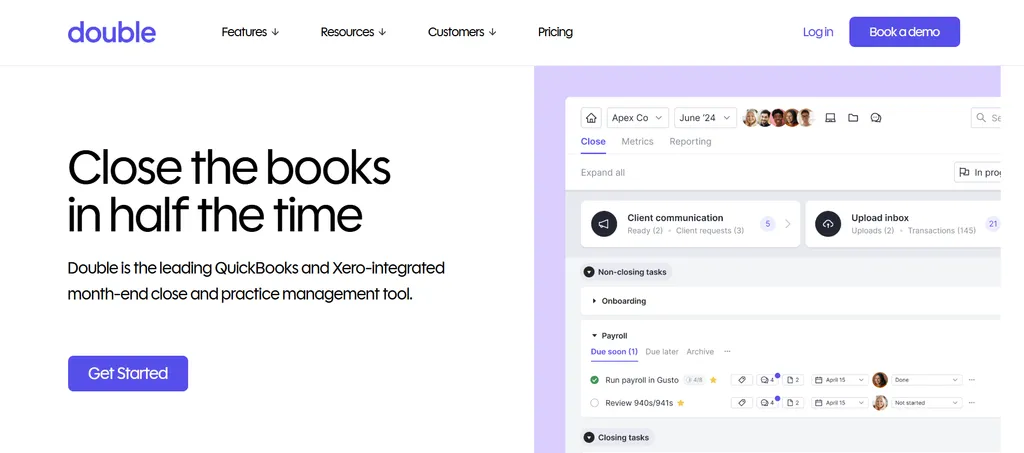
Originally launched in 2021 as Keeper, the company rebranded to Double in October 2025 and has raised over $12.5M in funding, including a $6.5M Series A led by Album Ventures.
Its key features include:
- Two-way QuickBooks Online and Xero integration with instant sync for corrections made inside Double
- File Reviews with structured reports for catching uncategorized transactions, expense inconsistencies, and missing payees
- AI Bank Feeds that pre-sort transactions into four tiers by cognitive complexity
- AI Journal Entries for converting complex source documents into balanced entries
- Client Portal with Magic Link authentication and automated reminders
- Task Management with workflow templates, multi-user sign-off, and daily digest emails
- Custom Management Reports with AI-generated financial summaries
- Receipt Management with OCR processing and ledger posting
- 1099 Tracking with direct vendor W-9 requests and year-round compliance workflows
When a bookkeeper reviews a client’s file in Double, corrections sync back to the ledger, transaction questions route through the client portal, and task progress updates across the firm dashboard.
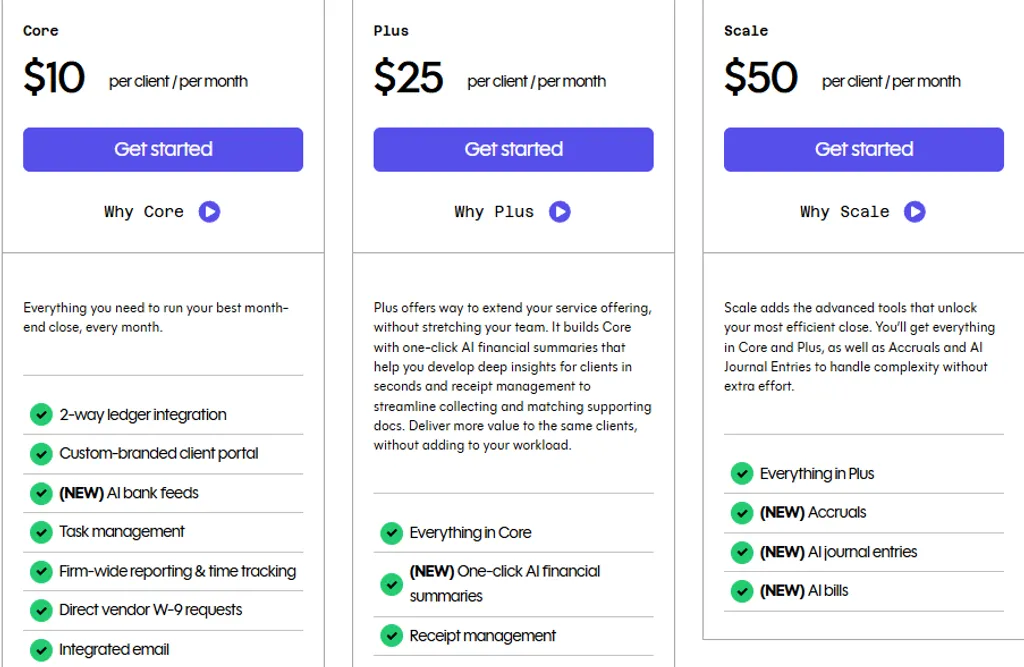
Double’s per-client pricing starts at $10/client/month for the Core plan, $25/client/month for Plus, and $50/client/month for Scale, with unlimited users at every tier. For a deeper look, see our Double review, Double pricing breakdown, and Double vs Uku head-to-head.
A platform built for the monthly close cycle creates real efficiency gains for bookkeeping practices. But as your firm scales, diversifies its services, or operates in markets beyond North America, you may need stronger tools in specific areas. That’s why this article focuses on alternatives that fill gaps Double’s close-centric approach leaves open.
How We Curated Our List of Double Alternatives
After testing Double and researching the market, we found that firms often need capabilities beyond what a close-centric platform provides.
Double compresses the monthly close cycle well, but some practices need more for:
- Automating billing workflows and capturing unbilled revenue
- Managing enterprise-scale operations with analytics and reporting
- Consolidating tax and bookkeeping workflows in a single system
- Getting started quickly with affordable, intuitive practice management
- Detecting deeper errors through AI-powered automated checks
- Running the full client lifecycle from proposals through payments on a budget
- Tracking recurring tasks without adopting a full practice management suite
Each tool on this list leads in one of these areas. You might use them alongside Double or switch entirely; it depends on what your firm needs most.
1. Uku — Best Alternative for Automated Billing & Workflow Management
Uku is an accounting practice management software built for accounting firms, CPAs, and bookkeepers.
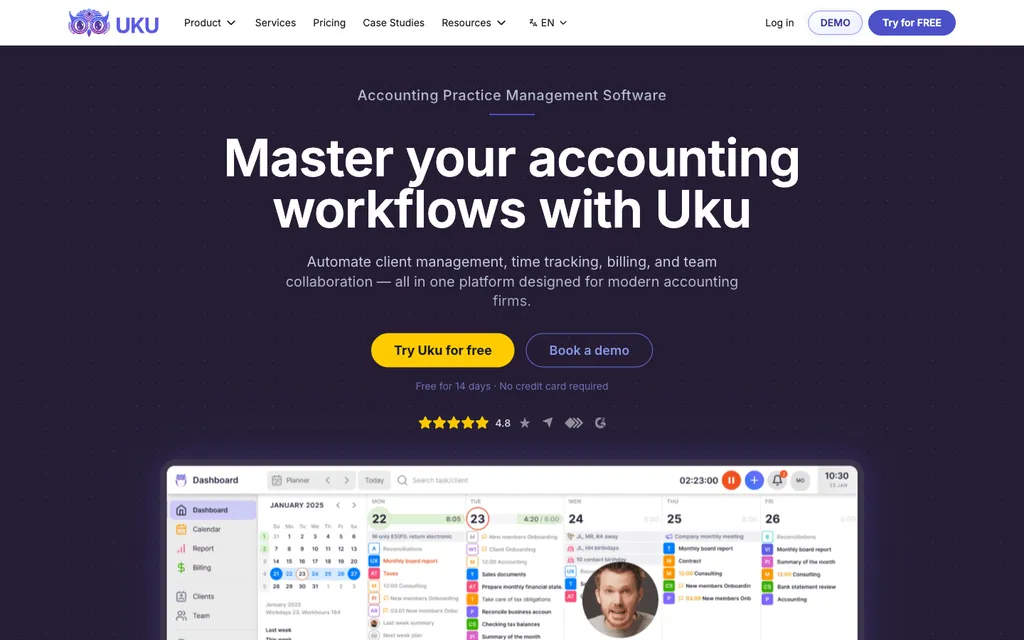
Built from the start for international use, Uku serves 1,000+ firms globally across the UK, US, Scandinavia, and beyond.
Where Double organizes everything around the month-end close, Uku centers on the full practice lifecycle: from recurring task management and time tracking through automated invoicing and client delivery, with a modular approach that lets firms start working on day one and activate features step by step.
Its key features include:
- Automated billing: Converts tracked time into client-ready invoices with four billing types (hourly, per-piece, fixed, and recurring), complex price lists based on quantity, time, material, and ranges, configurable rounding rules, and automated debt reminders
- Integrated client portal: A shared workspace where clients and accountants work on the same task, with all communication, documents, time tracking, and actions in one place, plus customizable menus, onboarding forms, and embedded content per client
- Modular deployment: Firms activate only the modules they need and scale up gradually, with no large upfront configuration required
- Time tracking: Stopwatch, manual entry, and bulk time allocation with 90% of actions being one-click, plus mandatory time entries that prevent tasks from closing without logged hours
- BI Reporting: Real-time visual reports with filters, saved templates, and three levels of depth (summary, tasks, and time) for profitability and budget analysis
- One-click document digitalization: Documents submitted for digitalization with a single click, sent directly into accounting software
- Workflow automation: Accounting-specific templates across seven categories (Accounting, Administration, Bookkeeping, Client Management, Operations, Payroll, Tax) with email automations embedded in task templates
- 12-language support: Available in English, German, Spanish, Danish, Swedish, Finnish, Polish, Bulgarian, Ukrainian, Lithuanian, Latvian, and Estonian, with multi-currency billing in €, $, and £
- SOC 2 Type I compliance with TLS 1.3 encryption and data hosted on cloud servers in Germany (EU)
For accounting firms that need to capture every billable minute and convert it into revenue without manual invoice creation, Uku provides a direct solution. Unlike Double, which focuses on compressing the close cycle, Uku ensures that the work you do gets billed accurately and on time.
Why Choose Uku Over Double for Billing & Workflow Management
Double streamlines the month-end close with AI-powered file reviews and QuickBooks/Xero sync. Uku provides a fuller set of tools for managing the business side of an accounting practice. Here’s where Uku steps up.
Automated Billing: From Tracked Time to Paid Invoices Without Manual Work
Uku’s billing module is an automated invoicing engine that converts tracked time and work volume data into client-ready invoices, reducing invoice preparation from days to about 30 minutes.
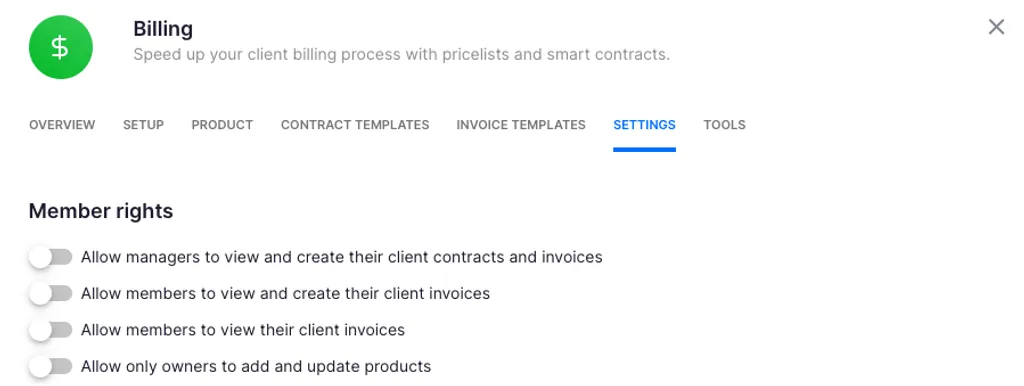
Where Double’s workflow ends at delivering the close and financial reports to clients, Uku extends through billing and payment collection.
The system runs on a contract template framework. Each client gets contracts that define services, billing type, frequency, and pricing rules. At billing time, Uku auto-generates invoice drafts pulling all tracked time and task data for the period. The firm reviews, adjusts, approves, and sends — or exports to integrated accounting software like QuickBooks, Xero, E-conomic, or Tripletex.
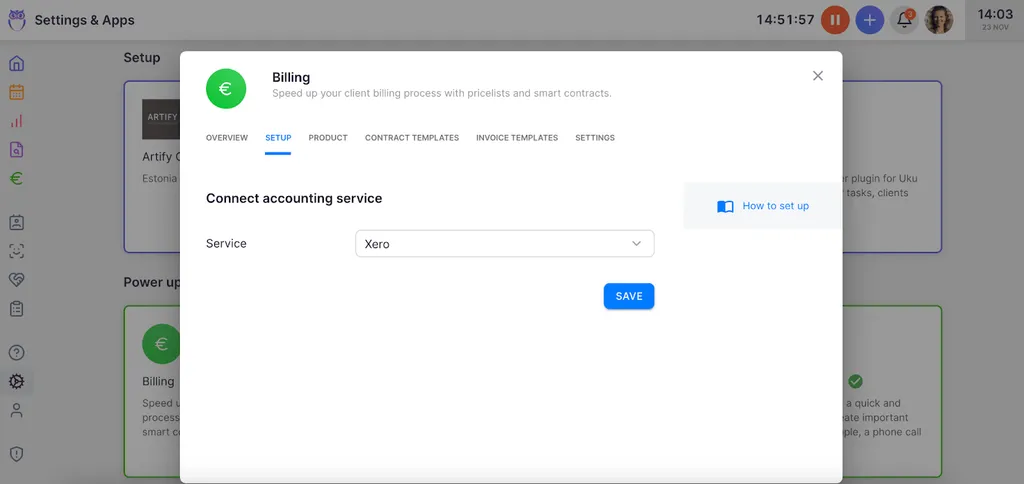
What makes this valuable for accounting firms is the flexibility: you can run fixed, hourly, per-piece, or recurring billing simultaneously for different services under the same client. Monthly bookkeeping bills at a fixed rate while ad-hoc advisory work bills hourly, all within one client record.
The system handles complex price lists based on quantity, time, material, and ranges with different rates for different periods. Rounding rules (configurable at the entry, team, client, or month level) ensure firms bill properly for interruptions and unplanned work. A one-minute unplanned client call can be automatically billed as 15 minutes based on your firm’s rounding policy.
The billing system also tracks both sales prices and cost prices. If an employee costs $30/hour but bills at $45/hour, managers can see whether that employee is profitable. When someone works eight hours but only six are billable, the system surfaces whether the issue is efficiency, client difficulty, or pricing structure — insights firms typically discover 30 days too late without real-time visibility.

JA&CH Konsultacijos reduced monthly billing compilation from a full workday to 1–2 hours while growing billable hours by ~20%. At Leinonen Estonia (~300 employees), invoice preparation for a single client dropped from six hours to two hours. Customers report seeing up to ~20% more profit by discovering outdated agreements where they billed for eight hours but employees did 20 hours of work.

Integrated Client Portal: One Task, Two Sides, Zero Duplication
Uku’s client portal works differently from traditional portals where tickets must be connected to work items.
In Uku, the portal mirrors the same task on both sides. Clients and accountants work on the same item with all communication, actions, documents, logs, and time tracking in one place.
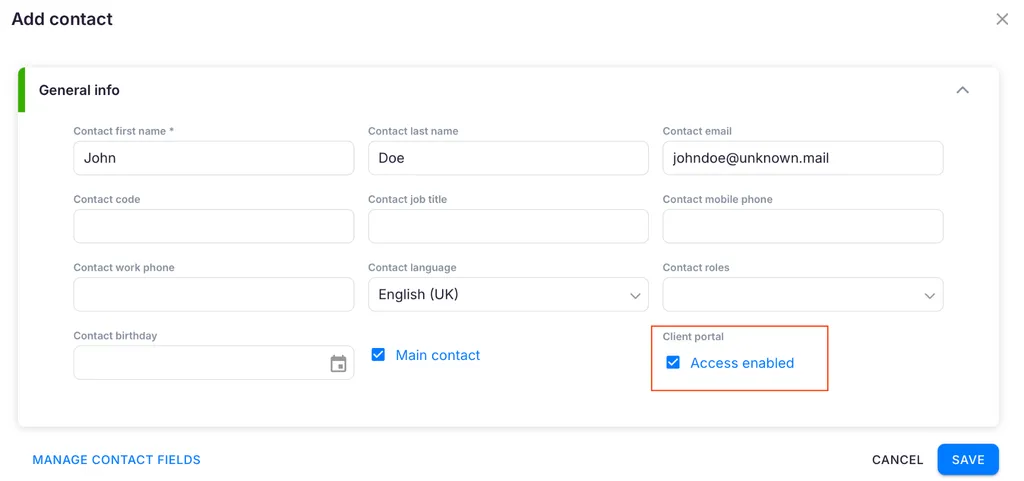
When clients make requests through the portal, notifications appear on the accountant’s dashboard, and they can start tracking time or communicating within that same task immediately. No need to link a client request to a work item manually or copy information between systems.
The portal is also customizable. Firms can create unique menus for each client, run onboarding with forms, share business insight reports, display price lists, and embed custom content. Beyond document sharing, the portal supports document management, financial reports, onboarding workflows, and client feedback collection, all accessible via Magic Link authentication with company branding and automated reminders.
Double’s client portal provides Magic Link access with automated reminders and document sharing, but it primarily supports the close cycle workflow. Uku’s portal extends to the full client relationship — from onboarding through profitability reports and feedback collection — making it the operational hub for the entire engagement.
BI Reporting & Profitability Analysis: Know Which Clients Are Profitable in Real Time
Uku’s BI Reporting provides views with filters, saved report templates, and three levels of depth: summary, tasks, and time. The system delivers real-time profitability and budget insights through analytics reports that surface performance metrics across the firm.
This answers a question Double doesn’t address directly: “Do you know how profitable your clients are?” Most firms discover unprofitable clients only at year-end. Uku’s BI Reporting surfaces scope creep as it happens, with color-coded status indicators visible across all clients simultaneously, giving managers the data to renegotiate contracts or adjust resources before profitability erodes.
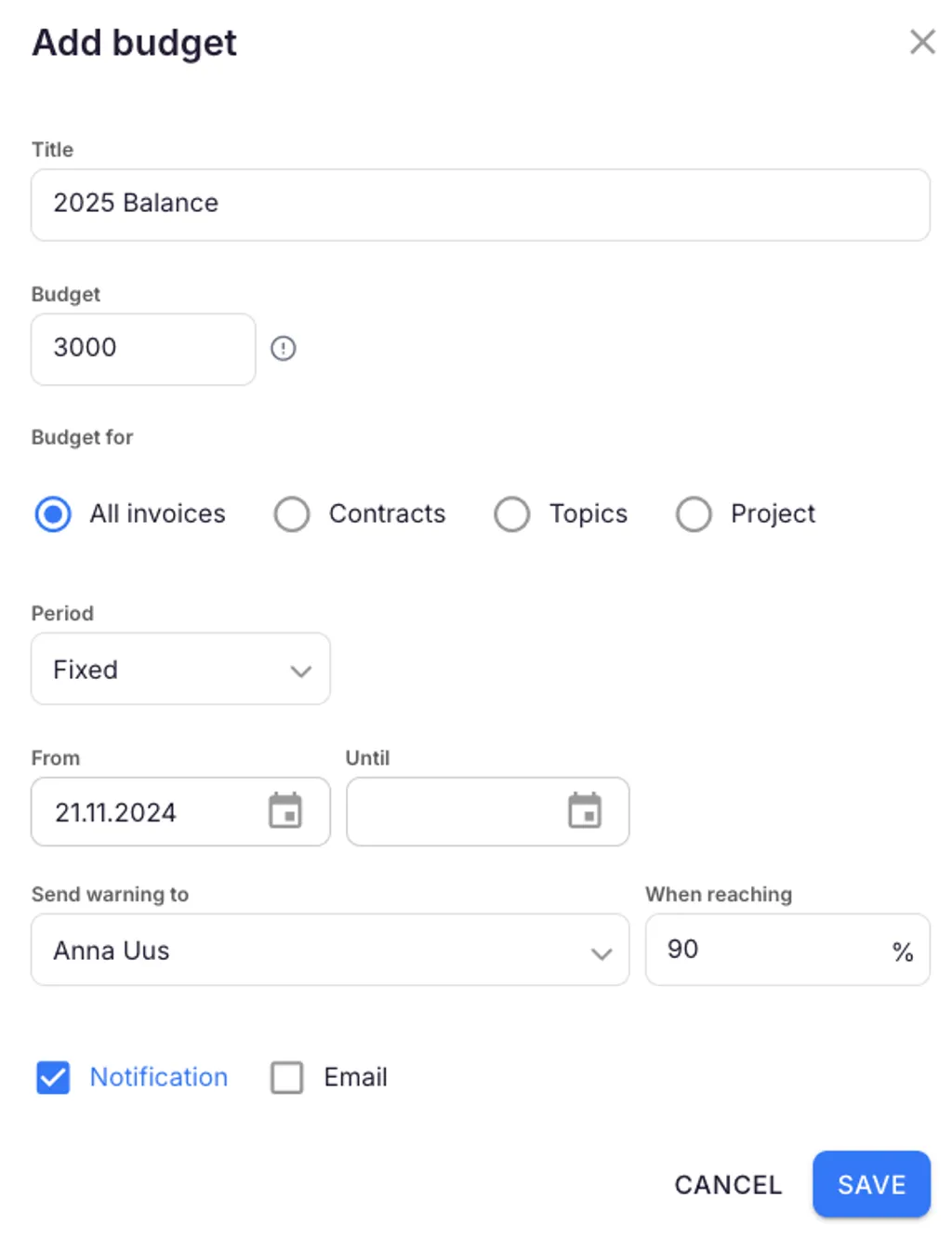
The Client Budgeting feature takes this further by setting budget ceilings by invoice, contract, project, or topic, with real-time progress bars and automatic alerts before budgets run out.
Modular Deployment & Global Reach: Start Working on Day One
One of Uku’s biggest advantages over Double (and over most practice management platforms) is its modular approach. Rather than requiring firms to implement everything at once, Uku lets you start with basic functionality and add features as needed.
A firm can begin with just CRM and tasks, then gradually activate workflow automations, billing, the client portal, and reporting as the team grows comfortable. This flexibility is one of the main reasons clients switch from competitors like TaxDome to Uku. It eliminates the heavy upfront configuration and training that all-in-one platforms typically require.
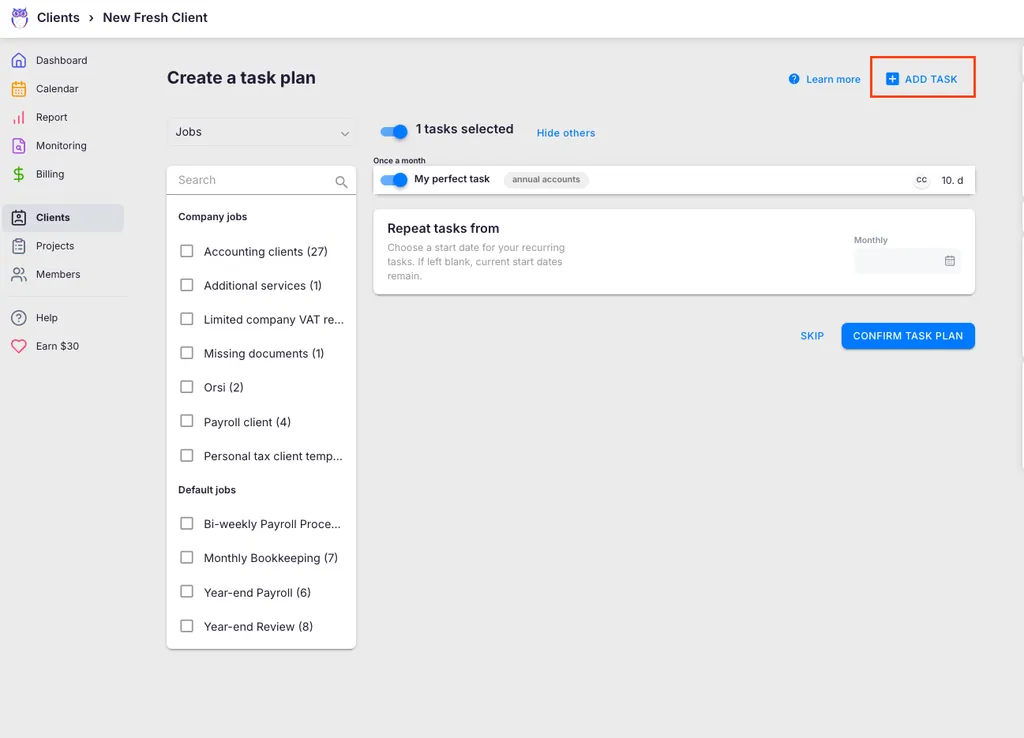
For firms transitioning from spreadsheets, Uku’s import path is especially useful. Users can work with their Excel file for an hour, import it into Uku, and have automated plans ready to go. This resonates with firms hesitant to try new software after bad implementation experiences, and it’s why Uku is one of the easiest practice management tools to onboard. Even resistant users aged 50+ who initially push back on tracking time become the biggest champions after a month of use.
Uku is also one of very few accounting practice management tools available in 12 languages, with a multi-market presence across the UK, US, and Scandinavia.

Email templates select the correct language automatically based on each client card’s language setting, and multi-currency billing in €, $, and £ supports cross-border engagements natively.
Double’s primary market is the US and Canada, with recent Sage integration supporting some UK/Australian users. For firms operating across multiple markets or serving multilingual client bases, Uku’s in-house development team can build custom integrations and country-specific features (like local e-invoice formats) that larger competitors won’t build for smaller markets.
Workflow Automation: Accounting-Specific Templates That Eliminate Repetitive Setup
Uku’s workflow automation operates in two layers.
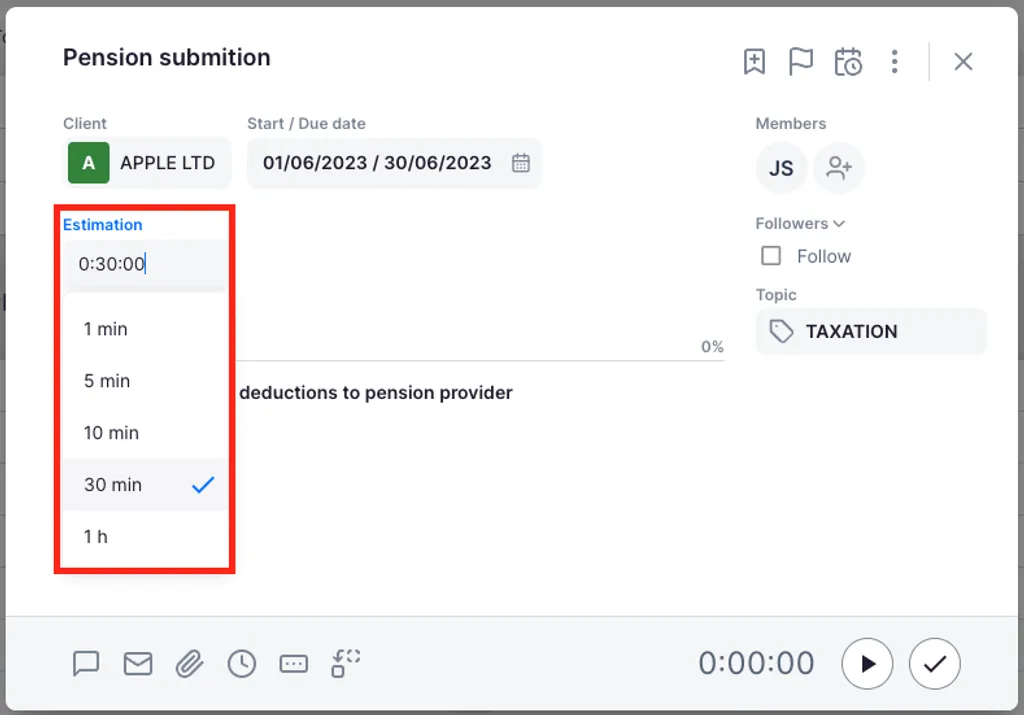
First, firms define task templates specifying recurrence patterns, assignees, checklists, due date logic, and estimated time. These templates auto-generate tasks on team members’ dashboards at the right time, with no manual scheduling. Second, email templates can be attached to recurring tasks so client-facing communications send automatically when a task reaches a certain stage.
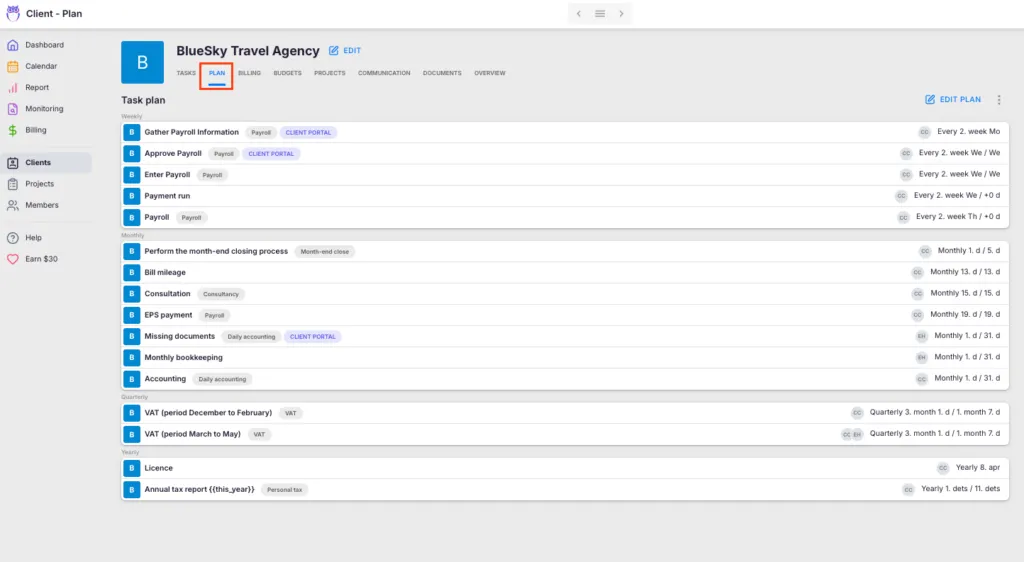
The platform provides pre-built templates developed by accountants organized into seven categories: Accounting, Administration, Bookkeeping, Client Management, Operations, Payroll, and Tax.
When a firm improves a template, changes can be pushed to existing client plans, controlling which clients receive updates and which fields change. Tasks can also be generated automatically from client custom fields, in addition to standard recurrence options including weekly, monthly, quarterly, and yearly intervals.
Double’s task management is built for the close cycle, with templates re-applied each period and tasks on a client close page designed to be worked top-to-bottom. Uku covers the same monthly cadence but extends to daily, weekly, quarterly, and yearly recurrences with weekend fallback rules, addressing firms that manage payroll, tax filings, and advisory work alongside bookkeeping.
Uku reports teams save about 30% of time with automation, with one firm reporting the ability to serve 38% more clients after one year.
Uku Pricing
Uku uses a per-seat subscription model with monthly and annual billing options in €, $, £, and PLN. VAT is added on top.
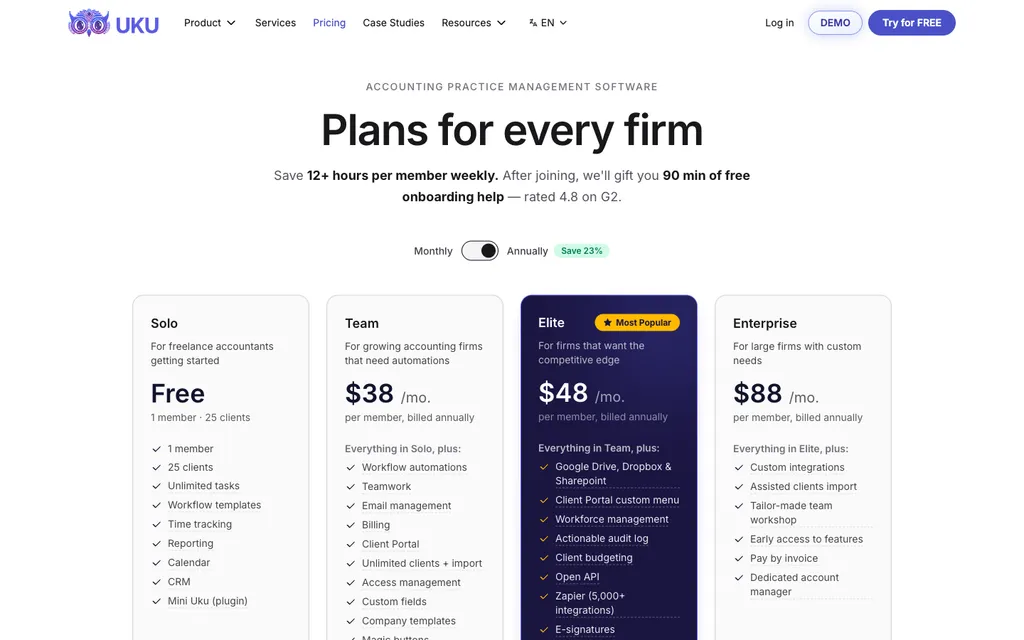
- Solo: $19/member/month (annual) or $25/member/month (monthly). Single-user tier including Tasks, Billing, Client Portal, all integrations, AML, and E-signatures.
- Team: $38/member/month (annual) or $49/member/month (monthly). Multi-person tier with members, workflow automations, teamwork collaboration, email management, unlimited clients, projects, and inbox.
- Elite (Most Popular): $48/member/month (annual) or $62/member/month (monthly). Adds Google Drive, Dropbox, and SharePoint integrations, workforce management, BI Reporting, public API, Zapier (5,000+ integrations), capacity planning, audit, and company branding.
- Enterprise: $88/member/month (annual) or $99/member/month (monthly). Adds custom integrations, assisted client import, dedicated account manager, and early access to features. Assisted import is also available across all plans.
Every new signup auto-starts a 14-day free trial of the full Elite plan with no credit card required, and the first 90 minutes of onboarding come free. After the trial, firms pick Solo, Team, Elite, or Enterprise. Optional onboarding packages range from $700 for teams up to 4 members to $2,000 for teams up to 15.
Monthly billing is available on every paid tier, including Solo at $25/month and Team at $49/member/month, so price-sensitive practitioners can test for one month rather than committing to a year upfront. Financial Cents Solo, by comparison, is annual-only, and FC Team requires a 5-user minimum to unlock monthly billing.
Who Should Use Uku?
Choose Uku if:
- You want automated billing that converts tracked time into invoices in about 30 minutes instead of days, with flexible pricing models and rounding rules that ensure every minute of work gets billed.
- You’re transitioning from spreadsheets and want the easiest implementation. Uku’s modular approach lets you start on day one with just the modules you need, then scale up without disrupting your team.
- You need multilingual and multi-currency support for a practice that operates across multiple markets, with a platform built for international use across the UK, US, Scandinavia, and beyond.
- You value monthly billing on every paid tier rather than annual commitments, so you can test the system one month at a time before signing up long-term.
- You want to implement software step by step rather than all at once, avoiding the heavy upfront configuration that all-in-one platforms typically require.
Want to see how much unbilled time your firm is leaving on the table? Start your 14-day free trial and discover what automated billing and modular workflow management can do for your practice. Or book a demo to see Uku in action.
2. Karbon — Best Alternative for Enterprise Firms Needing Advanced Reporting
Karbon is a practice management platform designed for large accounting firms that need workflow automation, AI-powered productivity tools, and reporting across multiple service lines.
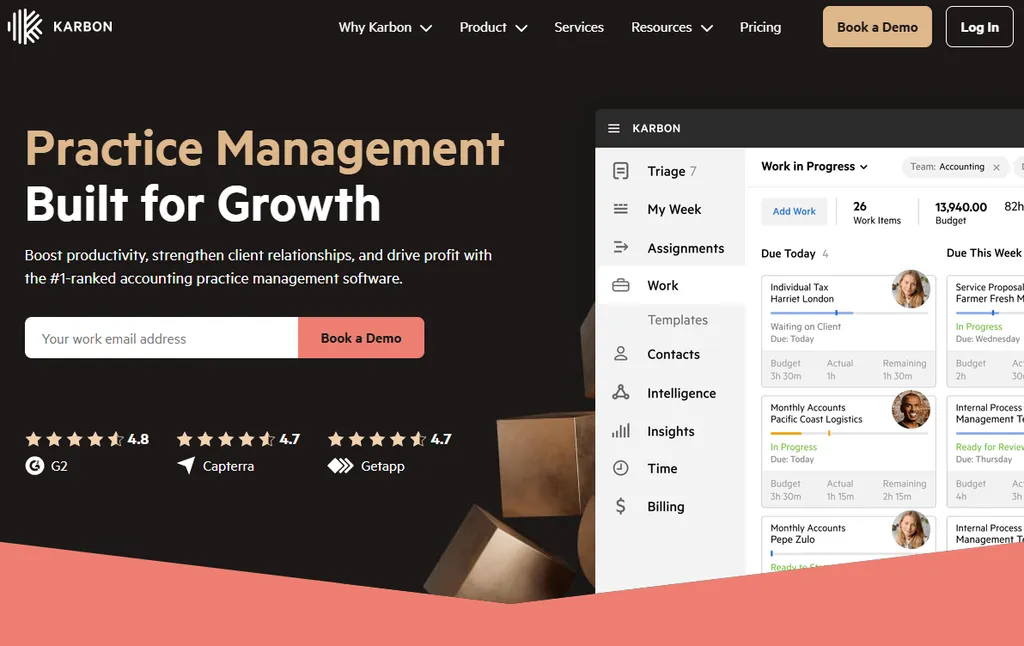
Where Double focuses on the bookkeeping month-end close, Karbon provides an operating system covering tax preparation, advisory services, audit engagements, and client accounting services. Its key features include:
- Triage email management that transforms incoming emails into actionable work items with automatic audit trails
- Karbon AI for automating admin work, summarizing client threads, and drafting responses
- 10+ live dashboards with Power BI integration covering billing, budgets, client communication, and work-in-progress tracking (note: Power BI requires separate licenses starting from $14/user/month)
- Enterprise workflow automation with conditional logic and automatic task assignment rules
Why Choose Karbon Over Double for Enterprise Practice Management?
Karbon stands out in the following areas:
- Triage Email Management Creates a Unified Communication Layer. While Double’s email module connects client emails to work items, Karbon’s Triage system turns every email into a potential work item from the moment it arrives. Connected Gmail or Microsoft 365 emails surface in a unified Triage inbox where they can be assigned to team members, converted into tasks, or attached to existing client records automatically. Activity Timelines maintain a chronological history of every interaction per client, and email comments with @mentions allow internal notes visible only to the team.
- Enterprise Reporting Infrastructure. Karbon includes ten pre-built live dashboards organized into four categories: Workflow & Team Performance (Resource Planning, Work Status), Client Management, Revenue Management (Time, Budget, Billing), and Portfolio Performance.
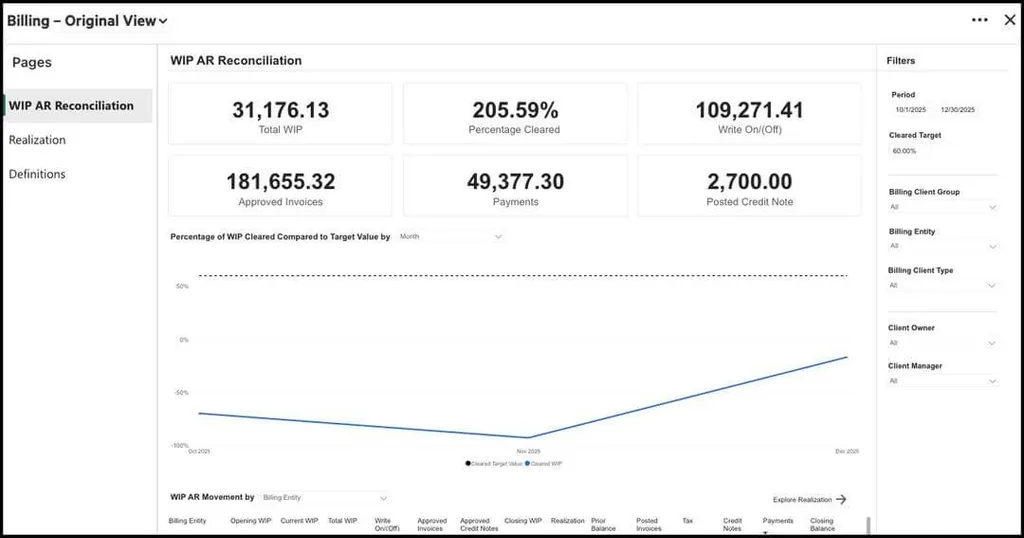
These dashboards answer questions Double’s close-focused analytics don’t: firm-wide utilization, WIP aging, realization rates, and email response time tracking. Note that the full Power BI integration requires separate licenses starting from $14/user/month in addition to the base Karbon subscription.
- Multi-Service-Line Workflow Automation. Karbon’s Work Templates library contains hundreds of templates across tax, advisory, audit, and bookkeeping, with Automators that apply conditional if-then logic at both practice-wide and task-section levels.
Karbon Pricing
Karbon uses a per-seat subscription model with monthly and annual billing options:
- Team: $59/user/month (annual) or $79/user/month (monthly). Includes Integrated Email, Team Collaboration, Workflow and To-Do Lists, Time Tracking & Budget Reporting, and Billing & Payments.
- Business (Most Popular): $89/user/month (annual) or $99/user/month (monthly). Adds Automatic Client Reminders, Task Automation, Industry Integrations, and API access.
- Enterprise: Custom pricing. Adds unlimited usage limits, dedicated Karbon contact, and customization.
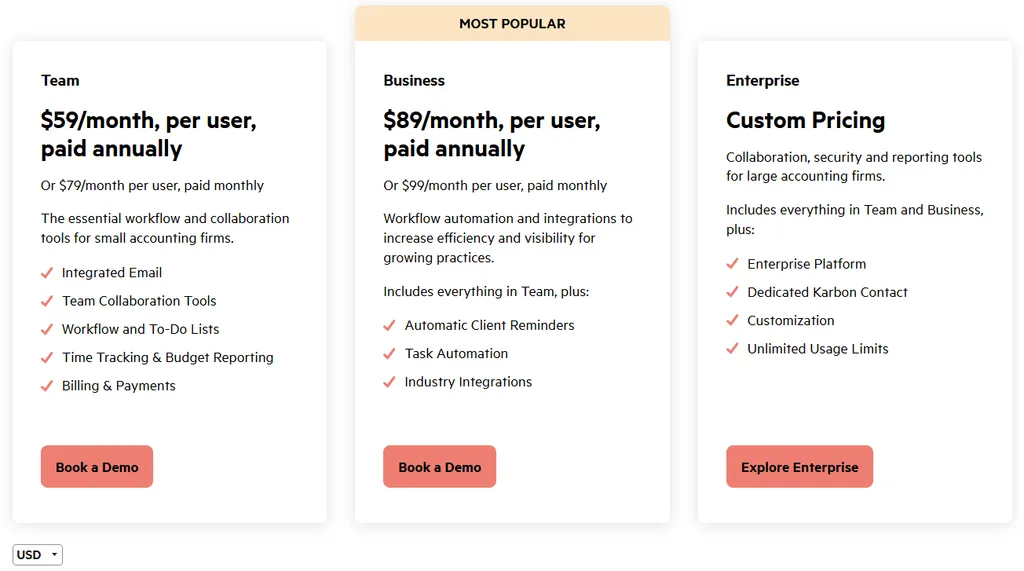
Additional costs include optional Email Insights add-on ($10/user/month) and Annual Service Plan ($1,499/year).
Who Should Use Karbon?
Choose Karbon if:
- Your firm manages multiple service lines beyond bookkeeping (tax, audit, advisory) and needs a single platform with service-specific workflow templates and reporting across all engagements.
- You need team collaboration at scale with 15+ team members, where Shared Triage email management and Activity Timelines provide firm-wide visibility into client communication history.
- Reporting and business intelligence drive your firm’s operational decisions, including profitability analysis by client, service line realization rates, and team utilization metrics.
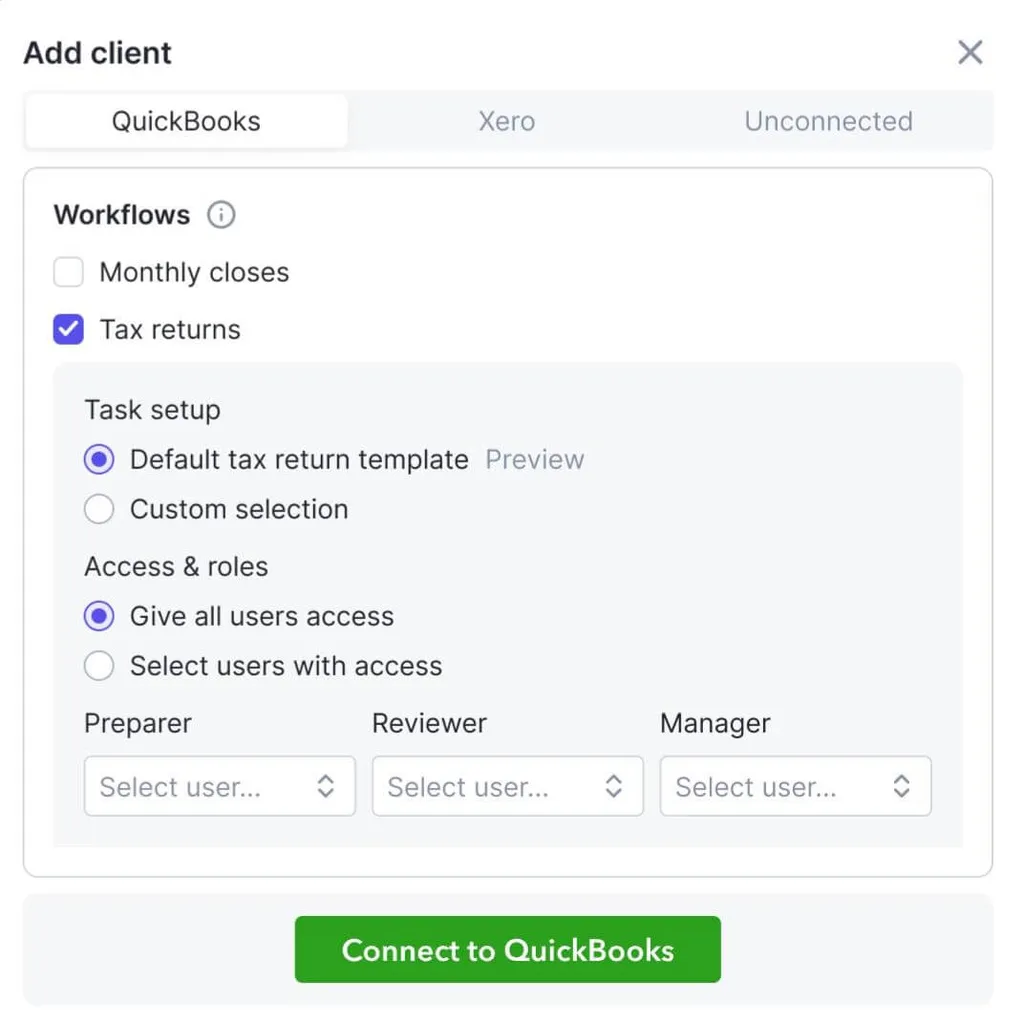
3. TaxDome — Best Alternative for Unified Tax & Bookkeeping Management
TaxDome is a practice management platform built for firms that want to consolidate their tech stack into a single system.
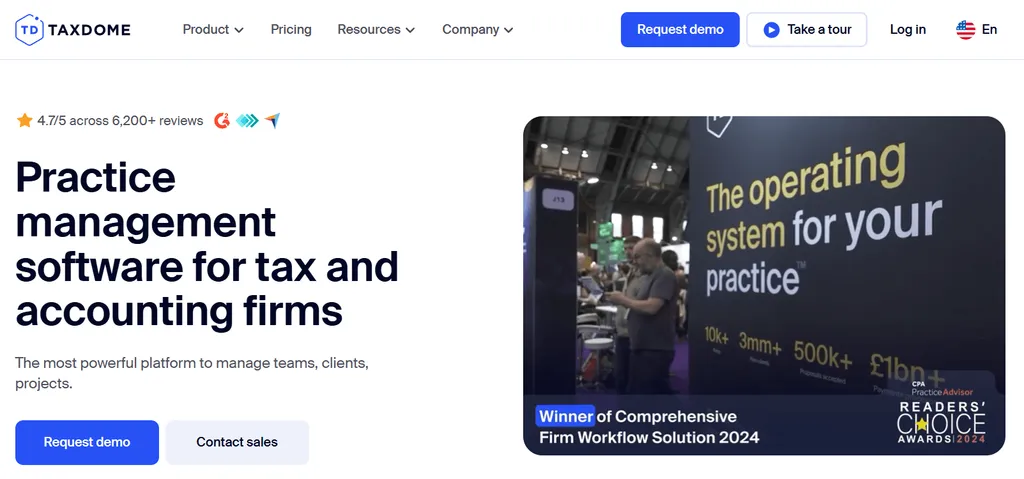
Unlike Double’s focused month-end close workflow, TaxDome combines tax preparation workflows, a Bookkeeping Hub, CRM, client portal, document management, and billing in one ecosystem.
Its key features include:
- Combined tax and bookkeeping management with zero per-client fees for the Bookkeeping Hub
- Unlimited e-signatures with KBA authentication for IRS Form 8879 compliance, included at every tier
- White-labeled custom mobile app published under the firm’s own brand name in app stores
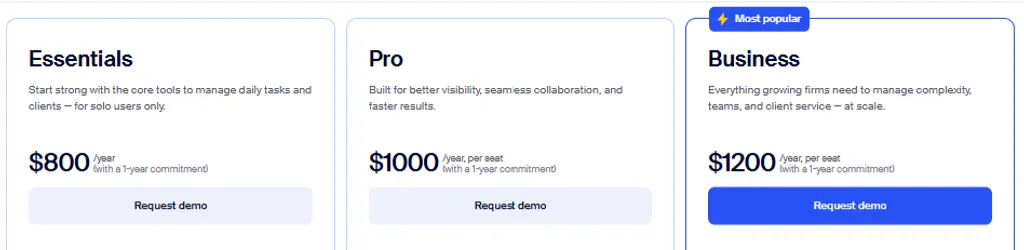
- Unlimited clients at flat per-seat pricing ($800–$1,200/seat/year)
Why Choose TaxDome Over Double for Unified Practice Management?
TaxDome stands out in the following areas:
- All-in-One Platform Consolidation. Double is built for the bookkeeping month-end close. Firms using Double still need separate tools for tax workflows, CRM, document management, and e-signature collection. TaxDome natively includes firm management, client management, revenue operations, and client experience modules.
- Zero Per-Client Fees for Bookkeeping. Double’s pricing ties costs directly to client count: $10–$50/client/month. A firm managing 100 clients on Double’s Plus tier pays $2,500 monthly. TaxDome operates on annual per-seat pricing at $800–$1,200/year with unlimited clients. A five-person team pays $6,000 annually whether they manage 50 clients or 500.
- E-Signature and Tax Workflow Integration. TaxDome’s e-signature system is unlimited and included in every tier with no per-signature fees. The native tax organizers support conditional logic and pre-fill for returning clients. While Double offers a Tax Suite add-on ($200/month annual commitment), TaxDome treats tax and bookkeeping as equally first-class workflows.
TaxDome Pricing
TaxDome uses a per-seat annual subscription model:
- Essentials: $800/seat/year (solo practitioners only). Unlimited CRM, client portal, document storage, and e-signatures.
- Pro: $1,000/seat/year. Adds 120 QuickBooks Online bookkeeping connections, AI-powered reporting, and custom firm URL.
- Business: $1,200/seat/year. Adds Client Care, unlimited bookkeeping connections, and free custom-branded mobile app in the first year (25+ seats).
Additional costs: KBA for e-signatures ($1/use), SMS via Twilio (usage-based), and optional guided onboarding starting at $999.
Who Should Use TaxDome?
Choose TaxDome if:
- You handle both tax preparation and bookkeeping for clients and want one system rather than maintaining separate tools for each service line.
- You manage a large or growing client roster and want to avoid per-client software fees that scale with every new client.
- You need unlimited e-signatures included at every tier, particularly for high-volume tax filing seasons.
4. Financial Cents — Best Alternative for Small Firms Prioritizing Ease of Use
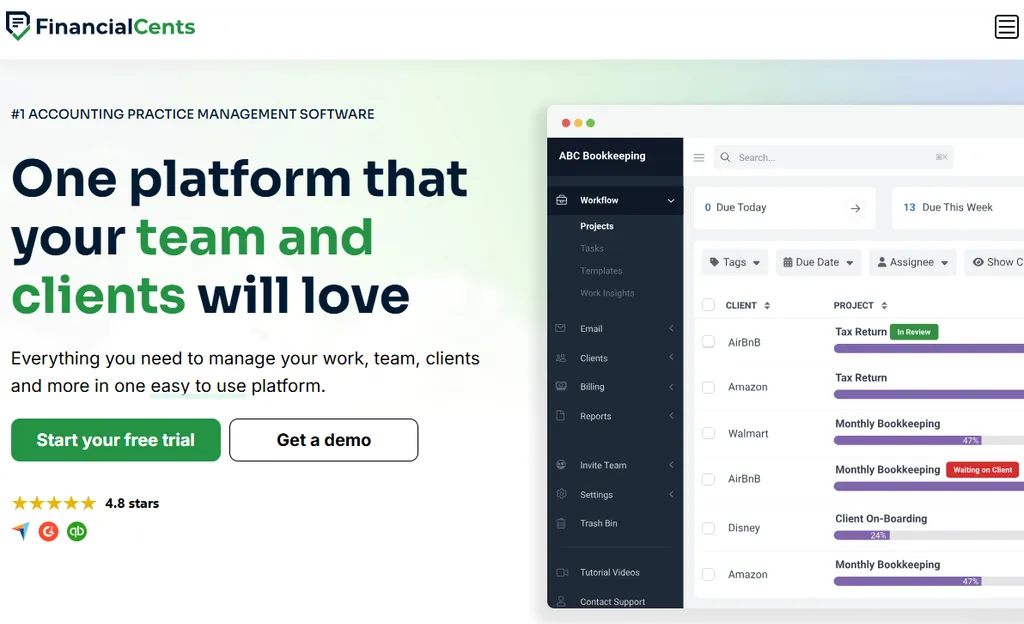
Financial Cents is a practice management platform that consolidates workflow management, client communication, document storage, time tracking, billing, and proposals into a single system designed for small accounting practices.
Its key features include:
- Solo plan at $19/month with workflow management, client portal, CRM, time tracking, and invoicing
- 300+ free workflow templates for common accounting deliverables
- 14-day free trial with no credit card required
- Built-in financial reporting for client profitability, realization rates, and utilization
Note that Financial Cents focuses on the US and Canadian markets, with no multilingual support and billing only in USD. The platform also lacks native Xero integration, which matters for firms outside the QuickBooks ecosystem.
Why Choose Financial Cents Over Double for Small Firm Practice Management?
Financial Cents stands out in the following areas:
- Per-Seat Pricing vs. Per-Client Pricing. Financial Cents’ Solo plan at $19/month flat or Team plan at $49/user/month with unlimited clients provides predictable costs. A solo practitioner managing 25 clients pays $19/month with Financial Cents versus $250/month with Double Core. For a three-person team managing 40 clients, Financial Cents costs $147/month versus Double’s $400/month. Note that the Team plan requires a minimum 1-year commitment.
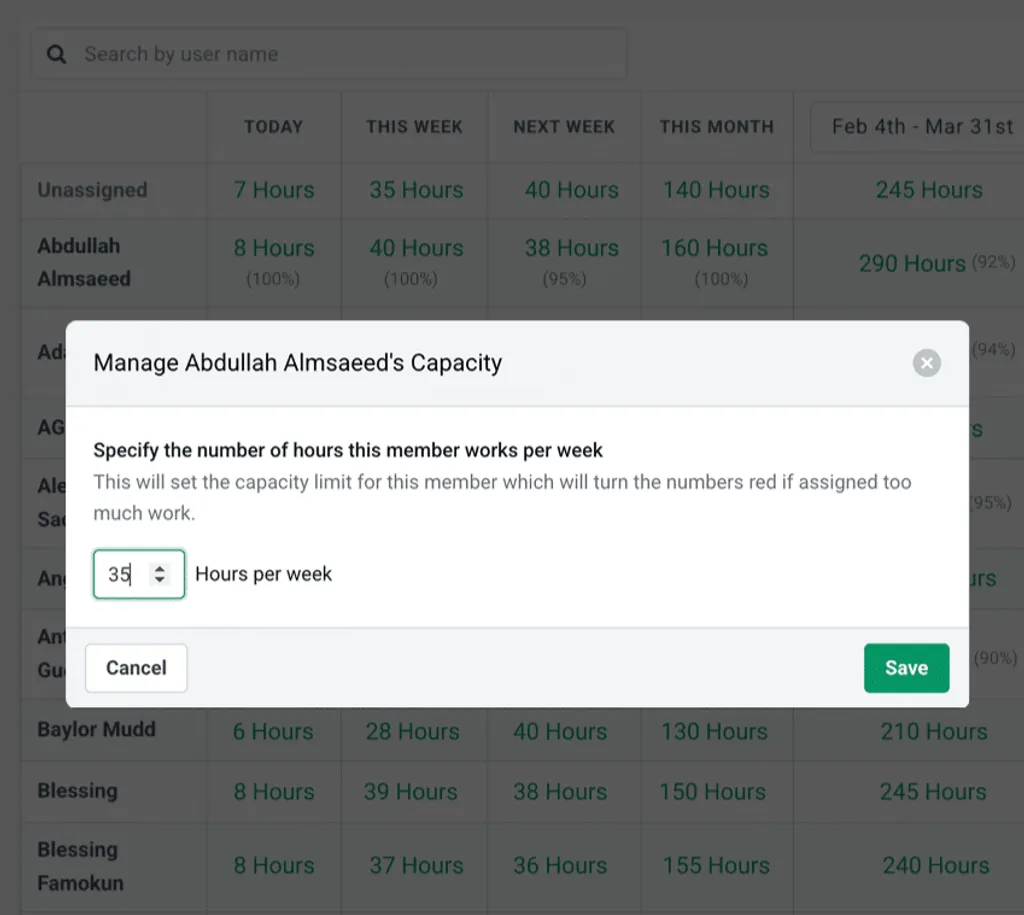
- Broader Practice Management Scope. Financial Cents covers the full firm lifecycle beyond the monthly close: proposals and engagement letters, capacity management dashboards, firm-level profitability reporting, and CRM with secure password storage. This addresses the operational needs of multi-service practices without requiring additional tools.
- Self-Serve Trial and Accessible Onboarding. Financial Cents offers immediate self-serve access with a 14-day free trial and 300+ ready-to-use templates. The company runs a free Accounting Workflow Academy with over 6,000 accountants having completed the curriculum. Double routes prospective customers through a demo booking process rather than offering self-serve trial access.
Financial Cents Pricing
Financial Cents uses a per-seat subscription model:
- Solo: $19/month (single user, unlimited clients). Includes workflow management, client portal, CRM, time tracking, invoicing, and QuickBooks Online integration.
- Team: $49/user/month (annual, minimum 1-year commitment) or $69/user/month (monthly, 5-user minimum). Adds integrated email, e-signatures, and custom fields.
- Scale (Most Popular): $69/user/month (annual). Adds auto-follow-ups, task dependencies, Zapier, open API, branded client portal, and profitability reports.
- Enterprise: Custom pricing. Adds IP fencing, mandatory 2FA, custom permissions, and dedicated CSM.
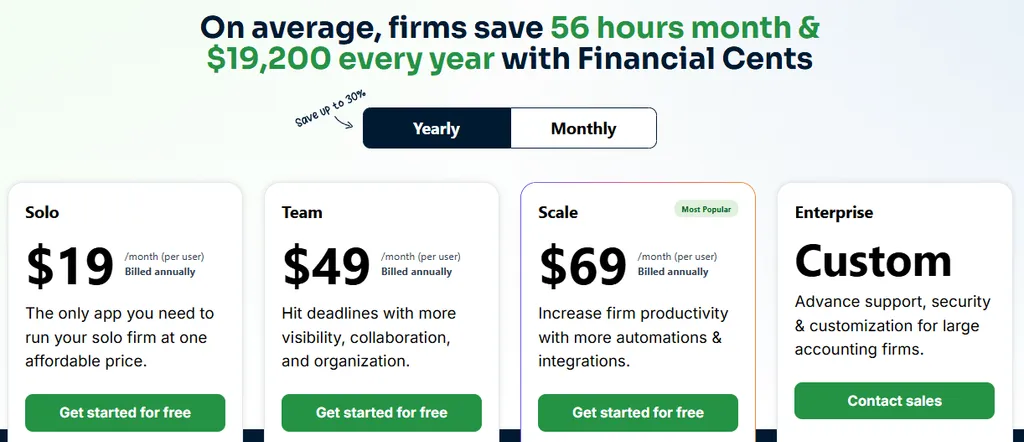
All tiers include a 14-day free trial with no credit card required.
Who Should Use Financial Cents?
Choose Financial Cents if:
- You’re a solo practitioner or small team (under 10 people) managing 20+ clients in the US or Canada and need predictable per-seat costs rather than per-client pricing.
- You run a general accounting or CPA practice providing mixed services and need tools that cover the full firm lifecycle beyond month-end close.
- You’re transitioning from spreadsheets and prioritize ease of use, accessible pricing, and self-serve trial access over specialized close automation.
5. Xenett — Best Alternative for Deeper Automated Error Detection
Xenett is intelligent financial close software that uses AI-powered error detection to catch GL misclassifications, duplicate entries, and anomalies that manual review misses.
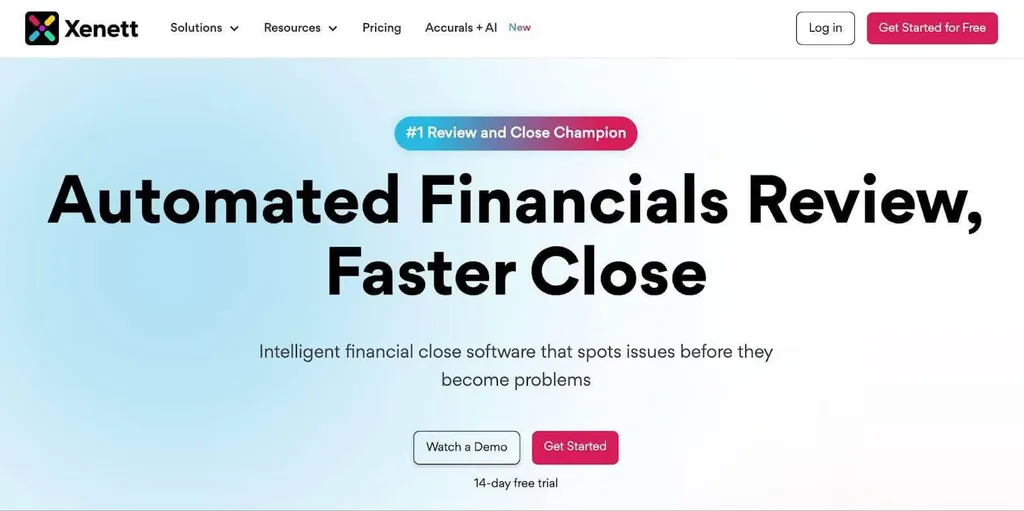
While Double provides structured file review reports, Xenett runs 50+ automated checks with GPT-powered anomaly detection.
Its key features include:
- AI Financials Review with 50+ automated checks across Balance Sheet and P&L accounts
- XenettGO Chrome extension that embeds error detection directly inside QuickBooks Online and Xero
- Post-sign-off change monitoring that alerts when reconciled accounts are modified after review
- Inter-Company Reconciliation with automatic mismatch flagging
Why Choose Xenett Over Double for Error Detection?
Xenett stands out in the following areas:
- 50+ AI-Powered Review Checks. Double’s File Reviews surface common issues like uncategorized transactions and expense inconsistencies. Xenett goes further: it detects GL misclassifications by analyzing historical patterns, identifies duplicate vendor entries differing only in formatting, and runs GPT-powered anomaly detection with customizable conditions.
- Post-Sign-Off Change Detection. Double’s task locking prevents editing within Double, but doesn’t monitor the underlying ledger for changes made directly in QuickBooks after sign-off. Xenett’s Close & Finalization module actively monitors reconciled accounts and issues alerts when modifications occur after review is complete.
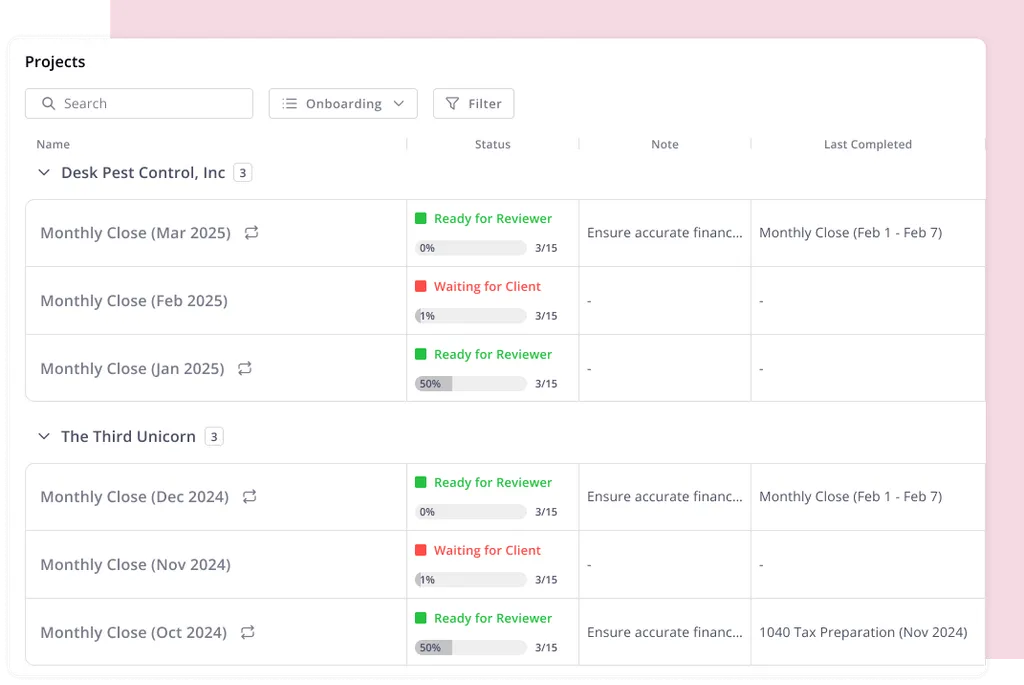
- Advanced Accrual and Intercompany Automation. Xenett’s Accruals + AI includes live payroll accruals automation that reads payroll dates from memo fields automatically, plus AI Flux Analysis for period-over-period variance review. Double’s Accruals module lists payroll as “coming soon.” Xenett also offers Inter-Company Reconciliation with automatic mismatch flagging, a workflow Double doesn’t address with a dedicated module.
Xenett Pricing
Xenett uses a per-client pricing model with unlimited users:
- AI Financials Review: $7.50/client/month. Includes AI error detection, custom review points, XenettGO extension, and white-labeled client portal.
- Workflow Plan (Most Popular): $10/client/month. Adds project/task management, time tracking, capacity planning, 1099 management, and document management.
- Enterprise: Custom pricing. Adds all accruals automation, AI Flux Analysis, and inter-company reconciliation.
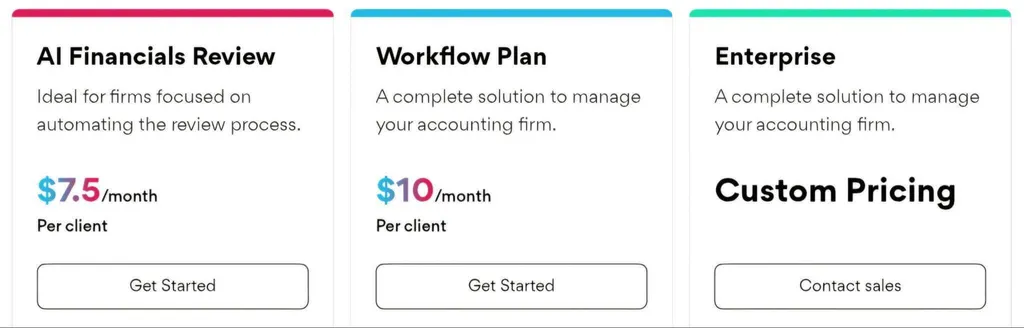
Add-ons: Accruals + AI ($15/client/month, 60-day free trial), Inter-Company Rec ($10/client/month, 60-day free trial). 14-day free trial with no credit card required.
Who Should Use Xenett?
Choose Xenett if:
- Your firm repeatedly discovers coding errors and anomalies during manual review that an automated system should catch proactively.
- You manage clients with complex accrual or intercompany requirements and want specialized automation for payroll splits, prepaid tracking, and entity reconciliation.
- You need post-sign-off audit controls that monitor your ledger for unauthorized changes made directly in QuickBooks or Xero after the close is complete.
6. Cone — Best Alternative for Budget-Conscious Firms
Cone is a practice management platform that delivers proposals, engagement letters, billing, payments, workflows, and client collaboration at a price point well below most competitors.
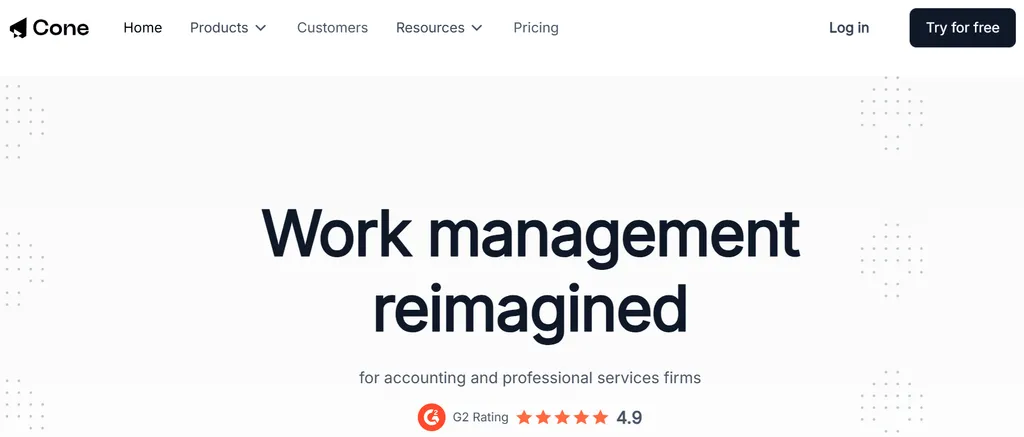
Starting at $5/user/month, it provides a system where a signed proposal can automatically trigger project creation, initiate recurring invoices, and collect payments without manual handoffs.
Its key features include:
- Integrated proposals with e-signatures and a smart pricing calculator for value-based quoting
- Automated recurring invoicing with Stripe and GoCardless payment processing
- Workflow and task management with time tracking
- SOC 2 Type 1 and GDPR compliance despite entry-level pricing
Why Choose Cone Over Double for Budget-Friendly Practice Management?
Cone stands out in the following areas:
- Much Lower Entry Price. Cone’s Practice Starter plan at $5/user/month (annual) with unlimited clients creates a large cost gap. A five-person firm pays $300/year on Starter versus a minimum of $6,000/year on Double Core managing 50 clients.
- Native Proposal and Engagement Letter Functionality. Double assumes the client relationship already exists. Cone starts the workflow at the proposal, with a drag-and-drop editor, customizable templates, multimedia embedding, and a Smart Pricing Tool that lets firms price services based on transaction volume, revenue brackets, and complexity factors rather than hourly rates.
- Automated Billing for Value-Based Pricing Models. Cone’s automated recurring invoice generation and auto-charge functionality create a fully automated billing cycle for firms using fixed monthly fees. Once pricing rules are set in a proposal, invoices generate and payments collect automatically each period.
Cone Pricing
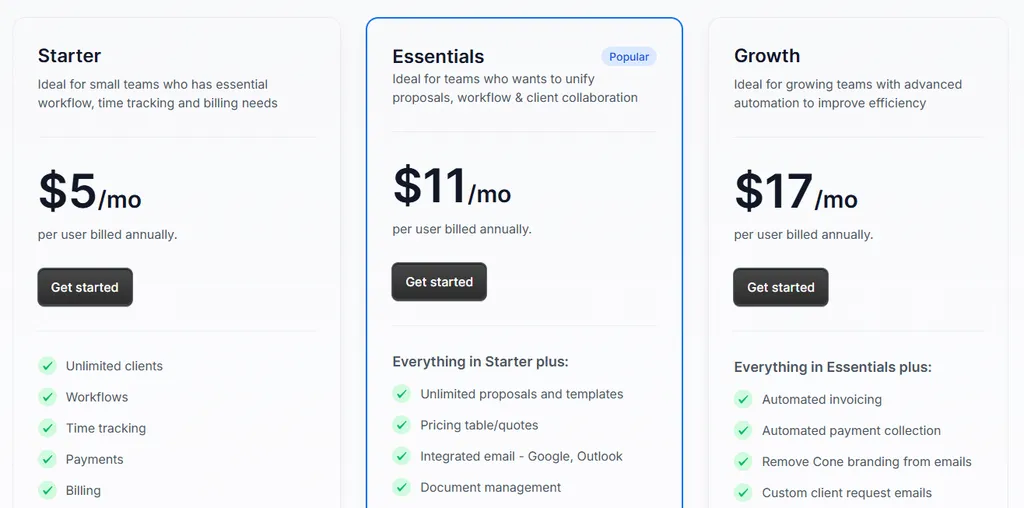
Cone’s Practice product uses per-user pricing:
- Starter: $5/user/month (annual) or $8/user/month (monthly). Unlimited clients, workflows, time tracking, payments, and QuickBooks/Xero integrations.
- Essentials: $11/user/month (annual). Adds proposals, client portal, document management, and integrated email.
- Growth: $17/user/month (annual). Adds automated invoicing, advanced integrations (Zapier, SharePoint), and custom reports.
Who Should Use Cone?
Choose Cone if:
- You need the lowest entry price for practice management software with unlimited clients.
- You need integrated proposal and engagement letter functionality as part of your workflow rather than a separate tool.
- Your revenue model is built around value-based recurring billing with fixed monthly fees, and you want automated invoice generation and payment collection.
7. Jetpack Workflow — Best Alternative for Pure Workflow Management
Jetpack Workflow is a workflow and project management tool that deliberately positions itself as NOT practice management software.
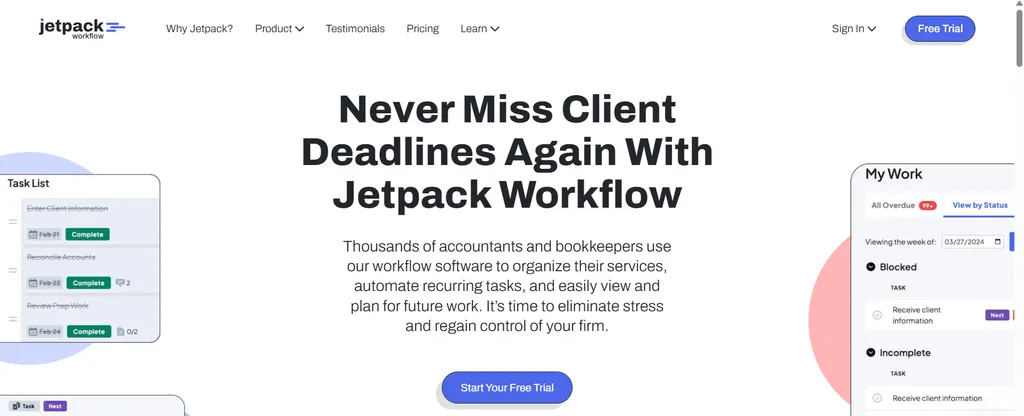
It does one thing well: managing recurring tasks, deadlines, and team capacity for firms handling high volumes of client deliverables.
Trusted by 6,000+ accountants globally, it includes:
- 70+ pre-built accounting workflow templates for tax, bookkeeping, payroll, and advisory
- Single-plan pricing at $40/user/month (annual) with no feature gating or per-client fees
- Built-in time tracking with configurable billable rates
- QuickBooks Online and Zapier integrations
Why Choose Jetpack Workflow Over Double for Focused Task Management?
Jetpack Workflow stands out in the following areas:
- Narrow Scope Eliminates Setup Complexity. Double consolidates close management, file review, client portal, receipt management, and AI features into one platform. Jetpack Workflow strips away everything except recurring task automation, team capacity planning, and deadline tracking. For firms already using tools like Bill.com for billing or SmartVault for documents, Jetpack Workflow plugs in as a workflow layer without forcing migration. The company says firms are fully operational in days rather than weeks, with 4 complimentary onboarding sessions included.
- Per-User Pricing for Large Client Rosters. A five-person team managing 200 clients pays $200/month on Jetpack Workflow versus $2,000/month on Double Core. The $40/user/month annual pricing includes every feature with no tiered restrictions.
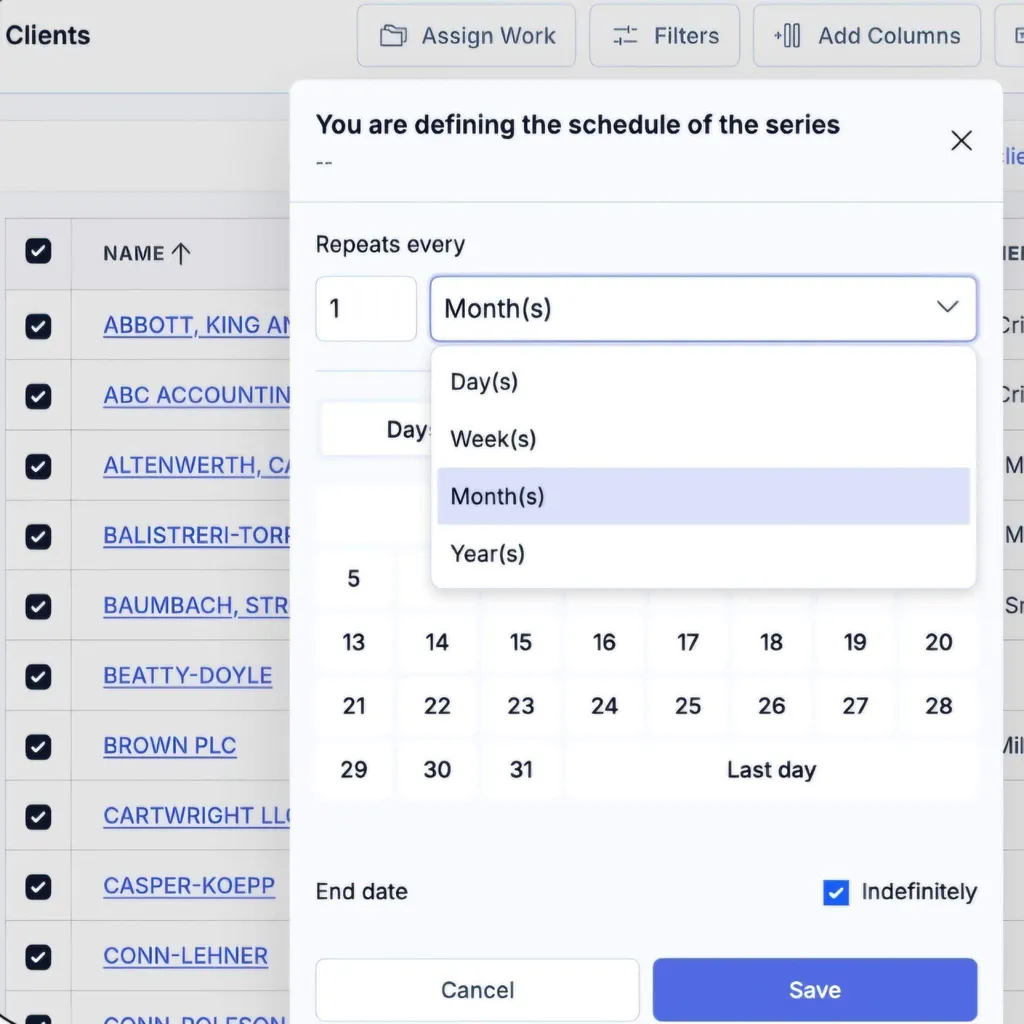
- Multi-Frequency Task Automation. Double’s architecture centers on the monthly close as the dominant workflow rhythm. Jetpack Workflow supports daily, weekly, monthly, quarterly, annual, and custom recurrence intervals simultaneously. CPA firms handling tax preparation, payroll, advisory, and bookkeeping need a tool that accommodates all cadences without forcing everything into a monthly close pattern.
Jetpack Workflow Pricing
Jetpack Workflow uses a single-plan model:
- Starter: $40/user/month (annual) or $49/user/month (monthly). Includes unlimited projects and clients, unlimited templates, customizable automation, team collaboration, and QuickBooks/Zapier integrations.
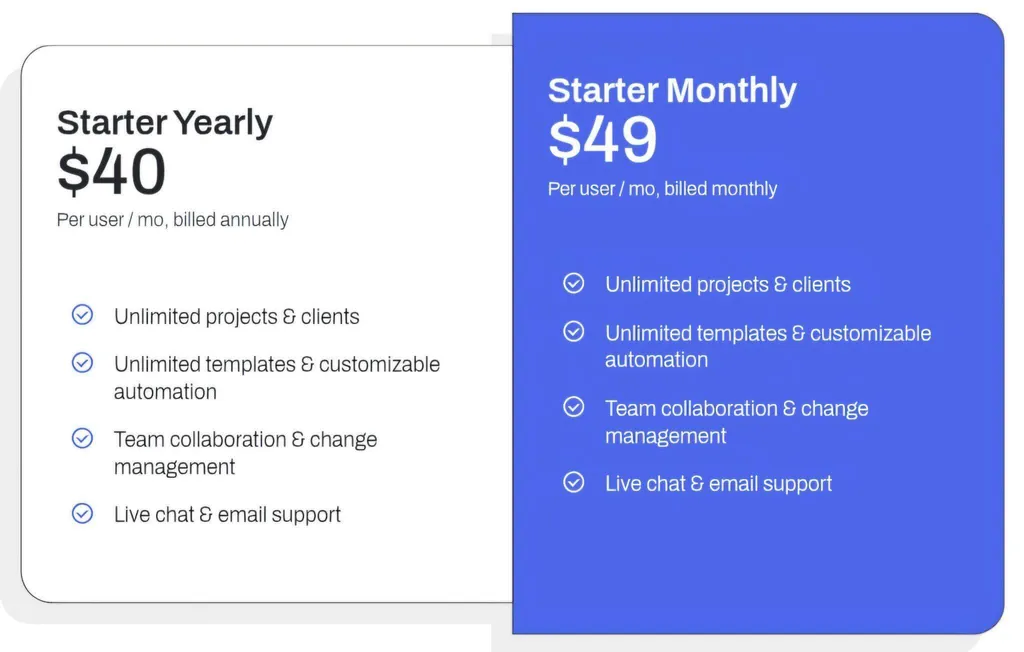
Optional add-ons: SSO (contact sales) and setup service packages from $299 to $1,499. 14-day free trial with no credit card required, and a 30-day money-back guarantee on annual plans.
Who Should Use Jetpack Workflow?
Choose Jetpack Workflow if:
- Your firm already uses separate tools for billing, client portals, or document management and needs a focused workflow layer without migrating other functions.
- You manage a large client roster (100+ clients) with a lean team where per-client pricing becomes prohibitive but per-user pricing stays affordable.
- Your firm delivers a diversified service mix across daily, weekly, monthly, quarterly, and annual frequencies simultaneously.
The Final Verdict
Double compresses the month-end close cycle well for bookkeeping practices, but different firms have different priorities that call for specialized solutions.
Based on our research, here are the best alternatives:
- Uku for automated billing that reduces invoicing from days to ~30 minutes, modular deployment that lets firms start on day one, an integrated client portal, and international market coverage
- Karbon for enterprise reporting and multi-service-line management
- TaxDome for unified tax and bookkeeping management with unlimited clients at flat per-seat pricing
- Financial Cents for small US-based firms prioritizing ease of use and affordable entry pricing
- Xenett for AI-powered error detection and post-sign-off audit controls
- Cone for budget-conscious firms needing proposals through payments at the lowest price point
- Jetpack Workflow for recurring task management without full practice management complexity
You don’t have to choose between Double and these alternatives. Many firms combine tools to build their ideal tech stack. Consider your specific needs, growth plans, and service mix when deciding which solution works best for your practice.
Want to see how much unbilled time your firm is leaving on the table? Start your 14-day free trial of Uku and discover what automated billing and modular workflow management can do for your practice. Or book a 30-minute demo to see automated billing and the unified client portal in action.
Related: read our full Double review for the platform overview, Double pricing for the per-client cost math, or the head-to-head Double vs Uku comparison. You can also browse our case studies to see how firms run their practices on Uku.

Intelligent practice management assistant for accounting firms. Helping 1000+ firms save time, standardise processes, and grow.

Ready to upgrade your practice management?
Join 1,000+ accounting firms already using Uku to save time and grow their business.