Firm360 Review 2026: Features, Pricing & Best Alternative
Firm360 consolidates billing, docs & projects for US CPA firms — but has no free trial, monthly billing, or global integrations. See the top alternative.


Contents
Firm360 is an all-in-one practice management platform for US-based CPA and accounting firms. It combines project and workflow tracking, time and billing, document management, and a client portal in one system, so a firm can stop stitching together separate tools for each. It does not do the accounting itself — your ledger stays in QuickBooks or your tax software.
Founded in 2019 by a working CPA who was tired of managing five separate systems, it is aimed at the managing partner who knows the firm is losing hours to fragmented workflows but hasn’t found software that fits how accountants work. Its main limits are the flip side of that focus: it is built for the US market, and its published prices are “based on annual billing”.
To write this Firm360 review, we’ve analyzed the platform in detail. We believe it’s the right choice if:
- You run a US-based CPA firm with 5 to 50 staff and need to consolidate billing, documents, and project tracking into one system
- You want software designed around accounting workflows, not adapted from generic project management
- You value US-based phone support and hands-on onboarding
- You need built-in e-signature with no per-envelope fees
- Your firm runs multiple service lines (tax, audit, advisory) and needs configurability across all of them
However, Firm360 might not be the best choice if:
- You operate outside the US or need software in multiple languages
- You want a free trial or monthly billing to test before committing
- You need integrations with European accounting software (Xero, E-conomic, Fortnox)
- Automated billing that generates invoices directly from tracked time is a priority
- You prefer a platform with a public API and broader automation capabilities
In this case, you should consider Uku: an accounting practice management platform built for international use, with support for 12 languages, automated billing that reduces invoicing from days to roughly 30 minutes, and a 14-day free trial of the full Elite plan that lets you evaluate every feature with no credit card required.
We’ve included a detailed look at Uku at the end of this Firm360 review, as an alternative for firms that need multilingual support, billing automation, or a more accessible entry point. If you’re ready to explore Uku’s 14-day free trial with full Elite features, you can start here.
What is Firm360?
Firm360 is an accounting practice management platform built for CPA and accounting firms. Brandon Gray, a working CPA and partner at his own firm, founded it in 2019 to solve the operational chaos he experienced firsthand: “folders stacked to the ceiling, paper organizers by the thousands, and no clear view of where work stood.”
The platform consolidates project management, document management, client management, a client portal, e-signature, time tracking and billing, reporting, and integrations into one system. Firm360 organizes its product around three concepts it calls Firm Health, Client Experience, and Work Management, framing them as building blocks that need to work together for a firm to grow.
In 2024, Firm360 was recognized by all three Gartner Digital Markets brands (Capterra, Software Advice, and GetApp) across Practice Management and Billing & Invoicing categories. The platform is backed by Level Equity, a New York-based growth equity firm, and claims to manage 300,000+ end clients through its customer firms.
Firm360 fits small to mid-sized US CPA firms with 5 to 50 staff running full-service practices across tax, audit, and advisory.
Firm360 Pros & Cons
| Pros | Cons |
|---|---|
| Built by a practicing CPA, designed around accounting workflows | No free plan or publicly listed free trial |
| Replaces 4–5 disconnected systems with one platform | Annual billing only; no monthly payment option listed |
| E-signature included with no per-envelope fees (Standard+) | Project Management excluded from Basic plan |
| 100% US-based support team with no outsourcing | Limited native integrations (QuickBooks Online, UltraTax, Lacerte) |
| Configurable across multiple service lines | No public API for third-party developers |
| SOC 2 Type II certified with annual audits | Notification system can cause alert fatigue |
| Onboarding rated highly by customers | Shared inbox model may lead to missed messages in larger teams |
Firm360 Review: How It Works & Key Features
Project Management
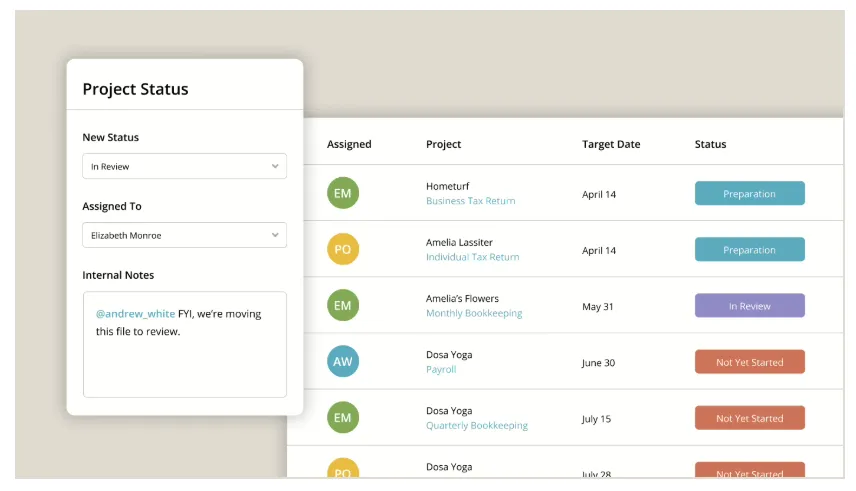
Firm360’s Project Management module is the operational backbone for firms on the Standard plan and above. Firms create projects from configurable templates that define task sequences, ownership rules, and automation triggers. When a project advances through its defined statuses, automated status transitions fire the next task, reassign work, or notify the relevant team member without a manager stepping in.

One detail worth noting: recurring projects auto-generate based on start dates, not prior project completion. If a prior engagement runs late, the next cycle still launches on schedule. This keeps firms ahead rather than reactive during busy seasons.

Each project holds both target dates and hard deadlines, including federal and state due dates and extension dates, surfaced within the record. The Project Workflow Builder provides a visual flow diagram that maps each phase and responsible party. Managers can see open assignments by staff member through a team workload view, filterable by user, client, project type, or deadline.

Document Management
Document Management in Firm360 replaces standalone file-sharing tools by embedding document handling alongside projects, clients, and billing. The system links documents to client records, projects, and tasks automatically, so files are findable by context rather than folder structure.
The platform uses a check-in/check-out model for editing, with full revision history and user attribution. Staff can import documents from any application using the Firm360 print driver and Office/Adobe plugins, sending files into the correct client folder without downloading and re-uploading. The system converts photos of tax forms into PDFs automatically.

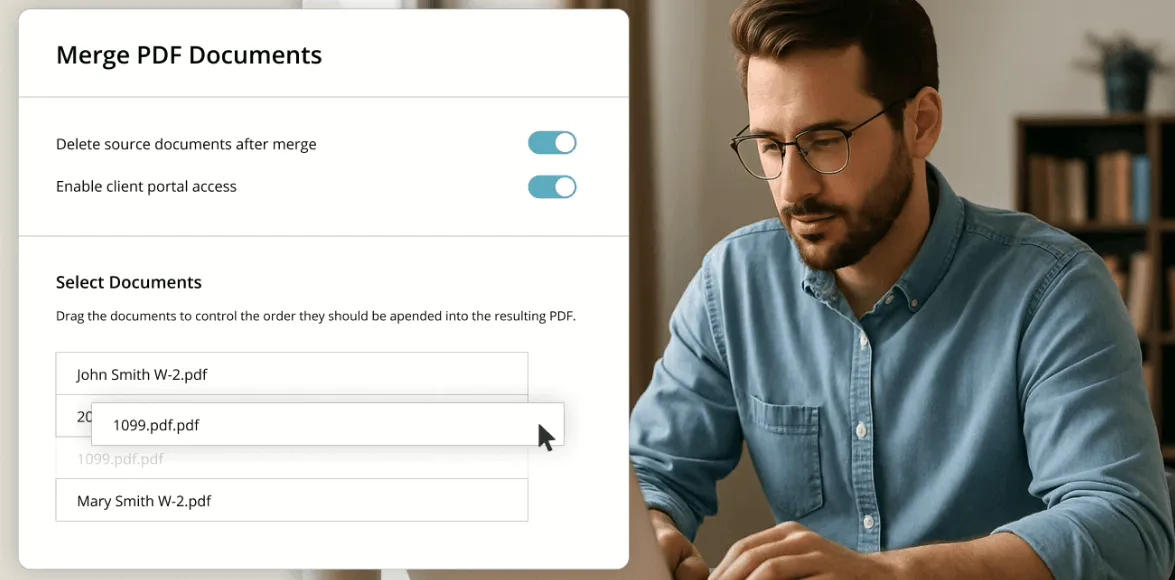
Firms control document visibility at a granular level: regardless of how many files a client has, the firm chooses which ones the client can see in the portal. Built-in tools let staff merge, split, and reorder PDFs without leaving the platform.

All documents are stored on Amazon AWS infrastructure with AES-256 encryption at rest and SSL 256-bit encryption in transit.
Time Tracking and Billing
Time Tracking and Billing covers the full revenue cycle. Staff start timers from the dashboard, within a project, or from a dedicated tab, designed for multi-monitor setups so hours can be captured without interrupting active work.

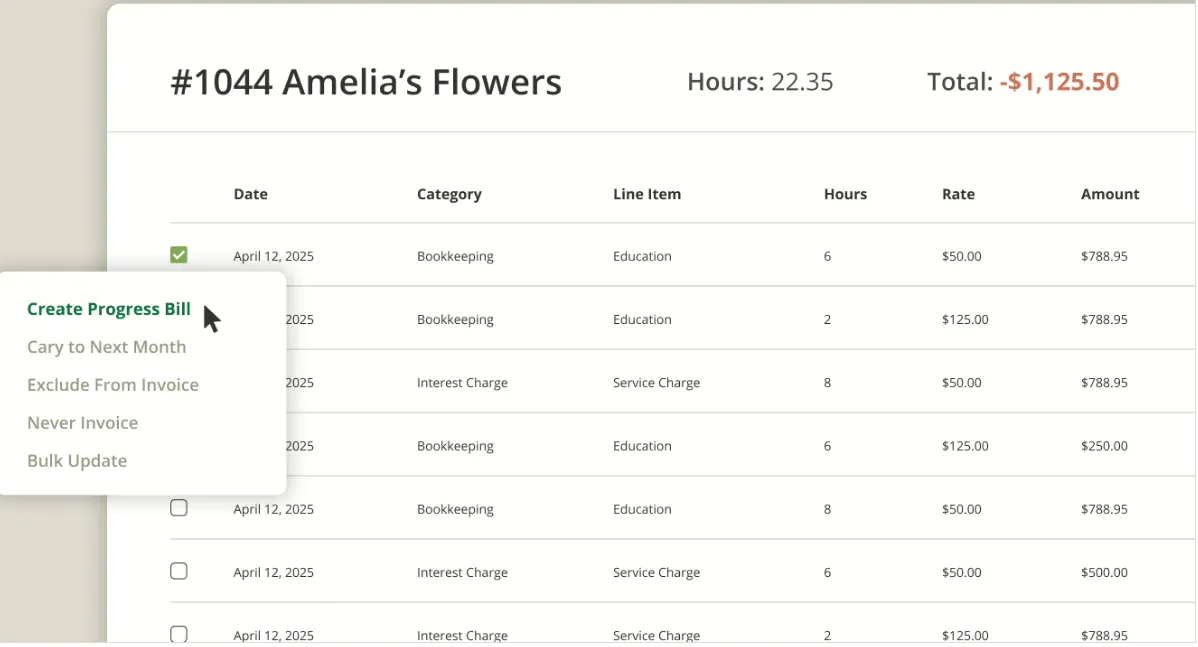
The billing engine supports hourly, flat fee, value-based, project-based, and hybrid billing within the same system. Before generating an invoice, staff can make line-item or category-level adjustments, and the system recalculates proportional allocations automatically. Incomplete items can be deferred: unchecking them rolls them forward into the next billing cycle without manual re-entry.
Clients pay via credit card or ACH through the client portal with the option to save payment methods. For overdue balances, automated payment reminders handle follow-up, and the Standard plan adds a full Automated A/R Collections workflow.
Client Portal and e-Signature
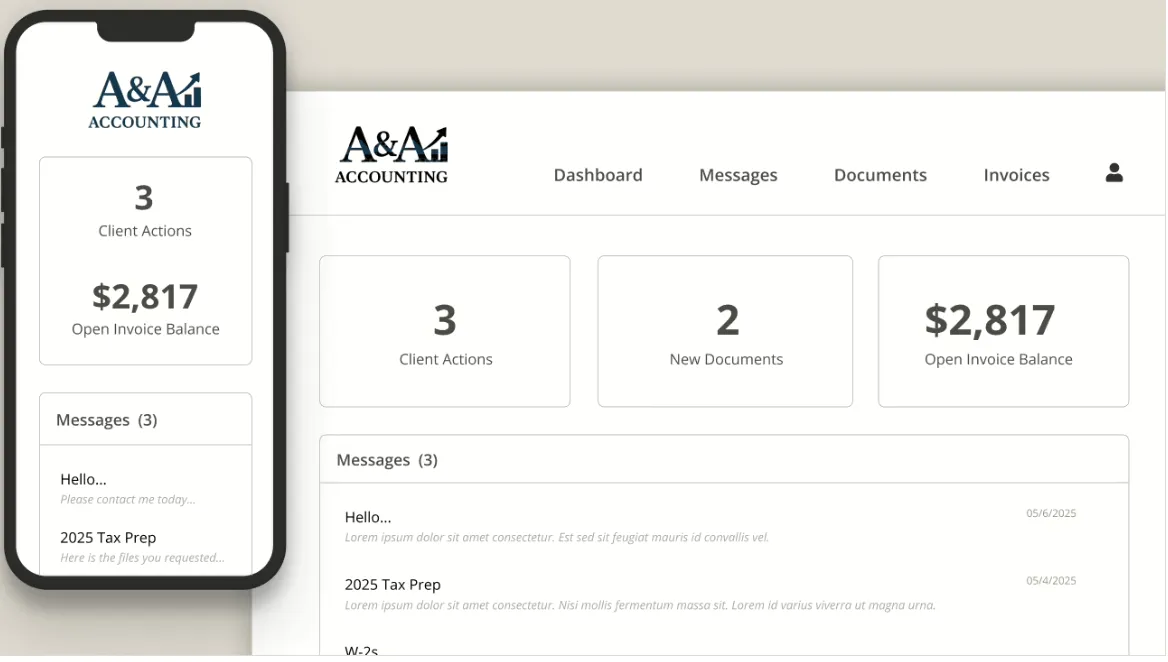
The Firm360 Client Portal is included in every pricing tier. Clients access a branded interface with the firm’s logo, where they can upload documents, sign engagement letters, view invoices, and pay bills from one login.
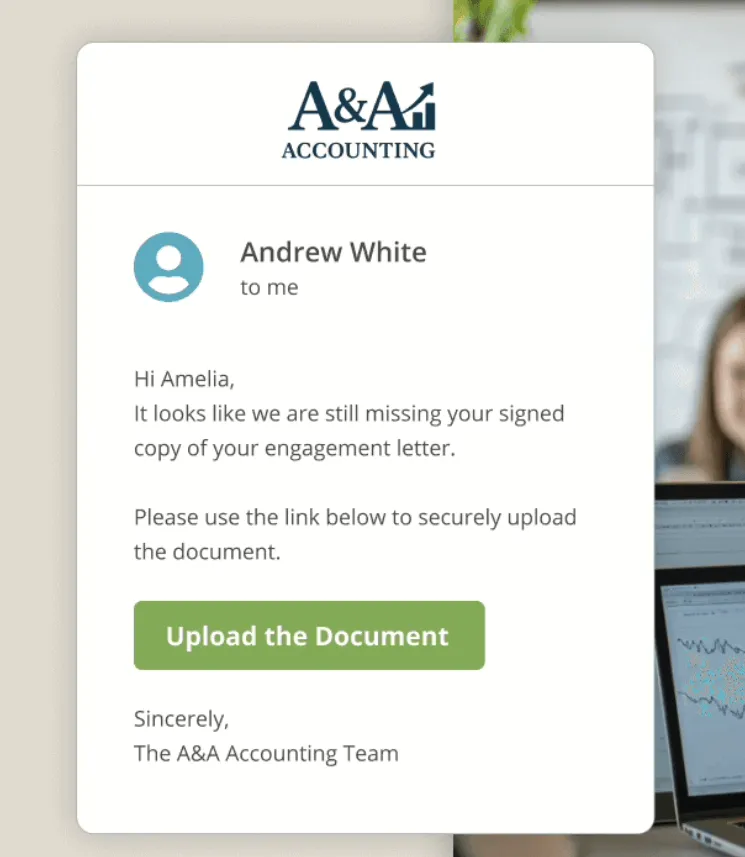
For less tech-savvy clients, firms can send a secure link that allows document uploads without requiring a login. Uploads map to the correct client record automatically. The portal sends clients weekly reminders for incomplete tasks, removing manual follow-up from staff plates.
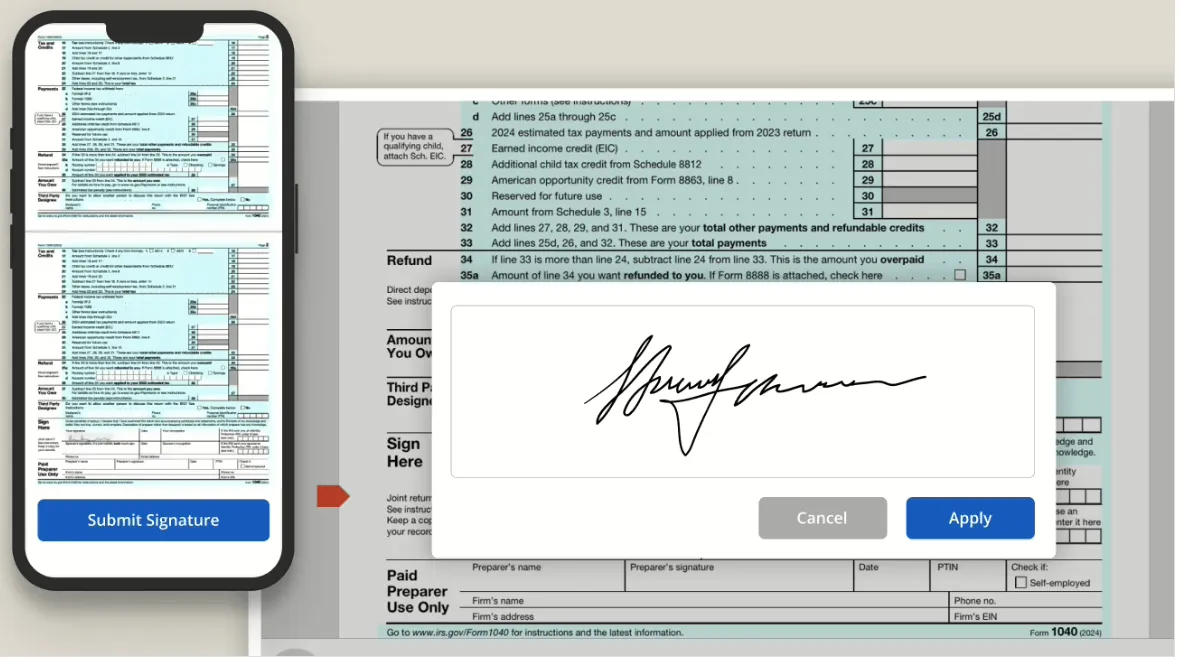
The built-in e-Signature (powered by RightSignature) lets clients sign from any device with no app to install. Firms can enable Knowledge-Based Authentication for sensitive documents at no extra cost. The system files signed documents in the client’s record alongside the original.
Advanced Reporting
Advanced Reporting (available on Standard and Premium plans) provides five core views: Client Realization, Staff Utilization, Staff Workload, Accounts Receivable, and Timesheet Approval and Lock. Reports pull from live operational records, so there is no export or sync step.
The Staff Workload report lets managers reassign tasks from the report view with a single click, closing the loop between spotting a capacity problem and acting on it. Reports can be filtered by date, department, client, or service line and exported to Excel or CSV.

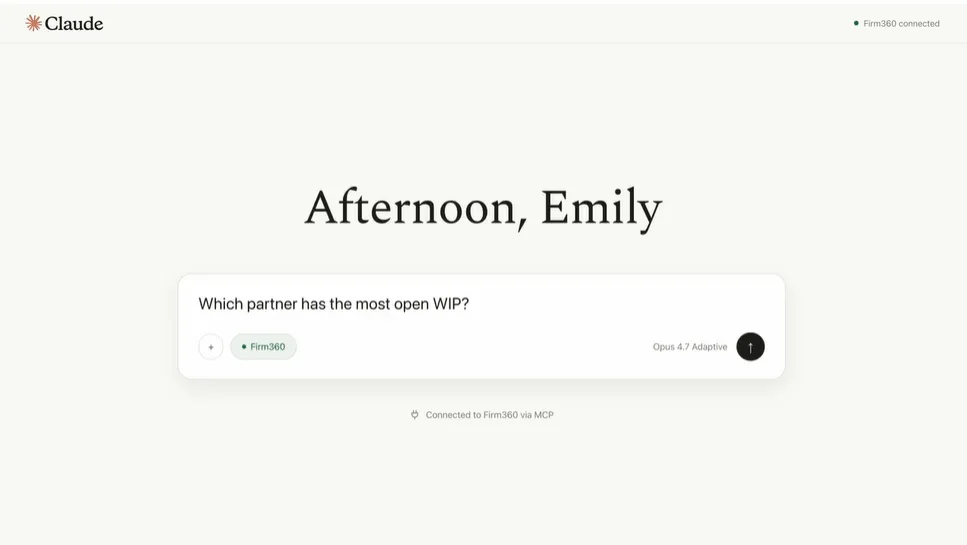
Firm360 has also launched the Firm360 + Claude Connector in limited beta, an AI layer that lets firm leaders query live Firm360 data (WIP, realization rates, AR, client profitability) through Claude.ai in plain English without building reports.
Where Firm360 Falls Short
Firm360 delivers a well-integrated platform for US accounting firms, but several limitations surface depending on your firm’s situation. These reflect deliberate design choices rather than oversights.
US-Centric by Design. All documented case studies are US-based. The integration list (QuickBooks Online, UltraTax, Lacerte) and the 100% US-based support team orient the product toward the US market. Firms outside the US, or those using European accounting software like Xero, E-conomic, or Fortnox, will find the native integration list too narrow.
No Free Plan or Monthly Billing. Firm360’s primary call to action is a demo request, not a self-serve trial. All published plans are billed annually, and no monthly option is listed. For firms that want to test the platform with real work before committing to a year, this creates a real barrier.
Basic Plan Misses Key Features. The $49/user/month Basic plan excludes Project Management, Advanced Reporting, Automated A/R Collections, Custom Fields, and all standard integrations. For most firms, the actual starting point is the Standard plan at $79/user/month, since project tracking and integrations are fundamental to practice management. (Our full Firm360 pricing breakdown covers each tier’s feature gates in detail.)
Notification and Inbox Design. Multiple G2 reviewers flag the notification system as generating unnecessary alerts rather than actionable signals. The shared inbox model for client messages requires each staff member to check whether messages are directed at them, which can lead to missed responses in larger teams.
Limited Integration Breadth. While Firm360 connects to QuickBooks Online, UltraTax, and Lacerte, firms invested in other tax or ERP ecosystems may find the native options insufficient. Zapier integration is available only on the Premium plan at $99/user/month, and no public API exists for third-party developers.
Document Management Friction. Capterra reviewers report that downloading multiple documents requires merging them into a single PDF first, and some users have requested better folder organization options.
These constraints follow naturally from building a focused, US-market platform. But they create clear gaps for firms that need multilingual support, flexible pricing, broader integrations, or automated invoicing that converts tracked time into bills.
Top Firm360 Alternative: Uku
Uku addresses several of Firm360’s limitations with a practice management platform offering multilingual support, automated billing, and a modular approach that lets firms start with just the features they need. Its core promise is operational: a single source of truth for who’s doing what across the team, so deadlines are met and nothing slips.

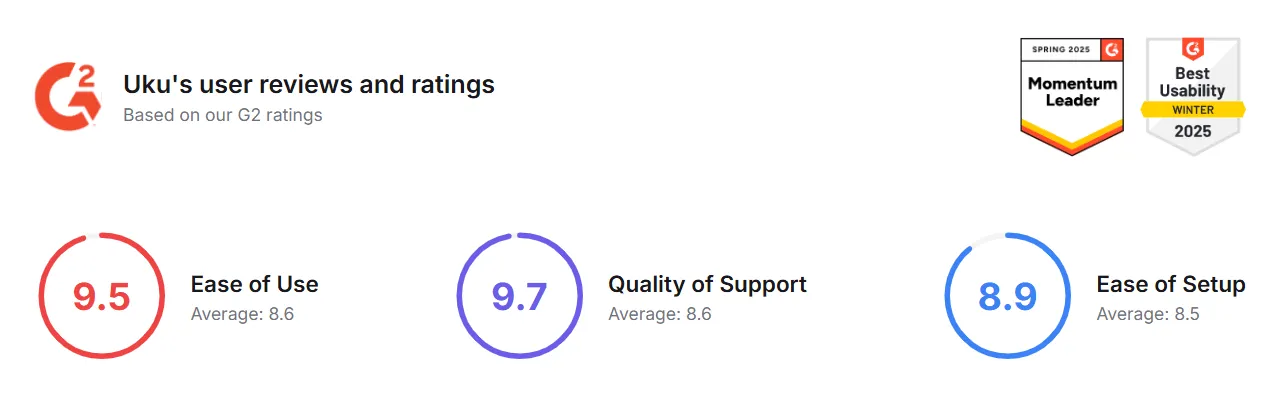
Founded by Co-founders Rain Allikvee and Jaanus Lang, Uku was built for international use from the start and now serves 1,000+ firms across 25+ countries. The platform holds a 4.7 on G2 and a 4.8 on Capterra, with G2 category scores of 9.5 for Ease of Use and 9.7 for Quality of Support (versus category averages of 8.6 for both).
Task Management and Workflow Automation
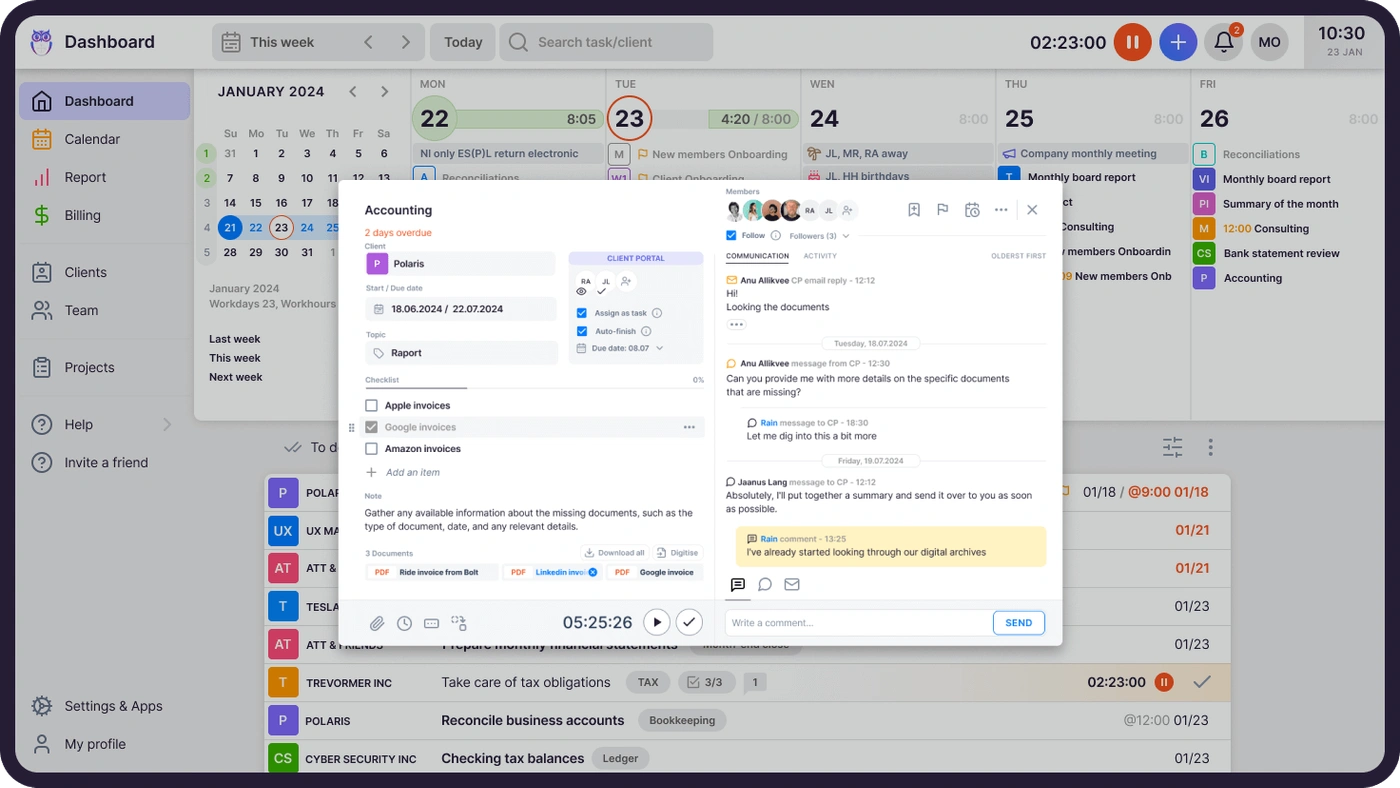
Uku’s core is its Task Management system, which organizes work around per-client workflows rather than generic projects. Each client has a dedicated workspace holding all recurring tasks. Firms can build workflows from Uku’s pre-built, accountant-developed templates (organized into Accounting, Administration, Bookkeeping, Client Management, Operations, Payroll, and Tax categories), from an existing client’s workflow, or from scratch.
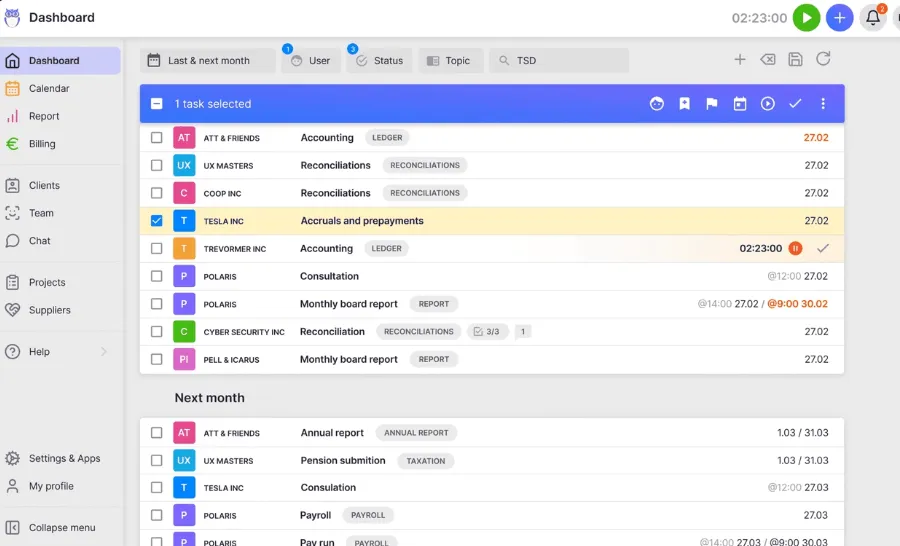
When a task’s scheduled start date arrives, it appears on the assigned team member’s dashboard. Tasks support six recurrence frequencies (daily, weekly, monthly, quarterly, yearly, and working-days-based), with configurable weekend fallback rules. Task dependencies ensure that dependent tasks only surface after predecessors are completed.
The Workflow Automation layer goes further: email templates can be attached to recurring tasks so that client-facing reminders go out automatically when a task reaches a certain stage. Uku reports that teams save roughly 30% of their time with automation, with one firm serving 38% more clients after a year.
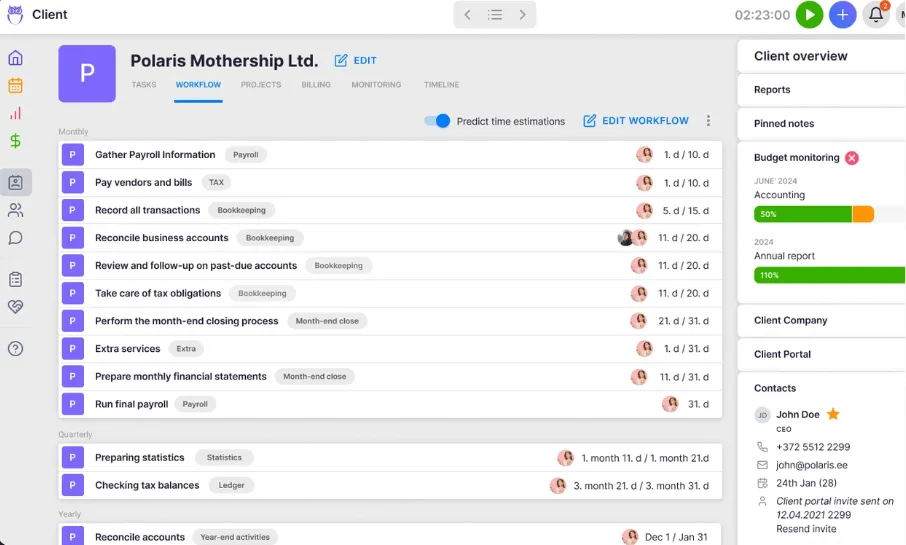
When a workflow template is improved, firms can push those changes to existing client workflows with control over which clients, which fields, and when changes take effect. This eliminates the need to manually update hundreds of client workflows when a process changes.
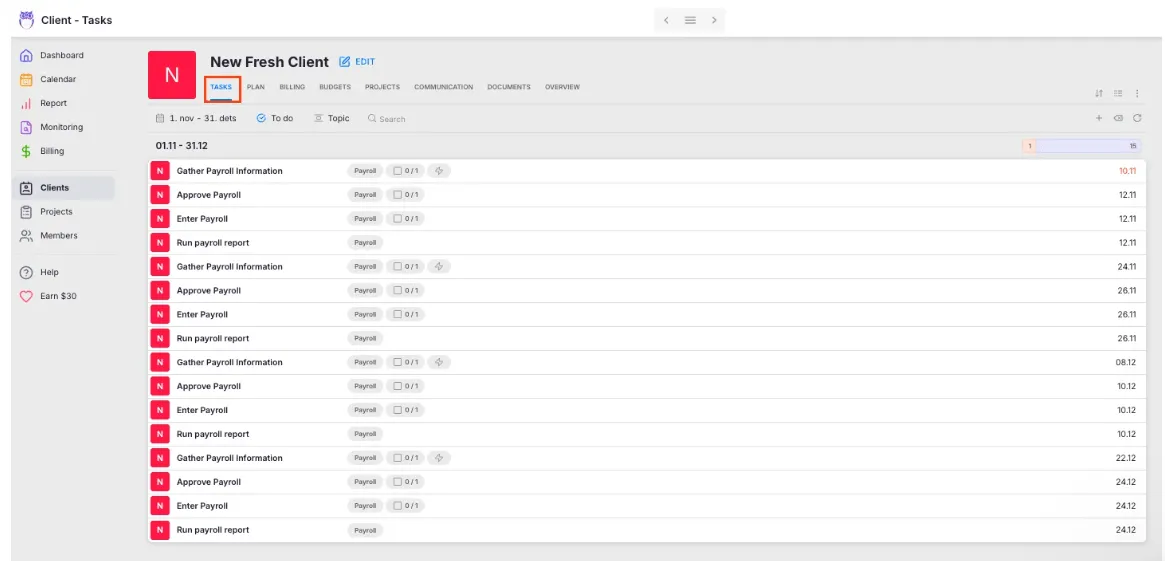
Sandgrav Solutions, an 11-person Danish accounting firm, reports saving around 20% of their time on task management since adopting Uku, noting: “We will never again forget tasks on our clients.”

Time Tracking and Automated Billing
Uku’s Time Tracking captures work through three methods: a stopwatch in the header bar, manual entry with time suggestions, and bulk time entry across multiple tasks at once. The interface is built for speed, with 90% of actions requiring one click.
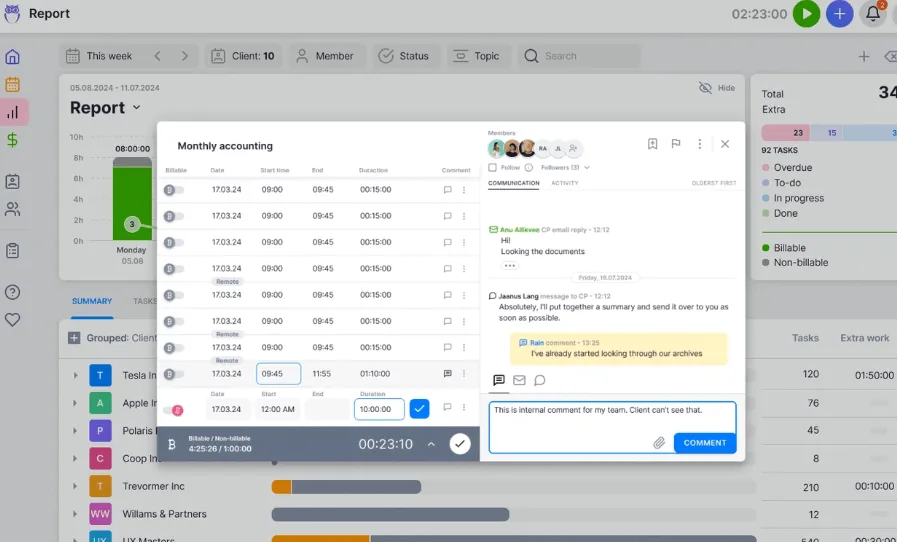
What sets Uku apart is the direct chain from time entry to invoice. The Billing module auto-generates invoice drafts from tracked time and task data already in the system. Each client can have multiple active contracts for different services (monthly bookkeeping at a fixed fee, ad-hoc advisory at hourly rates), all billed correctly from one system. The platform supports four billing types: time (hourly), volume (per-piece), fixed, and recurring.
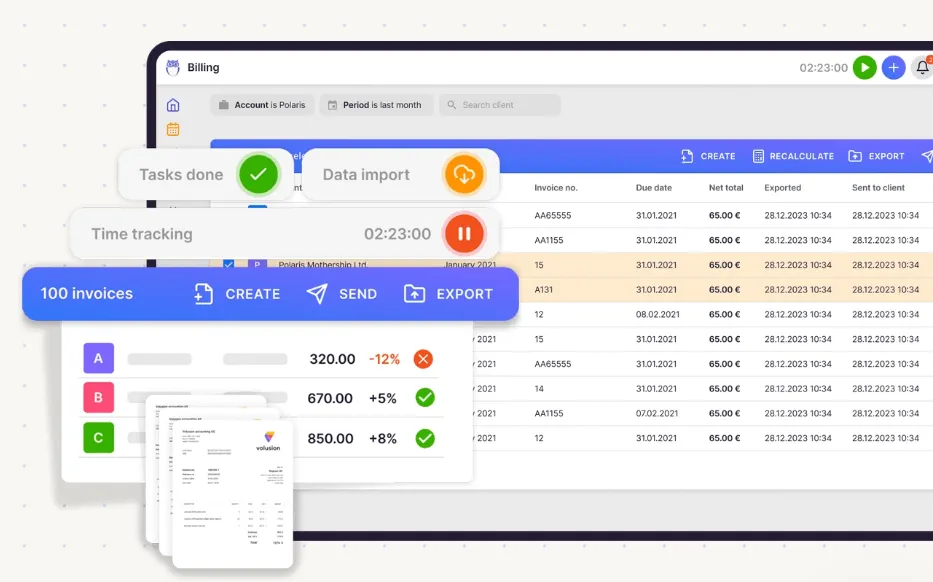
Pricing options include cumulative tier pricing, minimum time requirements, rounding rules, and client-specific discounts. An “Extra work tag” marks hours that fall outside the client agreement, so firms can see scope creep in real time and bill accordingly.
The billing workflow follows four steps: auto-generated drafts, review and adjustment by account owners, approval within Uku, and export to integrated accounting software (Xero, QuickBooks Online, E-conomic, and nine other platforms). A debt reminder automation handles follow-up for unpaid invoices.
JA&CH Konsultacijos reduced monthly billing from a full workday to 1–2 hours while growing billable hours by ~20%, simply by capturing work that was always being done but never recorded.

Client Portal and Team Collaboration
Uku’s Client Portal uses a magic link model: clients access the portal through a time-limited email link with no password required. No account registration, no credentials to remember. The portal carries the firm’s logo, colors, custom domain, and even a welcome video. Unlike traditional portals where tickets need to be connected to work items, Uku mirrors the same task on both the client and accountant side, keeping all communication, documents, and time tracking in one place.
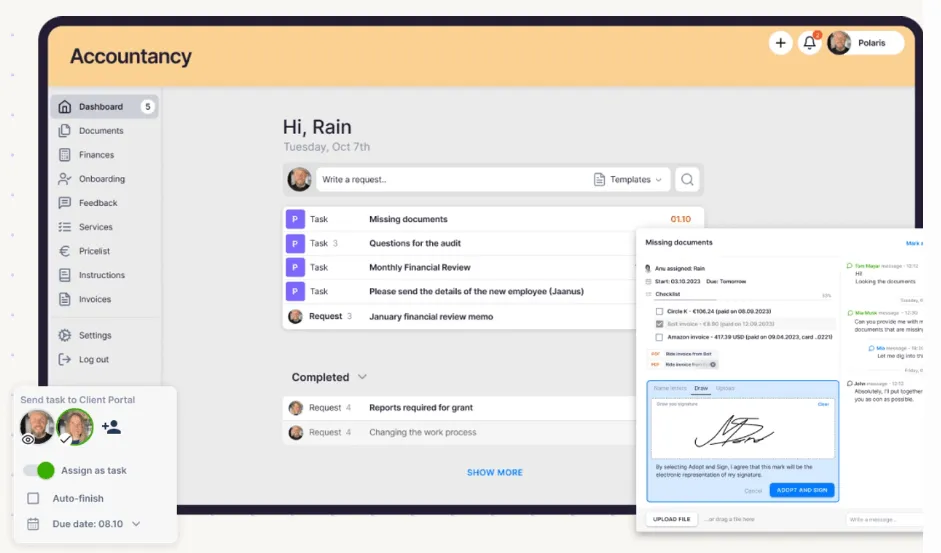
Clients see their assigned tasks, upload documents (which sync to the firm’s connected cloud storage on Google Drive, OneDrive, SharePoint, or Dropbox), and communicate with their accountant through threaded task comments. Automatic deadline reminders eliminate manual follow-up.

On the team side, Uku’s collaboration is designed around the substitution problem that accounting firms face every vacation season. Managers can forward an entire employee’s workload to a colleague in a single action rather than reassigning tasks one by one. A per-client communication timeline gathers all emails sent by any team member in one chronological view, so a replacement accountant has full context without searching through someone else’s inbox.
The Catch Up dashboard aggregates all inbound client emails, team comments, and portal responses in one place, addressing the shared-inbox problem that Firm360 users have flagged.
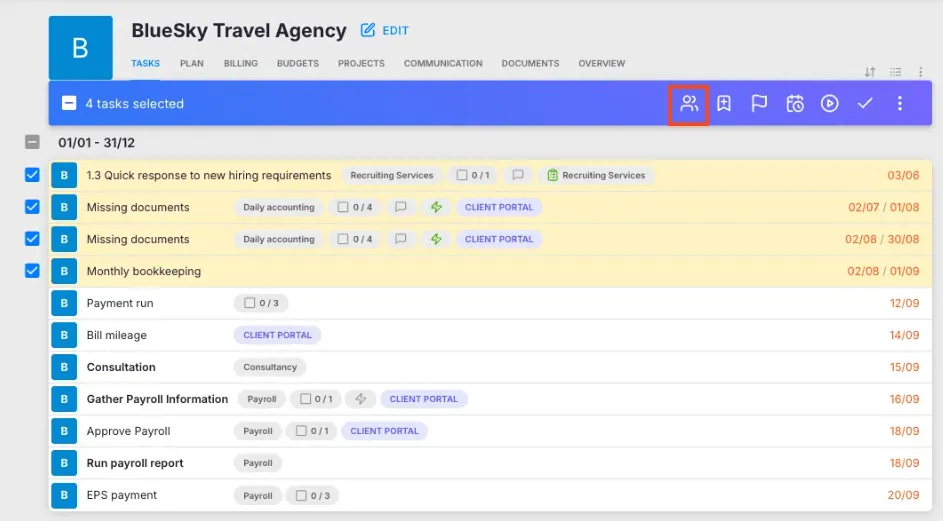
Leinonen Estonia, a firm with roughly 300 employees across 11 countries, uses Uku to ensure that “anyone who opens Uku can serve the client,” enabling smooth handoffs during absences and across offices.

Multilingual Support and International Integrations
Uku is available in 12 languages: English, German, Spanish, Danish, Swedish, Finnish, Polish, Bulgarian, Ukrainian, Lithuanian, Latvian, and Estonian. Email templates select the correct language automatically based on each client’s settings.
The integration list covers ground that Firm360 does not. Native accounting software connections include QuickBooks, Xero, E-conomic, Tripletex, Fortnox, FreeAgent, Merit Aktiva, Directo, SmartAccounts, and Scoro. Business registry integrations (Companies House in the UK, e-Business Register in Estonia, Danish Business Authority) allow automatic client data imports. Cloud storage integrations with Google Drive, Dropbox, SharePoint, and OneDrive are available on the Elite plan. The platform also offers one-click document digitalization, sending documents into connected accounting software.
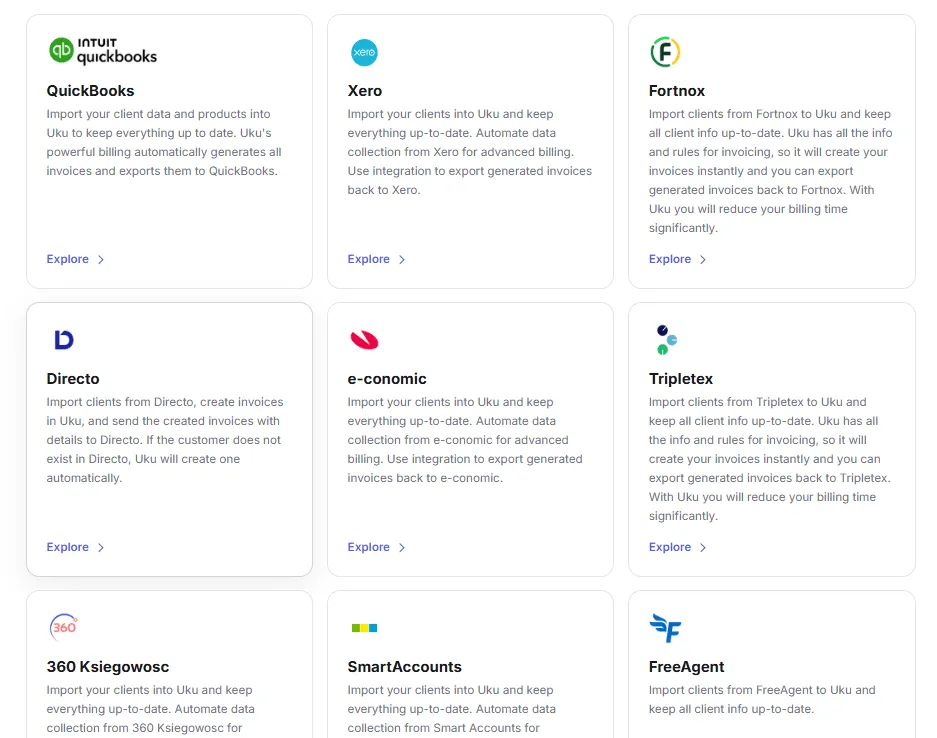
Uku also offers a public REST API covering clients, contracts, invoices, tasks, and time entries, and integrates with Zapier and Make.com on Elite plans.
Pricing: Monthly Billing Options and Transparent Tiers
Uku’s pricing offers more flexibility than Firm360’s:
Solo ($25/member/month, or $19 billed annually):
- 1 user (no team members), up to 20 active clients
- Integrated billing, client portal, document management, e-signatures
- All integrations, AML compliance, budgets, custom fields
Team ($49/member/month, or $38 billed annually):
- Workflow automations, billing, client portal, email management
- Unlimited clients, integrations with accounting software
- Custom fields, company templates, live chat support
Elite ($62/member/month, or $48 billed annually) — Most Popular:
- Everything in Team, plus cloud storage integrations
- Client budgeting, workforce management, audit log
- Public API, Zapier, e-signatures
Enterprise ($99/member/month, or $88 billed annually):
- Custom integrations, dedicated account manager
- Early access to features, pay-by-invoice option
All paid plans offer both monthly and annual billing, with annual saving roughly 23%. Pricing is available in EUR, USD, and GBP, with VAT added on top. New accounts receive a 14-day free trial with full Elite access and no credit card required, plus 90 minutes of free onboarding assistance.
Firm360 or Uku: Comparison Summary
| Feature | Firm360 | Uku |
|---|---|---|
| Target market | US-based CPA firms | International accounting firms (strong in Europe) |
| Languages | English only | 12 languages |
| Free trial | No listed trial | 14-day free trial of full Elite plan, no credit card required |
| Monthly billing | Annual only | Monthly and annual options |
| Starting price | $49/user/month (Basic, annual) | From $19/member/month (Solo, annual) |
| Project management | Visual Workflow Builder (Standard+) | Per-client task workflows with recurring automation |
| Automated invoicing | Manual invoice generation from WIP | Auto-generated drafts from tracked time |
| E-signature | Built-in, no per-envelope fees (Standard+) | Available on Solo and Elite plans |
| Client portal | Included in all plans | Included in all paid plans |
| Accounting integrations | QuickBooks Online, UltraTax, Lacerte | QuickBooks, Xero, E-conomic, + 9 more |
| Automation platform | Zapier (Premium only) | Zapier + Make.com (Elite) |
| Public API | Not available | REST API (Elite) |
| Support | 100% US-based; phone on Premium | G2 Support score 9.7; live chat on Team+ |
| Security | SOC 2 Type II, annual audit | SOC 2, OWASP ASVS audit |
| Best for | US firms wanting one consolidated system | International firms needing multilingual, automated billing |
How to Switch from Firm360 to Uku
Moving from Firm360 to Uku is straightforward, and most firms are running in production within a couple of weeks:
- Start a free trial (day 1). Create a 14-day free trial of the full Elite plan — no credit card, no sales call required — and explore the platform with your real workflows.
- Import your clients (days 1–3). Use assisted client import (available on all plans) to bring over your client list, contacts, and details. Uku’s team helps with the setup.
- Rebuild your recurring work (week 1). Recreate your engagements as task templates, configure billing contracts, and connect integrations and cloud storage.
- Add your team and go live (week 2). Invite members, assign work, and switch your day-to-day operations over — with monthly billing, there’s no annual lock-in while you’re still evaluating.
Final Verdict
The choice between Firm360 and Uku depends on where your firm operates and what problems you’re solving.
Choose Firm360 if you run a US-based CPA firm and want one platform that consolidates projects, documents, billing, and client communication with US-specific integrations (UltraTax, Lacerte) and US-based phone support. Its project management module, with start-date-driven recurring projects and federal/state deadline tracking, is built for the rhythms of US accounting work. The platform fits firms with 5 to 50 staff running multiple service lines that want to stop managing five separate systems.
Choose Uku if you need a practice management platform that works across languages and borders, or if automated billing and flexible pricing are priorities. Uku’s modular approach lets firms start working on day one with just the features they need, scaling up over time with no lengthy upfront configuration. With 12 languages, native European accounting integrations, and a billing engine that reduces invoicing from days to roughly 30 minutes, Uku fits firms in multilingual environments or those transitioning from Excel who want the fastest implementation path. G2 users rate it 9.5 for Ease of Use, and firms consistently describe it as a system their team actually enjoys using. Every new account starts with a 14-day free trial of the full Elite plan, no credit card required.
Both platforms are built for accounting firms, and both deliver real results for their users. The deciding factors come down to geography, integration needs, and how much you value automated billing versus the depth of US-specific features.
Related: for a head-to-head feature and pricing comparison, see Firm360 vs Uku. For a full breakdown of every Firm360 tier, its feature gates, and hidden costs, see Firm360 Pricing: Worth It or Consider Uku?
Frequently asked questions
What does Firm360 cost?
Firm360 offers three tiers: Basic at $49/user/month, Standard at $79/user/month, and Premium at $99/user/month, all billed annually. Firms with 20 or more users can request custom pricing. The Basic plan excludes project management, reporting, and integrations, so most firms will need the Standard plan at minimum. Uku starts from $19/member/month (Solo plan, annual billing) for single practitioners managing up to 20 clients, with the Team plan at $38/member/month annual ($49 monthly) for growing teams.
Does Firm360 offer a free plan or free trial?
Firm360 does not list a free plan or a self-serve free trial on its pricing page. The primary entry point is a demo request. Uku offers a 14-day free trial of the full Elite plan with no credit card required, giving practitioners access to every feature with their real client data before choosing a plan. The Solo plan starts at $19/member/month (annual billing) for single practitioners with up to 20 active clients.
What integrations does Firm360 support?
Firm360 natively integrates with QuickBooks Online, UltraTax, Lacerte, CCH Axcess (via FileSync), Gmail, Microsoft Office 365, and Stripe for payments. Zapier integration is available only on the Premium plan at $99/user/month. Uku integrates with QuickBooks, Xero, E-conomic, Tripletex, Fortnox, FreeAgent, and several other accounting platforms, plus Zapier, Make.com, and a public REST API on its Elite plan.
Does Firm360 include e-signature?
Yes, Firm360 includes built-in e-signature powered by RightSignature. On the Basic plan, e-signature is available at an extra fee. The Standard plan includes one e-signature license, and the Premium plan includes unlimited licenses. Knowledge-Based Authentication is free with no per-envelope or usage-based fees. Uku offers e-signatures on its Solo and Elite plans.
Is Firm360 suitable for firms outside the United States?
Firm360 is oriented toward the US market. All documented case studies are US-based, the support team is 100% US-based, and native integrations focus on US tax software like UltraTax and Lacerte. Firms outside the US, or those needing multilingual interfaces, should consider Uku, which supports 12 languages and integrates with European accounting platforms like Xero, E-conomic, Fortnox, and Tripletex.
How does Firm360 handle project management?
Project Management is available on Standard and Premium plans. Firms create projects from configurable templates with automated status transitions, recurring project generation based on start dates, and federal/state deadline tracking. A visual Workflow Builder maps each phase and responsible party. The staff workload view lets managers see open assignments by team member. Uku takes a different approach, organizing work around per-client workflows with recurring templates that auto-generate tasks on each team member's dashboard.
Does Firm360 have a public API?
No, Firm360 does not publish a public API or developer portal. The Zapier integration on the Premium plan provides a workaround for connecting to third-party applications. In June 2026, Firm360 launched the Claude Connector in limited beta, which lets firms query live data through Claude.ai, but this is a first-party AI tool rather than a general-purpose API. Uku offers a public REST API on its Elite plan covering clients, contracts, invoices, tasks, and time entries.
What security certifications does Firm360 have?
Firm360 holds SOC 2 Type II certification with annual third-party audits, CSA STAR Level 1 compliance, and processes payments through Stripe's PCI DSS-validated servers. The platform is hosted on Amazon AWS with AES-256 encryption at rest and SSL 256-bit encryption in transit. Two-factor authentication is available for all users and mandatory for internal staff. Uku holds SOC 2 compliance and has completed an OWASP ASVS 2.0 security audit by an independent third-party firm.

Published Jun 17, 2026 · Updated Aug 28, 2026