7 Best Ignition Alternatives for Accounting Firms in 2026
The 7 best Ignition (Practice Ignition) alternatives for accounting firms in 2026: Uku, Karbon, TaxDome, GoProposal, HoneyBook, Anchor and Cone, with prices.


Contents
- Ignition Alternatives at a Glance
- What is Ignition?
- How We Curated Our List of Ignition Alternatives
- 1. Uku: Best Alternative for Full Practice Management With Time-to-Invoice Automation
- 2. Karbon: Best Alternative for Shared Email Coordination and Enterprise Workflow Depth
- 3. TaxDome: Best Alternative for Running an Entire Tax Practice From One System
- 4. GoProposal: Best Alternative for Methodology-Driven Pricing and Compliance-Grade Engagement Letters
- 5. HoneyBook: Best Alternative for Independent Service Businesses at an Accessible Price
- 6. Anchor: Best Alternative for Zero-Subscription Billing Automation
- 7. Cone: Best Alternative for Affordable Proposal-to-Payment With Native Time Tracking
- How to Switch from Ignition to Uku
- The Final Verdict
- Read more
The seven best Ignition alternatives for accounting firms in 2026 are Uku, Karbon, TaxDome, GoProposal, HoneyBook, Anchor and Cone. They split into two groups. Uku, Karbon and TaxDome cover the work Ignition leaves out (tasks, deadlines, time, team) and can run beside it or take over its billing. GoProposal, HoneyBook, Anchor and Cone replace Ignition’s own job of proposals, engagement letters and payment collection, each at a lower or different price.
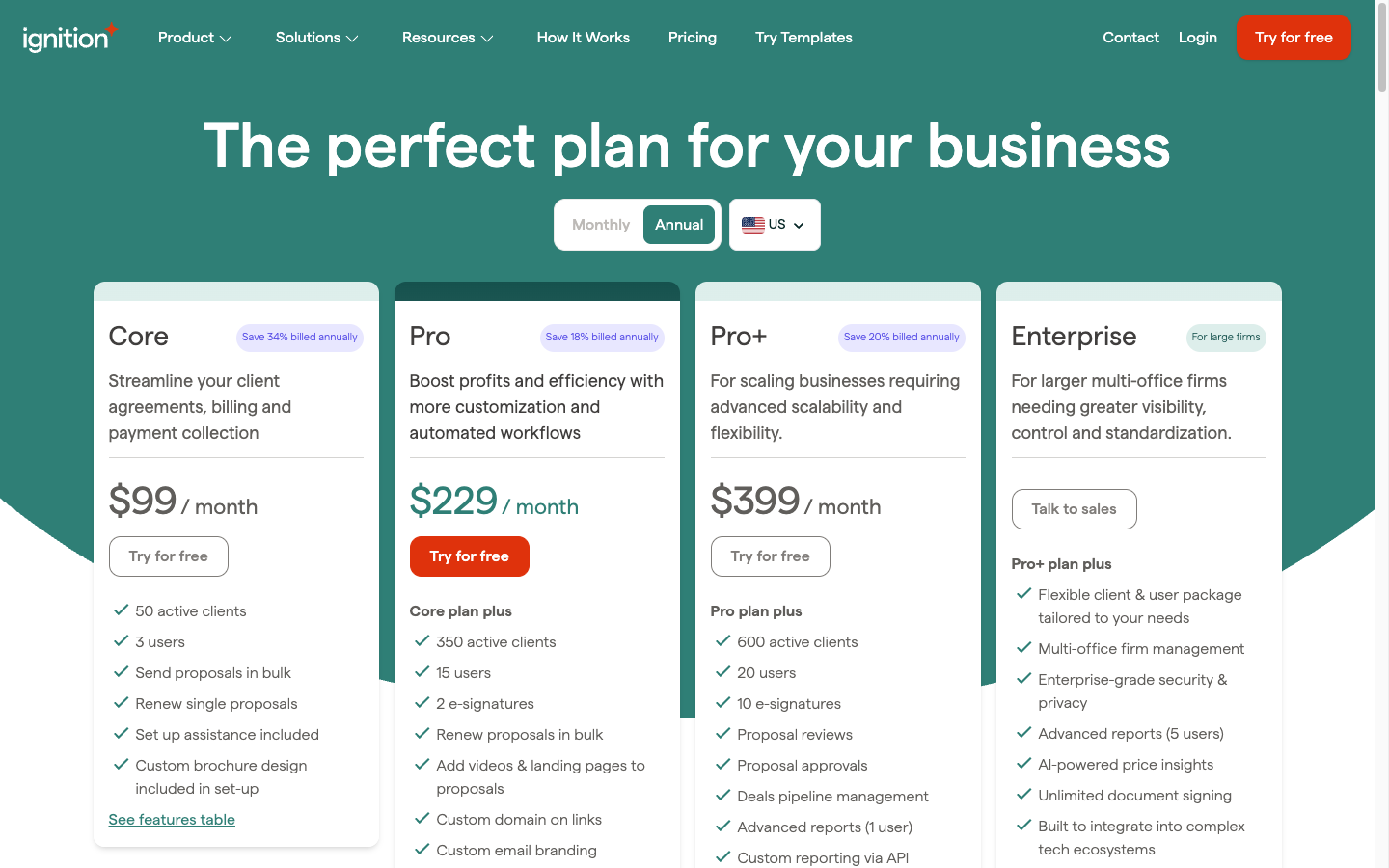
Ignition (formerly Practice Ignition) turns a proposal into a signed engagement and a signed engagement into collected payments. In the US it costs $99, $229 or $399 per month on annual billing (Core, Pro, Pro+), each plan capped by active clients and users, plus card fees of 2.5–3.6% + $0.30 on every payment it collects.
Firms look elsewhere for two reasons. Ignition ends at the signed agreement, so the bookkeeping, payroll and returns it just sold are managed somewhere else. And price: cost is the most common complaint in Ignition’s own G2 and Capterra reviews, especially once add-ons and card fees are counted.
Ignition Alternatives at a Glance
| The Best Ignition Alternatives | ||
|---|---|---|
 | Best Alternative for Full Practice Management With Time-to-Invoice Automation Starts at: $19/member/mo · Runs beside Ignition Recurring work, time tracking and billing from tracked hours in one system, for the part of the engagement Ignition does not touch. | |
 | Best Alternative for Shared Email Coordination and Enterprise Workflow Depth Starts at: $59/user/mo · Runs beside Ignition A shared inbox that turns firm email into work, capacity planning, and a native Ignition integration. | |
 | Best Alternative for Running an Entire Tax Practice From One System Starts at: $800/seat/yr · Replaces Ignition and more Proposals, payments, documents, client portal, IRS transcripts and workflow for US tax firms, billed annually. | |
 | Best Alternative for Methodology-Driven Pricing and Compliance-Grade Engagement Letters Starts at: $75/mo (US page) · Replaces Ignition’s proposals A pricing matrix for the whole service menu and engagement letter schedules maintained for UK rules. | |
 | Best Alternative for Independent Service Businesses at an Accessible Price Starts at: $29/mo · Replaces Ignition Proposals, contracts, invoices and payments with unlimited clients, for solo practitioners. | |
 | Best Alternative for Zero-Subscription Billing Automation Starts at: $5 per payment · Replaces Ignition Payment collection at the agreement and automatic recurring billing, with no monthly fee. | |
 | Best Alternative for Affordable Proposal-to-Payment With Native Time Tracking Starts at: $9/user/mo · Replaces Ignition Unlimited proposals and clients per user, with time tracking and optional practice management. | |
Entry prices per month on annual billing, except TaxDome (per seat per year) and Anchor (per payment collected).
What is Ignition?
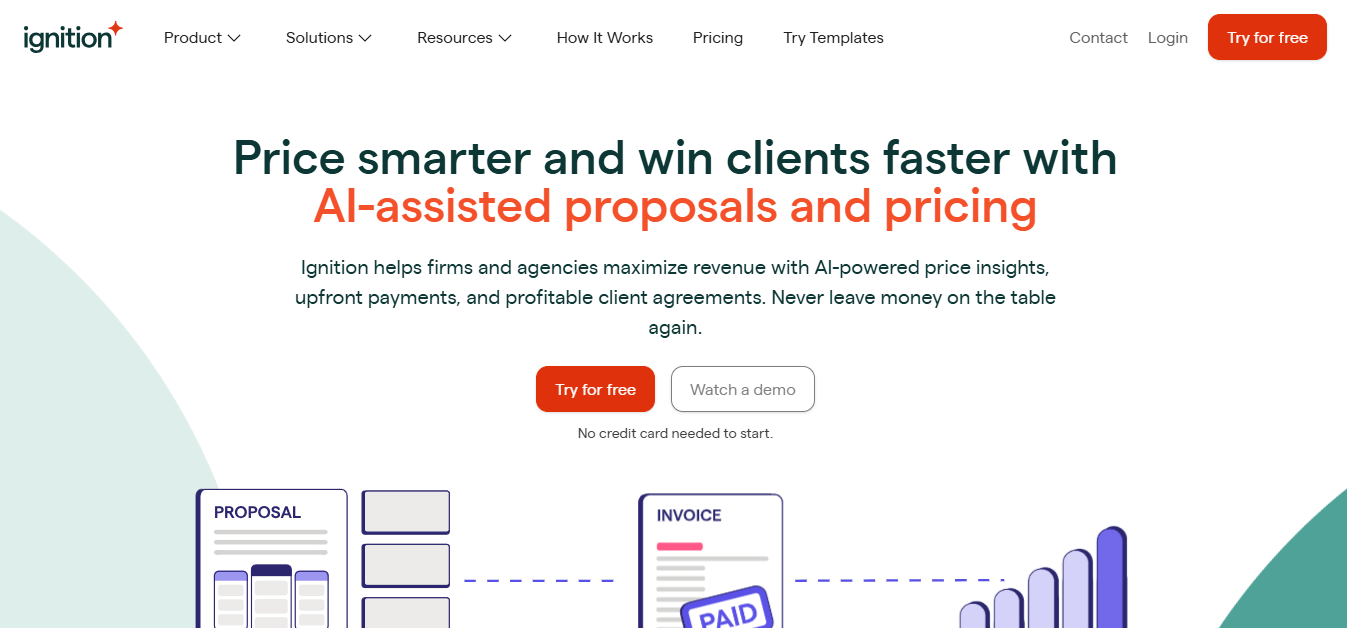
Ignition is a revenue and billing automation platform, founded in Australia in 2013 by chartered accountant Guy Pearson and product designer Dane Thomas. It says it serves 8,500+ businesses, whose clients have paid them more than $15.5 billion through the platform.
 Source: Ignition
Its key features include:
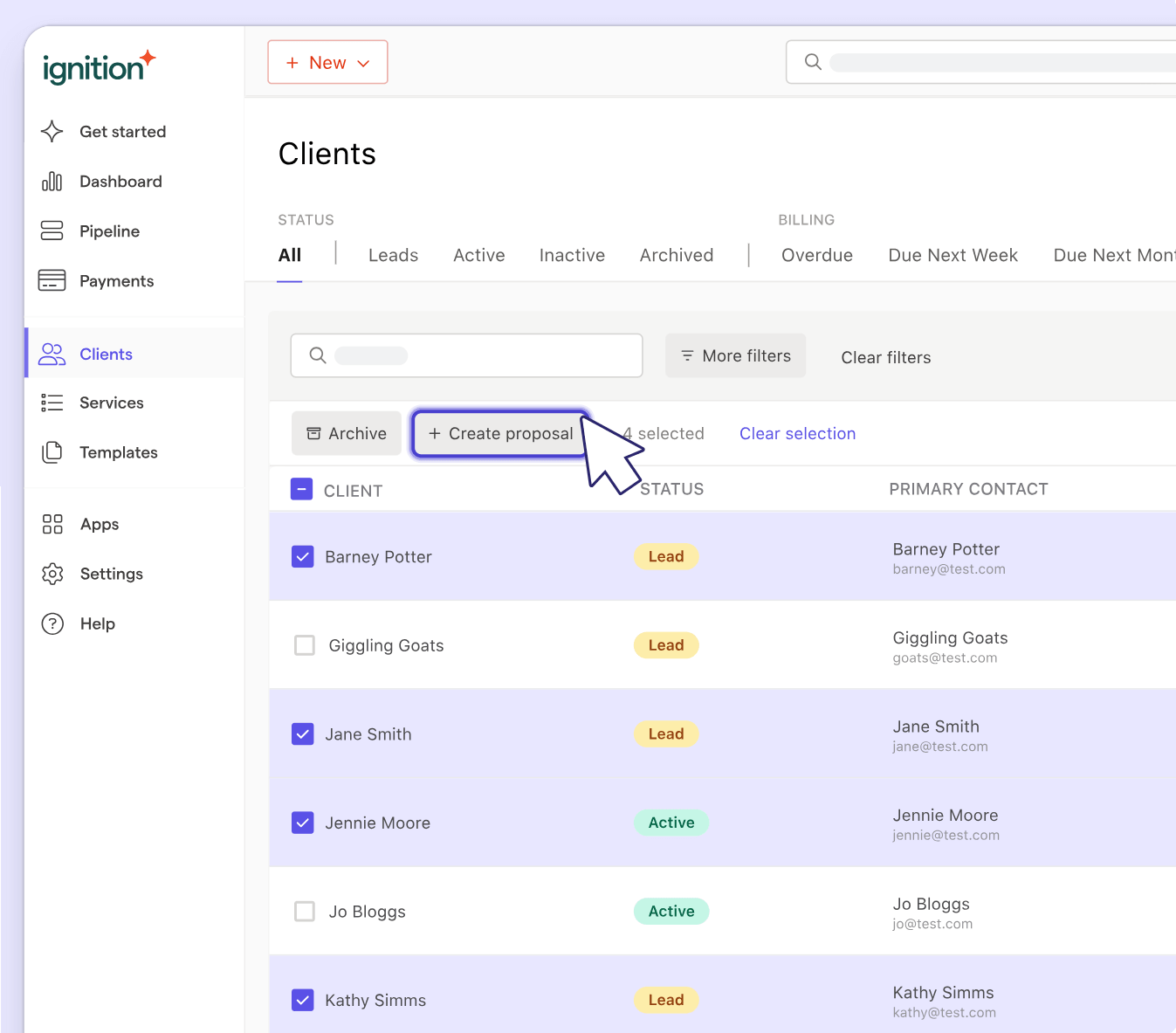
- Proposals with up to three package options and add-ons, sent one at a time or in bulk
- Engagement letters signed in the same step as the proposal, from ready-made terms templates
- Payment collection at signing, then automatic billing on the agreed schedule into Xero, QuickBooks Online or MYOB
- AI Price Insights, benchmarks built from accepted proposals across Ignition, named an Accounting Today Top New Product for 2026
- Deals, a pipeline from lead to signed proposal ($49 a month, included on Pro+)
- AML/KYC identity checks tied to the engagement, $6–$10 per check from Core up
 Source: Ignition
What Ignition does not do is everything after the signature: there is no task management, no recurring workflow, no time tracking and no view of the team’s workload. Its own integration list includes Karbon, Xero Practice Manager, FYI and Financial Cents for exactly that reason. The per-plan caps matter too: Core allows 50 active clients and 3 users, and every active client above the cap costs extra each month.
 Source: Ignition
For every plan, fee and cap, see our Ignition pricing breakdown; for how each feature works and what users say, our Ignition review.
Looking for the system that runs the work once the proposal is signed? Uku is built for exactly that. Try it free for 14 days, no credit card required.
How We Curated Our List of Ignition Alternatives
We compared on 28 September 2026. Prices are what each vendor shows a US firm on its own pricing page; where a vendor prices by the visitor’s location and we could not see the US figure, we say so and quote its own US page instead. Feature claims come from each product’s own pages and help centre; if something isn’t mentioned there, we say “not mentioned”, not “doesn’t exist”.
We looked for tools that answer the reasons firms give for leaving or supplementing Ignition:
- Running recurring client work, deadlines and team workload in one place
- Tracking time and turning it into invoices without a second tool
- Firm-wide email and capacity planning for larger teams
- One system for a tax practice, documents included
- A pricing methodology, not only market benchmarks
- Proposals and payment collection at a lower price, or with no subscription
1. Uku: Best Alternative for Full Practice Management With Time-to-Invoice Automation
Uku is practice management built for accounting, bookkeeping and audit firms. It covers the part of a client relationship Ignition does not touch: every task, deadline, time entry and invoice from the day the engagement starts. It serves 1,000+ firms in 25+ countries, in 12 languages, with USD, EUR and GBP billing, and it is modular: you can start with just clients and tasks on day one, and add billing, workflows and analytics as you grow.
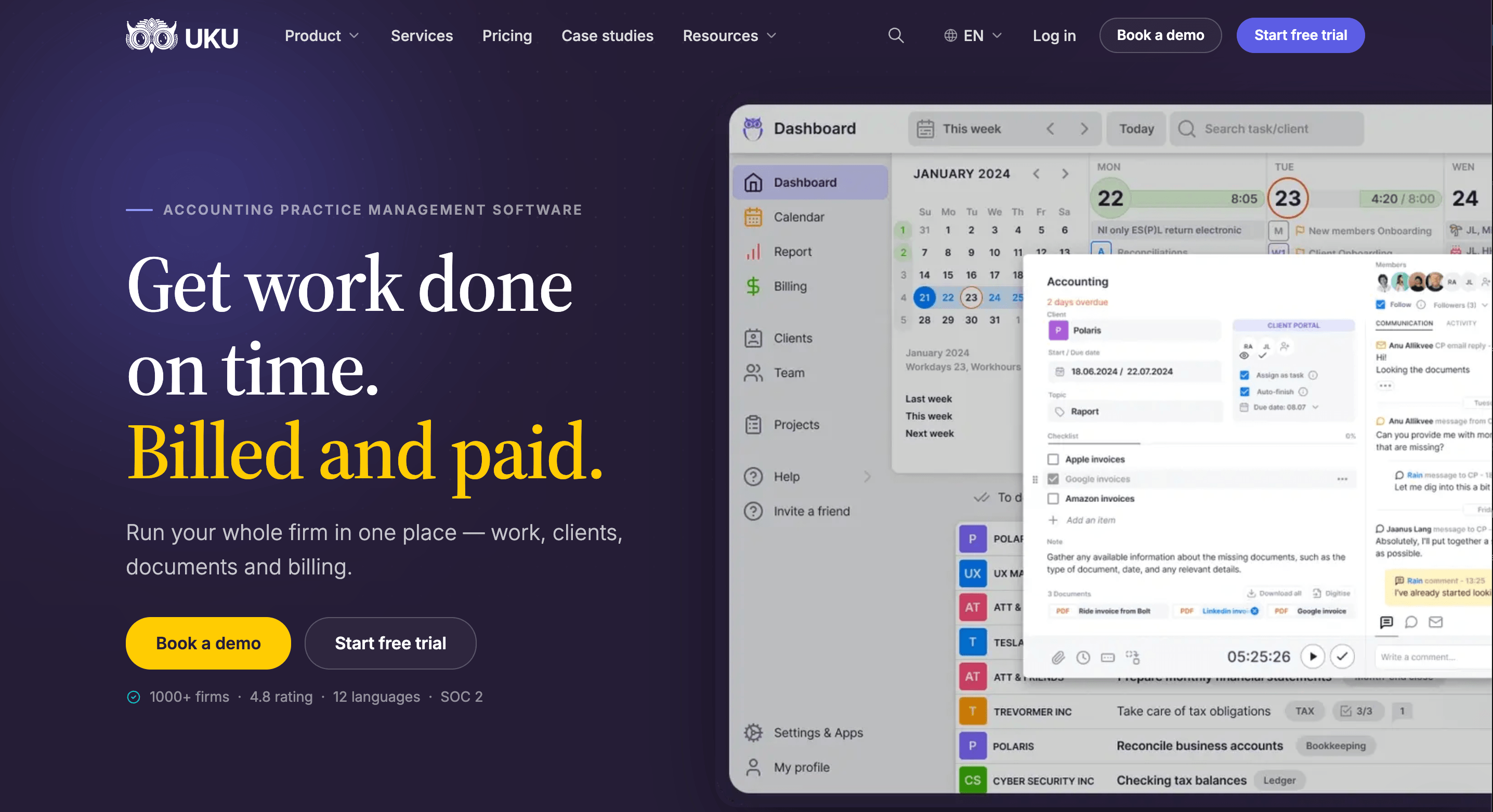
Its key capabilities include:
- Workflow automation. Workflow templates turn each service into recurring tasks with checklists, dependencies and a responsible person, created on the right date for every client, every cycle.
- Time tracking that feeds billing. A one-click timer on the task, manual and bulk entry, billable or not; the hours land on the client’s invoice draft.
- Automated billing. Billing contracts (hourly, fixed, per piece, volume tiers) draft the month’s invoices from tracked work and sync them to QuickBooks, Xero and other ledgers.
- Agreements monitoring. Agreed work against delivered work for every client, flagged green, amber or red before the month closes.
- Client portal. Passwordless, free for clients on every plan; document requests live on the task the client sees.
- What Uku does not have: proposals (on the roadmap). A firm that sells through Ignition keeps doing so.

Why choose Uku over Ignition
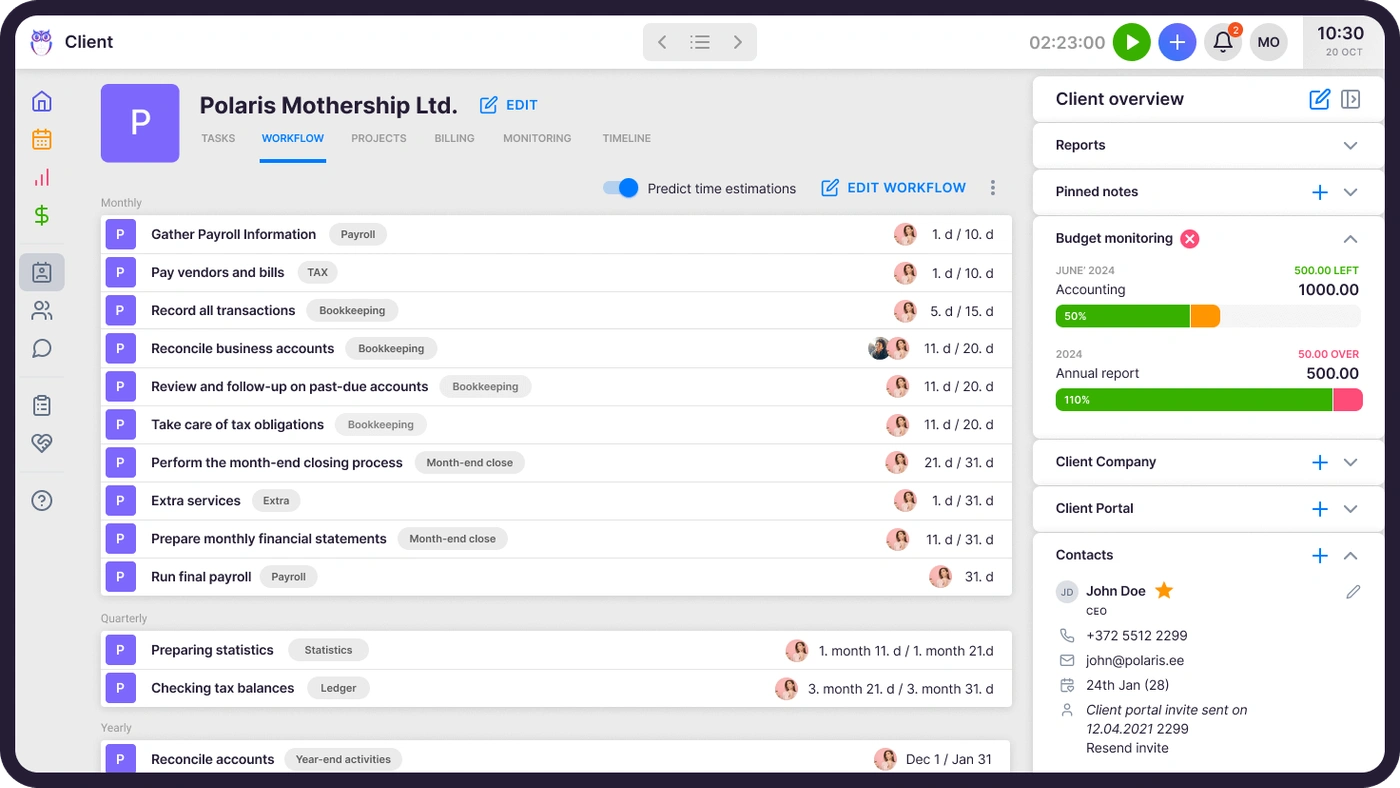
Ignition gets the client to sign and pay; it has nothing to say about whether this month’s bookkeeping is done, who did it, or how long it took. Uku is that half of the firm. When a new bookkeeping client signs, you apply a monthly workflow template to them, and Uku creates every future task (bank reconciliation, VAT, payroll, document reminders) on the right accountant’s dashboard on the right day. If someone is on holiday, their tasks move to a colleague in one action, checklists and instructions attached.
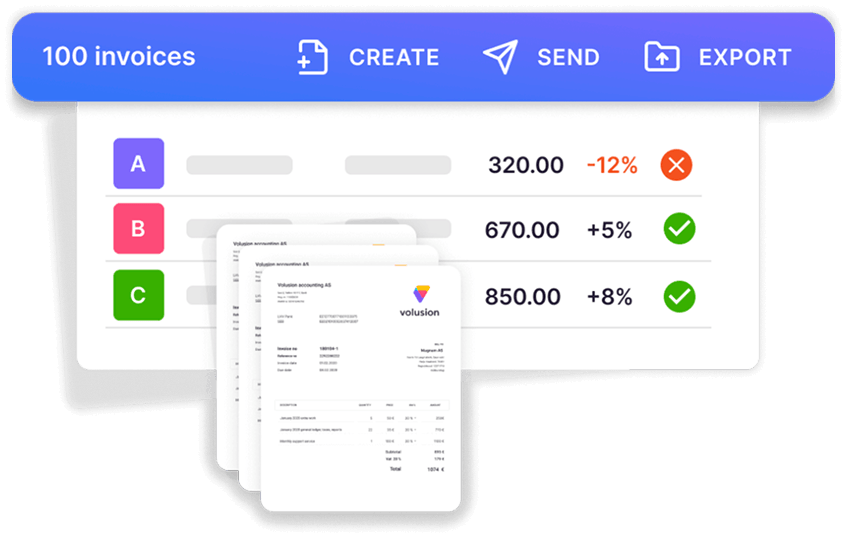
The second difference is billing. Ignition bills what the proposal agreed. Uku bills what was delivered: every tracked minute maps to a billing contract, and on billing day the invoices draft themselves from contracts and hours. Hourly and out-of-scope work ends up on an invoice instead of in someone’s memory, and it reduces invoice preparation from days to about 30 minutes.
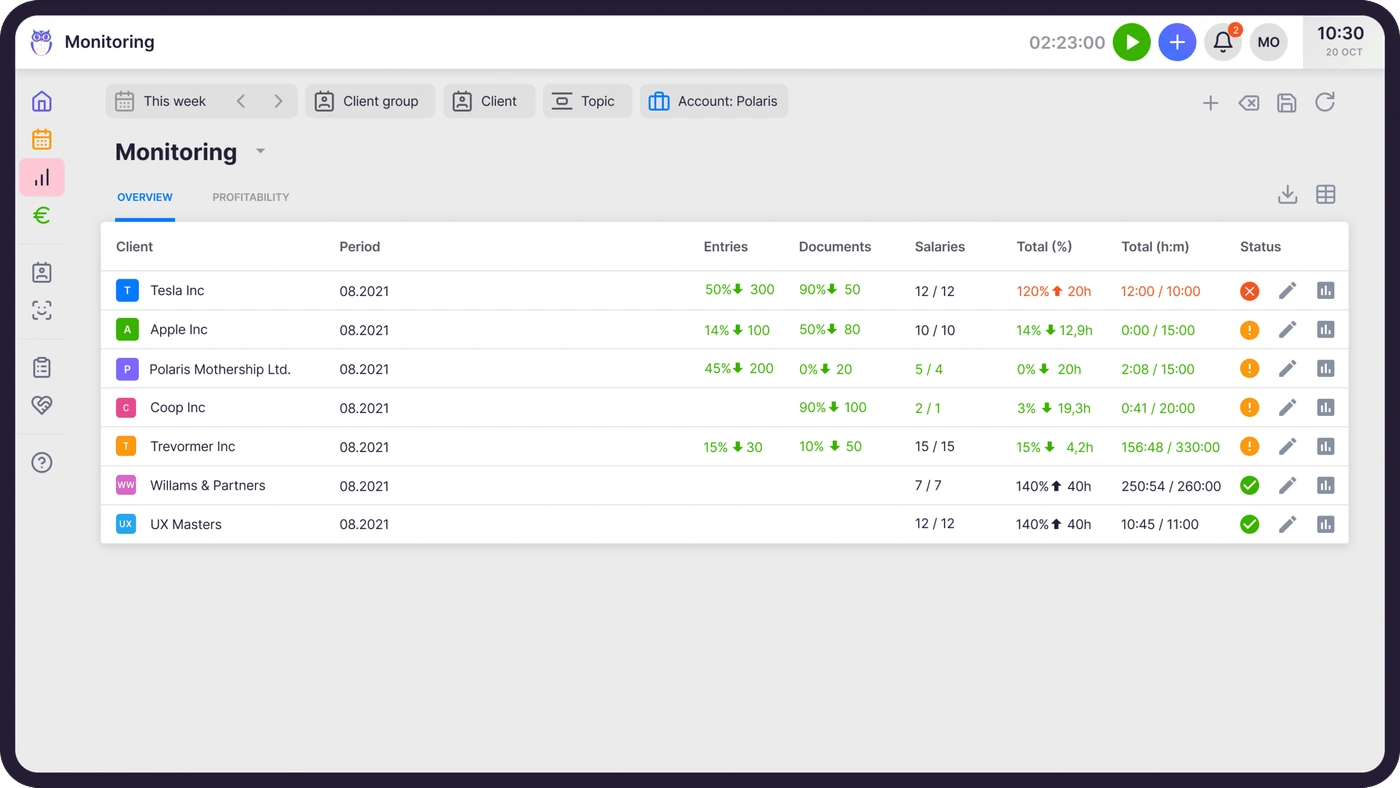
The third is profitability. Ignition knows what a client agreed to pay; agreements monitoring shows whether serving them is worth it, mid-month, while there is still time for a pricing conversation.

Uku and Ignition connect through Zapier: Ignition’s Proposal Accepted trigger can run Uku’s Create Client action, and your team applies the workflow template from there (Uku’s Zapier app creates and updates clients and contacts, not tasks).
Uku pricing
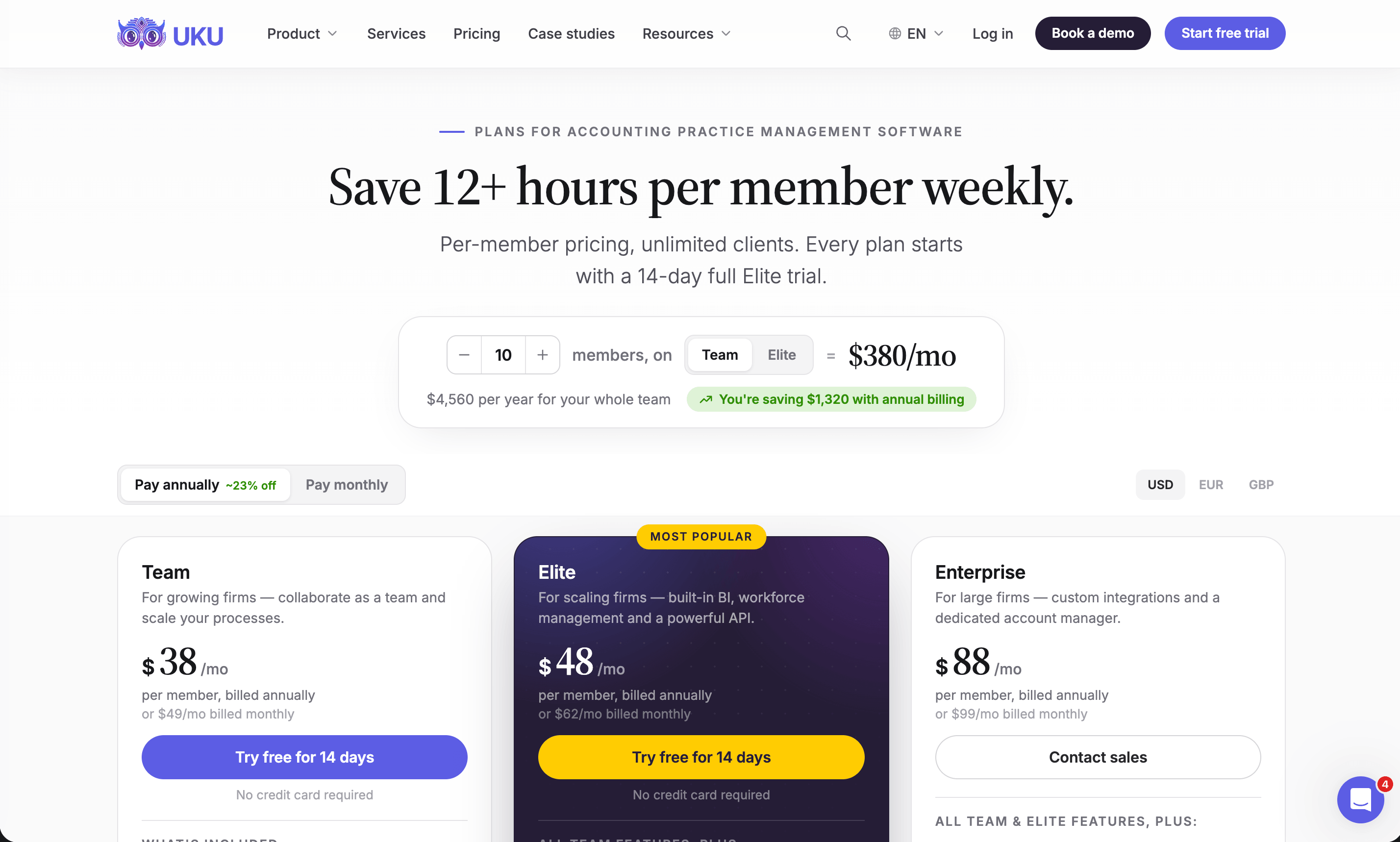
Per member per month, from Uku’s US pricing page: Solo $19 annual, $25 monthly (1 member, 20 active clients); Team $38, $49 monthly (unlimited members and clients, projects, access management); Elite $48, $62 monthly (BI Analytics, workforce management, public API, Zapier, e-signatures); Enterprise $88, $99 monthly (custom integrations, dedicated account manager, assisted client import). Clients and the portal are free. Every account starts with a 14-day trial of Elite, no card, plus 90 minutes of onboarding.
Who should use Uku?
Choose Uku if: you run an accounting or bookkeeping firm of 2 to 100 people with recurring monthly and quarterly work; you want time tracking that turns into invoices; you need to see client profitability and team workload before month-end; or you are moving from spreadsheets and want to adopt software step by step, with monthly billing. Not the first choice if what you need is a proposal tool: keep Ignition, or look at Anchor, Cone or GoProposal below. Reviews: G2 and Capterra. Book a demo to see it with your own services.
2. Karbon: Best Alternative for Shared Email Coordination and Enterprise Workflow Depth
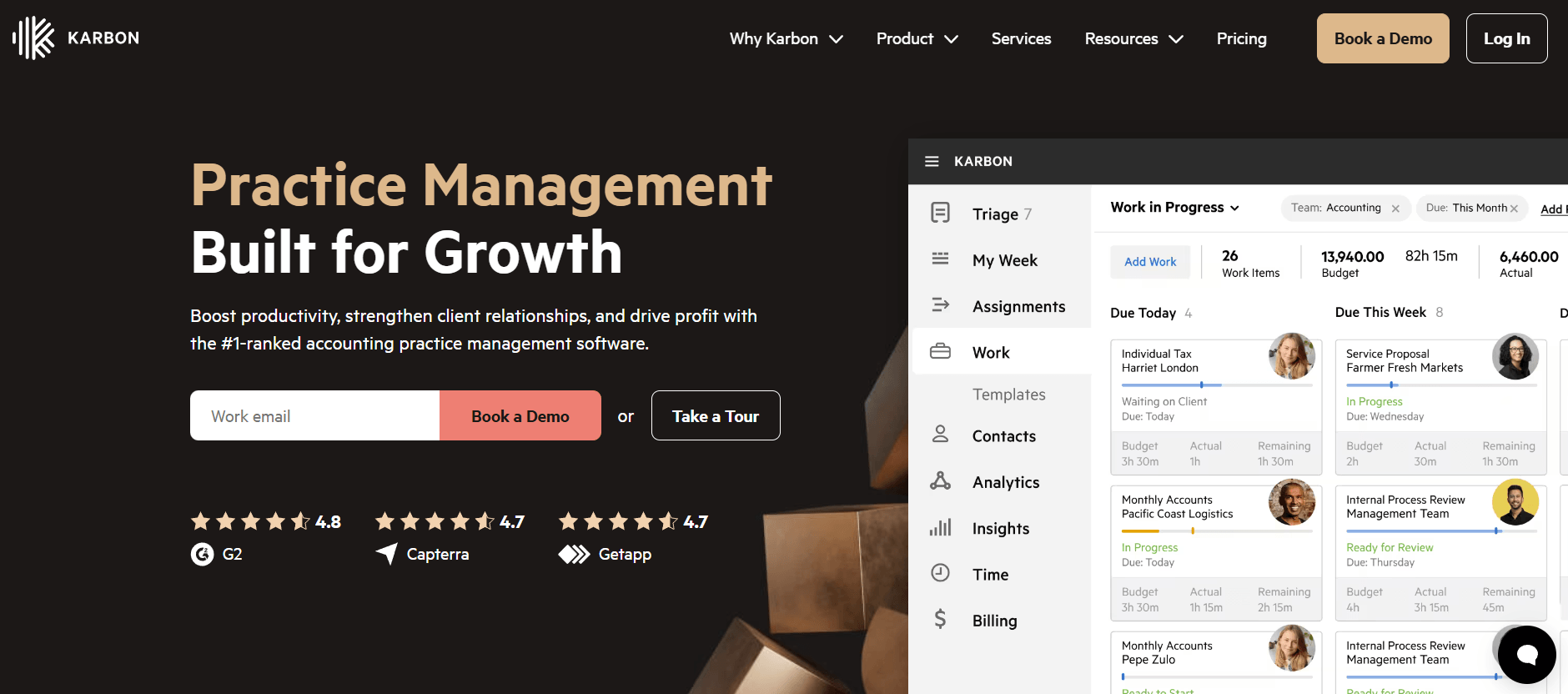
Karbon is practice management for larger, often distributed accounting teams, and the product that owns the email problem. It covers workflow, client communication, time tracking, billing and a client portal, and its strength next to Ignition is a shared email layer that makes every client conversation visible to the whole firm.
 Source: Karbon
Its key capabilities include:
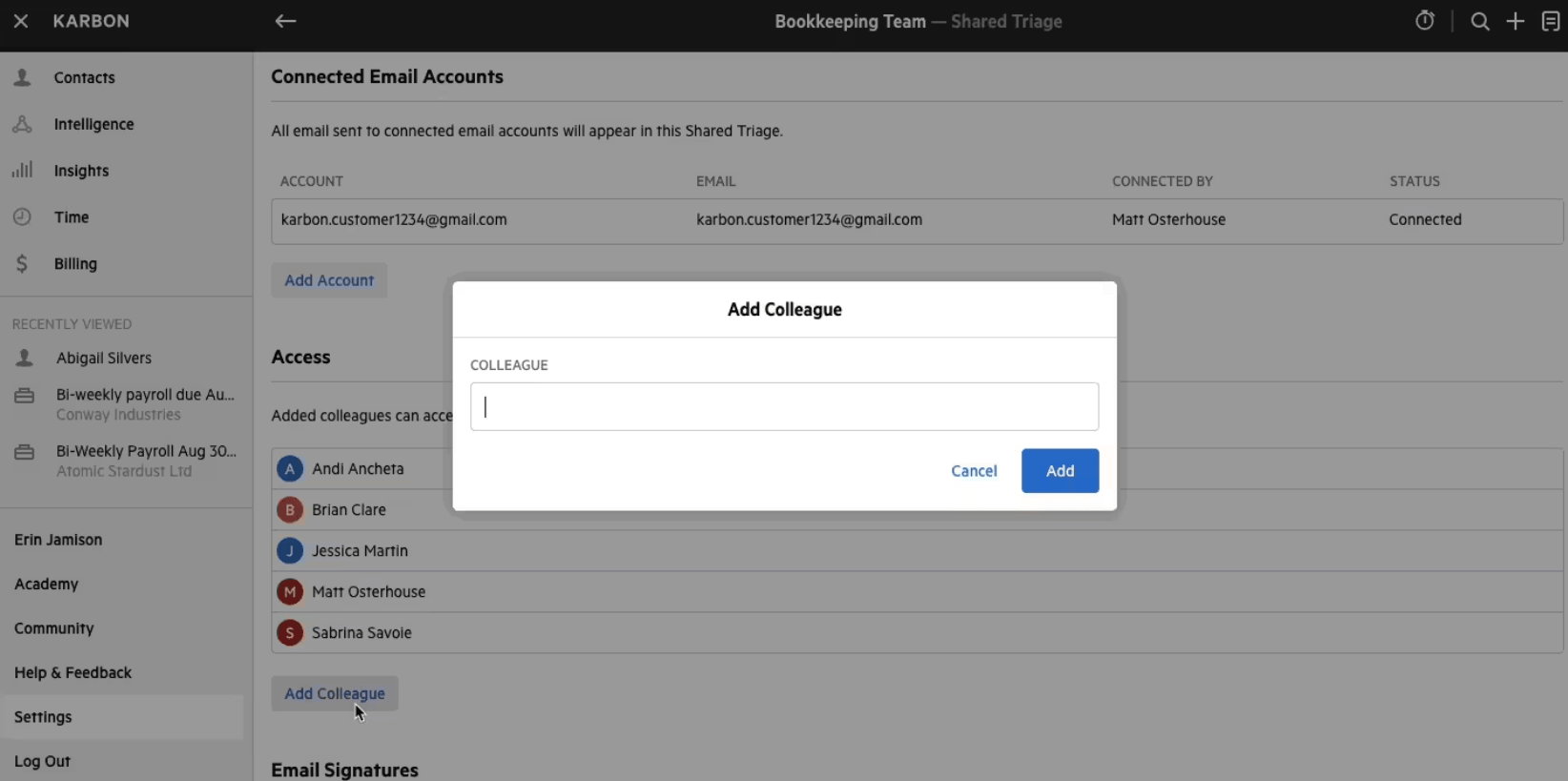
- Triage and Shared Triage: a shared inbox where any email becomes a work item attached to a client and a job
- Work templates for accounting-specific recurring work (40 on Team, 75 on Business)
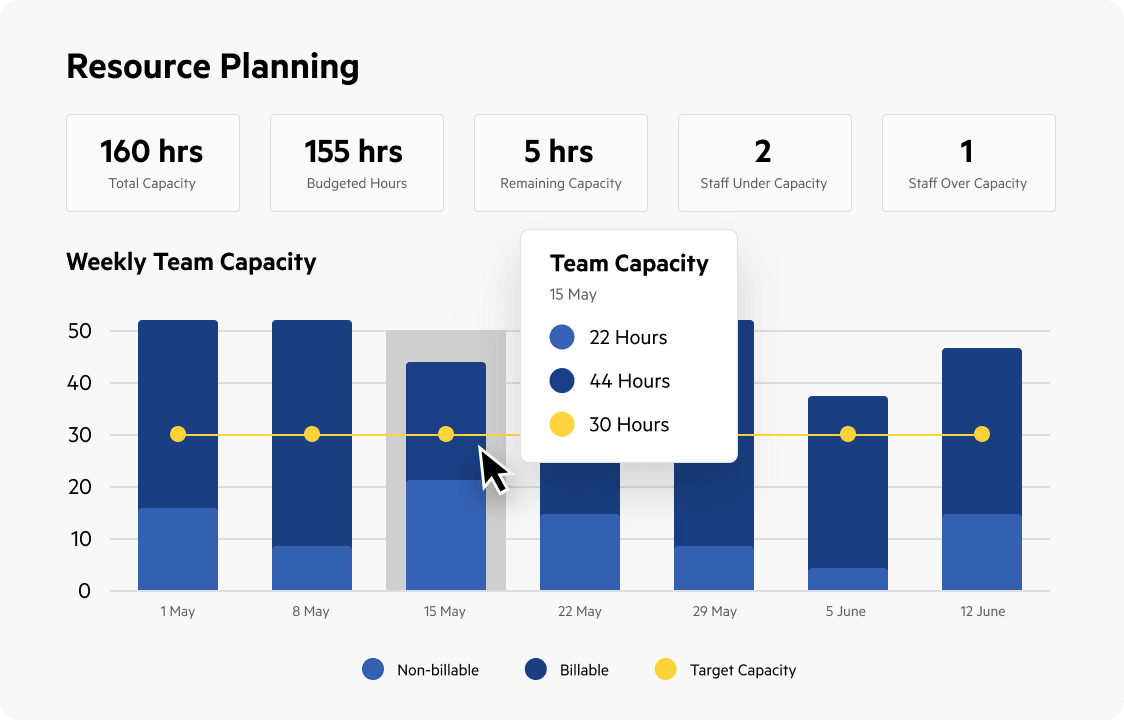
- Capacity planning with each team member’s open work and weekly capacity
- Integrations with Xero, Xero Practice Manager, QuickBooks Online Accountant, Intuit ProConnect and others, including a native Ignition integration
Why choose Karbon over Ignition
Ignition has no email layer: once the client has signed, the back-and-forth lives in personal Gmail and Outlook inboxes. Karbon’s Triage turns the firm’s email into shared, assignable work, with internal comments on threads, mentions and due dates.
 Source: Karbon
Karbon also shows managers where the work is piling up. Its resource planning view sets each person’s budgeted hours against their capacity, so work can be moved before a deadline is missed, which Ignition’s revenue dashboard cannot show.
 Source: Karbon
And the two work together: Karbon’s Ignition integration creates the client and starts the work when a proposal is accepted, so many firms run both. The trade-off is price and setup: Karbon starts above Uku’s Team and Elite per seat, and our Karbon review covers the implementation effort.
Karbon pricing
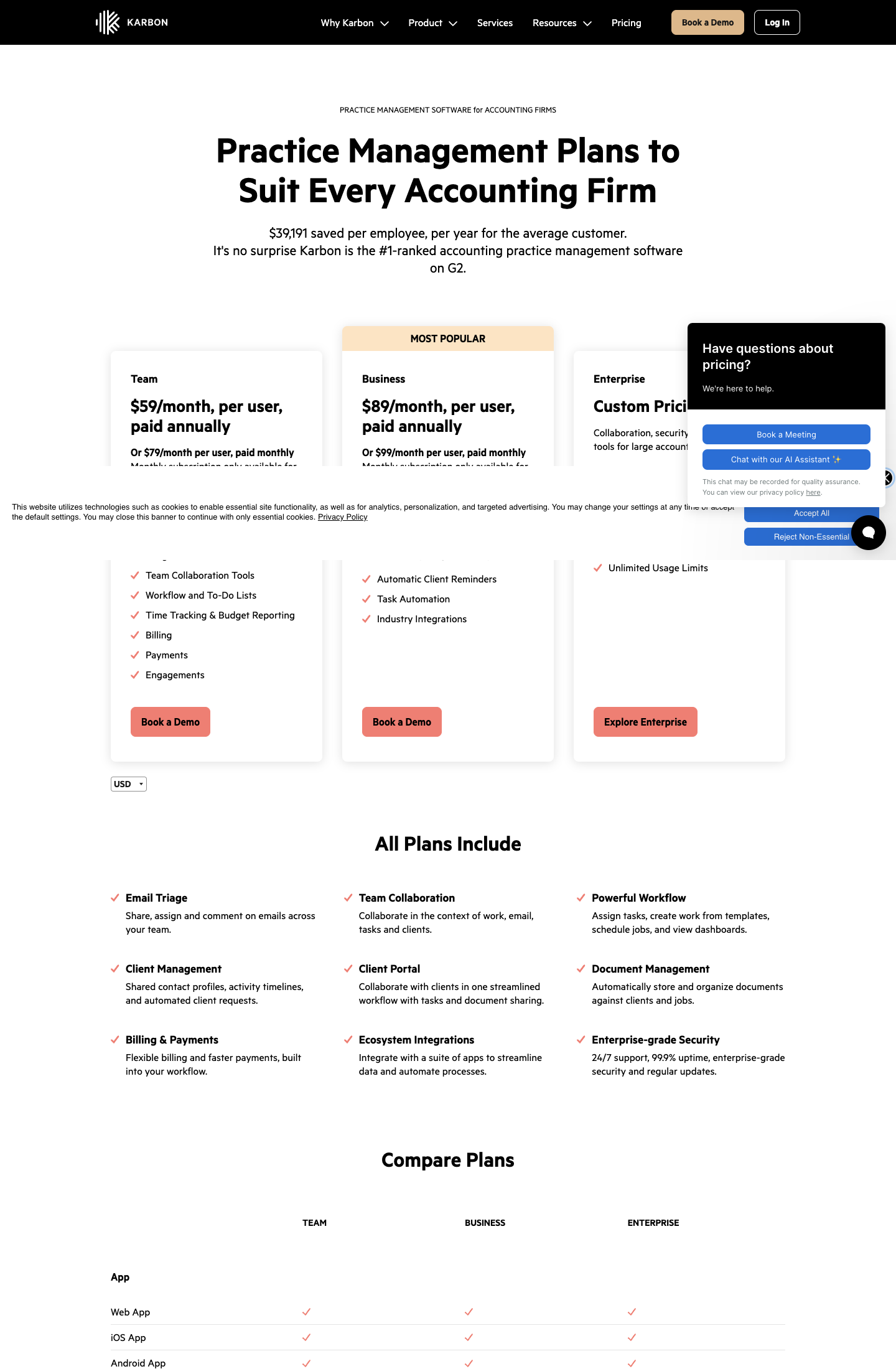
From the Karbon pricing page: Team $59 per user per month annual ($79 monthly; 40 work templates, 1,000 contacts), Business $89 annual ($99 monthly; 75 templates, unlimited contacts, API), Enterprise custom. E-signatures are sold in bundles.
 Source: Karbon
Who should use Karbon?
Choose Karbon if: you are 20 to 200 people, email-first, and you want capacity planning across the team and a native link from Ignition. Reviews: Capterra. See also our Karbon pricing and Karbon vs Uku.
3. TaxDome: Best Alternative for Running an Entire Tax Practice From One System
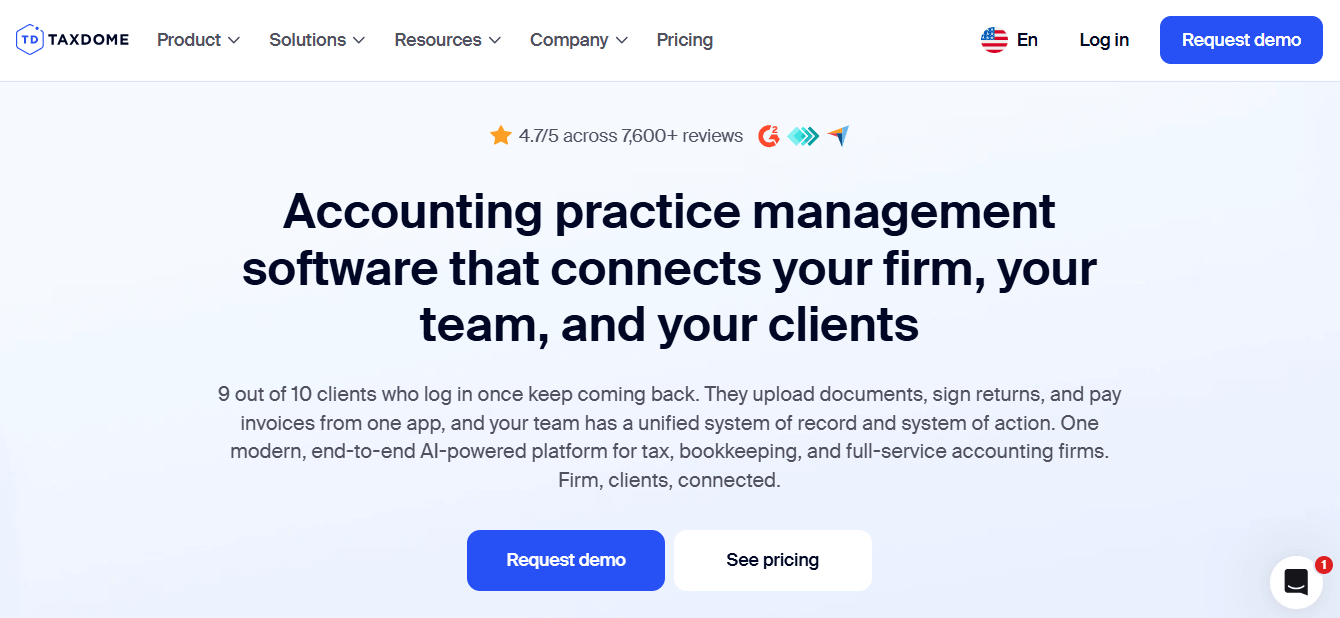
TaxDome is an all-in-one platform for tax, bookkeeping and accounting firms: CRM, client portal and mobile app, unlimited document storage and e-signatures, workflow automation, integrated email and chat, proposals and payments, and intake forms. It says it is trusted by 15,000+ firms.
 Source: TaxDome
Its key capabilities include:
- Client portal and mobile app where clients upload documents, sign, chat and pay
- Unlimited document storage and e-signatures on every plan
- Organizers with conditional logic to collect tax data from clients
- IRS transcript integration (Pro and above) and integrations with tax preparation software
- Proposals, engagement letters, invoicing and payments in the same system
Why choose TaxDome over Ignition
Ignition covers the agreement and the payment; TaxDome covers the whole practice around them. Proposals and payments sit next to workflow, documents, the client portal and billing, so a job moving forward can trigger a document request to the client and update the firm’s dashboard without leaving the platform.
 Source: TaxDome
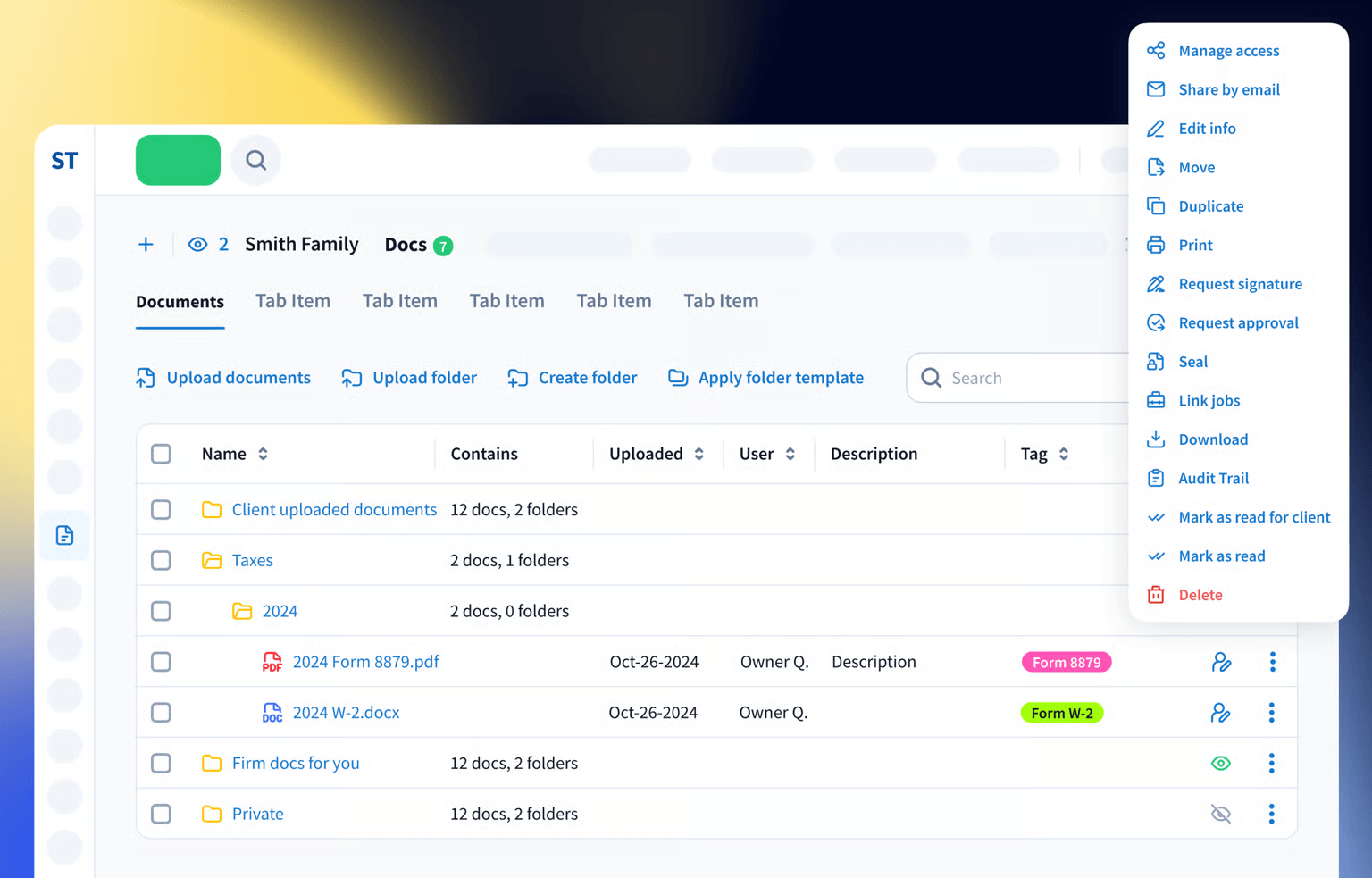
Ignition has no document management at all. TaxDome’s is built for tax season: unlimited storage, folder templates, signature and approval requests from the document itself, and on Pro, IRS transcripts downloaded straight into the client’s account. For a US tax firm that currently runs a portal, e-signature tool, file storage, workflow tool and Ignition side by side, that consolidation is the argument.
The trade-offs are the commitment and the setup. TaxDome is billed annually and upfront, with lower prices only for two- and three-year terms, and it takes real configuration and training to deploy, where Uku bills monthly and can be adopted one module at a time.
TaxDome pricing
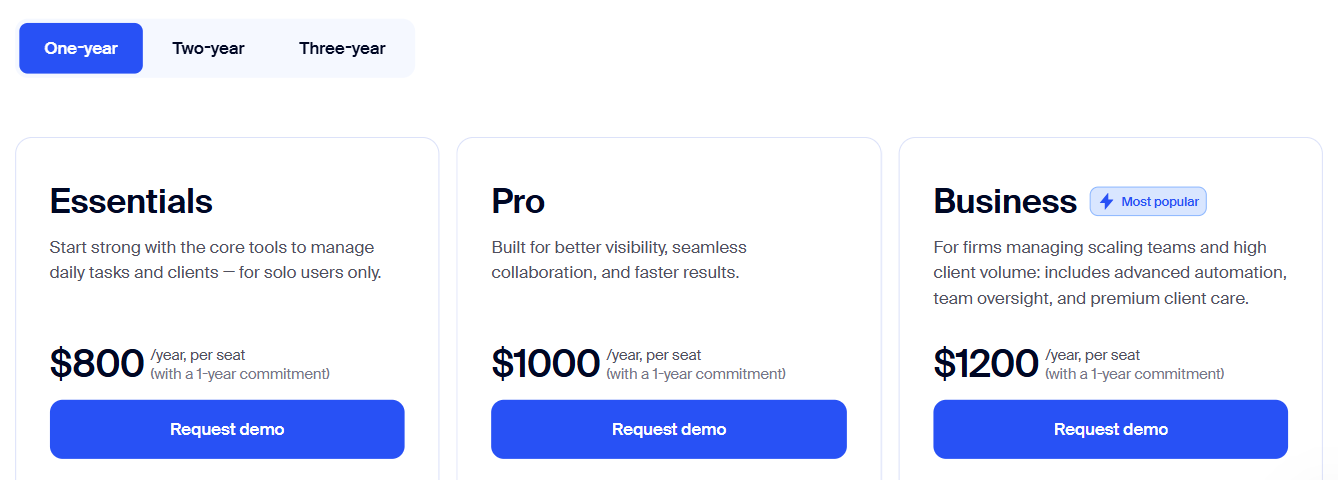
From the TaxDome pricing page, per seat per year on a one-year term: Essentials $800 (solo users only), Pro $1,000 (IRS transcripts, AI reporting, custom firm URL), Business $1,200 (Client Care, client import assistance). Two- and three-year terms lower the price to as little as $700, $900 and $1,100.
 Source: TaxDome
Who should use TaxDome?
Choose TaxDome if: you are a US tax firm juggling several disconnected tools, you need IRS transcripts and tax-software integrations, and your clients need organizers each season in a branded portal. See also our TaxDome pricing and TaxDome alternatives.
4. GoProposal: Best Alternative for Methodology-Driven Pricing and Compliance-Grade Engagement Letters
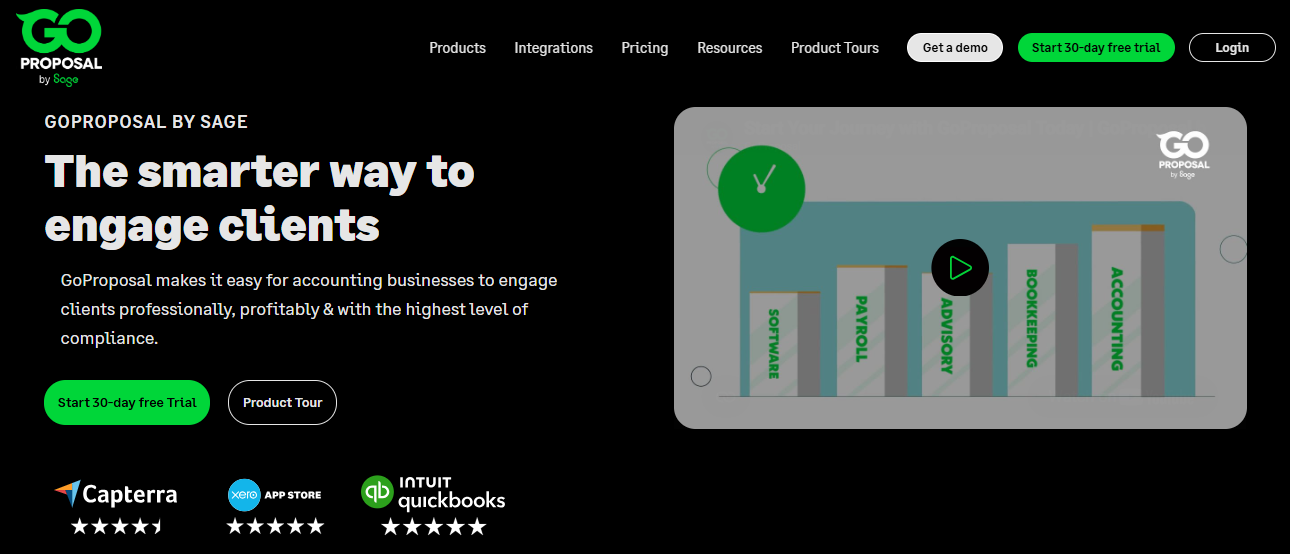
GoProposal, now owned by Sage, is a pricing, proposal and engagement letter platform for accounting and bookkeeping firms. Where Ignition’s focus runs from proposal to payment, GoProposal’s is the moment before: deciding what to charge, producing the proposal and getting a compliant engagement letter signed.
 Source: GoProposal
Its key capabilities include:
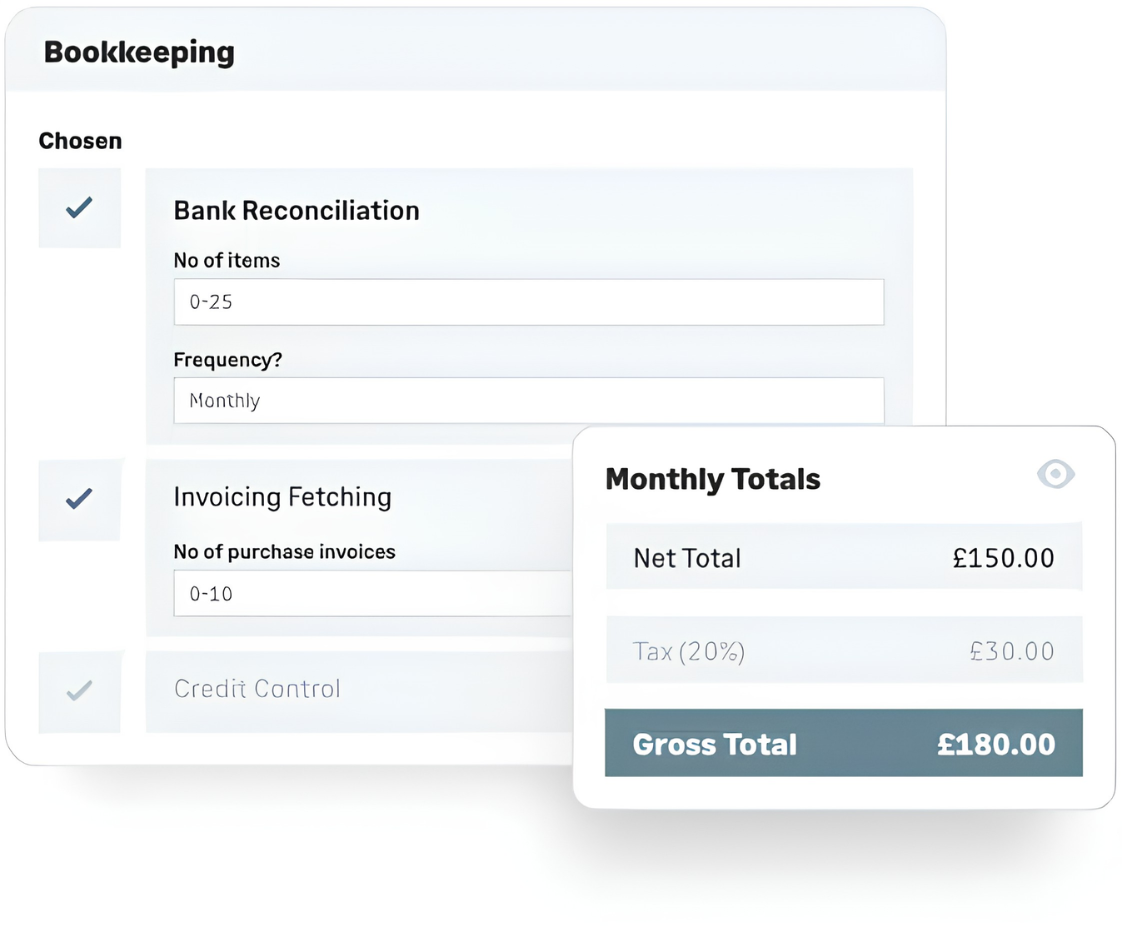
- A pricing matrix that turns the firm’s services into a calculated price menu, based on GoProposal’s methodology and the practice of other accountants
- Proposals and engagement letters generated from the services selected, so only the relevant terms appear
- OverSuite, an add-on library of 60+ engagement letter schedules, updated quarterly and aligned to ACCA and AML requirements
- Integrations with Xero, QuickBooks Online and Sage, plus Karbon, Senta and Accountancy Manager
Why choose GoProposal over Ignition
Ignition’s AI Price Insights answers “what does the market charge for this service?”. GoProposal answers “how should this firm price its services?”: you set up your service menu once, with the factors that drive the work (number of transactions, frequency, complexity), and every proposal calculates from it. For a firm moving from hourly to fixed fees, a consistent method matters more than a market benchmark.
 Source: GoProposal
The second argument is compliance. Ignition gives you engagement terms to adapt and maintain yourself. GoProposal’s OverSuite keeps a library of service schedules updated as rules change, reviewed by a former ACCA head of standards, which is why it is popular with UK practices. Accepted proposals can also create work in Karbon and trigger its workflows.
What GoProposal does not do is collect payments upfront the way Ignition does; its integrations push accepted proposals to your ledger as contacts and invoices.
GoProposal pricing
GoProposal prices every plan the same way, with “access to all features” and differences only in proposal volume and users: Solo (5 proposals a month, 1 user), Basic (10, 1 user), Standard (50, 2 users) and Premium (unlimited, 10 users). Its pricing page shows prices by the visitor’s location; its own US landing page says plans start “from $75 per month”, and from Europe the pricing page showed €83, €133, €167 and €283 a month excluding VAT when we checked. OverSuite is an add-on “from £50/month”. There is a 30-day free trial, no card required.
Who should use GoProposal?
Choose GoProposal if: you are moving to fixed or value pricing and want a method, not just benchmarks; you are a UK practice that wants engagement letters maintained for ACCA and AML rules; or you run Karbon and want accepted proposals to start the work. Watch the proposal caps on the lower plans during year-end renewals.
5. HoneyBook: Best Alternative for Independent Service Businesses at an Accessible Price
HoneyBook is a client management platform for independent service businesses, from photographers and planners to solo bookkeepers and consultants. It combines proposals, contracts, invoices, payments and scheduling without the setup that accounting-specific software asks for.
 Source: HoneyBook
Its key capabilities include:
- Smart Files that combine services, a contract, an invoice and scheduling in one interactive document
- One project workspace per client for emails, files, notes, tasks and payments
- Payments with installments, recurring invoices and autopay: 2.9% + $0.25 by card, 1.5% by ACH
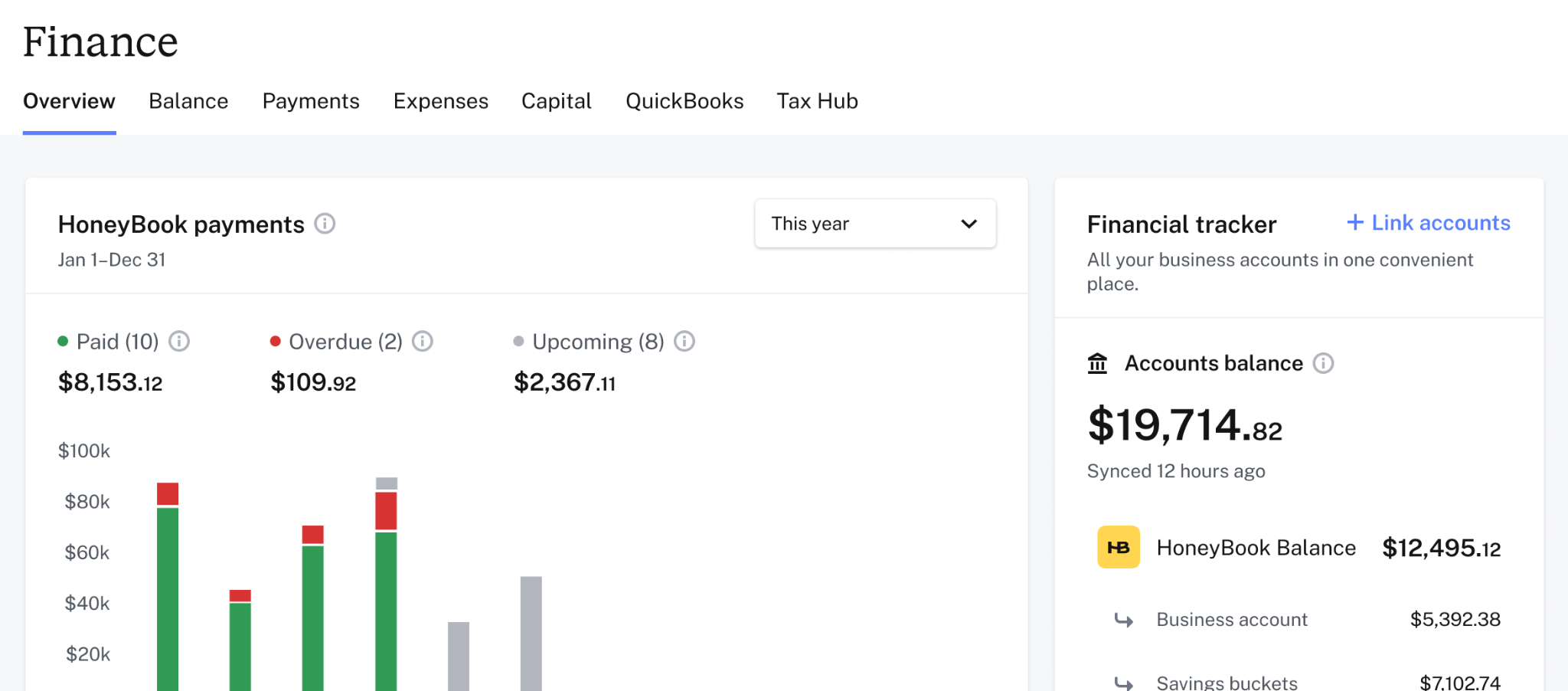
- HoneyBook Finance, including a business account with instant deposits and savings buckets for tax
Why choose HoneyBook over Ignition
The first reason is price. Ignition’s Core plan is $99 a month for 50 active clients; HoneyBook Starter is $29 a month with unlimited clients and projects, proposals, contracts, invoices, payments and a client portal, and no per-client overage. Its card rate is also lower than Ignition’s premium rate of 3.6% + $0.30.
The second is that the whole client relationship lives in one thread. Ignition covers the proposal and the payment; HoneyBook keeps the conversation, the files, the calendar and the invoices in the same project, with scheduling that syncs to Google Calendar, Outlook or iCloud.
 Source: HoneyBook
The trade-off is that HoneyBook is not built for accounting firms. There are no engagement-letter templates for accounting, no ledger-driven billing beyond a QuickBooks Online integration, and no workflow for recurring accounting work.
HoneyBook pricing
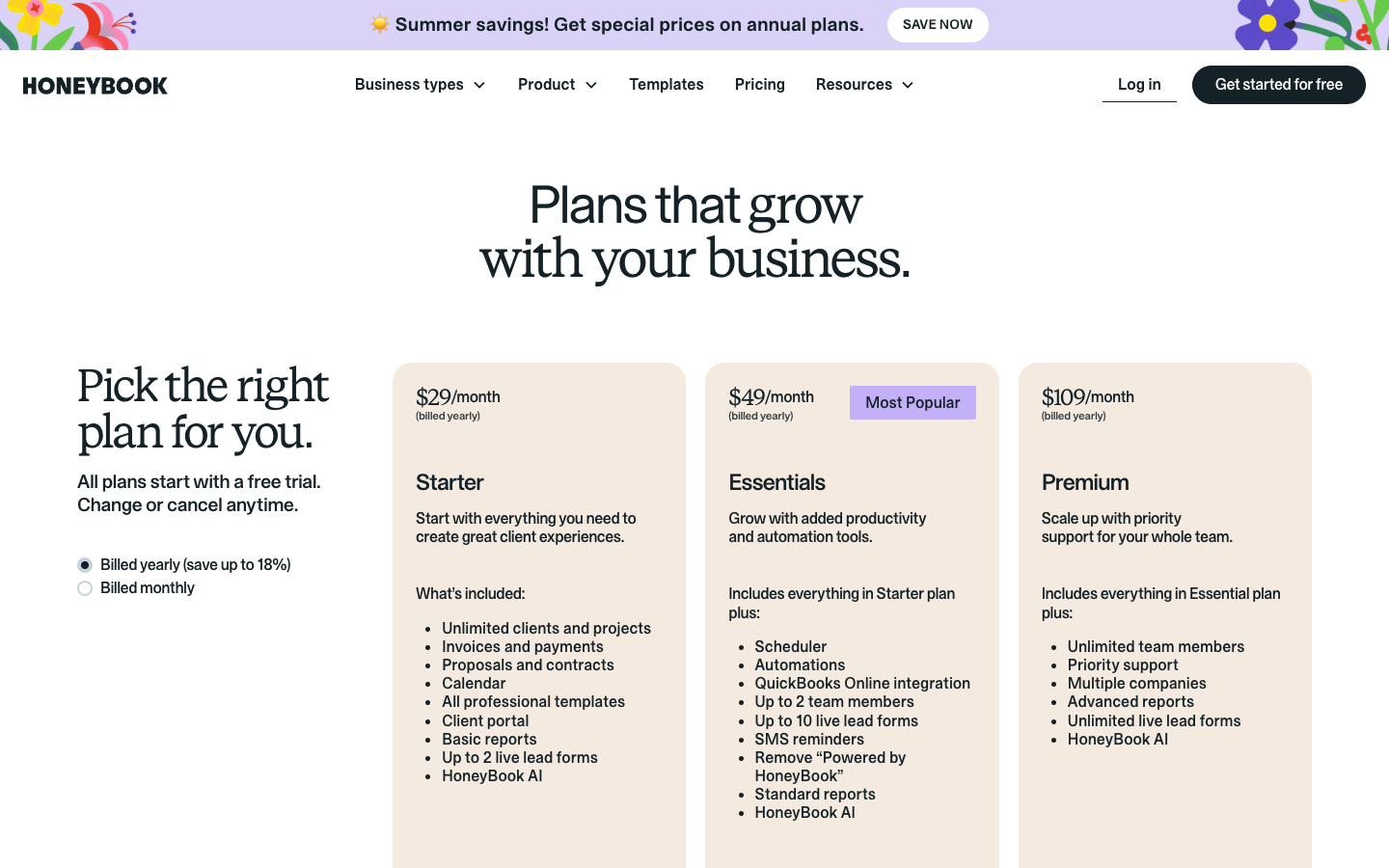
From the HoneyBook pricing page: Starter $29 a month billed yearly ($36 monthly), Essentials $49 ($59 monthly; scheduler, automations, QuickBooks Online, up to 2 team members), Premium $109 ($129 monthly; unlimited team members, priority support, advanced reports). Firms processing over $500,000 a year on Premium may qualify for lower card fees. Every plan starts with a free trial.
 Source: HoneyBook
Who should use HoneyBook?
Choose HoneyBook if: you are a solo bookkeeper, tax preparer or consultant, or a practice of two or three, who wants professional proposals, contracts, invoices and scheduling at $29 to $49 a month, without accounting-specific configuration.
6. Anchor: Best Alternative for Zero-Subscription Billing Automation
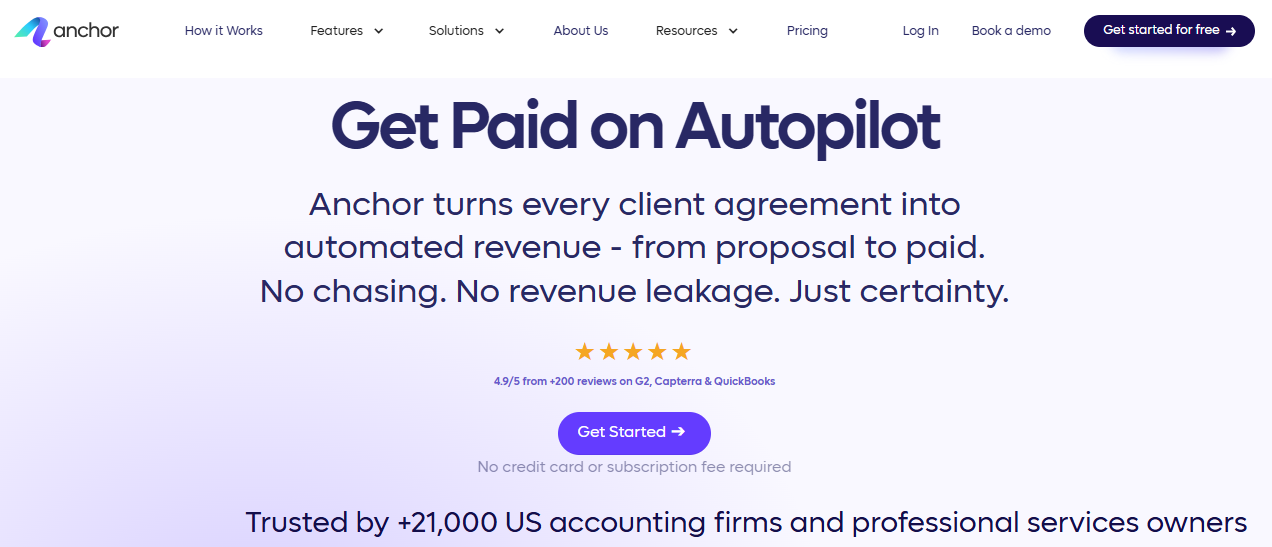
Anchor is a proposals, billing and payments platform for accounting firms, built on one idea: billing problems are solved at the agreement. Once a client signs an Anchor proposal, their payment method is stored and every future invoice is collected automatically, the same promise as Ignition’s, without the subscription.
 Source: Anchor
Its key capabilities include:
- No monthly subscription: Anchor deducts $5 from each payment you receive, and nothing else
- Unlimited users, clients, proposals, agreements and invoices
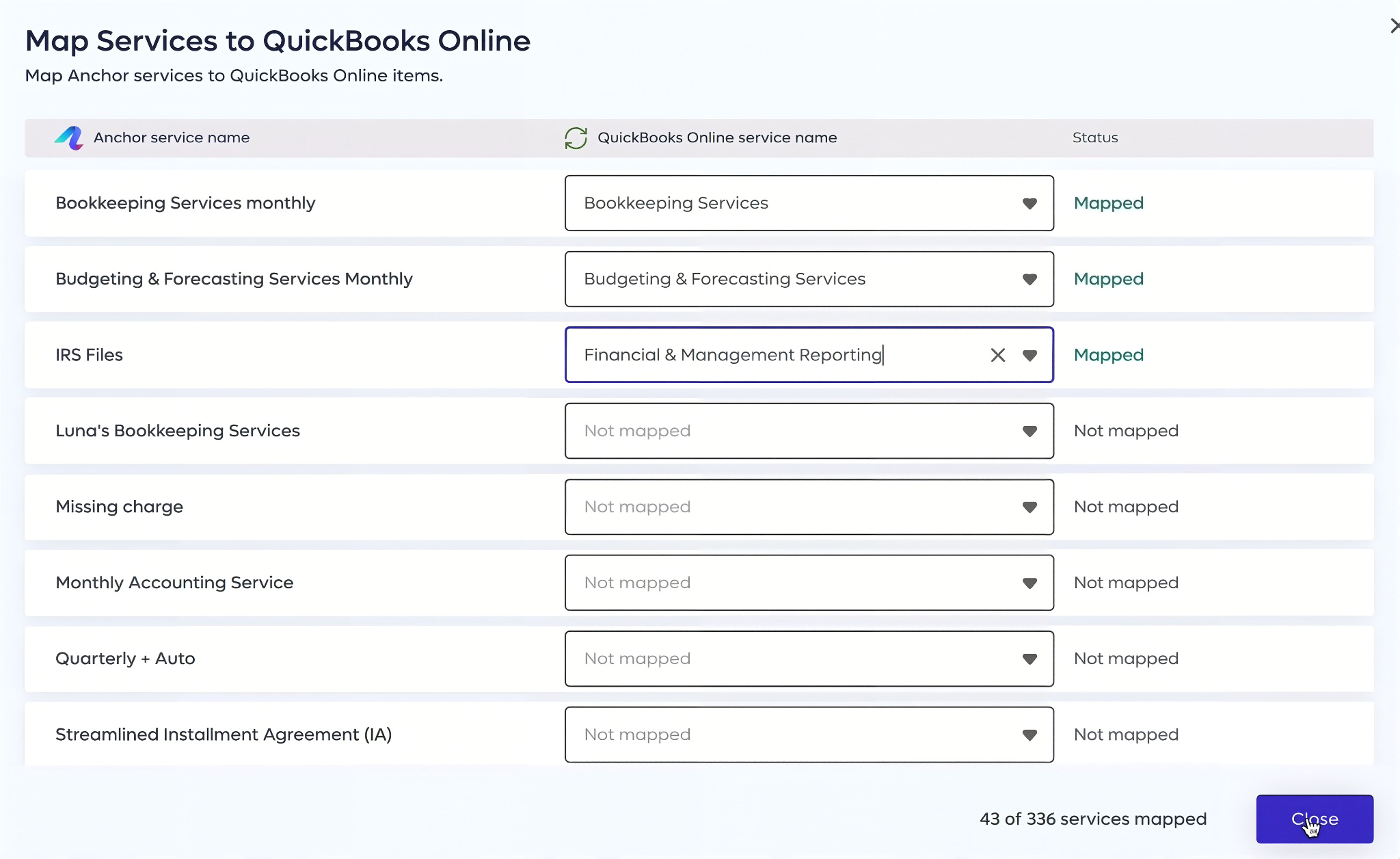
- QuickBooks Online and Xero sync, including invoices, payments and deposits
- Integrations with practice management tools such as Karbon, Financial Cents and Client Hub
Why choose Anchor over Ignition
The pricing model is the whole argument. Ignition charges a monthly plan fee whether you collect $5,000 or $500,000, and an overage for every active client above the cap. Anchor charges $5 per payment received and nothing when nothing comes in. Bank payments carry no extra processing fee; card fees (2.9% + $0.30 for US cards, 3.9% + $0.30 for international cards) are charged to the client.
For a firm billing 60 clients a monthly fee by ACH, that is $300 a month on Anchor, against Ignition Core’s $99 plus client overages plus up to $5 per ACH payment. The more clients pay by card, the more Anchor’s model favours the firm, because the card fee moves to the client.
There is also no upgrade trigger. A firm with 10 active clients and a firm with 300 pay the same $5 per payment, and adding a partner or a billing coordinator costs nothing.
 Source: Anchor
What Anchor leaves out is the same as Ignition: no time tracking, no project management, no team workflow. It is a billing tool, not a practice management system.
Anchor pricing
From the Anchor pricing page: $5 per payment received, deducted from the funds, with no subscription and no credit card required to start. ACH adds no processing fee; US cards 2.9% + $0.30 and international cards 3.9% + $0.30, paid by the client. Unlimited users, clients and proposals, QuickBooks Online and Xero integration and a dedicated account manager are included.
Who should use Anchor?
Choose Anchor if: you want Ignition’s upfront payment collection and automatic recurring billing without a monthly fee; your client count grows or changes often; and you are a US firm on QuickBooks Online or Xero. Pair it with a practice management tool for the work itself.
7. Cone: Best Alternative for Affordable Proposal-to-Payment With Native Time Tracking
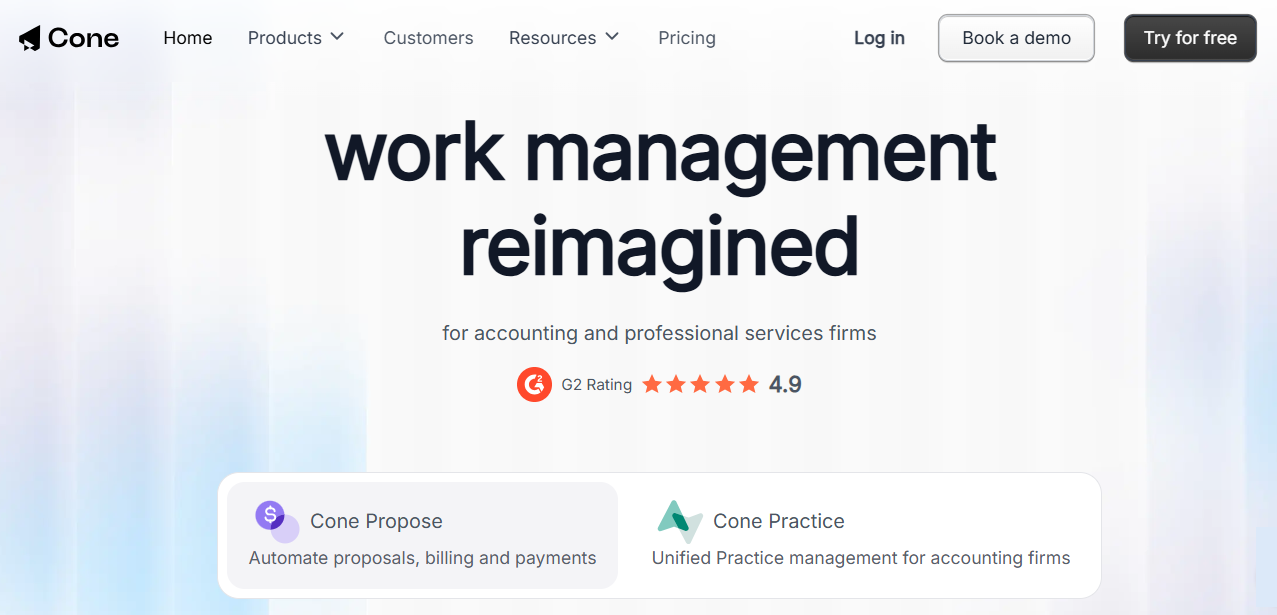
Cone is a Y Combinator-backed platform for accounting and professional services firms, sold as two products: Cone Propose for proposals, billing and payments, and Cone Practice, which adds practice management. It offers Ignition’s core flow at a per-user price with time tracking included.
 Source: Cone
Its key capabilities include:
- Unlimited proposals and clients on every paid plan, with no per-client overage
- Payment authorisation at acceptance by card, ACH or direct debit, then automated billing
- Time tracking that feeds invoices for both fixed-price and hourly work
- Cone Practice: projects, recurring workflows, a client portal and integrated email alongside the proposals
Why choose Cone over Ignition
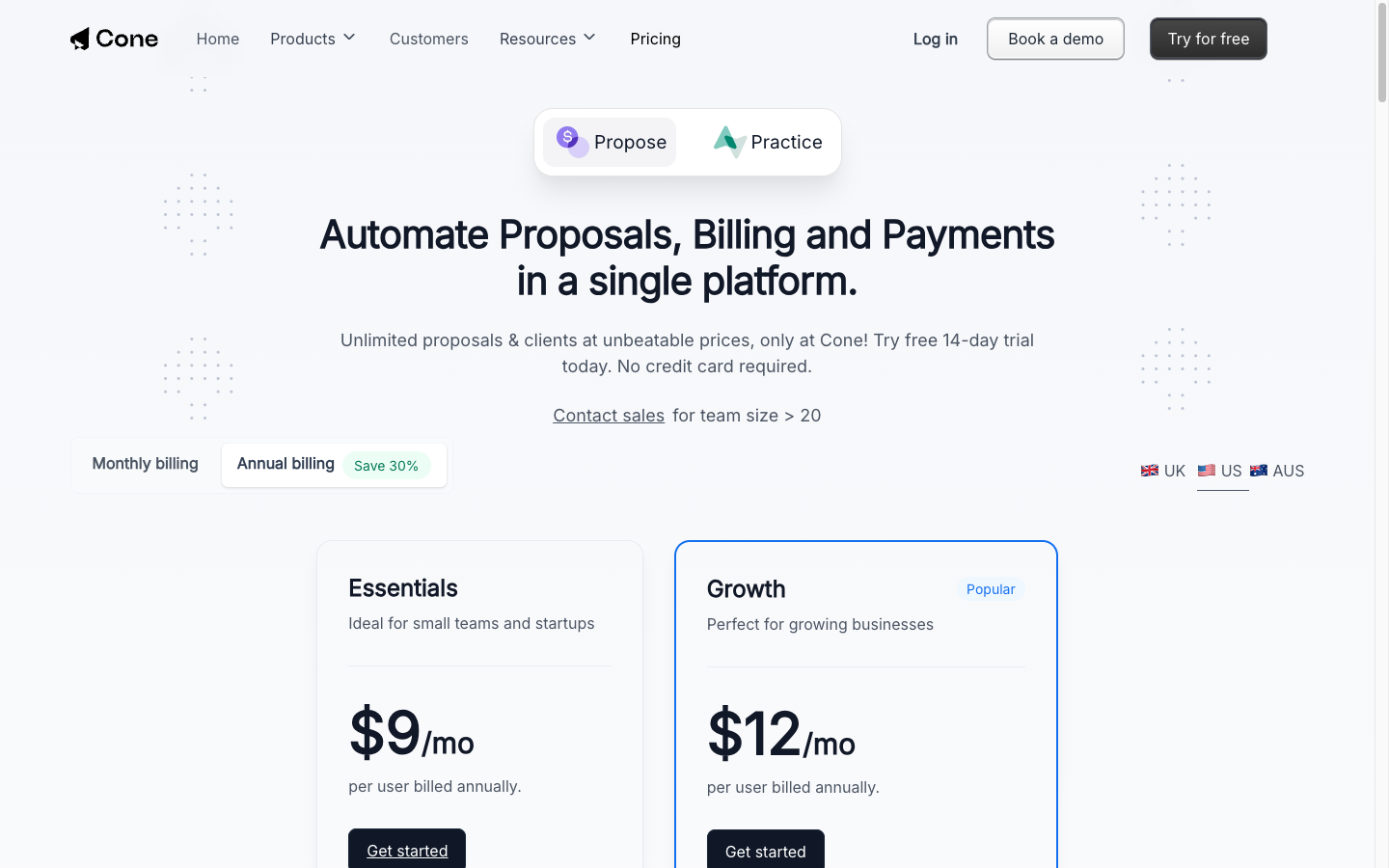
Cone prices per user, not per active client. Propose Essentials is $9 per user per month on annual billing with unlimited clients and proposals, so a five-person firm billing 400 clients pays the same as one billing 40. On Ignition, 400 active clients means Pro at $229 a month or Core plus 350 overage charges.
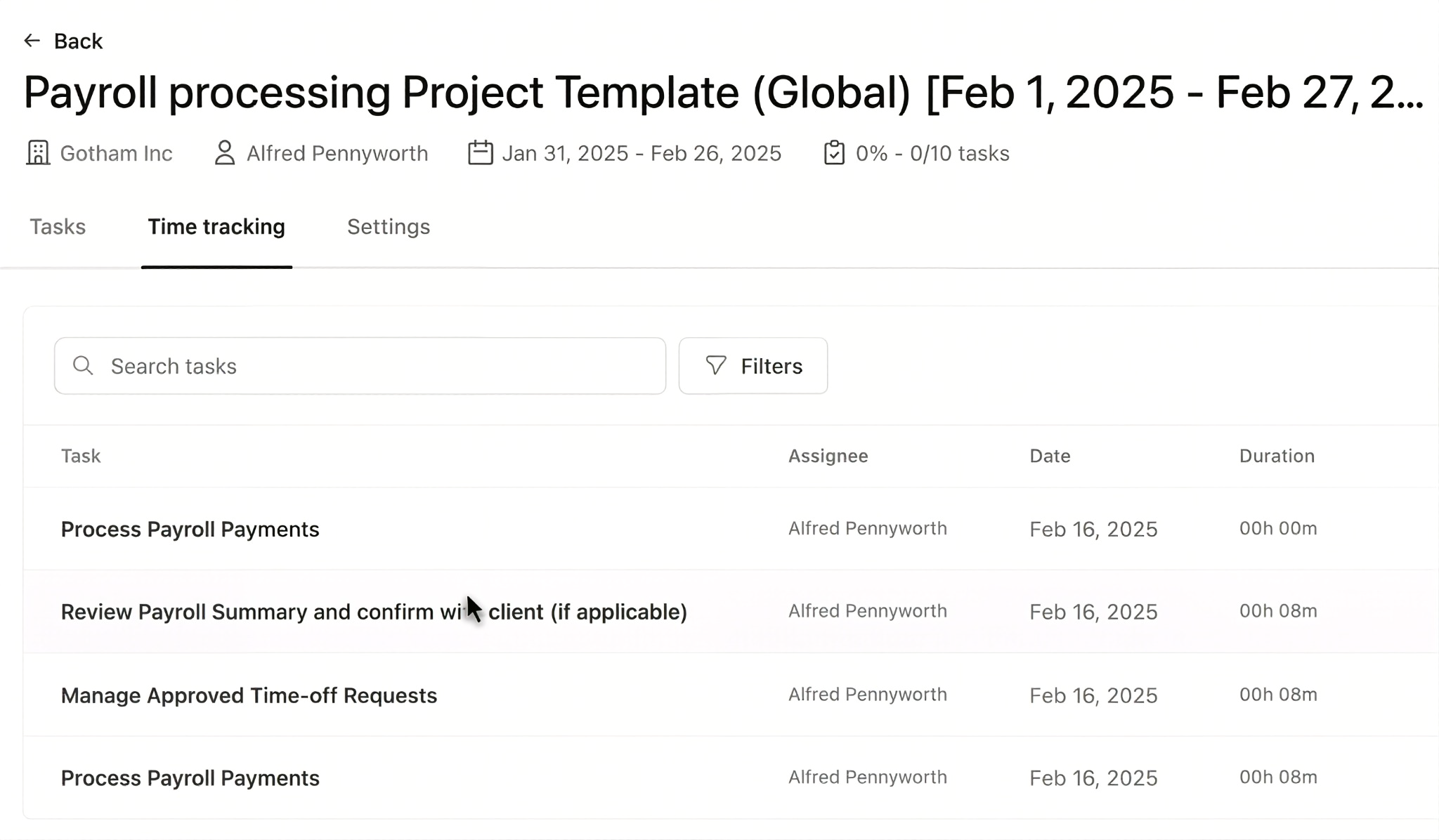
It also covers the time Ignition cannot see. Cone’s time tracking sits in the same system as the proposals and invoices, so hourly and fixed-fee work can be billed from one account.
 Source: Cone
And with Cone Practice, delivery lives in the same platform: projects, recurring workflows, a client portal and Gmail or Outlook email. For a small firm that wants one light system from proposal to invoice, that is the appeal. For a larger firm, it is a younger product with less depth in reporting and team management than a dedicated practice management system.
Cone pricing
From the Cone pricing page, US view, per user per month: Cone Propose Essentials $9 annual ($13 monthly) and Growth $12 ($18 monthly; automated billing and payment collection, reminders, sales pipeline). Cone Practice Starter $5, Essentials $11 and Practice Growth $17 on annual billing, with storage of 2 GB, 20 GB and 100 GB. Free trials: 14 days on Propose, 30 days on Practice, no card required.
 Source: Cone
Who should use Cone?
Choose Cone if: Ignition’s per-client caps are hard to forecast for you, you bill both retainers and hourly work and want the time in the same system, and you want delivery tools without adopting a full practice management suite.
How to Switch from Ignition to Uku
If Uku is your answer, you are usually not switching away from Ignition’s proposals but moving the work, the time and part of the billing into Uku. Most firms are live in two to six weeks, at their own pace, and keep billing clients throughout.
- Import your clients. From Excel, or synced straight from QuickBooks or Xero through Uku’s import flow.
- Turn each service into a workflow template. One per service you sell in Ignition, applied to every client who bought it.
- Set up billing contracts. Put hourly and out-of-scope work on Uku contracts; decide whether fixed fees stay in Ignition or move to Uku.
- Connect or close. Keep Ignition for proposals and link the two through Zapier (Proposal Accepted → Create Client), or run one billing cycle in parallel and move billing fully to Uku. Use the 90 minutes of onboarding that comes with every plan.
If your firm uses an AI assistant, the Uku MCP server connects in a day and can check the move for you: which clients came across, which have no workflow yet, and how the first Uku invoice run compares with the last one out of Ignition.
The Final Verdict
Ignition is excellent at one layer of a firm: winning the client and getting paid. The alternatives either run the rest of the firm or do Ignition’s job differently:
- Uku for full practice management: recurring work, time tracking that becomes invoices, and client profitability before month-end
- Karbon for email-first teams of 20+ that need capacity planning and a native Ignition integration
- TaxDome for US tax firms that want proposals, documents, portal, IRS transcripts and billing in one system
- GoProposal for a pricing method and engagement letters maintained for UK compliance
- HoneyBook for independent practitioners who want proposals, contracts and payments from $29 a month
- Anchor for Ignition-style payment collection with no subscription, $5 per payment
- Cone for proposals, payments and time tracking at $9 to $17 per user
You don’t have to choose between Ignition and these tools: many firms keep Ignition for the proposal and run the work in Uku, Karbon or TaxDome. If the work is where your firm is losing money, try Uku free for 14 days or book a demo.
Read more
- Ignition vs Uku — the head-to-head: proposals and payments against the work, time and billing
- Ignition pricing — every plan, the client and user caps, and a worked payment-fee example
- Ignition review — how its features work and what users say
- Karbon alternatives and TaxDome alternatives
- How to price accounting firm services
- Uku case studies
Frequently asked questions
Why do accounting firms look for Ignition alternatives?
For two reasons. Ignition stops at the signed engagement, so firms still need other tools for tasks, recurring workflows, time tracking and team workload. And cost: Ignition's plans run from $99 to $399 a month in the US (annual billing), each capped by active clients and users, with card fees of 2.5–3.6% + $0.30 on every payment it collects. Cost is the most common complaint in its G2 and Capterra reviews.
What is the best Ignition alternative?
It depends on which job you want done. For the work after the proposal (tasks, time tracking, billing from tracked time), Uku. For firm-wide email triage in a larger team, Karbon. For a US tax firm that wants one system including documents and IRS transcripts, TaxDome. To replace Ignition's own job of proposals and payment collection: Anchor (no subscription, $5 per payment), Cone (from $9 per user per month), GoProposal (pricing methodology and UK engagement letters) or HoneyBook (independent practitioners, from $29 a month).
Is there a free alternative to Ignition?
No tool on this list has a permanently free plan, but Anchor comes closest: it has no subscription at all and charges $5 per payment it collects, with clients paying the card fee. Every other tool offers a free trial: Uku 14 days of its full Elite plan, Cone 14 days (Propose) or 30 days (Practice), GoProposal and HoneyBook 30 days.
Which Ignition alternative is cheapest for a small firm?
Cone Propose starts at $9 per user per month on annual billing with unlimited clients and proposals. Anchor has no subscription and charges $5 per collected payment. HoneyBook starts at $29 a month with unlimited clients. For practice management rather than proposals, Uku Solo is $19 a month for one accountant with up to 20 active clients.
Can I use Ignition together with one of these tools?
Yes, and many firms do. Ignition handles proposals, engagement letters and payment collection, and a practice management tool runs the work. Karbon has a native Ignition integration that creates the client and starts work when a proposal is accepted. Uku connects through Zapier: Ignition's Proposal Accepted trigger runs Uku's Create Client action (Ignition Pro or Pro+, Uku Elite or Enterprise).
Which Ignition alternatives include time tracking?
Uku, Karbon and Cone. In Uku the timer runs on the task and the hours flow into invoices built from each client's contract. Karbon includes time tracking with budget reporting, and Cone's time tracking feeds its invoices for fixed and hourly work. Ignition, Anchor, GoProposal and HoneyBook do not track time for billing.
Which alternative is best for UK accounting firms?
GoProposal, built by UK accountants and now owned by Sage, is the specialist pick: its OverSuite add-on is a library of engagement letter schedules updated quarterly for ACCA and AML requirements, and it integrates with UK practice tools such as Senta and Accountancy Manager. For practice management, Uku runs in 12 languages with GBP, EUR and USD billing.
Does any Ignition alternative handle AML checks?
Ignition runs identity checks inside the proposal flow on Core and above ($6 standard, $10 enhanced per check). Among the alternatives, Uku includes AML tools on every plan, and GoProposal's OverSuite covers AML-compliant engagement letters for UK firms.

Published Sep 27, 2026 · Updated Sep 28, 2026