Ignition Review 2026: Proposals, Payments & Where Uku Fits
Ignition (formerly Practice Ignition) costs $99–$399/month and turns proposals into payments. Our review of its features, limits and where Uku fits.


Contents
Ignition has earned its place in accounting firms’ software stacks by fixing one expensive habit: sending an invoice and waiting. It turns a proposal into a signed engagement and a signed engagement into a payment authorisation, in a single step the client completes on their own. Ignition says it serves 8,500+ businesses, whose clients have paid them more than $15.5 billion through the platform.
To write this Ignition review, we went through the platform, its pricing data, its help centre and what firms say about it on G2 and Capterra. We believe it’s the right choice if:
- You want proposals, engagement letters and payment authorisation in one client-facing flow
- You want to stop chasing payments by collecting card or bank details at signing
- You bill mostly fixed fees or subscriptions, where the scope is agreed upfront
- You want pricing benchmarks built from real accepted proposals rather than surveys
- You need identity checks tied to each engagement
However, Ignition might not be enough if:
- You need to manage the work itself once the engagement is signed
- You want time tracking, recurring workflows and a view of your team’s workload
- You need to know which clients are profitable, based on hours worked against fees charged
- Your firm’s real problem is missed deadlines and coordination, not collections
- You want invoices built from tracked time rather than from a pre-set billing schedule
In that case, consider Uku alongside it: practice management for accounting firms that picks up where Ignition stops, running every task, deadline and billable minute from the moment an engagement starts to the invoice that follows. Ignition wins the client and gets you paid; Uku makes sure the work is done on time and nothing goes unbilled.
Want to see what that looks like? Try Uku free for 14 days, no credit card required.
Prices and features below were checked on 28 September 2026 against Ignition’s own pricing page and help centre.
What is Ignition?
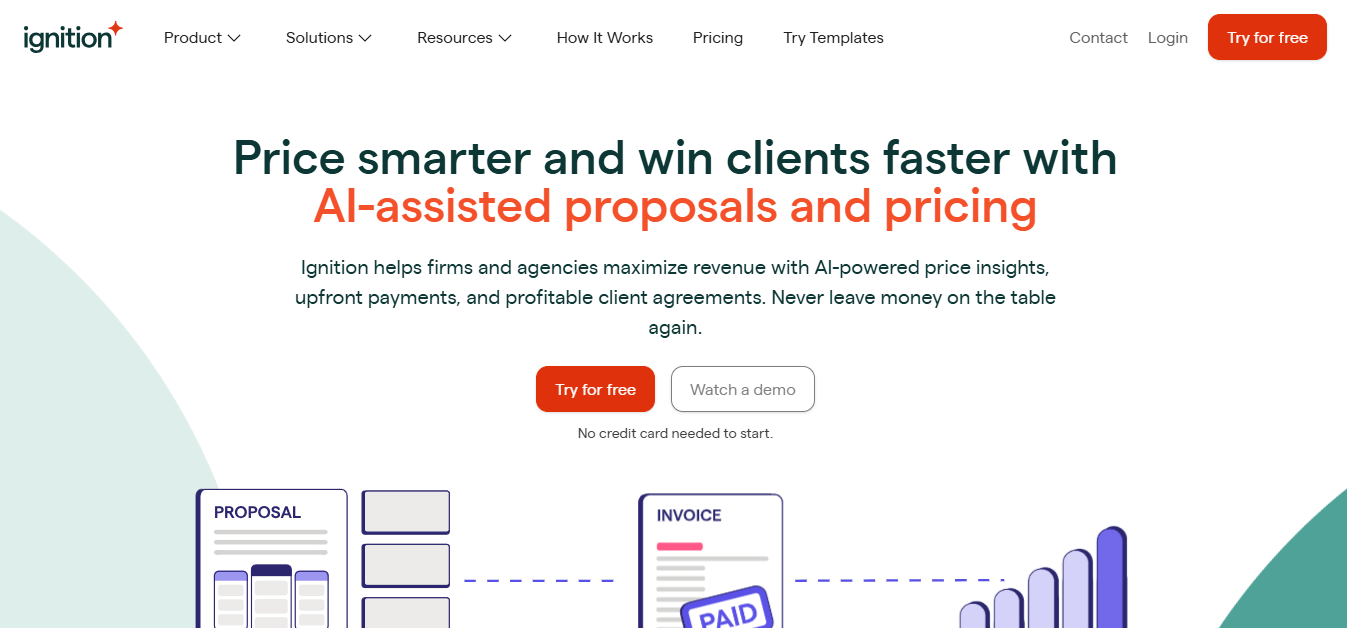
Ignition is a revenue and billing automation platform, founded in Australia in 2013 by chartered accountant Guy Pearson and product designer Dane Thomas. Pearson built it to fix a problem from his own firm: paper-based client onboarding and late payments. It launched as Practice Ignition and dropped “Practice” from its name as it moved beyond accounting into professional services generally. In 2021 it raised a $50 million Series C led by JMI Equity.
 Source: Ignition
Today its product covers proposals, engagement letters, payments, invoicing and billing, AML/KYC compliance, reporting, AI price insights, forms and a deals pipeline. The shorthand on its own site is “sell, bill and get paid”. The buyer it has in mind is a firm owner or partner losing money to underpricing, late payment and scope creep.
Ignition Pros & Cons
| Pros | Cons |
|---|---|
| ✅ Proposal, engagement letter and payment authorisation in one client step | ❌ Cost is the most common complaint, especially once add-ons stack up |
| ✅ Payment collected automatically on schedule, so little to chase | ❌ Stops at the signed engagement: no task or workflow management |
| ✅ AI price benchmarks built from accepted proposals | ❌ No time tracking, so no view of client profitability |
| ✅ Change orders and instant billing for out-of-scope work | ❌ Standard ACH payouts take five to seven business days |
| ✅ Ready-made engagement terms and accounting templates | ❌ Building the first service and template library takes real effort |
| ✅ Full invoice amount deposited, fees billed separately, so reconciliation stays clean | ❌ Zapier and practice management integrations start at Pro ($229/month) |
| ✅ Rated 4.7/5 on both G2 and Capterra | ❌ Per-active-client caps and overage charges to plan around |
Ignition Review: How it Works & Key Features
Proposals: one acceptance that also authorises payment
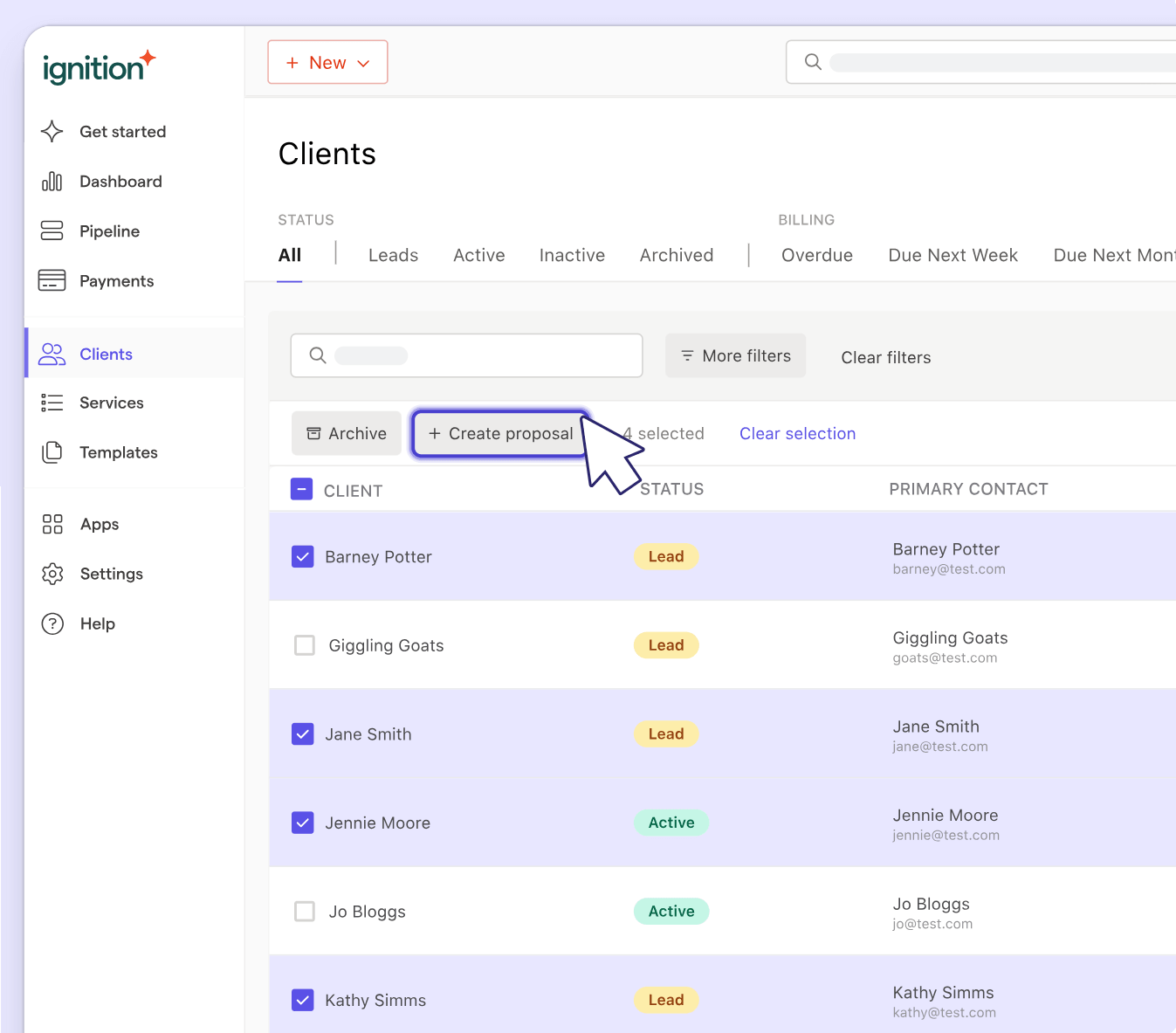
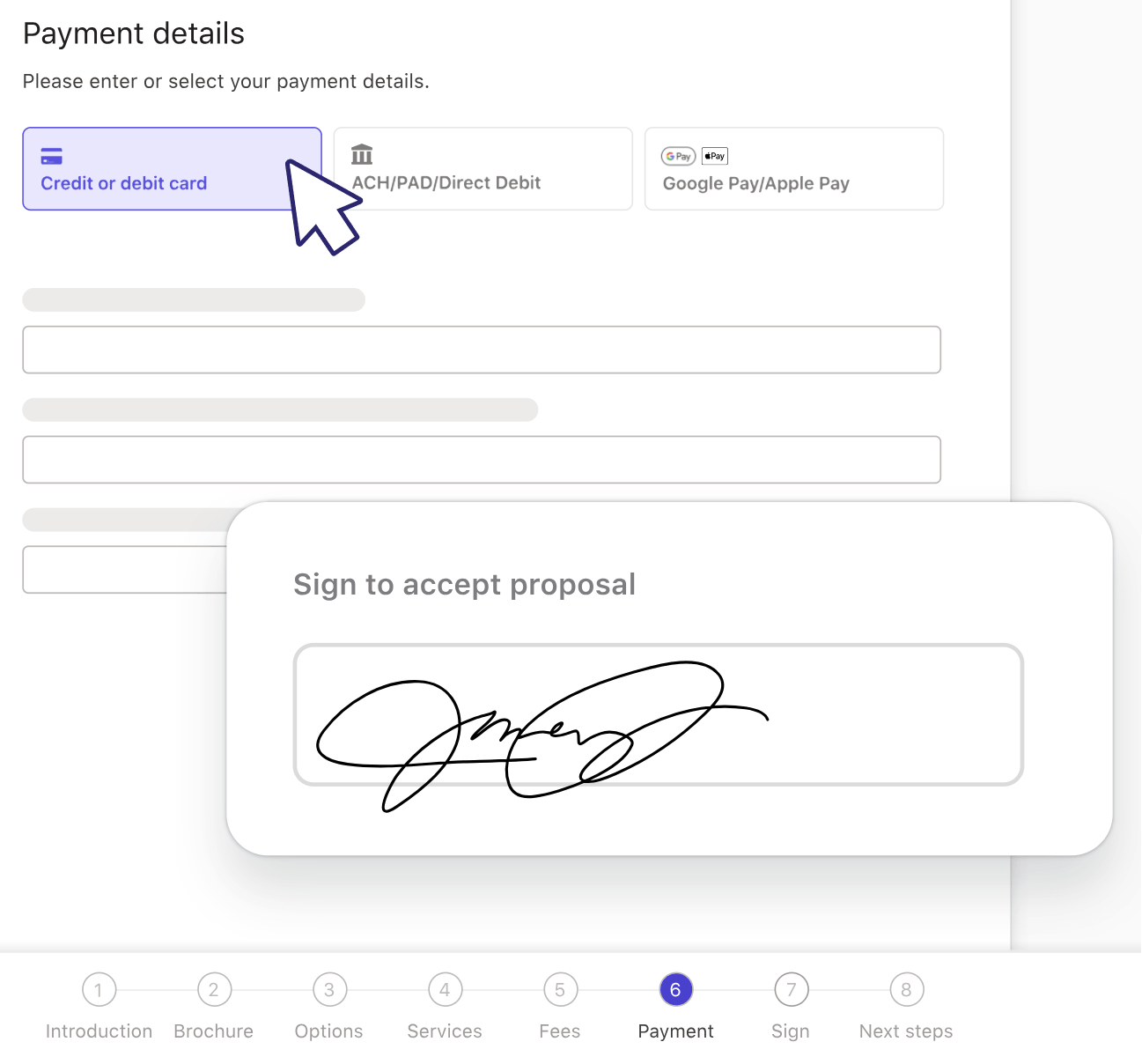
Proposals are the core of Ignition. Where a standalone proposal tool stops at the e-signature, Ignition puts the services, the engagement terms and the payment set-up into one client-facing document. When the client accepts, they sign the engagement letter and authorise billing in the same action.
 Source: Ignition
Services come from a reusable service library, each with its own billing rule, so one proposal can mix a one-off onboarding fee billed on acceptance, monthly bookkeeping, and an annual return billed on a set date. Proposal options let a firm offer up to three packages in one proposal, with add-ons the client can pick on top. Bulk creation (Core and up) sends proposals to many clients at once, and bulk renewals and bulk price changes (Pro and up) handle the annual price rise.
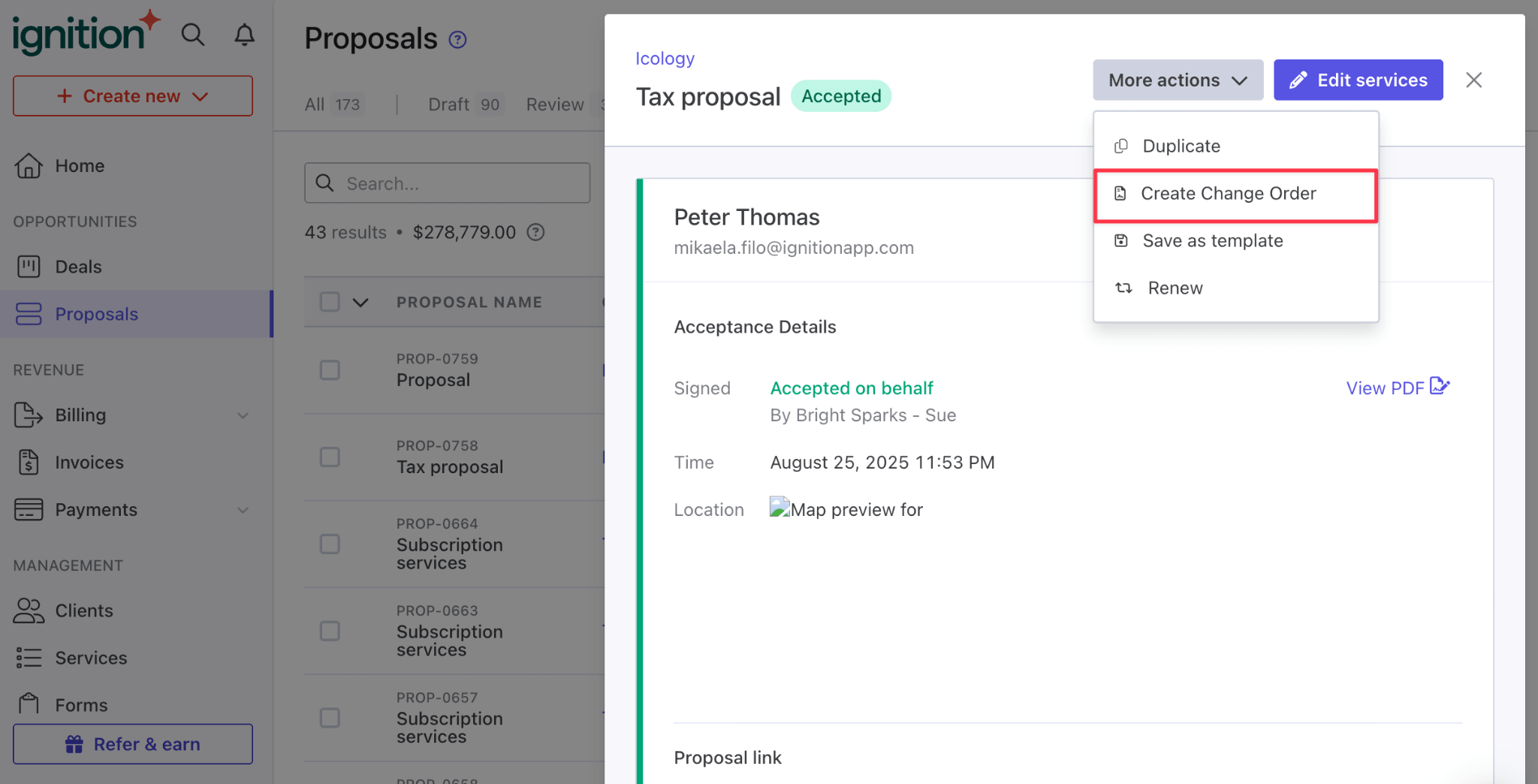
When the work grows beyond the agreed scope, a change order sends the client a scope change to sign, and billing updates from there. Instant bill charges ad hoc work to the client’s saved payment method without a new proposal.
 Source: Ignition
Higher plans add landing pages and personalised video, proposal expiry dates, a custom domain and custom email branding (Pro), and an internal review and approval step before a proposal reaches the client (Pro+).
Engagement letters: binding terms inside the proposal
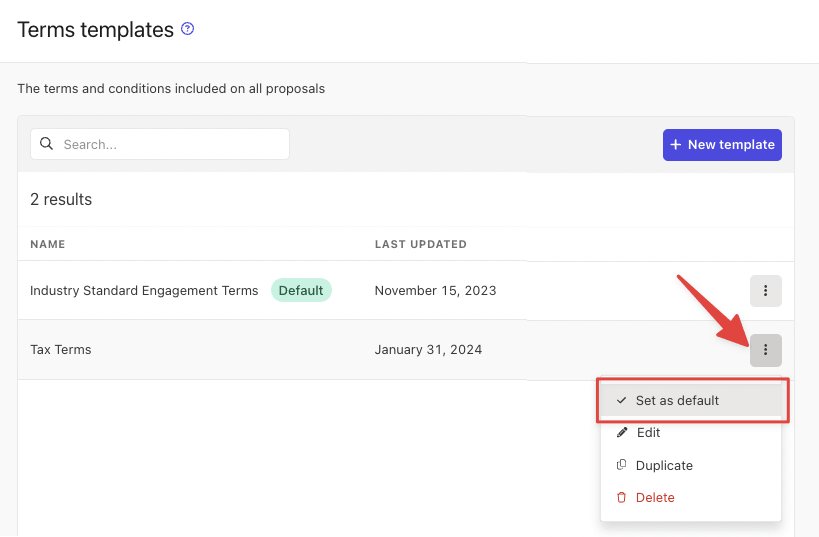
Engagement terms live in reusable templates. Every account starts with an “Industry Standard Engagement Terms” template that firms can use as it is or adapt, and placeholders fill in each client’s details. E-signatures per proposal depend on the plan: one on Solo and Core, up to two on Pro, up to ten on Pro+ for engagements that need several partners or directors to sign.
 Source: Ignition
Payments and billing: collected upfront, billed on schedule
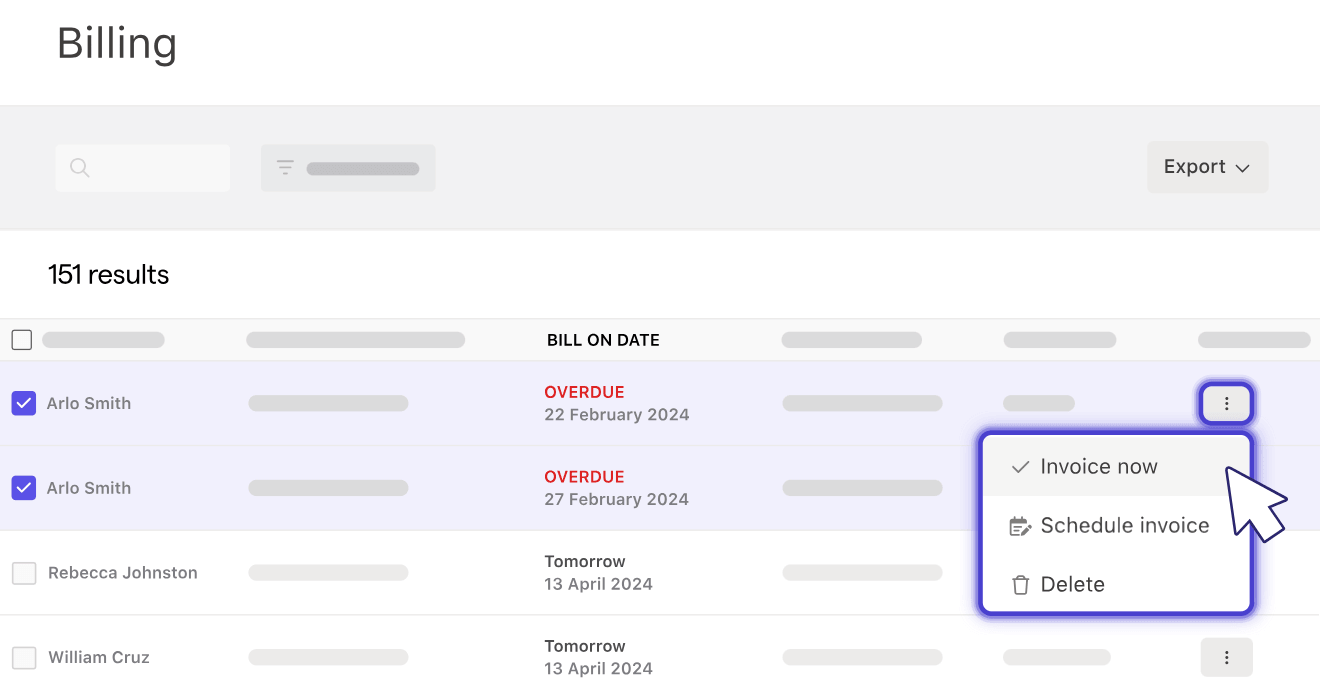
Ignition turns the usual invoice-and-wait routine around. Payment details are collected as part of accepting the proposal, and billing then runs automatically on the schedule the client agreed to. Clients can pay by card, ACH, Google Pay or Apple Pay.
 Source: Ignition
Clients who have not pre-authorised can pay by an online payment link, and firms can import unpaid invoices from their accounting software to collect on them. Invoices are created in Xero, QuickBooks Online or MYOB and marked paid when the money arrives. Two design choices deserve credit: Ignition deposits the full invoice amount and bills its fees separately, which keeps reconciliation clean, and it charges nothing on failed payments.
 Source: Ignition
The fees are the part to budget for. In the US: 2.5% + $0.30 for standard cards, 3.6% + $0.30 for premium cards (Amex, corporate and rewards cards, which Ignition’s help centre puts at about 75% of US cards), and 1% + $0.30 for ACH, capped at $5 with an extra 0.3% above $3,000. Standard ACH payouts take five to seven business days; Pro and Pro+ get faster payouts of about three.
AI Price Insights: benchmarks from what clients actually accepted
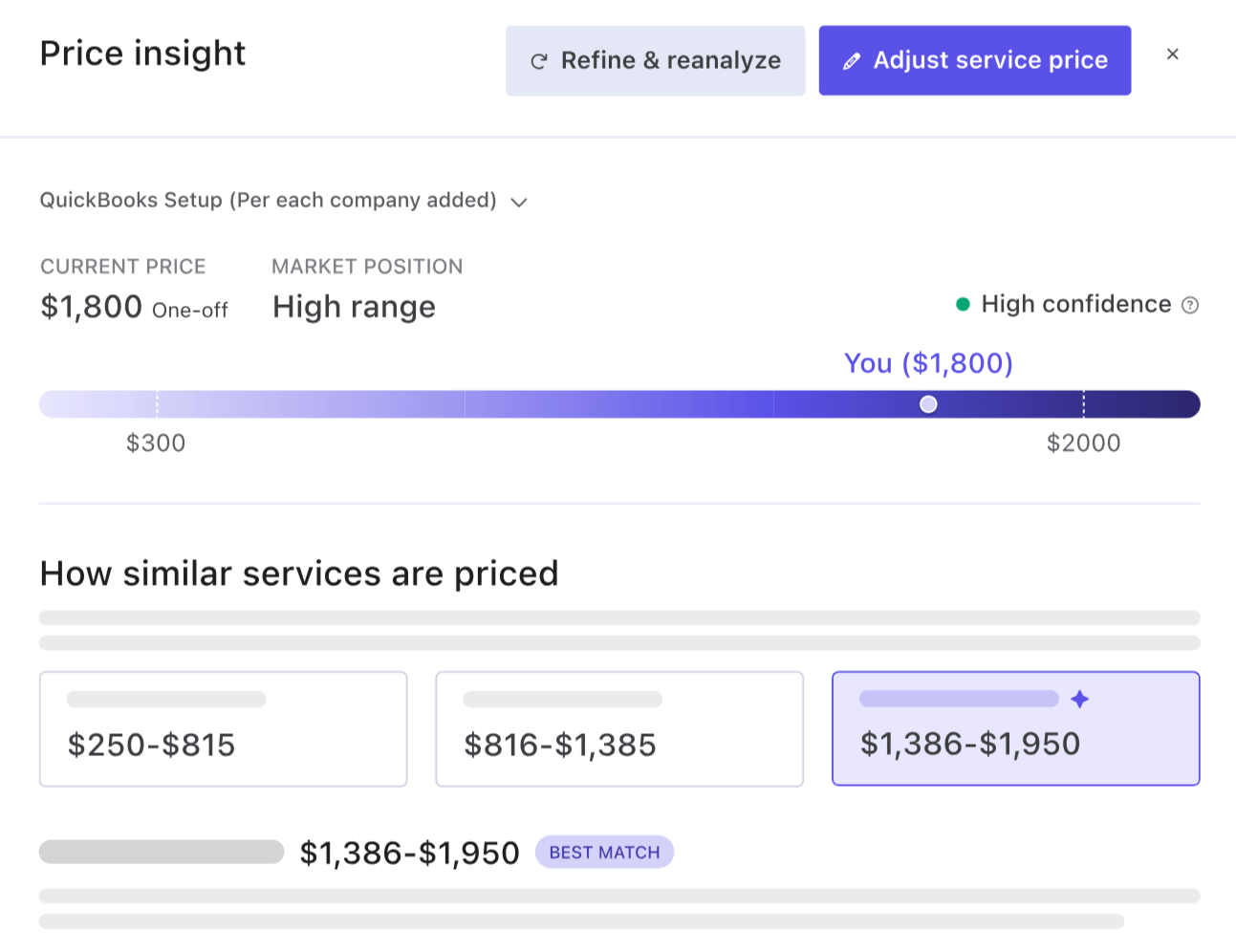
Price Insights compares a firm’s price for a service with what clients across Ignition have accepted for similar services, then shows where the firm sits, suggests a price and explains why. Benchmarks take location, industry, business revenue and billing type into account.
 Source: Ignition
It is the most original feature in the product. Accounting Today named it a Top New Product for 2026, and Ignition says firms that raised their prices after using it earned on average 40% more on the services they reviewed. It is available to accounting, bookkeeping and agency firms in the US and Australia; three insights are free, then 200 cost $349 a year.
Deals: a pipeline that ends in a proposal
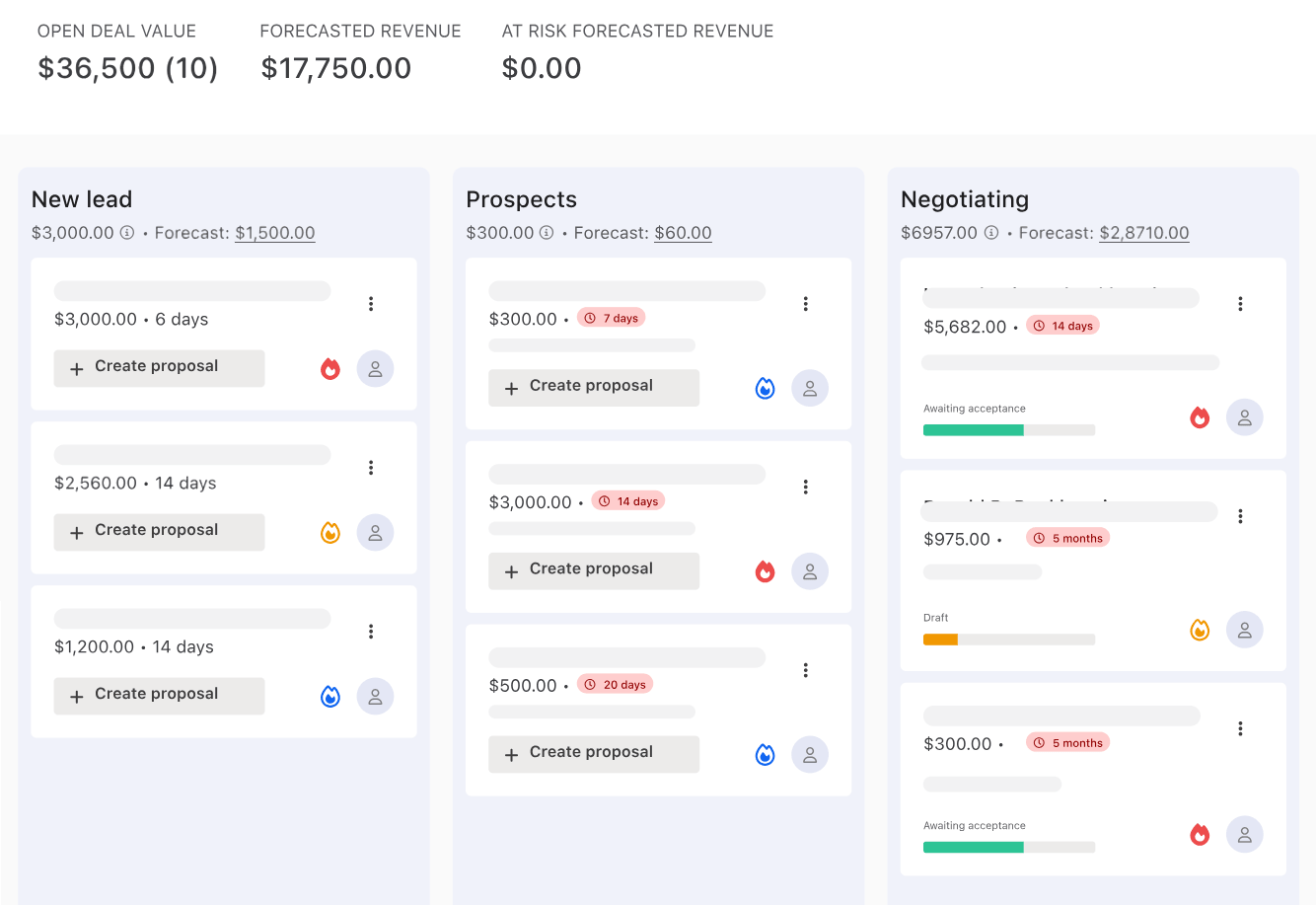
Deals tracks opportunities from lead to signed engagement on a board or a list. Leads come in by hand, from a website form or through Zapier. Proposals attach to deals, and a deal is marked won when its proposal is accepted. Stages carry win probabilities for a weighted revenue forecast. Deals costs $49 a month, or comes included in Pro+.
 Source: Ignition
AML compliance: identity checks tied to the engagement
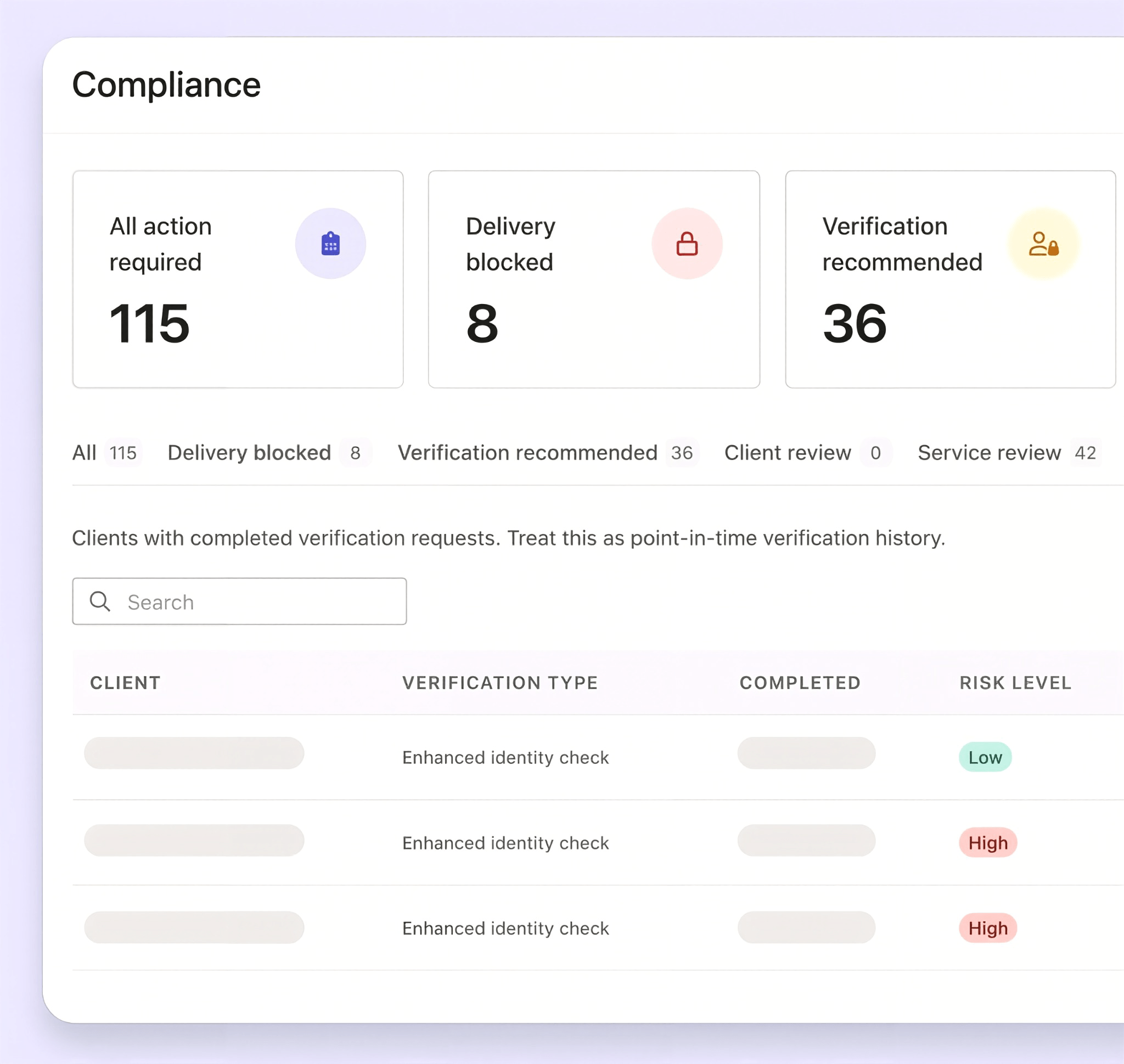
Ignition’s compliance module builds identity verification into the proposal: services that need it are flagged, the client completes the check after accepting, and delivery is blocked until it is approved. It was built first for Australia’s AUSTRAC Tranche 2 obligations. On the US pricing page, identity checks cost $6 (standard) or $10 (enhanced, with AML screening) per check, from Core up.
 Source: Ignition
Reporting: revenue and pipeline, not cost
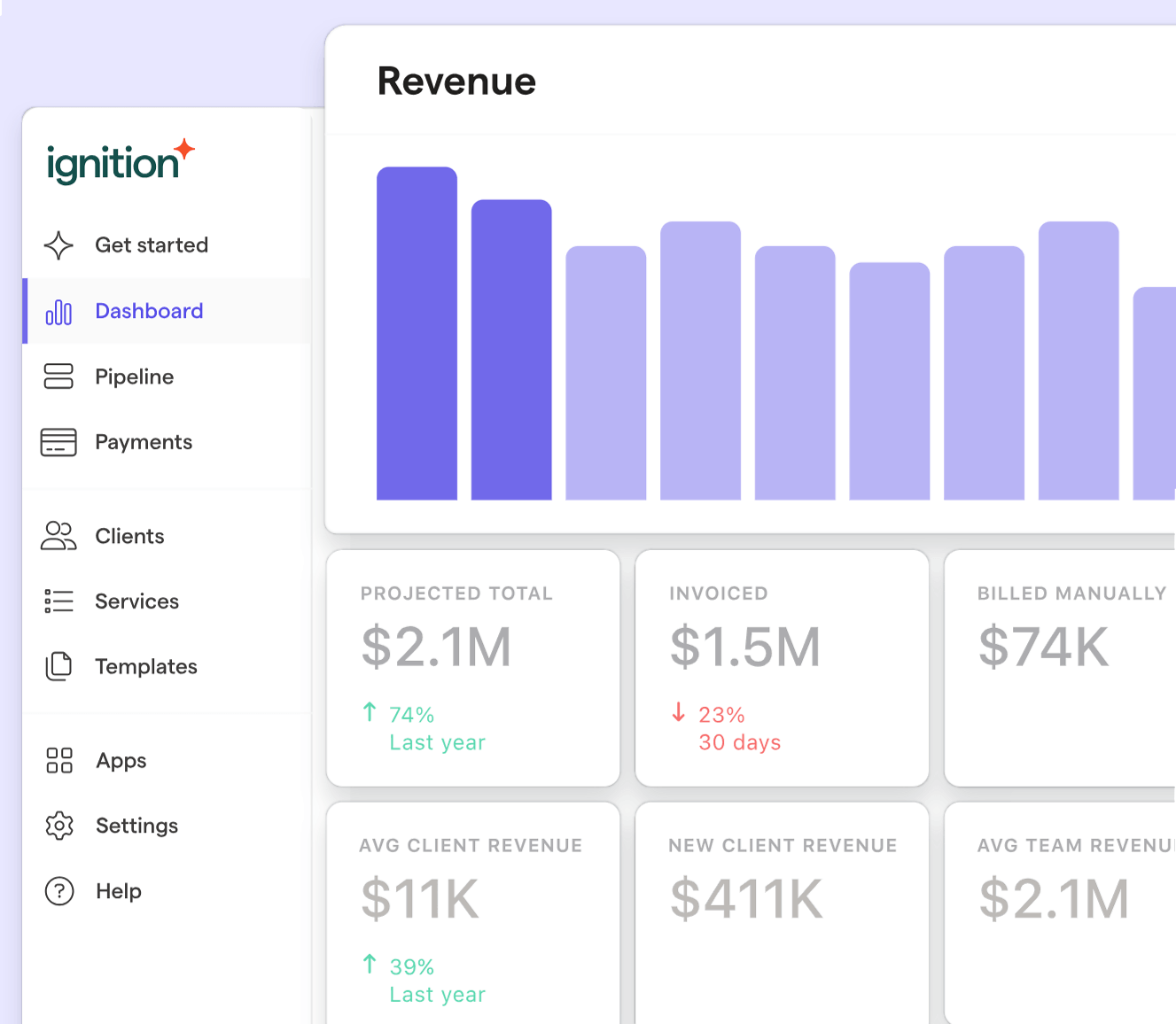
The Business Insights dashboard shows billing actuals and forecasts, payments, proposal win rates and time to accept, and the services that earn the most. Pro+ adds advanced reports and a reporting API. An MCP server that lets an AI assistant work with Ignition data is included on every plan.
 Source: Ignition
What the dashboard cannot show is cost. Ignition sees what each client pays, never the hours it takes to serve them.
What users say
Ignition is rated 4.7 out of 5 on both G2 and Capterra, and reviewers are consistent about what they like: the all-in-one flow, how quickly proposals come together, and the support team.
“Professional proposals, easy to set up and manage, linked automatically to our custom engagement letter.”
They are just as consistent about the main drawback, which is price:
“I find it quite expensive and editing or undoing transactions is quite difficult. I also find the payment processing lead times to be quite long.”
Ignition Pricing (2026)
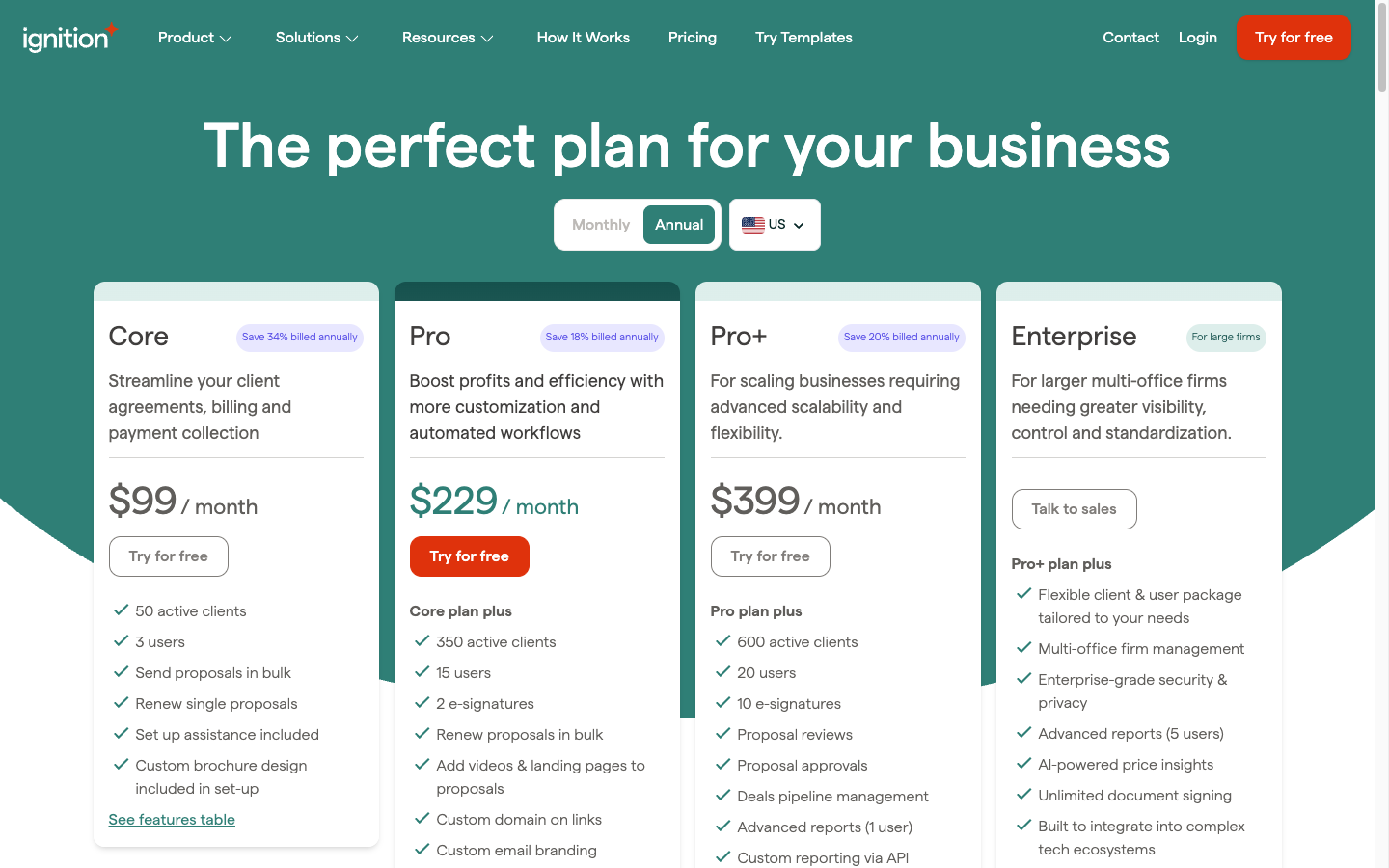
Ignition prices each plan as a bundle of active clients and user accounts, with a charge for every active client above the allowance. Payment processing fees come on top.
 Source: Ignition
| Plan | Per month | Includes |
|---|---|---|
| Solo | $39 annual, $49 monthly | 20 clients (+$7 each), 1 user, under $150K revenue only |
| Core | $99 annual, $149 monthly | 50 clients (+$5 each), 3 users, bulk proposals, AML |
| Pro | $229 annual, $279 monthly | 350 clients (+$3 each), 15 users, Zapier and PM integrations |
| Pro+ | $399 annual, $499 monthly | 600 clients (+$2 each), 20 users, Deals, approvals, reporting API |
| Enterprise | On request | Custom |
The 14-day trial needs no card and waives processing fees on the first $10,000 collected. For every plan, the client and user caps, the add-ons and a worked fee calculation, see our full Ignition pricing breakdown.
Where Ignition Falls Short
Ignition does the engagement and payment side of a client relationship very well. Its limits all come from the same place: it is built for the front of the relationship, not the work that follows.
No work delivery or task management: Ignition’s coverage ends at the signed agreement. There are no tasks, no recurring workflows and no checklists for the bookkeeping, payroll and returns the proposal just committed you to. Its own integration list includes Karbon, Xero Practice Manager, FYI and Financial Cents for exactly this reason.
No time tracking, so no profitability: a client may have signed for $500 a month of bookkeeping, but if the work takes twelve hours instead of five, Ignition cannot tell you. Its dashboard shows revenue, not what it cost to earn.
No team workload view: nothing shows who is overloaded, who has capacity, or which deadline is at risk, and there is no way to hand an absent colleague’s work to someone else.
Cost for smaller firms: the most common complaint on G2 and Capterra. Integrations start at Pro ($229 a month), Deals and Forms are $49 a month each below the plans that include them, and card fees at 3.6% + $0.30 add up quickly on large monthly fees.
Payout timing and set-up effort: standard ACH payouts take five to seven business days, and reviewers note that building the first service library, terms and billing rules takes real work before the first proposal goes out.
None of this is a flaw in what Ignition sets out to do. It leaves one question open for every firm that uses it: once the proposal is signed, what runs the work?
Where Uku Fits Next to Ignition
Uku is practice management built for accounting, bookkeeping and audit firms, and it starts where Ignition stops. Where Ignition automates the path from proposal to payment, Uku automates the path from signed engagement to finished work, tracked time and a correct invoice. It serves 1,000+ firms in 25+ countries, in 12 languages and multiple currencies.
Uku is modular: you can start with just clients and tasks on day one, and add billing, workflows and analytics as you grow. Uku does not do proposals yet (they are on the roadmap), so a firm that sells through Ignition keeps doing so. The two connect through Zapier: Ignition’s Proposal Accepted trigger can run Uku’s Create Client action, and the team applies the client’s workflow template from there. Uku’s Zapier app creates and updates clients and contacts; it does not create tasks.
Workflow automation: every deadline, every client, one screen
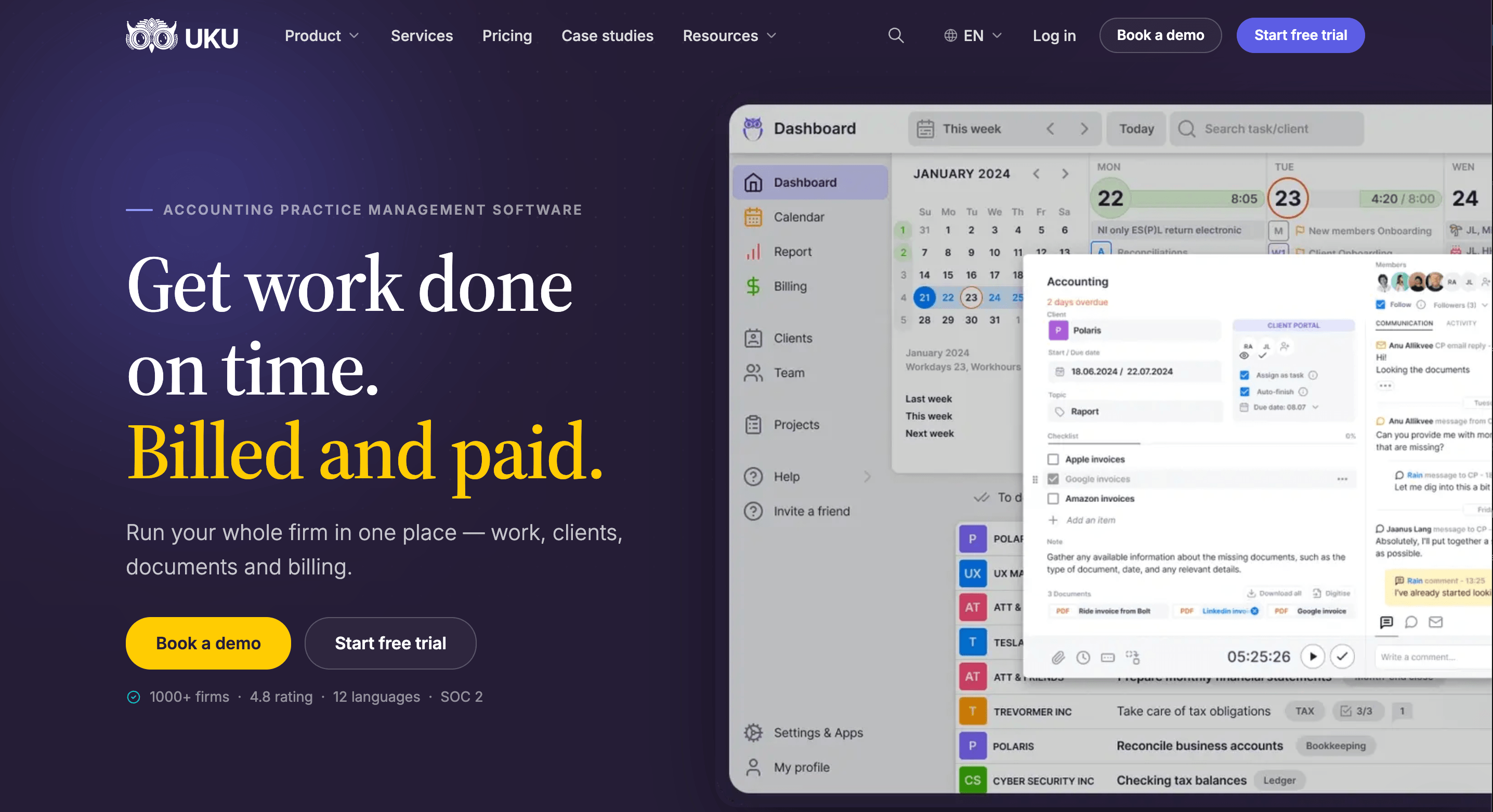
Uku’s dashboard shows what every team member is working on, what is overdue and what is coming up, across every client. Tasks come from workflow templates that follow the rhythm of accounting work: monthly bookkeeping, quarterly VAT, year-end. Assign a template to a client once and Uku creates every future task on the right date, anchored to that client’s own dates such as fiscal year-end or payroll day.
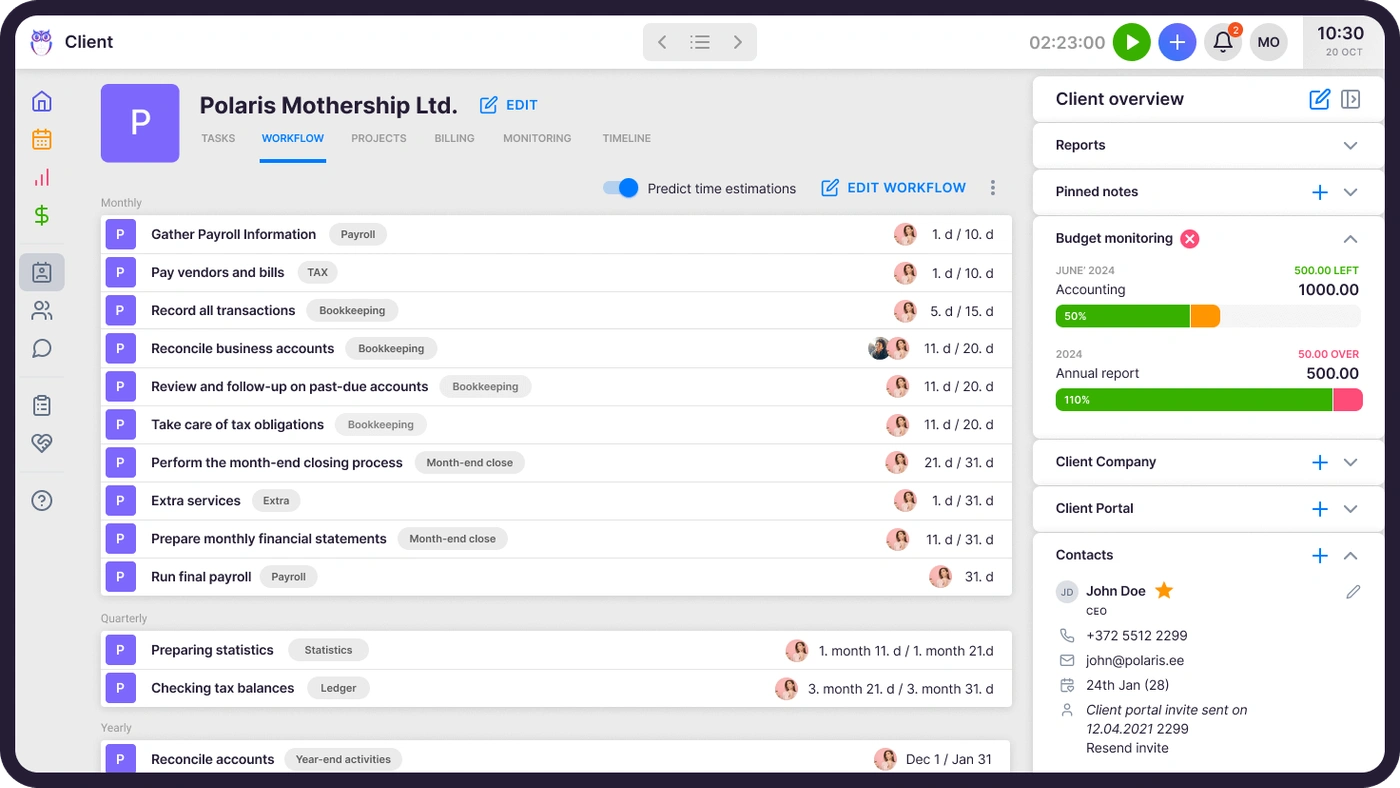
When someone is away, their tasks move to a substitute in one action, and each task carries its checklist, instructions and notes, so nothing waits for a handover meeting.

Time tracking that feeds billing
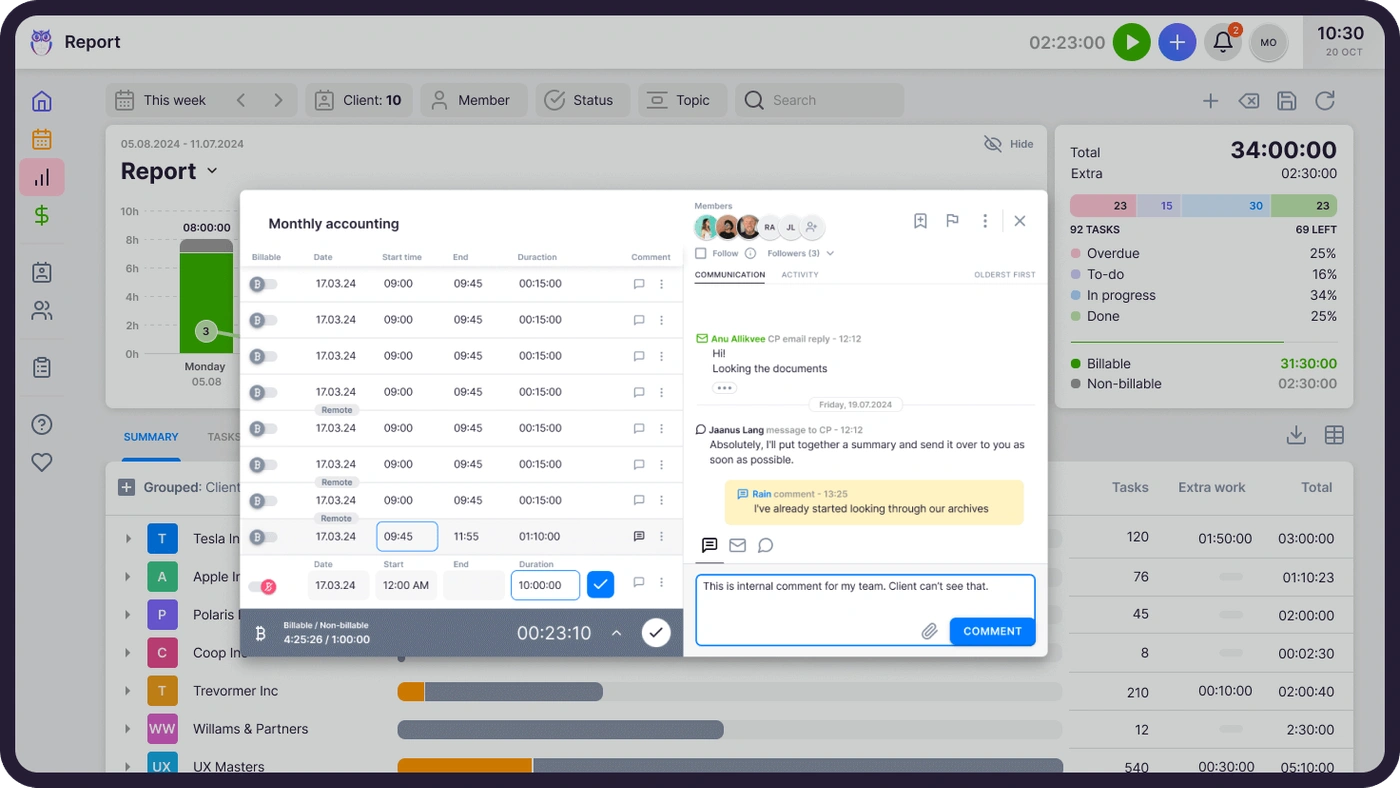
Ignition collects the payment; Uku records the work behind it. Time tracking sits on the task itself: a one-click timer, a timer that stays visible in the header on every page, and manual entries. That time flows straight into invoices, with nothing to export or re-enter. On Elite, a firm can require a time entry before any task can be closed, so billable work cannot slip through.

Automated billing: 100+ clients in about 30 minutes
Uku’s billing reads the month’s time entries, applies each client’s contract, and drafts the invoices when the period closes. Six product types cover hourly, fixed, per-piece, member rate, combined and task-triggered billing, and invoices sync both ways with QuickBooks, Xero and e-conomic. It reduces invoice preparation from days to about 30 minutes.
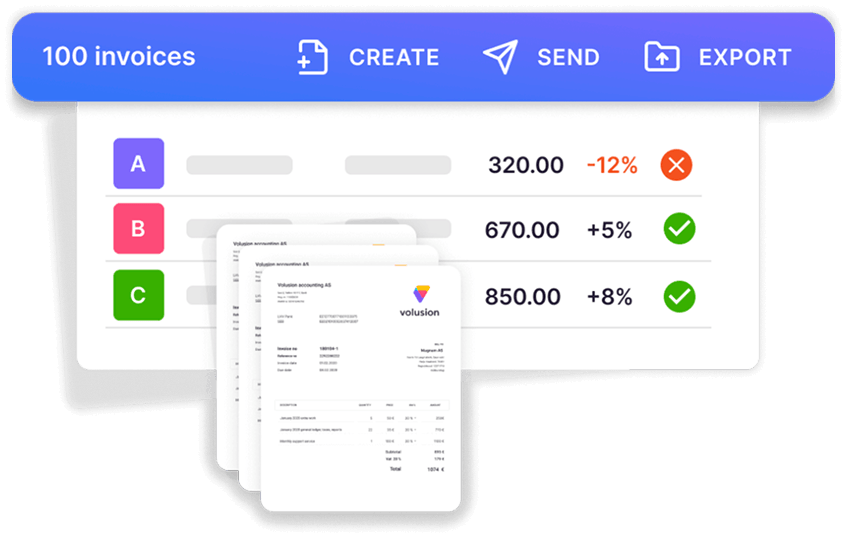
Where Ignition bills the agreed scope, Uku bills what was delivered, which is how hourly and out-of-scope work ends up on an invoice instead of in someone’s memory.
Agreements monitoring: is each client worth their fee?
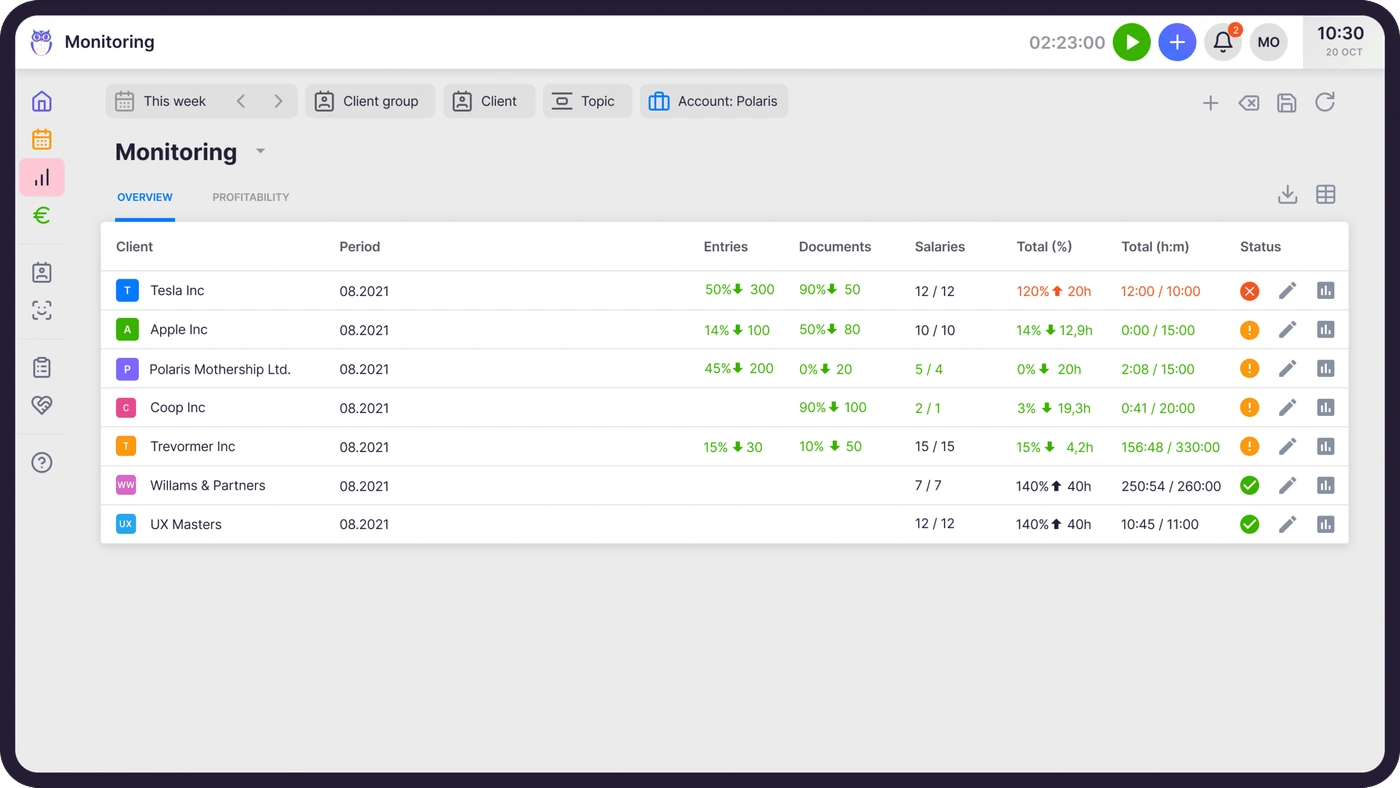
Agreements monitoring sets each client’s agreed volume of work against what was actually done this period (hours, documents, payroll runs), and flags every client green, amber or red. It is the answer Ignition cannot give: Ignition knows what a client agreed to pay; Uku knows whether serving them is worth that price. Client budgeting adds an alert before a client’s budget runs out, while there is still time for a pricing conversation.
Client portal and team collaboration
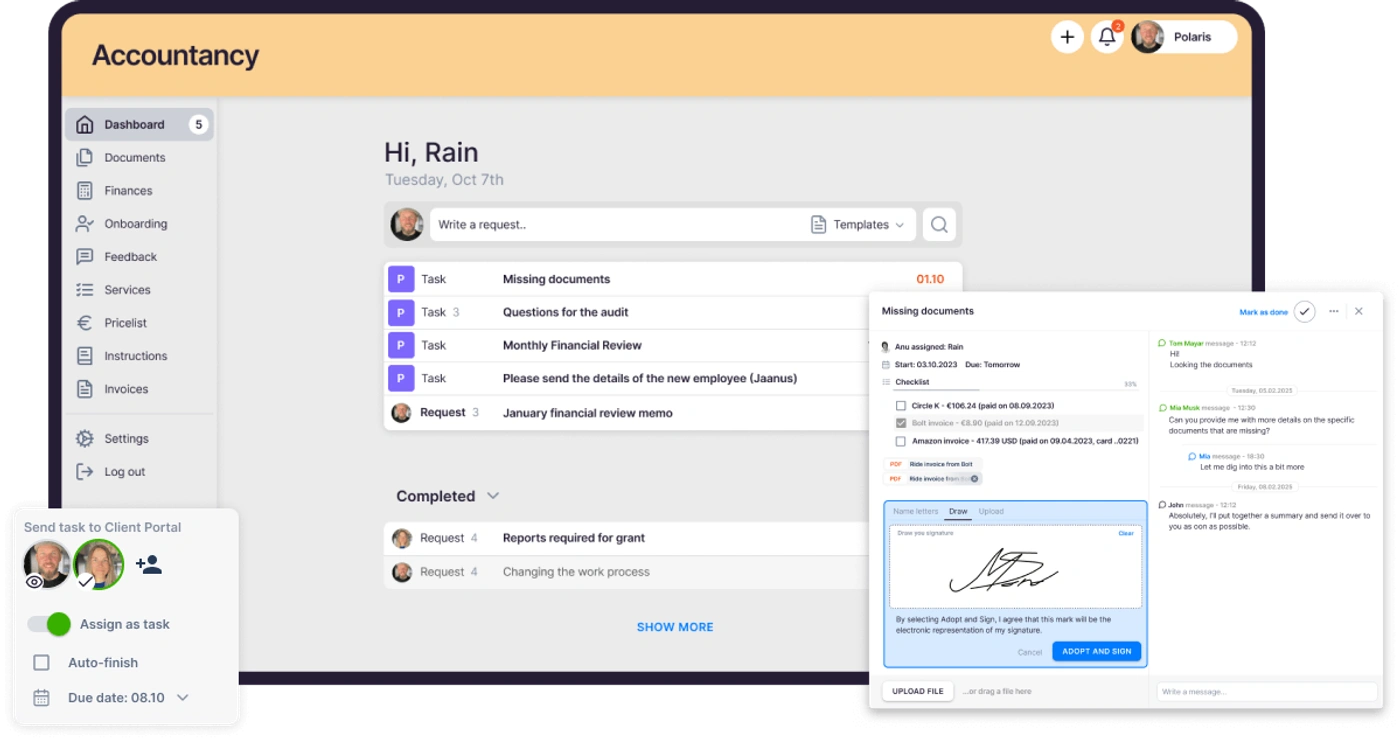
The client portal mirrors the exact same task on both sides: the client and the accountant work on one item, with its messages and documents in one place. Clients sign in with a magic link, upload documents, reply and sign agreements, and automatic reminders go out before deadlines. Portal access is free on every plan.
BI Analytics: firm-level numbers from the data already there
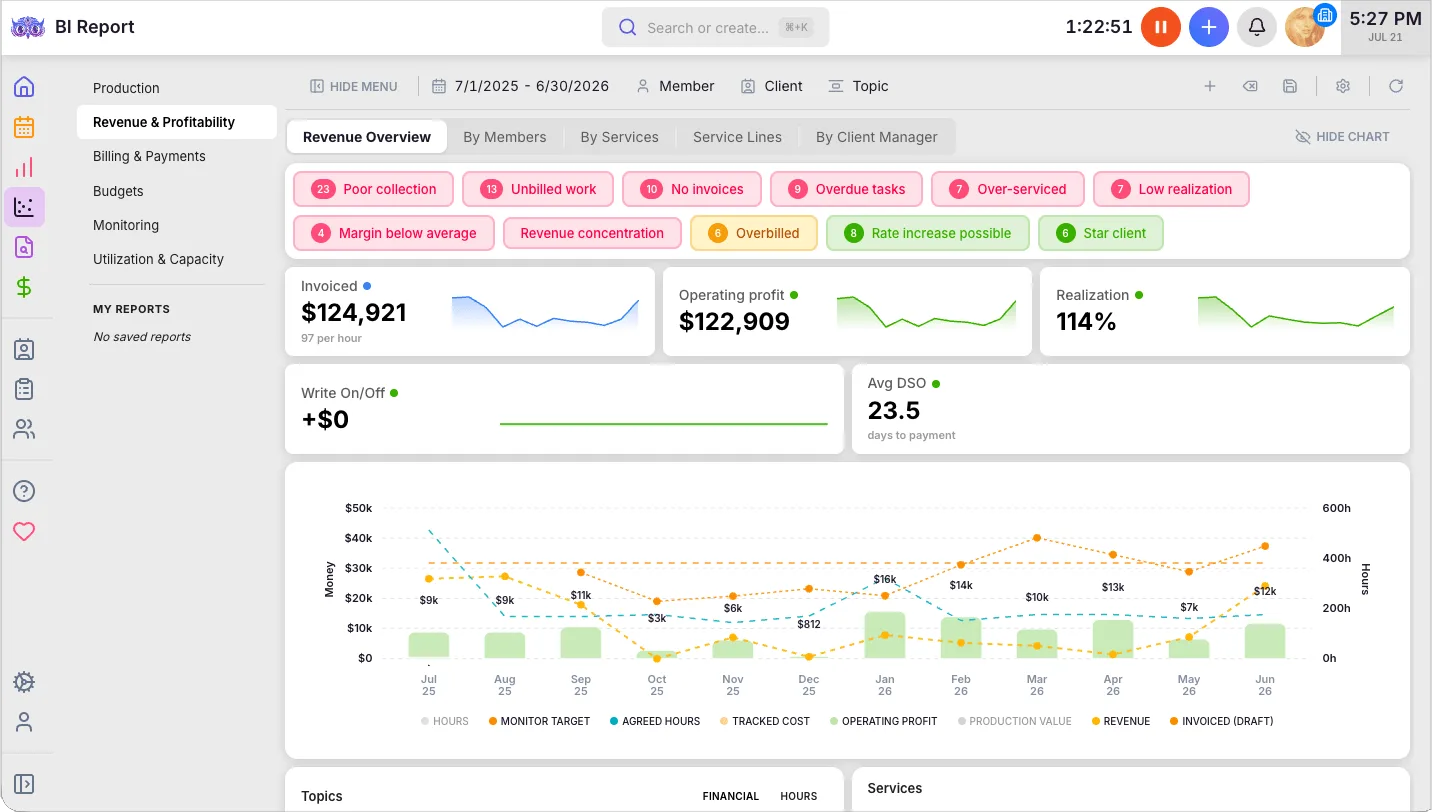
Because Uku holds the time, contracts, invoices and monitoring data in one place, BI Analytics on Elite draws on all of it without integration work: production, revenue and profitability, utilisation and capacity, billing and payments, budgets and monitoring, with health flags that filter straight to the clients that need attention. An open API covers almost everything in the app for firms that want the data in Power BI.
Uku pricing
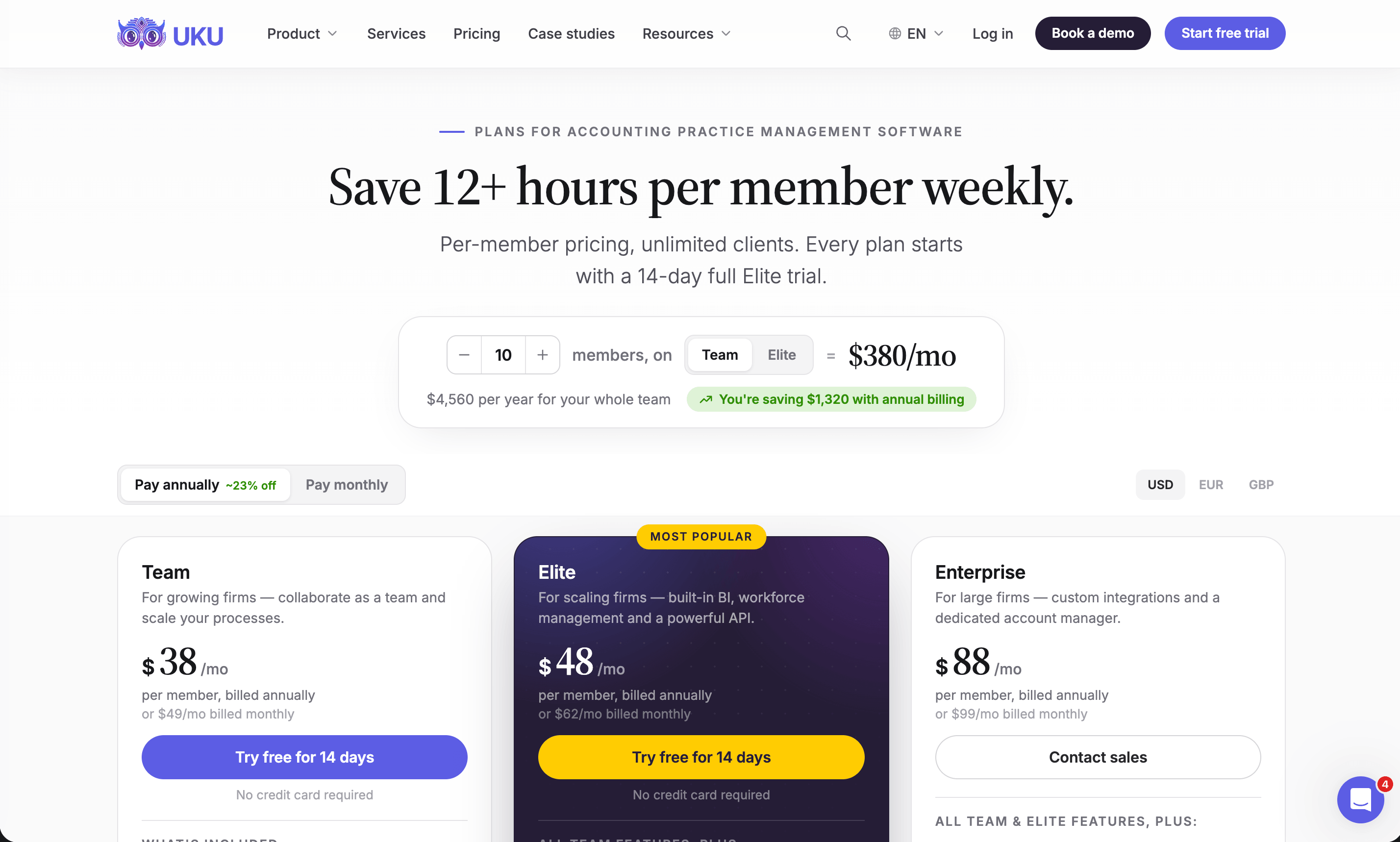
Uku charges per member per month; clients and their portal access cost nothing. Annual billing saves about 23%, and every account starts with a 14-day trial of the full Elite plan, no card required, plus 90 minutes of free onboarding.
| Plan | Per member, per month | Best for |
|---|---|---|
| Solo | $19 annual, $25 monthly | One accountant, up to 20 active clients |
| Team | $38 annual, $49 monthly | Unlimited members and clients, projects, access control |
| Elite | $48 annual, $62 monthly | BI Analytics, workforce management, API, Zapier to Ignition |
| Enterprise | $88 annual, $99 monthly | Custom integrations, account manager, assisted import |
Ignition and Uku: Comparison Summary
| Aspect | Ignition | Uku |
|---|---|---|
| Main job | Proposals, engagement letters, payment collection | Tasks, time tracking, billing, team |
| Where it works | Before and at the point of engagement | From engagement through delivery |
| Billing | Pre-set schedules from signed proposals | Invoices from contracts and tracked time |
| Payments | Card or ACH collected at signing | Payment links through your own Stripe or Montonio (Elite) |
| Client profitability | Revenue: what clients pay | Cost: what clients take to serve |
| Recurring work | Proposal renewals, bulk price changes | Recurring tasks created every cycle |
| Team | User accounts for sellers; no workload view | Workload, calendar, absence cover |
| Client communication | Branded proposal and payment pages | Client portal, shared email, document collection |
| Compliance | Identity checks, $6–$10 each (Core and up) | AML tools on every plan |
| Integration | Zapier trigger: Proposal Accepted (Pro and up) | Zapier action: Create Client (Elite and up) |
| Pricing model | Per plan, capped by active clients and users | Per member, clients free |
| Free trial | 14 days, no card | 14 days of Elite, no card |
| Best for | Winning clients and getting paid | Delivering the work and running profitably |
How to Set Up Uku Next to Ignition
You are not replacing Ignition, so this is a smaller move than switching practice management systems. Most firms are live in two to six weeks, at their own pace, and keep billing clients throughout.
- Import your clients into Uku. From Excel, or synced straight from Xero or QuickBooks through Uku’s import flow.
- Turn each service you sell in Ignition into a workflow template. Monthly bookkeeping, payroll, the annual return: one template each, applied to every client who bought it.
- Put hourly and out-of-scope work on Uku billing contracts. Fixed fees can keep billing from Ignition.
- Connect the two and go live. On Ignition Pro and Uku Elite, a Zapier zap from Proposal Accepted to Create Client brings each newly signed client into Uku. Use the 90 minutes of onboarding that comes with every plan.
If your firm uses an AI assistant, the Uku MCP server connects in a day, and Ignition has one of its own on every plan. With both connected, one assistant can check that every client signed in Ignition has a workflow in Uku.
Final Verdict
Ignition and Uku solve two halves of the same problem: running a profitable firm.
👉 Choose Ignition if:
- Proposals, engagement letters and renewals take too much of your time
- Late payment and chasing invoices cost you cash every month
- You price on fixed fees and want benchmarks for what to charge
- You need identity checks built into client onboarding
👉 Add Uku if:
- Recurring work lives in spreadsheets, inboxes and people’s memory
- Time is not tracked, or tracked time never reaches an invoice
- You cannot say which clients cost more than they pay
- Nobody can see the team’s workload or cover an absence quickly
Try Uku free for 14 days or book a demo and we will map your Ignition services to Uku workflows with you.
Ignition asks how to win the client and get paid upfront. Uku asks how to deliver the work and make money doing it. A firm that runs both wins the client, collects the payment, does the work on schedule, tracks every minute and invoices correctly.
Read more
- Ignition vs Uku — the head-to-head: proposals and payments against the work, time and billing
- Ignition alternatives — seven tools that run the work beside Ignition or replace its proposals and payments
- Ignition pricing — every plan, the client and user caps, and a worked payment-fee example
- How to price accounting firm services — the packaging and value pricing that Ignition’s proposals are built on
- Best apps for accountants — Ignition alongside the rest of a modern firm’s stack
- Xero Practice Manager review and Karbon review — two of the practice management tools Ignition Pro connects to
- Uku case studies
Frequently asked questions
What is Ignition used for?
Ignition is a proposals, engagement letter and payment collection platform for accounting, bookkeeping and professional services firms. A client accepts a proposal, signs the engagement terms and authorises payment in one step, and Ignition then bills them automatically on the agreed schedule, creating the invoices in Xero, QuickBooks Online or MYOB. It also offers AI price benchmarks, a sales pipeline and AML/KYC identity checks.
Is Practice Ignition the same as Ignition?
Yes. Practice Ignition, founded in Australia in 2013 by chartered accountant Guy Pearson and product designer Dane Thomas, dropped "Practice" from its name as it expanded beyond accounting to professional services generally. It is the same product at ignitionapp.com.
How much does Ignition cost?
In the US, Ignition costs $99 (Core), $229 (Pro) or $399 (Pro+) per month on annual billing, or $149, $279 and $499 monthly. Solo, for firms under $150,000 in annual revenue, is $39 a month annually or $49 monthly. Each plan caps active clients and users, with a per-client charge above the cap, and payments carry processing fees of 2.5–3.6% + $0.30 by card or 1% + $0.30 by ACH, capped at $5.
Does Ignition offer a free trial?
Yes. Ignition offers a 14-day free trial with no credit card required. A US firm can collect up to $10,000 in payments during the trial without processing fees. After 14 days the account goes on hold until a plan is chosen; nothing is deleted.
Does Ignition include project management or time tracking?
No. Ignition covers the front end of a client relationship: proposals, engagement letters, payments and billing. It has no task management, recurring workflows, time tracking or team workload view. Firms usually pair it with a practice management tool; its Pro plan connects to Karbon, Xero Practice Manager, FYI and Financial Cents, and Uku connects through Zapier.
How long do Ignition payouts take?
Ignition's pricing page lists standard ACH payouts at five to seven business days on Solo and Core, and fast payouts of about three business days on Pro and Pro+. Several reviewers name the payout lead time as a drawback.
What are the most common complaints about Ignition?
Cost is the most frequent complaint in Ignition's G2 and Capterra reviews, especially for small firms once add-ons such as Deals ($49/month) and Forms ($49/month) are included. Reviewers also mention payout lead times, the effort of building the first service and template library, and that editing or undoing transactions is difficult.
Can Ignition and Uku work together?
Yes. Through Zapier, Ignition's Proposal Accepted trigger can run Uku's Create Client action, so a signed client appears in Uku automatically and the team applies a workflow template from there. Uku's Zapier app creates and updates clients and contacts, not tasks. Zapier needs Ignition Pro or Pro+ and Uku Elite or Enterprise.

Published Sep 27, 2026 · Updated Sep 28, 2026