7 Best Pixie Practice Management Alternatives in 2026
The 7 best Pixie practice management alternatives in 2026: Uku, Karbon, TaxDome, Financial Cents, XPM, Jetpack Workflow and Cone, with verified prices.


Contents
- Pixie Alternatives at a Glance
- What is Pixie?
- How We Curated Our List of Pixie Alternatives
- 1. Uku: Best Alternative for Time Tracking and Billing in the Same System
- 2. Karbon: Best Alternative for Larger Teams That Run on Email
- 3. TaxDome: Best Alternative for Document-Heavy US Tax Firms
- 4. Financial Cents: Best Alternative for Small US Firms on QuickBooks Online
- 5. Xero Practice Manager: Best Alternative for Xero Partner Firms
- 6. Jetpack Workflow: Best Alternative for Workflow Only, Priced per User
- 7. Cone: Best Alternative for Proposals, Workflow and Billing on a Small Budget
- How to Switch from Pixie to Uku
- The Final Verdict
- Read more
The seven best Pixie practice management alternatives in 2026 are Uku, Karbon, TaxDome, Financial Cents, Xero Practice Manager, Jetpack Workflow and Cone. Each closes a different gap. Uku, Karbon, TaxDome, Financial Cents and Xero Practice Manager add what Pixie leaves to other tools: time tracking and billing in the same system as the work. Jetpack Workflow and Cone are for firms that like Pixie’s simplicity but want a different price model.
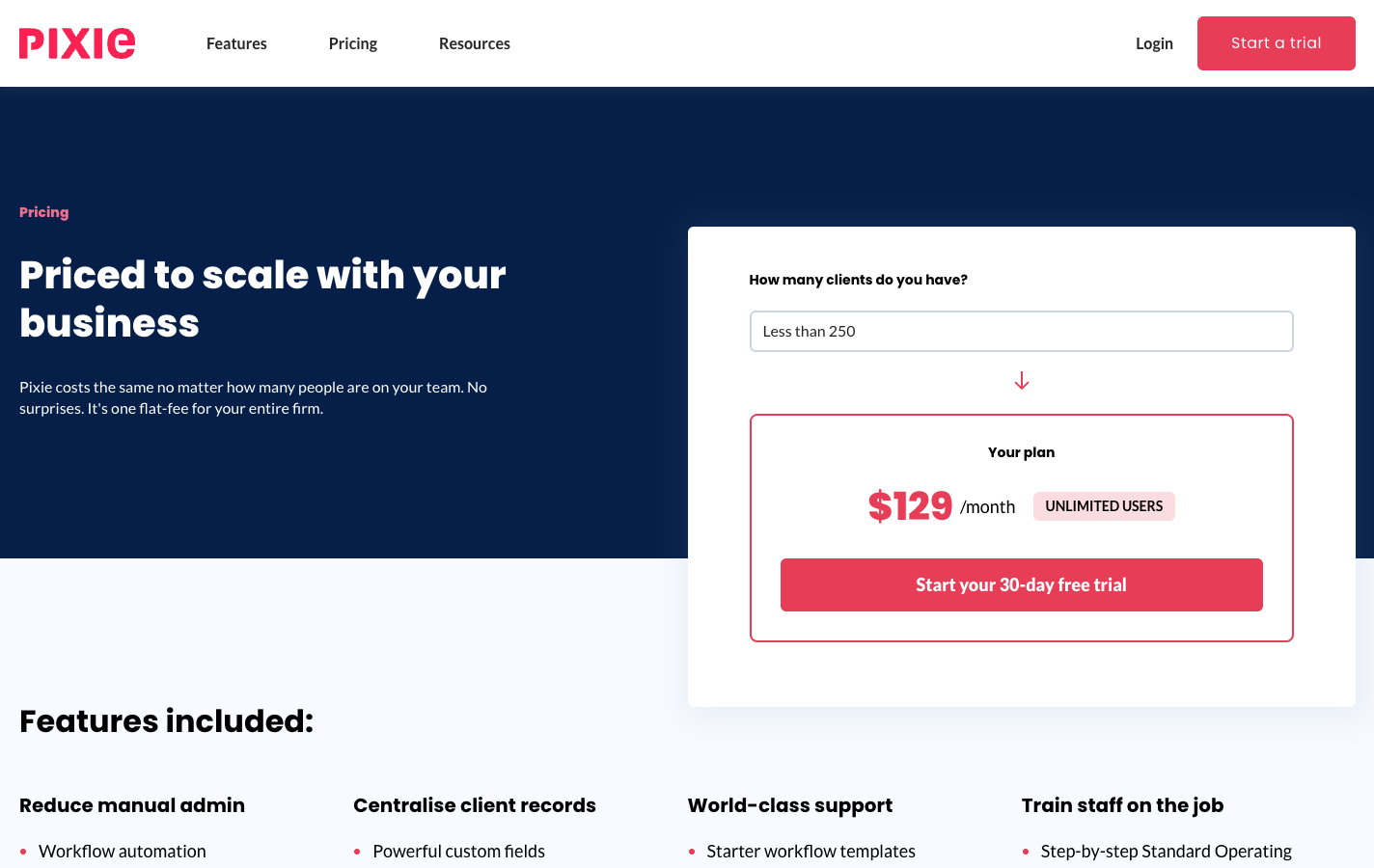
Pixie is practice management software for accounting firms: workflows, recurring jobs, email integration, client tasks and a document portal. It costs one flat fee by client count with unlimited users, $129 a month for fewer than 250 clients, $199 up to 500 and $329 up to 1,000.
Firms look elsewhere when the work outgrows the task list. Pixie has no built-in time tracking (its timer is a Clockify integration), no billing, no mobile app, and it reaches Xero or QuickBooks only through Zapier. So a firm that bills by the hour, or wants to know which clients are profitable, runs two or three more tools next to it.
Pixie Alternatives at a Glance
| The Best Pixie Alternatives | ||
|---|---|---|
 | Best Alternative for Time Tracking and Billing in the Same System Starts at: $19/member/mo · Per member Workflows, a built-in timer and invoices drafted from each client’s contract and tracked hours, with client profitability before month-end. | |
 | Best Alternative for Larger Teams That Run on Email Starts at: $59/user/mo · Per user A shared inbox that turns client email into work, capacity planning and firm-wide analytics. | |
 | Best Alternative for Document-Heavy US Tax Firms Starts at: $800/seat/yr · Per seat, yearly Unlimited document storage, KBA e-signatures, a client mobile app and billing in one system. | |
 | Best Alternative for Small US Firms on QuickBooks Online Starts at: $19/mo (solo) · Per user Workflow, capacity, time tracking and invoicing with a native QuickBooks Online sync. | |
 | Best Alternative for Xero Partner Firms Starts at: Free / $149/mo · Flat, by partner tier Jobs, time and WIP invoiced straight into Xero, free at Silver partner status and above. | |
 | Best Alternative for Workflow Only, Priced per User Starts at: $40/user/mo · Per user Recurring deadlines and templates with unlimited clients, and deliberately nothing else. | |
 | Best Alternative for Proposals, Workflow and Billing on a Small Budget Starts at: $5/user/mo · Per user Proposals, engagement letters, workflow and billing with QuickBooks, Xero and Zoho Books sync. | |
Entry prices per month on annual billing, except TaxDome (per seat per year) and Xero Practice Manager (a flat monthly fee that is free from Silver partner status up). Pixie itself is $129 a month for fewer than 250 clients, with unlimited users.
What is Pixie?
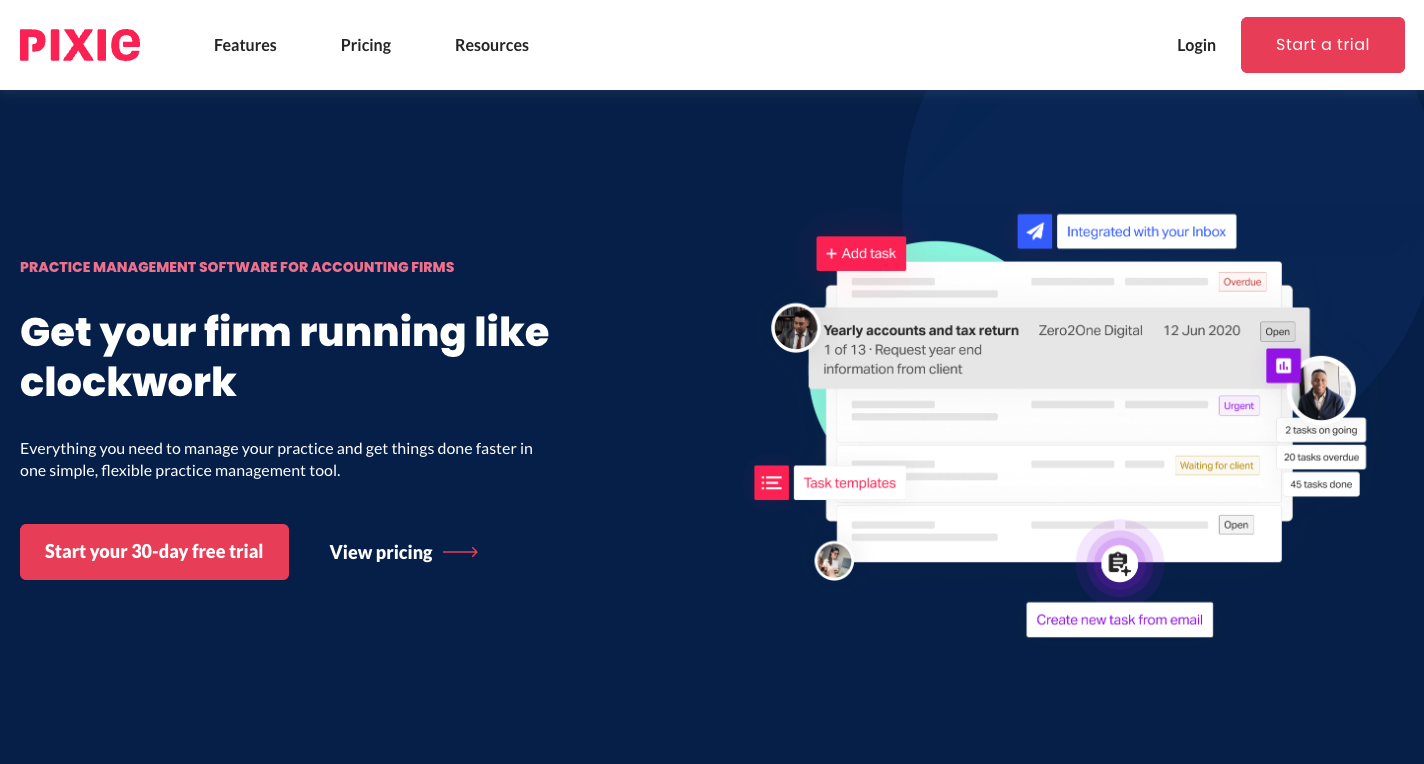
Pixie is a cloud practice management platform built for accountants and bookkeepers. It is run by Pixie International Limited in the UK, owned by The Successful Bookkeeper Global (Ontario, Canada), with the software developed by The Access Group. It promises “everything you need to manage your practice and get things done faster in one simple, flexible practice management tool”.
 Source: Pixie
Its key features include:
- Workflows and recurring jobs with templates, a template marketplace, step-by-step instructions and embedded training videos
- Email integration with Gmail and Office 365, logging correspondence against the client and the job
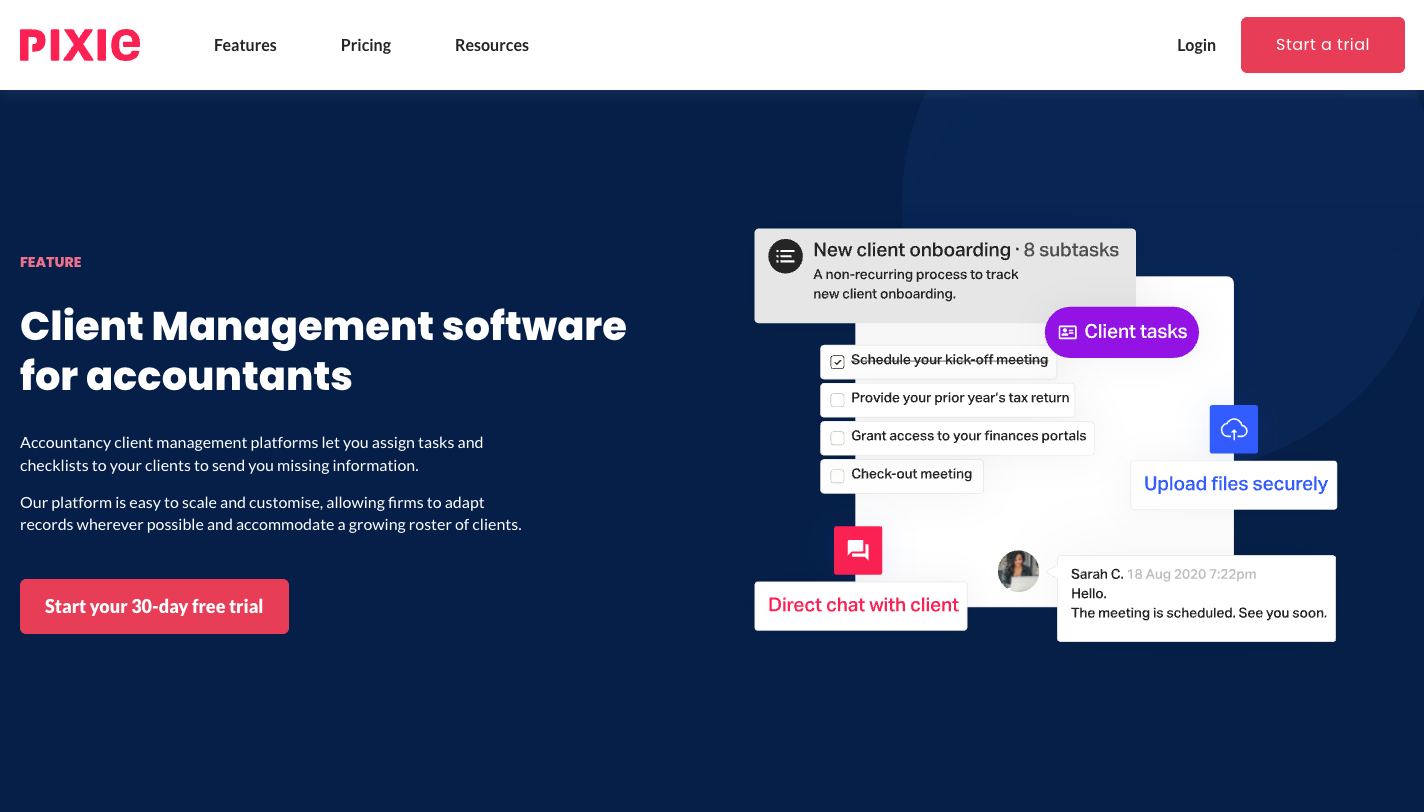
- Client tasks: checklists sent to clients through a passphrase-protected portal, with automatic reminders and two-way chat
- Document signing compliant with US ESIGN, EU eIDAS and UK eIDAS, with a monthly allowance that grows with the plan
- Companies House import for UK clients, and Zapier for everything else
- Reports on email, operational and productivity metrics, a Work Report and a team overview
 Source: Pixie
What Pixie leaves out is the money side of the work. Time is tracked in Clockify, started from a Pixie task but stored outside it. Invoices are raised in Xero, QuickBooks or a separate billing tool. And the reports count tasks, not hours, so they cannot tell you whether a client’s fee covers the work.
 Source: Pixie
For how each feature works and what users say, see our Pixie review; for a head-to-head, Pixie vs Uku and Pixie vs Karbon.
Looking for time tracking and billing in the same place as the work? Uku is built for exactly that. Try it free for 14 days, no credit card required.
How We Curated Our List of Pixie Alternatives
We compared on 28 September 2026. Prices are what each vendor shows a US firm on its own pricing page. Feature claims come from each product’s own pages and help centre; if something isn’t mentioned there, we say “not mentioned”, not “doesn’t exist”.
We looked for tools that answer the reasons firms give for leaving or supplementing Pixie:
- Tracking time and turning it into invoices without Clockify and a second billing tool
- Seeing client profitability and team capacity in hours, not task counts
- Managing a large volume of client documents
- A native connection to Xero or QuickBooks Online instead of Zapier
- Proposals and engagement letters in the same system
- A price model that fits the firm: per user for a small team, flat for a large one
1. Uku: Best Alternative for Time Tracking and Billing in the Same System
Uku is practice management built for accounting, bookkeeping and audit firms. It covers what Pixie covers (workflows, recurring tasks, email, a client portal) and adds the part Pixie sends elsewhere: every tracked minute and every invoice. It serves 1,000+ firms in 25+ countries, in 12 languages, with USD, EUR and GBP billing, and it is modular: you can start with clients and tasks on day one, then add billing, workflows and analytics as you grow.
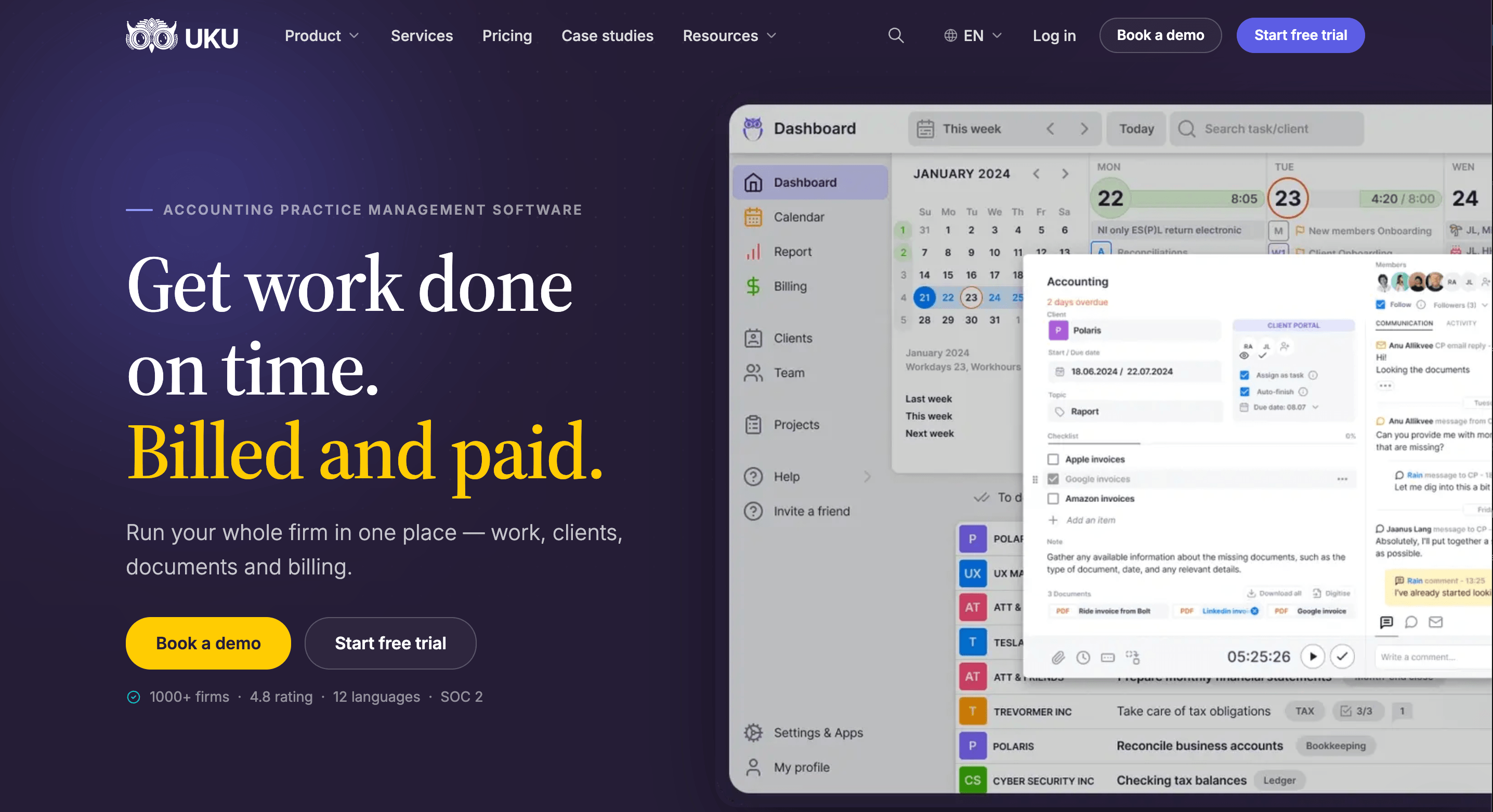
Its key capabilities include:
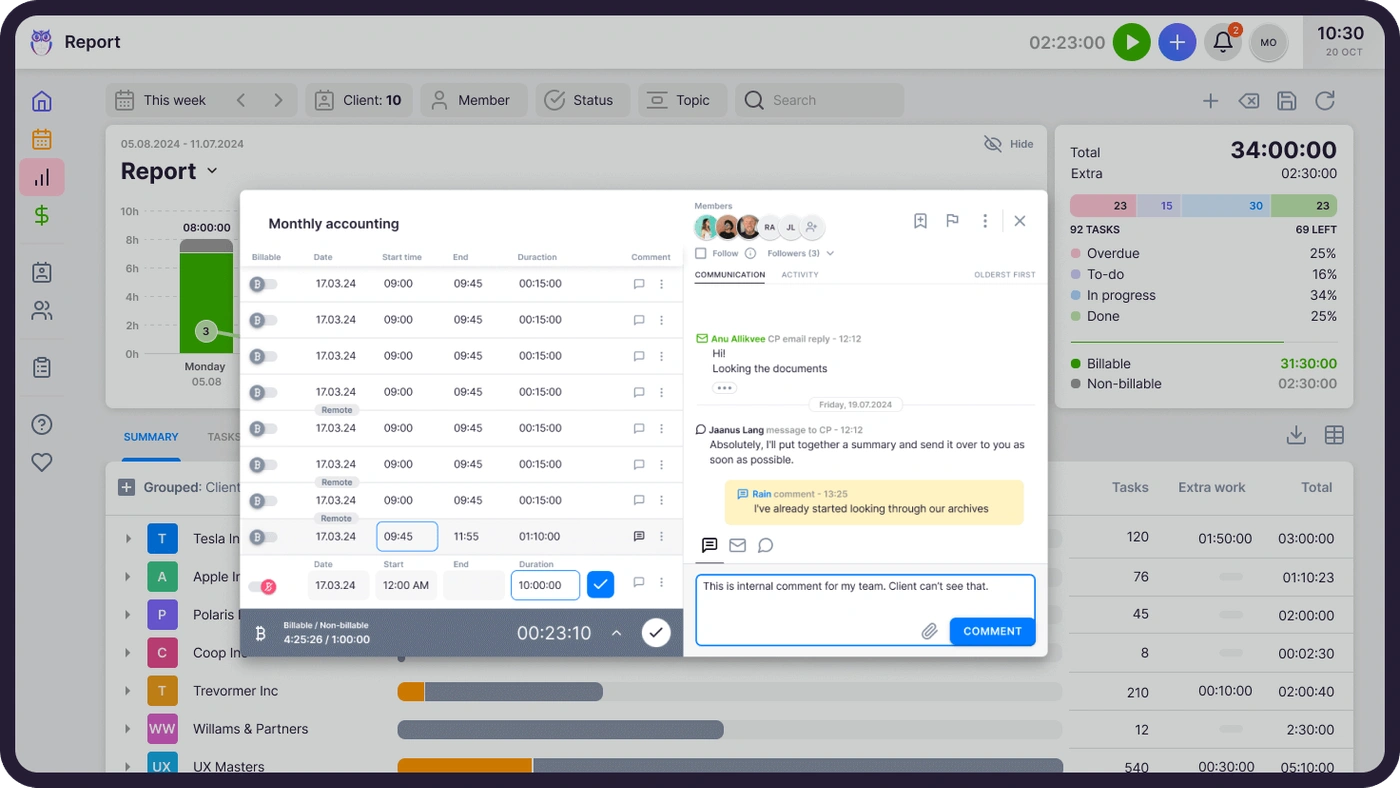
- Time tracking on the task. A one-click timer, manual and bulk entry, billable or not. On Elite and Enterprise, a firm can require a time entry before any task is closed.
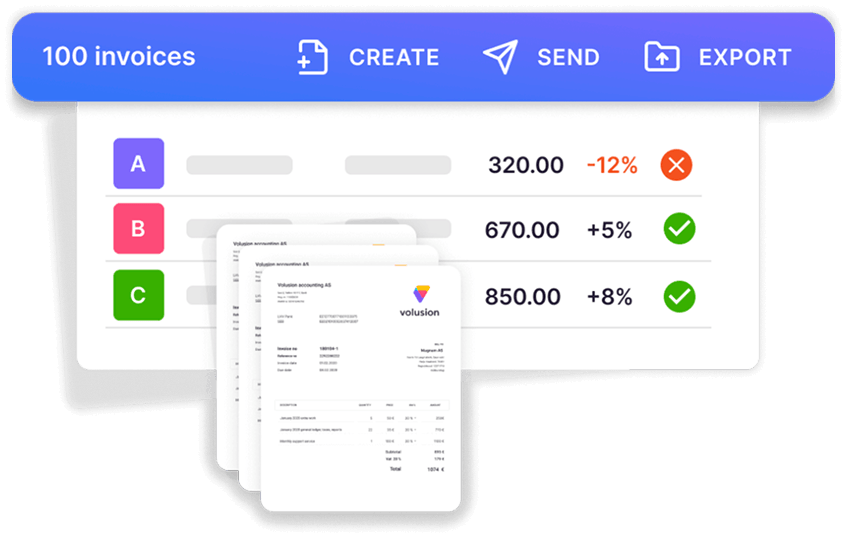
- Automated billing. Billing contracts (hourly, fixed, per piece, volume tiers, or a mix) draft the month’s invoices from tracked work and sync them to QuickBooks, Xero and other ledgers.
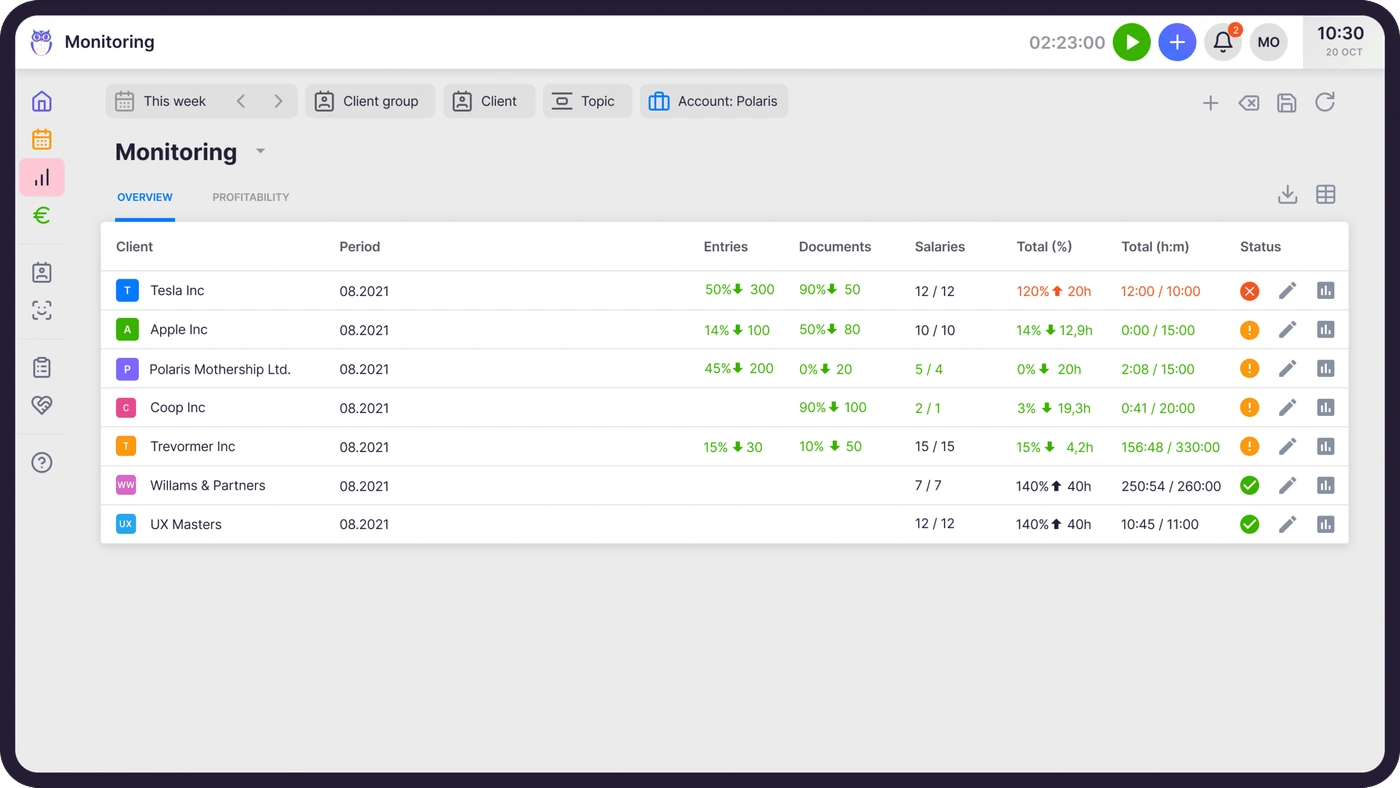
- Agreements monitoring. Agreed work against delivered work for every client, flagged green, amber or red before the month closes.
- Workflow automation. Workflow templates create every recurring task with its checklist and responsible person on the right date.
- Client portal. Passwordless, free for clients on every plan, with document requests and reminders.
- What Uku does not have: proposals (on the roadmap).
Why choose Uku over Pixie
The first difference is time. In Pixie, a timer started on a task writes to Clockify, and someone reconciles Clockify with the invoices later. In Uku the timer is the task’s own, and every entry lands on the client it belongs to, marked billable or not.

The second is billing. Pixie has no invoicing, so a finished job becomes a manual step in another system. Uku reads each client’s billing contract, adds the tracked time and any out-of-scope work, and drafts the invoices for the period. You review them and send them in one batch. Aaroni Accounting Services went from one to two days of invoice preparation to 15 minutes, and Leinonen Estonia, with 300 people in 11 countries, from six hours to two.

The third is profitability. Pixie’s Work Report tells you what work exists and who has it. Uku’s agreements monitoring tells you whether a client’s fee still covers it, in the middle of the month, while there is time for a pricing conversation instead of a write-off.
The trade-off is the price model. Pixie’s flat fee covers unlimited users, so above three or four people it can cost less per month than any per-seat tool, Uku included. The saving only holds if you do not also pay for Clockify and an invoicing tool.
Uku pricing
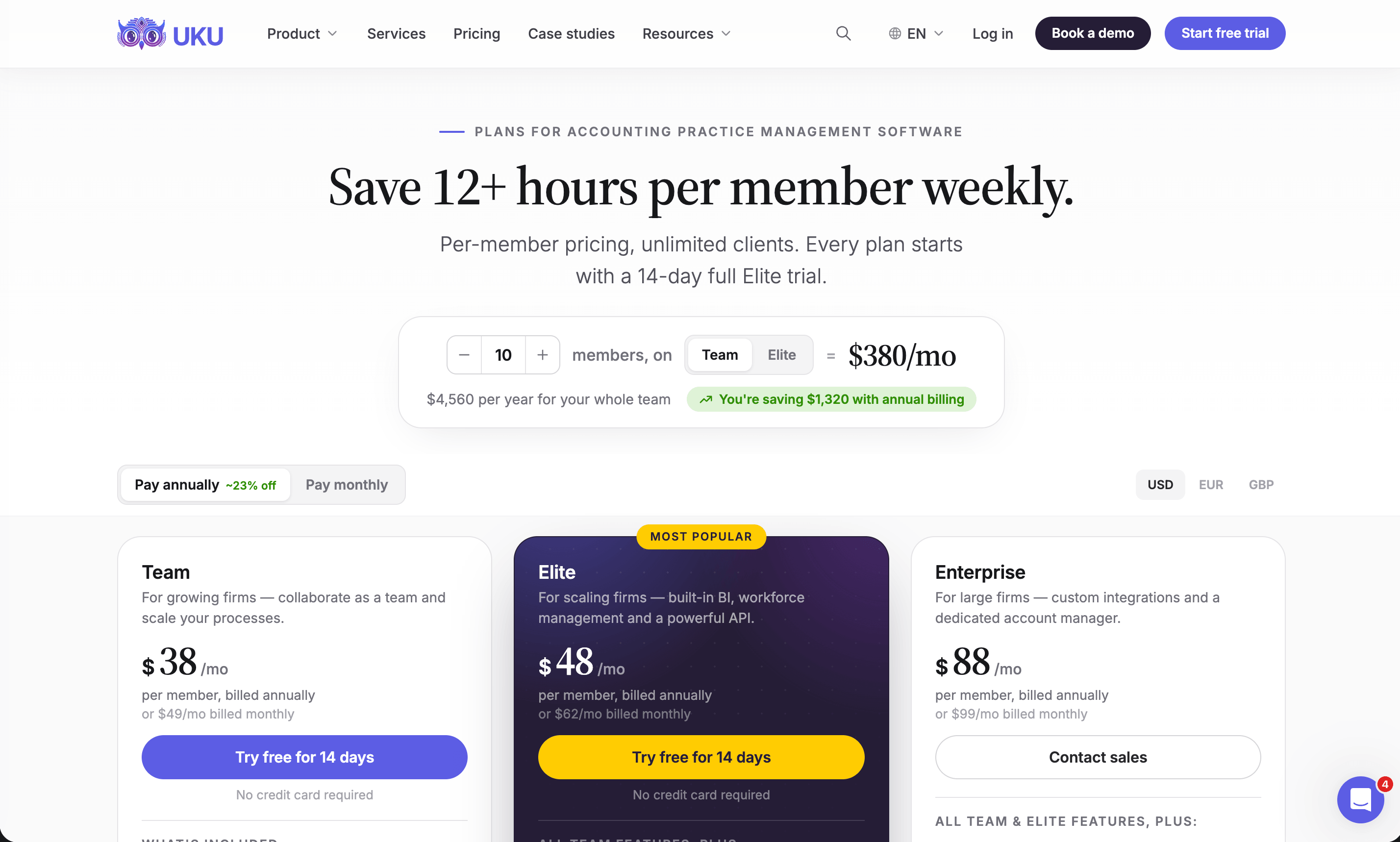
Per member per month, from Uku’s US pricing page: Solo $19 annual, $25 monthly (1 member, 20 active clients, e-signatures and document management included); Team $38, $49 monthly (unlimited members and clients, projects, access management); Elite $48, $62 monthly (BI Analytics, mandatory time entries, workforce management, public API, Zapier, e-signatures); Enterprise $88, $99 monthly (custom integrations, dedicated account manager, assisted client import). Clients and the portal are free. Every account starts with a 14-day trial of Elite, no card, plus 90 minutes of onboarding.
Who should use Uku?
Choose Uku if: you run an accounting or bookkeeping firm of 2 to 100 people with recurring monthly work; you bill some or all of it by the hour; you want time tracking, invoicing and client profitability in one place instead of Pixie plus Clockify plus an invoicing tool; or you want to adopt software one module at a time, with monthly billing. Not the first choice if your team is large, your fees are all fixed and Pixie’s task list already does the job: its flat fee is hard to beat. Reviews: G2 and Capterra. Book a demo to see it with your own services.
2. Karbon: Best Alternative for Larger Teams That Run on Email
Karbon is practice management for larger, often distributed accounting teams. It says 33,000 accounting professionals in 34 countries use it, and it has been named a G2 Leader in accounting practice management for 20 consecutive quarters. Like Pixie, it is built around email; unlike Pixie, it adds time tracking, billing and deep analytics.
 Source: Karbon
Its key capabilities include:
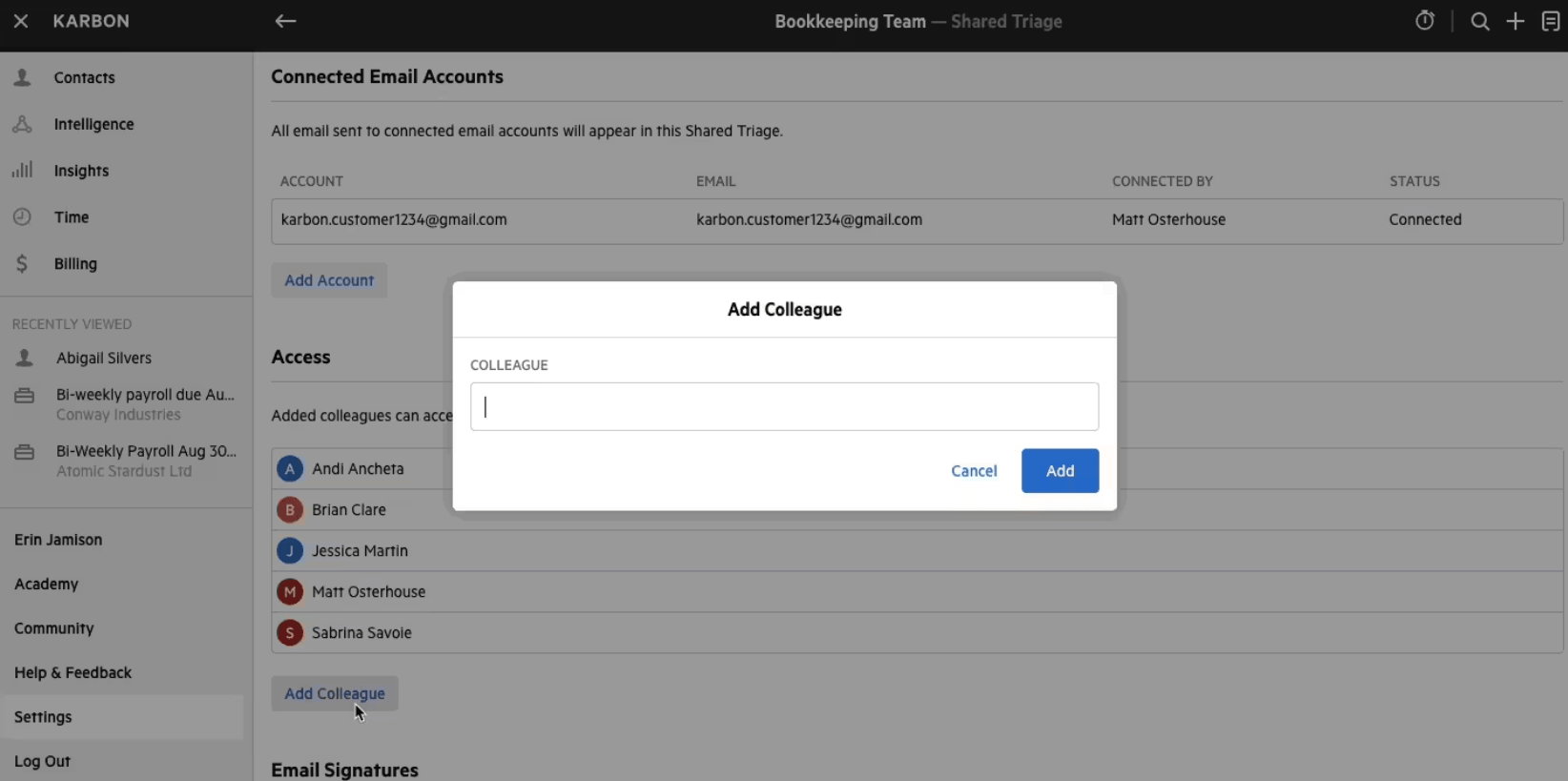
- Triage and Shared Triage: a shared inbox where any email becomes a work item attached to a client and a job
- Capacity planning with each team member’s budgeted hours against their capacity
- Time tracking and billing for hourly, fixed and recurring fees, with payments
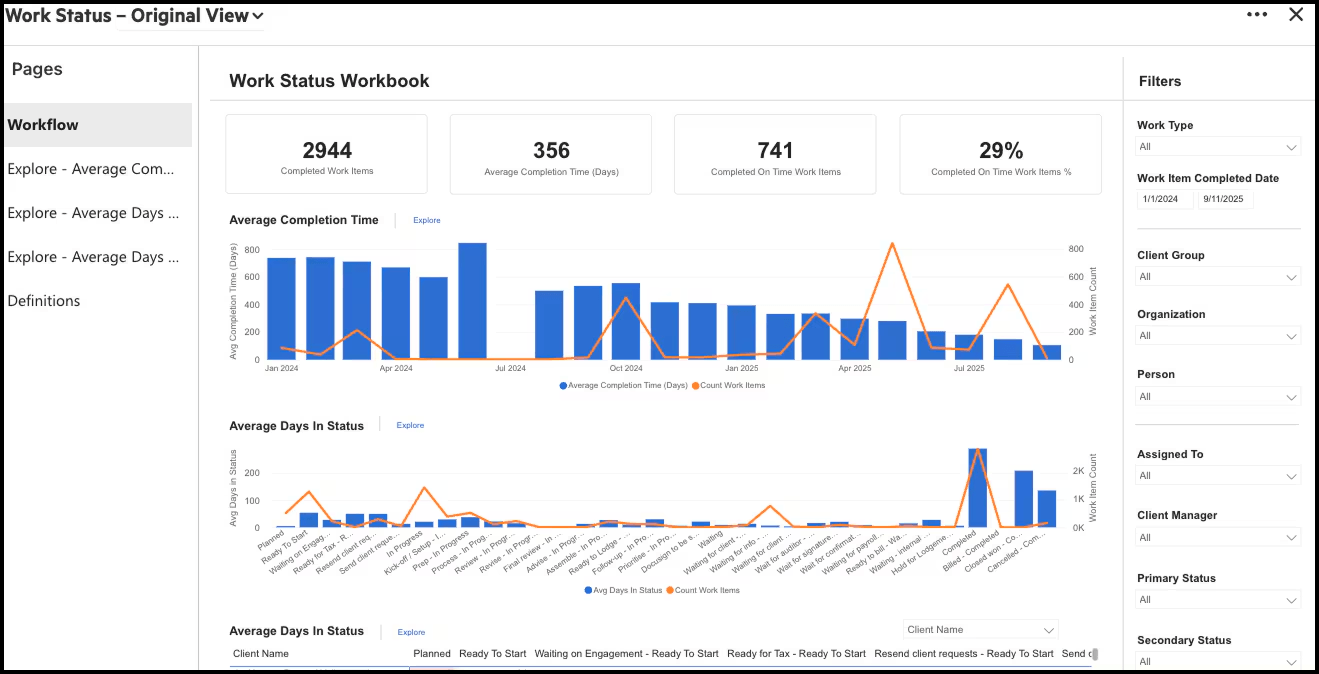
- Analytics workbooks on work status, team performance and revenue
Why choose Karbon over Pixie
Both connect Gmail and Outlook, but Karbon goes further with email: threads are shared across the team, commented on internally and turned into assigned work with due dates. For a firm where most client work starts in an inbox, that is the upgrade.
 Source: Karbon
The bigger difference is visibility. Pixie’s team overview counts each person’s open and overdue tasks. Karbon measures hours: budgeted against capacity per person per week, completion times, and how long work sits in each status.
 Source: Karbon
The trade-off is cost and setup. A ten-person firm on Karbon Team pays $590 a month on annual billing where Pixie charges $129, and our Karbon review covers the implementation effort.
Karbon pricing
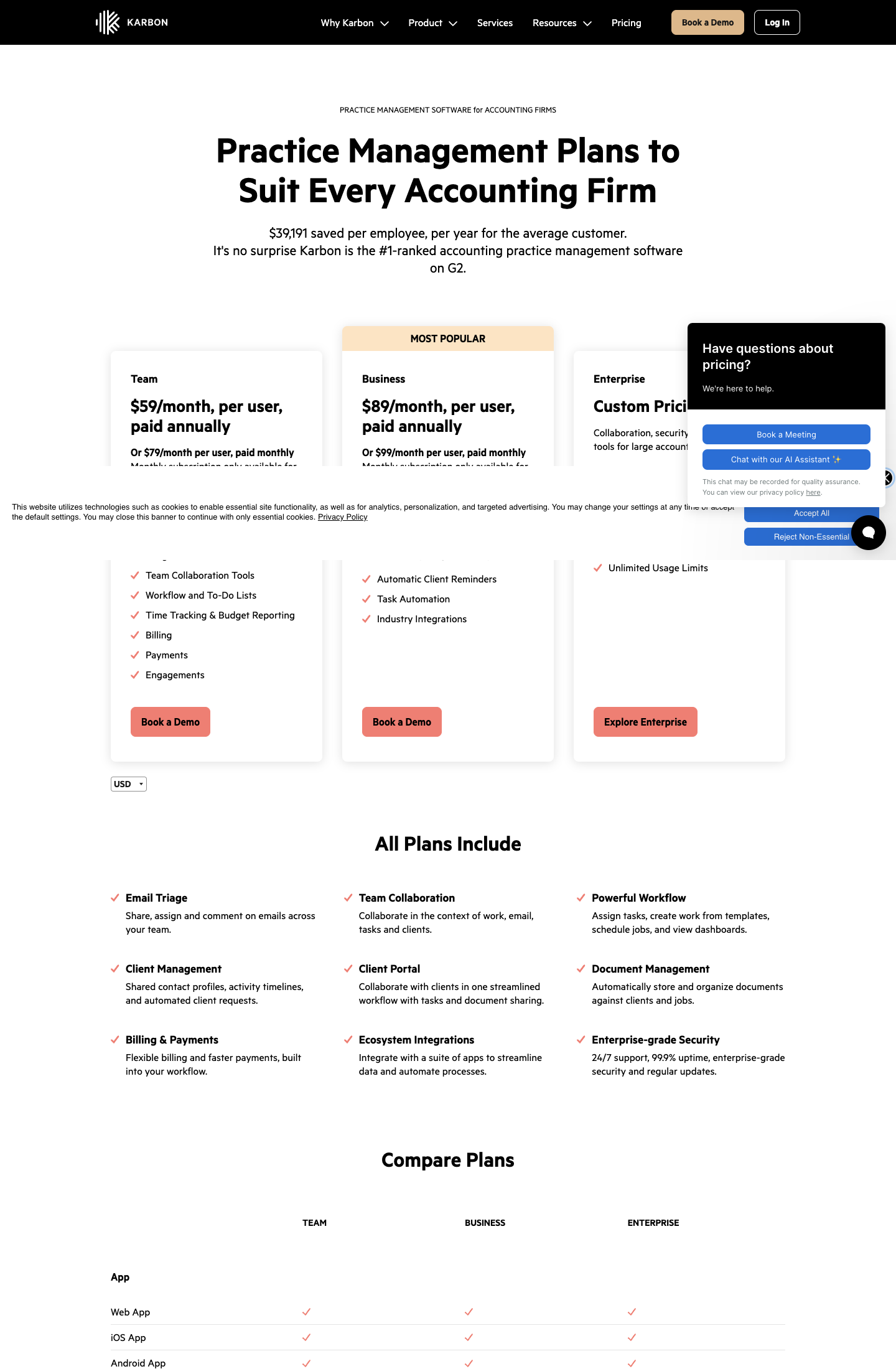
From the Karbon pricing page: Team $59 per user per month annual ($79 monthly), Business $89 annual ($99 monthly; automatic client reminders, task automation, API), Enterprise custom.
 Source: Karbon
Who should use Karbon?
Choose Karbon if: you are 20 to 200 people, email-first, and you want capacity and performance reporting in hours across the whole team. Reviews: Capterra. See also Pixie vs Karbon, our Karbon pricing and Karbon vs Uku.
3. TaxDome: Best Alternative for Document-Heavy US Tax Firms
TaxDome is an all-in-one platform for tax, bookkeeping and accounting firms: CRM, client portal and mobile app, unlimited document storage and e-signatures, workflow automation, email and chat, proposals, invoicing and payments.
 Source: TaxDome
Its key capabilities include:
- Unlimited document storage and e-signatures on every plan, with document requests and approvals
- KBA e-signatures for IRS Form 8879 at $1 per use
- Client mobile app on iOS and Android
- Invoicing, time tracking and payments, with the option to lock documents until an invoice is paid
Why choose TaxDome over Pixie
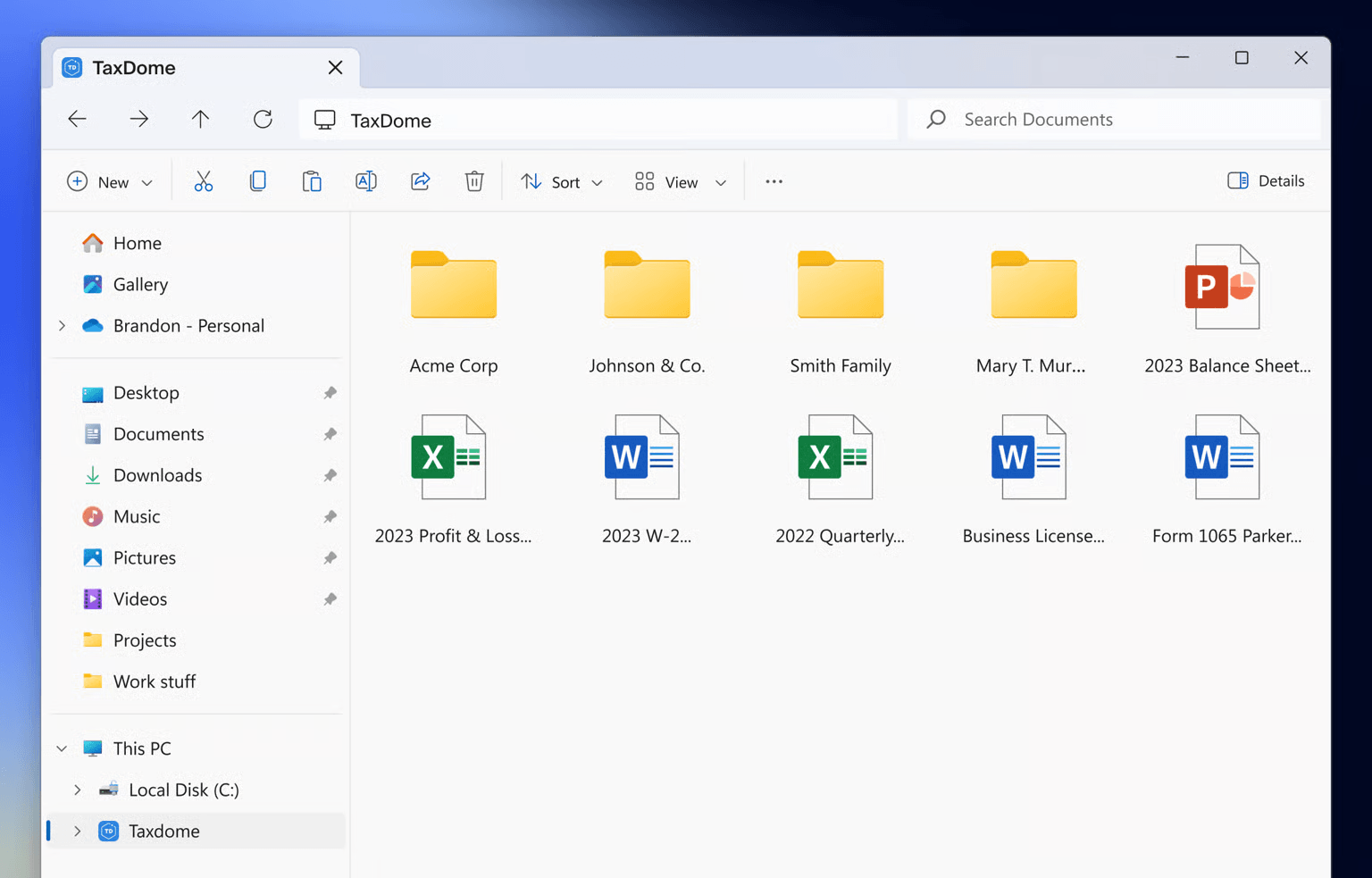
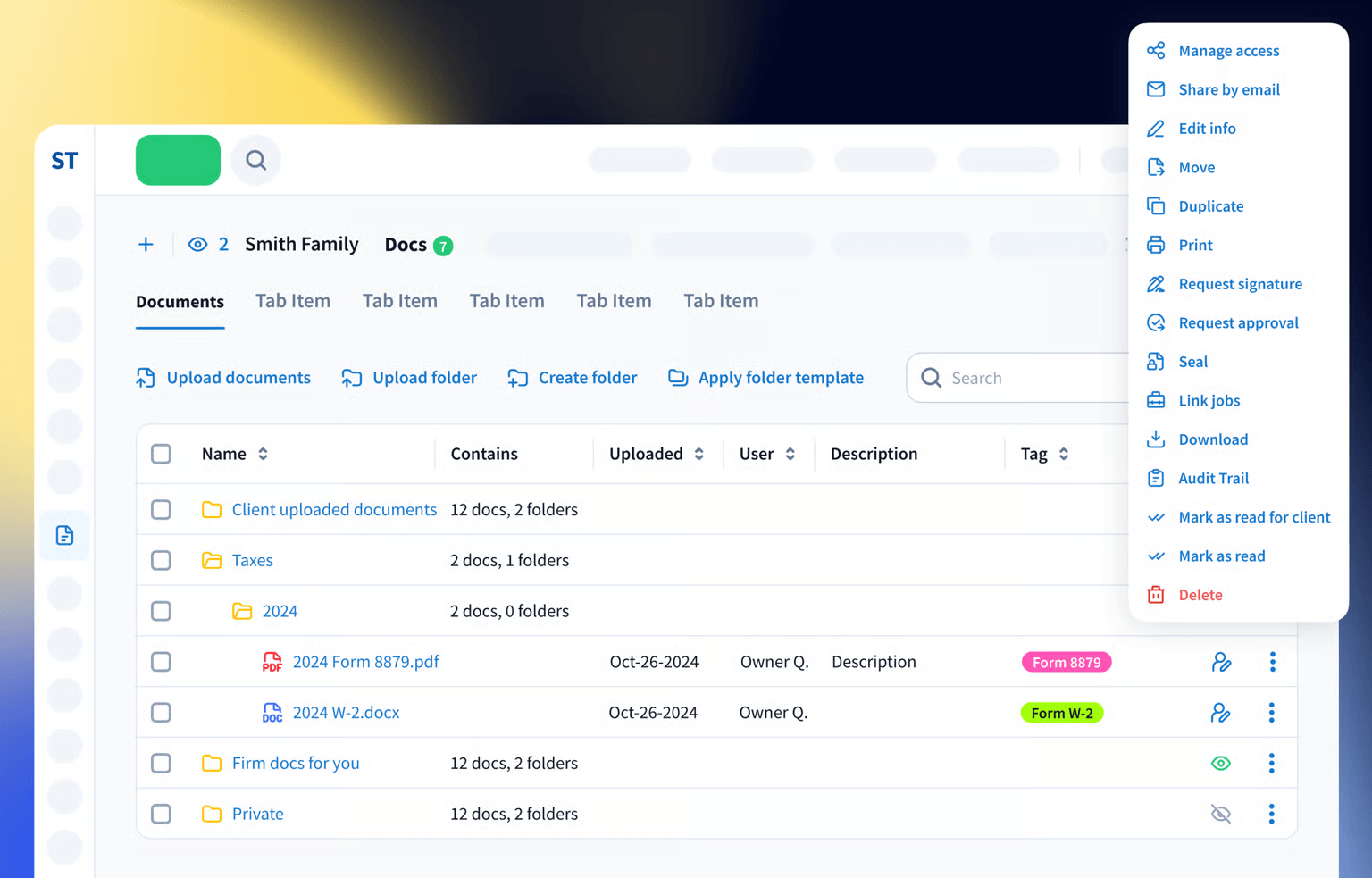
Pixie has a document portal for exchanging files with clients. TaxDome treats documents as the centre of the practice: folder templates per client, signature and approval requests from the document itself, and TaxDome Drive, which mounts the whole store as a drive in Windows File Explorer.
 Source: TaxDome
For a US tax firm, e-signatures are the second reason. Pixie’s signatures are ESIGN and eIDAS compliant, which covers engagement letters. IRS Form 8879 needs knowledge-based authentication, which TaxDome includes at $1 per signature.
And TaxDome covers the two things Pixie has none of: billing, with payments and paid-to-release documents, and a mobile app for clients.
 Source: TaxDome
The trade-offs are the annual commitment and the setup: TaxDome bills yearly and upfront, and it takes real configuration to deploy.
TaxDome pricing
From the TaxDome pricing page, per seat per year on a one-year term: Essentials $800 (solo users only), Pro $1,000 (IRS transcripts, AI reporting), Business $1,200 (Client Care, client import assistance). Two- and three-year terms lower the price to as little as $700, $900 and $1,100; the page opens on the three-year prices. KBA signatures are $1 each.
 Source: TaxDome
Who should use TaxDome?
Choose TaxDome if: you are a US tax firm with heavy document traffic every season, you need KBA signatures for Form 8879, and your clients expect a mobile app. See also our TaxDome pricing and TaxDome alternatives.
4. Financial Cents: Best Alternative for Small US Firms on QuickBooks Online
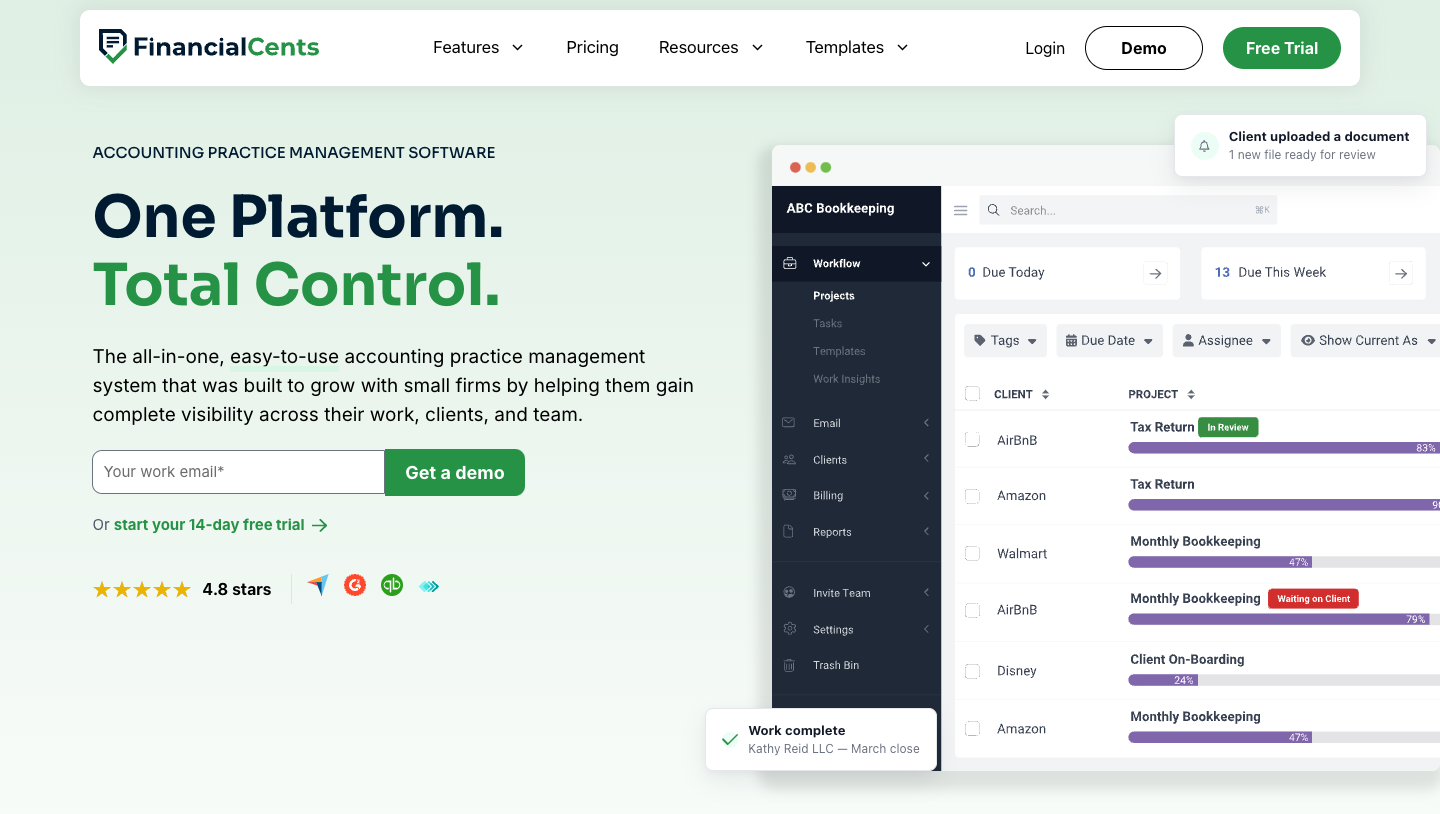
Financial Cents is practice management for small accounting firms: workflow, client tasks and portal, capacity planning, time tracking and invoicing, with a native QuickBooks Online integration.
 Source: Financial Cents
Its key capabilities include:
- Workflow templates and client tasks with a client portal and document requests
- Capacity management showing each person’s assigned hours against their weekly capacity
- Time tracking and invoicing, including project-based billing and retainers
- QuickBooks Online integration on every plan
Why choose Financial Cents over Pixie
Financial Cents is the closest to Pixie in spirit, a practice management tool for a small firm, but it keeps the parts Pixie sends elsewhere. Time tracking and invoicing are built in on every plan, including Solo, so logged hours become invoices without Clockify.
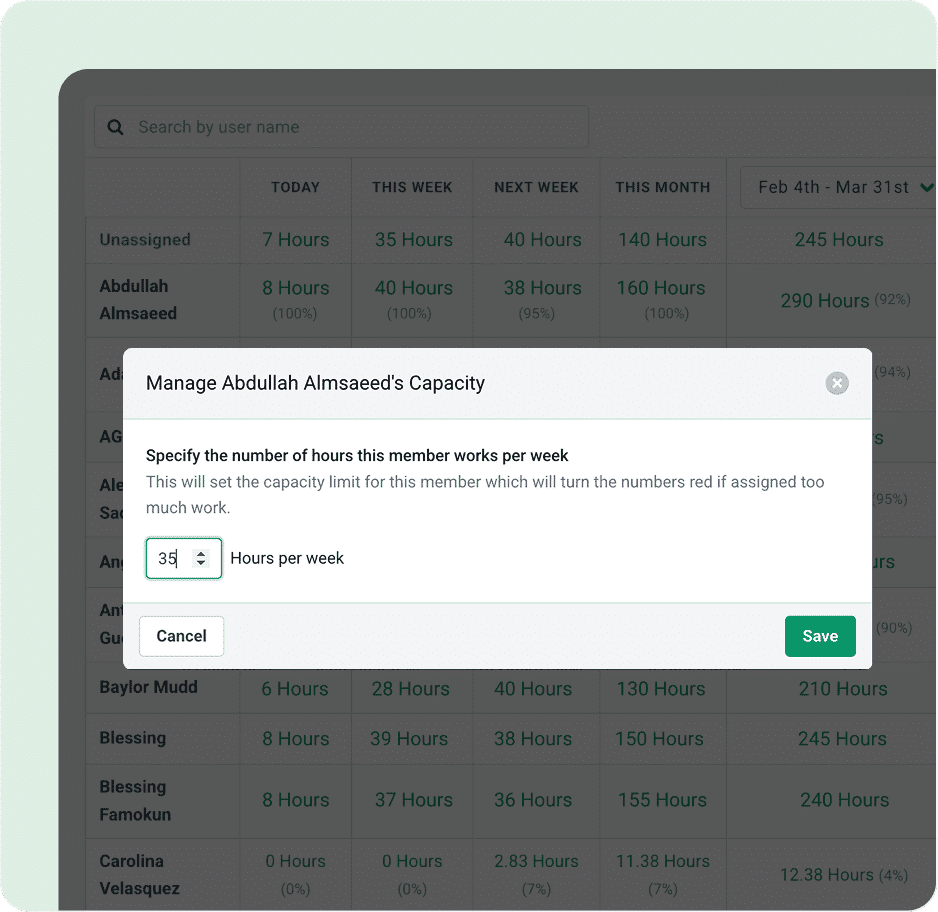
Capacity is the second difference. Pixie shows task counts per person; Financial Cents shows hours today, this week, next week and this month against each person’s capacity, and turns the number red when someone is overloaded.
 Source: Financial Cents
The third is QuickBooks Online. Pixie reaches accounting software through Zapier; Financial Cents connects to QuickBooks Online directly on every plan.
Financial Cents pricing
From the Financial Cents pricing page: Solo $19 per month (single-user firms only), Team $49 per user per month ($69 monthly), Scale $69 per user per month (task dependencies, Zapier, shared inbox, branded portal, profitability reports), Enterprise custom. Prices are on annual billing, and every plan is a 12-month agreement. 14-day free trial, no card.
Who should use Financial Cents?
Choose Financial Cents if: you are a small US firm, QuickBooks Online is at the centre of your client work, and you want capacity, time and invoicing in one subscription. See also our Financial Cents review and Financial Cents alternatives.
5. Xero Practice Manager: Best Alternative for Xero Partner Firms
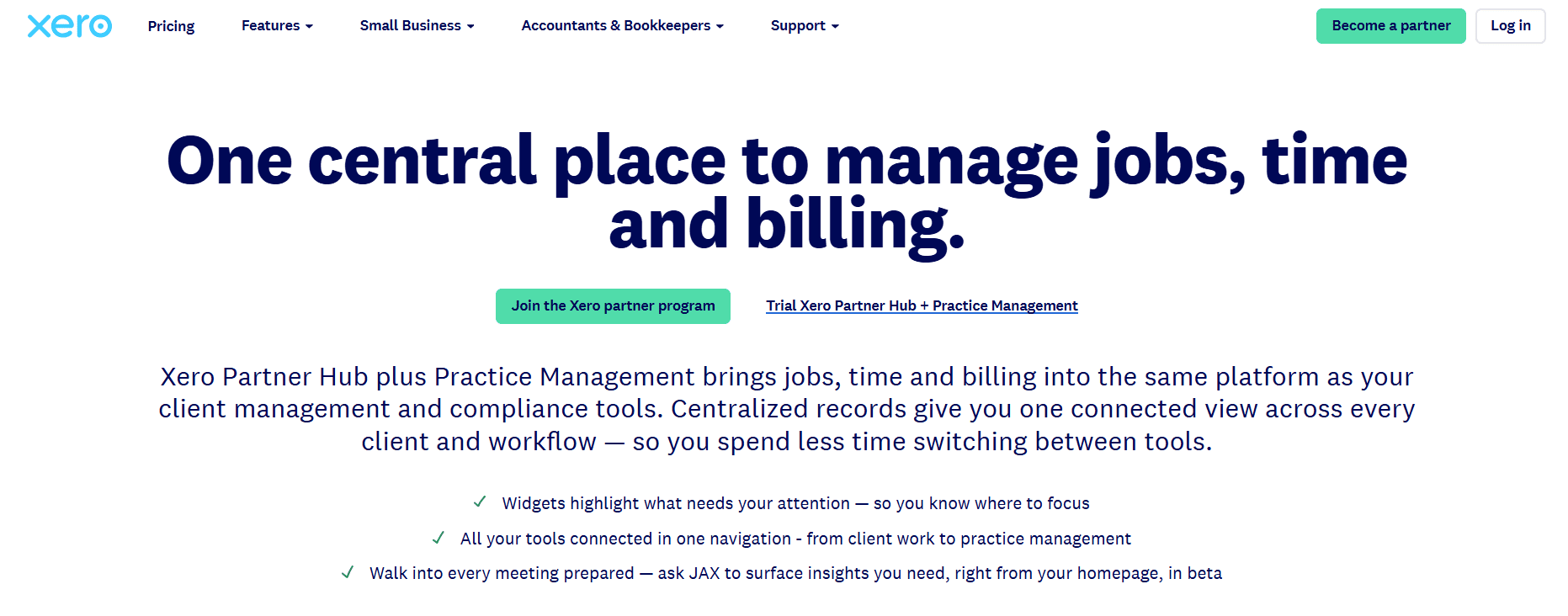
Xero Practice Manager (XPM), now sold as Xero Partner Hub plus Practice Management, is Xero’s own job, time and billing system for accounting firms. Its point is that the job, the time, the invoice and the client’s ledger all live inside Xero.
 Source: Xero
Its key capabilities include:
- Job management with templates, staff assignment and statuses
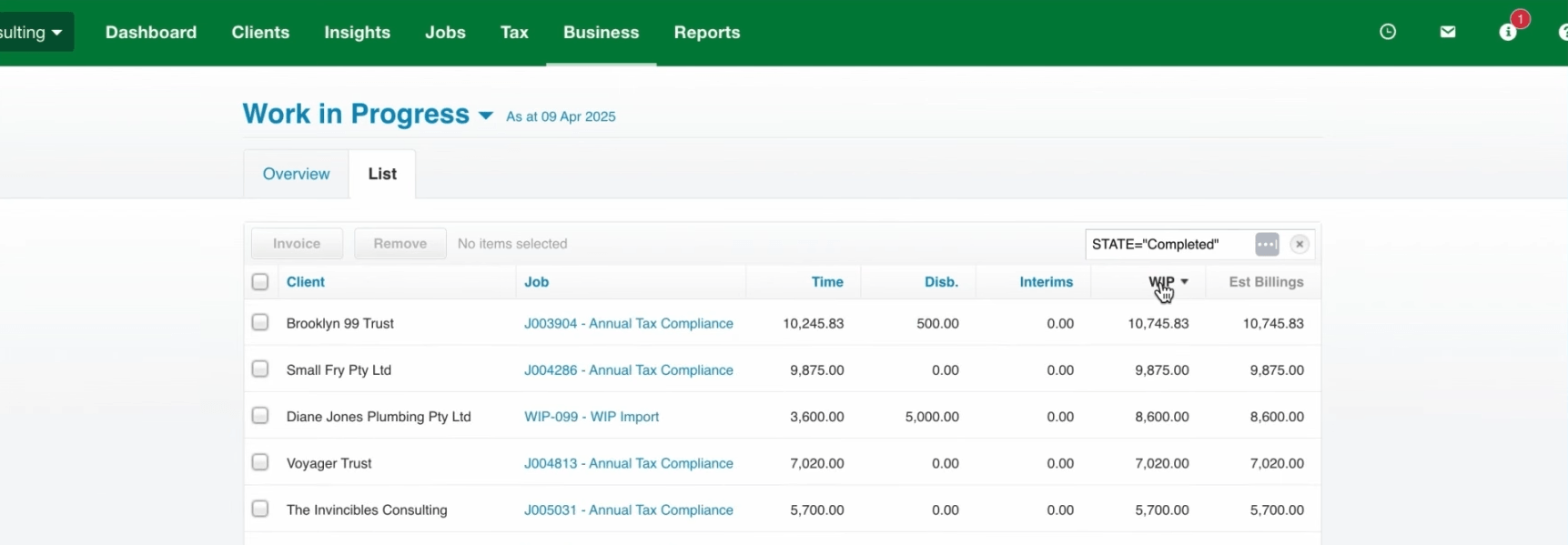
- Timesheets that feed a work-in-progress ledger per job
- Invoicing from the job’s WIP straight into the firm’s Xero, with write-offs handled in the washup
- Xero Workpapers for compliance work, included
Why choose Xero Practice Manager over Pixie
Pixie has no billing and no native Xero integration. In XPM, every hour logged against a job becomes work in progress, and invoicing the job pushes the invoice into Xero, where the payment is reconciled.
 Source: Xero
The second reason is price. From Silver partner status up, XPM costs nothing. New and Bronze partners pay $149 a month for up to 10 users, close to Pixie’s $129.
The trade-offs: XPM only makes sense for a firm whose clients are on Xero, it has no client portal or client tasks like Pixie’s, and it is known for a steep setup. Our Xero Practice Manager review covers both.
Xero Practice Manager pricing
From Xero: free for Silver, Gold and Platinum Xero partners; $149 a month for up to 10 users for new and Bronze partners, with a 14-day free trial. Full breakdown in our Xero Practice Manager pricing guide.
Who should use Xero Practice Manager?
Choose Xero Practice Manager if: your firm is built on Xero, you are at Silver partner status or close to it, and you want jobs, time and invoices without leaving Xero. See also Xero Practice Manager alternatives.
6. Jetpack Workflow: Best Alternative for Workflow Only, Priced per User
Jetpack Workflow is workflow software for accounting and bookkeeping firms, used by 6,000+ accountants and bookkeepers. It does one job: recurring client work on schedule, with templates, deadlines and a view of who is overloaded.
 Source: Jetpack Workflow
Its key capabilities include:
- Workflow templates for recurring services such as monthly bookkeeping, payroll and 1040s
- Recurring jobs created daily, weekly, monthly, quarterly or yearly
- Task dependencies, so the next step opens only when the previous one is done
- Time tracking, budget vs actual and capacity reports on Premium
Why choose Jetpack Workflow over Pixie
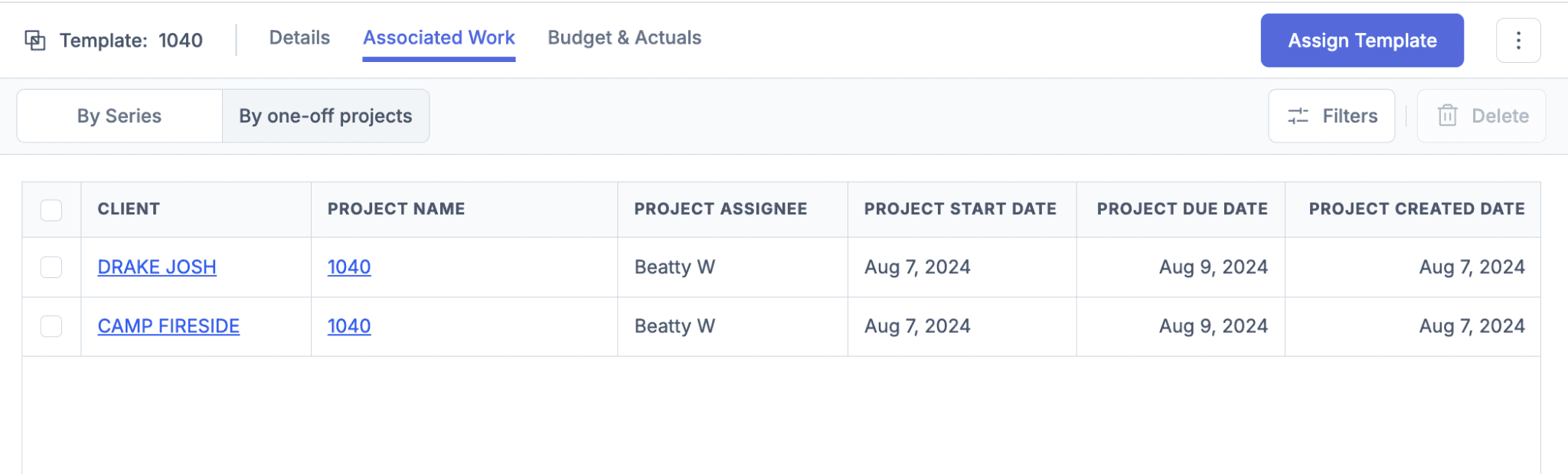
Jetpack Workflow is for the firm that is happy with a workflow-only tool and wants a different price model. Pixie charges by client count; Jetpack charges by user, with unlimited clients. A three-person firm with 400 clients pays $120 a month on Jetpack Starter, against $199 on Pixie.
 Source: Jetpack Workflow
It is also narrower than Pixie, on purpose. Jetpack says plainly that it “doesn’t handle billing and invoicing”, and its pages do not mention a client portal, so client tasks and document collection, which Pixie includes, may need another tool.
Jetpack Workflow pricing
From the Jetpack Workflow pricing page: Starter $40 per user per month annual ($49 monthly; unlimited projects, clients and templates), Premium $50 annual (time tracking, budget vs actual and capacity reporting). 14-day free trial, no card.
Who should use Jetpack Workflow?
Choose Jetpack Workflow if: your main problem is recurring deadlines, you bill through your accounting software, and you are a small team with many clients, where per-user pricing beats Pixie’s client bands.
7. Cone: Best Alternative for Proposals, Workflow and Billing on a Small Budget
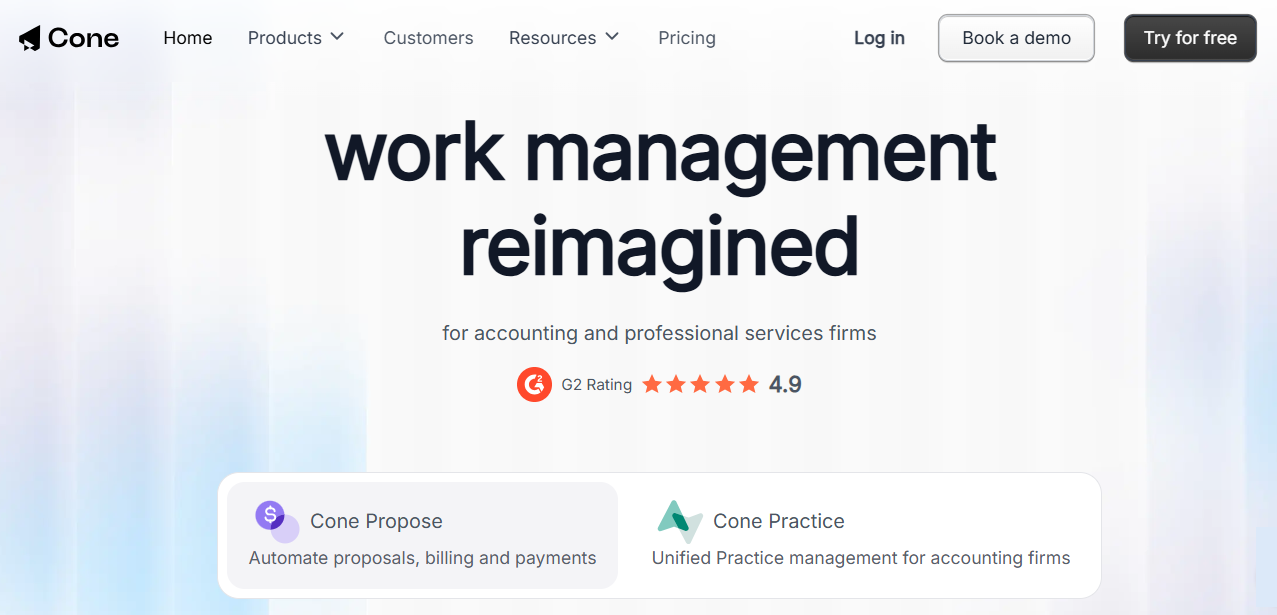
Cone is a Y Combinator-backed platform for accounting and professional services firms, sold as Cone Propose (proposals, billing and payments) and Cone Practice, which adds workflows, a client portal and email. It covers the whole client lifecycle, from proposal to paid invoice, at a per-user price.
 Source: Cone
Its key capabilities include:
- Proposals and engagement letters with pricing tables and e-signatures
- Billing and payments, with automated invoicing and payment collection on Growth
- Client portal and client requests for documents and information
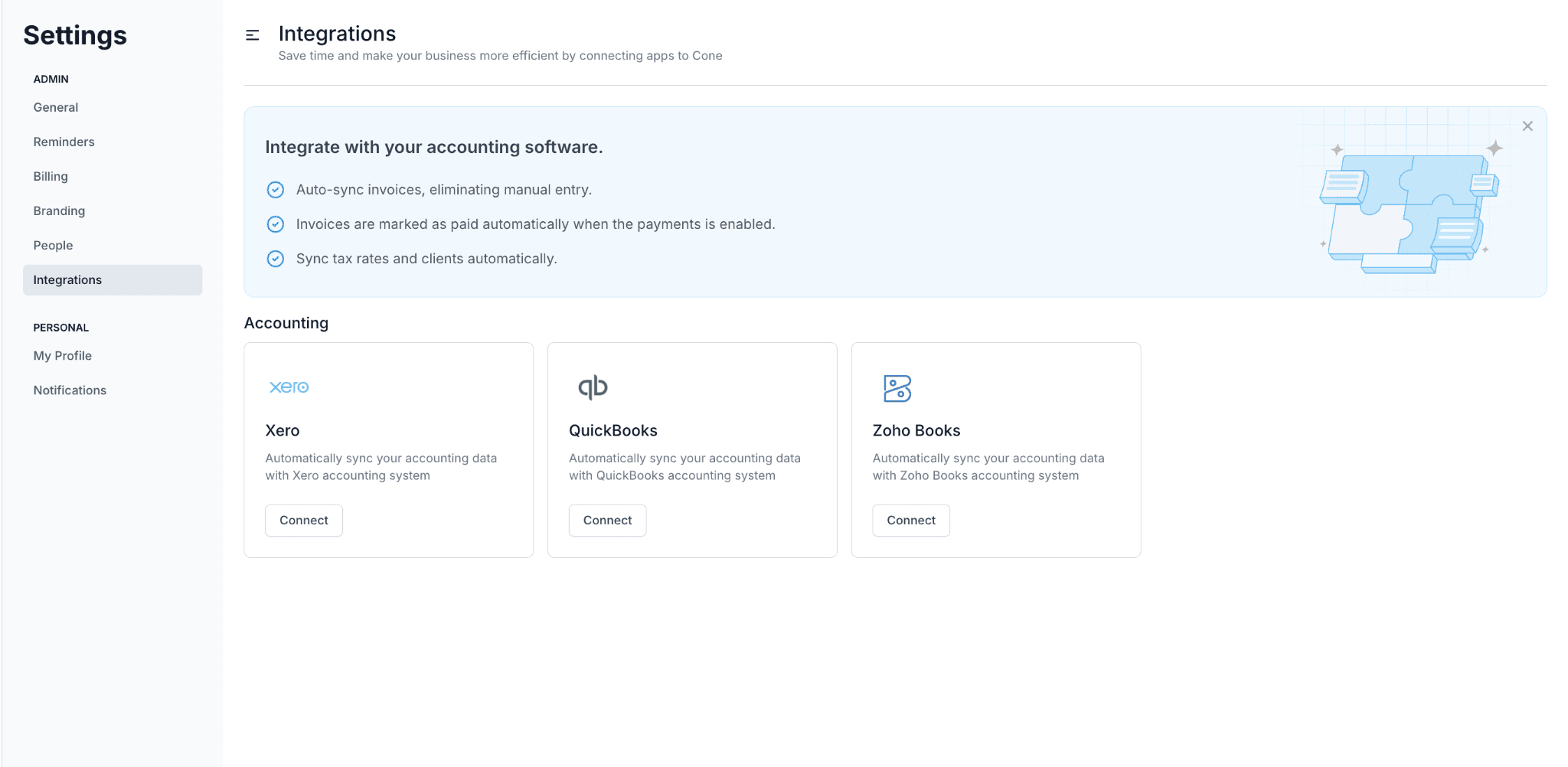
- Accounting integrations with QuickBooks Online, Xero and Zoho Books
Why choose Cone over Pixie
Pixie has no proposal tool; its integration list points to GoProposal and Ignition through Zapier. Cone has proposals built in, so an accepted proposal becomes a client, a workflow and a billing schedule in the same system.
Cone also bills. Invoices sync with QuickBooks Online, Xero or Zoho Books, and are marked paid automatically when a payment comes in.
 Source: Cone
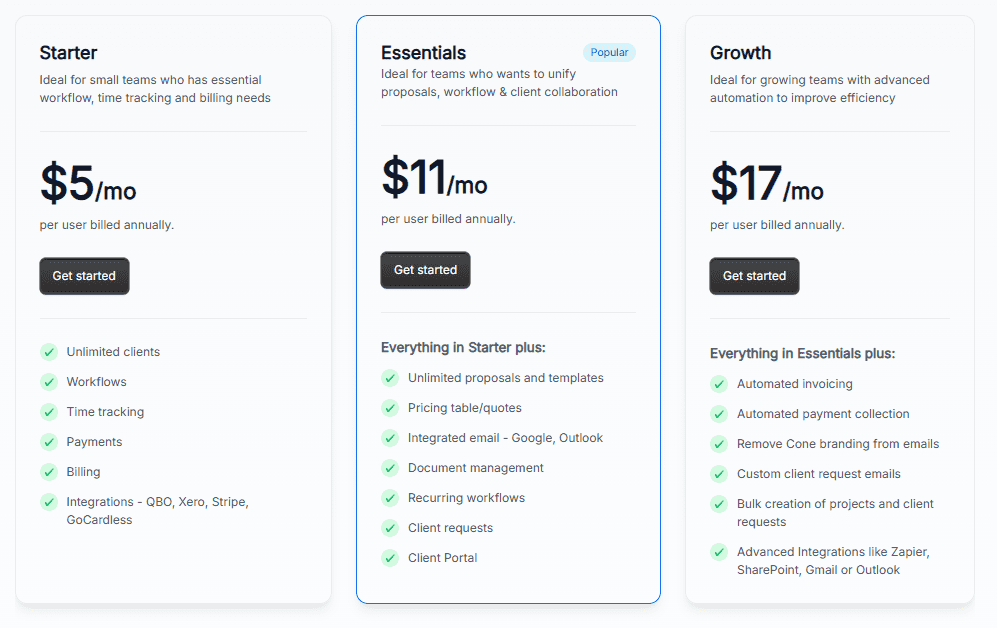
And it is cheap for a small team. Cone Practice Essentials, with proposals, client portal, email and document management, is $11 per user per month on annual billing: $33 a month for three people, where Pixie charges $129. For a larger firm the arithmetic turns, and Cone is a younger product with less depth in reporting.
Cone pricing
From the Cone pricing page, US view, per user per month on annual billing: Cone Practice Starter $5 ($8 monthly; workflows, time tracking, billing, QBO and Xero), Essentials $11 ($16; proposals, integrated email, document management, client portal), Growth $17 ($24; automated invoicing and payment collection, Zapier, SharePoint). 30-day free trial on Practice, no card. Multiple signers on a proposal is a $2 per user add-on.
 Source: Cone
Who should use Cone?
Choose Cone if: you are a small firm running a proposal tool, an invoicing tool and Pixie side by side, and you want one product for all three at a lower combined price.
How to Switch from Pixie to Uku
If Uku is your answer, you are replacing three tools rather than one: Pixie, Clockify and whatever raises your invoices. Most firms are live in two to six weeks, at their own pace, and keep serving clients throughout.
- Import your clients. From Excel, or synced straight from QuickBooks or Xero through Uku’s import flow.
- Rebuild your Pixie workflows as Uku templates. One per service, with the same checklists and instructions, applied to every client who buys it.
- Set up billing contracts. Hourly, fixed or per-piece, per client, so the first month’s invoices draft themselves from tracked time.
- Retire Clockify and the invoicing tool. Run one billing cycle in parallel, compare, then switch off. Use the 90 minutes of onboarding that comes with every plan.
If your firm uses an AI assistant, the Uku MCP server connects in a day and can check the move for you: which clients came across, which have no workflow yet, and how the first Uku invoice run compares with the last one.
The Final Verdict
Pixie is a good task and workflow tool at a flat price that does not grow with your team. The alternatives either add what it leaves to other tools, or change the price model:
- Uku for time tracking, billing from tracked time and client profitability in the same system as the work
- Karbon for email-first teams of 20+ that need capacity and performance measured in hours
- TaxDome for US tax firms with heavy document traffic, KBA signatures and a client mobile app
- Financial Cents for small US firms on QuickBooks Online that want capacity, time and invoicing in one subscription
- Xero Practice Manager for Xero partner firms, free at Silver status and above
- Jetpack Workflow for workflow only, priced per user with unlimited clients
- Cone for proposals, workflow and billing on a small team’s budget
If your firm bills by the hour or wants to know which clients pay for the work they get, try Uku free for 14 days or book a demo.
Read more
- Pixie review — how its features work, pricing and what users say
- Pixie vs Uku — the head-to-head
- Pixie vs Karbon — flat fee against per-user depth
- Karbon alternatives, TaxDome alternatives and Financial Cents alternatives
- Xero Practice Manager alternatives
- Uku case studies
Frequently asked questions
Why do accounting firms look for Pixie alternatives?
Mostly for what Pixie leaves to other tools. It has no built-in time tracking (its timer is a Clockify integration), no billing or invoicing, no mobile app, and it connects to accounting software such as Xero or QuickBooks only through Zapier. Its reporting shows task counts and email activity, not hours, utilisation or client profitability. Firms that bill by the hour or want to know which clients pay for the work they get usually outgrow it.
How much does Pixie cost?
Pixie charges one flat monthly fee by client count, with unlimited users: $129 a month for fewer than 250 clients, $199 for 251–500, $329 for 501–1,000, and a quote above 1,000. There is a 30-day free trial. Document signing comes with a monthly allowance that grows with the client band.
What is the best Pixie alternative?
It depends on the gap. For time tracking and billing in the same system as the work, Uku. For a larger team that coordinates through email, Karbon. For a US tax firm with heavy document traffic, TaxDome. For a small US firm on QuickBooks Online, Financial Cents. For a Xero partner at Silver status or above, Xero Practice Manager, which is free. For workflow alone at a per-user price, Jetpack Workflow. For proposals and billing on a small budget, Cone.
Is there a free alternative to Pixie?
Xero Practice Manager is free for Xero partners at Silver status and above; new and Bronze partners pay $149 a month for up to 10 users. Most others have a free trial: Uku 14 days of its Elite plan, Financial Cents and Jetpack Workflow 14 days, Cone Practice 30 days, and Pixie itself 30 days.
Is Pixie cheaper than per-user practice management software?
For larger teams, often yes. Pixie's $129 a month covers any number of users under 250 clients, so a six-person firm pays the same as a solo practitioner. Per-user tools cost less for one to three people: Uku Team is $38 per member a month on annual billing, Jetpack Workflow $40 per user, Cone Practice from $5 per user. The comparison changes once you count what Pixie does not include, such as a separate time tracking and invoicing subscription.
Which Pixie alternatives include time tracking and billing?
Uku, Karbon, TaxDome, Financial Cents, Xero Practice Manager and Cone all track time and invoice in the same system. In Uku, tracked time maps to each client's billing contract and the invoices draft themselves at period end. Jetpack Workflow tracks time on its Premium plan but deliberately has no billing.
Can I move from Pixie to Uku without stopping work?
Yes. Most firms are live on Uku in two to six weeks and keep serving clients throughout. You import clients from Excel or sync them from QuickBooks or Xero, rebuild each Pixie workflow as an Uku workflow template, set up billing contracts, and retire Clockify and your separate invoicing tool once the first billing run has gone out.

Published Sep 27, 2026 · Updated Sep 28, 2026