Pixie Pricing 2026: Plans, Costs & The Uku Alternative
Pixie pricing 2026: $129/month under 250 clients, $199 to 500, $329 to 1,000, all with unlimited users. What each tier includes and leaves out, vs Uku.


Contents
If you have tried to work out what Pixie will cost your firm, the pricing page gives you one number and one question. The number is simple: a flat monthly fee by client count, with unlimited users. The question is what that fee leaves out, because the moment your firm bills by the hour, the answer includes a time tracker, an invoicing tool and Zapier.
Pixie is practice management software for accountants and bookkeepers: workflows and recurring jobs, email integration with a shared inbox, client tasks behind a passphrase and document e-signing. It charges $129 a month for fewer than 250 clients, $199 up to 500 and $329 up to 1,000, and adding a colleague never changes the bill.
Pixie’s pricing is a good fit if:
- Your team is growing and you want a software bill that stays the same as you hire
- You manage 50–250 clients with three or more people, where the flat fee is cheap per head
- Your fees are fixed and you do not need to track time or raise invoices in the same tool
- You want an account manager to help set up your workspace during the trial
Pixie’s pricing is not a good fit if:
- You are a sole practitioner, who pays the same $129 as a five-person firm
- You bill by the hour and need tracked time to become invoices
- You want to know which clients cost more than they pay
- You need a native link to Xero or QuickBooks, or a public API
We compared on 28 September 2026. Pixie’s prices come from its own pricing page, pricing and refunds policy and help centre; Uku’s from getuku.com/pricing. The Updated date above moves when a number changes.
Pixie pricing summary
| Pixie | Uku | |
|---|---|---|
| Free trial | 30 days, no card, account manager from sign-up | 14 days of the full Elite plan, no card |
| Entry | Under 250 clients: $129/mo, unlimited users | Solo: $19/mo annual, $25 monthly, 1 member, 20 active clients |
| Mid | 251–500 clients: $199/mo, unlimited users | Team: $38/member/mo annual, $49 monthly, unlimited clients |
| Upper | 501–1,000 clients: $329/mo, unlimited users | Elite: $48/member/mo annual, $62 monthly, BI Analytics, API |
| Top | Over 1,000 clients: on request | Enterprise: $88/member/mo annual, $99 monthly |
| Pricing model | Flat fee by client count, same features on every tier | Per member; clients and portal free |
| Time tracking and billing | Not included | Included on every plan |
| Best for | Small firms that want workflows at one flat price | Firms that also track time, bill and measure profitability |
The two price models favour different firms. Pixie’s flat fee rewards headcount: the more people share it, the cheaper it gets per person. Uku’s per-member price rewards small teams and includes the billing side Pixie leaves out. The rest of this article shows where each line lands.
Pixie pricing: in-depth overview
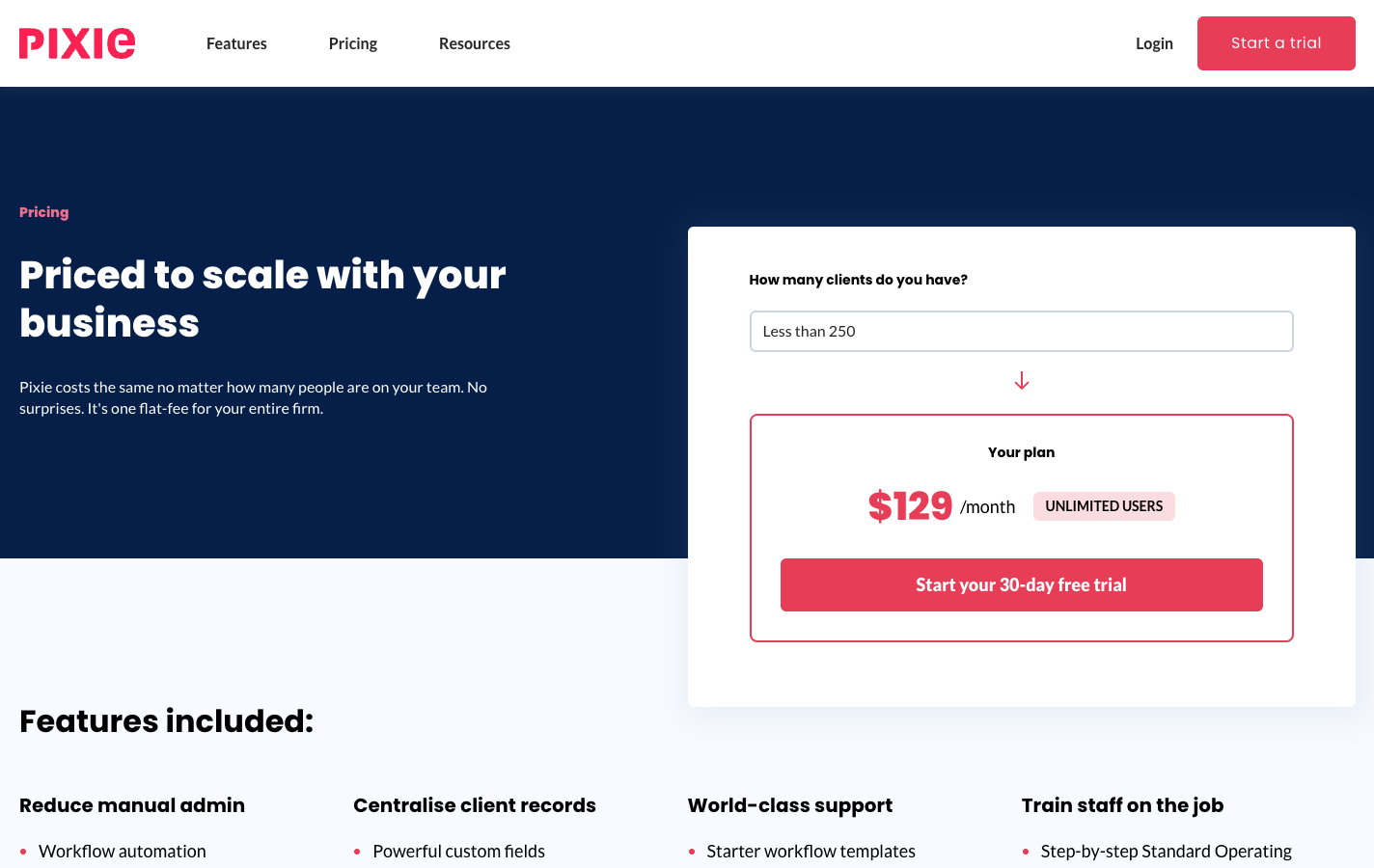
Pixie prices by the number of clients a firm manages, not by the people using it. Every tier has the same features, so the only thing that changes between them is the client ceiling. Pixie’s own reasoning, on its pricing and refunds page: “Pixie’s pricing should relate to a firm’s workload, and this workload has a strong correlation to the number of clients they have.”
 Source: Pixie
| Clients | Price | E-signs |
|---|---|---|
| Under 250 | $129/mo | 50–250/mo |
| 251–500 | $199/mo | 500/mo |
| 501–1,000 | $329/mo | 750–1,000/mo |
| Over 1,000 | On request | On request |
Every tier includes unlimited users and every feature. The e-signing allowance steps up at 50, 250, 500, 750 and 1,000 active clients.
Two details the cards do not show. The count is of active clients, and a firm crossing a boundary is not moved up automatically: Pixie reviews the tier quarterly on monthly billing or yearly on annual billing, and contacts the firm first. And the e-signing allowance follows active clients in finer steps than the price, from 50 signature requests a month to 1,000, or twelve times that upfront on a yearly plan. Prices are shown in US dollars, with no currency selector on the page.
Pixie free trial: 30 days, no credit card
| Feature | Details |
|---|---|
| Duration | 30 days |
| Credit card | Not required |
| Features | Everything, on every tier |
| Onboarding | An account manager from sign-up |
| After the trial | Monthly billing starts unless you cancel; without payment the account is frozen |
Thirty days is twice the industry’s usual trial, long enough to run a month-end with real clients. The account manager is the part to use: Pixie says they help format and import client data and set up recurring and existing tasks.
| Trial pros | Trial cons |
|---|---|
| ✅ 30 days, no card | ❌ No permanently free plan |
| ✅ Every feature included | ❌ No time tracking or billing to test |
| ✅ An account manager helps you set up | ❌ Zapier needs its own account for any integration |
The Bottom Line 👉 The trial is Pixie at its best: a month with a person helping you set up, long enough to know whether workflows alone solve your problem.
Pixie under 250 clients: $129/month
| Price | Limits |
|---|---|
| $129/month | Up to 250 clients, unlimited users, every feature |
The entry tier is where most small firms land, and where the model’s two sides show most clearly. A five-person firm pays about $26 per person. A sole practitioner with 50 clients pays the same $129, more than six times Uku Solo. Everything Pixie does is included: workflows and recurring jobs, email integration and the shared inbox, client tasks, document signing, the client database with Companies House import, and Zapier.
| Pros | Cons |
|---|---|
| ✅ Unlimited users from day one | ❌ $129 is steep for one person |
| ✅ Every feature included | ❌ No time tracking or billing |
| ✅ E-signing built in | ❌ Reports count tasks, not hours or profit |
The Bottom Line 👉 Good value from three people up; a premium for a solo practitioner who needs a fraction of the capacity.
Pixie 251–500 clients: $199/month
| Price | Limits |
|---|---|
| $199/month | 251–500 clients, unlimited users, every feature |
The middle tier adds nothing but client capacity. The step from $129 to $199 is 54% for double the ceiling, and a firm with 260 clients pays the same as one with 490. For a ten-person firm with 400 clients, it works out under $20 per person.
| Pros | Cons |
|---|---|
| ✅ Cheaper per person as the team grows | ❌ 54% more than the entry tier |
| ✅ Same unlimited-user model | ❌ No new features for the higher price |
| ✅ Larger e-signing allowance | ❌ Still no time tracking or billing |
The Bottom Line 👉 The tier where Pixie’s model pays off most clearly, for a team of ten or more that already bills elsewhere.
Pixie 501–1,000 clients: $329/month
| Price | Limits |
|---|---|
| $329/month | 501–1,000 clients, unlimited users, every feature |
At the top published tier, a twenty-person firm pays about $16.50 per person, a rate no per-seat tool here matches on subscription alone. A firm this size, though, usually needs what Pixie does not do: capacity planning in hours, billing from tracked time and profitability by client.
| Pros | Cons |
|---|---|
| ✅ Lowest cost per person | ❌ A firm this size needs billing and profitability data |
| ✅ The largest e-signing allowance | ❌ Manual invoicing across hundreds of clients |
| ✅ Unlimited users | ❌ Integrations still through Zapier |
The Bottom Line 👉 Cheap per head, and the tier where the tools Pixie leaves out cost the most to run beside it.
Pixie over 1,000 clients: on request
Firms with more than 1,000 clients get a quote from Pixie; there is no published price.
Pixie hidden costs and add-ons
Pixie’s pricing page says “there are no additional fees or hidden costs”, and inside Pixie that holds. The costs sit beside it:
| Item | Cost | Why a firm pays it |
|---|---|---|
| Time tracking | A separate tool, such as Clockify | Pixie’s timer writes to Clockify |
| Invoicing | Your accounting software or a billing tool | Pixie has no billing |
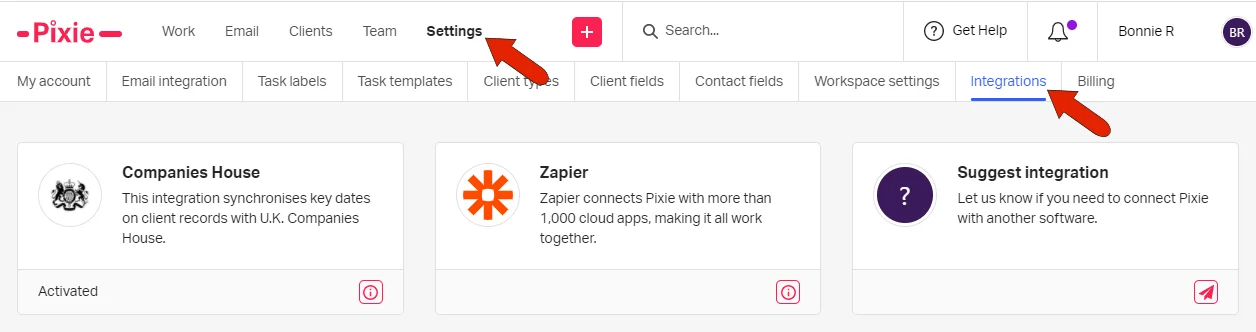
| Zapier | Zapier’s own plans | Pixie’s only route to Xero, QuickBooks and most apps |
| AML checks | £1.60 per contact, charged by Xama | Pixie’s AML integration is Xama’s service |
| Tax | On top: fees exclude all taxes | Pixie’s terms of service |
 Source: Pixie
Annual billing. A yearly plan “includes a significant discount”, in Pixie’s words, but the size of it is not published, and yearly plans are paid upfront and not refunded.
Cancellation and refunds. Cancelling takes effect immediately, with no refund for the rest of the current month. Monthly customers who tried Pixie and were unhappy can have their money back, including for months they forgot to cancel; yearly plans get no partial or full refunds. Data is deleted from backups and logs within seven days of cancellation. Pixie also commits to at least 12 months’ notice before it changes its policy of keeping existing customers on the prices they signed up at.
Where Pixie falls short
No time tracking or billing. Pixie knows a task is done, not how long it took or what to invoice. Firms that bill by the hour run a time tracker and an invoicing tool next to it, and reconcile the three by hand.
No profitability or capacity view. Pixie’s reports cover email, operational and productivity metrics and a Work Report of every task. There is no view of hours by person, no client profitability and no way to compare agreed scope with delivered work.
Integrations through Zapier, no public API. Companies House, Gmail, Office 365 and Xama are native. Accounting software and everything else go through Zapier, and the only key Pixie issues is for that connection.
No mobile app, English only. Pixie runs in the browser, and the product and client portal are in English.
Best Pixie alternative: Uku
Uku is practice management for accounting firms that covers the work Pixie covers and adds time tracking, billing and profitability in the same system. It was started in Estonia by Rain Allikvee and Jaanus Lang, whose mothers were accountants, and serves 1,000+ firms in 25+ countries, in 12 languages, with USD, EUR and GBP billing. 90% of actions take one click, and its support is rated 9.7/10 on G2.
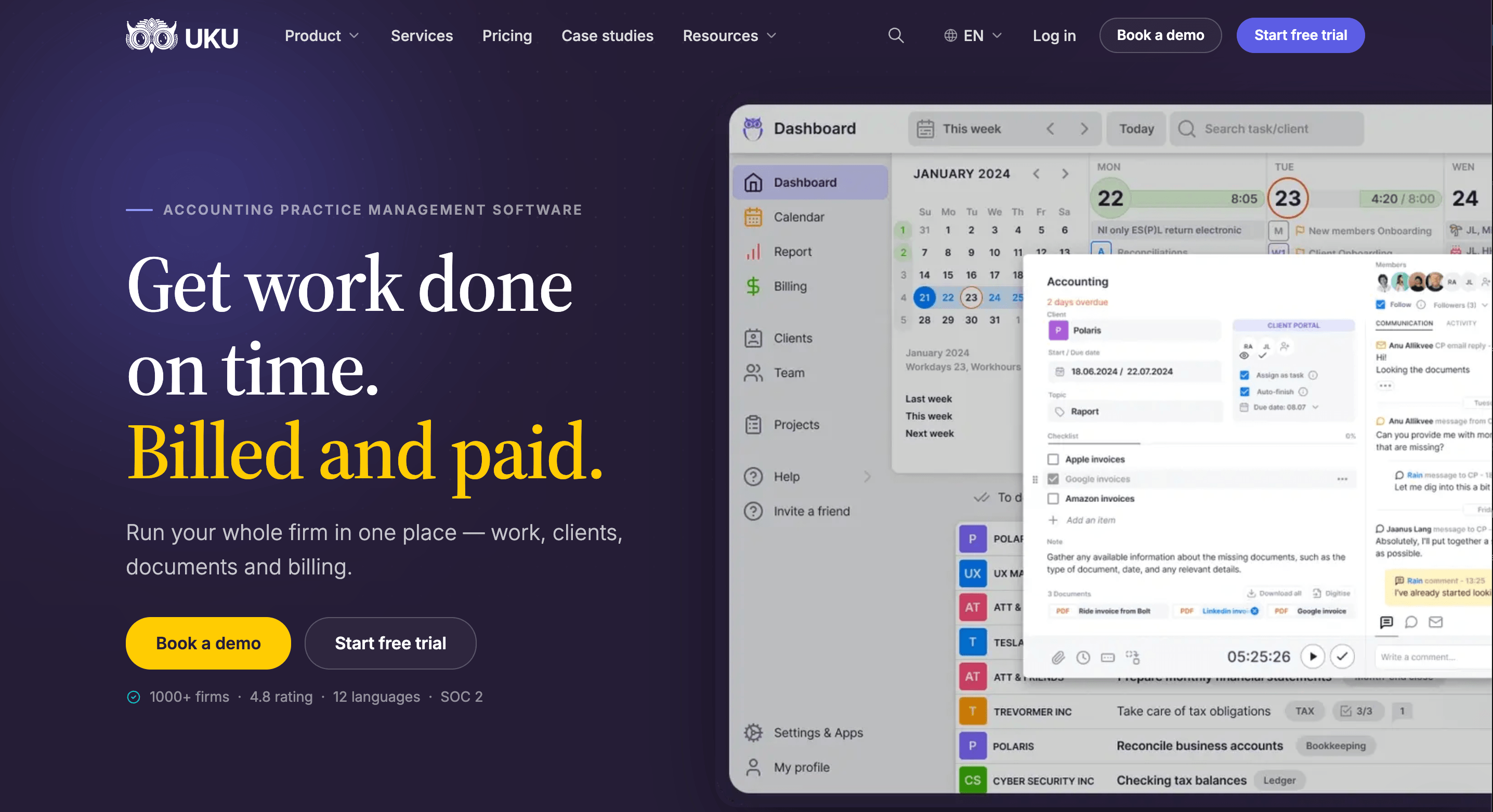
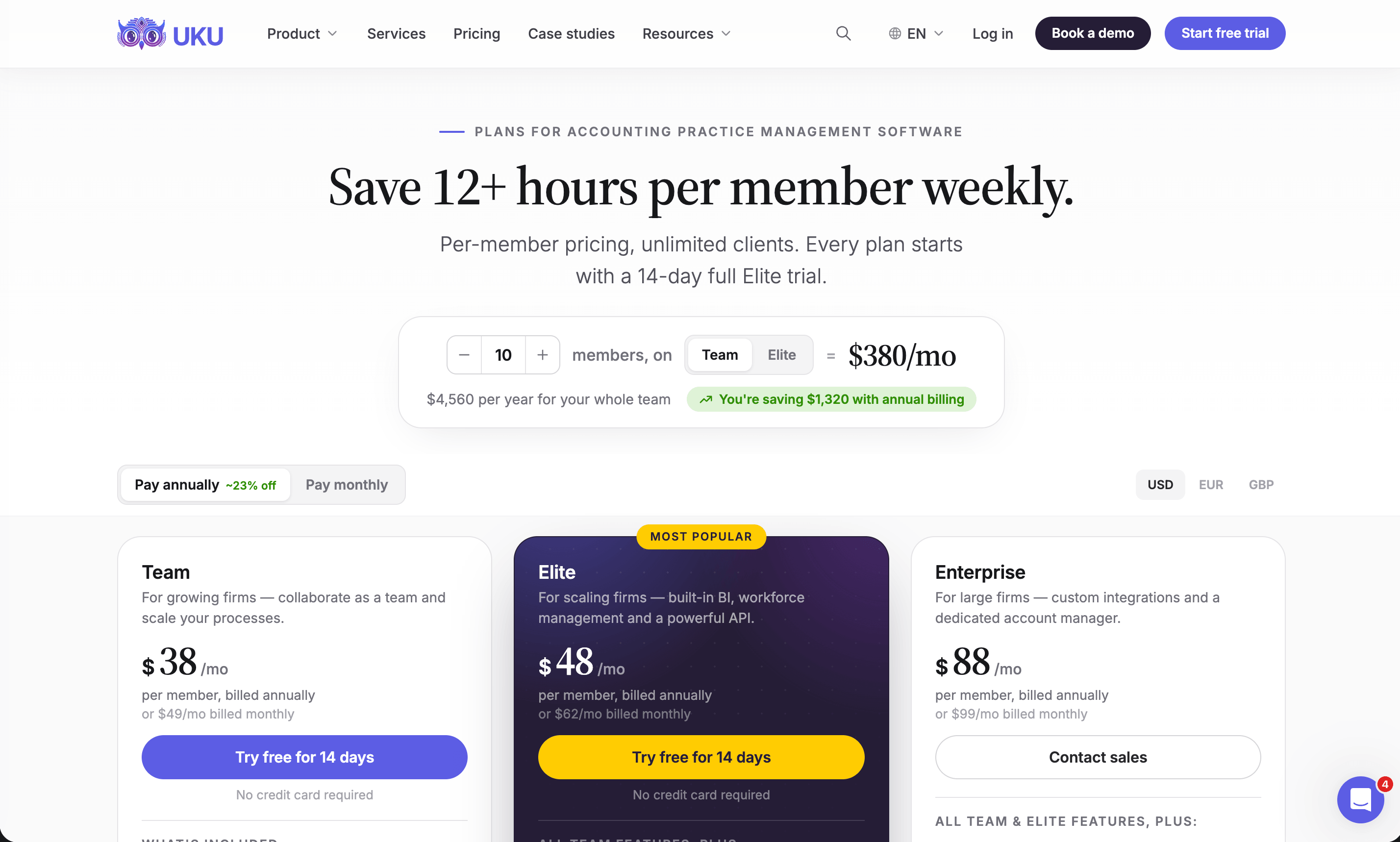
Uku is modular: start with clients and tasks on day one, then switch on time tracking, billing and analytics as you grow. It charges per member; clients, and the portal they use, cost nothing. Annual billing saves about 23%.
Uku Solo: $19/month annual, $25/month monthly
| Price | Limits |
|---|---|
| $19/month annual, $25/month monthly | 1 member, 20 active clients |
The whole core toolkit for one person: CRM, calendar, time tracking, billing, workflow automation, the client portal, agreements monitoring, client budgeting, email management, AML tools, document management, e-signatures and every accounting integration. Inactive clients do not count toward the 20.
| Solo pros | Solo cons |
|---|---|
| ✅ $19 against Pixie’s $129 | ❌ One member, 20 active clients |
| ✅ Time tracking and billing included | ❌ No projects or access management |
| ✅ Client portal and e-signatures | ❌ No Zapier or API |
The Bottom Line 👉 For a solo accountant, Solo is a seventh of Pixie’s entry price and includes the billing Pixie leaves out.
Uku Team: $38/month annual, $49/month monthly per member
| Price | Limits |
|---|---|
| $38/member/month annual, $49/member/month monthly | Unlimited members and clients |
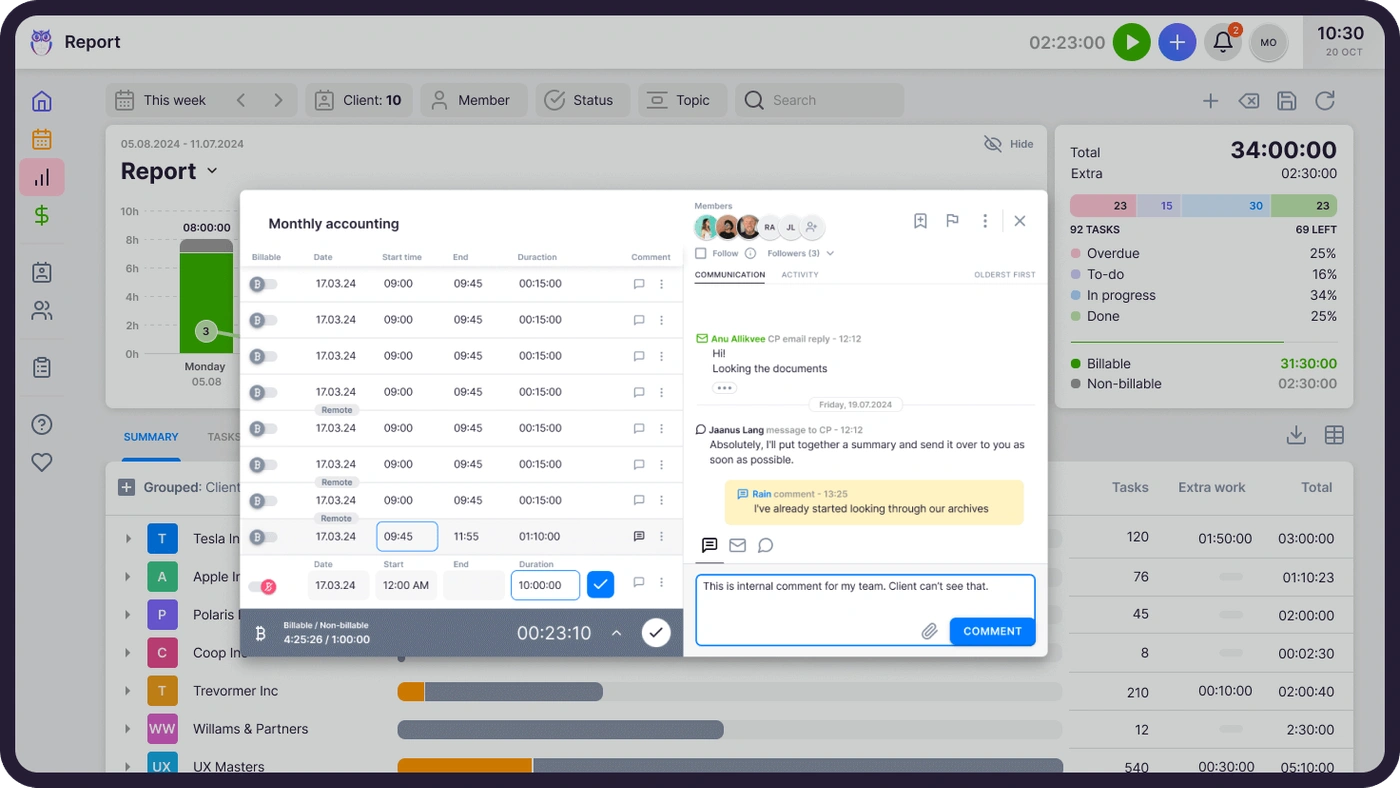
Team adds what a group needs: shared clients and tasks, projects, user roles and access management, and one-on-one training. Time tracks on the task and billing drafts the month’s invoices from each client’s contract.
| Team pros | Team cons |
|---|---|
| ✅ Unlimited members and clients | ❌ Per-member cost adds up in large teams |
| ✅ Time tracking and billing in one system | ❌ No BI Analytics or public API |
| ✅ Agreements monitoring on every client | ❌ No e-signatures or client budgeting (Solo and Elite have them) |
The Bottom Line 👉 Team is the plan to compare with Pixie for a small team: more per month from four people up, less once you count the time tracker and invoicing tool.

Uku Elite: $48/month annual, $62/month monthly per member
| Price | Limits |
|---|---|
| $48/member/month annual, $62/member/month monthly | Unlimited members and clients |
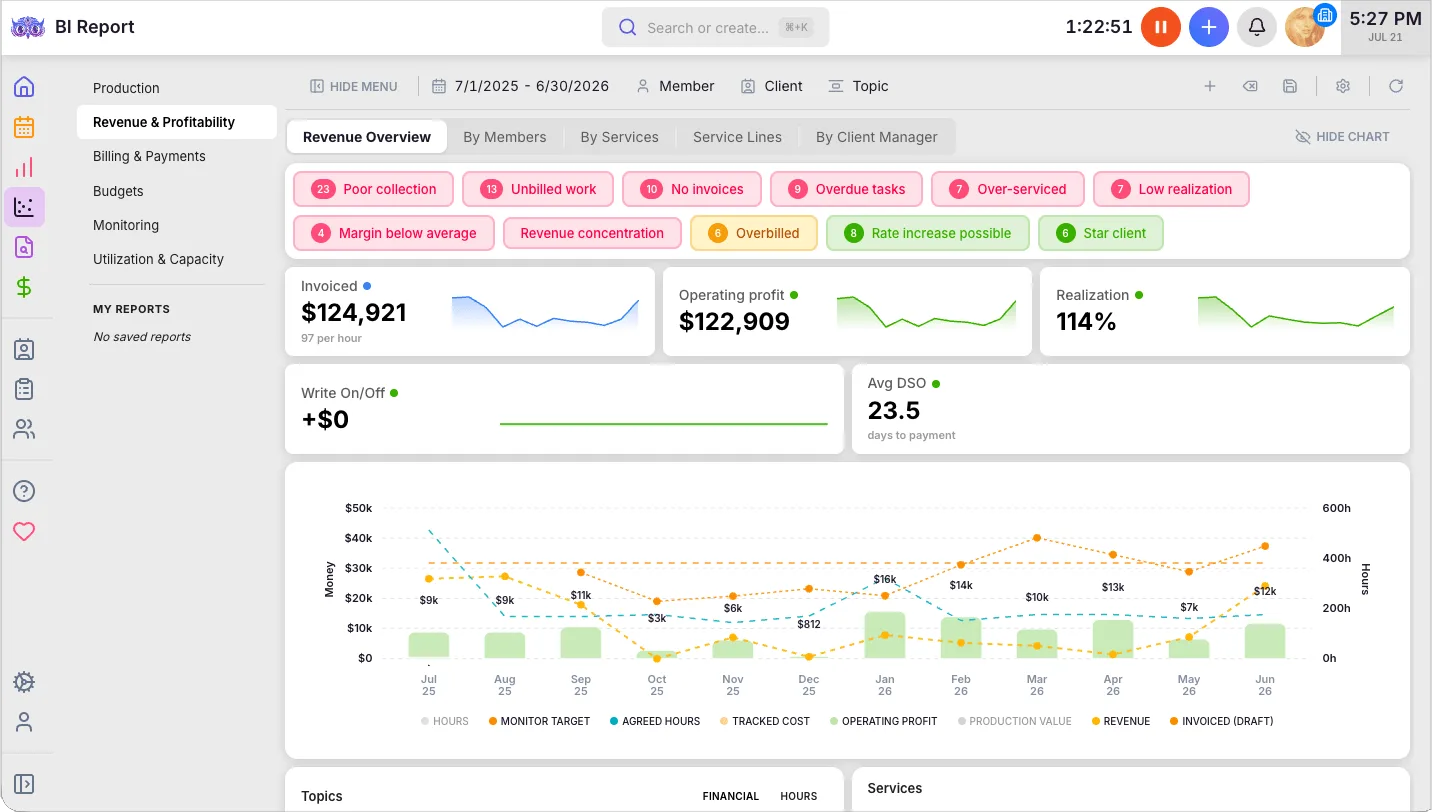
Elite answers the profitability question in full. BI Analytics covers production, revenue and profitability, utilisation, billing, budgets and monitoring; client budgeting warns before a budget runs out; mandatory time entries stop a task closing without its time. It also adds workforce management (flextime, vacations, onboarding), e-signatures, Google Drive, OneDrive, SharePoint and Dropbox, payment links through your own Stripe or Montonio, the public API, Zapier and the Uku MCP server.
| Elite pros | Elite cons |
|---|---|
| ✅ Client profitability and budgets | ❌ $10/member more than Team |
| ✅ Public API, Zapier and Uku MCP | ❌ Best rate needs annual billing |
| ✅ Workforce management replaces an HR tool | ❌ More to set up than a firm needing only tasks |
The Bottom Line 👉 Elite is where the gap with Pixie is widest: the plan built to answer which clients pay for their work.

Uku Enterprise: $88/month annual, $99/month monthly per member
Everything in Elite, plus custom integrations built by Uku, a dedicated account manager, assisted client import, a tailor-made team workshop, early access to new features and pay-by-invoice. Built for multi-office firms and accounting networks.
Uku onboarding, published rather than quoted
| Package | Price | Includes |
|---|---|---|
| Free, any size | $0 | First 90 minutes of onboarding |
| Small, up to 4 | $700 | Kick-off, import, setup, 1 training |
| Medium, up to 15 | $2,000 | 3 kick-offs, templates, 2 trainings |
| Large, 15+ | Custom | 3+ training sessions |
Pixie vs Uku: where each one’s money goes
Price model
Pixie’s approach: one fee by client count, unlimited users. Adding a fifth, tenth or twentieth person costs nothing; a sole practitioner pays the same $129 as a five-person team. Uku’s approach: per member, clients free. Cheaper for one to three people, more per month from four up. Value verdict: Pixie wins on subscription cost for larger teams that already bill elsewhere.
Time tracking and billing
Pixie’s approach: none. Time in Clockify, invoices in another tool, reconciled by hand. Uku’s approach: a timer on every task, and billing that drafts invoices from contracts and tracked time on every plan. Value verdict: Uku, for any firm where billable time is revenue.

Workflows and recurring work
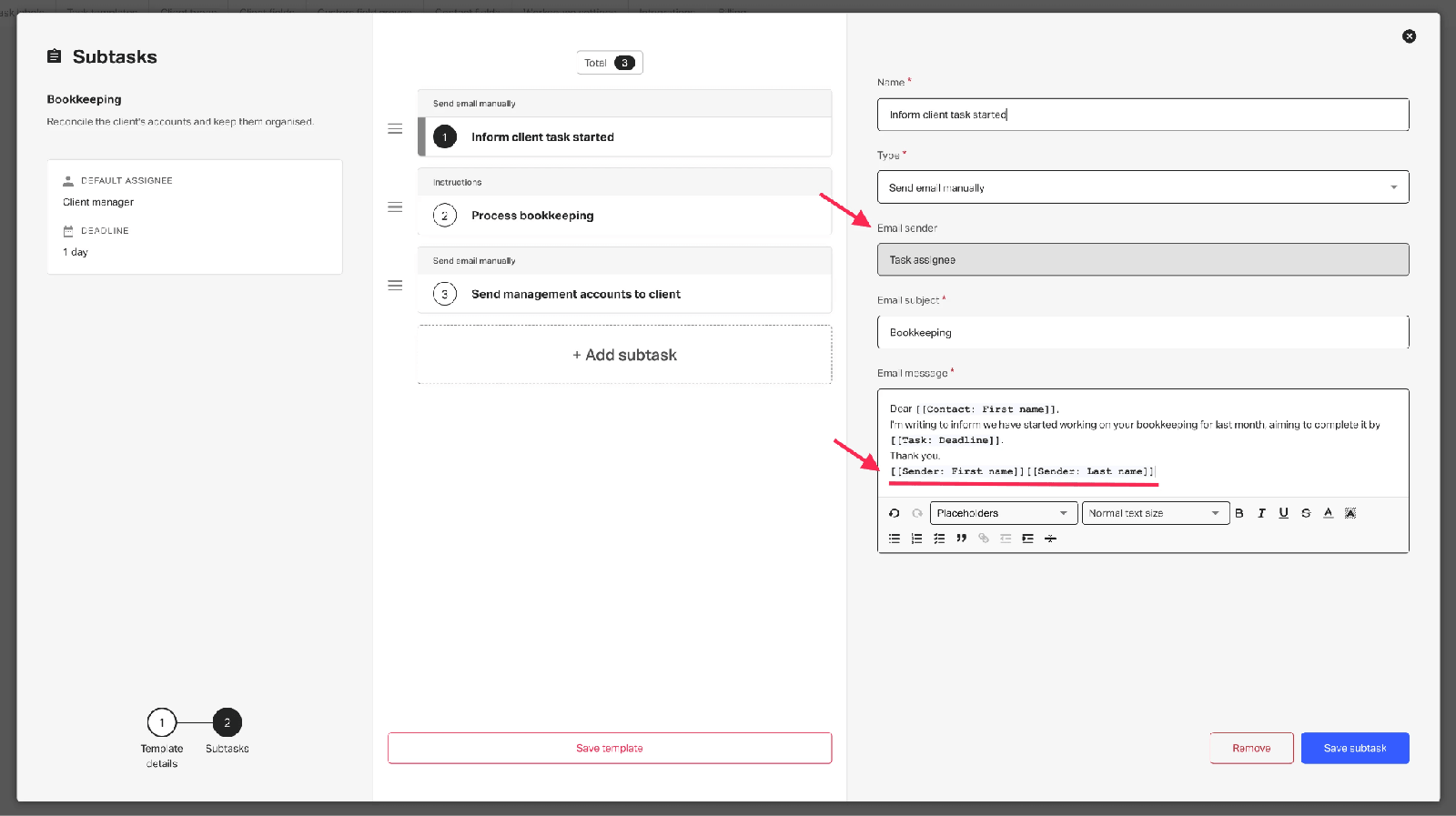
Pixie’s approach: task templates with instructions, checklists and training videos, recurring on a date or a client date field, assignable to a team role. Uku’s approach: workflow templates on each client’s work plan, dependencies, automatic weekend and holiday handling, and template changes that can be pushed to every client using the template. Value verdict: close. Pixie’s embedded training videos are a real strength for onboarding new staff; Uku’s dependencies and template pushes matter more as the client list grows.
 Source: Pixie
Reporting and profitability
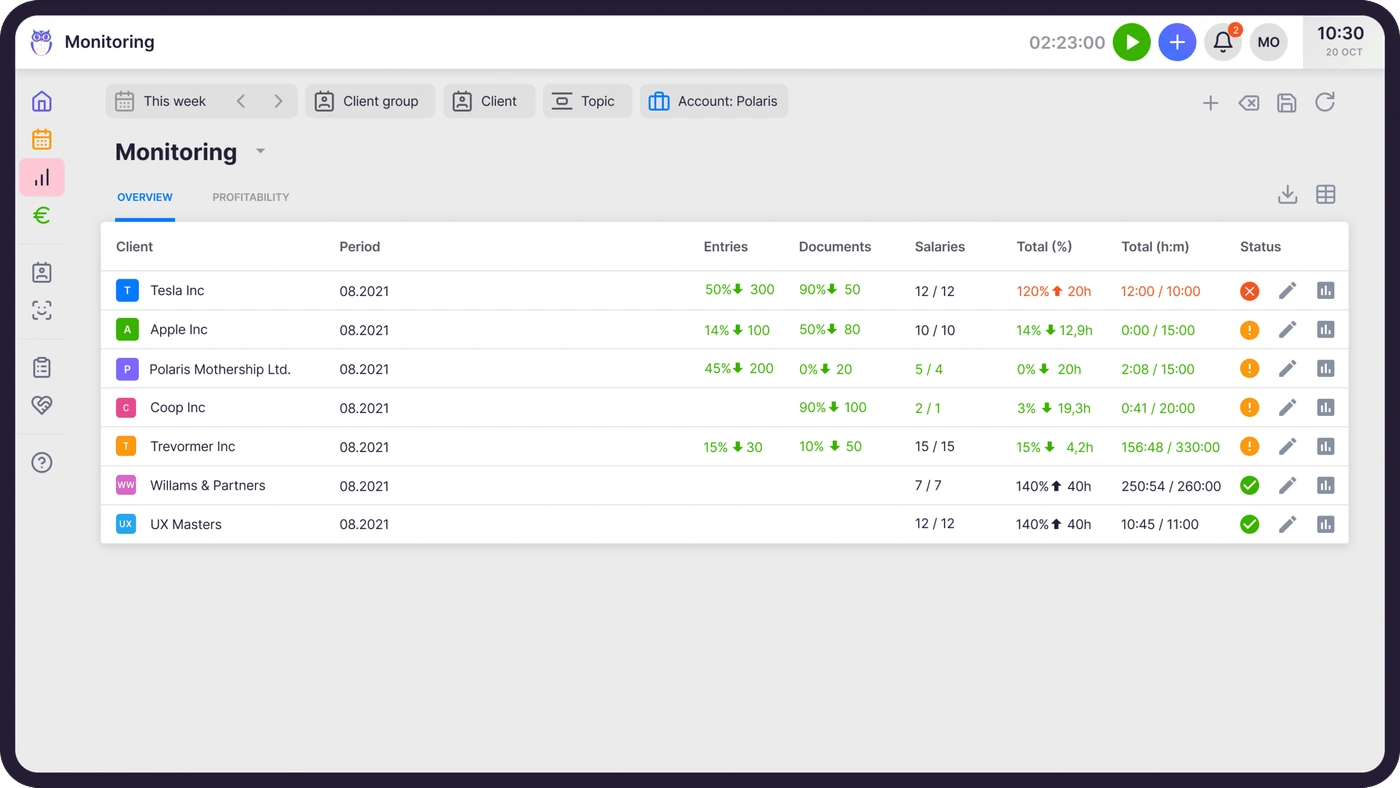
Pixie’s approach: email, operational and productivity reports and a Work Report of every task. Uku’s approach: time reports that flag gaps and overlaps, agreements monitoring on every plan, BI Analytics on Elite, and the public API for Power BI. Value verdict: Uku. Pixie shows whether work is done; Uku shows whether it paid.
Integrations
Pixie’s approach: Companies House, Gmail, Office 365 and Xama native; everything else through Zapier; no public API. Uku’s approach: native two-way sync with 11 accounting platforms including QuickBooks, Xero, FreeAgent and e-conomic; Companies House, Estonian and Danish registers; an open REST API and Zapier on Elite. Value verdict: Uku, for any firm whose ledger is Xero or QuickBooks.
The five-person firm test
A five-person bookkeeping firm with 200 clients, billing some work by the hour, on annual billing where available:
| Pixie | Uku Team | |
|---|---|---|
| Practice management | $129 | $190 (5 × $38) |
| Time tracking | A separate tool | Included |
| Invoicing | Your ledger or a billing tool | Included, drafted from contracts |
| Zapier to the ledger | Zapier’s own plan | Not needed: native sync |
| Client profitability | Not available | Agreements monitoring included |
On the subscription line, Pixie is $61 a month cheaper. The comparison turns on the rows below it: if the firm already pays for a time tracker and a billing tool it likes, Pixie is the cheaper stack; if it would have to buy them, or spends days each month turning timesheets into invoices, Uku costs less in total.
How to switch from Pixie to Uku
Moving from Pixie replaces up to three tools: Pixie, the time tracker and the invoicing tool. Pixie clients become Uku clients, task templates become workflow templates, client tasks become portal tasks, and client date fields become the dates Uku’s work plans run from. Most firms are live in two to six weeks, at their own pace, and keep serving clients throughout.
- Import your clients. From Excel, or synced from QuickBooks or Xero through Uku’s import flow; UK firms can fill in details from Companies House.
- Rebuild your task templates as workflow templates. One per service, with the same steps, checklists and instructions.
- Set up billing contracts. Hourly, fixed or per piece, per client, so the first month’s invoices draft themselves.
- Run one cycle in parallel, then close. Compare the first Uku invoice run with the last one from your billing tool, then retire Pixie and the time tracker.
If your firm uses an AI assistant, the Uku MCP server connects in a day and can check the move for you: which clients came across, which have no workflow yet, and how the first invoice run compares.
Final verdict: Pixie vs Uku
👍 Pixie is the cheaper subscription for a growing team whose fees are fixed and whose billing already lives elsewhere. One flat price, every feature, a 30-day trial with an account manager, and a bill that does not move when you hire. See Pixie’s pricing.
👉 Uku is the cheaper firm for anyone who bills by the hour or wants to know which clients pay for their work. From $19 for one person or $38 per member for a team, with time tracking, invoices drafted from contracts and profitability in the same system. Try Uku free for 14 days or book a demo.
Pixie asks how many clients you manage. Uku asks how many people do the work, and makes sure every hour they spend reaches an invoice.
Read more
- Pixie review — how its features work and what users say
- Pixie vs Uku — the head-to-head
- Pixie alternatives — seven options with verified prices
- Pixie vs Karbon — flat fee against per-user depth
- Uku case studies
Frequently asked questions
How much does Pixie cost?
Pixie charges one flat monthly fee by the number of clients your firm manages: $129 a month for fewer than 250 clients, $199 for 251–500, $329 for 501–1,000, and a quote above 1,000. Every tier includes unlimited users and the same features. Prices are shown in US dollars; yearly billing is available at what Pixie calls a significant discount, without publishing the figure.
Does Pixie charge per user?
No. Pixie's price depends only on client count, and every tier includes unlimited team members, so adding a colleague costs nothing. That makes it cheaper than per-user tools for larger teams: a ten-person firm with 200 clients pays $129 a month, where Uku Team would be $380.
Does Pixie have a free trial or a free plan?
Pixie has a 30-day free trial with no credit card and an account manager from sign-up, who helps import client data and set up recurring tasks. There is no permanently free plan. Pixie's terms say the account is charged monthly after the trial unless you cancel, and frozen if no payment can be taken.
What is not included in Pixie's price?
Time tracking and billing. Pixie's timer is a Clockify integration and there is no invoicing, so firms pay separately for a time tracker and an invoicing tool. AML identity checks through the Xama integration are charged by Xama at £1.60 per contact. Connections to Xero, QuickBooks and most other apps run through Zapier, which has its own subscription.
Is Pixie cheaper than Uku?
For larger teams, yes. For fewer than 250 clients, Pixie is $129 a month for any number of users; Uku Team is $38 per member on annual billing, so Pixie is cheaper from four people up. A solo accountant pays $19 a month on Uku Solo. Uku's price includes time tracking, invoicing and client profitability, which a Pixie firm pays for separately.
What happens when my firm passes 250 clients on Pixie?
Nothing happens overnight. Pixie counts active clients and reviews the tier quarterly on monthly billing, or on the anniversary on yearly billing, and says it will always contact you before changing anything. Past 250 active clients the price moves from $129 to $199 a month.
Can I cancel Pixie at any time?
Yes. Cancellation takes effect immediately, with no charge for the next month and no refund for the part of the current month left. Monthly customers who tried Pixie and were unhappy can ask for their money back; yearly plans are not refunded. Pixie deletes the account's data, including backups, within seven days of cancellation.