Pixie Review 2026: Features, Pricing & The Uku Alternative
Pixie costs $129–$329/month by client count with unlimited users. Our review of its workflows, email, e-signing and limits, and when Uku fits better.


Contents
Pixie has built a loyal following among small accounting and bookkeeping firms by doing one thing simply: replacing the spreadsheet, the shared inbox and the sticky notes with one place where every client job lives. It charges a flat monthly fee by client count, so adding a person to the team costs nothing.
To write this Pixie review, we went through the product, its pricing page, its help centre and what firms say about it on G2 and Capterra. We believe it’s the right choice if:
- You need a simple practice management tool for a small firm, running within days
- You want one flat price that does not grow as you add team members
- Your main need is recurring workflows and deadlines, not billing
- You work with UK limited companies and want Companies House data to drive deadlines
- You want e-signing and client checklists without another subscription
However, Pixie might not be the best choice if:
- You need time tracking that turns into invoices
- You want to know which clients are profitable, not only which tasks are done
- You need reporting in hours and money: utilisation, revenue, budgets
- You want a native link to Xero or QuickBooks rather than Zapier
- You need an API or a mobile app
In that case, consider Uku: practice management that covers what Pixie covers (workflows, email, client tasks, a portal, e-signatures) and adds the money side of the work: time tracking, invoices drafted from each client’s contract, and a live view of which clients cost more than they pay.
Want to see it with your own clients? Try Uku free for 14 days, no credit card required.
Prices and features below were checked on 28 September 2026 against Pixie’s own pricing page and help centre.
What is Pixie?
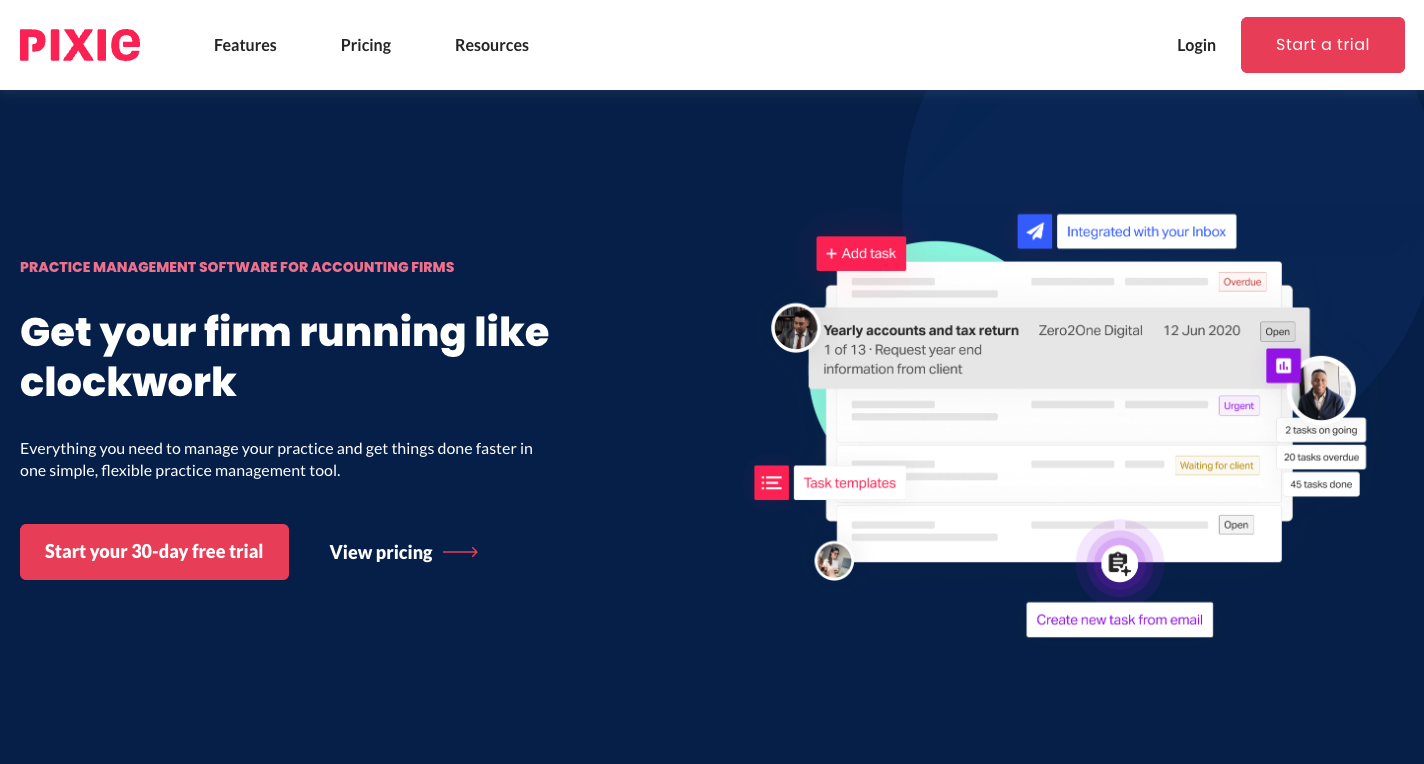
Pixie is a cloud practice management platform built for accountants and bookkeepers. It was started in London by Celso Pinto, who had earlier built the self-assessment app GoSimpleTax, and in November 2021 it raised a £2.25 million seed round from Triple Point Ventures, Seedcamp and MMC Ventures, when it served over 1,100 accountants and bookkeepers. Today Pixie International Limited, registered in London, is owned and operated by The Successful Bookkeeper Global of Ontario, Canada, and the software is developed by The Access Group, a UK enterprise software provider.
 Source: Pixie
Its features span client records, workflows and recurring jobs, email integration with a shared inbox, client tasks, document signing, reminders and onboarding. Its buyer is the owner of a small or mid-size firm who finds older practice management software too complex, too expensive or both, and its promise is “everything you need to manage your practice and get things done faster in one simple, flexible practice management tool”.
Pixie Pros & Cons
| Pros | Cons |
|---|---|
| ✅ One flat fee by client count, unlimited users | ❌ No time tracking of its own (Clockify integration) |
| ✅ Quick to set up and easy for the team to learn | ❌ No billing or invoicing |
| ✅ Workflow templates with instructions and training videos | ❌ Reports count tasks, not hours or profitability |
| ✅ Email integration that files correspondence to the client | ❌ Accounting software only through Zapier |
| ✅ Companies House import and date-driven deadlines for UK firms | ❌ No mobile app |
| ✅ E-signing and client tasks included on every tier | ❌ Files outside tasks are hard to organise |
| ✅ 30-day free trial, rated 4.8/5 on Capterra | ❌ A G2 reviewer reports updates breaking features |
Pixie Review: How it Works & Key Features
Workflow management: compliance work as repeatable steps
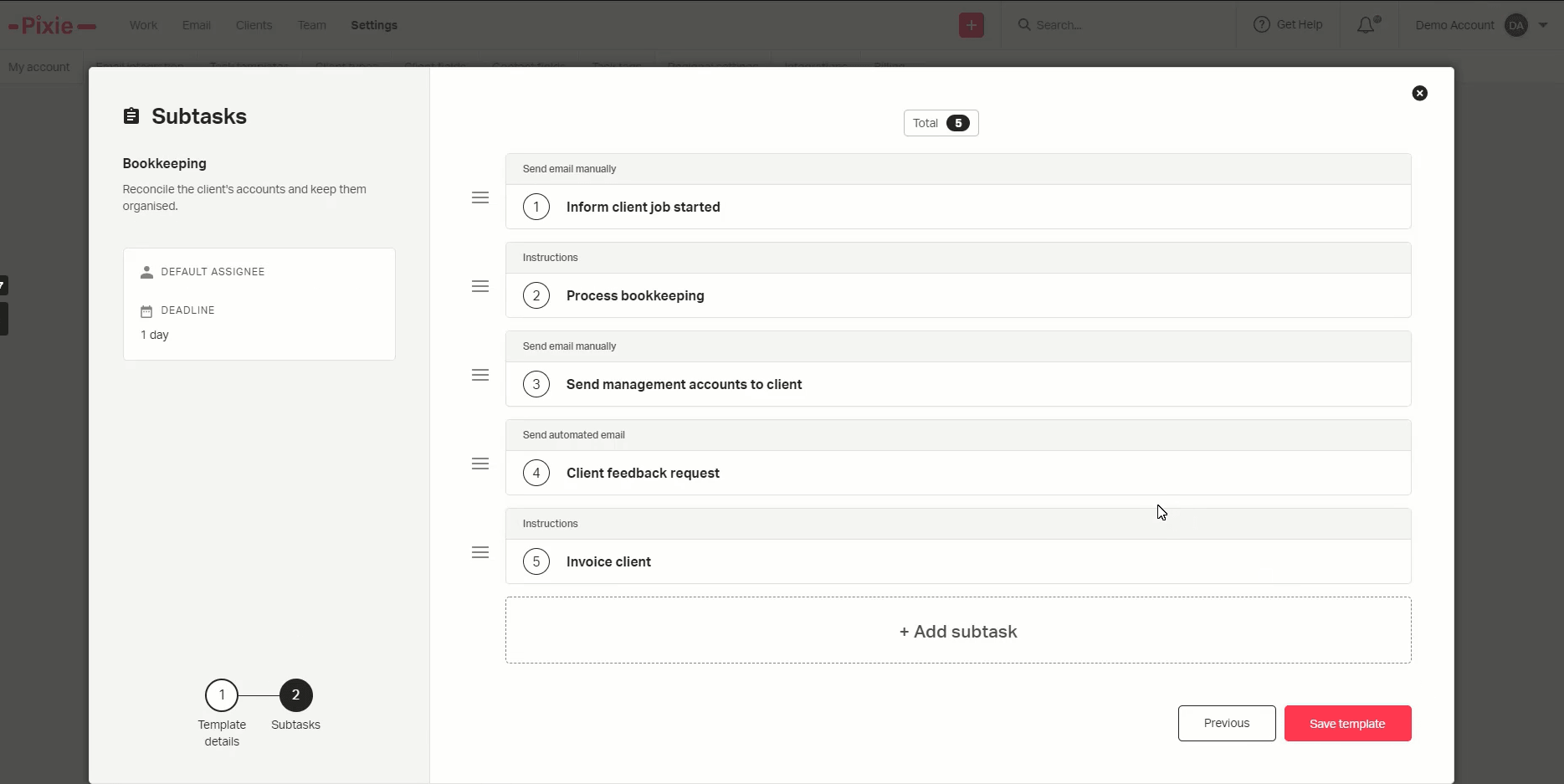
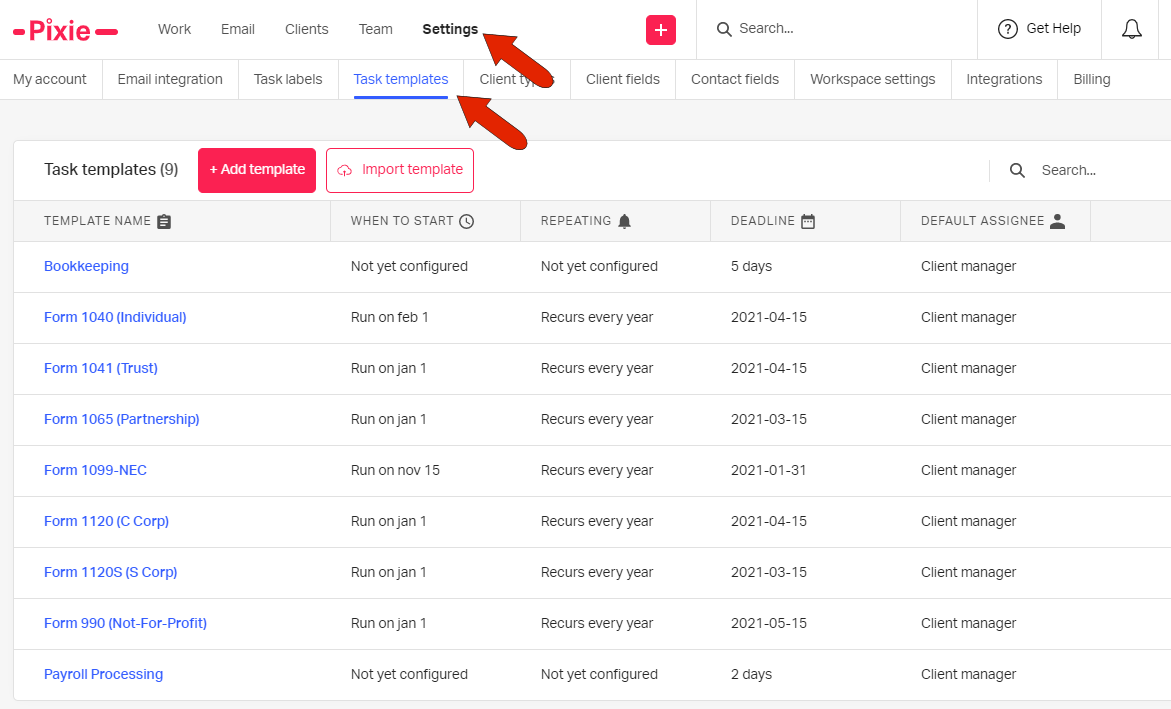
Workflows are the backbone of Pixie. Each piece of client work is a job made of ordered subtasks, each with its own internal deadline, and a subtask can be an instruction, a manual email to the client or an automated one. A template can start on a set date, a weekday, a day of the month or on a client date field, so a year-end job can open from each client’s own accounting date. Pixie ships starter templates for UK and US firms, and a template library adds more.
 Source: Pixie
Each step can carry instructions, checklists, links and embedded training videos, so the firm’s procedures live inside the task instead of in a separate manual. For a small team, that is the main reason to adopt Pixie: a new hire can follow the steps.
 Source: Pixie
Since The Successful Bookkeeper Global took over, Pixie also includes the Pure Bookkeeping system’s procedures and templates as part of the product, a method for bookkeeping firms on top of the software. What we did not find is task dependencies: a Capterra reviewer asks for them, and Pixie’s help centre does not describe any.
Client management: one record per client
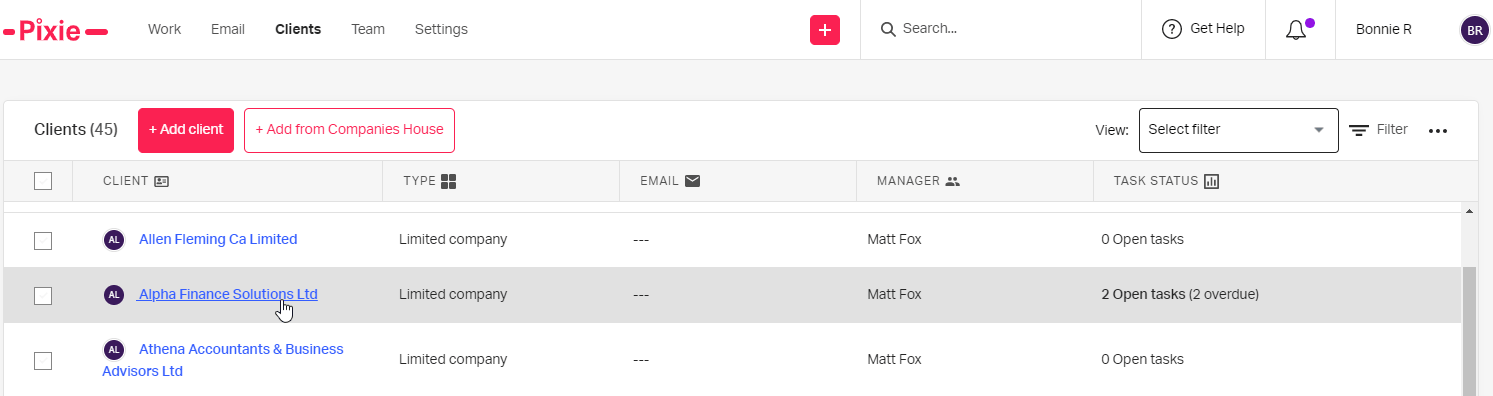
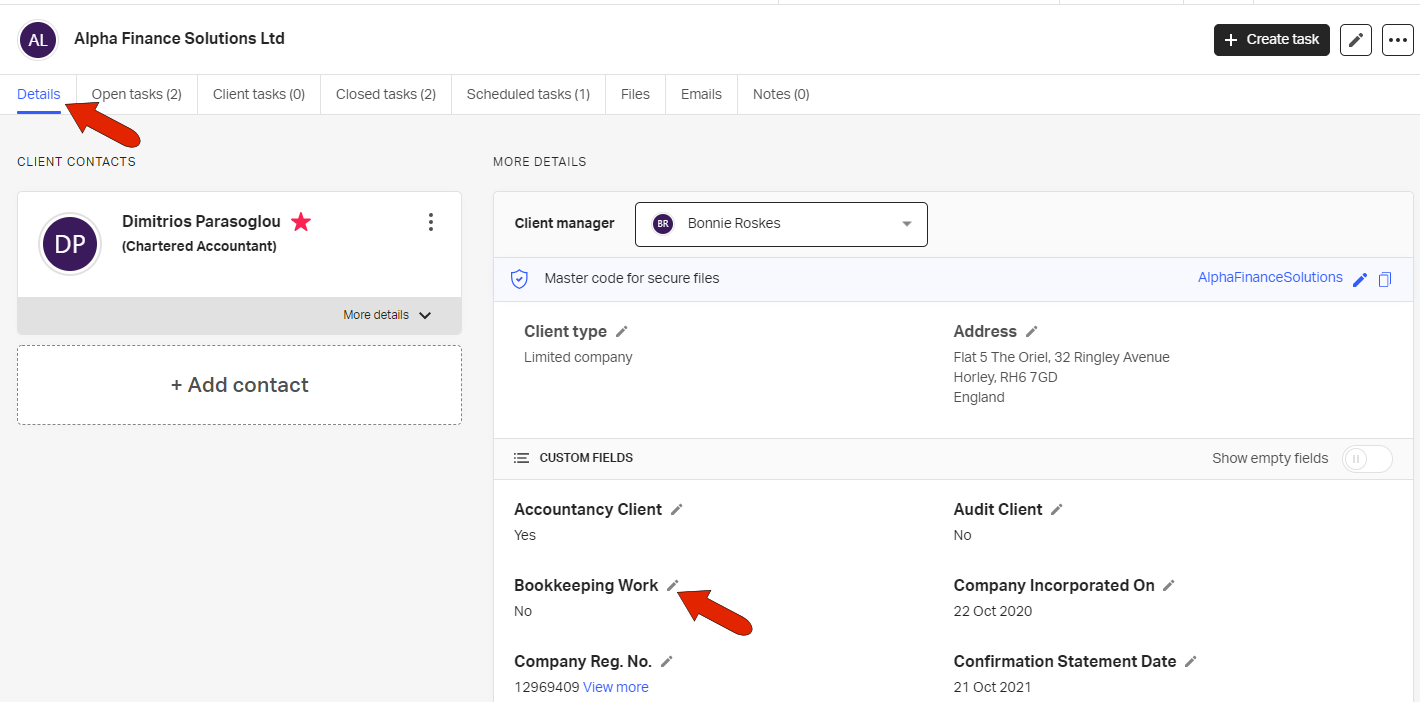
Each client has a details page with its custom fields and tabs for open, scheduled and closed tasks, client tasks, files, emails and notes. Emails and files are saved to the client record as they are sent or received, so the timeline builds itself. The client database has unlimited custom fields, notes that can be pinned for the whole team, linked clients for group structures, merging of duplicates, and bulk actions to email clients, start tasks or change a field across many at once.
 Source: Pixie
For UK firms, the Companies House connection is the standout: a client added by company number arrives with its registered address, incorporation date and statement dates, and a template set to start on a client date field can use them.
 Source: Pixie
Email integration and shared inbox
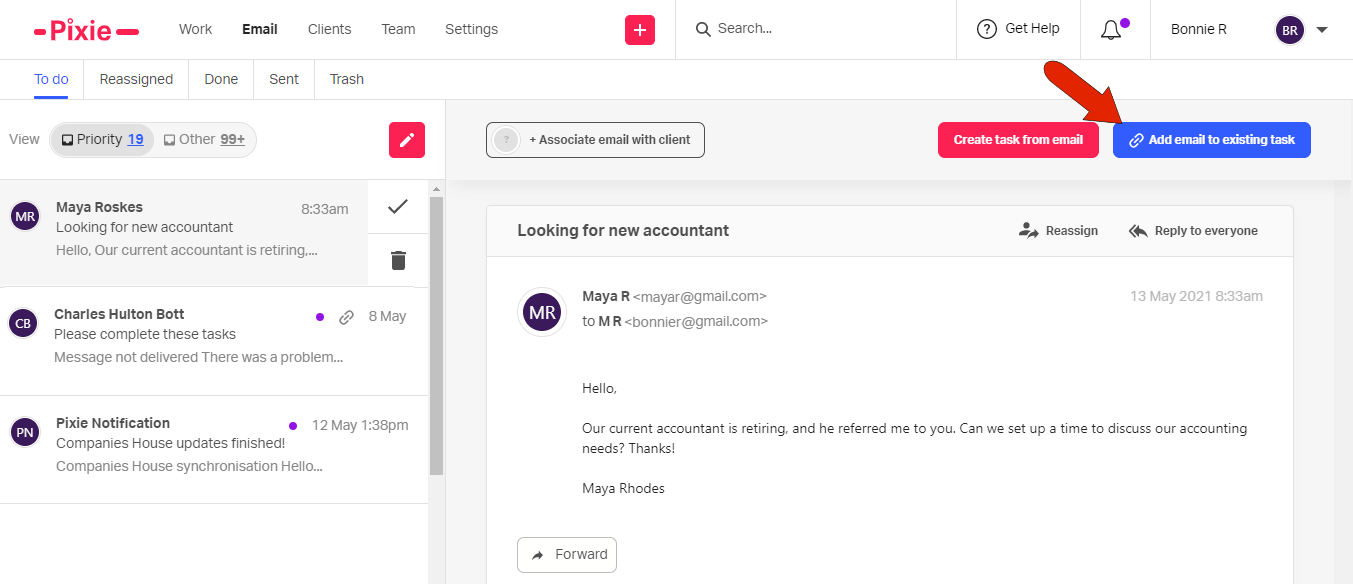
Pixie connects to Gmail or Office 365 and sorts incoming mail into a Priority inbox (clients, colleagues, Pixie) and Other. Any email can become a task, or be attached to an existing one. The shared inbox connects a firm address such as hello@ so everyone can work it from their own login, and a setting can force all workflow emails to go out from that address, so clients always hear from the firm rather than from whoever owns the task.
 Source: Pixie
Document signing and client tasks
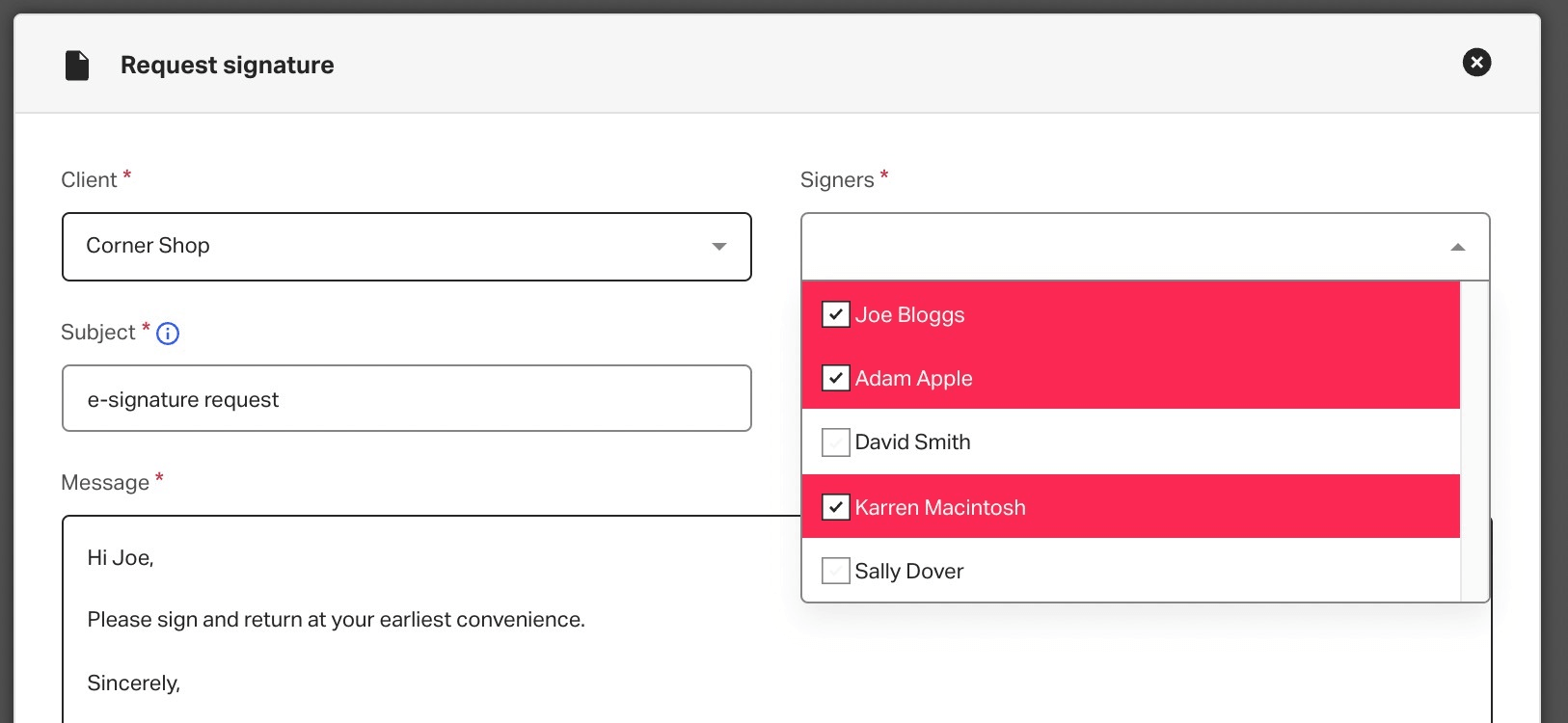
E-signing is included on every tier, with a monthly allowance that grows with the client band. A signature request can be a subtask in a template, so engagement letters go out with the recurring job. Clients open the document with their firm’s master code, no account needed, and sign by typing, drawing or uploading a signature; one request can go to up to 50 signatories, with up to four automatic reminders.
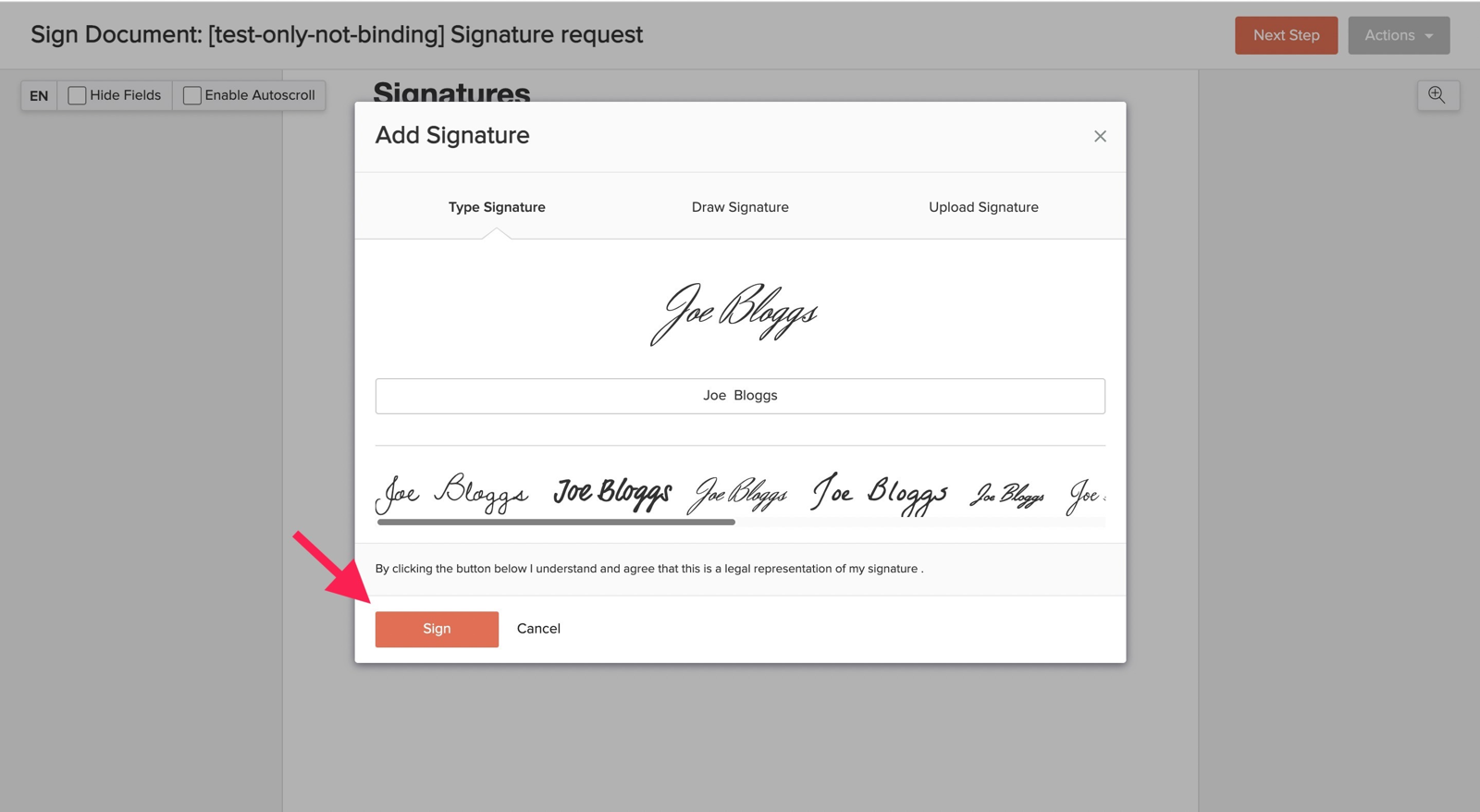 Source: Pixie Pixie’s signatures are compliant with the US ESIGN Act, EU eIDAS and UK eIDAS, which covers engagement letters and approvals; they are not the knowledge-based authentication the IRS requires for Form 8879.
 Source: Pixie
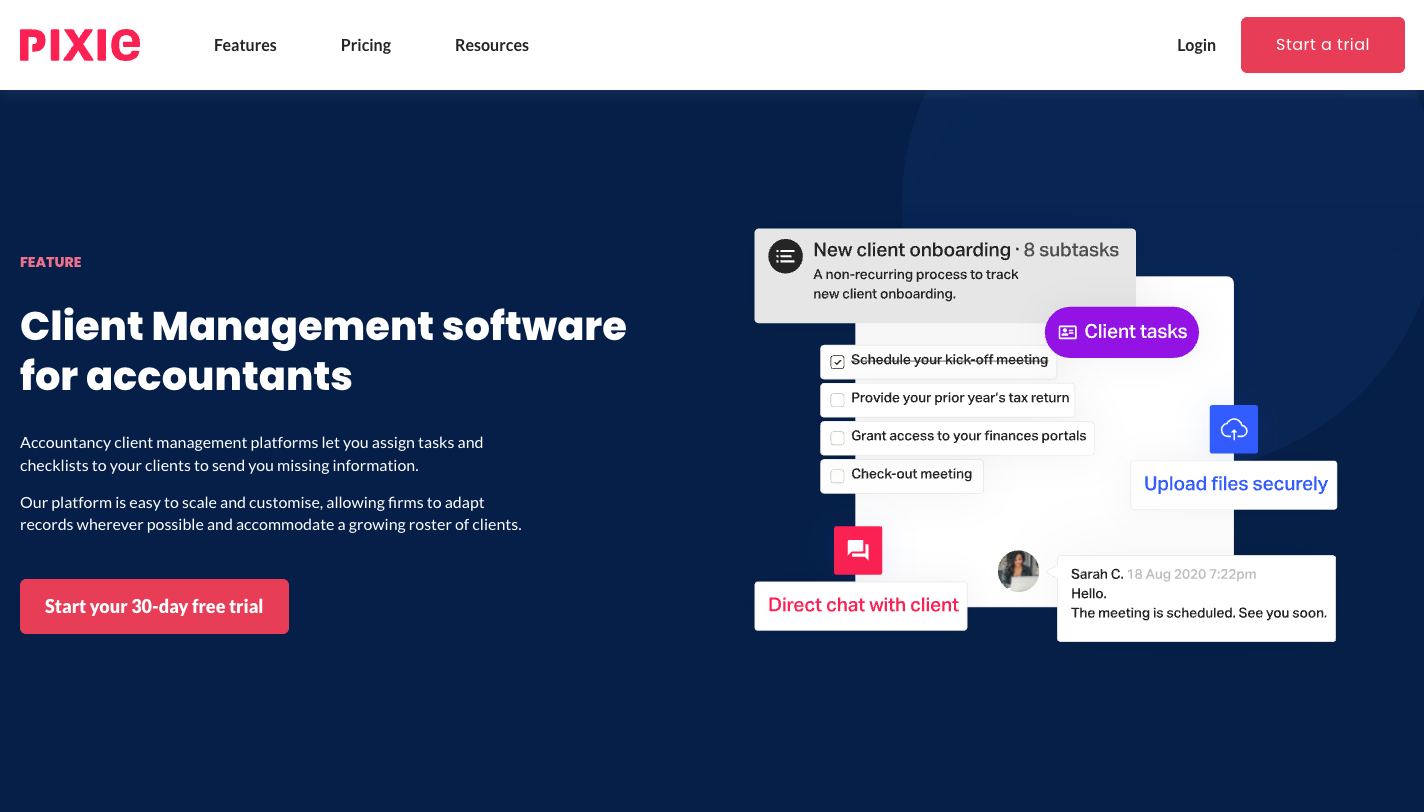
Client tasks send checklists to the client through a portal protected by a passphrase, with automatic reminders and a two-way chat on the task.
 Source: Pixie
Reporting: what is done, not what it cost
Pixie’s reports cover three metric sets (email, operational and productivity), a Work Report that filters every task in the system, and a team overview of each person’s open and overdue tasks. That answers “is the work done and who has it”. It does not answer how long the work took or whether the client’s fee covers it, because Pixie holds no time or billing data.
What users say
Pixie is rated 4.8 out of 5 on Capterra across 32 reviews and 4.7 on G2 across 12. Reviewers keep coming back to how easy it is to pick up.
“When I found Pixie, I was immediately drawn to the user interface - it didn't overwhelm!”
The criticism is just as consistent: no overview of the work in hours or progress.
“It is difficult to get a high level view of the whole work in progress or pending.”
Pixie Pricing (2026)
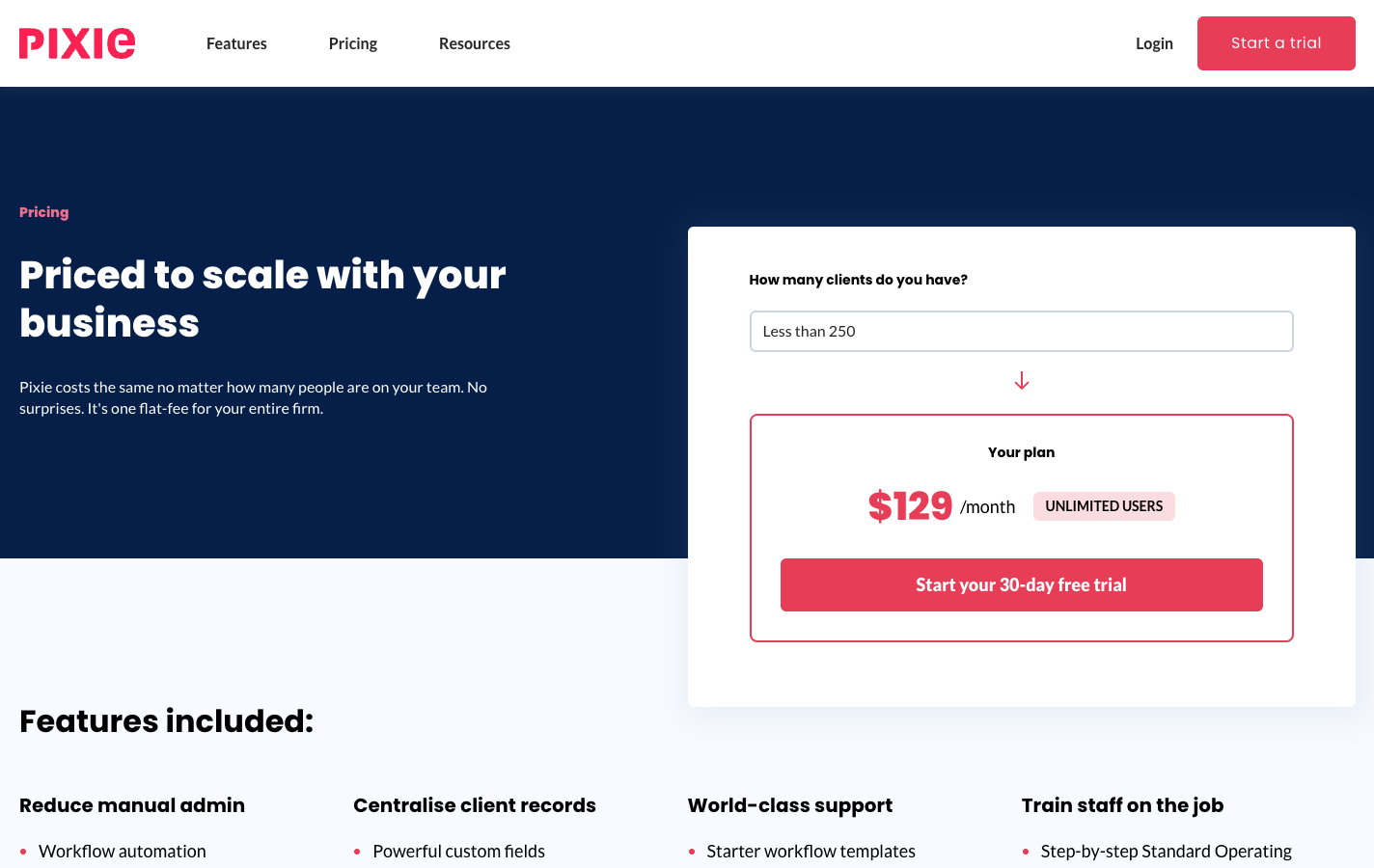
Pixie charges one flat monthly fee by the number of clients the firm manages. Every tier has the same features and unlimited users.
 Source: Pixie
| Clients | Per month | Users |
|---|---|---|
| Fewer than 250 | $129 | Unlimited |
| 251–500 | $199 | Unlimited |
| 501–1,000 | $329 | Unlimited |
| Over 1,000 | On request | Unlimited |
The e-signing allowance per month grows with the tier. The 30-day trial comes with an account manager from sign-up. AML checks through the Xama integration are charged by Xama, £1.60 per contact. Pixie’s pricing page says “there are no additional fees or hidden costs”, and within Pixie that holds. The costs sit next to it: a time tracker, an invoicing tool, and Zapier for anything that connects to your ledger.
Where Pixie Falls Short
Pixie organises workflows and client communication well. Its limits appear when a firm needs to know what the work costs, not only whether it is done.
No time tracking or billing: Pixie knows a task is finished, not how long it took or what to invoice for it. Time runs through a Clockify integration and invoices through another tool, so hours, contracts and invoices never meet in one place.
No profitability or capacity view: reports show task counts. There is no hours-based capacity view, no client profitability and no way to compare agreed scope with delivered work. One Capterra reviewer, a firm director, says the filtered reports Pixie offers instead of a dashboard are “not even slightly the same thing”.
Limited document management: Pixie has a document portal for exchanging files with clients, but files not attached to a task end up in a general area that users say gets hard to navigate. A founder who rates Pixie 5/5 on Capterra still writes that it “is not (yet) well suited to operate fully as a client DMS portal”.
Few native integrations, no public API: Companies House, Gmail, Office 365 and Xama are native; accounting software, proposal tools and everything else go through Zapier. There is no public API; the only key Pixie issues is for its Zapier connection.
No mobile app: Pixie runs in the browser only, and G2 reviewers ask for “a mobile app or mobile page”.
Update stability: a CPA reviewing Pixie on G2 in 2026 writes that “updates frequently introduce issues that disrupt features that were previously working seamlessly”.
None of this is a flaw in what Pixie sets out to be: a simple, affordable workflow tool for small firms. It does leave the firm running two or three more tools, and no single view of whether its clients are worth what they pay.
Top Pixie Alternative for Growing Firms: Uku
Uku is practice management built for accounting, bookkeeping and audit firms. It covers the ground Pixie covers (workflows, client records, email, client tasks, e-signatures) and adds time tracking, billing, profitability and team management in the same system. It was started in Estonia in 2017 by Rain Allikvee and Jaanus Lang, whose mothers were accountants running their firms on Excel. It serves 1,000+ firms in 25+ countries, in 12 languages, and is modular: you can start with clients and tasks on day one and add billing, workflows and analytics as you grow.
Time tracking that feeds billing
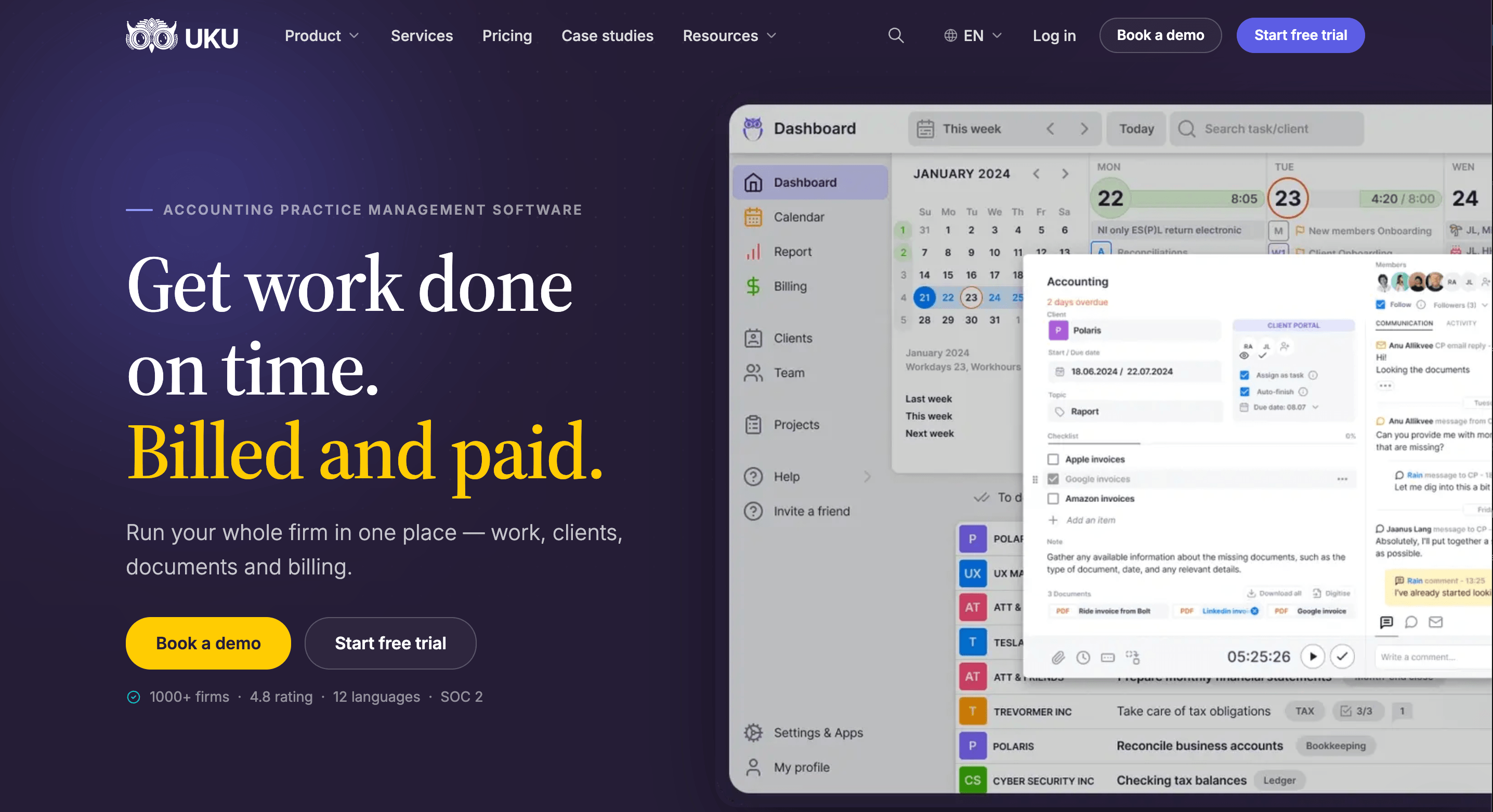
Where Pixie tracks whether tasks are done, Uku tracks how long they take. Time tracking sits on the task: a one-click timer that stays visible in the header on every page, manual and bulk entries, and a suggested start time where the previous entry ended. Every entry is billable or not, and out-of-scope time can be marked as extra work for the next pricing conversation. On Elite and Enterprise, a firm can require a time entry before any task is closed.

Automated billing: 100+ clients in about 30 minutes
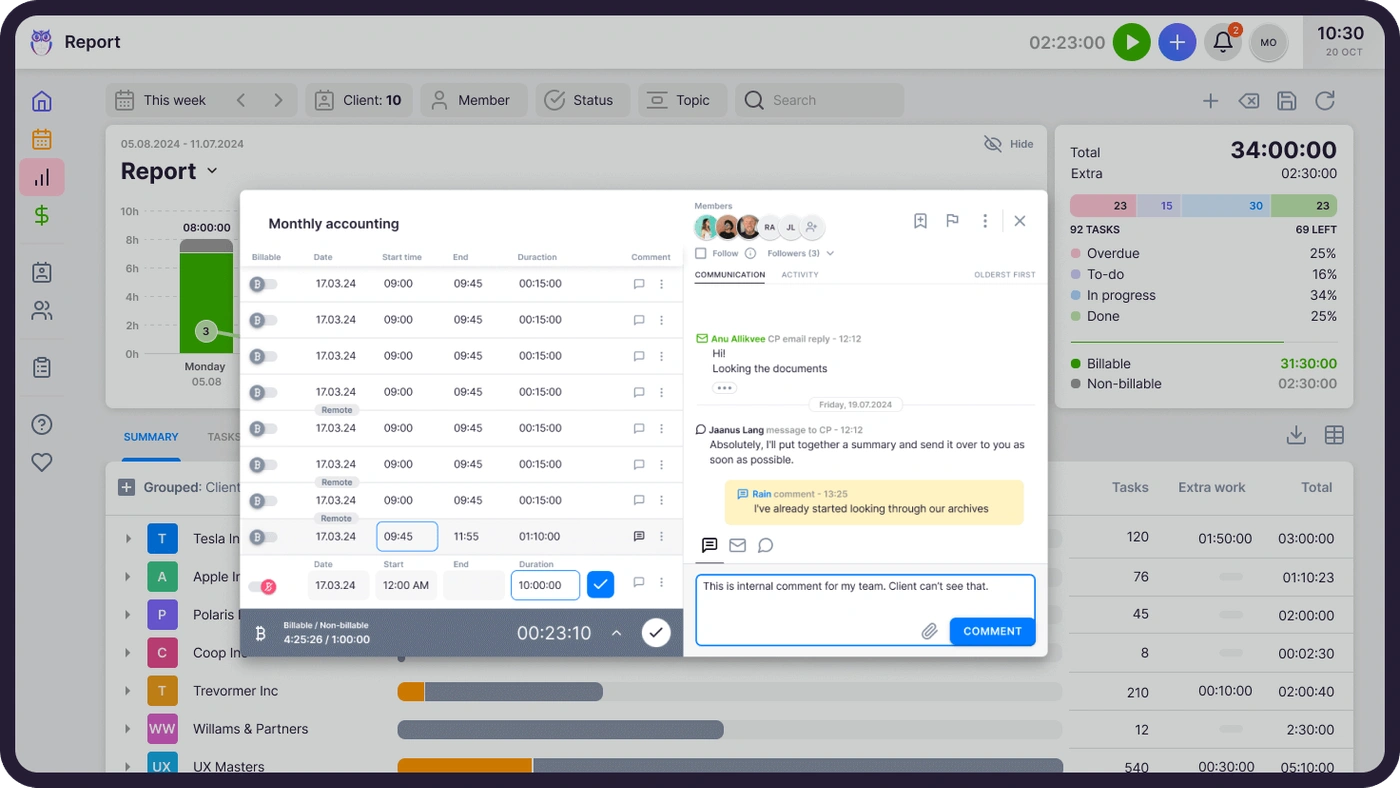
Uku’s billing reads each client’s contract when the period closes, adds the tracked time and custom values, and drafts the invoice. Six pricing models (hourly, fixed, per piece, member rate, combined and task-triggered) can be mixed in one contract, and each invoice moves through Draft, Approval, Created, Sent and Paid, with automatic debt reminders and two-way sync to QuickBooks, Xero, e-conomic and other ledgers. Leinonen Estonia, with 300 people in 11 countries, went from six hours of invoice preparation to two.

Agreements monitoring and BI Analytics: which clients pay for their work
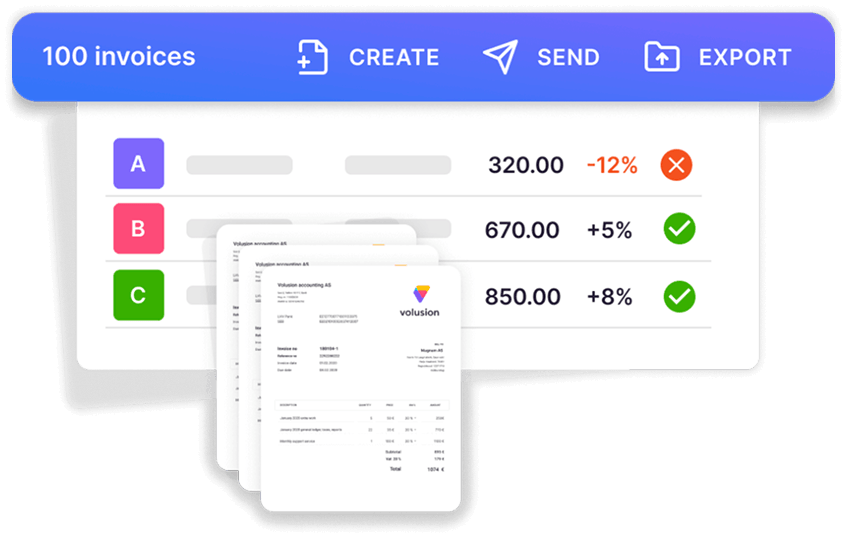
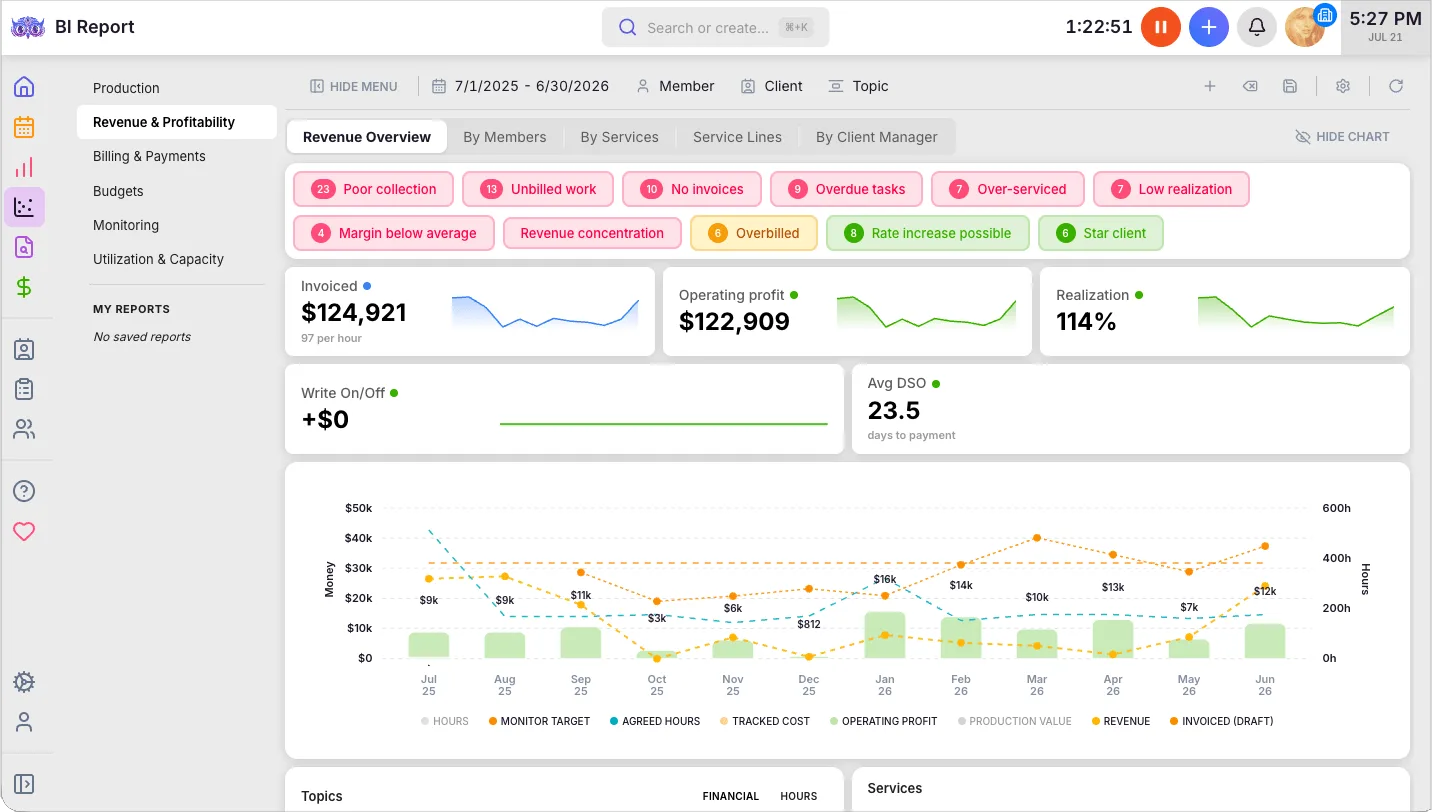
Pixie can tell you the work is done; Uku tells you whether it paid. Agreements monitoring compares each client’s agreed work (hours, documents, payroll runs, VAT returns) with what was delivered, in real time, and flags every client green, amber or red. Client budgeting warns before a client’s budget runs out.
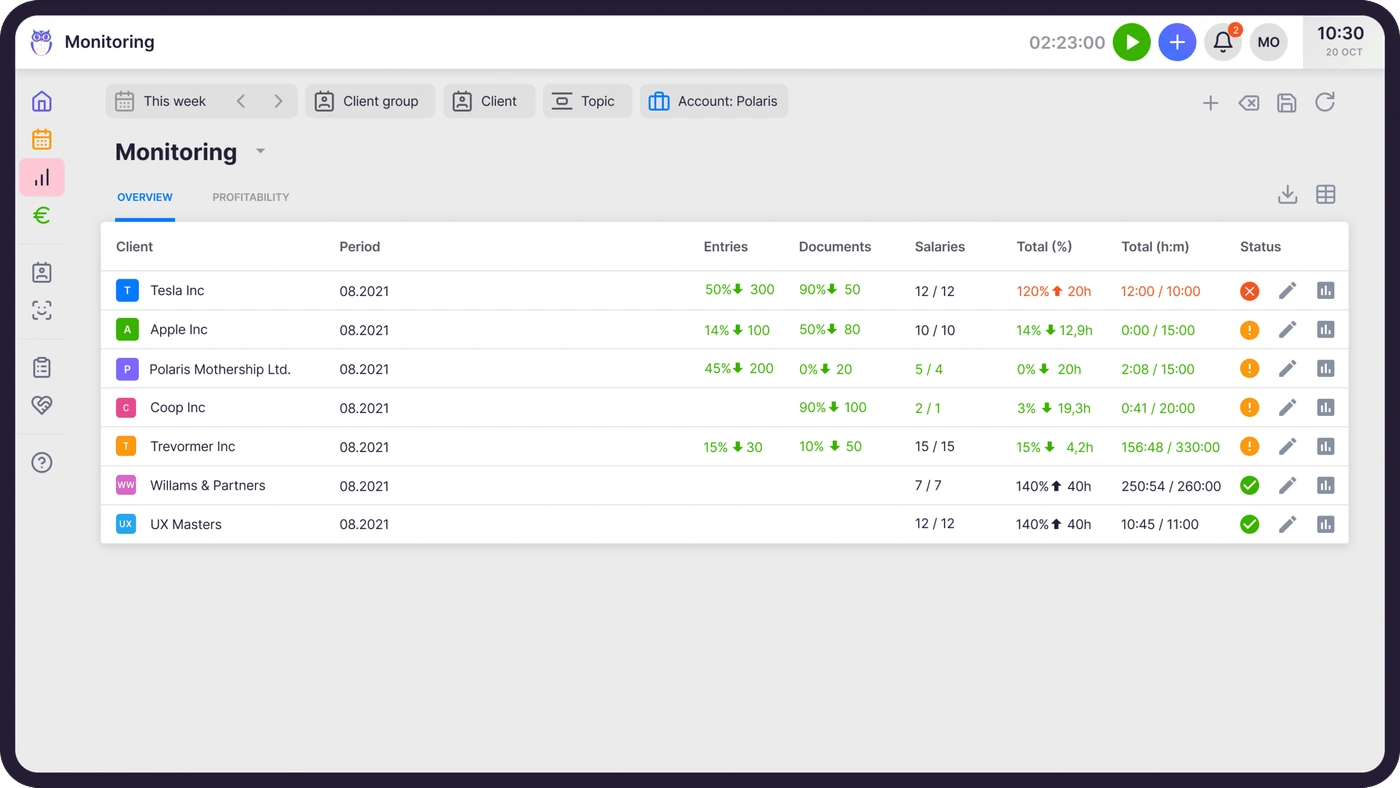
BI Analytics on Elite draws on the same data for production, revenue and profitability, utilisation and capacity, billing and payments, budgets and monitoring, with health flags that filter straight to the clients that need attention.
Workflows, client portal and the team
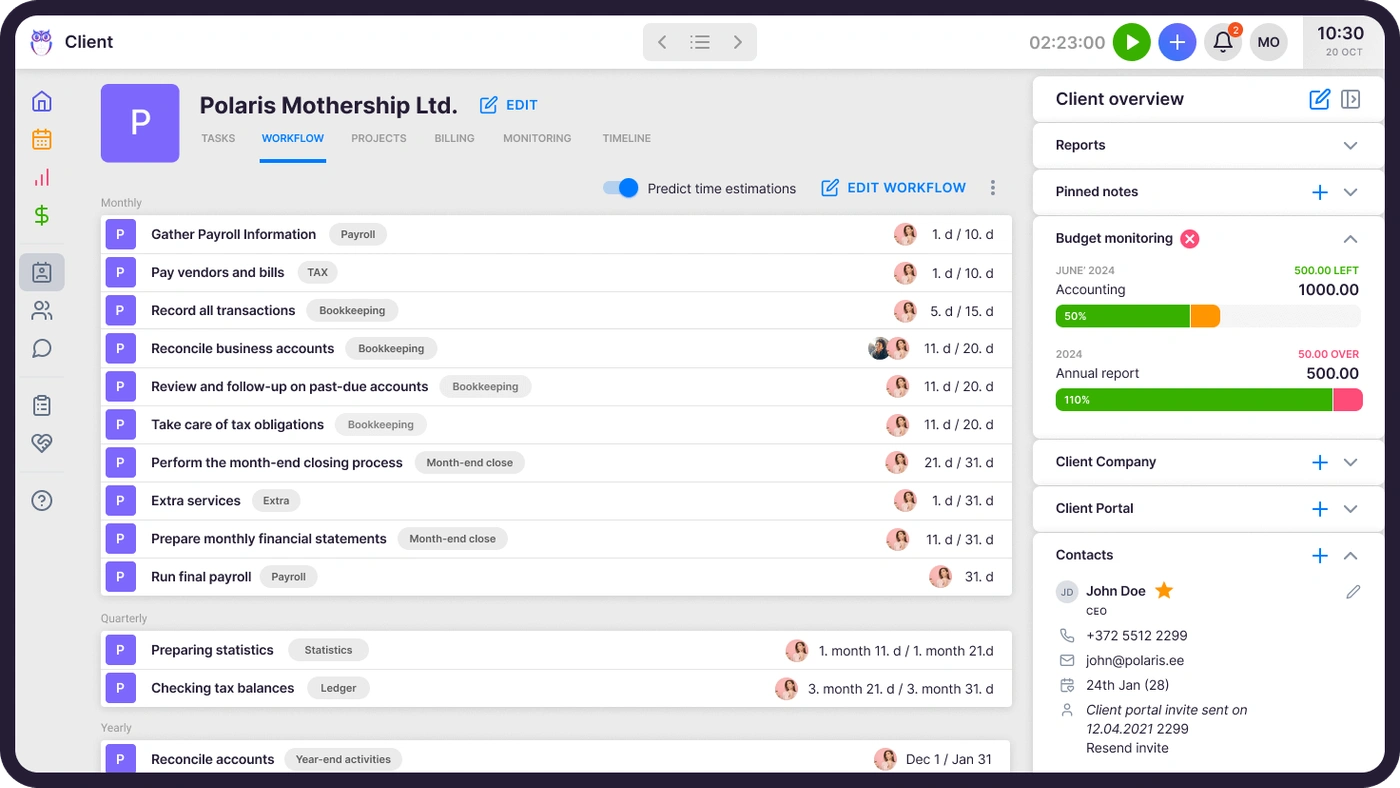
Uku’s workflow templates do what Pixie’s do, anchored to each client’s own dates. The client portal shows the client the same task the accountant works on, with magic-link sign-in, document requests, reminders and e-signatures, free for clients on every plan.
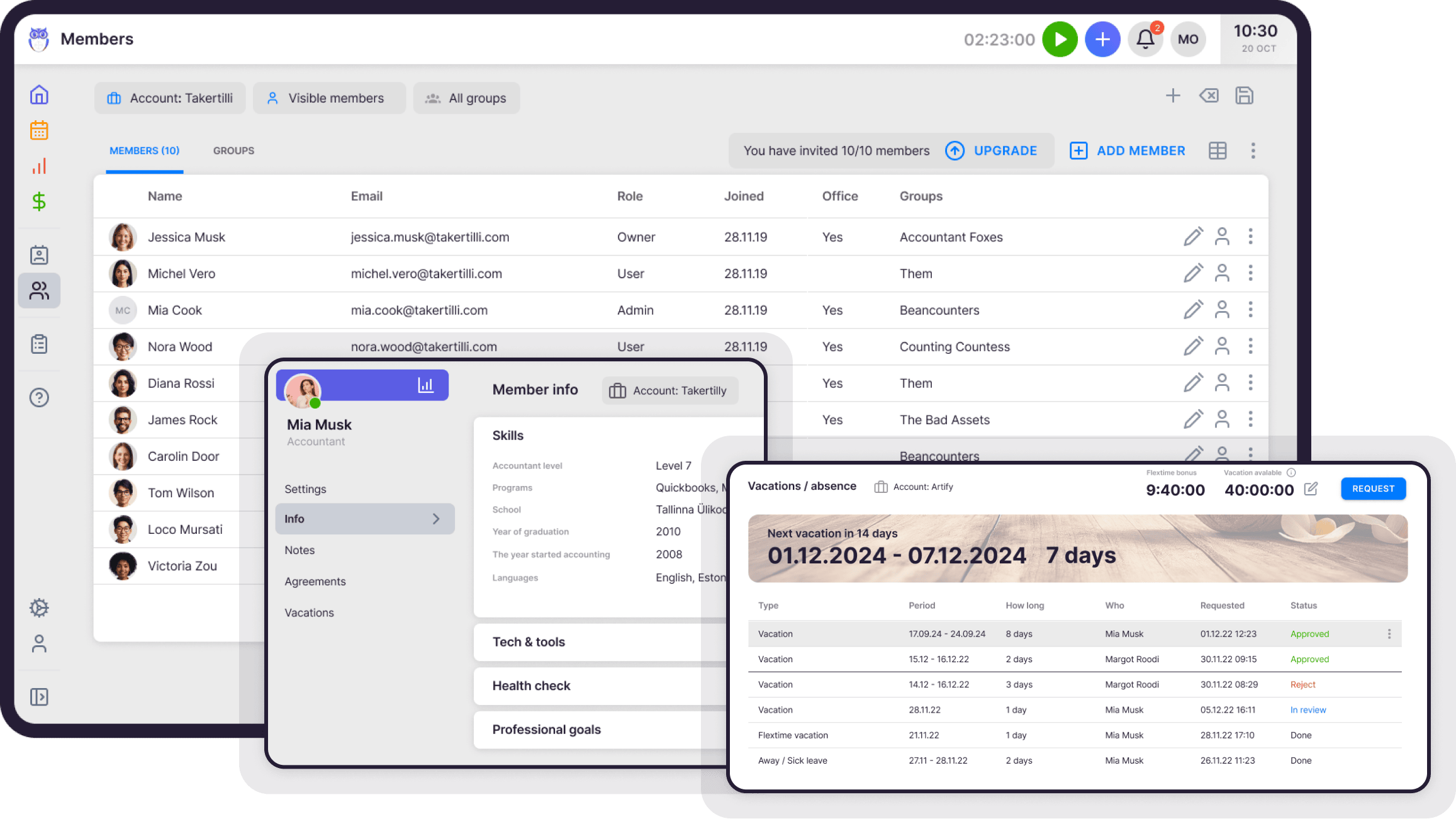
Workforce management on Elite adds what Pixie leaves to HR spreadsheets: employee profiles, flextime, vacations and onboarding. When someone is away, their tasks move to a colleague in one action, with checklists and notes attached.

Uku pricing
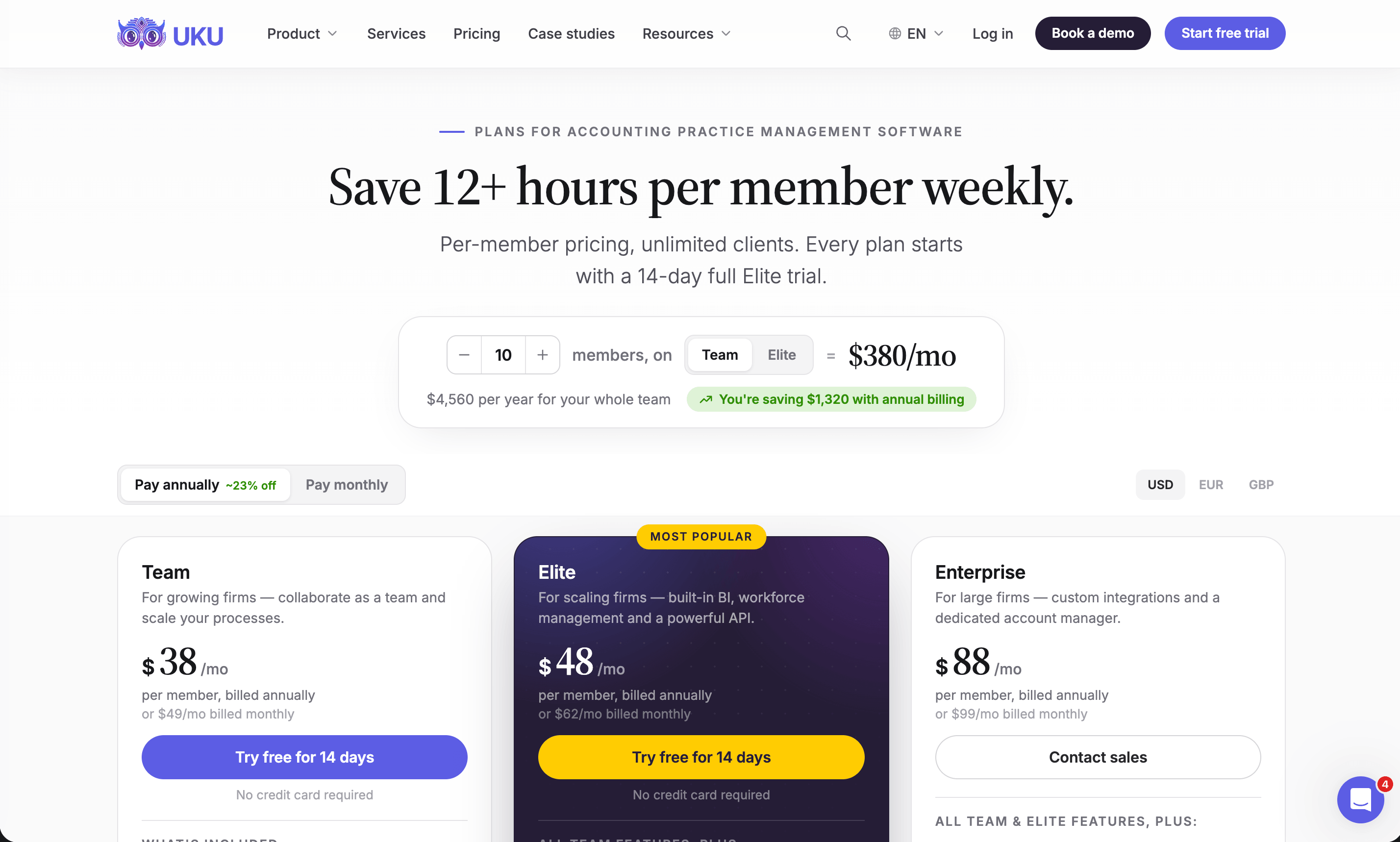
Uku charges per member per month; clients and their portal access cost nothing. Prices are on annual billing, which saves about 23%, and every account starts with a 14-day trial of the full Elite plan, no card required, plus 90 minutes of free onboarding.
| Plan | Per member/mo | Best for |
|---|---|---|
| Solo | $19 ($25 monthly) | One accountant, up to 20 active clients |
| Team | $38 ($49 monthly) | Unlimited members and clients, projects, access control |
| Elite | $48 ($62 monthly) | BI Analytics, workforce, mandatory time entries, API, Zapier |
| Enterprise | $88 ($99 monthly) | Custom integrations, account manager, assisted import |
The honest comparison: Pixie’s $129 covers any number of users under 250 clients, so from four people up it costs less per month than Uku Team. The difference narrows once you add the time tracker and invoicing tool Pixie does not include.
Pixie or Uku: Comparison Summary
| Aspect | Pixie | Uku |
|---|---|---|
| Main job | Workflows and client communication | Workflows, time, billing and profitability |
| Workflow automation | Templates, recurring jobs, client-date triggers | Templates, recurring tasks, client-date anchors |
| Time tracking | Clockify integration | Built in, with mandatory entries on Elite |
| Billing and invoicing | Not available | Drafted from contracts and tracked time |
| Client profitability | Not available | Agreements monitoring and BI Analytics |
| Client portal | Client tasks behind a passphrase, chat | Shared tasks, magic link, documents, e-signatures |
| E-signatures | Every tier, monthly allowance | Solo, Elite and Enterprise |
| Gmail, Office 365, shared inbox | Gmail, Outlook, shared timeline | |
| Accounting software | Through Zapier | Native: QuickBooks, Xero, e-conomic and 8 more |
| API | No public API (Zapier key only) | Open API on Elite and Enterprise |
| Team management | Workload by task count | Workforce management, flextime, vacations (Elite) |
| Mobile | Browser only | Browser only, plus the Mini Uku plugin |
| Pricing model | Flat fee by client count, unlimited users | Per member, clients free |
| Starting price | $129/month (under 250 clients) | $19/month (Solo), $38 per member (Team) |
| Free trial | 30 days | 14 days of Elite, no card |
| Best for | Small firms that need structured workflows | Firms that also bill by the hour or need profitability |
How to Switch from Pixie to Uku
Moving from Pixie replaces up to three tools: Pixie itself, Clockify and whatever raises your invoices. Most firms are live in two to six weeks, at their own pace, and keep serving clients throughout.
- Import your clients. From Excel, or synced from QuickBooks or Xero through Uku’s import flow. UK firms can fill in client details from Companies House.
- Rebuild your Pixie workflows as Uku templates. One per service, with the same steps, checklists and instructions, applied to every client who buys it.
- Set up billing contracts. Hourly, fixed or per piece, per client, so the first month’s invoices draft themselves from tracked time.
- Retire Clockify and the invoicing tool. Run one billing cycle in parallel, compare, then switch off. Use the 90 minutes of onboarding that comes with every plan.
If your firm uses an AI assistant, the Uku MCP server connects in a day and can check the move for you: which clients came across, which have no workflow yet, and how the first Uku invoice run compares with the last one.
Final Verdict
Pixie and Uku start from the same place, structured recurring work, and part ways at the invoice.
👉 Choose Pixie if:
- Your fees are fixed and you don’t need to track time
- You want one predictable price however large the team grows
- You are a UK firm and Companies House dates drive your deadlines
- Workflow structure is the whole problem you need to solve
👉 Choose Uku if:
- You bill some or all of your work by the hour
- You want invoices drafted from contracts and tracked time, not typed up in another tool
- You need to know which clients cost more than they pay, before month-end
- You want team capacity, vacations and absence cover in the same system
Try Uku free for 14 days or book a demo and we will map your Pixie workflows to Uku with you.
Pixie manages the work. Uku manages the work, the time it takes and the money it brings in. For a firm where coordination is the whole problem, Pixie is a clean answer; for a firm where the problem reaches billing and profitability, Uku is the more complete one.
Read more
- Pixie alternatives — seven options with verified prices
- Pixie vs Uku — the head-to-head
- Pixie vs Karbon — flat fee against per-user depth
- Financial Cents review and Karbon review
- Uku case studies
Frequently asked questions
What is Pixie practice management software?
Pixie is a cloud practice management platform for accountants and bookkeepers, run from London by Pixie International Limited. It covers workflows and recurring jobs, a client database with Companies House import, Gmail and Office 365 integration with a shared inbox, client tasks with a passphrase-protected portal, and document e-signing. It does not track time or raise invoices.
How much does Pixie cost?
Pixie charges one flat monthly fee by the number of clients, with unlimited users and the same features on every tier: $129 a month for fewer than 250 clients, $199 for 251–500, $329 for 501–1,000, and a quote above 1,000. The monthly e-signing allowance grows with the tier. There is a 30-day free trial.
Does Pixie have time tracking or billing?
No. Pixie's timer is a Clockify integration: you start it from a Pixie task, but the time is stored in Clockify. There is no invoicing, so firms raise invoices in Xero, QuickBooks or a separate billing tool. Uku tracks time on the task and drafts invoices from each client's billing contract and the hours logged.
Does Pixie integrate with Xero or QuickBooks?
Not natively. Pixie's native integrations are Companies House, Gmail and Office 365, and Xama for AML checks; everything else, including accounting software and the GoProposal and Ignition proposal tools, connects through Zapier.
Does Pixie have a mobile app?
No. Pixie runs in the browser and has no app in the App Store or Google Play; G2 reviewers ask for one. Uku also has no native app and runs in any browser, with a Mini Uku browser plugin for adding tasks and tracking time from any website.
Who owns Pixie?
Pixie International Limited, a UK company, is owned and operated by The Successful Bookkeeper Global, headquartered in Ontario, Canada. The software itself is developed by The Access Group, a UK enterprise software provider.
What is the best Pixie alternative?
For a firm that wants time tracking, billing and client profitability in the same system as its workflows, Uku. For other needs, see our Pixie alternatives guide: Karbon for larger email-first teams, TaxDome for document-heavy US tax firms, Financial Cents for small US firms on QuickBooks Online, and Xero Practice Manager for Xero partners.

Published Sep 27, 2026 · Updated Sep 28, 2026