




Pixie vs Uku: Which Practice Management Software Fits Your Accounting Firm in 2026?
Pixie charges a flat $129+/month by client count; Uku adds time tracking, billing and profitability per member. Features and pricing compared.


Contents
- Pixie vs Uku at a glance
- The core difference: organising the work vs running the practice
- Workflow and task management: close, with different edges
- Time tracking and billing: Uku’s ground
- Client management and portals
- Integrations and API
- E-signatures and security
- Team management and reporting
- Pixie vs Uku pricing
- Pixie vs Uku: which should you choose?
- How to switch from Pixie to Uku
Choosing between Pixie and Uku for your accounting firm comes down to five questions:
- Do you want one flat price however many people you employ, or a per-member price with clients free?
- Is structuring the work the whole problem, or do you also need to know what the work costs?
- Do you bill fixed fees only, or does some of your work go out by the hour?
- Will Zapier do for your ledger, or do you want a native link to Xero or QuickBooks?
- Do you want the simplest tool that organises a small team, or one that grows into billing, analytics and team management?
In short, here’s what we recommend:
👉 Pixie is practice management for small accounting firms that want to get organised fast. Task templates with instructions and training videos, email filed to the client, client checklists behind a passphrase and e-signing all come in one flat fee by client count: $129 a month for fewer than 250 clients, with unlimited users. It has no time tracking of its own, no invoicing and no public API.
👉 Uku is practice management that runs the same work and adds the money side: time tracking on every task, invoices drafted from each client’s contract and agreements monitoring that shows which clients cost more than they pay. From $19 a month for a solo accountant, or $38 per member on Team with unlimited clients. Per-member pricing means a larger team pays more than on Pixie.
How we compared them: on 28 September 2026, using Pixie’s pricing page and help centre, and Uku’s pricing page and a live account. The Updated date above moves when a number changes.
Want to see the billing side with your own clients? Try Uku free for 14 days, no credit card required.
Pixie vs Uku at a glance
| Feature | Pixie | Uku |
|---|---|---|
| Core focus | Workflows and client communication | Workflows, time, billing, profitability |
| Built in | London, 2021 seed round | Estonia, 2017 |
| Task templates | Subtasks, instructions, videos, client-date triggers | Workflow templates, dependencies, client-date anchors |
| Time tracking | Clockify integration | Built in, feeds invoices |
| Billing and invoicing | Not included | Drafted from contracts and tracked time |
| Client profitability | Not included | Agreements monitoring, BI Analytics (Elite) |
| Client portal | Client tasks behind a passphrase, chat | Shared tasks, magic link, white-label |
| E-signatures | Every tier, monthly allowance | Solo, Elite and Enterprise |
| Accounting software | Through Zapier | 11 native, incl. QuickBooks, Xero, FreeAgent |
| Public API | None | Open REST API (Elite) |
| Languages | English | 12 |
| Pricing model | Flat fee by client count, unlimited users | Per member, clients free |
| Starting price | $129/mo (under 250 clients) | $19/mo (Solo); $38/member (Team) |
| Free trial | 30 days | 14 days of Elite, no card |
| Best for | Small firms that need structured workflows | Firms that bill by the hour or need profitability |
The core difference: organising the work vs running the practice
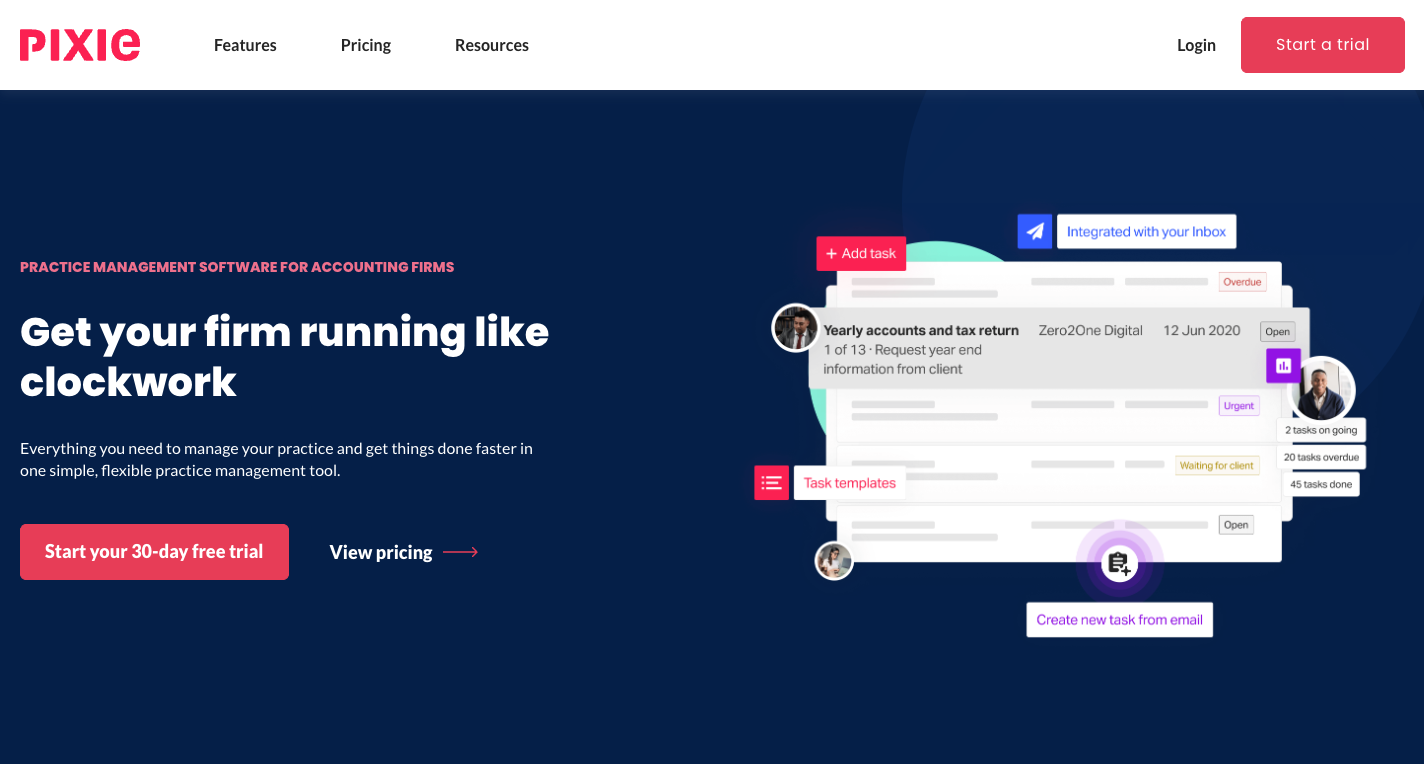
Pixie was started in London by Celso Pinto, who had earlier built the self-assessment app GoSimpleTax, around one observation: small firms struggle to adopt practice management software built for large ones. “Small firms really struggle to adopt traditional practice management applications due to the software’s complex nature,” he told tech.eu in 2021. Everything in Pixie follows from that: a flat fee so adding a colleague costs nothing, starter templates so no one builds from scratch, and an account manager from the first day of the trial. It raised £2.25 million in 2021 and is now owned by The Successful Bookkeeper Global, with the software developed by The Access Group.
 Source: Pixie
Uku was started in Estonia by Rain Allikvee and Jaanus Lang, whose mothers were accountants running their firms on Excel and Outlook. What they saw was that tracking the work without tracking its time and billing misses the point: the firm finishes everything on time and still loses money on some clients without knowing which.
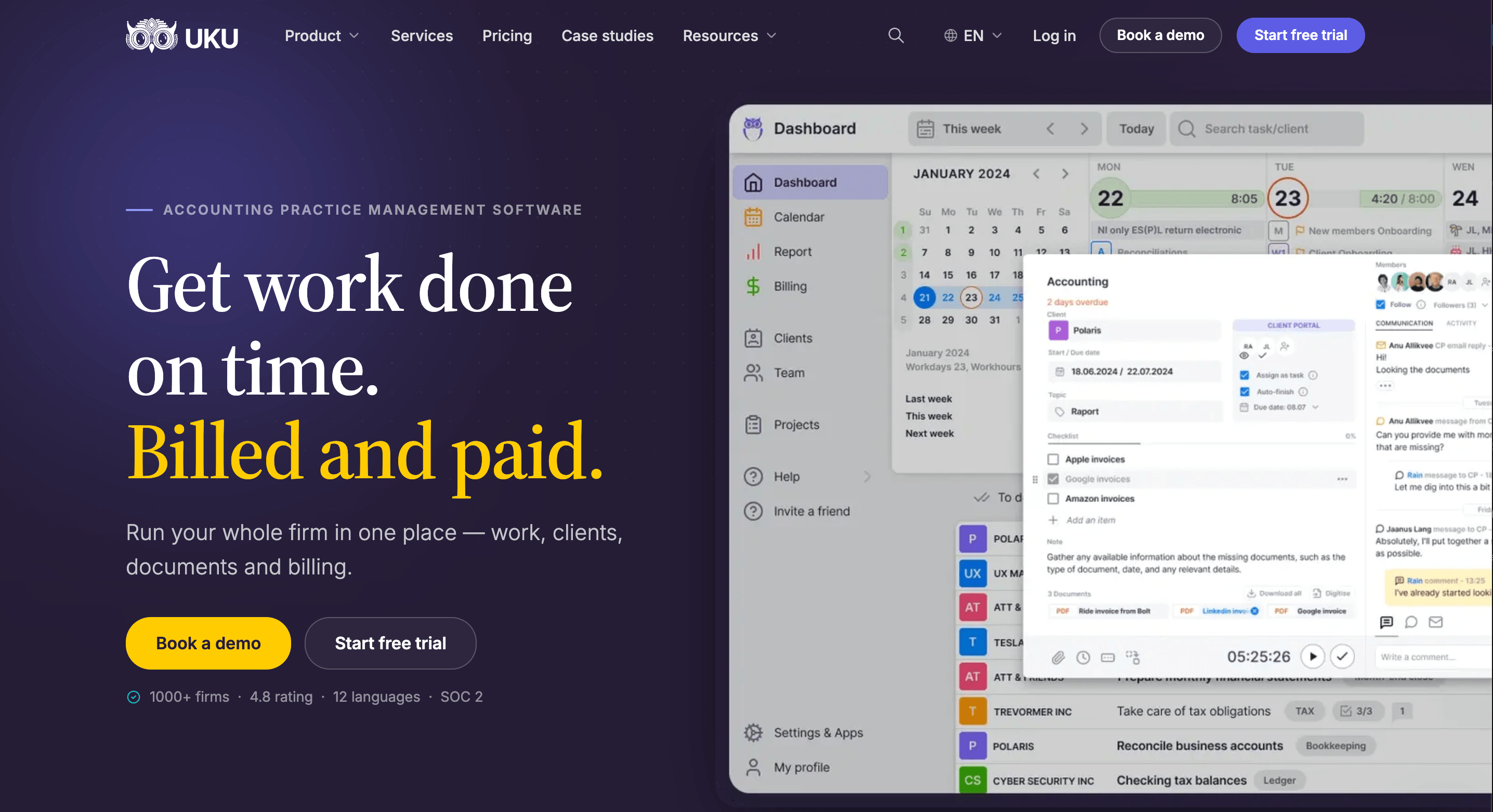
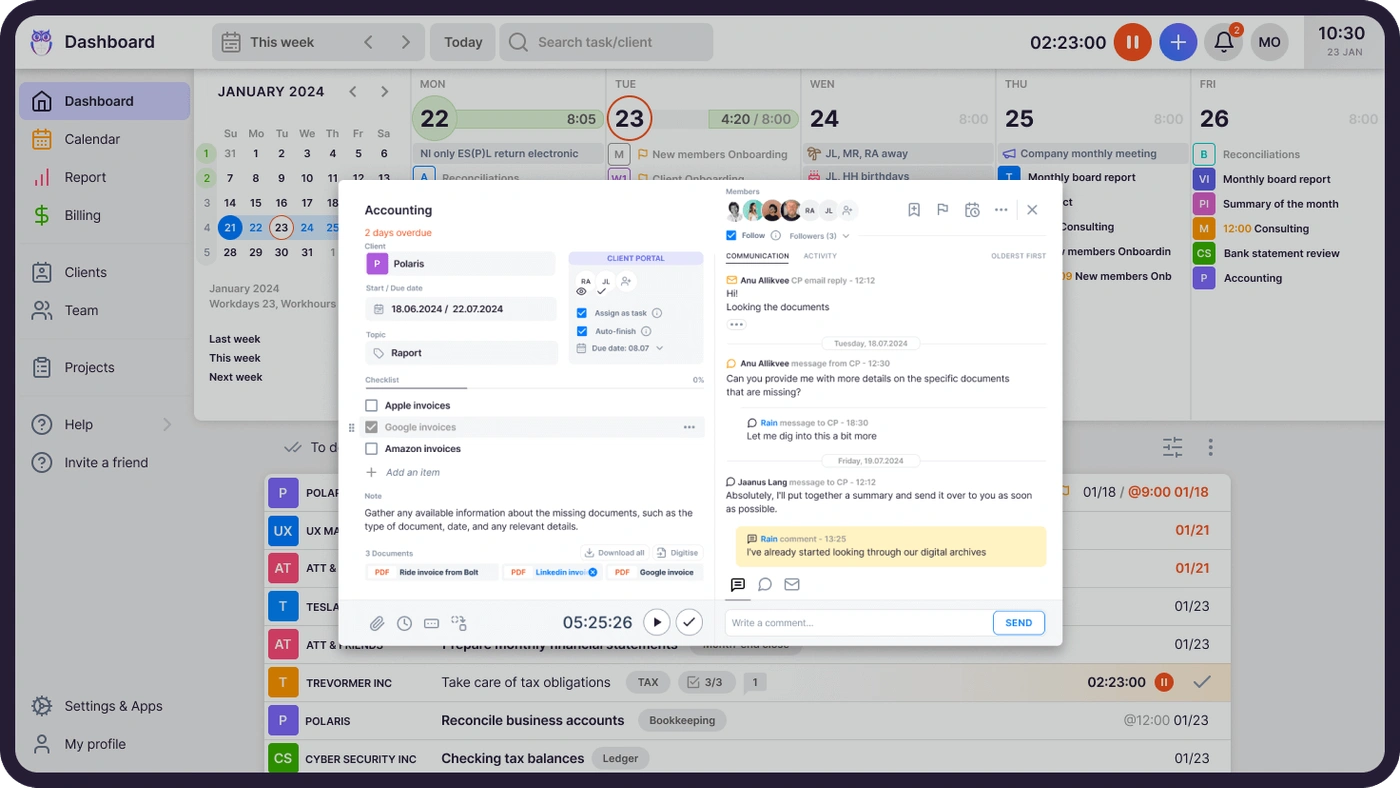
So Pixie stops at the finished task. Uku carries on: the task feeds the timer, the timer feeds the invoice, and the invoice feeds the question of whether the client was worth it. More to set up, and more answers at the end.
Workflow and task management: close, with different edges
Pixie
Pixie’s workflows are task templates made of subtasks: instructions, manual or automated emails to the client, signature requests. Each step can carry checklists, links and embedded training videos, so a new hire can follow the procedure without a separate manual. A template can start on a date, a weekday, a day of the month or on a client date field, so a year-end job opens from each client’s own accounting date. Team roles name a bookkeeper or payroll manager per client, and a template can assign its task to the role rather than a person.
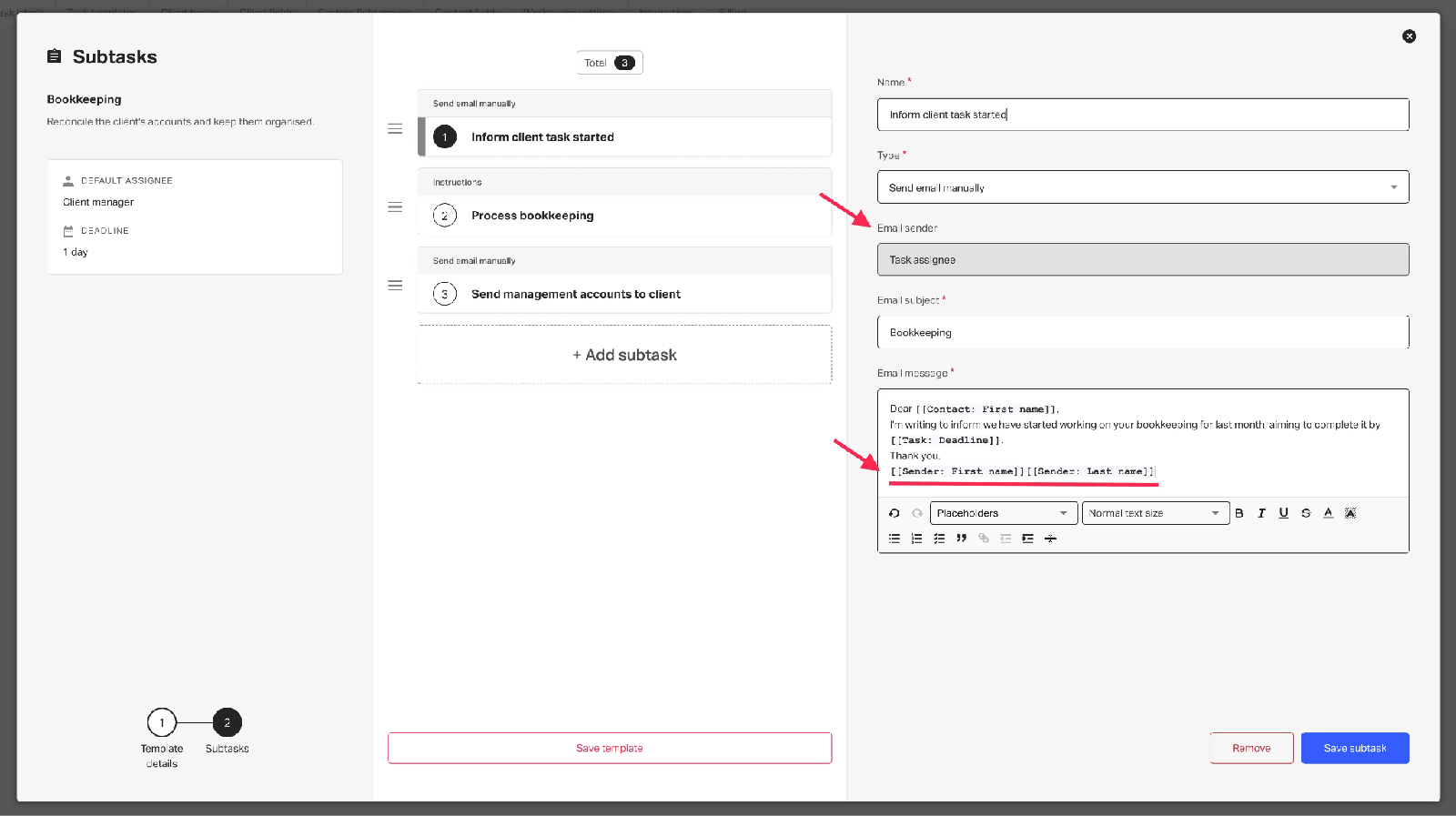 Source: Pixie
Email is where Pixie is strongest for a small team: Gmail or Office 365 mail files itself to the client, any email becomes a task in one click, and a shared inbox lets everyone work hello@ from their own login. What we did not find is task dependencies: nothing in Pixie’s help centre or 2025 roadmap describes them, and a Capterra reviewer asks for them.
Uku
Uku’s workflow templates do the same job with a different anchor: every client has a permanent work plan of recurring services, each with its responsible person, and when a cycle comes round Uku creates the task on that person’s dashboard with its checklist and instructions. Tasks can depend on each other, and when someone is away their tasks move to a colleague in one action.
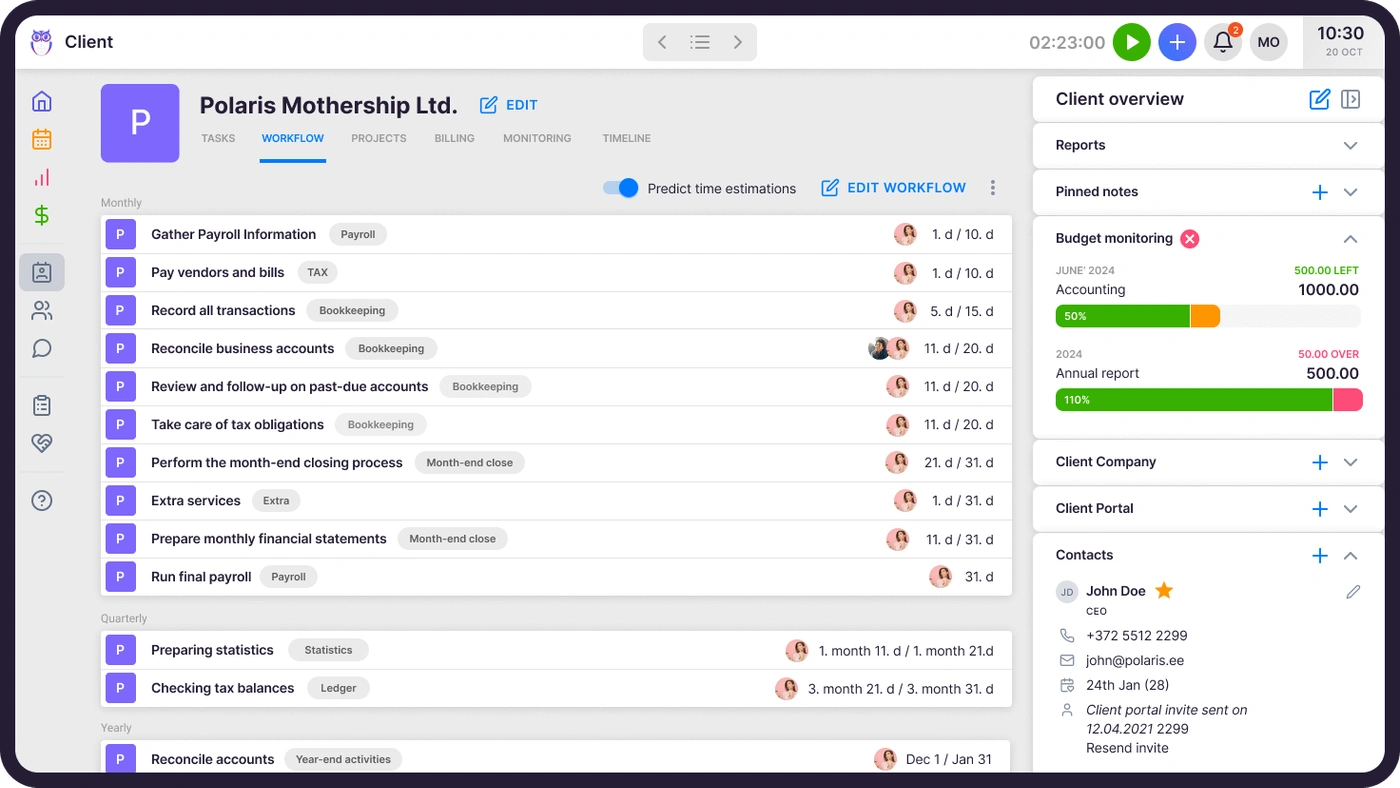
Email runs through Uku’s email management: Gmail or Outlook, linked to the client and the task, on one timeline with the client’s portal messages.

Time tracking and billing: Uku’s ground
Pixie
Pixie does not track time itself. A timer started on a Pixie task writes to Clockify, and there is no invoicing, so a finished job becomes a manual step in Xero, QuickBooks or a billing tool. Pixie knows the work is done; it cannot say how long it took or put it on an invoice.
Uku
In Uku the timer belongs to the task: one click, visible in the header on every page, with manual and bulk entry for work that could not be timed live. On Elite, a firm can require a time entry before any task is closed.
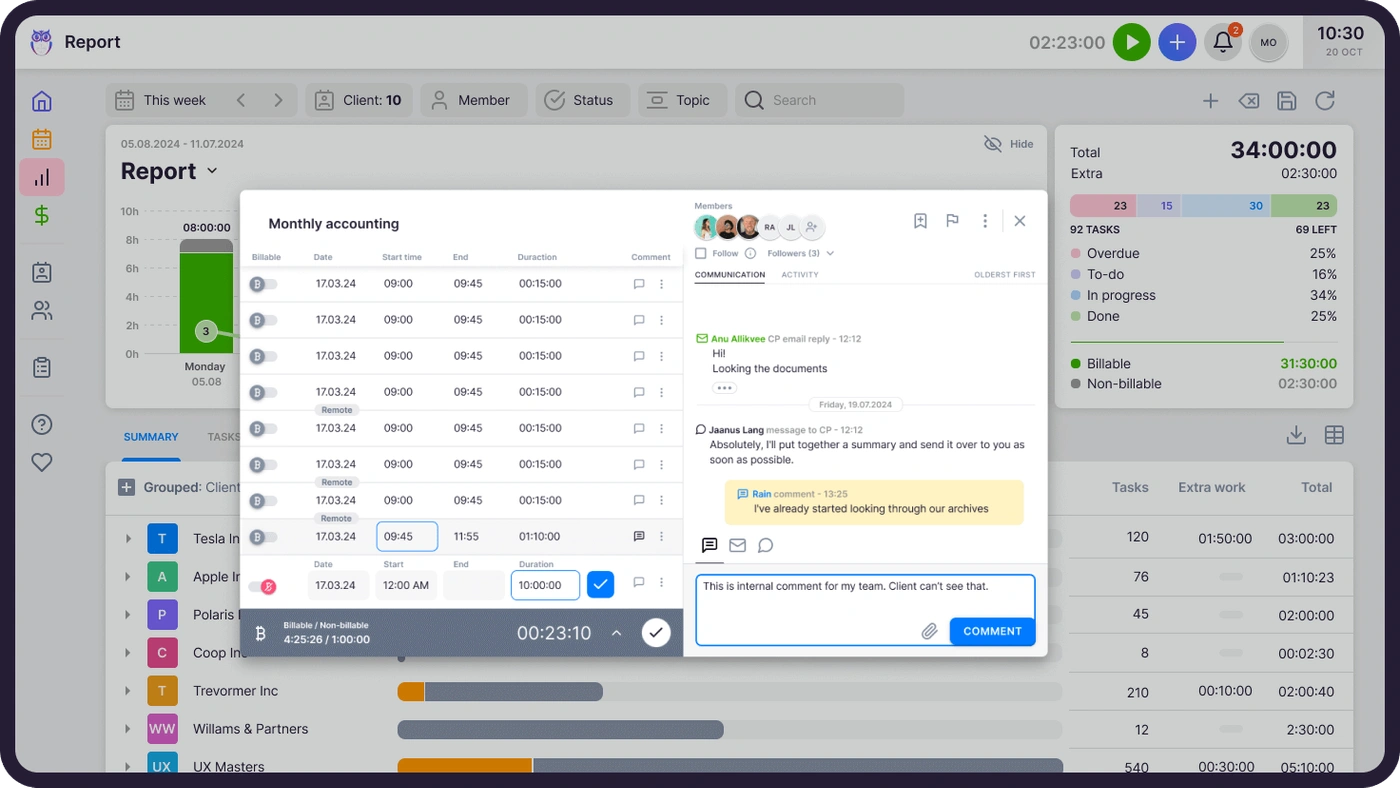
Billing reads each client’s contract when the period closes, adds the tracked time and custom values, and drafts the invoice. Six pricing models (hourly, fixed, per piece, member rate, combined and task-triggered) can be mixed in one contract, and invoices move through Draft, Approval, Created, Sent and Paid with automatic payment reminders. Aaroni Accounting Services went from one to two days of invoice preparation to 15 minutes; Leinonen Estonia, with 300 people in 11 countries, from six hours to two.
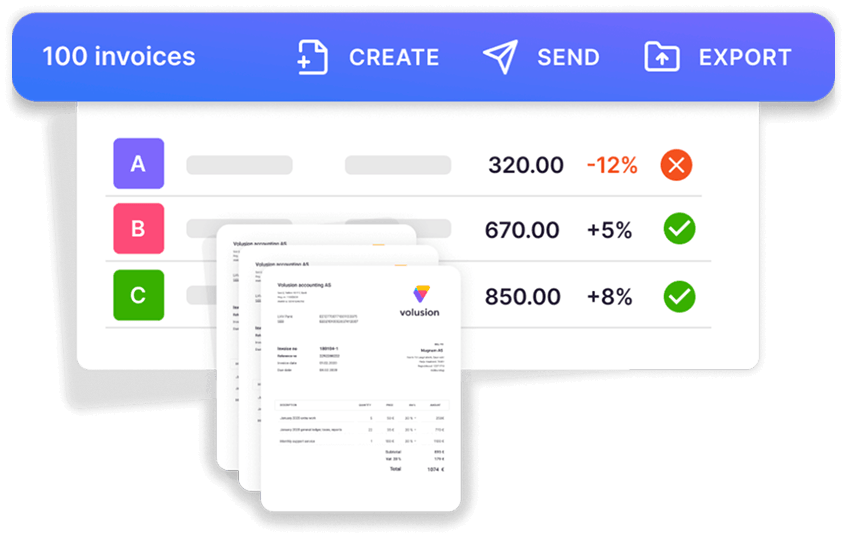

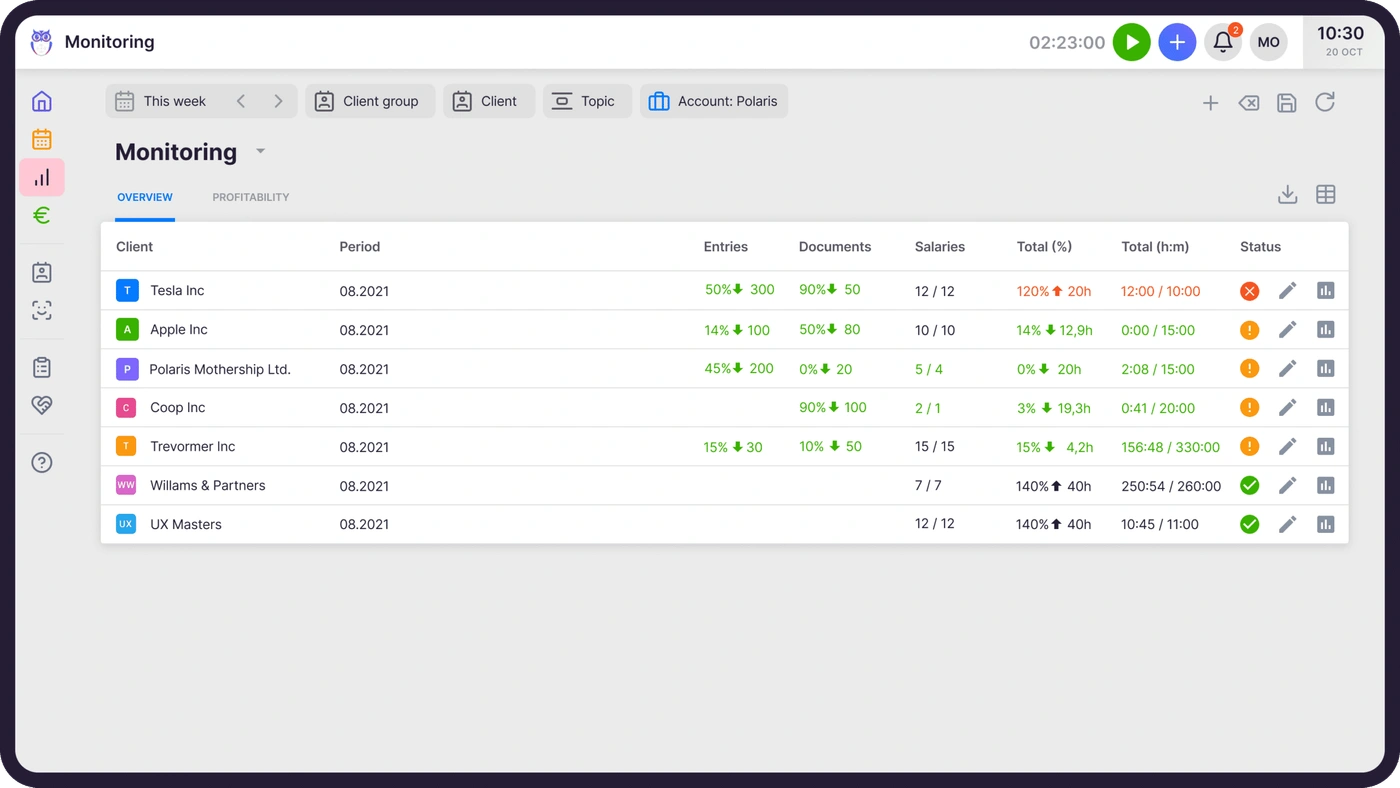
Agreements monitoring then compares each client’s agreed work with what was delivered, in real time, and flags every client green, amber or red, so the pricing conversation happens mid-month instead of after the write-off.
Client management and portals
Pixie
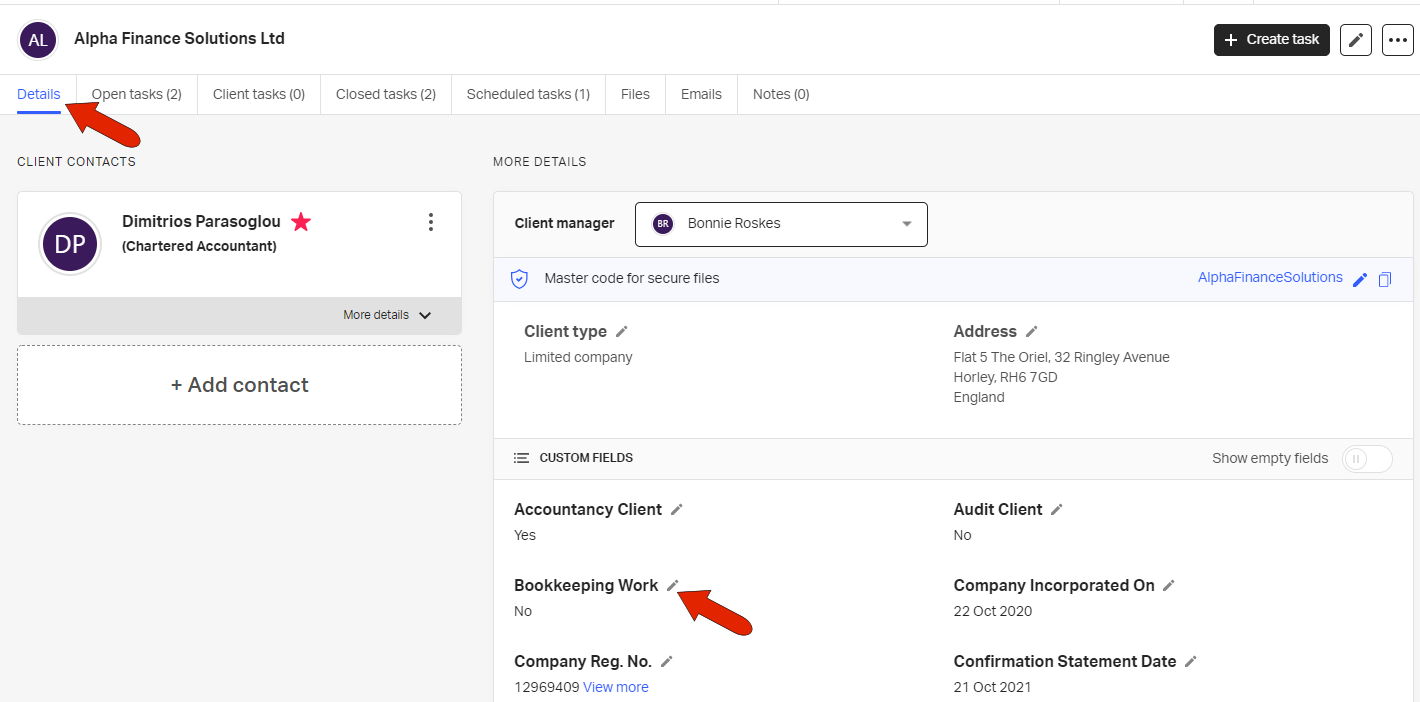
Each Pixie client has a record with tabs for open, scheduled and closed tasks, client tasks, files, emails and notes, plus unlimited custom fields. For UK firms, a client added by company number arrives from Companies House with its address, incorporation date and statement dates. Clients can be linked into group structures and duplicates merged.
 Source: Pixie
Client tasks reach the client through a link and a passphrase, no account needed, with a two-way chat on the task and automatic reminders. The portal, like the rest of Pixie, is in English; we found no other language in the product or its help centre.
Uku
Uku’s client record holds contacts, notes, documents, passwords and custom fields, with AML fields for risk profile and checks on every plan, and the same Companies House lookup for UK clients.
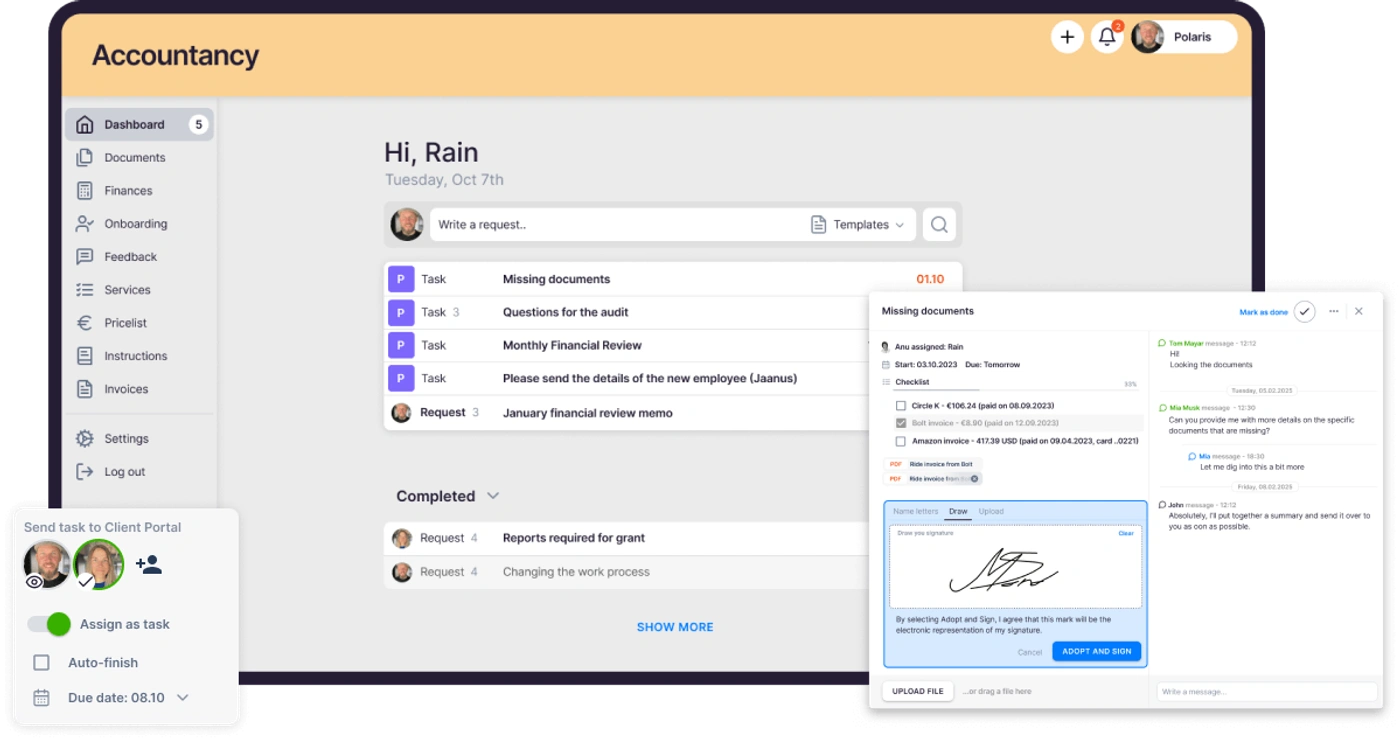
The client portal shows the client the exact task the accountant works on. Clients sign in with a magic link, upload documents, reply and sign, and the portal carries your logo, colours and domain. It is included on every plan, and portal contacts do not count as members.
Integrations and API
Pixie
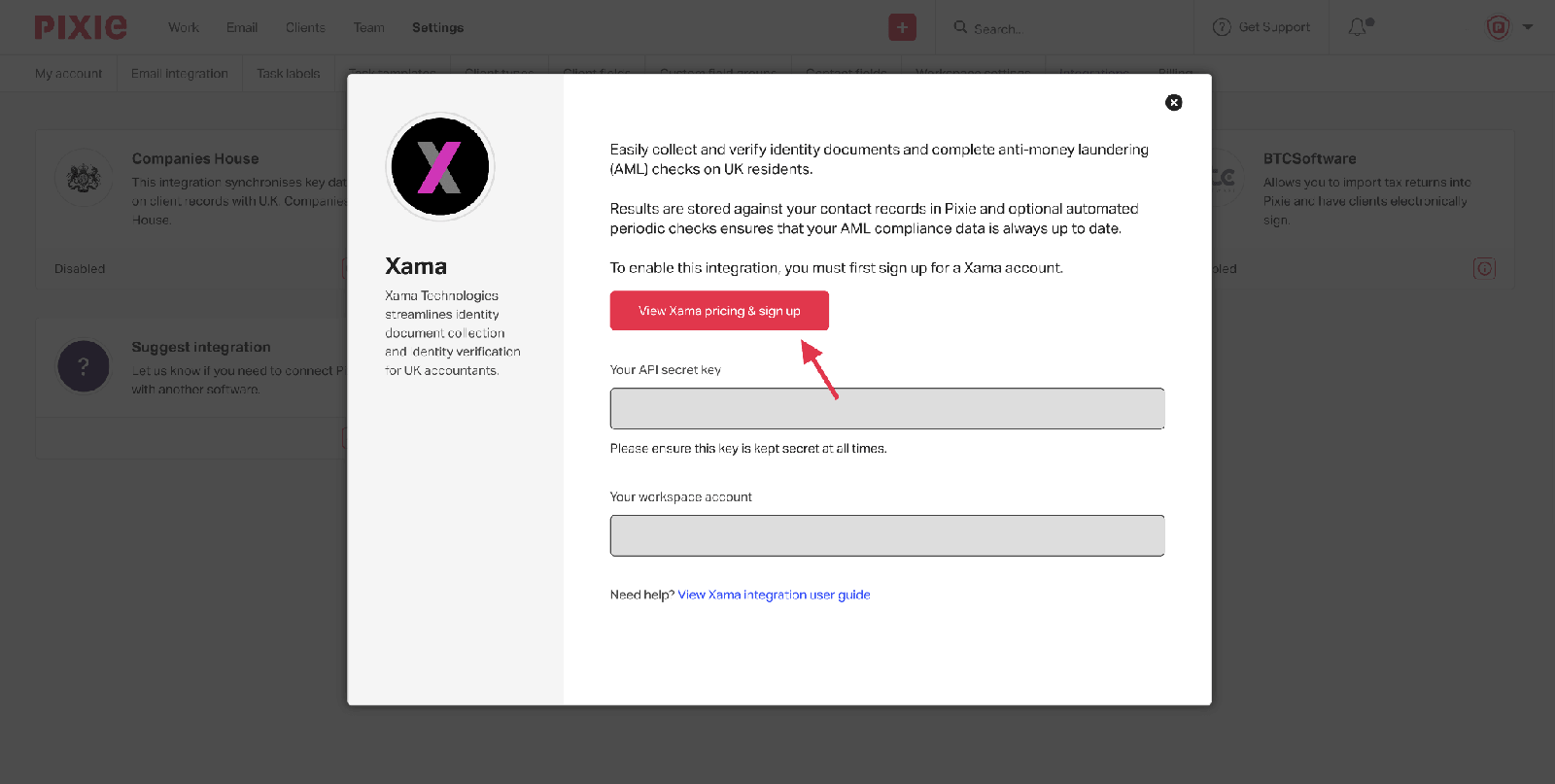
Pixie’s native integrations are Companies House, Gmail, Office 365 and Xama for AML identity checks on UK residents (£1.60 per contact, charged by Xama). Everything else, including accounting software and the GoProposal and Ignition proposal tools, goes through Zapier. There is no public API.
 Source: Pixie
Uku
Uku integrates natively and both ways with 11 accounting platforms: QuickBooks, Xero, e-conomic, FreeAgent, Fortnox, Tripletex, Directo, Merit Aktiva, Scoro, SmartAccounts and 360 Księgowość, syncing clients, products, tax rates and invoices. Business registers cover Companies House, the Estonian e-Business Register and the Danish Business Authority. On Elite and Enterprise there is an open REST API and a Zapier app, and Google Drive, OneDrive, SharePoint or Dropbox for documents.

For a firm on Xero or QuickBooks, this is often the deciding row: in Pixie the ledger is a Zapier zap; in Uku it is where the invoices go.
E-signatures and security
Pixie
E-signing is on every Pixie tier, with a monthly allowance that grows with the client band. A signature request can be a subtask in a template, clients open it with their firm’s master code, and one request can go to up to 50 signatories with up to four reminders. Signatures are ESIGN, UETA, EU eIDAS and UK eIDAS compliant. Pixie hosts its servers on AWS in the UK, encrypts data at rest and in transit, and runs a public vulnerability disclosure programme.
Uku
Uku’s e-signatures (Solo, Elite and Enterprise) send documents from the client record or the portal, with the signer’s IP address and timestamp stamped on the document. Uku is SOC 2 Type I certified, hosts its data in Frankfurt on Akamai, encrypts with TLS 1.3 and AES-256, supports MFA through Google Authenticator, Microsoft Authenticator and Azure Active Directory, and is audited against OWASP ASVS 2.0. Details are on the security policy.
Team management and reporting
Pixie
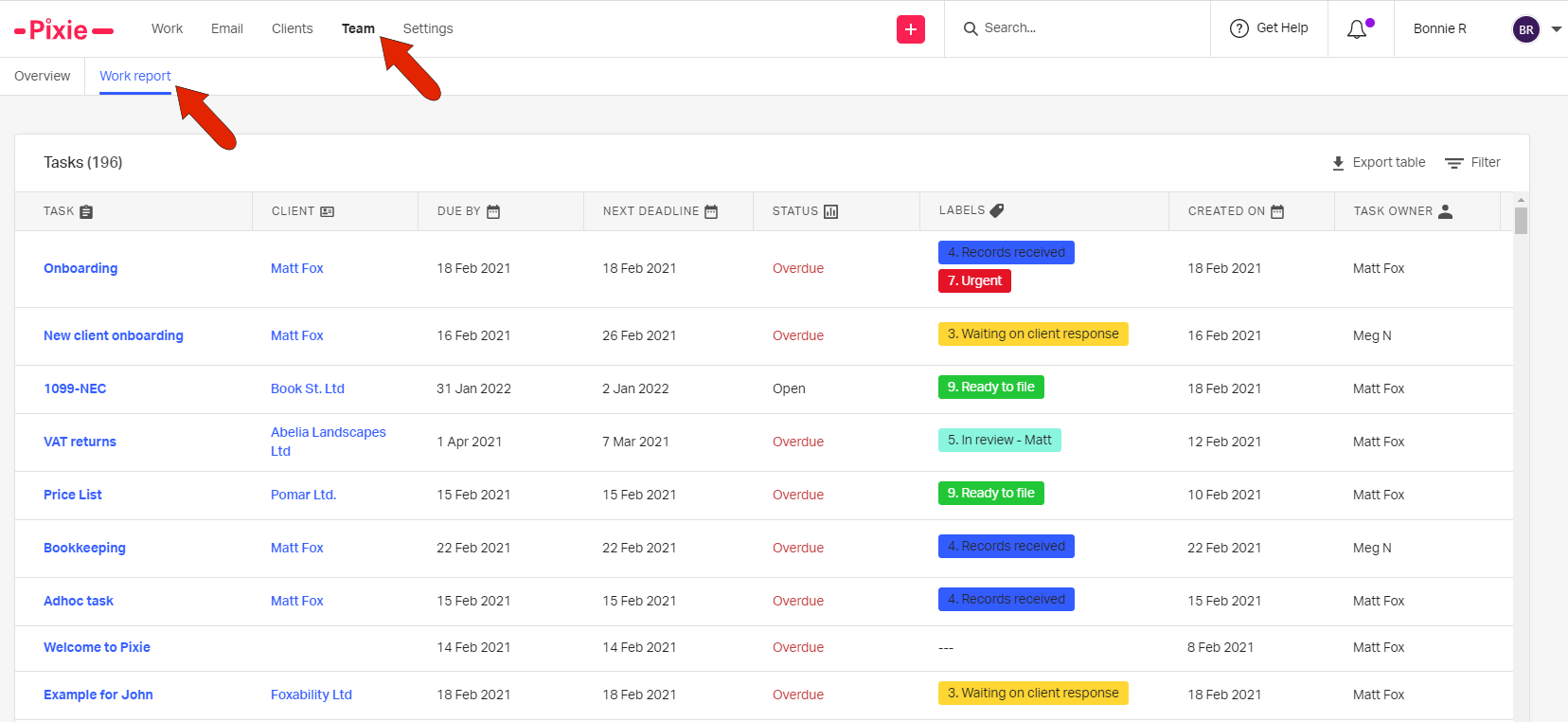
Pixie’s team overview shows each person’s open and overdue tasks, and the Work Report puts every task in the firm into one filterable table. Reports cover email, operational and productivity metrics. Its 2025 roadmap announced custom job statuses and Kanban views; capacity planning in hours is not on it. What reviewers keep asking for is a view of the work in hours: one director on Capterra calls the filtered reports “not even slightly the same thing” as a dashboard.
 Source: Pixie
Uku
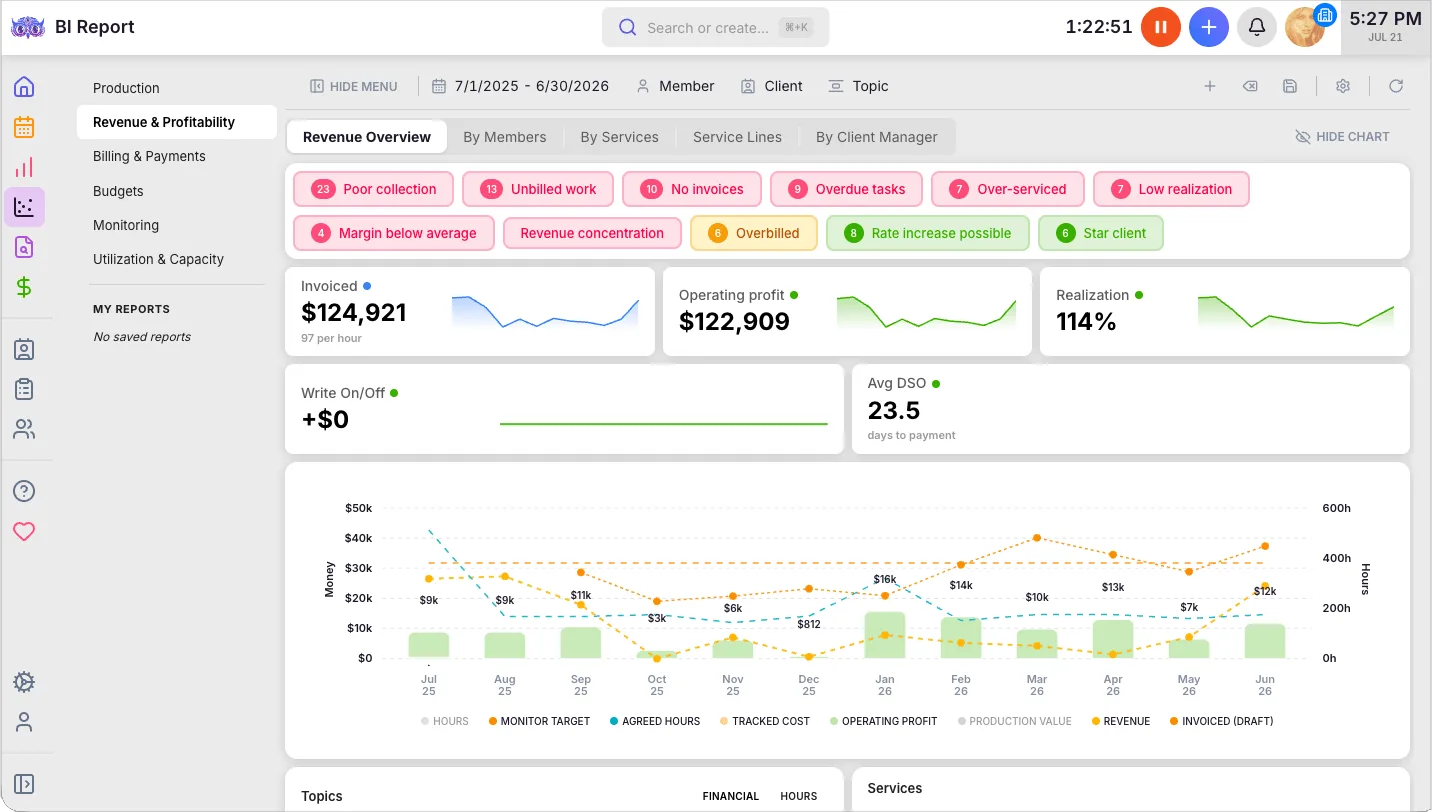
Uku’s dashboard and calendar show everyone’s workload, with drag-and-drop rescheduling. Reporting breaks time down by person and client and flags gaps and overlaps in time entries. On Elite, BI Analytics covers production, revenue and profitability, utilisation, billing, budgets and monitoring, and workforce management adds employee profiles, flextime, vacations and onboarding.
Pixie vs Uku pricing
Pixie charges one flat monthly fee by client count, with unlimited users and the same features on every tier (Pixie pricing):
- Fewer than 250 clients: $129 a month
- 251–500 clients: $199 a month
- 501–1,000 clients: $329 a month
- Over 1,000 clients: on request
- 30-day free trial with an account manager from sign-up
- At least 12 months’ notice before any change to grandfathered prices, and a refund policy for unhappy customers
Uku charges per member per month; clients and portal access are free (Uku pricing):
- Solo $19 annual, $25 monthly: one member, up to 20 active clients
- Team $38 annual, $49 monthly: unlimited members and clients
- Elite $48 annual, $62 monthly: BI Analytics, workforce management, API, Zapier
- Enterprise $88 annual, $99 monthly: custom integrations, account manager, assisted import
- 14-day trial of Elite, no card; 90 minutes of free onboarding, with paid packages from $700
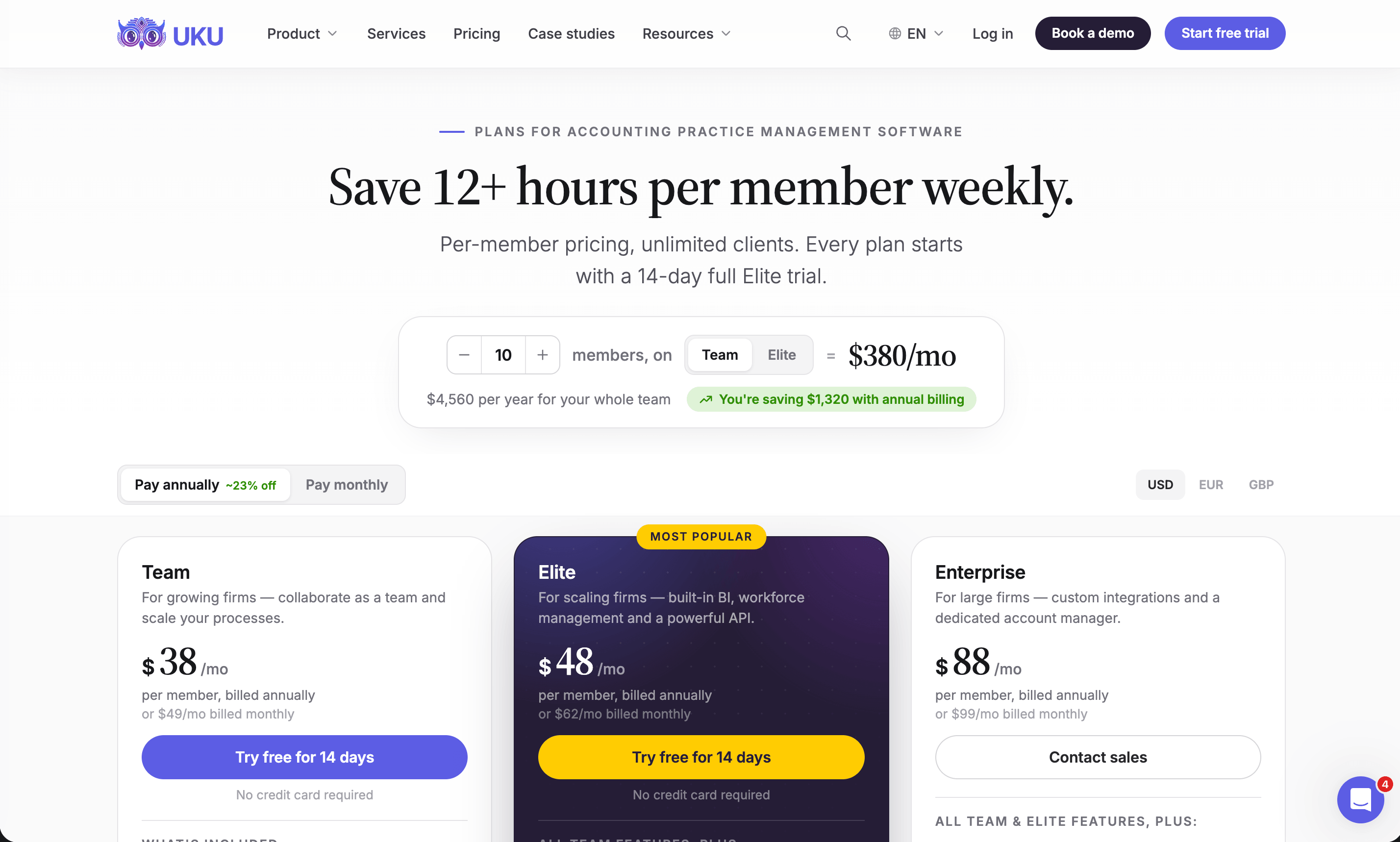
The arithmetic turns on team size. A five-person firm with 200 clients pays $129 a month on Pixie and $190 on Uku Team; a fifteen-person firm with 400 clients pays $199 on Pixie and $570 on Uku Team. A solo accountant pays $19 on Uku Solo. What the numbers leave out is what each price covers: Pixie’s fee does not include time tracking or invoicing, so a firm running Clockify and a billing tool next to it should add those subscriptions before comparing.
Pixie vs Uku: which should you choose?
Choose Pixie if:
- You want to get organised fast with little setup and an account manager to help
- Your team is growing and you want a price that does not grow with it
- Your fees are fixed and you don’t need to track time
- You already use separate time tracking and billing tools you are happy with
- Workflow structure and shared email are the problems you need solved
- You are a UK firm and want Xama AML checks built in
Choose Uku if:
- You bill some or all of your work by the hour
- You want invoices drafted from contracts and tracked time, not typed up in another tool
- You need to know which clients cost more than they pay, before month-end
- You want a native link to QuickBooks, Xero, FreeAgent or another ledger
- You work across countries or languages, or bill in several currencies
- You want an API, BI Analytics and workforce management as the firm grows
- You want to adopt software one module at a time, with monthly billing
Try Uku free for 14 days or book a demo.

How to switch from Pixie to Uku
Moving from Pixie replaces up to three tools: Pixie, Clockify and whatever raises your invoices. Pixie’s objects map across directly: Pixie clients become Uku clients, task templates and their subtasks become workflow templates and checklists, client tasks become portal tasks, and client date fields become the dates Uku’s work plans run from. Most firms are live in two to six weeks, at their own pace, and keep serving clients throughout.
- Import your clients. From Excel, or synced from QuickBooks or Xero through Uku’s import flow; UK firms can fill in details from Companies House.
- Rebuild your task templates as workflow templates. One per service, with the same steps, checklists and instructions, applied to every client who buys it.
- Set up billing contracts. Hourly, fixed or per piece, per client, so the first month’s invoices draft themselves from tracked time.
- Run one cycle in parallel, then close. Compare the first Uku invoice run with the last one from your billing tool, then retire Pixie and Clockify. Use the 90 minutes of onboarding that comes with every plan.
If your firm uses an AI assistant, the Uku MCP server connects in a day and can check the move for you: which clients came across, which have no workflow yet, and how the first invoice run compares.
The difference between the two is not quality but scope. If missed deadlines and scattered email are the problem, Pixie organises a small firm in days. If the firm is organised but losing money to untracked time and manual billing, Uku closes that gap. Start with Uku’s free trial.
Still shortlisting? Our Pixie alternatives roundup compares seven tools with verified prices, our Pixie review covers how each feature works and what users say, and Pixie pricing breaks down every tier and the costs beside the flat fee.
Frequently asked questions
What is the main difference between Pixie and Uku?
Scope and price model. Pixie is a workflow and client-communication tool for small accounting firms, priced as one flat monthly fee by client count with unlimited users. Uku covers the same workflows and adds time tracking, invoices drafted from each client's contract, and client profitability, priced per member with clients free.
Which is cheaper, Pixie or Uku?
It depends on team size. Pixie is $129 a month for fewer than 250 clients with any number of users, so a five-person firm with 200 clients pays $129, against $190 on Uku Team ($38 per member, annual). A solo accountant pays $19 a month on Uku Solo. Pixie's price does not include time tracking or invoicing, which a firm then pays for separately.
Does Pixie include time tracking and billing?
No. Pixie's timer is a Clockify integration, with the time stored in Clockify, and it has no invoicing; firms raise invoices in Xero, QuickBooks or another tool. Uku has a timer on every task, manual and bulk entry, and billing that drafts invoices from contracts and tracked time.
Which integrates better with Xero and QuickBooks?
Uku. It has native two-way integrations with 11 accounting platforms, including QuickBooks, Xero, e-conomic, FreeAgent and Fortnox, syncing clients, products and invoices. Pixie connects to accounting software only through Zapier; its native integrations are Companies House, Gmail, Office 365 and Xama.
Is Pixie or Uku better for UK accounting firms?
Both serve UK firms and both import client data from Companies House. Pixie adds a native Xama integration for AML identity checks. Uku has AML tools built into the client record on every plan, integrates with FreeAgent, Xero and QuickBooks, and bills in GBP.
Does either have a public API?
Uku has an open REST API on its Elite and Enterprise plans, and a Zapier app. Pixie has no public API; the only key it issues is for its Zapier connection.
How long does it take to switch from Pixie to Uku?
Most firms are live in two to six weeks, at their own pace, and keep serving clients throughout. You import clients, rebuild each Pixie task template as an Uku workflow template, set up billing contracts and run one billing cycle in parallel before retiring Pixie, Clockify and the separate invoicing tool.

Published Dec 11, 2024 · Updated Sep 29, 2026