Practice CS Pricing 2026: Costs, Add-Ons & The Uku Alternative
Practice CS pricing 2026: around $1,000 per user a year per client reviews, plus add-on modules, 12-month support and hosting. Full cost breakdown vs Uku.


Contents
- Practice CS Pricing Summary
- Practice CS Pricing: In-Depth Overview
- Hidden Costs and Add-Ons
- What to Ask for in a Practice CS Quote
- How Practice CS Pricing Compares with Other Alternatives
- Where Practice CS Falls Short
- Best Practice CS Alternative: Uku
- Practice CS Feature Value Breakdown (vs Uku)
- The five-person firm test
- How to Switch from Practice CS to Uku
- Final Verdict: Practice CS vs Uku
- Read more
If you’ve tried to work out what Practice CS actually costs, you’ve met the same wall everyone does: the product page has a “Contact sales” button and a phone number, and no price. Thomson Reuters Practice CS doesn’t display its pricing publicly, but according to available information and client reviews, pricing starts at around $1,000 per user annually.
That number is the start of the bill, not the end of it. Workflow, staff scheduling and client tracking are separate add-on modules. The client portal is another product. Remote access means hosting. And support is a contract of its own, with a 12-month commitment. This guide puts every piece Thomson Reuters does publish next to what reviewers report, and compares the total with Uku.
Practice CS’s pricing is a good fit if:
- Your firm already pays for UltraTax CS and Accounting CS, and Practice CS completes the suite
- You want one vendor and one support relationship for tax and practice management
- You bill from time and WIP and value Practice CS’s depth there more than its cost
- You prefer an annual contract and a quote negotiated with an account manager
Practice CS’s pricing is not a good fit if:
- You want to see the full price before talking to sales
- You don’t want to pay separately for projects, staff scheduling, client management and a portal
- You want to pay monthly, or leave without waiting out a 12-month term
- You are a small firm comparing per-user cost with cloud practice systems
Prices and terms below were last checked in October 2026.
Practice CS Pricing Summary
| Practice CS | Uku | |
|---|---|---|
| Starting price | Around $1,000 per user a year (not published) | $19 per member a month (Solo, annual) |
| Team plan | Per user, quoted | $38 per member a month annual, $49 monthly |
| Workflow and projects | Project Management add-on | Included on every plan |
| Client portal and e-signature | NetClient CS, a separate product | Included, free for clients |
| Hosting | Virtual Office CS or SaaS, priced separately | Browser, nothing to host |
| Contract | 12-month SaaS and support commitments | Monthly or annual, cancel any time |
| Free trial | None published | 14 days of Elite, no card |
| Best for | Firms built around CS Professional Suite | Firms that want work, billing and portal in one place |
Practice CS Pricing: In-Depth Overview
Practice CS has no plan tiers on a pricing page. What you buy is a base product per user plus the pieces you need around it. Here is each piece, with what Thomson Reuters publishes about it.
 Source: Thomson Reuters
Practice CS base product: around $1,000 per user a year
| Price | Covers |
|---|---|
| Around $1,000 per user a year, quoted by sales | Time and expense, WIP, billing, invoices, dashboards and reports |
The base product is Practice CS’s strength: time and expense entry, work in progress with WIP transfers between clients, billing and electronic invoices, and customizable firm, staff and client dashboards that Thomson Reuters calls “mission control”. It also shares one client database with UltraTax CS and Accounting CS.
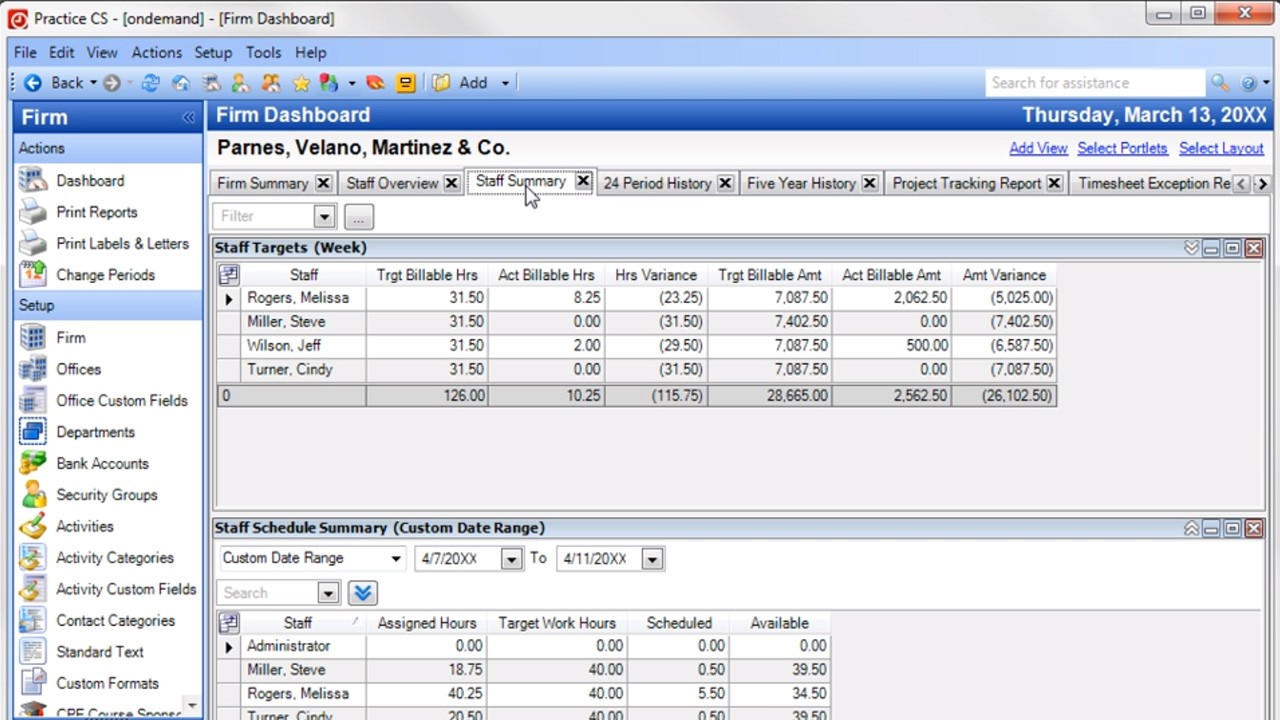 Source: Thomson Reuters demo
| Pros | Cons |
|---|---|
| Deep time, WIP and billing | No published price |
| Shared client database with UltraTax CS | No workflow or projects without an add-on |
| Configurable dashboards and reports | No client portal without NetClient CS |
| Long track record with US CPA firms | Windows software, installed or hosted |
The Bottom Line 👉 A solid time-and-billing core at around $1,000 per user a year, but on its own it doesn’t run a firm’s recurring work or talk to clients.
Add-on modules: Project, Staff and Client Management
Thomson Reuters labels each of these an “add-on module for Practice CS”:
- Project Management “keeps track of projects and tasks so you’re informed and in control”, and moves client work through the office.
- Staff Management “handles staff benefits and comp time, schedules”, and assigns project tasks to each staff member’s dashboard.
- Client Management “tracks your client interactions to keep your relationships going strong”, with status updates through Mobile CS.
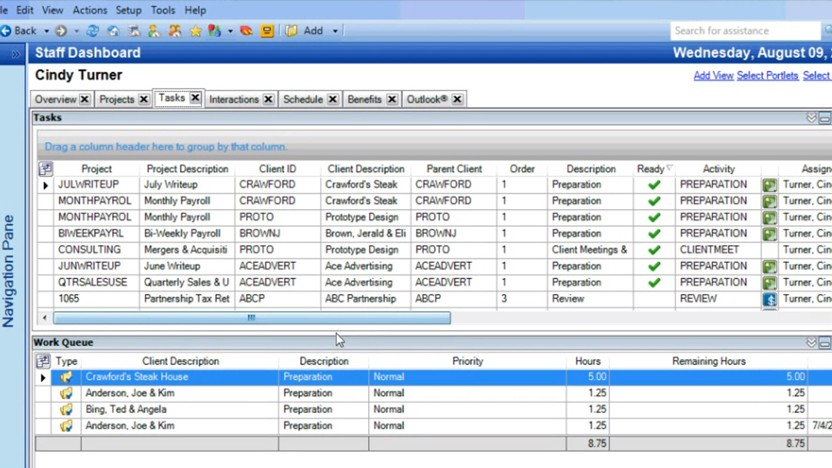 Source: Thomson Reuters demo
Their prices are not published. In most cloud practice systems, including Uku, workflow and client tracking are part of the base plan, so this is where Practice CS’s per-user figure stops being comparable.
The Bottom Line 👉 Budget for at least Project Management if you want recurring work tracked in Practice CS; ask for all three in the quote.
Support contract: 12-month commitment
Thomson Reuters’ cancellation terms are direct: “You can’t cancel a support contract until you’ve met the 12-month commitment period.”
Reviewers add two details. A managing member on the CS Professional Suite’s Capterra listing wrote that Thomson Reuters charges “for support on all products except UltraTax”, and another reviewer on the same listing that “the fees increase by around 5% year after year”.
“I do not like that they raise their fees every year but do not seem to add new functionality. The fees increase by around 5% year after year.”
The Bottom Line 👉 Treat support as a fixed yearly cost with a built-in increase, and read the renewal date before you plan a move.
Hosting: Virtual Office CS or Software as a Service
Practice CS is Windows software, so remote access needs hosting:
- Virtual Office CS: “anytime, anywhere online access to CS Professional Suite and select Microsoft® products in the cloud”. Thomson Reuters says it “can be canceled at any time”.
- Software as a Service for CS Professional Suite: “lease online versions of our entire award-winning CS Professional Suite, plus Microsoft® Office and Exchange”, with a 12-month commitment.
Neither is priced publicly. Hosting has also changed: Thomson Reuters retired the Hosted Exchange service within Virtual Office CS on 31 August 2026, according to CPA Practice Advisor, so firms now need their own Microsoft 365 email.
The Bottom Line 👉 If your team works remotely, hosting is not optional, and it is a second line on the invoice.
Client portal: NetClient CS
Practice CS has no portal inside it. Client portals, file sharing and electronic signature come through NetClient CS, “client portals that offer your clients 24/7 online access to your services”, which is sold as its own product. Thomson Reuters also sells SafeSend for intake, engagement letters, organizers, e-signatures and return delivery.
The Bottom Line 👉 Price the portal you need alongside Practice CS; in Uku it is included and free for clients.
Payments: Stripe from 10 November 2026
From release 2025.2.5 (26 August 2026), Practice CS integrates with Stripe. Thomson Reuters says “CS Payment/Kotapay will remain available until November 10, 2026. Beginning on that date, Stripe will be required for all credit card and ACH transactions in Practice CS.” Processing fees are Stripe’s; check your Stripe agreement for the rate that applies to your firm.
The Bottom Line 👉 If you take card or ACH payments through Practice CS, there is a Stripe setup to finish before 10 November 2026.
Hidden Costs and Add-Ons
Beyond the line items above, three costs are easy to miss:
- The data you lose when you leave. After a Software as a Service cancellation, Thomson Reuters says “your data will no longer be available to you”. Exporting clients is simple (XML, primary contact only); exporting years of time, WIP and invoice history takes reports or a full SQL backup, and that work has a cost.
- FileCabinet CS end of support. Thomson Reuters will provide no updates or support for FileCabinet CS after 31 December 2027. Firms that store documents there will pay to move them somewhere, whatever they do with Practice CS.
- Yearly increases. Reviewers report increases of around 5% a year on CS Professional Suite fees, so a quote today is not next year’s cost.
What to Ask for in a Practice CS Quote
Because the price is negotiated, the quote is only as complete as the questions you ask. Before you compare it with anything, ask Thomson Reuters to put these on paper:
- The per-user price, and whether it is a subscription or a licence with annual maintenance.
- Each add-on module you’ll use: Project Management, Staff Management and Client Management, priced separately.
- Support: the yearly cost, the 12-month commitment, and last year’s increase.
- Hosting: Virtual Office CS or Software as a Service, the per-user cost, and what Microsoft 365 email now costs you separately.
- NetClient CS for the client portal, and SafeSend if you need organizers and e-signatures.
- Payments: what changes for your firm when Stripe becomes required on 10 November 2026.
- Data on exit: what you can export, in which format, and for how long after cancellation.
The same seven lines are the honest way to compare Practice CS with a cloud system: add them up, divide by users, and set the result next to a per-member price that already includes workflow and a portal.
How Practice CS Pricing Compares with Other Alternatives
Practice CS isn’t only compared with Uku. Here is what the other cloud practice systems firms consider publish for a US firm, per user, before taxes:
| Product | Starting price | Per year |
|---|---|---|
| Practice CS | Not published | Around $1,000 |
| Uku Team | $38 per member a month, annual | $456 |
| Financial Cents Team | $49 per user a month, annual | $588 |
| Firm360 Basic | $49 per user a month, annual | $588 |
| Karbon Team | $59 per user a month, annual | $708 |
| Canopy Standard | $74 per user a month, annual | $888 |
| TaxDome Pro | $1,000 per seat a year | $1,000 |
Practice CS’s reported starting point sits at the top of the range, alongside TaxDome Pro, and it is the only one where workflow and the client portal are not part of that number. For what each of these does with UltraTax CS, see our Practice CS alternatives.
Where Practice CS Falls Short
No price on the page: you can’t compare Practice CS with a cloud system until sales quotes the base product, the modules, support and hosting together.
Pay-per-module workflow: projects, staff scheduling and client tracking are three add-ons. In most practice systems built in the last decade they are the product.
The portal is extra: clients upload, sign and pay in NetClient CS, not in Practice CS.
12-month terms: SaaS and support contracts run for a year, and a SaaS cancellation ends access to your data.
Limited outside the suite: QuickBooks Online, Xero, Zapier and an open API are not mentioned on the product page, so tools outside Thomson Reuters add their own cost and manual work.
Best Practice CS Alternative: Uku
Uku is practice management for accounting, bookkeeping and audit firms with published, per-member prices. Workflow templates, time tracking, billing contracts, document management, e-signatures and a free client portal are on every plan, in a browser, with monthly or annual billing. Annual billing saves about 23%.

Uku Solo Plan: $19/member/month (annual) or $25 (monthly)
| Price | Limits |
|---|---|
| $19 a month annual, $25 monthly | 1 member, 20 active clients |
For a solo practitioner: tasks, billing, the client portal, document management, e-signatures and all accounting integrations.
The Bottom Line 👉 A full practice system for one person at $228 a year, a quarter of Practice CS’s reported per-user starting point.
Uku Team Plan: $38/member/month (annual) or $49 (monthly)
| Price | Limits |
|---|---|
| $38 a month annual, $49 monthly | Unlimited members and clients |
Team adds unlimited members and clients, projects and access management. Workflow templates create every recurring task with its checklist, owner and due date for every client who buys the service.
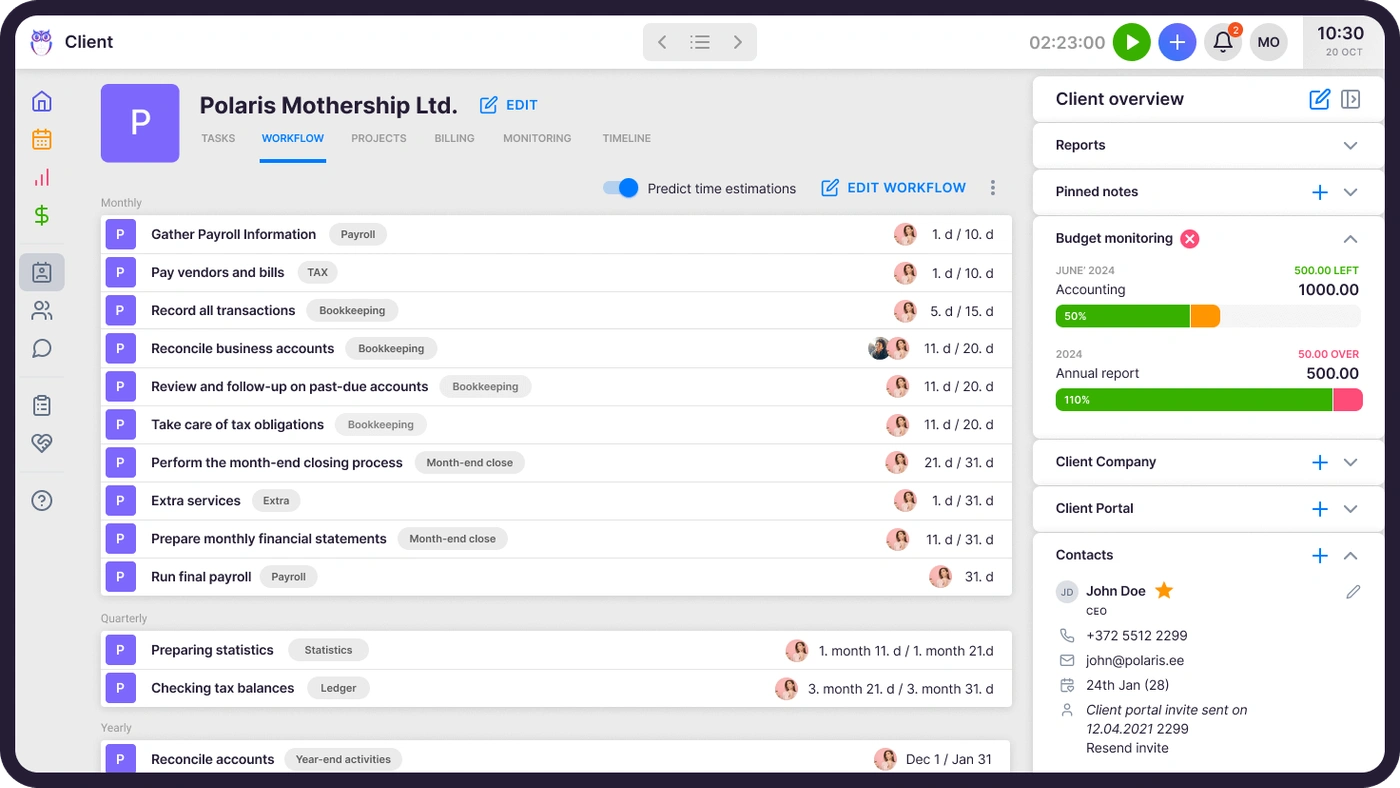

The Bottom Line 👉 $456 per member a year with workflow and the portal included, against around $1,000 per user before Practice CS’s add-ons.
Uku Elite Plan: $48/member/month (annual) or $62 (monthly)
| Price | Limits |
|---|---|
| $48 a month annual, $62 monthly | Unlimited members and clients |
Elite adds BI Analytics, mandatory time entries before a task is closed, workforce management, the public API, Zapier and the Uku MCP server for Claude and ChatGPT. Billing contracts draft each period’s invoices from tracked time and each client’s agreement, which reduces invoice preparation from days to about 30 minutes.
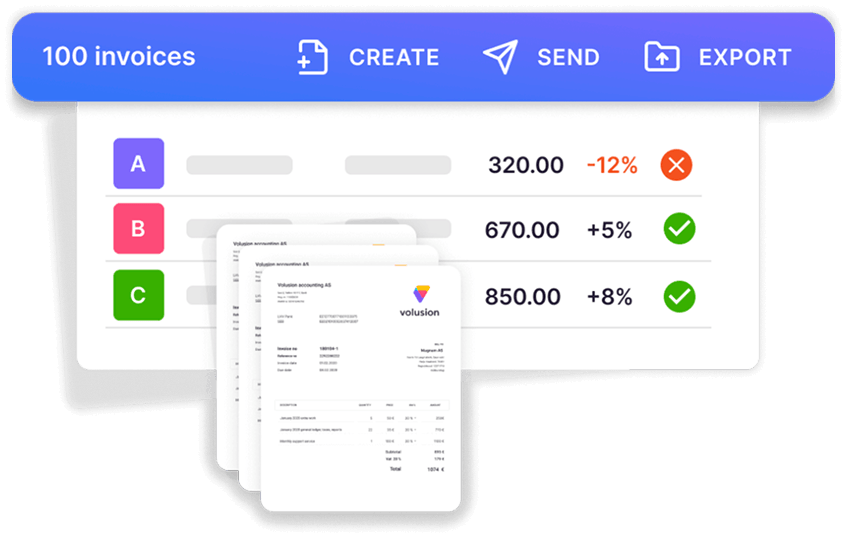

The Bottom Line 👉 The closest match to what Practice CS plus its modules does, at $576 per member a year.
Uku Enterprise Plan: $88/member/month (annual) or $99 (monthly)
| Price | Limits |
|---|---|
| $88 a month annual, $99 monthly | Unlimited members and clients |
Enterprise adds custom integrations, a dedicated account manager and assisted client import.
The Bottom Line 👉 For larger firms that want a named contact and help bringing every client across.
Every plan includes 90 minutes of onboarding. Firms that want more hands-on help can buy an onboarding package:
| Package | Suited to | Price |
|---|---|---|
| Small | Teams of up to 4 members | $700 |
| Medium | Up to 15 members | $2,000 |
| Big | Larger teams | Custom |
The packages cover a kick-off, importing clients and contacts, company settings and task templates, and team training sessions; Medium adds project, email and contract templates.
It also carries a US tax season: Gordon J. Maier & Company, a 43-person Wisconsin CPA firm, went live on Uku weeks before tax season and ran the whole season through it.

Practice CS Feature Value Breakdown (vs Uku)
Pricing and billing
Practice CS’s approach: a quoted per-user price, reported at around $1,000 a year, with modules, support and hosting on top; bills built from time and WIP.
Uku’s approach: published per-member prices from $19 a month; billing contracts draft invoices from tracked time and each client’s agreement.
Value verdict: Uku is cheaper per seat and shows its price up front. Practice CS’s WIP and billing depth is real, and firms that bill purely from WIP may value it more than the difference.
Client portal and e-signature
Practice CS’s approach: NetClient CS, a separate product, with SafeSend for organizers and e-signatures.
Uku’s approach: a passwordless portal and e-signatures on every plan, free for clients, on the same task the team works on.
Value verdict: Uku. Practice CS firms pay twice for what Uku includes once.
Workflow and staff
Practice CS’s approach: Project Management and Staff Management add-on modules.
Uku’s approach: workflow templates on every plan; workforce management on Elite.
Value verdict: Uku, on both price and the fact that it is included.
Tax software
Practice CS’s approach: one client database shared with UltraTax CS, Accounting CS and the rest of the suite.
Uku’s approach: no UltraTax integration; client details live in both systems.
Value verdict: Practice CS, outright. If that shared database is what holds your firm together, no price difference changes it.
Implementation and contracts
Practice CS’s approach: quote, 12-month SaaS and support terms, and hosting for remote access.
Uku’s approach: a 14-day trial without a card, monthly or annual billing, and most firms live in two to six weeks.
Value verdict: Uku for flexibility; Practice CS for firms that prefer a long-term vendor relationship.
The five-person firm test
A five-person firm, billed annually, before any taxes:
| Practice CS | Uku | |
|---|---|---|
| Base product | Around $5,000 a year | Team: $2,280 a year |
| Workflow and projects | Project Management add-on (quoted) | Included |
| Client portal | NetClient CS (quoted) | Included |
| Hosting for remote work | Virtual Office CS or SaaS (quoted) | Not needed |
| Support | 12-month contract (quoted) | Included |
At ten people the base comparison is around $10,000 a year for Practice CS against $4,560 for Uku Team or $5,760 for Uku Elite, and the Practice CS figure still excludes every line marked “quoted”. Monthly billing on Uku costs more ($2,940 a year for five people on Team) but lets you leave at any month’s end.
How to Switch from Practice CS to Uku
If Uku is your answer, most firms are live in two to six weeks, at their own pace, and keep serving clients throughout. Time the move against your support renewal, and back up what you need first: after a SaaS cancellation, Thomson Reuters says “your data will no longer be available to you”. The full step-by-step is in our Practice CS migration guide.
- Export and import your clients. Practice CS exports clients and each client’s primary contact as XML, which opens in Excel. Import that sheet into Uku through the import flow.
- Rebuild your recurring work as Uku workflow templates. One per service, applied to every client who buys it.
- Set up billing contracts. Hourly, fixed or per-piece, per client. Close out open WIP in Practice CS first, so nothing is billed twice.
- Go live. Run one billing cycle in parallel, compare it with Practice CS, then switch off. Use the 90 minutes of onboarding that comes with every plan.
If your firm uses an AI assistant, the Uku MCP server connects in a day and can check the move for you: which clients came across, which have no workflow yet, and how the first Uku invoice run compares with the last one from Practice CS.
Final Verdict: Practice CS vs Uku
👍 Practice CS is priced for firms that already live in CS Professional Suite. Around $1,000 per user a year buys deep time, WIP and billing and a client database shared with UltraTax CS; modules, support, hosting and the portal come on top, on 12-month terms. If the shared database is what your firm runs on, ask Thomson Reuters for a full quote with every module you’ll use.
👉 Uku shows its price on the page: from $19 a month for one person and $38 per member for a team, with workflow, the client portal and e-signatures included, monthly or annual billing, and a 14-day trial without a card. It doesn’t integrate with UltraTax. Try Uku free for 14 days or book a demo to see it with your own clients.
Practice CS asks you to call sales to find out what the firm will cost. Uku asks you to try it and decide.
Read more
- Practice CS review — how each module works
- Practice CS alternatives — seven options and what each does with UltraTax
- Practice CS vs Uku — the head-to-head
- How to migrate from Practice CS — what you can export, and the order to do it in
- CCH Axcess pricing — how the Wolters Kluwer quote is built
- The best accounting practice management software — the wider market
- Uku pricing — every plan and feature
Frequently asked questions
How much does Practice CS cost per year?
Thomson Reuters doesn't display Practice CS pricing publicly, but according to available information and client reviews, pricing starts at around $1,000 per user annually. Add-on modules (Project Management, Staff Management, Client Management), a support contract and hosting through Virtual Office CS or SaaS are priced on top.
Is Practice CS priced per user?
Yes. Reported pricing is per user, starting at around $1,000 per user a year. A five-person firm should therefore expect around $5,000 a year before add-on modules, support and hosting.
What add-ons does Practice CS charge for?
Project Management, Staff Management and Client Management are each labelled 'add-on module for Practice CS' on Thomson Reuters' product page. The client portal is a separate product, NetClient CS, and remote access needs Virtual Office CS or Software as a Service hosting.
Does Practice CS have a free trial?
Thomson Reuters doesn't publish a free trial for Practice CS; the product page offers 'Contact sales' and a phone number. Uku offers a 14-day free trial of its Elite plan without a credit card.
Can I cancel Practice CS at any time?
It depends on the contract. Thomson Reuters says you can't cancel Software as a Service or a support contract until you've met the 12-month commitment period; Virtual Office CS can be cancelled at any time. After a SaaS cancellation, 'your data will no longer be available to you', so back up first.
Is Practice CS more expensive than Uku?
For most firms, yes. At around $1,000 per user a year before add-ons, Practice CS starts at roughly twice Uku Team's $456 per member a year (annual billing), and Uku includes workflow templates, the client portal and e-signatures on every plan. Practice CS includes a shared client database with UltraTax CS, which Uku does not.
Are Practice CS payment fees changing?
Yes. From release 2025.2.5 (August 2026) Practice CS integrates with Stripe, and Thomson Reuters says Stripe will be required for all credit card and ACH transactions from 10 November 2026, when CS Payment/Kotapay stops.

Published Oct 1, 2026 · Updated Oct 2, 2026