Practice Management Software for Bookkeepers (2026)
The best practice management software for bookkeepers in 2026, compared by recurring workflows, document collection, billing, and price. Honest picks.


Contents
Bookkeeping is the most recurring work in accounting. The same monthly close, the same reconciliations, the same client document chase — every single month, across every client. That repetition is exactly why bookkeepers gain the most from practice management software: automate the recurring, and you reclaim hours every week.
Here are the best practice management tools for bookkeepers in 2026, with honest pros and cons and what each one is actually best at.
Quick answer: the 5 best tools for bookkeepers
- Uku — best for automated recurring workflows plus built-in billing. From $19/member/month.
- Financial Cents — best for client document collection on a budget. From $49/user/month.
- TaxDome — best for bookkeepers who want an all-in-one client portal. From $700/seat/year on a three-year term ($800 on a one-year term), billed upfront.
- Jetpack Workflow — best for simple recurring job tracking. From $40/user/month.
- Karbon — best for collaborative bookkeeping teams. From $59/user/month.
For the full breakdown of all 9 tools, see our guide to the best accounting practice management software.
How the top tools compare
| Uku | Financial Cents | TaxDome | Jetpack | Karbon | |
|---|---|---|---|---|---|
| Best for (team size) | 1–50 | Under 20 | 200+ | Under 20 | 10–100 |
| Starting price | $19/member/mo | $49/user/mo | $700/seat/yr | $40/user/mo | $59/user/mo |
| Recurring workflows | ✓ | ✓ | ✓ | ✓ | ✓ |
| Built-in billing | ✓ | Basic | ✓ | — | ✓ |
| Client portal | ✓ | ✓ | ✓ | — | ✓ |
| Time tracking | ✓ | ✓ | ✓ | Limited | Limited |
| Free trial | 14-day (all features) | ✓ | ✓ | 14-day | — |
| Capterra rating | 4.8 | 4.8 | 4.7 | 4.1 | 4.7 |
What bookkeepers specifically need
The bookkeeping workflow has a unique shape — high volume, high repetition, document-heavy. Prioritize:
- Recurring workflow templates. Your monthly close should be set up once and recur automatically, with tasks appearing on the right day for the right client. This is the single biggest time-saver for bookkeepers.
- Automated client document collection. Chasing receipts and bank statements is the bane of bookkeeping. A client portal with automated reminders does the chasing for you.
- Built-in or integrated billing. Whether you bill fixed monthly fees or by time, automated invoicing turns a day of admin into minutes.
- QuickBooks and Xero integration. Transaction data should flow automatically, with no re-keying.
- Time tracking. Even on fixed-fee work, tracking time tells you which clients are actually profitable — essential when bookkeeping margins are thin.
The 5 best practice management tools for bookkeepers
1. Uku — best for recurring workflows and billing

Uku is purpose-built for accounting and bookkeeping firms. Recurring workflow templates handle the monthly-close repetition, automated billing turns tracked time or fixed contracts into invoices, and the client portal sends document reminders so you stop chasing. Its client agreement monitoring shows whether each fixed-fee client is actually profitable — invaluable when bookkeeping margins are thin — and gives the team a single source of truth for who’s doing what. It starts at $19/member/month (Solo, up to 20 active clients), integrates with QuickBooks and Xero, and includes a 14-day free trial with free onboarding.
| 👍 Uku does best | 👎 Uku’s limits |
|---|---|
| Automated recurring workflows | Fewer third-party integrations |
| Built-in billing from tracked time | Basic AML tooling |
| Client profitability monitoring | No built-in chat |
| Customizable client portal |
2. Financial Cents — best for document collection on a budget
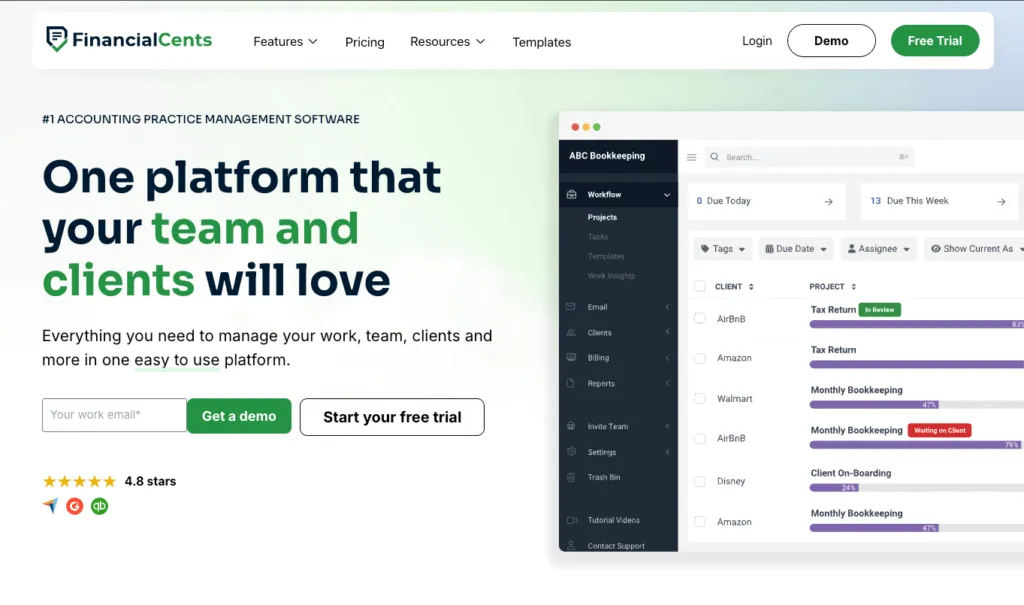
Financial Cents shines at client document collection: automated requests with email and text reminders, plus a magic-link portal clients actually use without a password fight. Its recurring workflows are clean and beginner-friendly, which suits document-heavy bookkeeping. It has basic built-in invoicing with card and ACH payments that syncs to QuickBooks Online; the catch is that reporting is lighter than the bigger platforms. At $49/user/month it’s a strong budget pick for small bookkeeping practices under 20 staff that work in QuickBooks Online.
| 👍 Financial Cents does best | 👎 Financial Cents’ limits |
|---|---|
| Strong automated document collection | Monthly billing needs 5+ users |
| Easy magic-link client portal | Lighter reporting |
| Affordable, beginner-friendly | Best fit caps out under ~20 staff |
3. TaxDome — best for an all-in-one client portal

TaxDome offers a polished all-in-one client experience: a client portal, mobile app, e-signatures, and document management in one place. For bookkeepers managing many clients who want everything client-facing in a single branded system, it’s hard to beat. The trade-off is a steeper learning curve and a busy internal interface, so onboarding takes longer than with lighter tools — and for a one- or two-person practice the breadth can feel like more than you need. From $700/seat/year on a three-year term ($800 on a one-year term), billed upfront.
| 👍 TaxDome does best | 👎 TaxDome’s limits |
|---|---|
| All-in-one portal + client mobile app | Steeper learning curve |
| E-signatures and document management | Busy interface for staff |
| Great for high client volume | Overkill for tiny practices |
4. Jetpack Workflow — best for simple recurring jobs
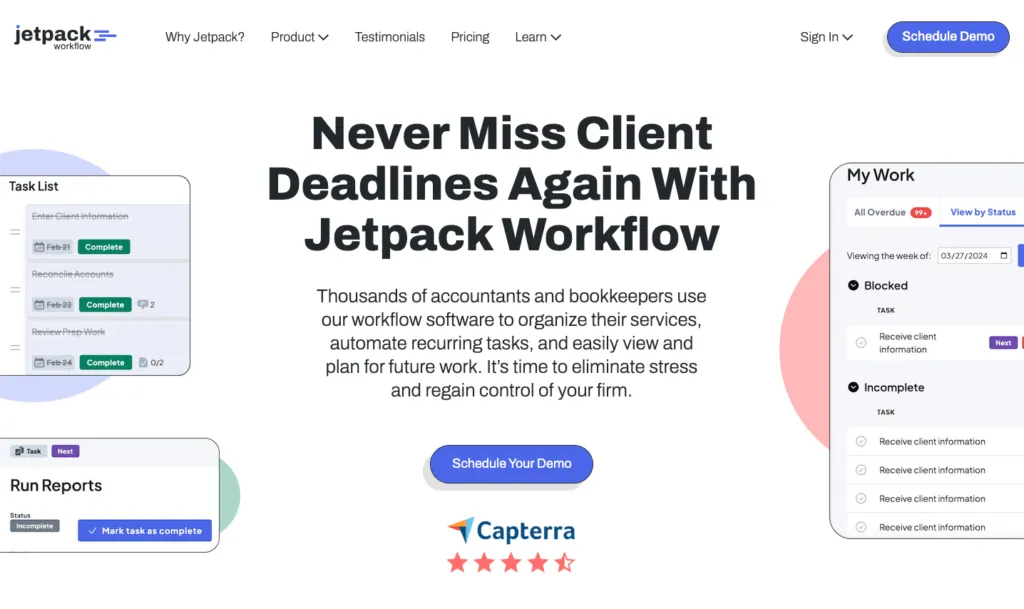
Jetpack Workflow does recurring jobs simply and affordably: customizable checklists, a clean dashboard, and reliable recurrence so nothing gets dropped. It’s a good fit for a solo bookkeeper who just needs dependable job tracking without a learning curve. The limits show up as you grow — there’s no client portal, time tracking is light, and you push time to QuickBooks to bill — so it’s a starter tool many bookkeepers outgrow once they need billing or a portal. From $40/user/month.
| 👍 Jetpack does best | 👎 Jetpack’s limits |
|---|---|
| Simple, reliable recurring jobs | No client portal |
| Clean, low-learning-curve dashboard | Light time tracking |
| Affordable for tiny teams | No built-in billing |
5. Karbon — best for collaborative bookkeeping teams

Karbon suits larger bookkeeping teams where email collaboration and shared triage matter. Team members can pick up a colleague’s client work mid-conversation, and comments live alongside the related emails and tasks. Its recurring workflows and automated reminders keep monthly work moving. The trade-offs: at $59/user/month it’s the priciest option here, time tracking is comparatively light, and it can’t send invoices to your accounting software, so billing lives elsewhere. Best for collaborative teams of 10+.
| 👍 Karbon does best | 👎 Karbon’s limits |
|---|---|
| Email and internal communication | Relatively expensive |
| Shared triage across the team | Limited time tracking |
| Several integrations | Can’t send invoices to accounting software |
How to choose the right tool for your bookkeeping practice
- You’re a solo bookkeeper: start with Uku’s Solo plan ($19/month) for recurring workflows, billing, and a portal in one, or Jetpack if you only need job tracking.
- Your biggest pain is chasing documents: Financial Cents and TaxDome have the strongest automated document collection.
- You bill fixed monthly fees and want billing handled for you: Uku turns contracts and tracked time into invoices automatically.
- You manage high client volume and want a branded client app: TaxDome is the most complete client-facing platform.
- You’re a collaborative team that lives in email: look at Karbon.
The bottom line for bookkeepers
For most bookkeepers, Uku is the best fit — it automates the recurring work that defines bookkeeping, handles billing end to end, and shows which clients actually make money, all from one source of truth. If your main pain is document collection and you work in QuickBooks Online, Financial Cents is a strong, budget-friendly alternative. For high client volume with a branded portal, evaluate TaxDome; for simple job tracking, Jetpack.
See the full 9-tool breakdown in our best accounting practice management software guide, or book a Uku demo to see the recurring-workflow automation in action.
Frequently asked questions
What is the best practice management software for bookkeepers?
For bookkeepers, the best options are Uku (recurring workflows and automated billing from $19/member/month), Financial Cents (budget-friendly document collection), and TaxDome (all-in-one client portal). The right choice depends on whether you need built-in billing, how many clients you manage, and how document-heavy your work is.
What features do bookkeepers need in practice management software?
Bookkeepers need strong recurring workflow templates (the monthly close repeats every month), automated client document collection, time tracking tied to billing, and tight integration with QuickBooks and Xero so transaction data flows automatically without re-keying.
Is there affordable practice management software for solo bookkeepers?
Yes. Uku's Solo plan is $19/month for one bookkeeper with up to 20 active clients, including automated billing and a client portal. It's one of the most affordable full-featured options for solo bookkeepers, and Jetpack Workflow is another low-cost pick for simple recurring job tracking.
Do bookkeepers need built-in billing in their practice management software?
It helps a lot. If your tool turns tracked time or fixed monthly fees into invoices automatically (like Uku), billing becomes minutes instead of hours. Tools without built-in billing (Jetpack Workflow, for example) rely on QuickBooks for invoicing, which is fine if you already bill there.
Which practice management software is best for document collection?
Financial Cents and TaxDome are strongest for document collection, with automated reminders and easy client portals. Uku also includes a customizable client portal with automated document requests, plus the workflow, billing, and profitability tools bookkeepers need in one system.

Published May 29, 2026 · Updated Sep 28, 2026