Practice Management Software for Small Accounting Firms (2026)
The best practice management software for accountants in practice and small accounting firms in 2026, compared by price, billing, and profitability. Honest picks and real reviews.


Contents
- Quick answer: the 5 best tools for small firms
- How the top tools compare
- Software for accountants in practice vs. accountants in industry
- What small firms specifically need
- The 5 best practice management tools for small firms
- How to choose the right tool for your small firm
- The bottom line for small firms
Small accounting firms hit the same wall at almost exactly the same point: somewhere past two or three people, the spreadsheets and shared inbox that used to work quietly stop working. Someone forgets a deadline. A client gets billed late. Nobody can say for sure who’s doing what. The fix isn’t more hustle — it’s a single source of truth.
That’s what practice management software gives a small firm: recurring work turned into templates, tracked time turned into invoices, and scattered client status pulled into one place — without the enterprise price tag. This guide is specifically about software for accountants in practice — accountants running or working inside a firm that serves outside clients, not accountants employed in a single company’s finance department. Here are the best options for small firms in 2026, with honest pros and cons and what each one is actually best at.
Quick answer: the 5 best tools for small firms
- Uku — best for small firms wanting billing, a portal, and profitability without enterprise pricing. From $19/member/month.
- Financial Cents — best simple, budget-friendly workflow tool. From $49/user/month.
- Jetpack Workflow — best for very small teams that just need task tracking. From $40/user/month.
- Karbon — best as you grow and collaboration becomes the bottleneck. From $59/user/month.
- TaxDome — best if the client portal is your top priority. From $700/seat/year on a three-year term ($800 on a one-year term), billed upfront.
For the full breakdown of all 9 tools, see our guide to the best accounting practice management software.
How the top tools compare
| Uku | Financial Cents | Jetpack | Karbon | TaxDome | |
|---|---|---|---|---|---|
| Best for (team size) | 5–50 | Under 20 | Under 20 | 10–100 | 200+ |
| Starting price | $19/member/mo | $49/user/mo | $40/user/mo | $59/user/mo | $700/seat/yr |
| Setup effort | Low | Low | Low | Medium | High |
| Built-in billing | ✓ | Basic | — | ✓ | ✓ |
| Time tracking | ✓ | ✓ | Light | Limited | ✓ |
| Client portal | ✓ | ✓ | — | ✓ | ✓ |
| Profitability monitoring | ✓ | Limited | — | Limited | Limited |
| Capterra rating | 4.8 | 4.8 | 4.1 | 4.7 | 4.7 |
Software for accountants in practice vs. accountants in industry
“In practice” and “in industry” describe two different jobs, and they need different software.
An accountant in industry works inside one company’s finance team — accounts payable, management reporting, a single set of books. A task manager or project tool fits fine, because there’s one entity, one calendar, and time isn’t billed to anyone.
An accountant in practice works at a firm serving many outside clients at once, and that changes almost everything the software has to do:
- Multiple client entities, not one. Every client is its own set of books, its own filing history, and its own contact — the software has to organize around clients, not just tasks or projects.
- Per-client deadlines on recurring compliance cycles. VAT returns, payroll runs, annual accounts, and tax filings repeat on their own schedule for every single client. A generic to-do list can track one deadline; it can’t generate the same recurring job for 80 clients automatically.
- Time recorded against clients for billing, not for payroll. In industry, time tracking (if it exists at all) feeds payroll or utilization reporting. In practice, tracked time has to flow into a client invoice — the software needs billing built in or tightly integrated, not bolted on.
- Client-facing document exchange. An in-industry accountant rarely needs an outside party to upload anything. A practice accountant is constantly requesting and receiving documents from dozens of clients, which is why a client portal is a core requirement, not a nice-to-have.
- Capacity planning across a portfolio. Industry accounting has one workload to plan around. Practice accounting means balancing capacity across an entire client portfolio, so when someone’s on holiday or out sick, their clients’ deadlines still need an owner.
None of that shows up in generic project management tools, and it’s the whole reason practice management software exists as its own category. If you’re evaluating software for accountants in practice, start by checking each of those five boxes before you look at price.
What small firms specifically need
The priorities for a small firm are different from a 200-person practice. What matters most:
- Fast setup and ease of use. You don’t have an operations manager to run a six-month rollout. The tool should be usable in days, not quarters.
- Recurring workflow templates. Set up your monthly bookkeeping or quarterly workflow once and let it recur — the repetition is exactly what eats a small team’s time.
- Time tracking that feeds billing. A small firm can’t afford to under-bill. Tracked time should become invoices without re-keying.
- A client portal for documents. Chasing clients for documents by email is a quiet tax on a small team. A portal clients actually use claws that time back.
- Profitability monitoring and a single source of truth. Fixed-fee clients quietly turn unprofitable, and when someone’s out, the rest of the team needs to see exactly where each client stands.
The 5 best practice management tools for small firms
1. Uku — best value for a growing small firm
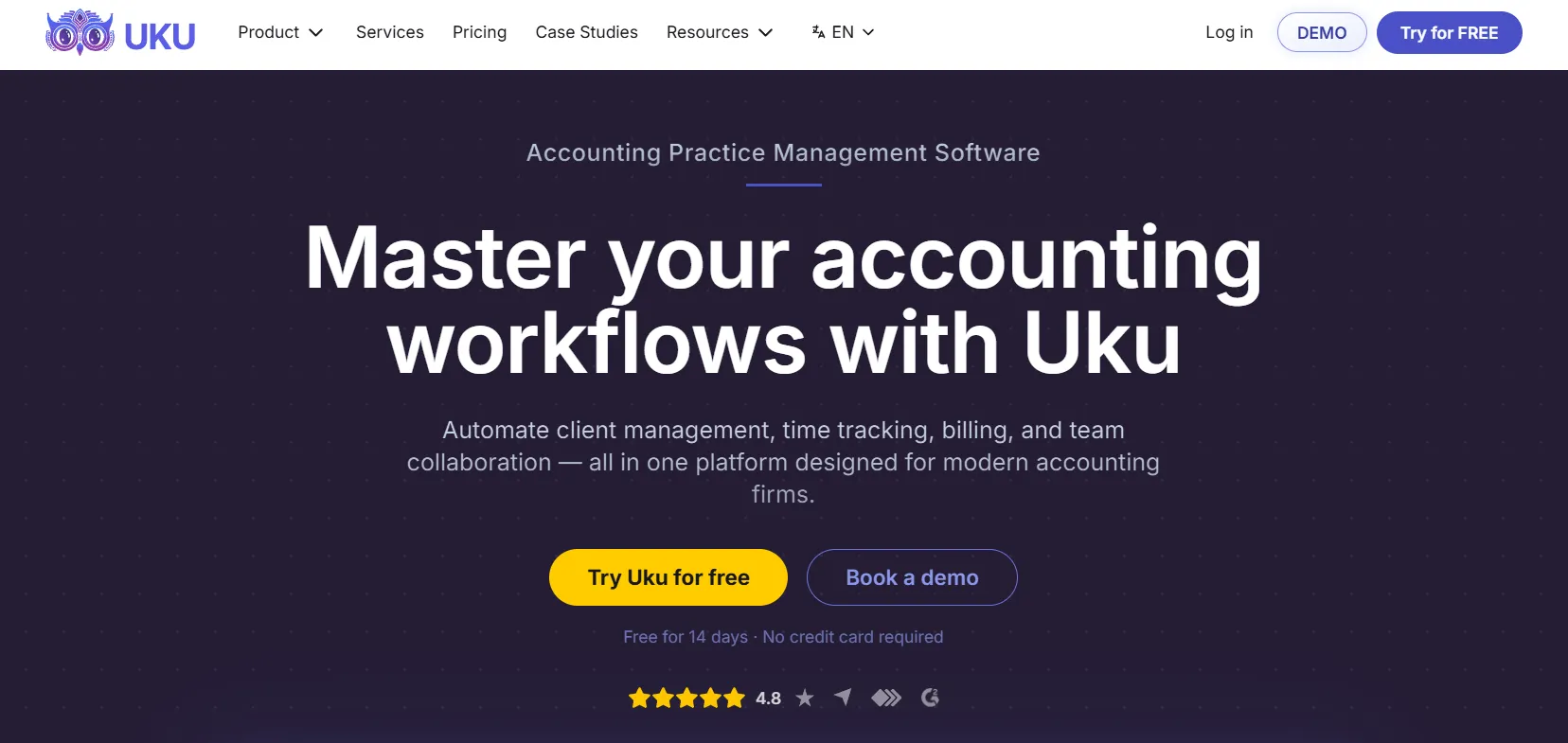
Uku is built specifically for accounting firms and is one of the few tools that gives a small firm billing, a client portal, time tracking, and profitability monitoring at an entry price that makes sense. Its client agreement and profitability monitoring shows in real time whether each client is actually profitable — the feature small firms most often discover they needed only after losing money on a fixed fee. Unlimited workflow templates and automated billing that turns tracked hours into invoices round it out, with the single source of truth a small team needs so anyone can cover a client. It starts at $19/member/month (Solo, up to 20 active clients), the Team plan adds teamwork tools at $38/member/month billed yearly, and it integrates with QuickBooks, Xero, e-conomic, and Tripletex. A 14-day free trial and free onboarding are included.
| 👍 Uku does best | 👎 Uku’s limits |
|---|---|
| Full feature set at small-firm pricing | Fewer third-party integrations |
| Real-time client profitability monitoring | Basic AML tooling |
| Fast to set up and use | No built-in chat |
| Automated billing tied to tracked time | |
| Free trial and free onboarding |
2. Financial Cents — best simple budget pick
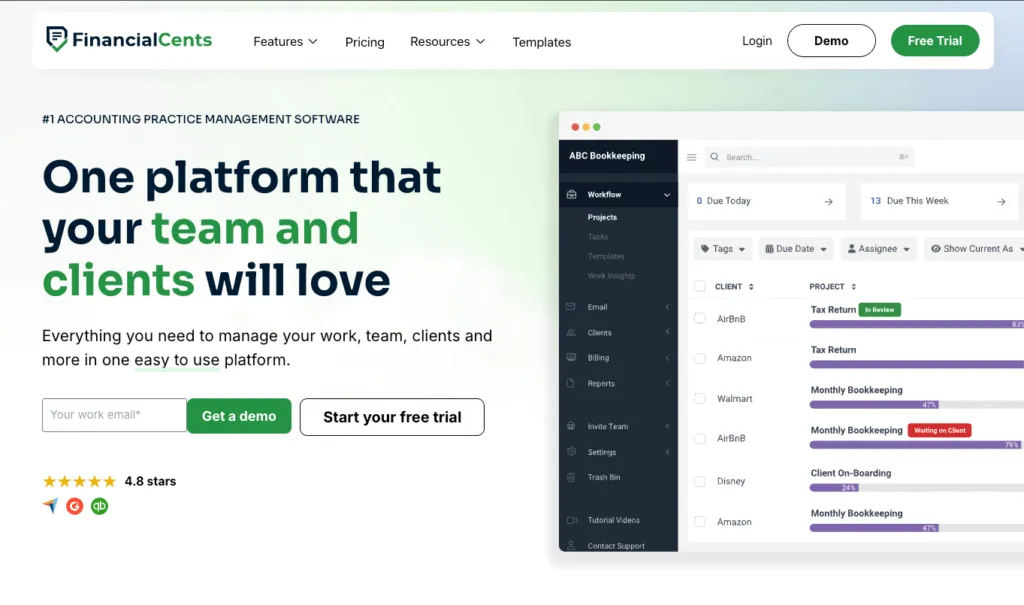
Financial Cents is the budget-friendly pick for small practices. It covers workflow and client document requests well, with automated email and text reminders plus a magic-link portal clients actually use. It has basic built-in invoicing with card and ACH payments that syncs to QuickBooks Online; the catch is that reporting is lighter. At $49/user/month it’s a solid choice for firms under 20 staff that work in QuickBooks Online and mainly need workflow plus document collection.
| 👍 Financial Cents does best | 👎 Financial Cents’ limits |
|---|---|
| Affordable, simple workflows | Monthly billing needs 5+ users |
| Strong client document collection | Lighter reporting |
| Easy magic-link client portal | Best fit caps out under ~20 staff |
3. Jetpack Workflow — best for very small teams
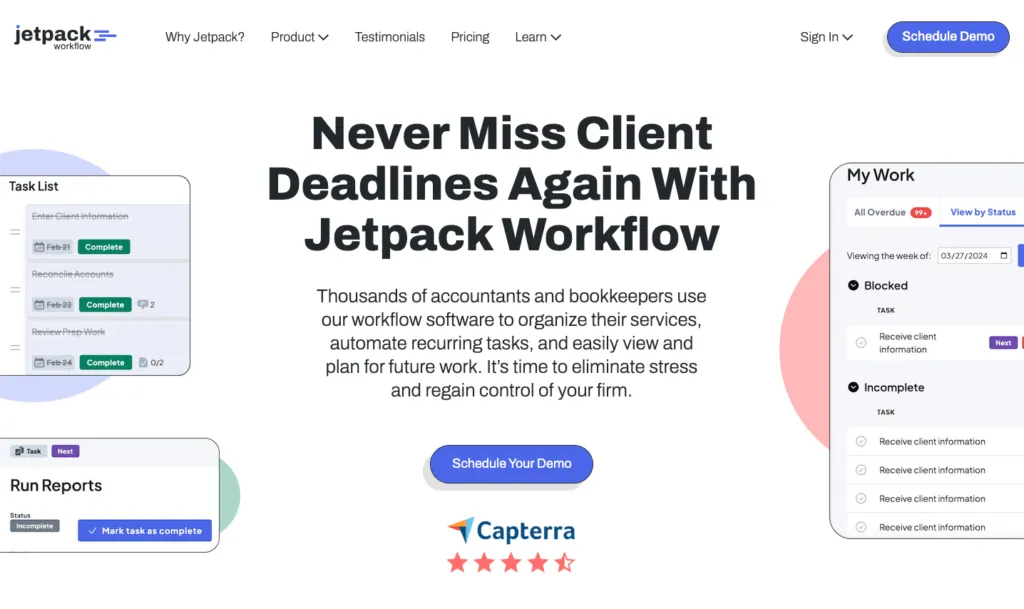
Jetpack Workflow keeps things simple: recurring jobs, customizable checklists, and a clean dashboard. It’s good for very small firms that just need to stop dropping tasks. It has no client portal and only light time tracking, and you push time to QuickBooks to bill — so while it’s affordable at $40/user/month, it’s a starter tool that growing firms often outgrow once they need billing, profitability, or a portal.
| 👍 Jetpack does best | 👎 Jetpack’s limits |
|---|---|
| Simple recurring job tracking | No client portal |
| Clean, low-learning-curve dashboard | Light time tracking |
| Affordable for tiny teams | No built-in billing |
4. Karbon — best as you grow

Karbon excels at collaboration — email, triage, comments, and shared workflows in one place. It comes into its own once a small firm grows and communication becomes the bottleneck. The trade-offs for a small firm: at $59/user/month it’s the priciest option here, time tracking is light, and you’re nudged to run all client email inside Karbon. Strong, but often more than a 3–5 person firm needs day one.
| 👍 Karbon does best | 👎 Karbon’s limits |
|---|---|
| Email and internal communication | Relatively expensive |
| Shared triage across the team | Limited time tracking |
| Several integrations | Can’t send invoices to accounting software |
5. TaxDome — best if the portal is everything

TaxDome offers a polished, all-in-one client portal with e-signatures, document management, and a client mobile app. If the client-facing experience is your differentiator even as a small firm, it’s worth evaluating. The trade-off is a steeper learning curve and a busy interface — for a small team the breadth can feel like overkill, and onboarding takes longer than with lighter tools.
| 👍 TaxDome does best | 👎 TaxDome’s limits |
|---|---|
| All-in-one client portal + mobile app | Steeper learning curve |
| E-signatures and document management | Busy interface for staff |
| Strong client-facing experience | Overkill for very small teams |
How to choose the right tool for your small firm
- You’re solo or 2–3 people: start with Uku’s Solo plan ($19/month) — billing, workflows, and a portal at one price, or Jetpack if you only need task tracking.
- You’re 5–20 and losing visibility: Uku is the strongest fit — the single source of truth and profitability monitoring are exactly what breaks first.
- You want the simplest possible budget tool: Financial Cents covers workflow and documents well.
- You’re growing fast and live in email: look at Karbon.
- The client portal is your differentiator: evaluate TaxDome.
For small firms that want to scale without losing margin, see how Uku gives one of the deepest profitability views in the category at an entry price.
The bottom line for small firms
Whether you’re evaluating this as a small firm owner or specifically as an accountant in practice comparing your options against generic project tools, the shortlist is the same. If you want a full feature set — billing, portal, time, and profitability — at a price a small firm can actually justify, Uku is the strongest pick, and the Solo plan makes it realistic from day one. If you want the simplest budget tool, compare Financial Cents and Jetpack Workflow. As you grow into collaboration challenges, look at Karbon, and if the portal is everything, evaluate TaxDome.
See the full 9-tool breakdown in our best accounting practice management software guide, or book a 30-minute Uku demo to see how it fits your firm.
Frequently asked questions
What is the best practice management software for small accounting firms?
For most small firms, Uku, Financial Cents, and Jetpack Workflow are the top choices. Uku is best for small firms that want billing, a client portal, and profitability monitoring without paying enterprise prices, from $19/member/month. Financial Cents and Jetpack are simpler budget picks. Karbon and TaxDome are stronger as firms grow past 20–30 staff.
How much should a small accounting firm pay for practice management software?
Small firms typically pay $19 to $59 per user per month. Uku starts at $19/member/month, Financial Cents at $49, TaxDome from about $58 ($700/seat/year on a three-year term, $800 on one year), Jetpack Workflow at $40, and Karbon at $59. Watch for per-client fees and add-on charges, the headline price isn't always the real one.
Does a small firm really need practice management software?
Once you're past 2–3 people, yes. Spreadsheets and shared inboxes stop scaling the moment work has to be handed off, and that's exactly when small firms lose visibility and leak revenue. Practice management software gives a small team a single source of truth so anyone can see who's doing what.
What should a small firm look for in practice management software?
Small firms should prioritize fast setup and ease of use, recurring workflow templates, time tracking tied to billing, a client portal for document collection, and profitability monitoring so they don't quietly lose money on fixed-fee clients. Avoid tools so heavy they take months to roll out.
Is generic project management software enough for a small accounting firm?
Rarely. Generic tools (Asana, Trello, Monday) don't understand recurring filing deadlines, time-to-billing flow, or client profitability. A purpose-built tool automates the repetition and shows which clients are actually profitable, which a generic to-do list can't.
What's the difference between software for accountants in practice and accountants in industry?
An accountant in industry works inside one company's finance team, so a normal project or task tool covers their needs. An accountant in practice serves many client entities at once, each with its own recurring compliance deadlines, billable time, and document exchange — that requires practice management software built around clients, not just tasks.
What software do most accountants use?
Most firms run two layers. Underneath is the ledger — QuickBooks Online and Xero are the common choices, alongside local ledgers like e-conomic and Tripletex in the Nordics — and almost every firm has one. On top sits practice management, which tracks who is doing what across every client, and this is the layer firms differ on, with many still running it on spreadsheets and a shared inbox. For small and mid-sized practices the tools usually shortlisted are the five compared above — Uku, Financial Cents, Jetpack Workflow, Karbon, and TaxDome. Tax-first firms add dedicated tax prep software on the side, and firms past roughly 200 staff tend to look at enterprise suites. If you already have a ledger and still can't say who owns which client this week, practice management is the layer you're missing.

Published May 29, 2026 · Updated Oct 8, 2026