Practice Management Software for Virtual Firms (2026)
The best practice management software for virtual and remote accounting firms in 2026, compared by cloud collaboration, client portal, and async visibility.


Contents
A virtual firm loses something an office-based one takes for granted: the ability to glance across the room and see how work is going. When your team is distributed across cities or time zones, you can’t lean over a desk to check on a client — the visibility has to live in the software.
That makes the choice of practice management software more consequential for a remote firm than almost anything else. It has to be fully cloud-based, give the whole team a single source of truth, and let clients hand over documents without ever visiting an office. Here are the best options for virtual and remote firms in 2026, with honest pros and cons and what each one is actually best at.
Quick answer: the 5 best tools for virtual firms
- Uku — best for a cloud single source of truth so a distributed team sees where work stands. From $19/member/month.
- Karbon — best for async, communication-heavy remote teams. From $59/user/month.
- TaxDome — best for virtual firms wanting a polished all-in-one client portal. From $700/seat/year on a three-year term ($800 on a one-year term), billed upfront.
- Financial Cents — best budget pick for small remote practices. From $49/user/month.
- Jetpack Workflow — best for simple cloud task tracking. From $40/user/month.
For the full breakdown of all 9 tools, see our guide to the best accounting practice management software.
How the top tools compare
| Uku | Karbon | TaxDome | Financial Cents | Jetpack | |
|---|---|---|---|---|---|
| Best for (team size) | 10–50 | 10–100 | 200+ | Under 20 | Under 20 |
| Starting price | $19/member/mo | $59/user/mo | $700/seat/yr | $49/user/mo | $40/user/mo |
| Fully cloud-based | ✓ | ✓ | ✓ | ✓ | ✓ |
| Single source of truth | ✓ | ✓ | Limited | Limited | Limited |
| Client portal | ✓ | ✓ | ✓ | ✓ | — |
| Async-friendly workflows | ✓ | Strong | ✓ | ✓ | Limited |
| Free trial | 14-day (all features) | — | ✓ | ✓ | 14-day |
| Capterra rating | 4.8 | 4.7 | 4.7 | 4.8 | 4.1 |
What virtual and remote firms specifically need
A distributed team has different priorities from a firm under one roof. What matters most:
- A fully cloud-based single source of truth. This is non-negotiable for a virtual firm — one always-current view of who’s doing what, accessible from anywhere, replacing the visibility an office gives for free.
- A strong client portal. With no front desk, the portal is how clients hand over documents and sign off on work. It has to be one clients actually use.
- Async workflow templates. Work flows across time zones, so recurring processes need to move forward without everyone being online at once.
- Time tracking tied to billing. Remote work makes informal billing impossible to reconstruct; accurate time-to-invoice is essential.
- Reliable integrations. A distributed team can’t afford to re-key data; clean syncs with accounting software keep everyone working from the same numbers.
The 5 best practice management tools for virtual firms
1. Uku — best cloud single source of truth

Uku is built for accounting firms and is fully cloud-based, which makes it a natural fit for remote teams. Its single source of truth is exactly what a virtual firm needs most: one always-current place where anyone, anywhere, can see who’s doing what across every client — the visibility a distributed team otherwise loses. Recurring workflow templates move work forward async, the client portal lets clients upload documents without an office visit, and automated billing ties tracked time to invoices wherever your team sits. It starts at $19/member/month (Solo, up to 20 active clients), the Team plan adds teamwork tools at $38/member/month billed yearly, and it integrates with QuickBooks, Xero, e-conomic, and Tripletex. A 14-day free trial and free onboarding are included.
| 👍 Uku does best | 👎 Uku’s limits |
|---|---|
| Cloud single source of truth | Fewer third-party integrations |
| Client portal for document handoff | No built-in chat |
| Async recurring workflows | Basic AML tooling |
| Time tracking tied to billing | |
| Free trial and free onboarding |
2. Karbon — best for async, communication-heavy teams

Karbon is strong for remote teams whose work runs on communication. Email, triage, comments, and shared workflows in one place make async handoffs smooth — a colleague in another time zone can pick up a thread without a call. The trade-offs: at $59/user/month it’s one of the pricier options, time tracking is light, and you’re nudged to run all client email inside Karbon rather than your own inbox.
| 👍 Karbon does best | 👎 Karbon’s limits |
|---|---|
| Async email and communication | Relatively expensive |
| Shared triage across time zones | Limited time tracking |
| Several integrations | Can’t send invoices to accounting software |
3. TaxDome — best for a polished client portal

TaxDome gives virtual firms a polished, all-in-one client experience: a portal, e-signatures, document management, and a client mobile app — useful when every client interaction is remote. For larger virtual firms (200+) where client experience is the differentiator, it’s strong. The trade-off is a steeper learning curve and a busy interface, and onboarding a distributed team takes longer than with lighter tools.
| 👍 TaxDome does best | 👎 TaxDome’s limits |
|---|---|
| All-in-one client portal + mobile app | Steeper learning curve |
| E-signatures and document management | Busy interface for staff |
| Strong remote client experience | Overkill for small teams |
4. Financial Cents — best budget pick for small remote firms
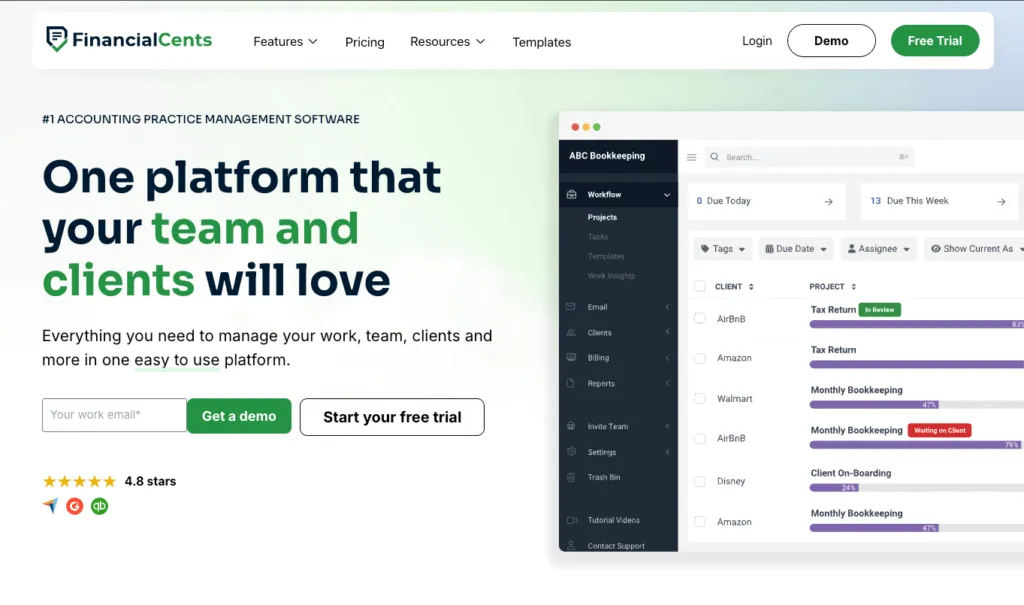
Financial Cents is the budget-friendly pick for small virtual practices. It’s cloud-based, strong on client document requests, with automated reminders and a magic-link portal clients actually use — handy when documents can only come in digitally. It has basic built-in invoicing with card and ACH payments that syncs to QuickBooks Online; the catch is that reporting is lighter. At $49/user/month it suits remote firms under 20 staff that work in QuickBooks Online.
| 👍 Financial Cents does best | 👎 Financial Cents’ limits |
|---|---|
| Affordable, cloud-based workflows | Monthly billing needs 5+ users |
| Strong client document collection | Lighter reporting |
| Easy magic-link client portal | Best fit caps out under ~20 staff |
5. Jetpack Workflow — best for simple cloud task tracking

Jetpack Workflow keeps things simple: cloud-based recurring jobs, customizable checklists, and a clean dashboard. For a small remote team that mainly needs shared task visibility, it works. The limits matter for a virtual firm, though: there’s no client portal, time tracking is light, and you bill through QuickBooks. At $40/user/month it’s a starter tool that remote firms outgrow once the client portal and profitability become priorities.
| 👍 Jetpack does best | 👎 Jetpack’s limits |
|---|---|
| Simple cloud task tracking | No client portal |
| Clean, low-learning-curve dashboard | Light time tracking |
| Affordable for tiny teams | No built-in billing |
How to choose the right tool for your virtual firm
- You need everyone to see where work stands from anywhere: Uku is the strongest fit — a cloud single source of truth is exactly what a distributed team can’t operate without.
- Your remote team runs on async communication: look closely at Karbon.
- You’re a larger virtual firm and the portal is everything: evaluate TaxDome.
- You’re a small remote practice on a budget: Financial Cents covers workflow and documents well.
- You just need shared task visibility: Jetpack Workflow is the simplest option.
For a fully remote firm, see how Uku’s cloud single source of truth compares in our best accounting practice management software guide.
The bottom line for virtual firms
For most virtual and remote firms, Uku is the strongest pick — a fully cloud-based single source of truth replaces the visibility an office gives for free, and the client portal removes the need for in-person handoffs. If your team runs on async communication, evaluate Karbon. If the client portal is your priority, look at TaxDome, and small remote practices on a budget should compare Financial Cents and Jetpack Workflow.
See the full 9-tool breakdown in our best accounting practice management software guide, or book a 30-minute Uku demo to see how it keeps a distributed team aligned.
Frequently asked questions
What is the best practice management software for a virtual accounting firm?
For virtual and remote firms, Uku, Karbon, and TaxDome are the top picks. Uku is best for distributed teams that need a single source of truth so anyone can see where work stands without being in the same room, from $19/member/month. Karbon fits async, communication-heavy remote teams, and TaxDome suits virtual firms wanting a polished all-in-one client portal.
Why do remote accounting firms need practice management software more than office-based ones?
In an office, you can lean over a desk to check on work. A virtual firm can't. Without a single source of truth, remote teams lose visibility into who's doing what, deadlines slip, and clients fall through the cracks. Cloud-based practice management software replaces the hallway conversation with shared, always-current status the whole team can see.
What should a virtual firm look for in practice management software?
A virtual firm should prioritize a fully cloud-based single source of truth, a strong client portal for document collection without in-person handoffs, recurring workflow templates that run async across time zones, time tracking tied to billing, and reliable integrations so a distributed team never re-keys data.
How much does practice management software cost for a virtual firm?
Most cloud-based options cost $19 to $60 per user per month. Uku starts at $19/member/month, Financial Cents at $49, TaxDome from about $58 ($700/seat/year on a three-year term, $800 on one year), Jetpack Workflow at $40, and Karbon at $59. All are cloud-based, so a virtual firm pays per member with no on-premise setup.
Can a fully remote firm run entirely on practice management software?
Largely, yes. A cloud practice management tool handles workflows, time, billing, and client documents, and pairs with a client portal so clients never need to visit an office. Combined with your accounting software and a communication tool, it's the operational backbone most fully remote firms run on.

Published May 29, 2026 · Updated Sep 28, 2026