What Is Uku? Practice Management for Firms | Uku
Uku is accounting practice management software: tasks, time, billing, client portal and reporting in one place. What it does, who it is for, what it costs, and the things people get wrong about it.


Contents
What Uku actually is
An accounting firm’s problem is rarely a missing feature. It is that the answer to “what is due this week, who is doing it, and are we making money on it” lives in four places: a spreadsheet, an inbox, someone’s memory, and the accounting software itself.
Uku is the place where those four collapse into one. Concretely, it holds:
- Clients — the record of who you serve, with custom fields for the things your firm actually tracks
- Tasks and Workflow — recurring work generated from templates, so month-end builds itself instead of being rebuilt by hand
- Time — logged against client and task, which is what makes profitability real rather than estimated
- Billing contracts and invoicing — agreements that turn logged work into invoices without a manual re-keying step
- Client Portal — where clients see what is needed from them, and send it back
- Monitoring — whether the work that was agreed is the work being done
- Vacations and capacity — who is away, and who covers their clients
- Reporting — where time went, which clients earn their fee, and which do not
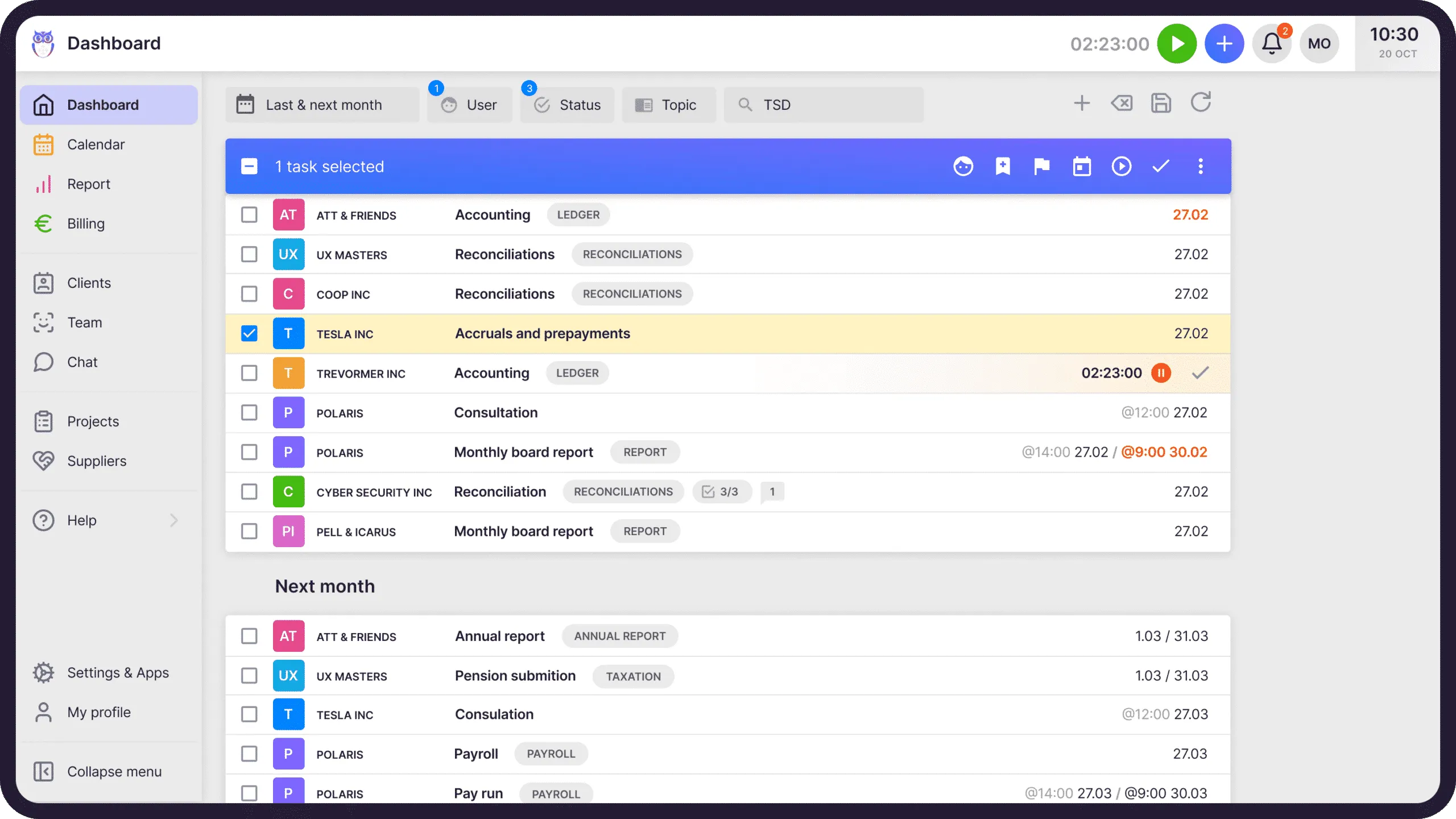
The full feature detail lives on the practice management page. The point here is the shape: it is one system for the operating side of a firm, not a tool bolted to the side of your ledger software.
Who runs on Uku
Accounting and bookkeeping firms that carry recurring client work. Most are between 5 and 50 people, but the range is wider than that in both directions.
At the small end, a single accountant on the Solo plan managing up to 20 active clients. At the large end, groups operating across borders:

The buyer is almost always the person accountable for delivery — the owner, the partner, the team lead. Not the IT department, and usually not the individual accountant. That shapes the product: the questions Uku answers first are “is this on time” and “is this profitable”, not “how do I make this cell green”.

Why firms choose it
We ask, and the answers cluster tightly. Across 332 reviews the same four things come up:
The interface. Accountants use this software for six hours a day. “Easy to use” appears in more Uku reviews than any other phrase, which sounds like faint praise until you have watched a team refuse to adopt a tool that fights them.
Flexible workflows. Recurring work in an accounting firm is not one shape. Uku separates the workflow template from the individual task instances, so you can change a process centrally and push it to every client instead of editing them one by one.
Onboarding and support. The most common review subject after usability. Firms that have migrated before know that the risk is not the software, it is the six weeks after you sign.
Vacations and cover. Underrated, and the thing firms mention once they have lived a summer with it: knowing who is away and who is holding their clients.
You can read all 332 of them, unedited, filtered by topic, on the reviews page.
Common misconceptions
These are real ones. Some come from reviews we have not answered well enough, some from the category we get filed under, and at least one reached us through a prospect who had asked an AI assistant to evaluate us and got a confidently wrong answer.
”Uku is a time tracker”
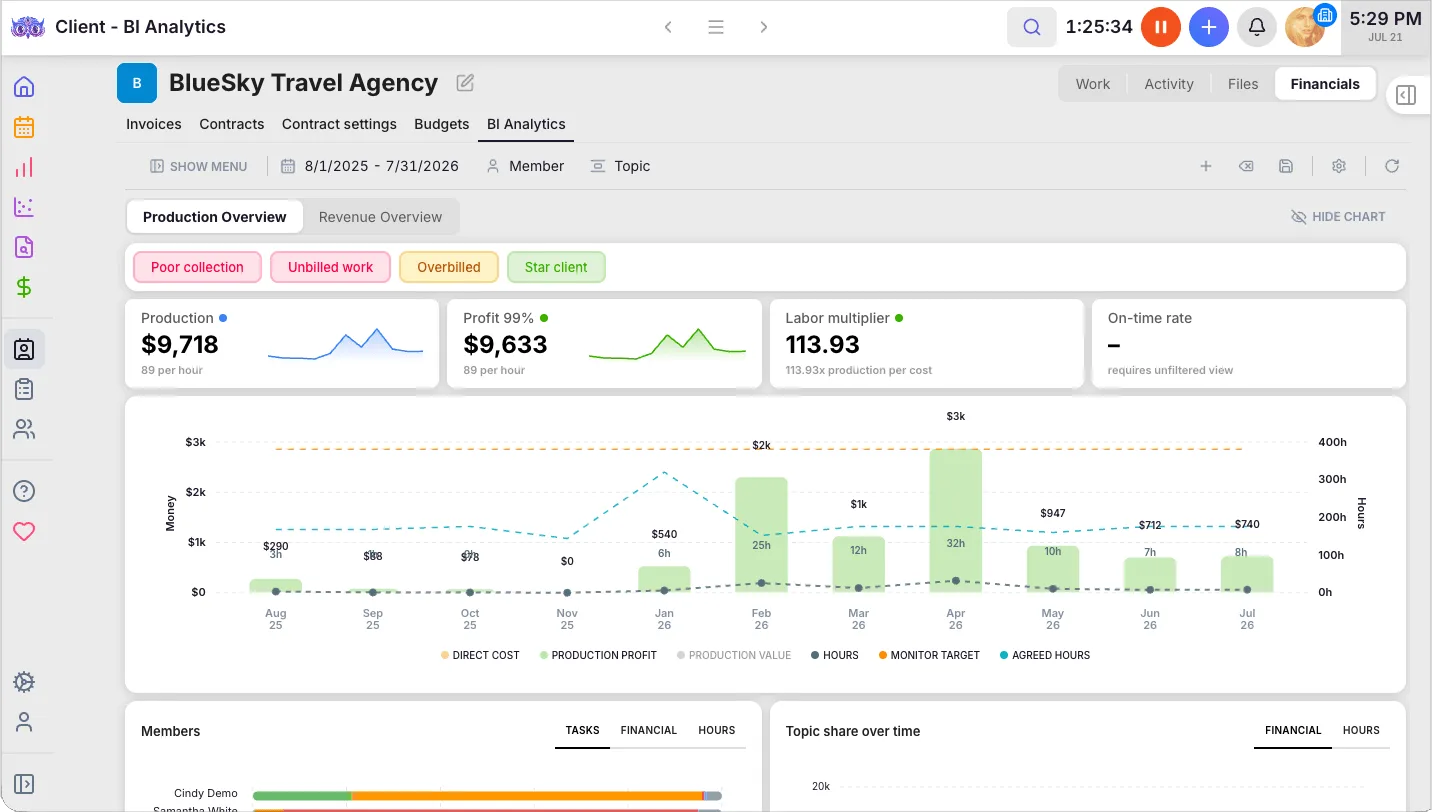
This is the expensive one. Time tracking is a component of Uku, in the same way that a calendar is a component of Outlook. If you compare Uku to Toggl or TimeCamp, the price looks high — because you are comparing a practice management platform to a stopwatch.
The right comparison set is Karbon, TaxDome, Canopy, Financial Cents and Jetpack Workflow. Against those, Uku is the cheaper option, not the expensive one.
A customer puts it better than we can:
“For us, Uku has become more than a tool for tracking time. It is part of how we manage and scale the firm.”

A stopwatch tells you how long something took. This is what the same hours look like once they are attached to a client, a contract and a rate:
“It costs more than the alternatives”
It costs less than the tools in its actual category. Solo is $19 per month billed annually, Team $38, Elite $48, Enterprise $88 — per member, and Uku does not charge per client. Full detail, in your currency, is on the pricing page.
”Recurring tasks create duplicates”
This one comes from a real review, and the reviewer was not wrong about her experience. Uku separates recurring templates from the task instances they generate. Delete instances by hand and re-add them, and you can end up with work you did not expect — which is what happened to her.
That is a design that rewards understanding, so it is on us to teach it. Two things have changed since: global search means a task scheduled months out is never invisible, and we walk through the template-versus-instance model in onboarding rather than leaving it to be discovered.
”Finished tasks are hard to find in the calendar”
This was true, and it is fixed. Task status — Todo, Done, Delayed, Overdue, Archived — is a filter on every view including the Calendar. If you want to see what the team completed last Thursday, you filter for it.
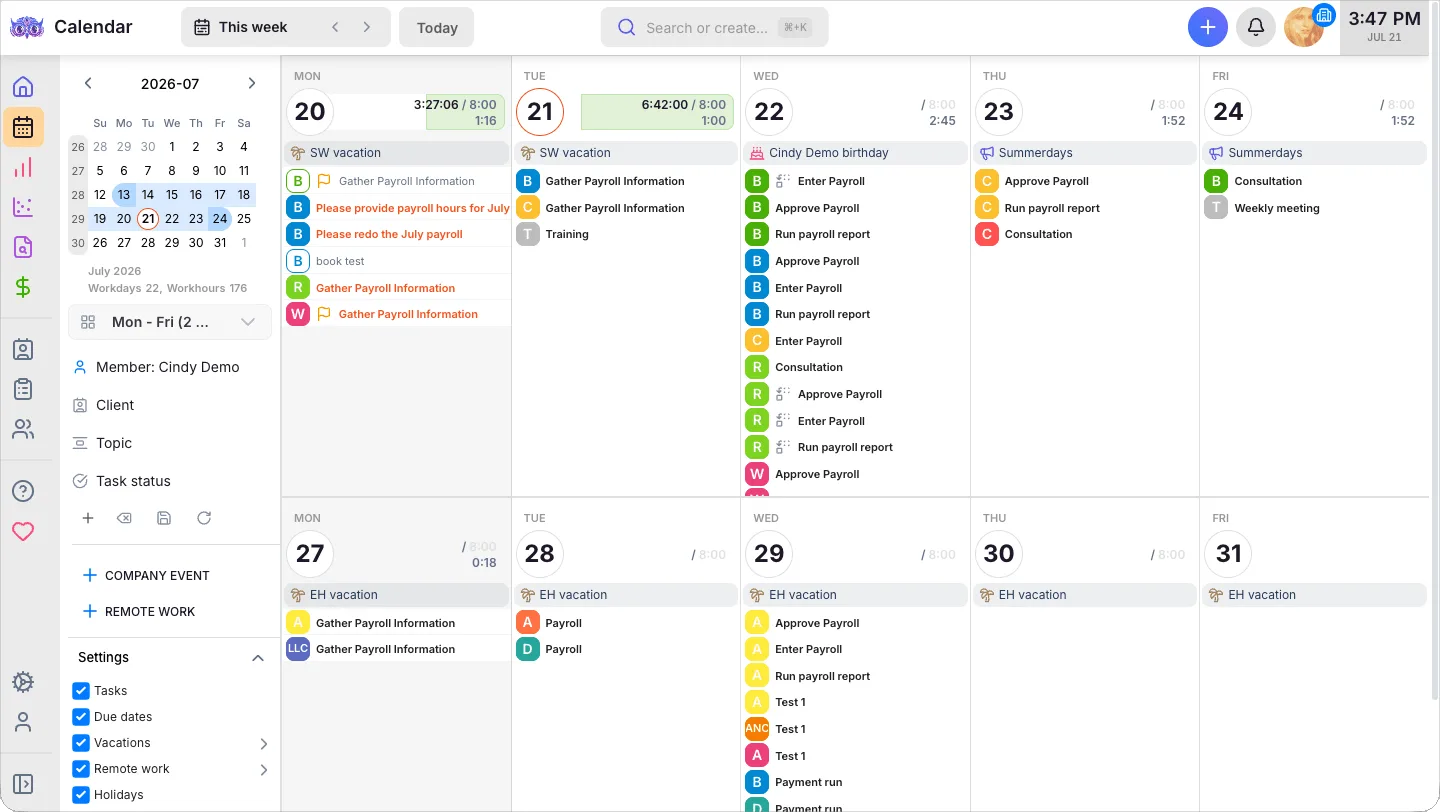
The same view is where cover gets decided: vacations run as bars across the days somebody is away, so the work that still has to happen is visible against them.
”A small vendor means thin support”
We are not a large company, and we do not publish a headcount to pretend otherwise. What we can point at is the evidence: 4.8 out of 5 across 332 third-party reviews, with support one of the most-praised subjects and effectively no complaints about it in the set. Firms of 300 people across 11 countries run on Uku and get answers from the people who build it.
How Uku compares
We publish comparisons against the tools firms actually shortlist us against, and we try to write them so a reader could reasonably choose the other tool:
- Karbon — strong on email-centric collaboration
- TaxDome — heavier on US tax workflow
- Canopy — modular, with tax resolution roots
- Financial Cents and Jetpack Workflow — lighter, workflow-first
If you want the whole field in one place, the comparison guide covers it.
The honest bottom line
Uku is a good fit if you run recurring client work, you have outgrown spreadsheets and inbox archaeology, and you want to know which clients are profitable without building a report to find out. It is a strong fit if your team has rejected heavier software before, because the usual reason it gets adopted is that people do not mind using it.
It is a weaker fit if you need deep US tax-preparation workflow inside the same tool, or if you want a free product and have fewer than five clients.
The trial is 14 days and does not ask for a card. If you would rather see it driven by someone who knows it, book a demo and bring your messiest recurring process.
Frequently asked questions
What is Uku?
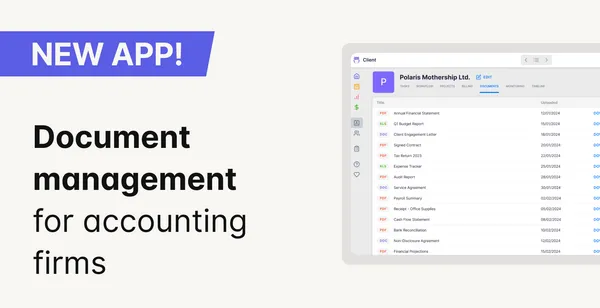
Uku is accounting practice management software. One place for client work: tasks and recurring workflows, time tracking, billing contracts and invoicing, a client portal, document handling, vacations and capacity, and reporting on where time and profit actually go. Over 1,000 accounting firms in more than 25 countries run on it, and it rates 4.8 out of 5 across 332 reviews on G2, Capterra and Trustpilot.
Is Uku a time tracker?
No, and this is the most common mix-up. Time tracking is one part of Uku, not the product. Uku is a full practice management platform — client records, recurring task workflows, billing contracts and invoicing, a client portal, document handling and reporting. Comparing it to Toggl or TimeCamp compares a practice management platform to a stopwatch, which is why the pricing looks wrong until you correct the category.
How much does Uku cost?
Four plans, billed per member. Solo is $19/month billed annually ($25 monthly) for one accountant with up to 20 active clients. Team is $38 ($49 monthly), Elite is $48 ($62 monthly), and Enterprise is $88 ($88 monthly). In euros: Solo €16, Team €29, Elite €39, Enterprise €79 billed annually. There is a 14-day free trial with no credit card, and onboarding packages are optional, not required. There is no per-client charge.
Who is Uku for?
Accounting and bookkeeping firms that manage recurring client work — typically 5 to 50 people, though Uku runs firms from a single accountant up to 300-person groups across multiple countries. The buyer is usually the firm owner or team lead who needs to know what is due, who is doing it, and whether the work is profitable.
How does Uku compare to Karbon, TaxDome and Canopy?
They are in the same category, so the comparison is fair. Uku sits below all three on per-member price, and firms most often pick it for the interface, the flexibility of its workflows, and the onboarding and support. Where the others are stronger is worth reading in full — we keep detailed, tool-by-tool comparisons rather than a scorecard that always ends in our favour.
Is there a free trial?
Yes. 14 days, no credit card. Onboarding packages exist for firms that want hands-on setup, but they are optional — the trial is self-serve, and the first 90 minutes of onboarding help are free.

Published Jul 28, 2026 · Updated Oct 17, 2026