7 Best WorkflowMax Alternatives for Accounting Firms (2026)
Compare the 7 best WorkflowMax alternatives for accounting firms in 2026. Xero has retired WorkflowMax — see pricing, gaps, and the right replacement.


Contents
- WorkflowMax Alternatives at a Glance
- What Happened to WorkflowMax?
- How We Curated Our List of WorkflowMax Alternatives
- 1. Uku: Best Alternative for Accounting Firms with Recurring Work & Automated Billing
- 2. Karbon: Best Alternative for Workflow Automation & Email Integration at Scale
- 3. Financial Cents: Best Alternative for Small US Firms Seeking Simplicity & Fast Adoption
- 4. TaxDome: Best Alternative for Consolidating Every Tool into a Single Platform
- 5. Jetpack Workflow: Best Alternative for Focused Workflow Tracking Without Complexity
- 6. Cone: Best Alternative for Budget-Conscious Firms Needing All-in-One Simplicity
- 7. Canopy: Best Alternative for Tax-Focused Firms Needing Specialized Resolution Tools
- Coming from Xero Practice Manager Instead?
- The Final Verdict
- How to Switch from WorkflowMax to Uku
- WorkflowMax Alternatives FAQ
WorkflowMax was the default job management tool for thousands of accounting firms for over a decade. Then, in 2023, Xero announced it was retiring the product. The original WorkflowMax shut down on June 26, 2024, the brand was sold to Australian advisory firm BlueRock, and every firm running on it faced a forced decision: migrate to the rebuilt WorkflowMax by BlueRock, or find something better.
Two years on, many firms are still deciding. The BlueRock relaunch has improved steadily, but reviews from migrating firms report timesheet bugs, slower invoicing, and data export friction — and the product remains what it always was: general job management for project-based service businesses, not purpose-built accounting practice management.
That last part matters. If your firm runs recurring compliance work — monthly bookkeeping, payroll cycles, quarterly returns, year-end accounts — you’ve probably been bending WorkflowMax’s quote-and-job model around work that doesn’t behave like projects. The alternatives below don’t ask you to bend.
This guide covers seven WorkflowMax alternatives, evaluated specifically for accounting firms. Whether you want to:
- Automate billing from time tracking to invoice with accounting-specific templates
- Centralize email and workflow automation at scale
- Deploy a simple, all-in-one platform without weeks of configuration
- Consolidate every operational tool into one platform
- Track recurring work without the overhead of full practice management
- Get practice management at startup-friendly pricing
- Handle specialized tax resolution work with direct IRS integration
We cover a dedicated alternative for each.
WorkflowMax Alternatives at a Glance
| The Best WorkflowMax Alternatives | ||
|---|---|---|
 | Starts at: $19/mo (annual) G2 Score: 4.7 Capterra Score: 4.8 | Best Alternative for Accounting Firms with Recurring Work & Automated Billing We chose Uku because it replaces WorkflowMax’s quote-and-job model with recurring accounting workflows, automates time-to-invoice billing, and includes a modern client portal — with day-one Excel import instead of a risky migration. |
 | Starts at: $59/user/mo G2 Score: 4.8 Capterra Score: 4.7 | Best Alternative for Workflow Automation & Email Integration at Scale We chose Karbon because its email-based workflow system, conditional automation, and AI tools make it the strongest option for large accounting firms running practice operations at scale. |
 | Starts at: $19/mo (solo) G2 Score: 4.7 Capterra Score: 4.8 | Best Alternative for Small US Firms Seeking Simplicity & Fast Adoption We chose Financial Cents because its 300+ pre-built templates, passwordless client portal, and native QuickBooks Online integration make it the fastest path to organized practice management for small US teams. |
 | Starts at: $800/seat/yr G2 Score: 4.7 Capterra Score: 4.7 | Best Alternative for Consolidating Every Tool into a Single Platform We chose TaxDome because it bundles workflow automation, CRM, document management, client portal, e-signatures, and billing into one platform with unlimited storage, replacing multiple subscriptions. |
 | Starts at: $40/user/mo G2 Score: 4.2 Capterra Score: 4.8 | Best Alternative for Focused Workflow Tracking Without Complexity We chose Jetpack Workflow because it does one thing well: organizing recurring accounting work with 70+ pre-built templates and real-time capacity planning, without the overhead of a full practice management suite. |
 | Starts at: $5/user/mo G2 Score: 4.8 Capterra Score: 4.9 | Best Alternative for Budget-Conscious Firms Needing All-in-One Simplicity We chose Cone because its integrated proposal-to-payment workflow delivers practice management starting at $5/user/month, with native Xero and QuickBooks integrations and quoting that matches WorkflowMax’s strongest feature. |
 | Starts at: $74/user/mo G2 Score: 4.5 Capterra Score: 4.5 | Best Alternative for Tax-Focused Firms Needing Specialized Resolution Tools We chose Canopy because its native tax resolution suite, direct IRS transcript integration, and client-centric all-in-one design make it the strongest fit for US firms with a significant tax practice. |
What Happened to WorkflowMax?
A quick history, because it explains why so many firms are searching for alternatives:
- 2012: Xero acquires WorkflowMax and later builds Xero Practice Manager on its technology.
- March 2023: Xero announces it will retire WorkflowMax, saying the product “needs significant investment to meet the evolving expectations of customers.” The brand is sold to Australian advisory firm BlueRock.
- June 26, 2024: The original WorkflowMax shuts down. Notably, Xero confirmed the retirement had no impact on Xero Practice Manager — XPM lives on for Xero partner firms.
- 2024 onward: WorkflowMax by BlueRock launches as a rebuilt product under the acquired brand.
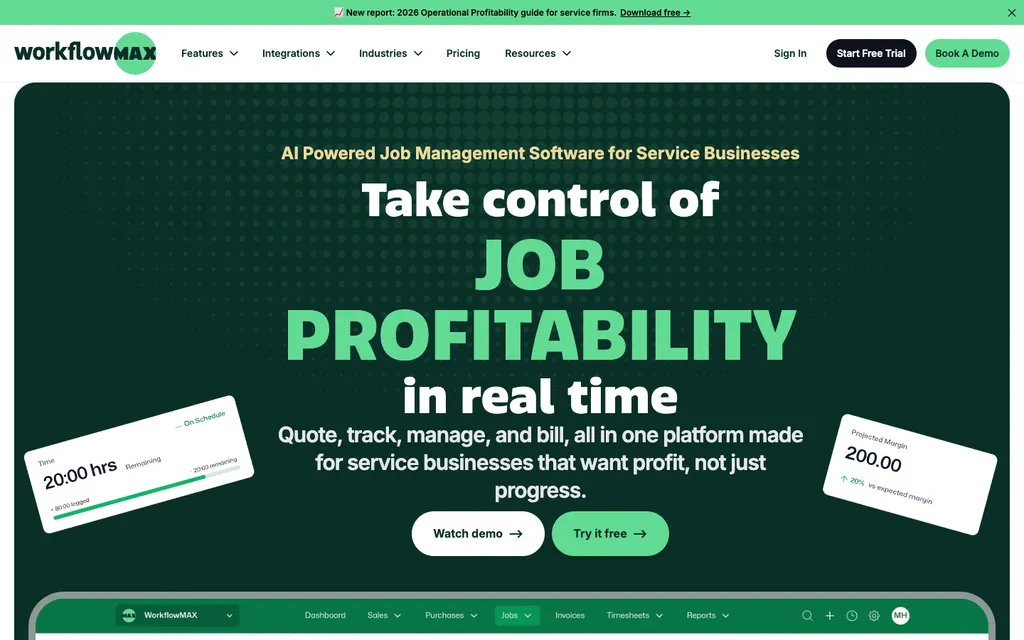
WorkflowMax by BlueRock today is job management software for project-based service businesses — quoting, job tracking, time sheets, WIP management, invoicing, and capacity planning, with Xero and QuickBooks integrations. Pricing starts at $55/month including 3 users; a 20-person team pays $230/month (Standard) or $291/month (Premium), with an Advanced plan on custom pricing. It’s available in AUD, NZD, CAD, GBP, and USD, reflecting its heavily Australia/New Zealand-weighted user base.
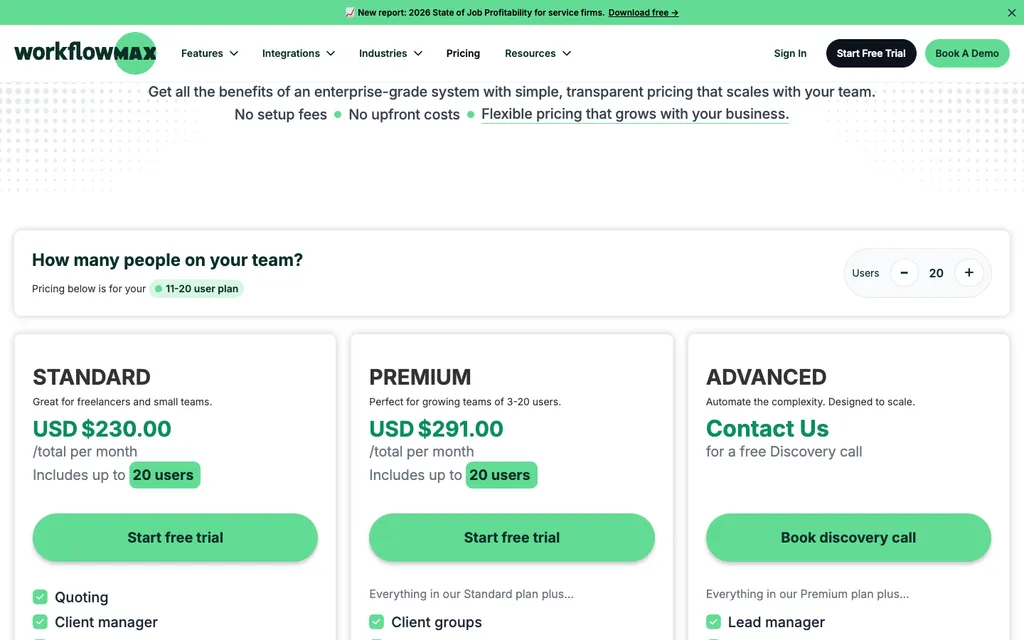
The rebuilt product has improved steadily, and its Xero integration remains solid. But the relaunch has been rocky for migrating firms. Reviews from the transition period describe timesheet behavior changes, invoicing that takes longer than the original product, support delays, and data export friction. Capterra rates it 4.3 across 123 reviews (mixing legacy-era and BlueRock-era feedback), while its G2 score sits around 4.1.
And for accounting firms specifically, the deeper issue is structural: WorkflowMax’s quote-and-job model was designed for projects with a start, a middle, and an end. Accounting work isn’t like that. Monthly bookkeeping, payroll runs, VAT and BAS cycles, year-end accounts — it’s recurring, deadline-driven, and compliance-shaped. WorkflowMax also includes no client-facing portal and no built-in e-signatures, so document collection still happens over email.
That’s the gap every tool below addresses.
Running recurring client work through a job-management tool built for projects? Uku is practice management built for accounting firms — recurring workflows, automated billing, and a client portal in one place. Try free for 14 days.
How We Curated Our List of WorkflowMax Alternatives
Most “WorkflowMax alternatives” roundups compare generic project management tools for agencies and engineers. This list is different: we evaluated alternatives specifically for accounting firms, CPAs, and bookkeepers — the firms that ran their practice on WorkflowMax for years and now need a real home for:
- Recurring compliance work (bookkeeping, payroll, returns) that doesn’t fit a quote-to-job model
- Automated billing from tracked time, without manual WIP reconciliation
- Client document collection through a portal instead of email threads
- E-signatures, engagement letters, and proposals without third-party add-ons
- Team capacity planning around deadline-driven tax and reporting cycles
- A migration path that doesn’t depend on WorkflowMax’s export tooling
Each tool on this list leads in one of these areas.
1. Uku: Best Alternative for Accounting Firms with Recurring Work & Automated Billing
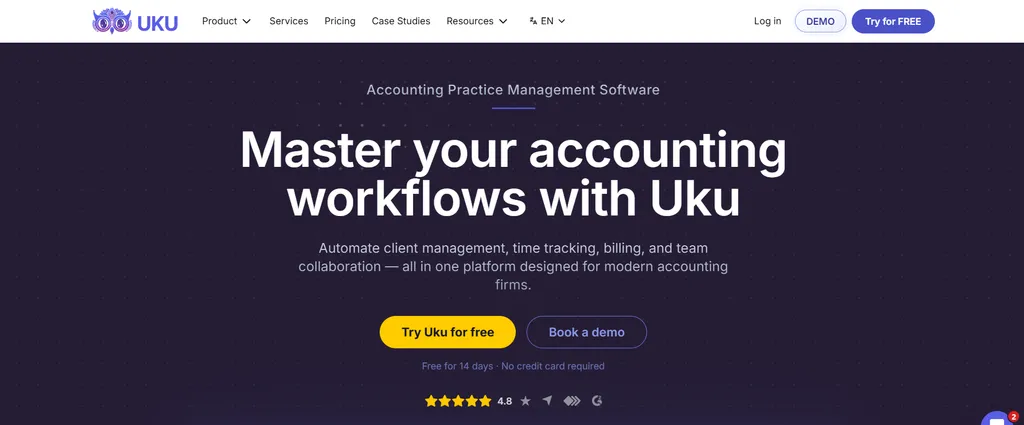
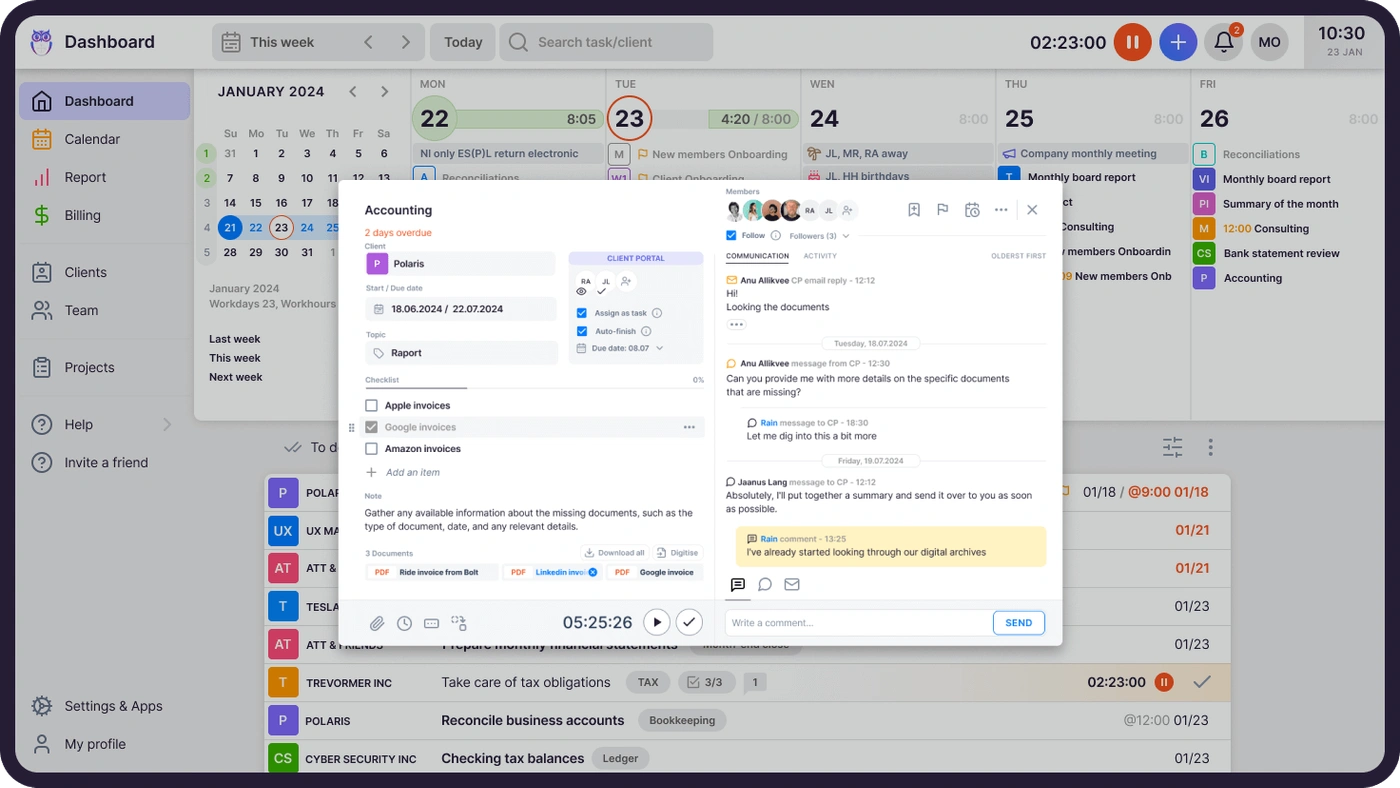
Uku is accounting practice management software built for accounting firms, CPAs, and bookkeepers. Where WorkflowMax treats every engagement as a quoted job, Uku is organized around how accounting firms actually work: recurring client plans, automated billing contracts, and a client portal that handles document collection. Serving 1,000+ clients globally, the platform helps firms save over 12 hours per team member weekly and raise profit ~20% through workflow management and automated billing.
Its key features include:
- Automated billing engine: Converts tracked time into client-ready invoices without manual reconstruction, supporting four billing types (hourly, fixed, per-piece, and recurring) with pricing rules including cumulative tiers, minimum time requirements, and rounding rules
- Accounting-specific workflow templates: A pre-built template library organized into seven categories (Accounting, Administration, Bookkeeping, Client Management, Operations, Payroll, Tax), with template propagation that pushes improvements to existing client plans
- Integrated client portal: A branded, secure portal with magic link access — no username or password required — where clients and accountants work on the same task
- Time tracking: Stopwatch, manual entry, and bulk allocation with mandatory time entries; 90% of time tracking actions require one click
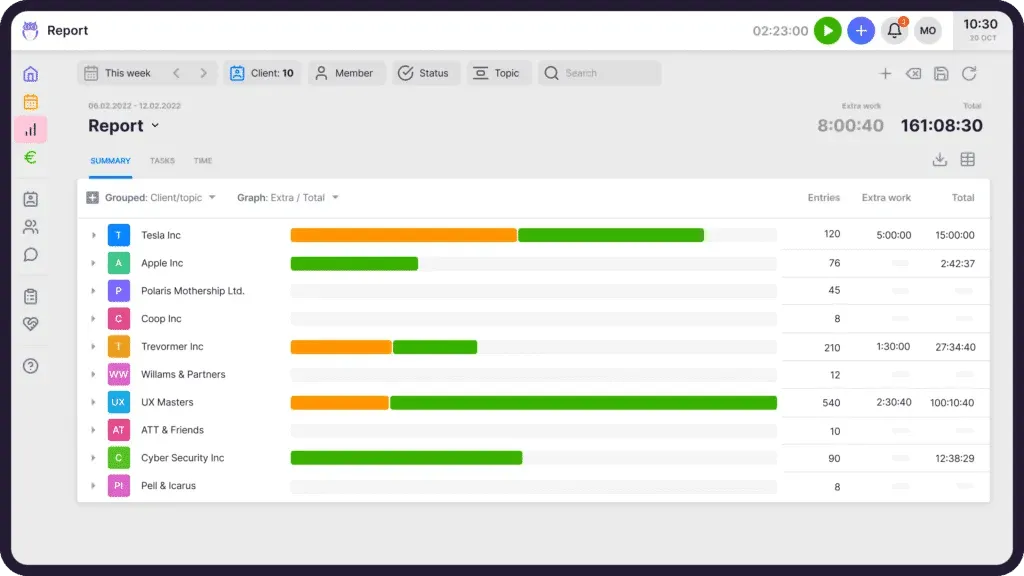
- Reporting: Real-time insights into profitability, budget status, and extra work, with three levels of depth
- 12-language support and multi-currency billing (€, $, £), with integrations for Xero, QuickBooks Online, E-conomic, Tripletex, FreeAgent, and more
“Uku is like my second memory - with Uku's help, I can't and won't forget anything.”
Why Choose Uku Over WorkflowMax for Accounting Practice Management?
Uku stands out in the following areas:
Recurring Workflows Instead of Quote-and-Job Mechanics
WorkflowMax’s workflow starts with a quote that becomes a job with tasks and milestones — a model built for projects that end. Accounting work doesn’t end; it repeats. In WorkflowMax, firms simulate recurring work by duplicating jobs or templates month after month.
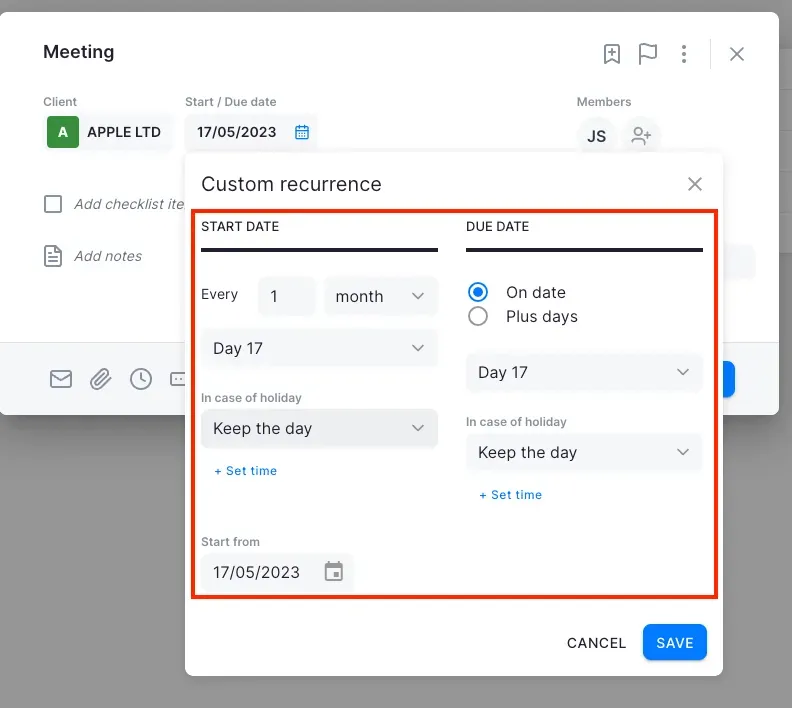
Uku flips the model. Firms define recurring task templates with recurrence patterns (daily, weekly, monthly, quarterly, yearly, or working-days-based), assignees, checklists, and estimated time. Tasks generate automatically on each team member’s dashboard at the right time — no manual scheduling, no duplicated jobs.
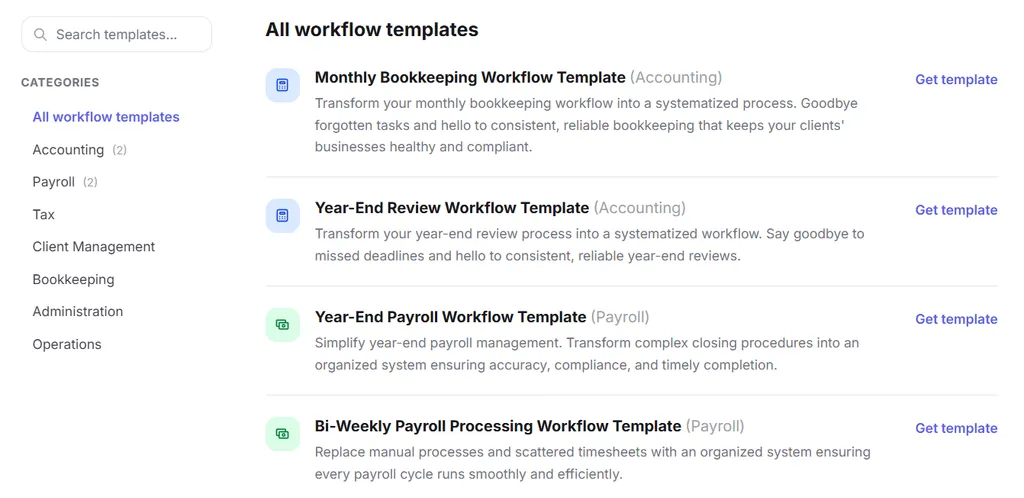
The pre-built, accountant-developed template library covers Accounting, Bookkeeping, Payroll, Tax, and more. When a firm improves a template, Uku’s template propagation pushes the change to all existing client plans in one action — a mechanism WorkflowMax has no equivalent for.
A second automation layer attaches email templates to recurring tasks, so client-facing reminders go out automatically when a task reaches a defined stage.
Automated Billing That Doesn’t Take Twice as Long
Invoicing is where migrating WorkflowMax users report the most friction — reviews describe invoice preparation in the rebuilt product taking longer than the Xero-era original, with manual steps between timesheets, WIP review, and invoice creation.
Uku collapses the billing cycle to about 30 minutes. Each client gets one or more contracts defining services, billing type, frequency, and pricing rules. At billing time, Uku auto-generates draft invoices from all tracked time and task data for the period. Managers review, approve, and push to Xero, QuickBooks Online, or other connected accounting software.
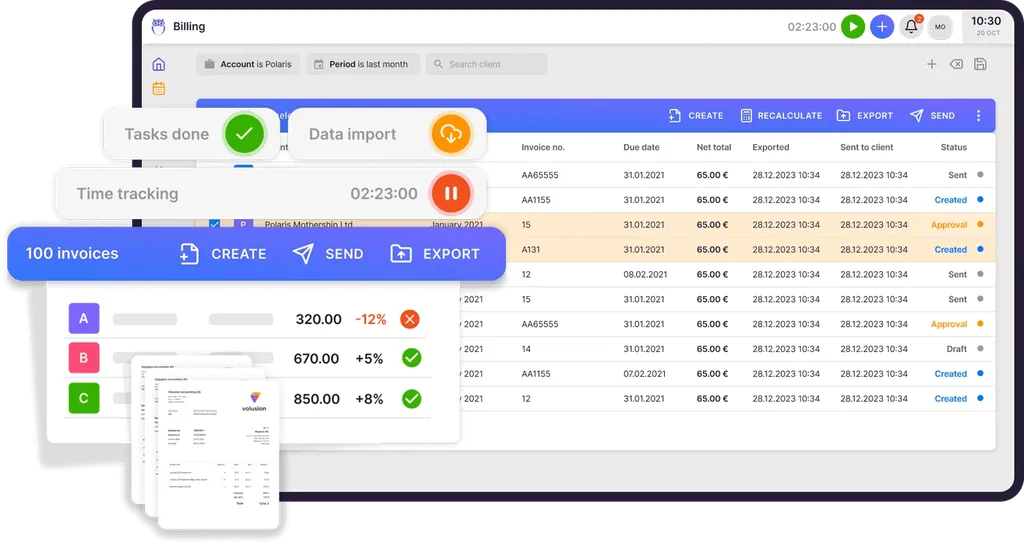
The engine supports flexible pricing setups — cumulative tiers, per-piece billing, fixed fees, and mixed models in one contract. The “Extra work” tag separates out-of-scope hours automatically, Client Agreement Monitoring compares agreed volumes against actual work, and Client Budgeting alerts before budgets are exceeded. Customers report up to ~20% more profit from discovering under-billed agreements.

A Client Portal WorkflowMax Never Had
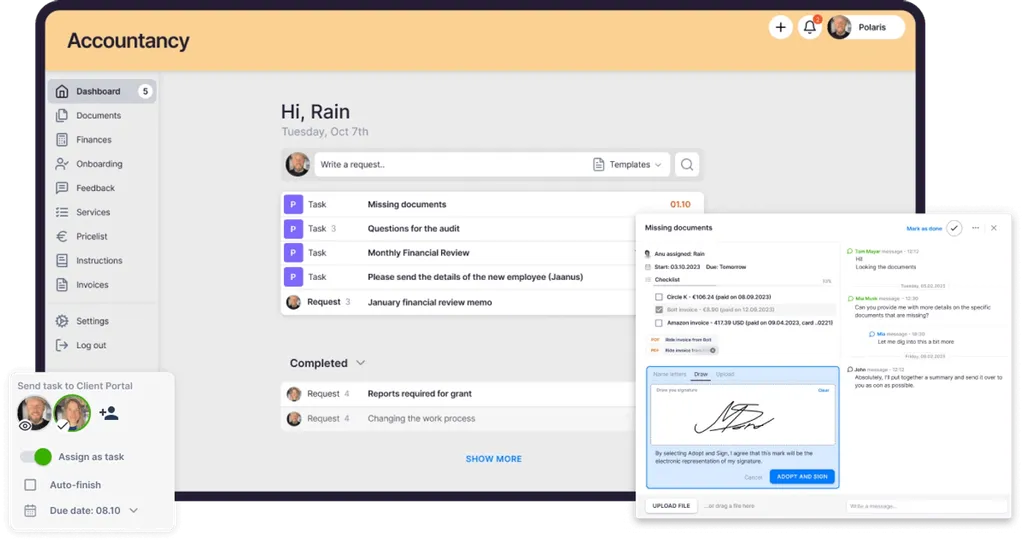
WorkflowMax includes no client-facing portal — document collection and client communication run over email, outside the system. Uku includes a branded, secure client portal at no extra cost, with magic link access: clients receive a time-limited email link with no username or password required. Accountants assign document-request tasks with due dates and automatic reminders; uploads sync to Google Drive, OneDrive, SharePoint, or Dropbox. E-signatures are built in.

Migration Without Depending on WorkflowMax’s Export
Data portability has been a sore point since the BlueRock relaunch. Uku sidesteps it: firms import their existing Excel or CSV data — client lists, plans, budgets — and Uku generates automated client plans from them on day one. Assisted import is included on all plans, and the modular approach means you can start with CRM and tasks, then add billing, portal, and automation as the team gets comfortable.

Uku Pricing
Uku uses a per-seat subscription model with monthly and annual billing options, available in €, $, and £. VAT is added on top of all listed prices.
- Solo plan: $19/member/month (annual) or $25/member/month (monthly). Includes 1 member, up to 20 active clients, Billing, Client Portal, Document Management, Custom Fields, AML, E-signatures, and all integrations.
- Team plan: From $38/member/month (annual) or $49/member/month (monthly). Adds workflow automations, team collaboration, email management, billing, client portal, unlimited clients, custom fields, integrations, and live chat support.
- Elite plan (Most Popular): From $48/member/month (annual) or $62/member/month (monthly). Adds Google Drive, Dropbox, and SharePoint integrations; client portal custom menu; workforce management; audit log; Client Budgeting; Document Management; E-signatures; open API; Zapier (5,000+ integrations); and BI Analytics.
- Enterprise plan: $88/member/month (annual) or $99/member/month (monthly). Includes custom integrations, assisted client import, tailor-made workshop, early access to features, pay-by-invoice, and a dedicated account manager.

All new accounts receive a 14-day free trial with full Elite plan access, no credit card required, plus 90 minutes of free onboarding assistance. See full plan details on the Uku pricing page.
Who Should Use Uku?
Choose Uku if:
- Your work is recurring, not project-based. Monthly bookkeeping, payroll, and compliance cycles fit Uku’s recurring templates natively — no more duplicating WorkflowMax jobs.
- Billing is your bottleneck. Uku converts tracked time into client-ready invoices in about 30 minutes, with flexible pricing rules per contract.
- You need client-facing features WorkflowMax lacks. Client portal, document collection, automatic reminders, and e-signatures are built in.
- You want a low-risk migration. Excel import on day one, modular adoption, and both monthly and annual billing starting at $25/month.
Want to see it with your own workflows? Book a demo and we’ll walk through your recurring work and billing setup live.
Ready to leave the quote-and-job model behind? Try Uku free for 14 days and see how recurring workflows and automated billing fit an accounting firm.
2. Karbon: Best Alternative for Workflow Automation & Email Integration at Scale
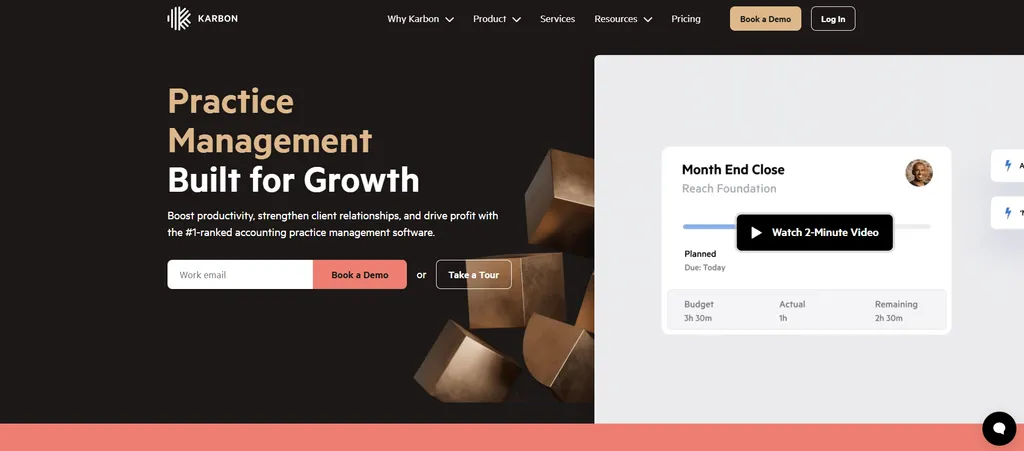
Karbon is an accounting practice management platform for growth-oriented firms, holding the G2 Leader position for 17 consecutive quarters. Founded by three former Xero executives — with deep roots in the same AU/NZ ecosystem WorkflowMax grew up in — Karbon serves 33,000 accounting professionals across 34 countries.
Why Choose Karbon Over WorkflowMax?
- Email-Based Workflow Architecture. WorkflowMax keeps client communication in individual inboxes, outside the system. Karbon syncs Gmail and Microsoft 365 into a consolidated Triage inbox where every client email becomes part of a shared audit trail attached to the work. Customers report saving 3 hours per week per employee on email management alone.
- Conditional Workflow Automation at Scale. WorkflowMax’s job templates are linear. Karbon’s Automators support branching “if this, then that” logic with conditional workflows, auto-reminders that chase clients until information arrives, and a public template library with hundreds of region-specific workflows — including Australian BAS and US tax workflows.
- Enterprise Scalability with AI. Karbon AI drafts emails, summarizes threads, and suggests assignments; the Enterprise tier adds unlimited workflow statuses, advanced permissions, and embedded BI dashboards.
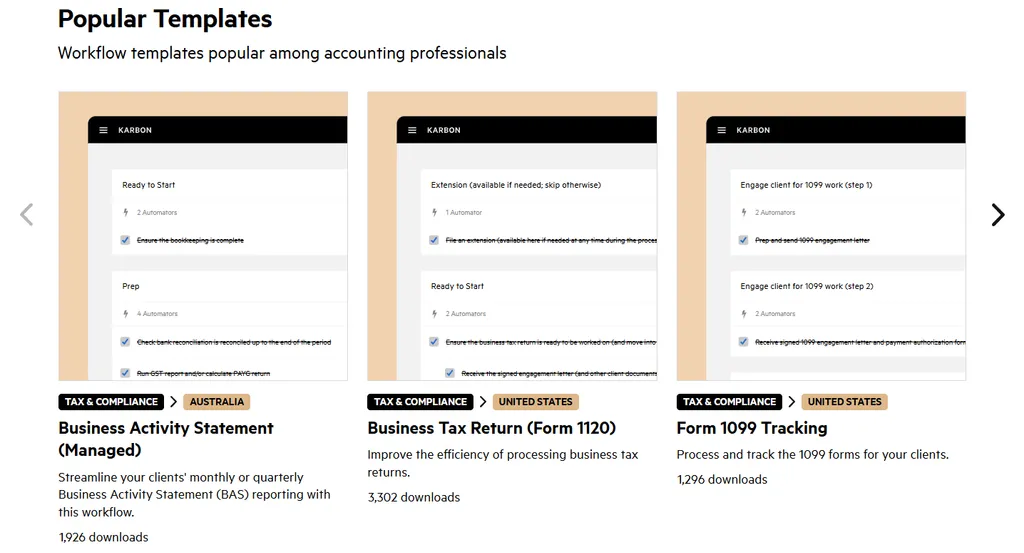
Worth noting: Karbon’s billing setup takes more time than billing-focused platforms — invoice preparation can take days rather than the 30 minutes achievable with automated billing tools like Uku. Karbon’s Power BI integration requires separate Power BI licenses from $14/user/month.
Karbon Pricing
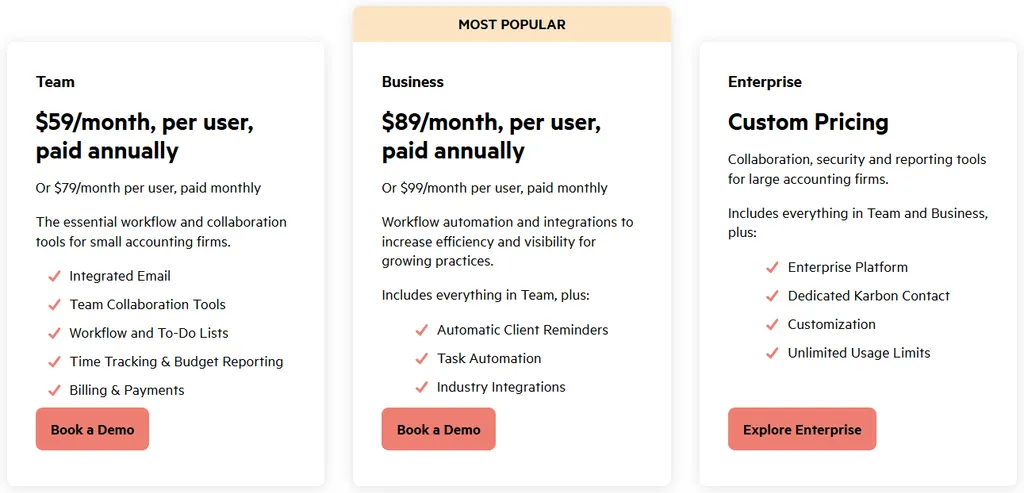
- Team plan: $59/user/month (annual) or $79/user/month (monthly). Integrated email (Triage), collaboration, workflow, time tracking, and billing.
- Business plan (Most Popular): $89/user/month (annual) or $99/user/month (monthly). Adds automatic client reminders, Automators, industry integrations, and API access.
- Enterprise plan: Custom pricing with unlimited usage limits, advanced permissions, and 24/7 priority support.
Who Should Use Karbon?
Choose Karbon if:
- Your firm has 50+ staff and needs workflow automation with advanced permissions and dedicated customer success
- Email fragmentation is creating audit trail gaps across your team
- You want AI that drafts emails, flags missed time entries, and suggests assignments
3. Financial Cents: Best Alternative for Small US Firms Seeking Simplicity & Fast Adoption
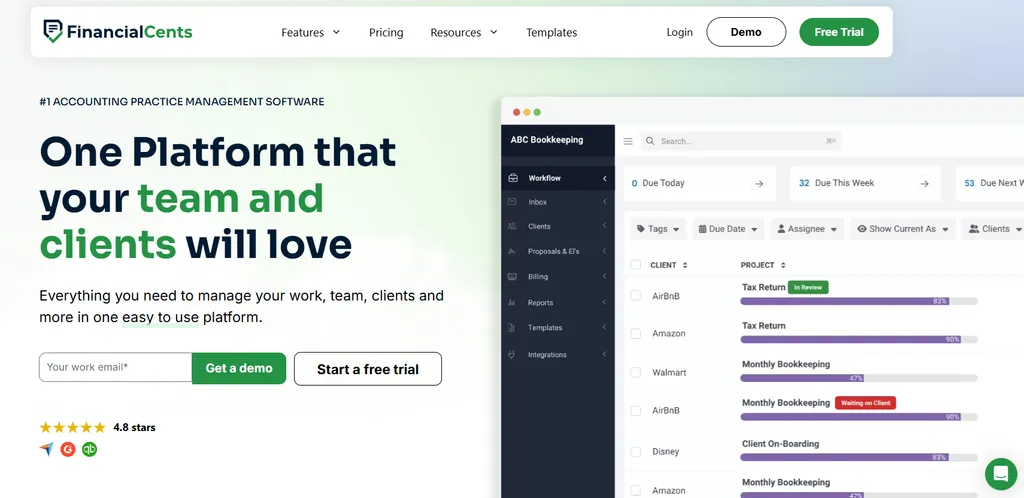
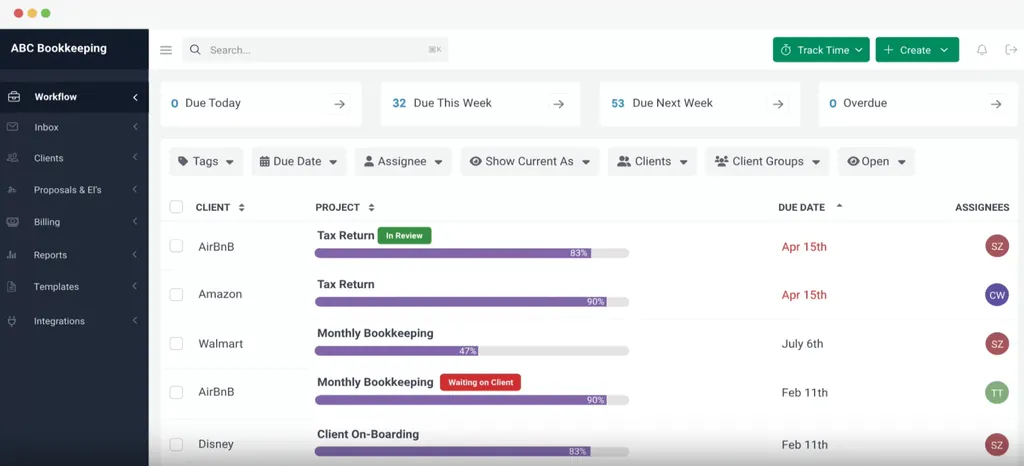
Financial Cents is a cloud-based practice management platform for small accounting and bookkeeping firms in the US and Canada. Serving over 10,000 accountants with a 4.8-star rating on both Capterra and G2, it bundles workflow management, client portal, time tracking, billing, proposals, e-signatures, and CRM into a single subscription.
Why Choose Financial Cents Over WorkflowMax?
- Fast Onboarding. Financial Cents ships with 300+ ready-to-use accounting workflow templates. Firms can begin tracking real client work on day one — no consultant-led setup, no rebuilding job structures from scratch.
- Modern Interface That Teams Adopt. Where migrating WorkflowMax users describe a learning curve and changed workflows, Financial Cents holds a 4.9/5.0 ease-of-use rating and Capterra’s “Best Ease of Use” badge for 2025. Common actions take one or two clicks.
- Native Client Portal and E-Signatures Without Add-On Costs. WorkflowMax has neither. Financial Cents includes a passwordless client portal and Adobe-certified e-signatures on every subscription tier, with automated reminders that reportedly deliver client responses 6x faster than email.
Worth noting: Financial Cents is US/Canada-focused with USD-only billing and no native Xero integration — a real consideration for AU/NZ/UK firms leaving WorkflowMax. It requires a minimum 1-year commitment.
Financial Cents Pricing
- Solo plan: $19/month (single user). Full workflow management, client portal, time tracking, billing, QBO integration, proposals, and e-signatures.
- Team plan: $49/user/month (annual) or $69/user/month (monthly). Adds integrated email, unlimited custom fields, client groups, and team collaboration.
- Scale plan (Most Popular): $69/user/month (annual). Adds task dependencies, auto-follow-ups, cloud storage integrations, Zapier, API access, branded portal, and profitability reports.
- Enterprise plan: Custom pricing with IP fencing, mandatory 2FA, custom permissions, and webhooks.

Who Should Use Financial Cents?
Choose Financial Cents if:
- Your firm serves US clients on QuickBooks Online — Xero integration isn’t a requirement
- Past software rollouts failed on adoption; you need something the team picks up without training
- You want portal, e-signatures, and proposals included rather than sold as add-ons
4. TaxDome: Best Alternative for Consolidating Every Tool into a Single Platform

TaxDome is an all-in-one practice management platform serving 10,000+ firms with 3 million clients across 25+ countries. For firms that ran WorkflowMax alongside separate tools for documents, signatures, and client communication, TaxDome consolidates the entire stack into one vendor.
Why Choose TaxDome Over WorkflowMax?
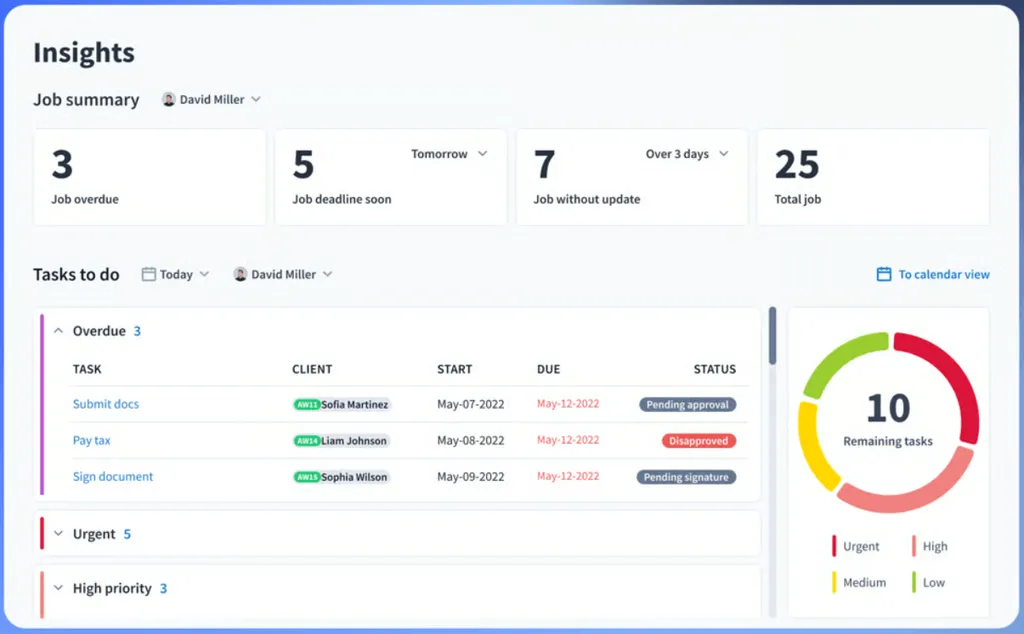
- Native Client Portal and Mobile App. TaxDome includes a white-labeled portal on every plan, a client mobile app that reached a top-100 App Store ranking, two-way SMS with a 98% read rate, and custom-branded mobile apps for Business plan firms — an entire client-facing layer WorkflowMax doesn’t have.
- Unlimited Document Storage and E-Signatures. Every TaxDome tier bundles unlimited storage and unlimited e-signatures at no per-document fees. TaxDome’s savings calculator estimates firms save $12,000+ annually by consolidating subscriptions.
- Pipeline-Based Workflow Automation. TaxDome’s visual pipelines trigger internal tasks and client-facing actions automatically — organizers, reminders, approvals, payment-gated document releases — in sequence, without manual intervention.
Worth noting: TaxDome requires 6-8 weeks of implementation and annual-only billing — a significant commitment for firms already burned by one forced migration.
TaxDome Pricing
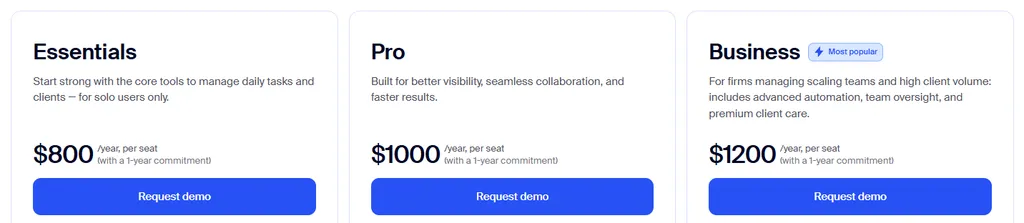
- Essentials plan (Solo only): From $800/seat/year. Unlimited CRM, portal, storage, e-signatures, workflows, and payments.
- Pro plan: From $1,000/seat/year. Adds bookkeeper integrations, IRS transcripts, AI-powered reporting, and team chat.
- Business plan: From $1,200/seat/year. Adds Client Care support, custom-branded mobile apps, and client import assistance.
Who Should Use TaxDome?
Choose TaxDome if:
- You currently run three or more separate tools and want everything under one roof
- A white-labeled client experience with a branded mobile app matters to your firm
- You can invest 6-8 weeks in configuration for long-term, full-lifecycle automation
5. Jetpack Workflow: Best Alternative for Focused Workflow Tracking Without Complexity
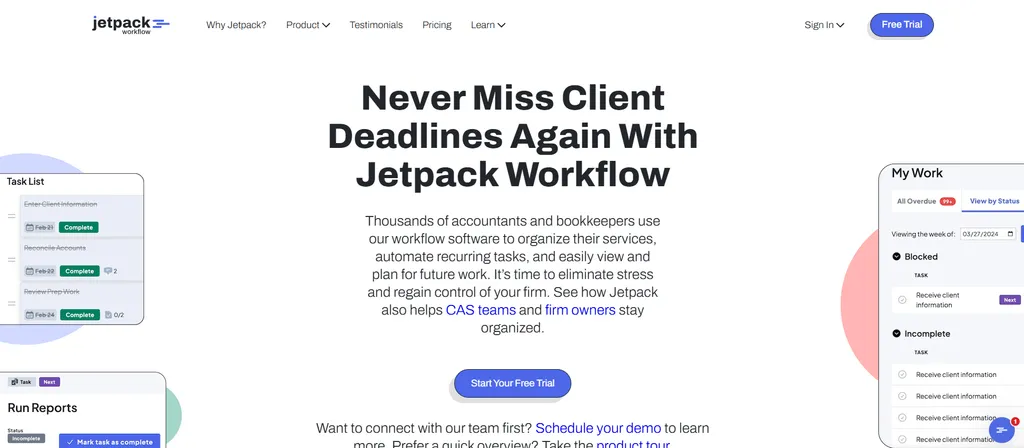
Jetpack Workflow is a workflow and project management tool built for accountants — deliberately not a full practice management platform. If what you actually used in WorkflowMax was job tracking and deadlines, and the rest was overhead, Jetpack Workflow is the lighter landing spot.
Why Choose Jetpack Workflow Over WorkflowMax?
- Pre-Built Templates Eliminate Setup. 70+ accounting-specific templates built from interviews with hundreds of accounting firms. Sign up, apply templates to clients in bulk, set recurrence, and have automated work queues the same day.
- Recurrence Designed for Compliance Work. Click a project, select “Create a series,” pick a frequency — new instances generate with tasks, deadlines, and assignees pre-populated. Series edits only affect entries that haven’t started, protecting historical records.
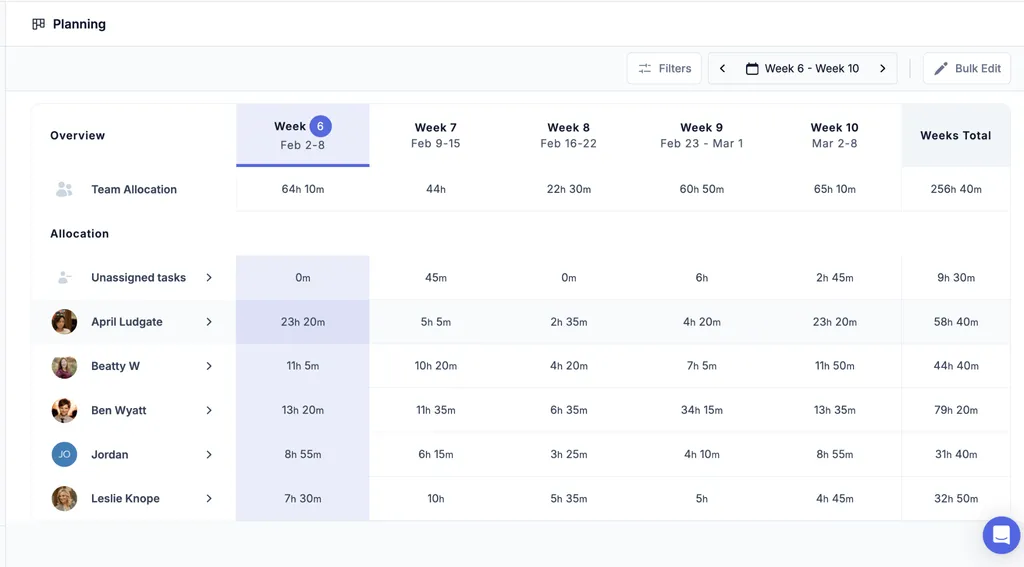
- Built-In Capacity Planning. The Planning page shows a five-week rolling calendar of team-wide and individual workload with direct reassignment — visibility WorkflowMax users typically built in spreadsheets.
Worth noting: Jetpack Workflow has no client portal, no proposals, and no native billing — it’s workflow tracking only.
Jetpack Workflow Pricing
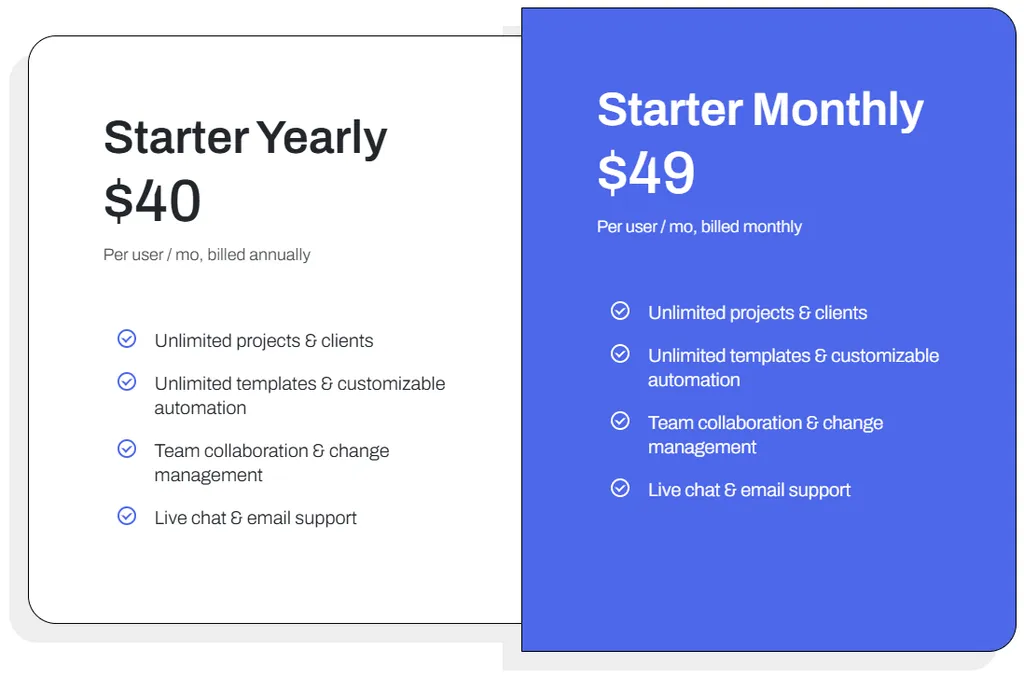
- Starter plan: $40/user/month (annual) or $49/user/month (monthly). All features included: unlimited projects, clients, templates, and automation.
- 14-day free trial, no credit card required. Annual plans carry a 30-day money-back guarantee.
Who Should Use Jetpack Workflow?
Choose Jetpack Workflow if:
- You need workflow and deadline tracking, not a full practice suite, and billing already lives elsewhere
- You’ve been burned by complex implementations and want same-day onboarding
- You want capacity planning to redistribute work before bottlenecks form
6. Cone: Best Alternative for Budget-Conscious Firms Needing All-in-One Simplicity
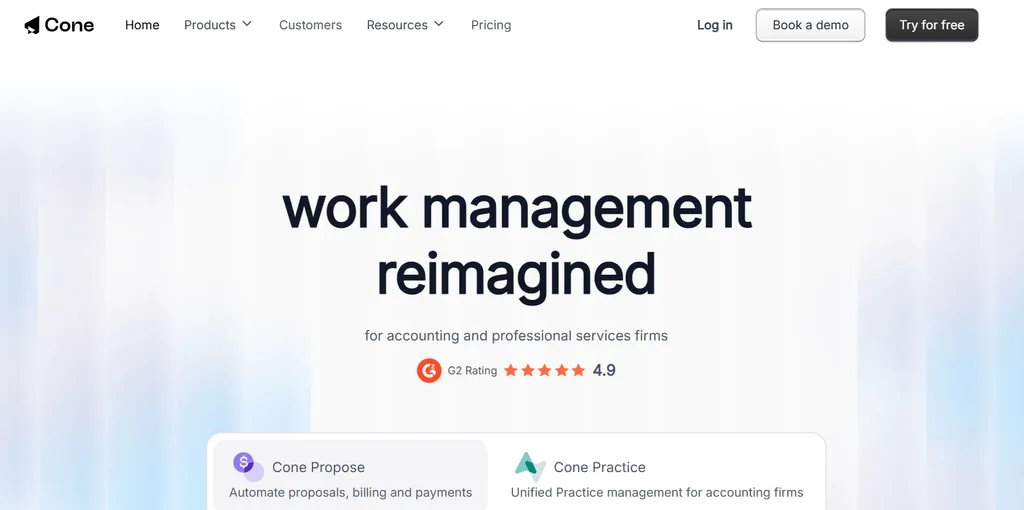
Cone is a Y Combinator-backed practice management platform that unifies proposals, billing, payments, and practice management from $5/user/month — with native Xero and QuickBooks Online integrations. Notably for ex-WorkflowMax users, Cone is one of the few accounting-focused alternatives with real quoting/proposal depth.
Why Choose Cone Over WorkflowMax?
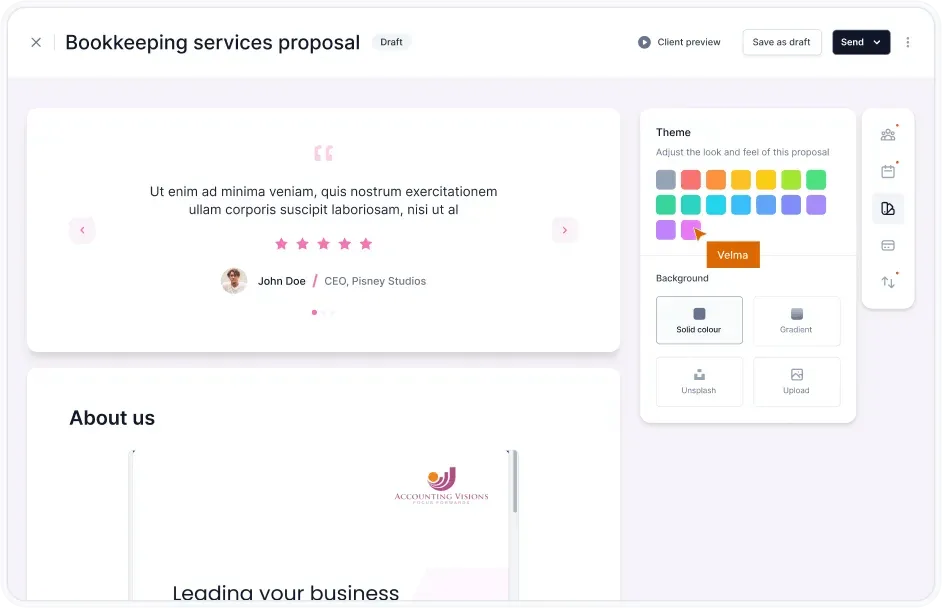
- Quoting That Becomes Revenue, Automatically. WorkflowMax’s quoting produces a job; invoicing is a separate manual chain. Cone’s proposal-to-payment lifecycle collects e-signatures, captures payment details at acceptance, auto-creates projects, and runs recurring invoicing with automatic payment collection via Stripe and GoCardless.
- A Fraction of the Cost. A 20-person team on WorkflowMax Standard pays $230/month for job management alone — then adds separate tools for proposals, e-signatures, and a portal. Cone’s Essentials plan covers proposals, portal, email, and document management at $11/user/month (annual).
- Fast Setup. Users report creating and sending proposals in under 10 seconds from pre-built templates; a small practice can be operational within hours.
Cone Pricing
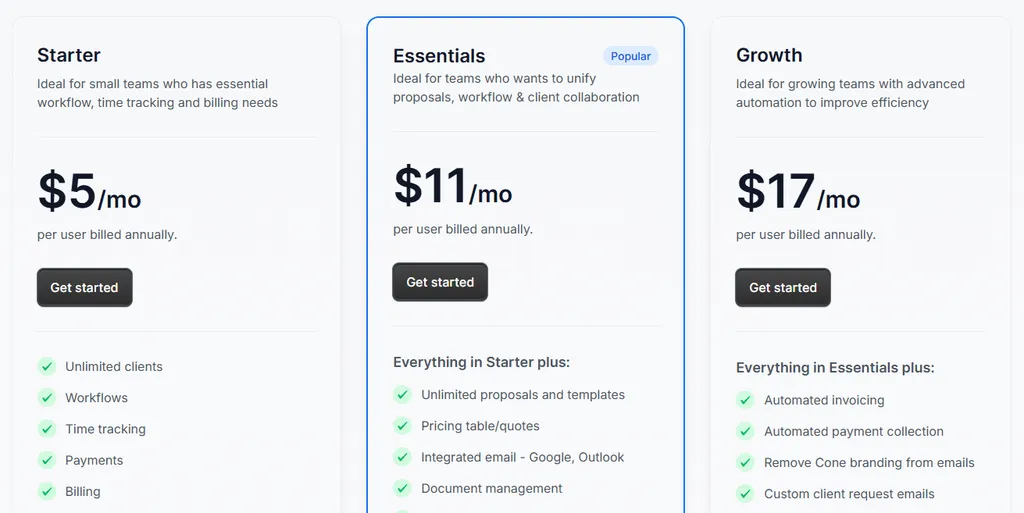
- Starter plan: $5/user/month (annual) or $8/user/month (monthly). Unlimited clients, workflows, time tracking, billing, and integrations. 2 GB storage.
- Essentials plan: $11/user/month (annual) or $16/user/month (monthly). Adds unlimited proposals, integrated email, document management, recurring workflows, and client portal. 20 GB storage.
- Growth plan: $17/user/month (annual) or $24/user/month (monthly). Adds automated invoicing and payment collection, custom branding, and advanced integrations. 100 GB storage.
Who Should Use Cone?
Choose Cone if:
- Your 3-20 person practice wants proposals, e-signatures, portal, and billing without WorkflowMax’s add-on stack
- You serve clients on both Xero and QuickBooks Online
- Budget is the deciding factor — nothing else on this list starts at $5/user/month
7. Canopy: Best Alternative for Tax-Focused Firms Needing Specialized Resolution Tools
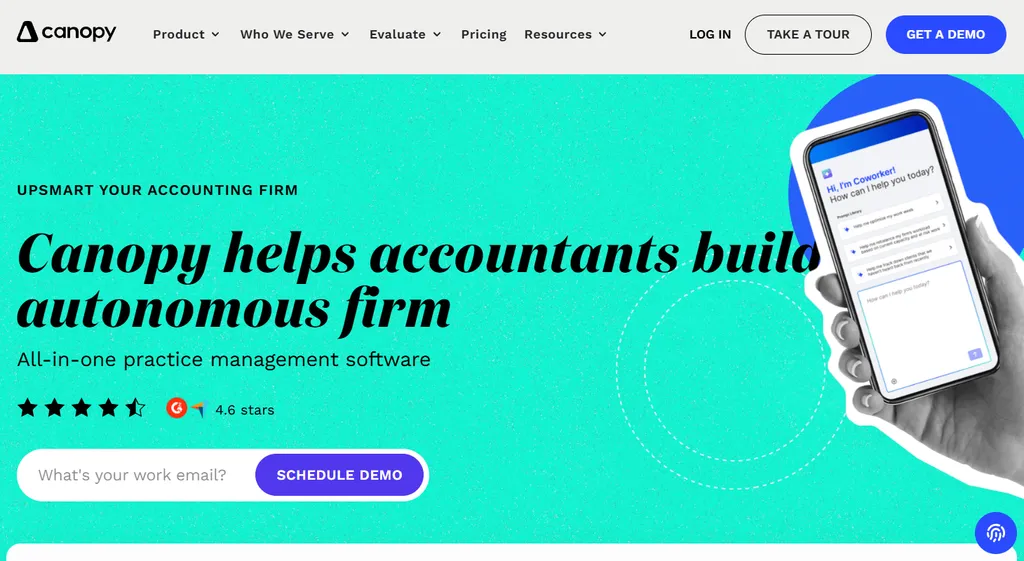
Canopy is a cloud-based practice management platform built for accounting and tax firms, backed by $292 million in funding. Originally a tax resolution tool, it has grown into an all-in-one platform spanning client management, documents, workflow, and time and billing.
Why Choose Canopy Over WorkflowMax?
- Specialized Tax Resolution With Direct IRS Integration. WorkflowMax has no tax tooling at all. Canopy pulls up to 20 years of IRS transcripts in one click, monitors for changes with scheduled pulls, and works from a library of IRS notices with step-by-step resolution workflows.
- Client-Centric All-in-One Design. Client portal with well-regarded iOS/Android apps, document management, and unlimited eSignatures — the entire client-facing layer WorkflowMax leaves to email.
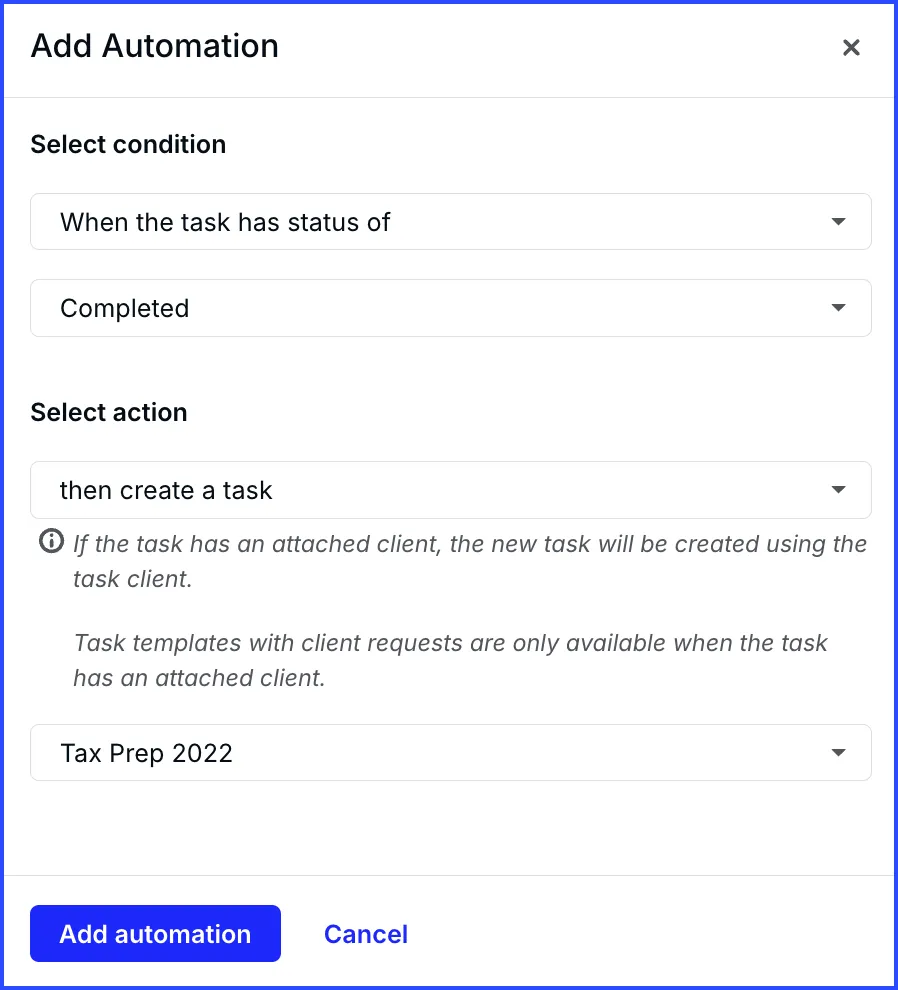
- Engagement-to-Workflow Automation. Accepting an engagement letter automatically creates the associated projects and tasks — no manual job setup.
Worth noting: Canopy is heavily US-focused (IRS-centric) and integrates with QuickBooks Online but has no native Xero integration — a poor fit for the AU/NZ/UK firms that made up most of WorkflowMax’s base, but a strong one for US tax practices.
Canopy Pricing
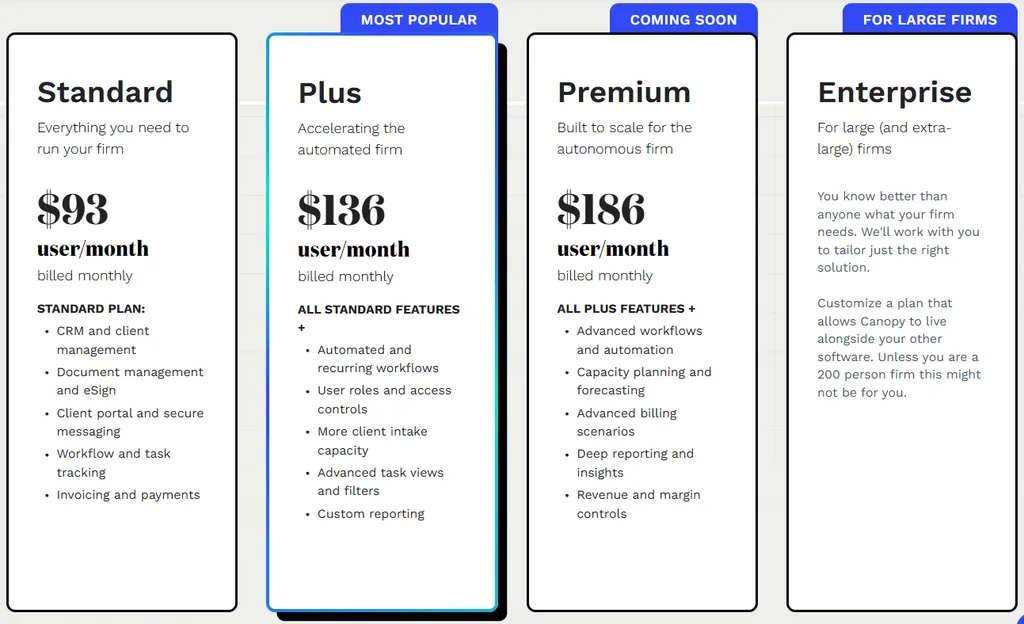
Canopy uses three flat per-seat tiers (20% discount for annual billing) plus consumption-based specialist add-ons (checked 13 August 2026):
- Standard: $74/user/month (annual). Full platform — CRM, document management, workflow, billing, client portal, and payments.
- Plus: $109/user/month (annual). Adds user roles, more client intake capacity, and capacity planning.
- Premium: $149/user/month (annual). Adds advanced workflows, advanced billing scenarios, and deeper reporting.
- Enterprise: Custom pricing for large firms.
- Tax Resolution add-on: $50/user/month, consumption-based rather than tiered.
Who Should Use Canopy?
Choose Canopy if:
- You’re a US tax or accounting firm with meaningful tax resolution work
- You want a highly rated client portal and mobile app with unlimited eSignatures
- You use QuickBooks Online and value engagement-to-workflow automation
Coming from Xero Practice Manager Instead?
WorkflowMax and Xero Practice Manager share the same technological DNA — Xero built XPM on the WorkflowMax platform it acquired in 2012. If your firm runs XPM (which Xero kept and continues to support), the evaluation looks different: XPM is free at silver partner status and deeply tied to the Xero ecosystem.
We’ve covered that side separately: see the 7 best Xero Practice Manager alternatives, the full XPM review, and the XPM pricing breakdown.
The Final Verdict
WorkflowMax’s retirement and relaunch forced thousands of firms to re-evaluate — and for accounting firms specifically, the best replacement usually isn’t another generic job management tool. Based on our research:
- Uku for recurring accounting workflows, automated billing, a built-in client portal, and day-one Excel migration
- Karbon for email-based workflow automation and AI at 50+ staff scale
- Financial Cents for small US firms needing fast deployment with QuickBooks integration
- TaxDome for consolidating portal, e-signatures, documents, and billing into one platform
- Jetpack Workflow for focused recurring-work tracking without practice management overhead
- Cone for proposal-to-payment workflows at the lowest entry price on this list
- Canopy for US tax-focused firms needing IRS-integrated resolution tools
Whichever direction you choose, don’t let export friction trap you: every tool here can start from an Excel or CSV client list, so the migration is smaller than it looks.
How to Switch from WorkflowMax to Uku
Most firms are fully operational in Uku within the first week — without depending on WorkflowMax’s export tooling:
- Get your client list out (day 1). Export clients from WorkflowMax where possible, or start from your existing Excel master file. Uku’s assisted import (included on all plans) turns it into client cards and automated plans.
- Apply workflow templates (days 1-2). Pick matching templates from Uku’s accountant-built template library — monthly bookkeeping, payroll, tax prep — and apply them in bulk. Recurring tasks start generating automatically.
- Set up billing contracts (days 3-5). Define each client’s services, billing type, and pricing rules. Connect Xero or QuickBooks Online so approved invoices push straight through — your accounting stack stays exactly where it is.
- Invite your team and go live (week 1). The 14-day free trial includes full Elite plan access and 90 minutes of free onboarding assistance, so you can run Uku alongside WorkflowMax before committing.
WorkflowMax Alternatives FAQ
Is WorkflowMax discontinued?
The original WorkflowMax by Xero was retired on June 26, 2024. Xero sold the brand to Australian advisory firm BlueRock, which launched a rebuilt product called WorkflowMax by BlueRock in early 2024. The new product is separate from the original — it was rebuilt from scratch, and early reviews report missing or changed functionality compared to the Xero-era product.
What is the difference between WorkflowMax and Xero Practice Manager?
Xero Practice Manager (XPM) is built on WorkflowMax technology, which Xero acquired in 2012, but the two serve different markets. XPM is accounting-practice-specific software for Xero partner firms, while WorkflowMax is general job management for project-based service businesses. When Xero retired WorkflowMax, it kept XPM — see our Xero Practice Manager review for that side of the family tree.
What is the best WorkflowMax alternative for accounting firms?
It depends on your firm’s priorities. Uku is the top choice for accounting firms wanting automated billing, recurring compliance workflows, and a client portal in one modular platform. Karbon leads for large firms needing email-integrated workflow at scale. Financial Cents is the strongest option for small US firms wanting fast deployment with QuickBooks Online integration.
Which WorkflowMax alternative is cheapest?
Cone starts at $5 per user per month (annual billing). Financial Cents and Uku both offer solo plans at $19 per month. For comparison, WorkflowMax by BlueRock starts at $55 per month including 3 users, and a 20-person team pays $230-291 per month depending on the plan.
Can I export my data from WorkflowMax?
Data portability has been a recurring complaint since the BlueRock relaunch — the export function was listed as “coming soon” at launch, and users have reported difficulty getting historical job data out cleanly. Most alternatives work around this by importing client lists and work-in-progress from Excel or CSV files. Uku, for example, imports your existing Excel data and generates automated client plans from it on day one.
Is WorkflowMax by BlueRock the same as the old WorkflowMax?
No. WorkflowMax by BlueRock is a new product built from scratch under the acquired brand name. The core concepts (quoting, job management, time tracking, WIP, invoicing) carry over, but reviews from migrating users report changed timesheet behavior, slower invoicing workflows, and missing features compared to the Xero-era product, alongside praise for the Xero integration and an improving feature set.
Which WorkflowMax alternative is best for firms not using Xero?
Firms on QuickBooks Online should consider Financial Cents (US-focused, native QBO integration) or Cone (budget-friendly with both Xero and QBO support). For European firms using local accounting software like E-conomic, Tripletex, or Fortnox, Uku offers native integrations plus 12-language support. TaxDome is platform-agnostic and works regardless of your accounting software.
Which alternative is best for large accounting firms?
Karbon is built for large firms with 50+ staff, offering email-based workflow architecture, conditional automation, AI capabilities, and dedicated customer success. TaxDome also scales well for 25+ seat firms with its Business plan, which includes custom-branded mobile apps and Client Care support.
Do these alternatives work for Australian and New Zealand firms?
Yes. WorkflowMax’s user base is heavily AU/NZ-weighted, and most alternatives serve those markets. Karbon was founded by former Xero executives and offers region-specific workflow templates (including BAS workflows for Australia). Uku, TaxDome, and Jetpack Workflow all support Xero integration, which remains the accounting backbone for most AU/NZ firms. Check currency support before committing — pricing is typically billed in USD, GBP, or EUR.
Forced to migrate once already? Make the next move the last one. Uku gives accounting firms recurring workflows, automated billing, and a client portal in one modular platform — try free for 14 days, book a demo, or compare plans and see how much of your week comes back.
Frequently asked questions
Is WorkflowMax discontinued?
The original WorkflowMax by Xero was retired on June 26, 2024. Xero sold the brand to Australian advisory firm BlueRock, which launched a rebuilt product called WorkflowMax by BlueRock in early 2024. The new product is separate from the original — it was rebuilt from scratch, and early reviews report missing or changed functionality compared to the Xero-era product.
What is the difference between WorkflowMax and Xero Practice Manager?
Xero Practice Manager (XPM) is built on WorkflowMax technology, which Xero acquired in 2012, but the two serve different markets. XPM is accounting-practice-specific software for Xero partner firms, while WorkflowMax is general job management for project-based service businesses like architects, engineers, and agencies. When Xero retired WorkflowMax, it kept XPM — the retirement had no impact on Xero Practice Manager.
What is the best WorkflowMax alternative for accounting firms?
It depends on your firm's priorities. Uku is the top choice for accounting firms wanting automated billing, recurring compliance workflows, and a client portal in one modular platform. Karbon leads for large firms needing email-integrated workflow at scale. Financial Cents is the strongest option for small US firms wanting fast deployment with QuickBooks Online integration.
Which WorkflowMax alternative is cheapest?
Cone starts at $5 per user per month (annual billing). Financial Cents and Uku both offer solo plans at $19 per month. For comparison, WorkflowMax by BlueRock starts at $55 per month including 3 users, and a 20-person team pays $230-291 per month depending on the plan.
Can I export my data from WorkflowMax?
Data portability has been a recurring complaint since the BlueRock relaunch — the export function was listed as 'coming soon' at launch, and users have reported difficulty getting historical job data out cleanly. Most alternatives work around this by importing client lists and work-in-progress from Excel or CSV files. Uku, for example, imports your existing Excel data and generates automated client plans from it on day one.
Is WorkflowMax by BlueRock the same as the old WorkflowMax?
No. WorkflowMax by BlueRock is a new product built from scratch under the acquired brand name. The core concepts (quoting, job management, time tracking, WIP, invoicing) carry over, but reviews from migrating users report changed timesheet behavior, slower invoicing workflows, and missing features compared to the Xero-era product, alongside praise for the Xero integration and an improving feature set.
Which WorkflowMax alternative is best for firms not using Xero?
Firms on QuickBooks Online should consider Financial Cents (US-focused, native QBO integration) or Cone (budget-friendly with both Xero and QBO support). For European firms using local accounting software like E-conomic, Tripletex, or Fortnox, Uku offers native integrations plus 12-language support. TaxDome is platform-agnostic and works regardless of your accounting software.
Which alternative is best for large accounting firms?
Karbon is built for large firms with 50+ staff, offering email-based workflow architecture, conditional automation, AI capabilities, and dedicated customer success. TaxDome also scales well for 25+ seat firms with its Business plan, which includes custom-branded mobile apps and Client Care support.
Do these alternatives work for Australian and New Zealand firms?
Yes. WorkflowMax's user base is heavily AU/NZ-weighted, and most alternatives serve those markets. Karbon was founded by former Xero executives and offers region-specific workflow templates (including BAS workflows for Australia). Uku, TaxDome, and Jetpack Workflow all support Xero integration, which remains the accounting backbone for most AU/NZ firms. Check currency support before committing — pricing is typically billed in USD, GBP, or EUR.

Published Jun 8, 2026 · Updated Aug 28, 2026