Xero Practice Manager Pricing: Worth It or Consider Uku? (May 2026)
XPM is free for Silver+ Xero partners but costs $149/month flat for the rest. See hidden costs, partner-tier economics, and why Uku may be a better per-seat fit.


Contents
- Xero Practice Manager Pricing Summary
- Xero Practice Manager Pricing: In-Depth Overview
- XPM Hidden Costs and Add-On Requirements
- Where Xero Practice Manager Falls Short
- Best Xero Practice Manager Alternative — Uku
- Xero Practice Manager Feature Value Breakdown (vs Uku)
- Final Verdict: Xero Practice Manager vs Uku
If you’ve tried to figure out what Xero Practice Manager costs, you know the answer is “it depends on your Xero partner tier.” Then you wonder what it takes to reach Silver status so you can get it free, while calculating whether $149/month for up to 10 users is worth it during the climb. Partner-program-gated pricing makes you earn access to a tool before you can evaluate it.
Xero Practice Manager (XPM) runs job management, time tracking, invoicing, and reporting for accounting firms inside the Xero ecosystem, all with a native two-way sync to Xero’s accounting software. For practices already committed to Xero, XPM offers something no standalone competitor can match: a shared client record with Xero HQ, automatic invoice reconciliation, and Xero Workpapers included at no extra cost. But XPM’s value hinges on your position within the Xero partner program, and its aging interface, missing client portal, and limited automation create friction for firms that need more than basic workflow management.
We’ve analyzed XPM’s pricing model, partner-tier economics, and feature gaps. It’s the right choice if:
- Your practice is already a Silver, Gold, or Platinum Xero partner (XPM is free)
- Most or all of your clients use Xero for their accounting
- You value native Xero integration over standalone feature depth
- Your team can handle the configuration complexity with Xero’s consulting support
- You primarily need job tracking, timesheets, and WIP-to-invoice workflows
XPM’s pricing might not be a good choice if:
- You’re a new or Bronze Xero partner paying $149/month and want per-seat flexibility
- You need a built-in client portal, document management, or e-signatures
- Your team expects a modern interface without a steep learning curve
- You want workflow automation beyond basic recurring job templates
- You serve clients across multiple accounting platforms, not just Xero
In this case, consider Uku: a practice management platform built for accounting firms, offering monthly pricing from $19/month with a built-in client portal, workflow automation, automated billing, and 12-language support, all without requiring membership in any partner program. Uku lets firms start with just the features they need and add capabilities over time, rather than configuring an entire system before getting to work.
We’ve included a detailed pricing comparison with Uku in this review. If you’re eager to jump into the Uku pricing breakdown, go ahead and do so with this link.
Xero Practice Manager Pricing Summary
| Xero Practice Manager | Uku | |
|---|---|---|
| Starter Plan | Free for Silver/Gold/Platinum Xero partners. Full XPM + Workpapers. Requires partner-tier qualification. | Solo: $25/month ($19/month annual). 1 member, up to 20 active clients. Billing, client portal, document management, AML, e-signatures, all integrations. |
| Paid Plan | $149/month flat. Up to 10 users. Available to Bronze/new partners. 14-day free trial. | Team: $49/member/mo ($38 annual). Unlimited clients. Workflow automation + billing. |
| Premium | N/A (single paid tier). No higher plan available. Additional features require separate Xero products. | Elite: $48/member/mo (annual). Cloud storage + document management. Client budgeting, BI Analytics + API access. |
| Enterprise | N/A. Contact Xero for 10+ user pricing. | Enterprise: $99/member/month ($88 annual). Custom integrations. Dedicated account manager. |
| Best For | Xero-committed practices at Silver+ status who want free, integrated practice management. | Accounting firms wanting per-seat pricing with a built-in client portal, automated billing, and modular deployment. |
Xero Practice Manager Pricing: In-Depth Overview
XPM’s pricing model is unlike most SaaS products. Instead of tiered plans with escalating features, XPM uses a binary access model gated by your Xero partner program status. You either qualify for free access or you pay a flat monthly fee. This surface simplicity masks real complexity: understanding the true cost means evaluating your partner trajectory, the add-ons XPM doesn’t include, and whether ecosystem lock-in justifies the investment.
XPM Free Access: Silver, Gold, and Platinum Xero Partners
| Feature | Details |
|---|---|
| Price | $0/month |
| Eligibility | Silver, Gold, or Platinum Xero partner status |
| Users | Not publicly capped for partner tiers |
| Includes | Full XPM + Xero Workpapers |
| Additional Benefits | Free Xero subscription for firm’s own accounts |
For practices that have reached Silver partner status or above, XPM is free. This includes the full platform: job management, time tracking, invoicing, reporting, and Xero Workpapers. Partners also receive a free Xero subscription to run their own practice accounts. At zero cost, XPM is an obvious addition for Xero-committed firms, since there’s no marginal expense for practice management on top of an ecosystem they’re already using.
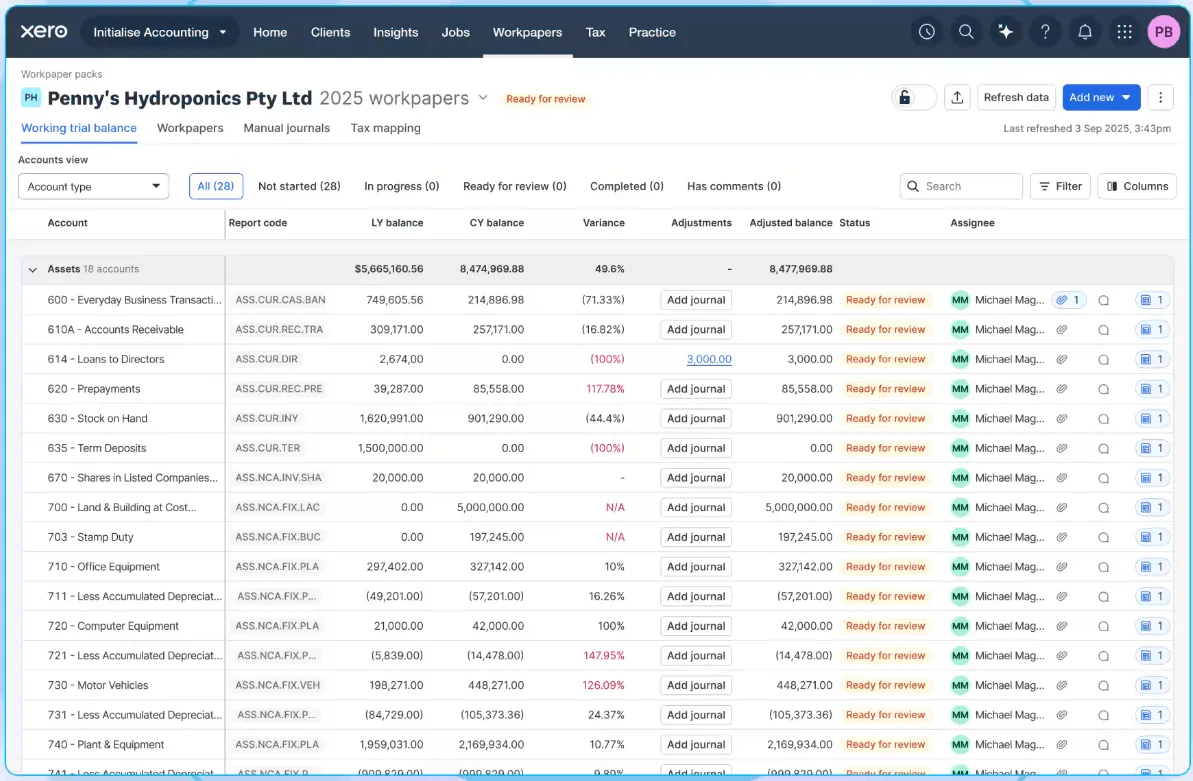
| Free Access (Silver+) Pros | Free Access (Silver+) Cons |
|---|---|
| Completely free with all features | Must qualify for Silver status first |
| Xero Workpapers included | Partner-tier requirements not publicly documented |
| Free Xero for firm’s own accounts | Deepens Xero ecosystem lock-in |
| Native Xero accounting integration | No built-in client portal or e-signatures |
The Bottom Line: Free XPM is a real advantage for established Xero partners, but reaching Silver status requires growing your Xero client base to a threshold Xero doesn’t publicly disclose.
XPM Paid Plan: $149/month for New and Bronze Partners
| Feature | Details |
|---|---|
| Price | $149/month |
| Users | Up to 10 |
| Free Trial | 14 days |
| Includes | Full XPM + Xero Workpapers |
| Additional Benefits | Free Xero for firm’s own accounts |
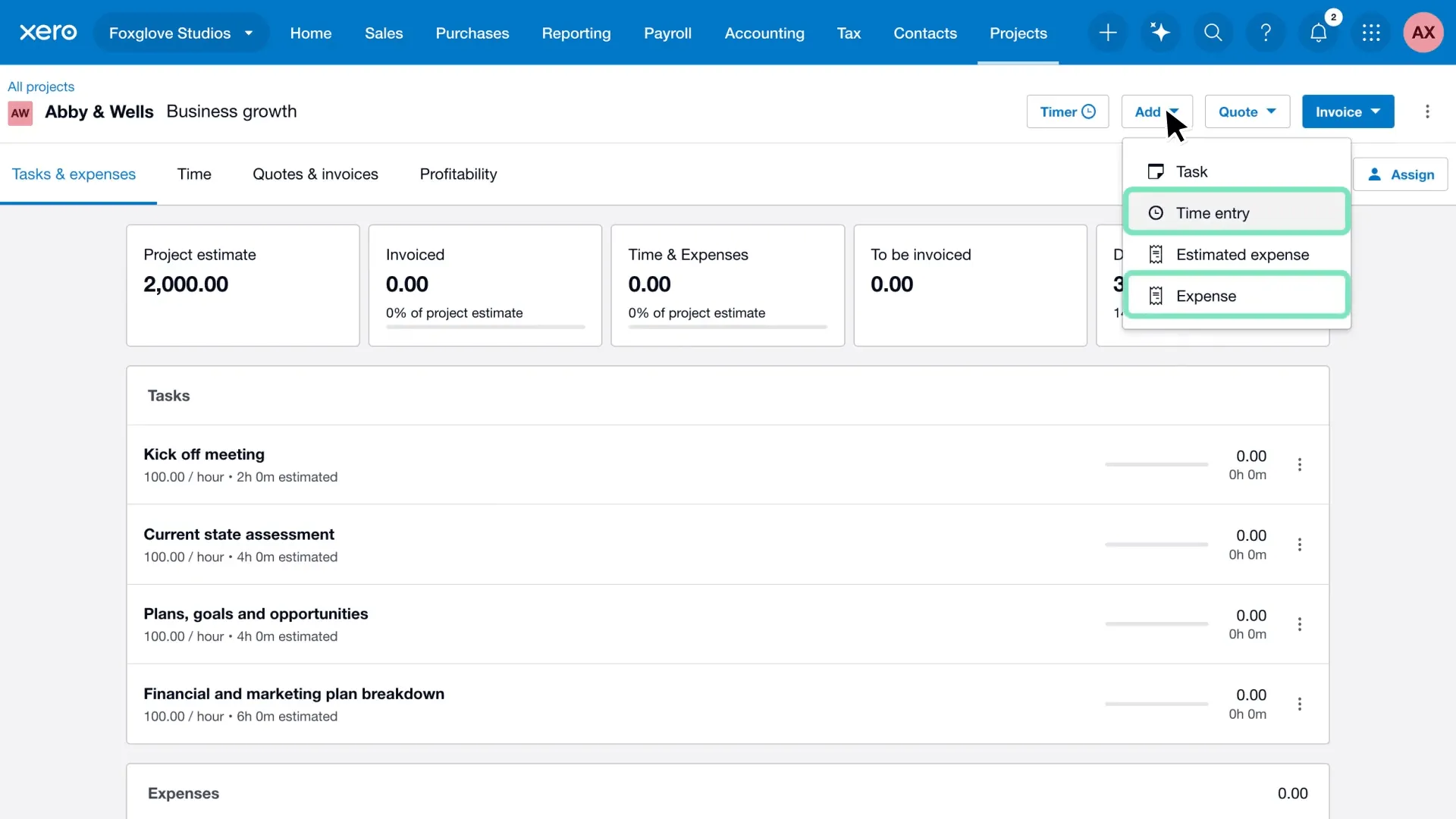
New and Bronze-level partners pay a flat $149/month for up to 10 users. This includes the same features as the free tier: job management, time tracking, invoicing, and Workpapers. The 14-day free trial lets practices test the platform before committing. At $149/month, the per-user cost works out to $14.90 for a 10-person team but $149 for a solo practitioner, making it most economical near the 10-user cap.
| Paid Plan ($149/month) Pros | Paid Plan ($149/month) Cons |
|---|---|
| Full feature access from day one | $149/month regardless of team size |
| Flat pricing up to 10 users | Expensive for 1-3 person firms |
| 14-day free trial | Pricing above 10 users not published |
| Same features as free-tier partners | No client portal, e-signatures, or document management |
The Bottom Line: The $149/month flat rate delivers good value for teams of 7-10, but solo practitioners and small firms pay a premium compared to per-seat alternatives.
XPM Pricing for Larger Teams: Contact Xero
| Feature | Details |
|---|---|
| Price | Not publicly disclosed |
| Users | 10+ |
| Availability | Contact Xero directly |
| Eligibility | Likely targeted at Bronze partners pre-Silver |
Xero does not publish pricing for practices exceeding 10 users at the Bronze tier. Firms in this situation must contact Xero directly, which makes budget planning harder. However, practices with enough staff to exceed 10 users are often close to qualifying for Silver status (where XPM becomes free), so the window of paid usage at scale may be short for growing firms.
| 10+ User Pricing Pros | 10+ User Pricing Cons |
|---|---|
| Custom pricing may include volume discounts | No published rates |
| Growing firms may soon reach Silver status | Budget uncertainty |
| Likely same full-feature access | Requires sales conversation |
| Potential negotiation flexibility | No self-service signup |
The Bottom Line: No published pricing above 10 users creates a black box for mid-sized firms comparing XPM against competitors with per-seat models.
XPM Hidden Costs and Add-On Requirements
Beyond the base subscription, XPM’s true cost of ownership includes capabilities the platform doesn’t provide natively:
Features Requiring Separate Xero Products:
- Xero Tax (client tax preparation and filing): pricing not publicly disclosed
- E-signatures: require a paid add-on within Xero Tax
- Syft Analytics: listed as an additional benefit for partners on “eligible plans”
Features Requiring Third-Party Apps:
- Document management: SuiteFiles, AccountKit, or similar ($10-50+/month)
- Client portal: not available natively; requires third-party workarounds
- Proposals and engagement letters: Ignition or Cone ($50-100+/month)
- Capacity planning: Link or PlanRight (additional subscription)
Implementation Costs:
- Xero recommends using their partner consulting team for setup
- Implementation support fees are not publicly disclosed
- Self-implementation risks misconfiguration due to the steep learning curve
Ecosystem Dependency:
- XPM’s core value depends on clients using Xero accounting
- Practices with clients on QuickBooks, MYOB, or Sage lose the integration advantage
- Switching away from XPM means unwinding the entire Xero ecosystem
Where Xero Practice Manager Falls Short
XPM delivers solid job management and time tracking for Xero-committed practices. But its ecosystem dependency and missing standalone capabilities create real problems for firms that want a complete practice management solution:
No Built-In Client Portal
- Firms cannot share task status, collect documents, or communicate with clients inside XPM
- Basic client collaboration requires third-party apps
- Competitors like Uku include a client portal where clients and accountants work on the same task, with magic-link access and automated reminders at no extra cost
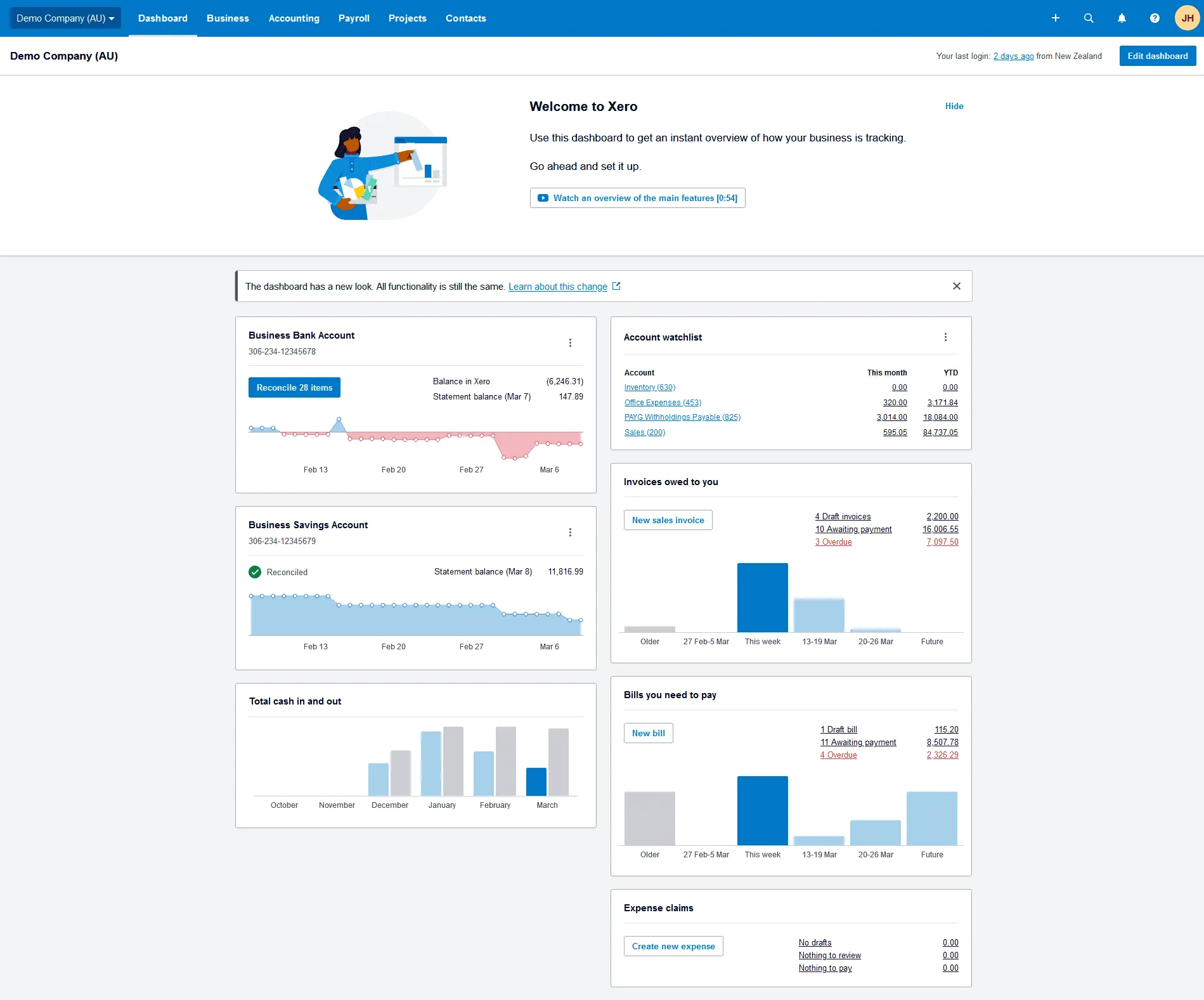
Outdated Interface and Steep Learning Curve
- Multiple G2 reviewers describe the interface as “clunky” and “dated”
- Xero itself recommends using their consulting team for setup, which signals that self-service onboarding isn’t straightforward
- New staff members require formal training to use the system
No Native Document Management
- XPM lacks built-in document storage, sharing, or organization
- Firms must purchase and maintain separate document management tools
- This creates data fragmentation and additional monthly costs
Limited Automation Beyond Recurring Jobs
- Workflow automation stops at recurring job templates and basic task assignment
- No automated client email reminders embedded in task workflows
- No conditional automation rules or email-based workflow triggers
- Firms that want real workflow automation must look outside the Xero ecosystem
Flat Pricing Penalizes Small Teams
- A 3-person firm pays the same $149/month as a 10-person team
- The effective per-user cost of $49.67 for a team of three exceeds many per-seat alternatives
- No free tier for small practices (only for Silver+ partners)
These limitations have led many accounting firms to explore alternatives with more complete standalone functionality and per-seat pricing…
Best Xero Practice Manager Alternative — Uku
Uku provides accounting practice management with per-seat pricing, a built-in client portal, and workflow automation that doesn’t depend on any partner program.

For firms that find XPM’s partner-tier pricing confusing, its missing client portal frustrating, and its dated interface limiting, Uku addresses these gaps directly: clear monthly pricing, a branded client portal where clients and accountants work on the same task with all communication, documents, and time tracking in one place, and accounting-specific workflow automation with email reminders built into every task template.
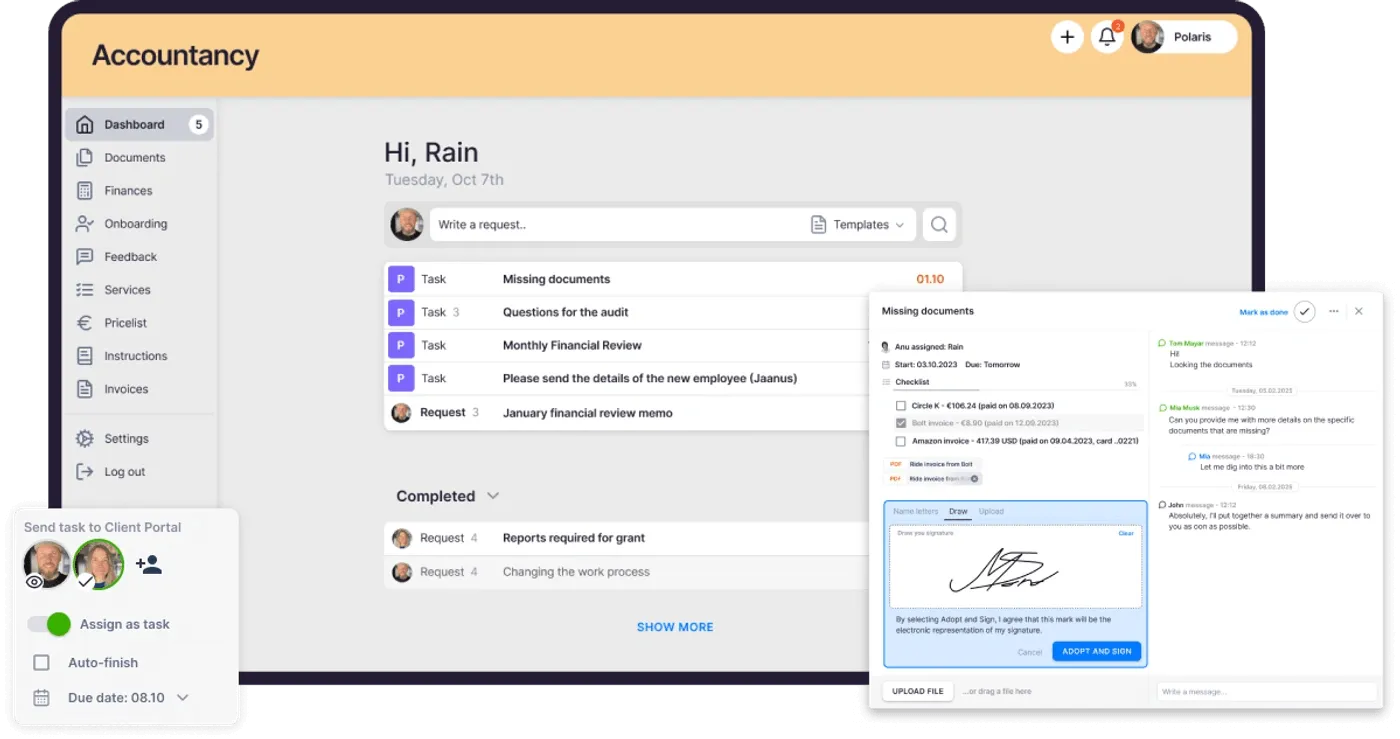
Built for international use (especially UK and US markets), Uku serves 1,000+ clients globally across 12 languages, from small bookkeeping shops to international firms like Leinonen Group (300 users across 13 countries). The platform combines task management, time tracking, automated billing, client management, and a client portal in a single system, and helps accounting firms save over 12 hours per team member weekly.
Uku excels for firms wanting a modular approach (start with what you need, scale up over time), practices transitioning from Excel that want the easiest implementation path, and teams seeking predictable per-seat costs without ecosystem lock-in.
Uku Solo Plan: $19/member/month (annual) or $25/member/month (monthly)
| Feature | Details |
|---|---|
| Monthly Price | $25/month |
| Annual Price | $19/month |
| Members | 1 |
| Clients | Up to 20 active clients |
| Features | Billing, Client Portal, Document Management, Custom Fields, AML, E-signatures, and all integrations |
| Trial | 14-day free trial of full Elite plan, no credit card required |
Solo is Uku’s single-practitioner tier, built as a powerful one-person tool rather than a stripped-down preview. Unlike XPM, which requires partner-tier qualification for free access, Solo is available to any sole practitioner without ecosystem requirements or long-term commitments. At $19/member/month (annual) or $25/member/month (monthly), it gives sole-practitioner bookkeepers integrated billing, a shared client portal, AML compliance, and e-signatures inside tasks, with all integrations included.
Every new Uku account automatically starts a 14-day free trial of the full Elite plan with no credit card required, and the first 90 minutes of onboarding come free. Practitioners evaluate the complete feature set with their real client data before picking a tier.
| Solo Plan Pros | Solo Plan Cons |
|---|---|
| Low entry price for solo practitioners | Limited to 1 user (no team members) |
| Integrated billing, client portal, and AML included | Capped at 20 active clients |
| All integrations and e-signatures included | |
| No partner requirements |
The Bottom Line: Solo gives independent accountants a powerful one-person practice management system with integrated billing, a client portal, AML, e-signatures, and all integrations at a predictable monthly cost, without requiring partner-program qualification.
Uku Team Plan: $49/member/month ($38/member/month annually)
| Feature | Details |
|---|---|
| Monthly Price | $49/member/month |
| Annual Price | $38/member/month (saves approximately 23%) |
| Clients | Unlimited |
| Key Additions | Workflow automation, billing, client portal, email management, integrations |
| Integrations | QuickBooks, Xero, E-conomic, Tripletex, and more |
The Team plan unlocks Uku’s core value: workflow automation with pre-built accounting templates, automated billing that converts tracked time into invoices, and a client portal with company branding and magic-link access.
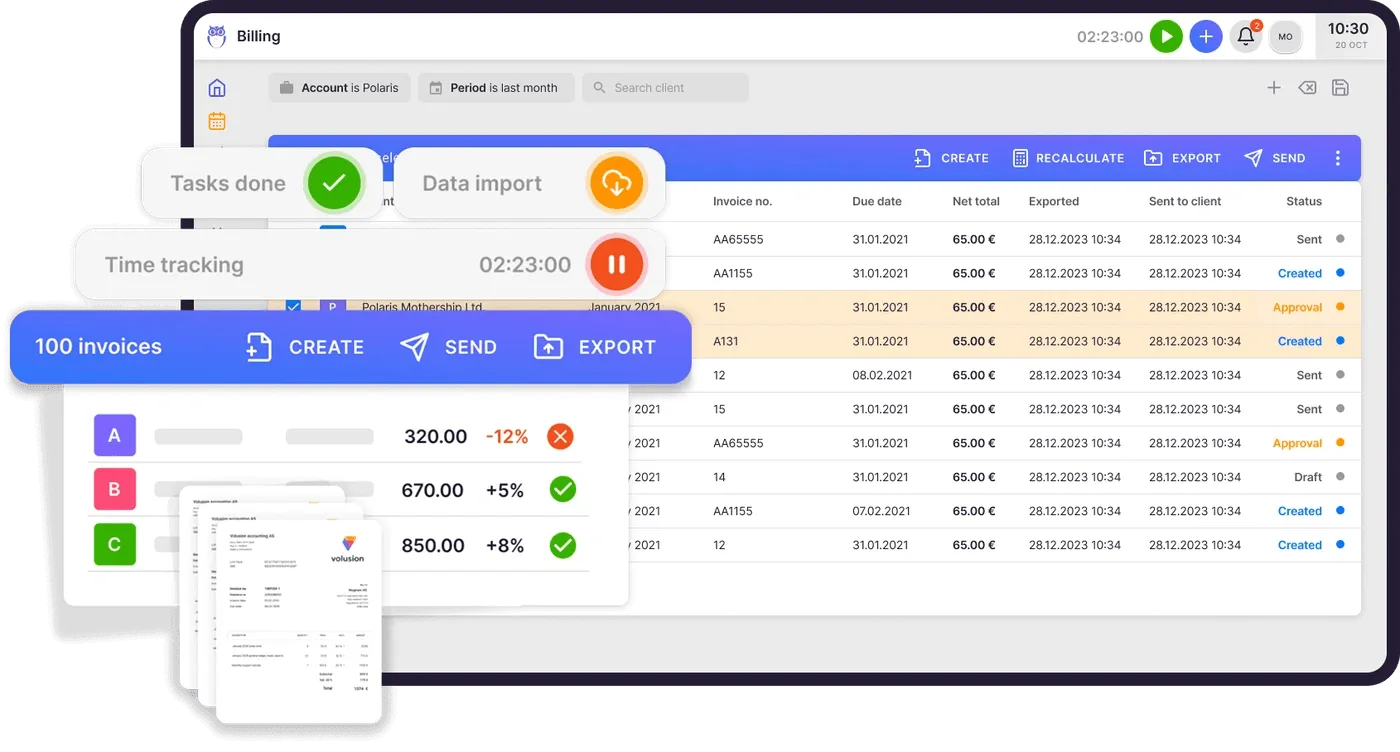
Time tracking is built for speed, with 90% of actions requiring one click through a stopwatch, manual entry, or bulk time allocation across multiple tasks. At $49/member/month, a 5-person firm pays $245/month, while a 10-person team pays $490. For teams of three or fewer, Uku costs less than XPM’s $149/month flat rate. The plan integrates with multiple accounting platforms (Xero, QuickBooks, E-conomic), so practices aren’t locked into a single ecosystem. Pricing is available in EUR, USD, and GBP with both monthly and annual billing.
| Team Plan Pros | Team Plan Cons |
|---|---|
| Built-in client portal included | More expensive than free XPM for Silver+ partners |
| Workflow automation with email reminders | No cloud storage integrations (Google Drive, etc.) |
| Automated billing from tracked time | No API or Zapier access |
| Multi-platform integrations (Xero, QuickBooks, more) | No workforce management features |
The Bottom Line: Team delivers more standalone functionality than XPM at a competitive price, especially for firms with 1-3 members or those using accounting software beyond Xero.
“We will never again forget tasks on our clients.”

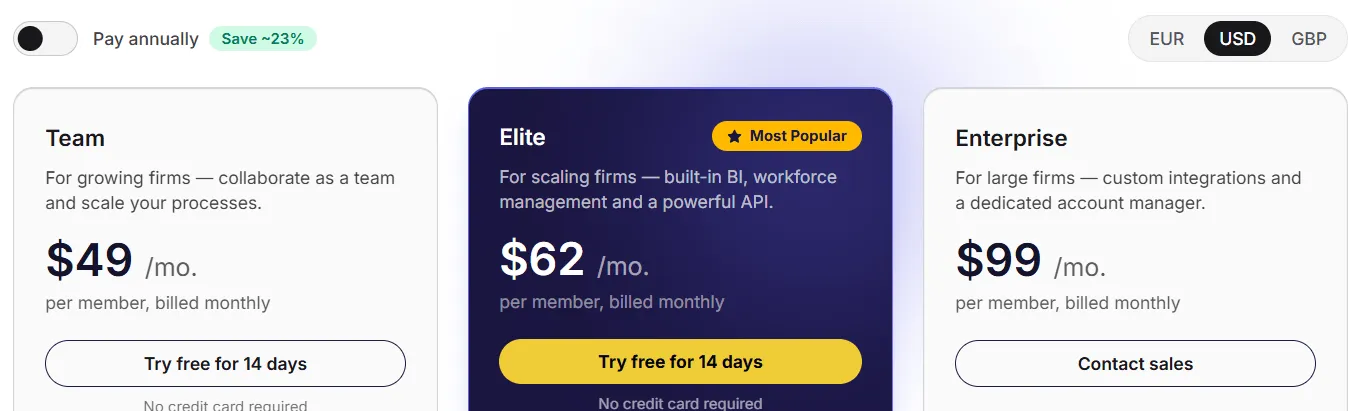
Uku Elite Plan: $62/member/month ($48/member/month annually)
| Feature | Details |
|---|---|
| Monthly Price | $62/member/month |
| Annual Price | $48/member/month (saves approximately 23%) |
| Key Additions | Google Drive, Dropbox, SharePoint integrations; document management; client budgeting; BI Analytics; business analytics reports; open API; Zapier; e-signatures |
| Upcoming | Capacity planning, proposals, Uku MCP |
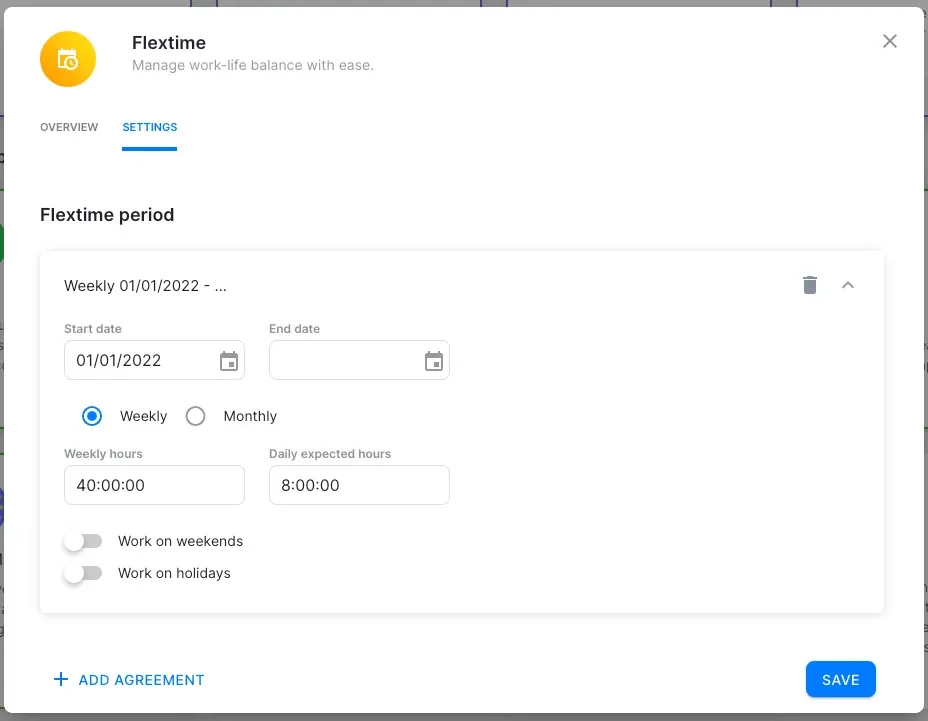
The Elite plan adds cloud storage integrations, document management, client budgeting with real-time alerts, BI Analytics across three levels of depth (summary, tasks, and time), API access for custom reporting, Zapier connectivity to 5,000+ apps, and e-signatures. For a 10-person team on annual billing, the cost is $480/month. The plan also includes workforce management (flextime tracking, timesheet approvals), business analytics reports, and an audit log. Uku marks this as its “Most Popular” tier.
| Elite Plan Pros | Elite Plan Cons |
|---|---|
| Cloud storage integrations (Google Drive, Dropbox, SharePoint) | Higher per-seat cost |
| Document management and client budgeting with real-time alerts | Annual billing required for best rate |
| BI Analytics with filters and saved templates | May exceed budget for large teams |
| Open API + Zapier for custom integrations | Capacity planning still upcoming |
The Bottom Line: Elite fills the gaps XPM leaves open (document management, client budgeting, built-in reporting) while keeping per-seat pricing.

Uku Enterprise Plan: $99/member/month ($88/member/month annually)
| Feature | Details |
|---|---|
| Monthly Price | $99/member/month |
| Annual Price | $88/member/month billed annually |
| Key Additions | Custom integrations, assisted client import, tailor-made workshop, early access to features |
| Billing | Pay-by-invoice option |
| Support | Dedicated account manager included |
The Enterprise plan targets larger firms needing custom integrations, hands-on migration support, and a dedicated account manager. Unlike XPM (which doesn’t publish pricing above 10 users and has no formal enterprise tier), Uku’s Enterprise plan includes structured onboarding with workshops and early access to new features.
| Enterprise Plan Pros | Enterprise Plan Cons |
|---|---|
| Custom integrations for complex workflows | Implementation timeline needed |
| Dedicated account manager included | |
| Pay-by-invoice option for larger firms | |
| Early access to new features |
The Bottom Line: Enterprise provides structured support for larger accounting firms, with a dedicated account manager that XPM offers only through its partner consulting team at undisclosed rates.
“The feature I appreciate most is UKU reports, which allows me to easilly collect the actual hours my team spends on tasks.”
Uku Additional Costs
Unlike XPM’s hidden costs from required third-party add-ons, Uku’s additional costs are optional professional services:
Onboarding Packages (Services page):
| Package | Price | Team Size |
|---|---|---|
| Small | $700 flat fee | Up to 4 members |
| Medium | $2,000 flat fee | Up to 15 members |
| Big | Custom quote | Larger teams |
Professional Services:
- Process consulting: $85/hour
- Team training session (2 hours): $400
- Dedicated account manager: $5,000/year (also included in Enterprise plan)
- First 90 minutes of onboarding: free for all new accounts
Xero Practice Manager Feature Value Breakdown (vs Uku)
Pricing Model and Cost Predictability
XPM’s Approach: XPM uses a binary pricing model: free if you’re a Silver+ Xero partner, $149/month flat if you’re not. This pushes firms to grow their Xero client base but introduces uncertainty during the climb. The flat fee favors larger teams (effective cost drops as you approach 10 users) and penalizes small firms. Pricing above 10 users requires a sales conversation with no published rates.
Uku’s Approach: Uku uses per-seat pricing that scales linearly with your team. A 3-person firm pays $147/month on Team (slightly less than XPM’s flat rate), while a solo practitioner can start from $25/month ($19/month annually) on the Solo plan. Annual billing saves approximately 23%, and pricing is available in EUR, USD, and GBP. There are no partner-tier requirements or ecosystem dependencies, and firms can choose monthly billing to test the system before committing annually.
Value Verdict: Uku is better for firms wanting predictable, published pricing that scales with team size. XPM is better for established Xero partners who qualify for free access.
Client Communication and Portal
XPM’s Approach: XPM does not include a native client portal. Document collection, task assignment, and two-way communication require either email or third-party apps purchased separately. E-signatures require a paid add-on within Xero Tax. This forces firms to manage client interactions across multiple disconnected tools.
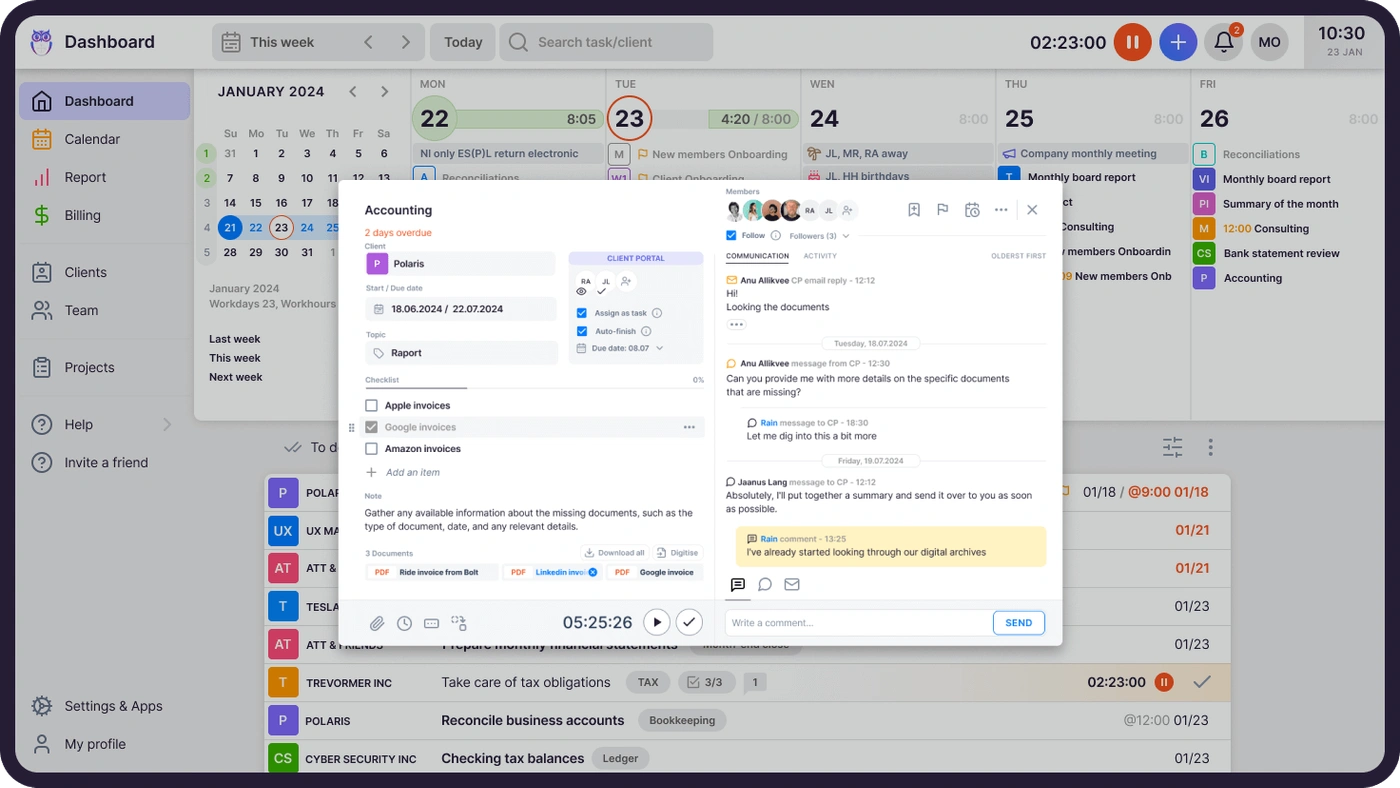
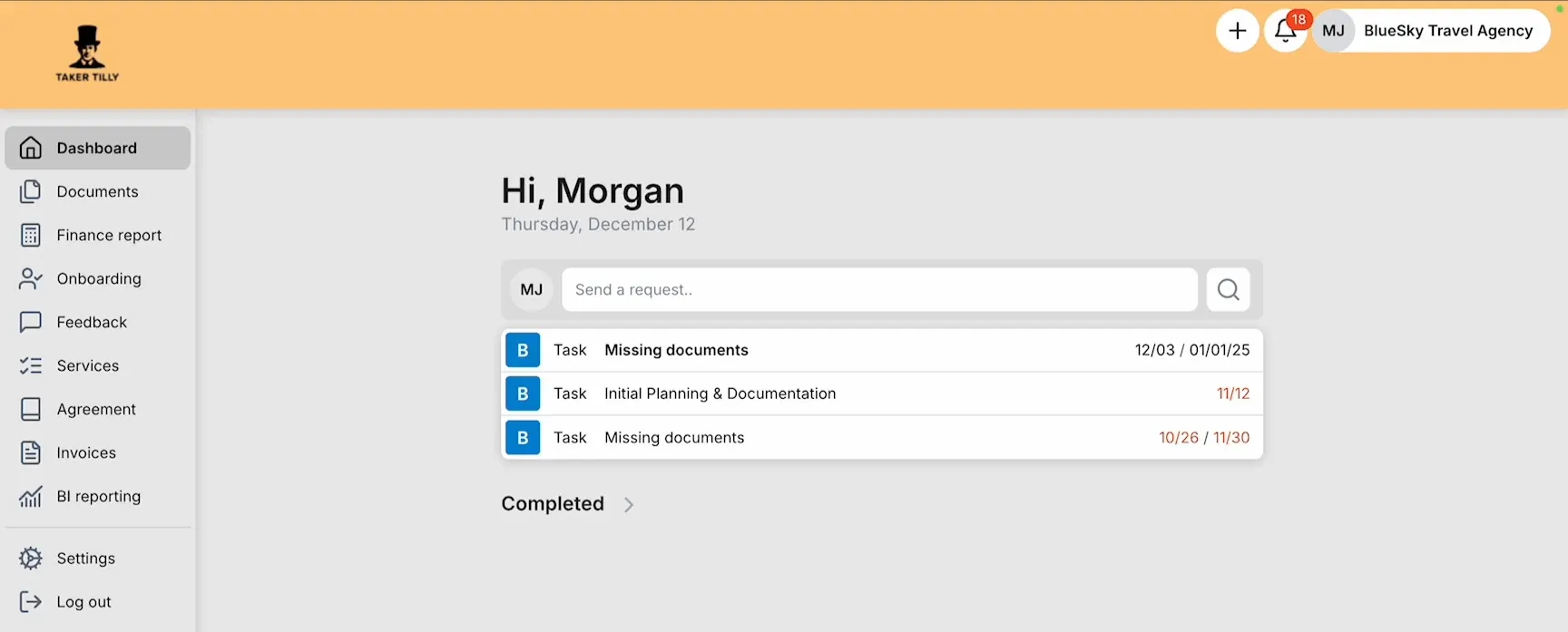
Uku’s Approach: Uku includes a client portal with company branding on Team plans and above. Unlike traditional portals where tickets connect to separate work items, Uku’s portal mirrors the same task on both sides: clients and accountants work on one item with all communication, documents, and time tracking in one place.
Clients access the portal through a magic link (no username or password), view their tasks, upload documents, and communicate through task-level comments. Automated reminders notify clients of approaching deadlines without manual work. The portal is customizable: firms can create unique menus for each client, run onboarding with forms, share business insight reports, and display price lists.
Value Verdict: Uku is better for client collaboration, offering a unified portal where clients and accountants work on the same tasks, functionality that XPM requires additional products to approximate.
Workflow Automation
XPM’s Approach: XPM supports recurring jobs with templates, task assignment, and milestone tracking. Automation stops at job recurrence and basic status tracking. There is no embedded email automation, no conditional triggers, and no automated client reminders tied to task deadlines. Firms needing more automation must integrate third-party tools.
Uku’s Approach: Uku’s workflow automation works in two layers: recurring task generation from accounting-specific templates (organized into Accounting, Bookkeeping, Payroll, Tax, and other categories), and email automation embedded in task templates. Automated client emails trigger when tasks reach defined stages, with color-coded status indicators showing whether emails sent. Template improvements can push to existing client plans without recreating them.
For firms transitioning from spreadsheets, Uku lets teams import their Excel workflows and have automated plans ready to go, a path from Excel to structured practice management without weeks of upfront configuration.
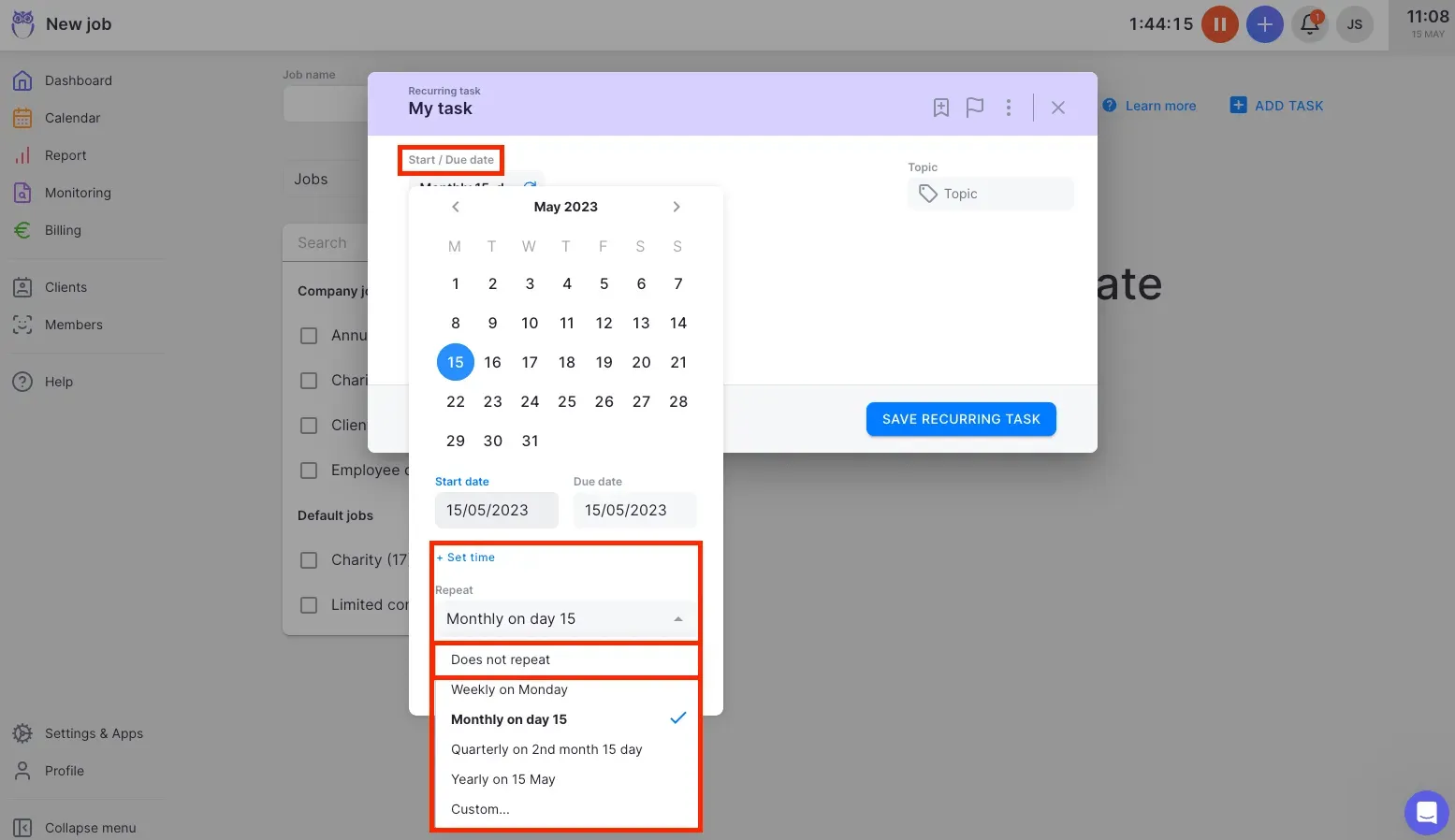
Value Verdict: Uku is better for firms wanting automated client communication and template-driven workflows without adding third-party tools.
Ecosystem Integration vs Platform Independence
XPM’s Approach: XPM’s strongest advantage is its native integration with Xero’s accounting software. Invoices created in XPM push automatically to Xero; payments reconciled in Xero mark invoices as paid in XPM. The shared client record with Xero HQ eliminates duplicate data entry. But this advantage exists only for practices whose clients use Xero. Firms with clients on QuickBooks, MYOB, or Sage get little integration value.
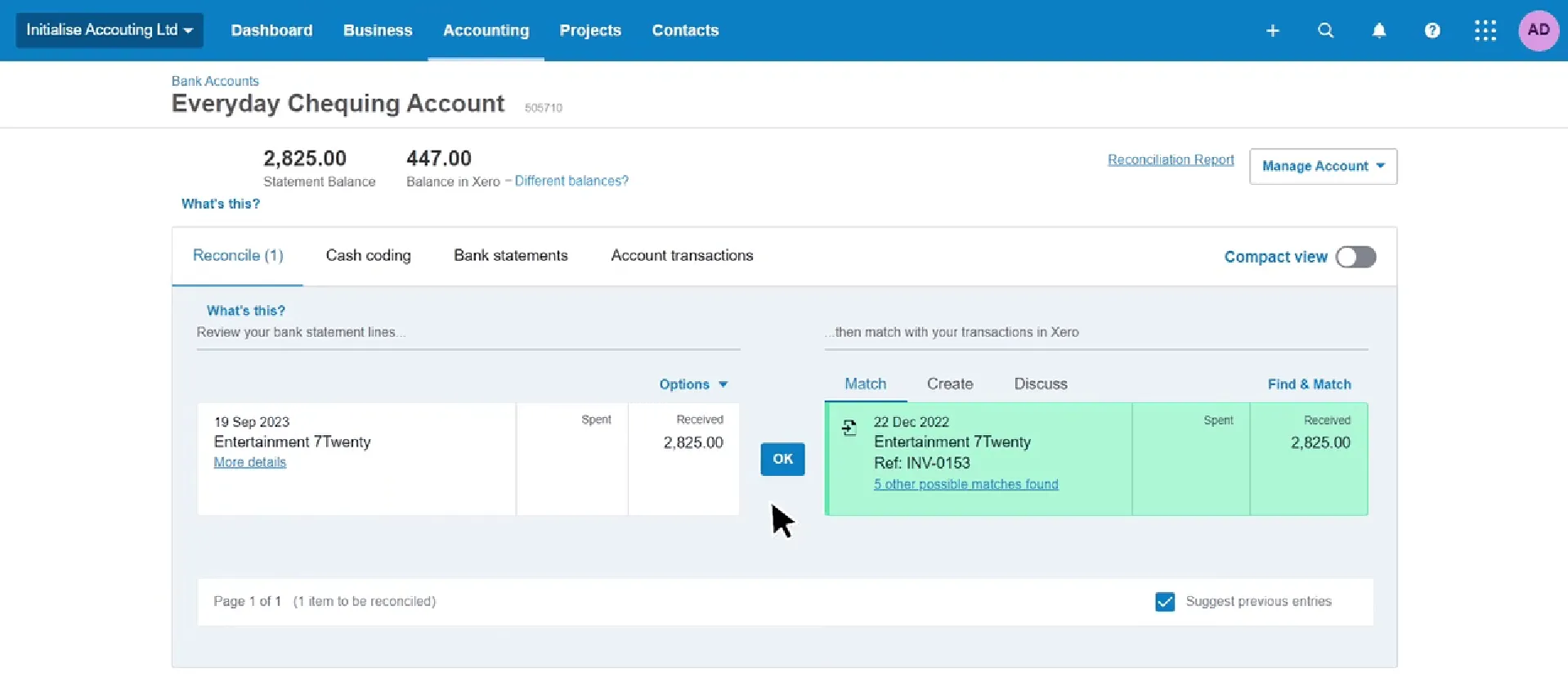
Uku’s Approach: Uku integrates with multiple accounting platforms including Xero, QuickBooks, E-conomic, Tripletex, Fortnox, FreeAgent, and others. None of these integrations match the depth of XPM’s native Xero connection, but the multi-platform approach means Uku works regardless of what accounting software your clients use. Uku also connects to business registries (Companies House, e-Business Register, Danish Business Authority) for automated client data import.
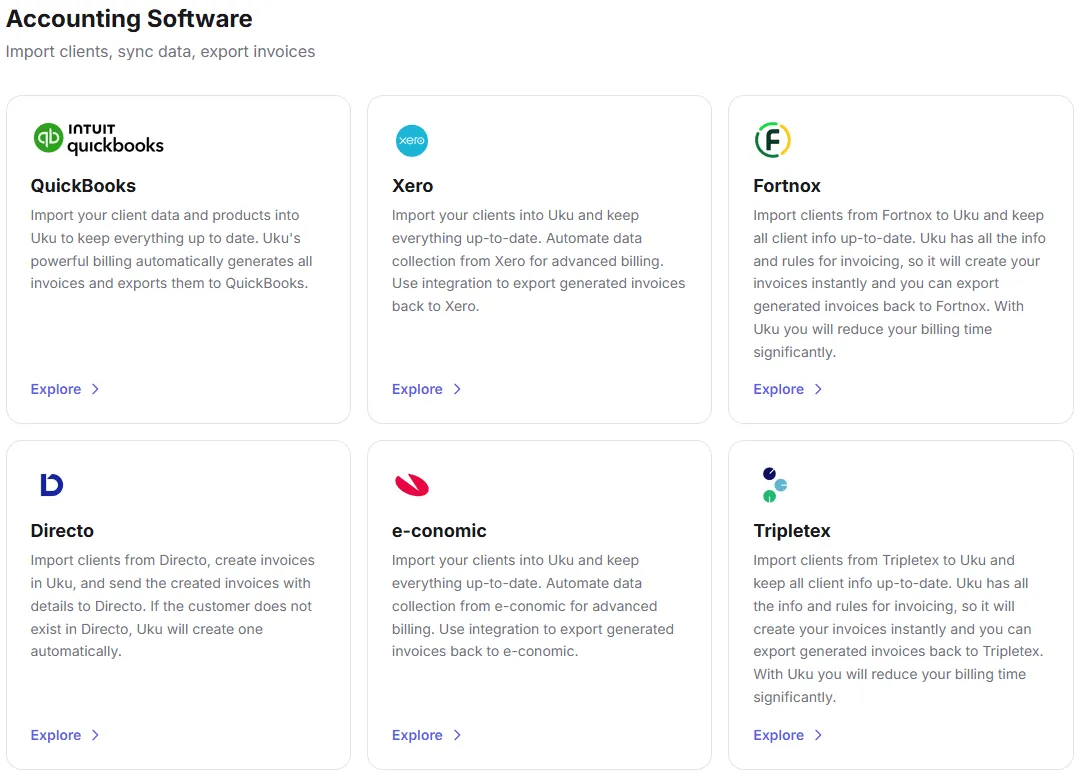
Value Verdict: XPM is better for Xero-exclusive practices wanting the deepest accounting integration. Uku is better for firms serving clients across multiple accounting platforms.
Billing and Invoicing Depth
XPM’s Approach: XPM converts timesheets to progress or final invoices with configurable rates, markups, and fixed-price options. The WIP tracking system shows unbilled work in real time, and the two-click WIP washup simplifies invoice reconciliation. Invoices sync to Xero for payment tracking.
Uku’s Approach: Uku’s automated billing reduces invoice preparation from days to roughly 30 minutes. The system supports price lists based on quantity, time, material, and ranges with different rates for different periods, all managed through contracts where rules are set once and time tracking calculates billable amounts automatically. Rounding rules (by entry, team, client, or month) ensure firms bill properly for interruptions; for instance, a one-minute unplanned call can be billed as 15 minutes. Multiple active contracts per client let firms bill monthly bookkeeping at a fixed fee while billing advisory work hourly under the same client.
The client budgeting feature (Elite plan) sets ceilings by contract or project with alerts before budgets run out. The billing system also tracks both sales prices and cost prices, giving managers visibility into whether employees, clients, or service lines are profitable, helping firms find outdated agreements and recover up to ~20% more profit.
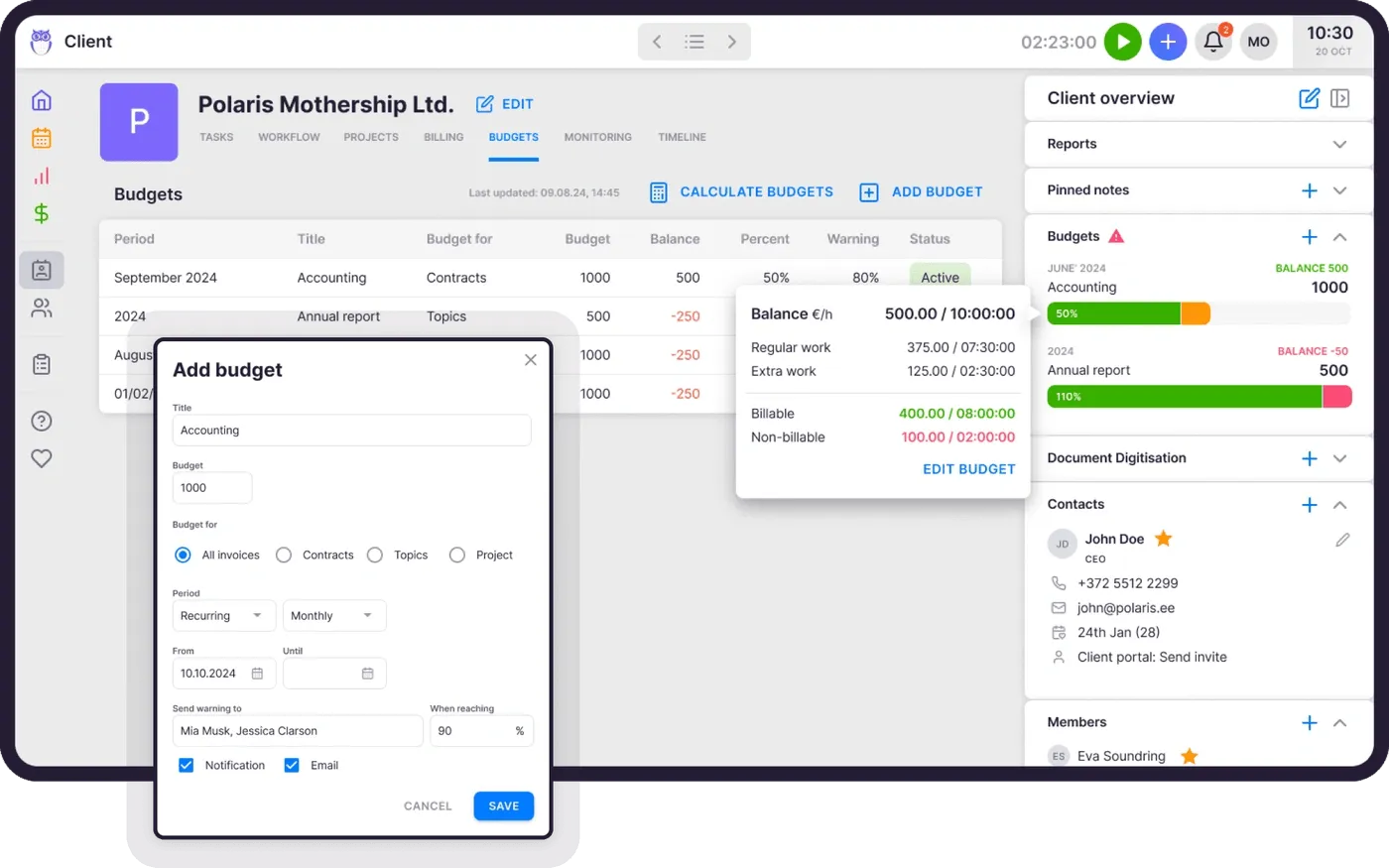
Value Verdict: Both platforms handle core billing well, but Uku offers more automation (reducing invoicing from days to 30 minutes), more flexible pricing structures, and built-in profitability analysis, while XPM offers tighter invoice-to-Xero reconciliation.
Final Verdict: Xero Practice Manager vs Uku
The choice between XPM and Uku depends on your Xero commitment level and what you need from a practice management platform:
Xero Practice Manager is an ecosystem practice management tool for accounting firms that have built their business around Xero. With pricing from free (for Silver+ partners) to $149/month (for up to 10 users at Bronze level), it lets practices manage jobs, track time, and invoice clients with a native two-way sync to Xero’s accounting software. This model works best for established Xero partners who qualify for free access, practices whose clients primarily use Xero, and firms that value accounting integration depth over standalone features.
Uku is a standalone practice management platform built for international use, delivering a complete set of operational tools without depending on any partner program or ecosystem. With pricing from $19/member/month, a built-in client portal, workflow automation, automated billing that cuts invoicing from days to 30 minutes, and integrations with multiple accounting platforms, it removes the need to buy separate tools for client collaboration or document management. Firms can start working on day one with just the features they need and scale up over time. That makes Uku a strong fit for practices transitioning from spreadsheets, firms that serve clients across multiple accounting platforms, and any accounting team that wants predictable per-seat pricing without earning access through a partner program.
Simplify your workflows and save time with Uku.
The difference isn’t just pricing structure. It’s philosophy. Xero Practice Manager asks “How can we reward practices that grow our ecosystem?” Uku asks “How can we give every accounting firm the tools to work efficiently from day one?”
Want to dig deeper into the Xero Practice Manager cluster?
- Xero Practice Manager Review 2026: full feature deep-dive, pros and cons, and verdict
- Xero Practice Manager vs Uku: head-to-head comparison across features, pricing, and use cases
- 7 Best Xero Practice Manager Alternatives: the full market comparison, from Uku to Karbon, TaxDome, and Cone
Ready to compare in your own firm? Start a free 14-day Uku trial or book a demo and we’ll show you how a per-seat practice management platform performs against XPM with your real client data.
Frequently asked questions
Is Xero Practice Manager free?
XPM is free for accounting practices that have reached Silver, Gold, or Platinum status in the Xero partner program. New and Bronze-level partners pay $149/month for up to 10 users after a 14-day free trial. Xero does not publicly disclose the requirements for reaching Silver status, so practices cannot predict when they'll qualify for free access.
How much does Xero Practice Manager cost per user?
XPM charges a flat $149/month for up to 10 users at the Bronze/new partner level, making the effective per-user cost range from $14.90 (for 10 users) to $149 (for a solo practitioner). Pricing above 10 users is not published and requires contacting Xero. Uku's per-seat model is more straightforward: from $38/member/month on the Team plan with annual billing, available in EUR, USD, and GBP.
Does Xero Practice Manager include a client portal?
No. Firms that need to share documents, assign tasks to clients, or communicate through a branded portal must use third-party apps from the Xero App Store. Uku includes a client portal where clients and accountants work on the same task, with magic-link access, automated deadline reminders, and document sharing on its Team plan and above.
What's included free with Xero Practice Manager?
Both the paid and free tiers include full job management, time tracking, invoicing, reporting, and Xero Workpapers. All Xero partners also receive a free Xero subscription for their own practice accounts, Xero HQ for client management, and 24/7 Xero support. Document management, e-signatures, client portals, and proposal generation all require additional purchases.
Can I use Xero Practice Manager if my clients don't use Xero?
Yes, but the core value drops. XPM's main differentiator is its native two-way sync with Xero accounting. Without that connection, you lose automatic invoice reconciliation, shared client records, and real-time financial data visibility. Firms serving clients on multiple accounting platforms may find a platform-independent tool like Uku more practical.
How does XPM's time tracking compare to Uku's?
XPM allows time entry by duration or start/stop time but does not include a running timer. Time must be entered manually. Uku offers multiple input methods: a stopwatch, manual entry with smart time suggestions, and bulk time allocation across multiple tasks, with 90% of actions requiring one click. Uku also supports mandatory time entries that prevent tasks from being marked complete without logged time, reducing missed billable hours.
Is Xero Practice Manager hard to set up?
Xero itself recommends using their partner consulting team to configure XPM, and the platform has a known steep learning curve. G2 reviewers consistently flag complexity around job templates, task structures, and status configurations. Uku takes a different approach: firms can start with just CRM and tasks, then add automation, billing, and other modules over time. The first 90 minutes of onboarding are free, with optional paid packages starting at $700, and a pre-loaded demo account for risk-free exploration.
Which is cheaper for a small accounting firm?
For a 3-person firm, Uku's Team plan costs $147/month (or $114/month annually), compared to XPM's flat $149/month. For a solo practitioner, Uku's Solo plan starts at $25/month ($19/month annually) for up to 20 active clients, while XPM requires either paying $149/month or qualifying for Silver partner status. For teams of 8-10, XPM's flat rate becomes more economical per user, but only at the Bronze tier. Silver+ partners pay nothing for XPM, making it the clear cost winner for qualified practices.

Published May 19, 2026 · Updated Aug 12, 2026