




Xero Practice Manager vs Uku: Which Practice Management Tool Fits Your Firm in 2026?
XPM is free for Xero partners but lacks a client portal. Uku offers modular practice management with billing, portal & automation.


Contents
- Xero Practice Manager vs Uku at a glance
- The core difference: Ecosystem extension vs modular platform
- Job and task management approaches
- Time tracking and billing
- Client portal and document management
- Integration ecosystems
- Reporting and analytics
- Pricing comparison
- Setup and learning curve
- Security and compliance
- Xero Practice Manager vs Uku: Which should you choose?
- How to switch from Xero Practice Manager to Uku
Choosing between Xero Practice Manager and Uku for your accounting practice management comes down to five questions:
- Are you already inside the Xero ecosystem, or do you want a platform-independent solution?
- Do you need a built-in client portal and document management, or will you add third-party tools?
- Is your firm based in a Xero-dominant market (Australia, New Zealand, UK), or do you operate across continental Europe?
- Do you value accounting software integration over a modular system with a modern interface?
- Would you rather pay a flat monthly fee tied to a partner program, or per-seat pricing with no ecosystem commitment?
In short, here’s what we recommend:
👉 Xero Practice Manager is the practice management layer inside Xero’s partner ecosystem, covering job management, time tracking, invoicing, and reporting with two-way sync to Xero’s accounting software. It’s free for practices that reach silver, gold, or platinum partner status, and $149/month for up to 10 users at the bronze tier. Its main advantage is keeping everything connected to Xero without duplicate data entry. However, XPM lacks a client portal, document management, and e-signatures, and its interface is widely described as dated.
👉 Uku is a modular practice management platform built for accounting firms, covering client management, task management, time tracking, billing, workflow automation, a client portal, and document management. The idea is that firms can choose which modules to activate from day one and scale up as needed.
It’s available in 12 languages with integrations for both Xero and QuickBooks, and serves firms that want a complete system without assembling add-ons but don’t want to implement everything at once. Meanwhile, Uku’s Solo plan is a powerful single-practitioner tier with billing, a client portal, document management, AML, e-signatures, and all integrations included, starting at $19/member/month (annual) or $25/member/month (monthly). Team plans start at $38/member/month billed annually or $49/member/month billed monthly.
Both platforms manage accounting practice workflows, but they reflect different philosophies: XPM extends a larger ecosystem, while Uku provides a modular platform where firms adopt features at their own pace.
Xero Practice Manager vs Uku at a glance
| Xero Practice Manager | Uku | |
|---|---|---|
| Core Philosophy | Ecosystem-integrated practice layer | Modular, platform-independent solution |
| Starting Price | $149/month (up to 10 users) or free for Silver+ partners | From $19/month (annual) or $25/month |
| Client Portal | Not included (requires third-party add-on) | Built-in with magic link access |
| Document Management | Not included (requires third-party add-on) | Built-in with cloud storage sync |
| E-Signatures | Requires Xero Tax add-on | Included across all plans |
| Time Tracking | Manual duration or start/stop entry | Stopwatch, manual, bulk entry, offline mode |
| Workflow Automation | Job templates and recurring jobs | Recurring tasks, email automation, template propagation |
| Languages | English | 12 languages |
| Accounting Software Integration | Native Xero sync (bidirectional) | Xero, QuickBooks, E-conomic, Tripletex, and 8+ others |
| Learning Curve | Steep (consulting recommended) | Moderate (modular deployment) |
| Strongest Markets | Australia, New Zealand, UK | UK, USA, Nordics, Baltics, Europe |
| Best For | Xero-committed firms wanting zero-cost integration | Firms wanting modular deployment with less admin overhead |
The core difference: Ecosystem extension vs modular platform
Xero Practice Manager is one piece of a connected practice suite. It sits alongside Xero HQ, Xero Workpapers, Xero Tax, and Syft Analytics to form what Xero calls a “practice studio.” The product’s identity is inseparable from the Xero partner program: its pricing, data architecture, and value all assume that your firm runs on Xero and that your clients do too. When those conditions hold, XPM delivers integration that no third-party tool can replicate. When they don’t, the product loses its main advantage.
XPM originated from Xero’s acquisition of WorkflowMax in 2012, a general-purpose job management tool later narrowed to accounting and bookkeeping practices. That heritage shows in the product’s strength at job costing, WIP tracking, and time-to-invoice workflows, and also in its interface, which many users describe as dated.
Uku was built from the start to be international, especially for UK and US markets, by founders Rain Allikvee and Jaanus Lang, who previously ran a design and development studio called Artify.
Rather than building a monolithic system that firms must adopt wholesale, they created a modular platform where accounting practices choose which capabilities to activate (tasks, time tracking, billing, client portal, document management, email automation, workforce management, and reporting) starting with what they need and adding modules over time.
The company calls itself a partner committed for the long run and prioritizes building a system teams will actually enjoy using.
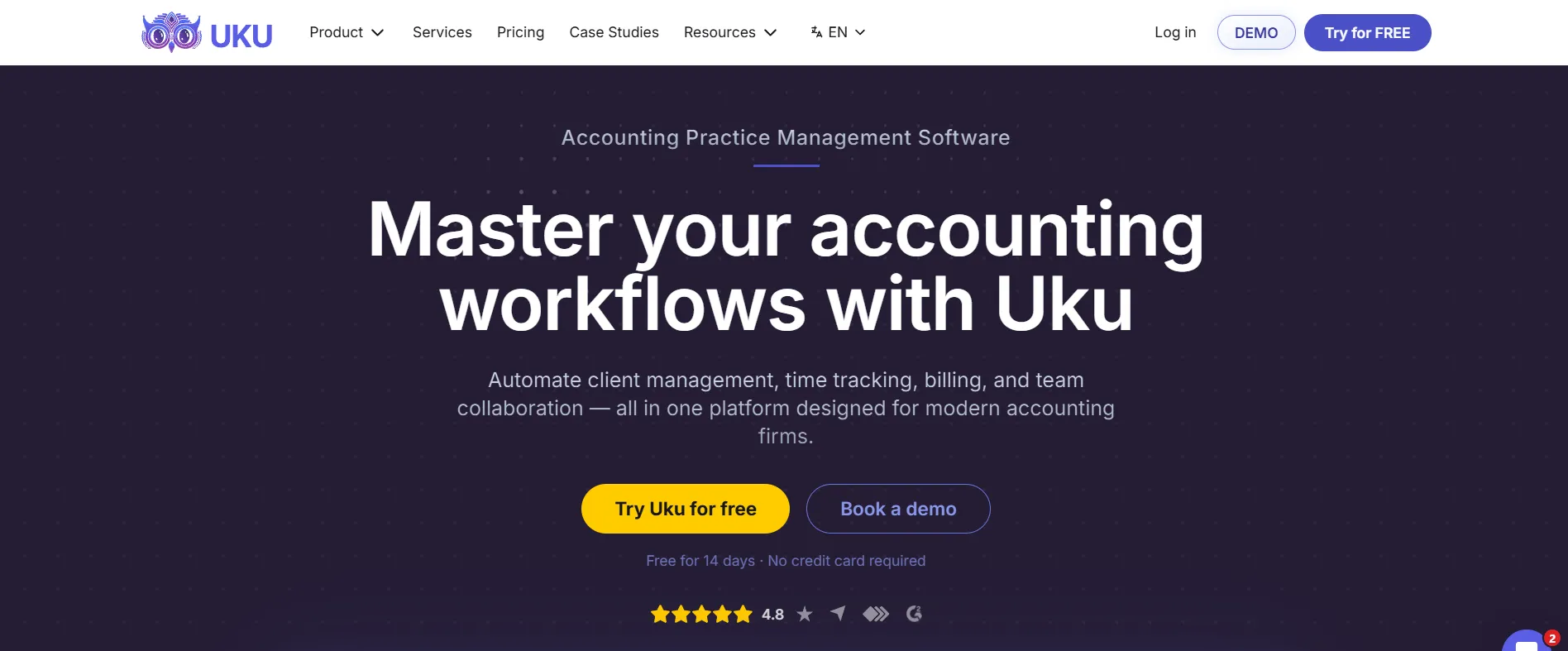
Where XPM asks firms to assemble a stack of Xero products and third-party apps, Uku offers a single platform where firms activate capabilities at their own pace, with no requirement to implement everything at once.
Job and task management approaches
Xero Practice Manager organizes work around “jobs,” each representing a specific engagement for a client. Firms create jobs from configurable templates that include tasks, costs, milestones, and deadlines. The system supports recurring jobs that regenerate automatically on a set frequency, and custom job statuses and categories let firms mirror their internal workflow stages.
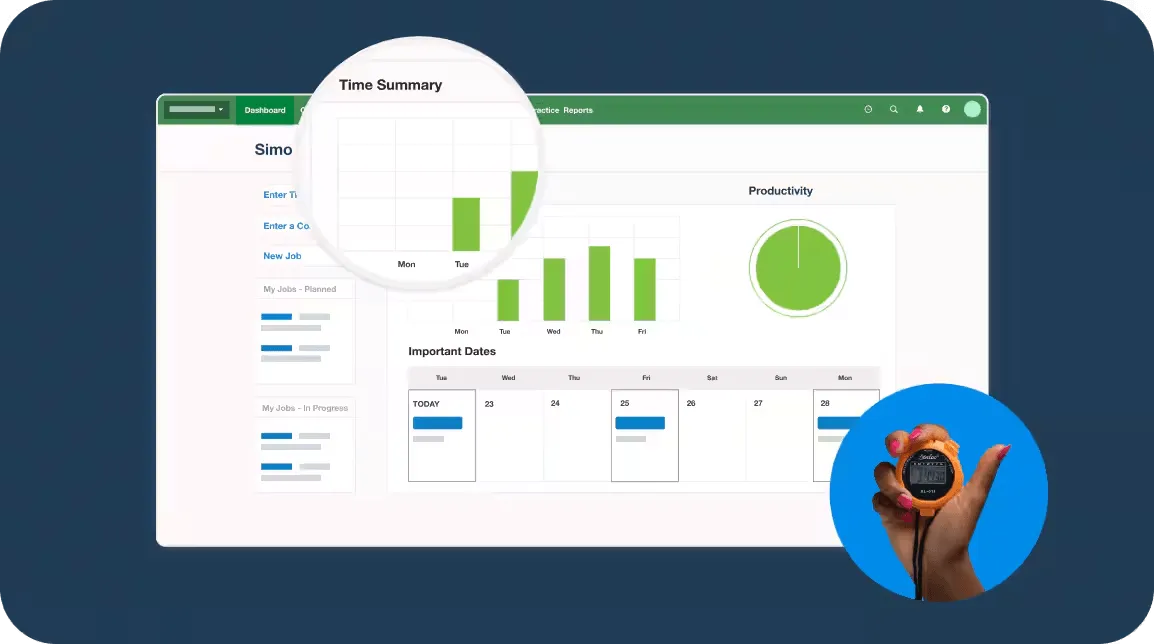
XPM’s job management connects directly to its billing engine: time logged against a job accumulates as Work in Progress (WIP), which managers can view as a dollar value at any point before converting it to an invoice. The productivity dashboard shows billable time targets alongside actual performance, giving managers a real-time picture of team output. Firms can generate custom-branded quotes, engagement letters, tax letters, and invoices from job data.
However, XPM has notable gaps. G2 reviewers flag the inability to bulk-create jobs as a friction point for firms onboarding many clients. The interface requires significant upfront configuration, and Xero itself recommends using its partner consulting team to set up the workflow structure.
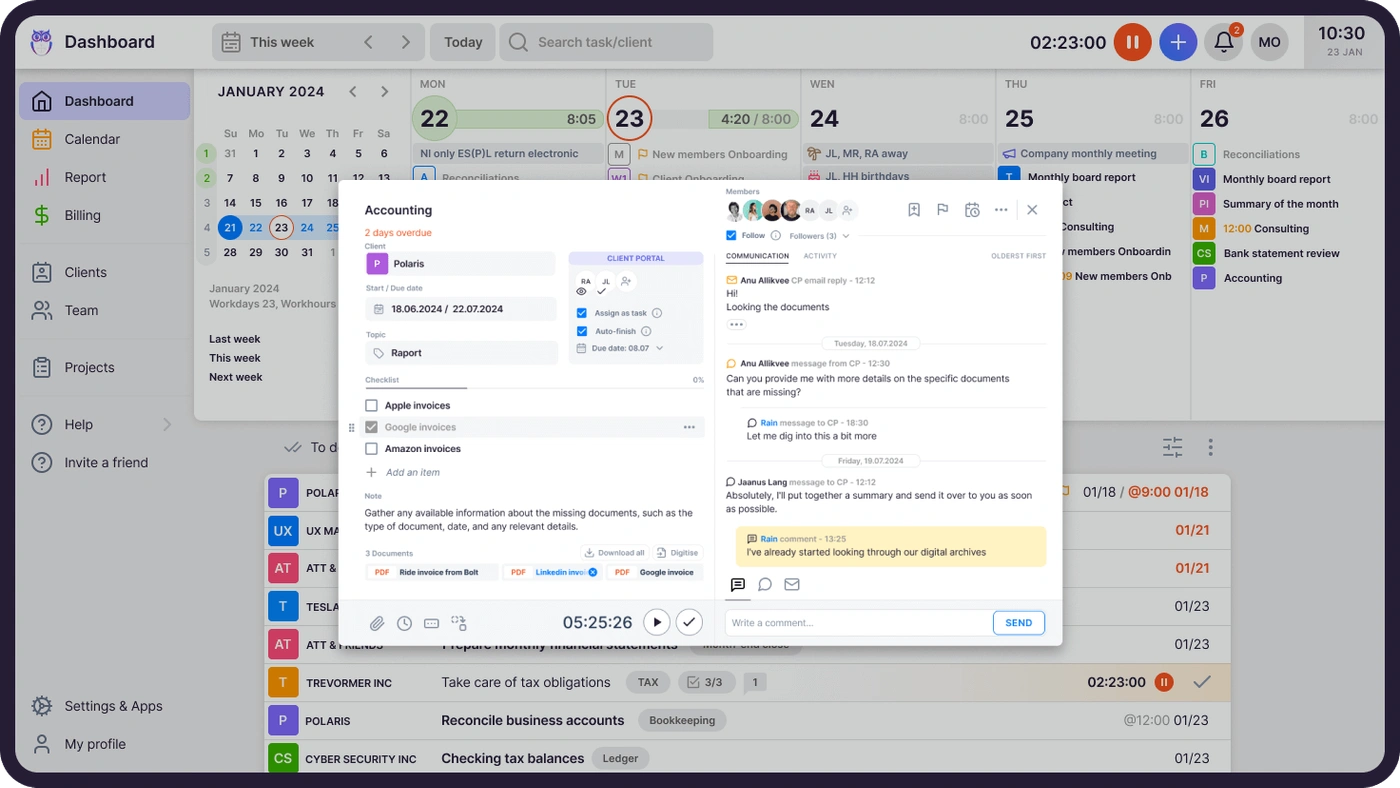
Uku organizes work around per-client “Plans” rather than standalone jobs. Each client gets a dedicated plan holding all their recurring tasks, created from Uku’s pre-built accountant-developed templates, an existing client’s plan, or from scratch. When a task’s start date arrives, it appears on the assigned team member’s dashboard, sorted by due date. Tasks have three states (New, In Progress, Done) and support subtask checklists with a mandatory-ticking option that prevents marking a task complete until all steps are confirmed. Firms can start producing work on day one by importing clients, applying a template, and working immediately, then adding billing, portal, or automation modules when ready.
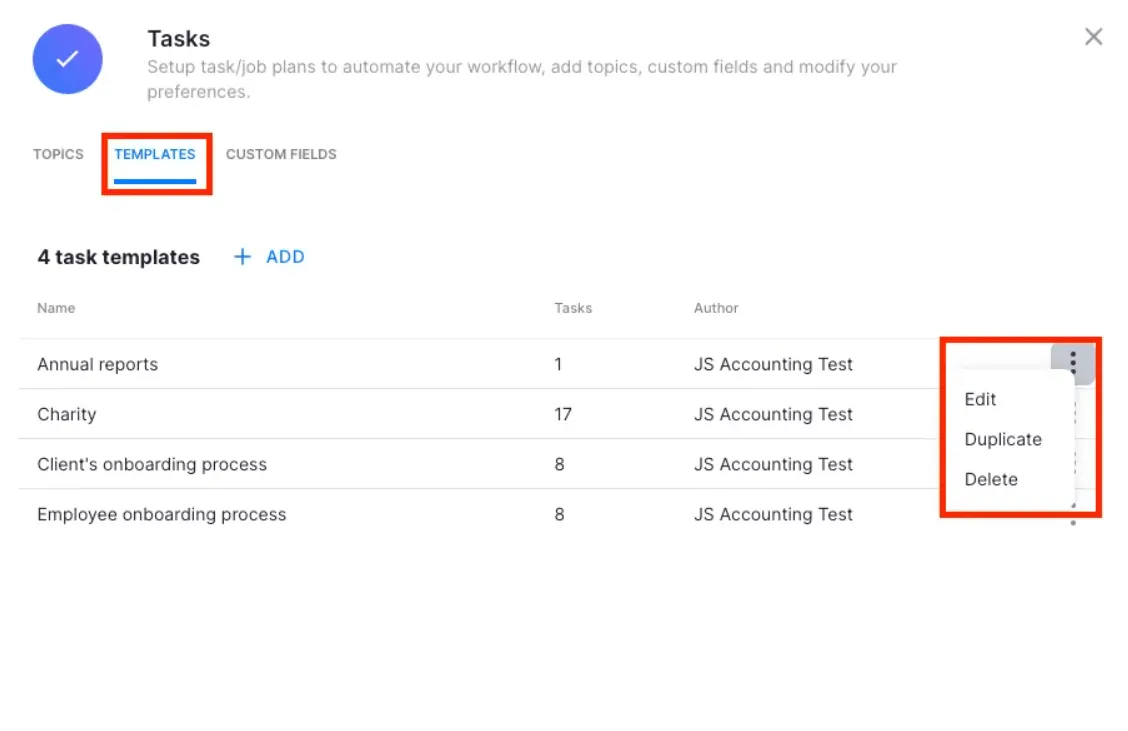
One of Uku’s distinctive capabilities is template propagation: when a firm improves a workflow template, it can push those changes to existing client plans, controlling which clients, which fields, and which timing to apply. Process improvements roll out across the entire client base without recreating plans manually.
Uku also provides pre-built templates organized by service line (Accounting, Administration, Bookkeeping, Client Management, Operations, Payroll, Tax), reducing setup time for firms that want proven workflows rather than building from scratch.
Time tracking and billing
Xero Practice Manager handles time entry through two modes: duration input or start/stop time, configurable at the practice level. Each entry is tied to a specific job and task, classified as billable or non-billable. Time accumulates in the WIP ledger, giving managers a running dollar-value view of unbilled work.
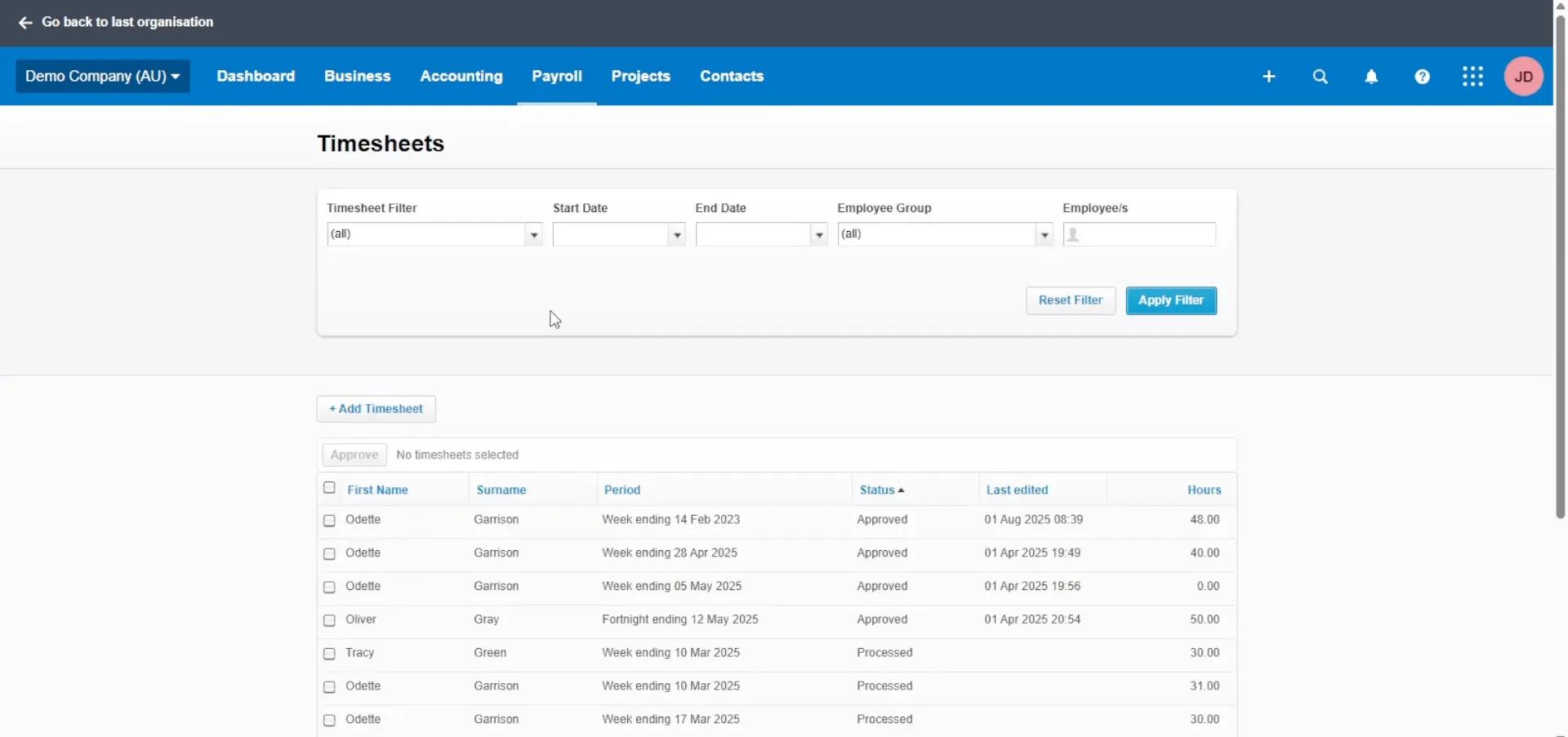
XPM’s billing workflow converts time entries into progress or final invoices with automatic rate and markup calculations. The WIP washup process reconciles invoiced amounts against time entries with proportional write-off allocation.
The key limitation: XPM does not offer a running timer. All time must be entered manually by duration or start/stop timestamps, a constraint that competitors with one-click timers avoid.
Uku provides three time-entry methods: a stopwatch that runs in the header bar (starting a new stopwatch automatically pauses the previous one), manual entry with Smart time entry that suggests the last session’s end time as a start point, and bulk time entry across multiple tasks at once. An offline mode allows logging without an internet connection. The time tracking interface keeps 90% of actions to a single click, reducing daily admin time.
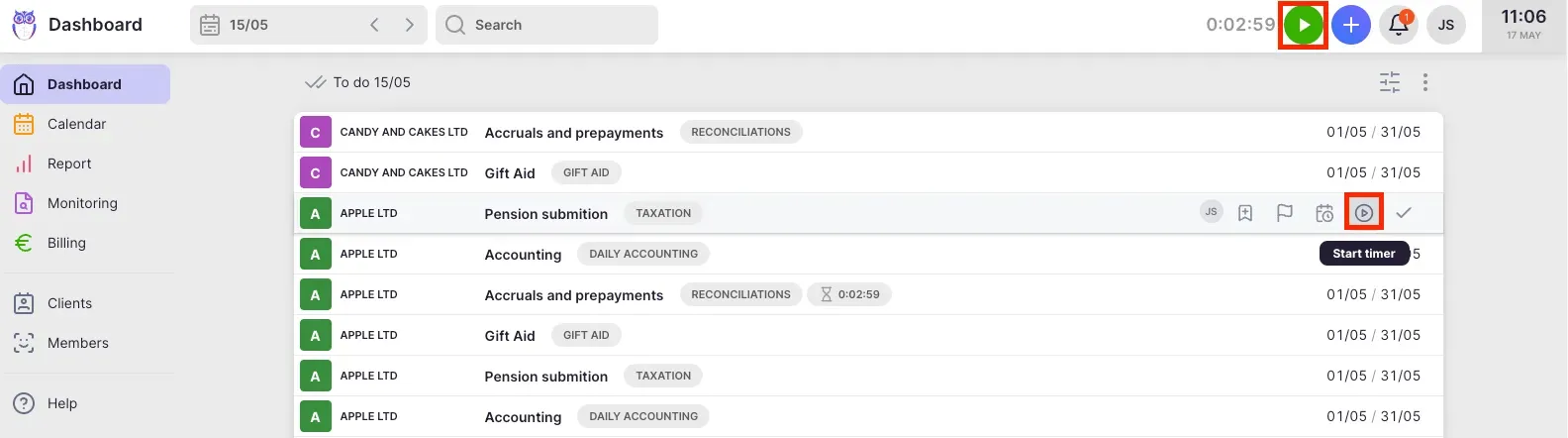
Uku’s automated billing is the platform’s main competitive advantage. The system is built around “contracts” (rules set up once per client that define how tracked time calculates billable amounts in real time). Contracts support price lists based on quantity, time, material, and ranges with different rates for different periods. Rounding rules (configurable by entry, team, client, or month) ensure firms bill properly for interruptions and unplanned work.
For instance, a one-minute unplanned call can be automatically billed as 15 minutes. Each client can have multiple active contracts for different services, allowing a firm to bill monthly bookkeeping at a fixed fee while billing ad-hoc advisory at an hourly rate under the same client. The system supports four billing types (time, volume, fixed, recurring), cumulative tier pricing, and minimum time requirements. At billing time, Uku auto-generates invoice drafts from tracked time and task data, reducing invoice preparation from days to roughly 30 minutes.
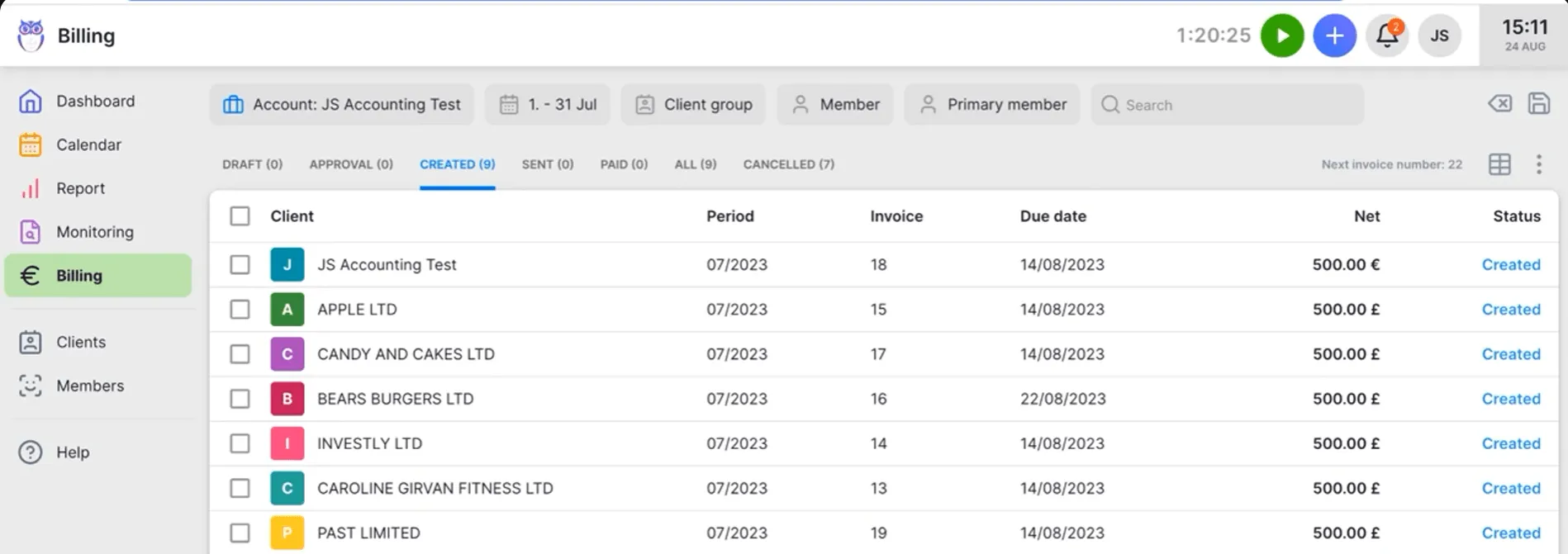
The billing system also tracks both sales prices and cost prices. If an employee costs €30/hour but bills at €45/hour, managers can see whether they’re profitable. Firms using Uku report finding ~20% more profit by uncovering outdated agreements where actual work hours far exceeded what was being billed.
Uku also offers a mandatory time entries feature that prevents staff from marking tasks done without logging time, closing a common source of revenue leakage.

Client portal and document management
This is where the platforms diverge most sharply.
Xero Practice Manager does not include a client portal or document management. Firms that need these capabilities must add third-party tools such as SuiteFiles for document management, Content Snare for client document collection, or FuseSign for e-signatures. E-signatures specifically require a paid add-on within Xero Tax, not XPM itself. This means firms assemble and manage multiple vendor relationships and subscriptions to get what some competitors offer in a single product.
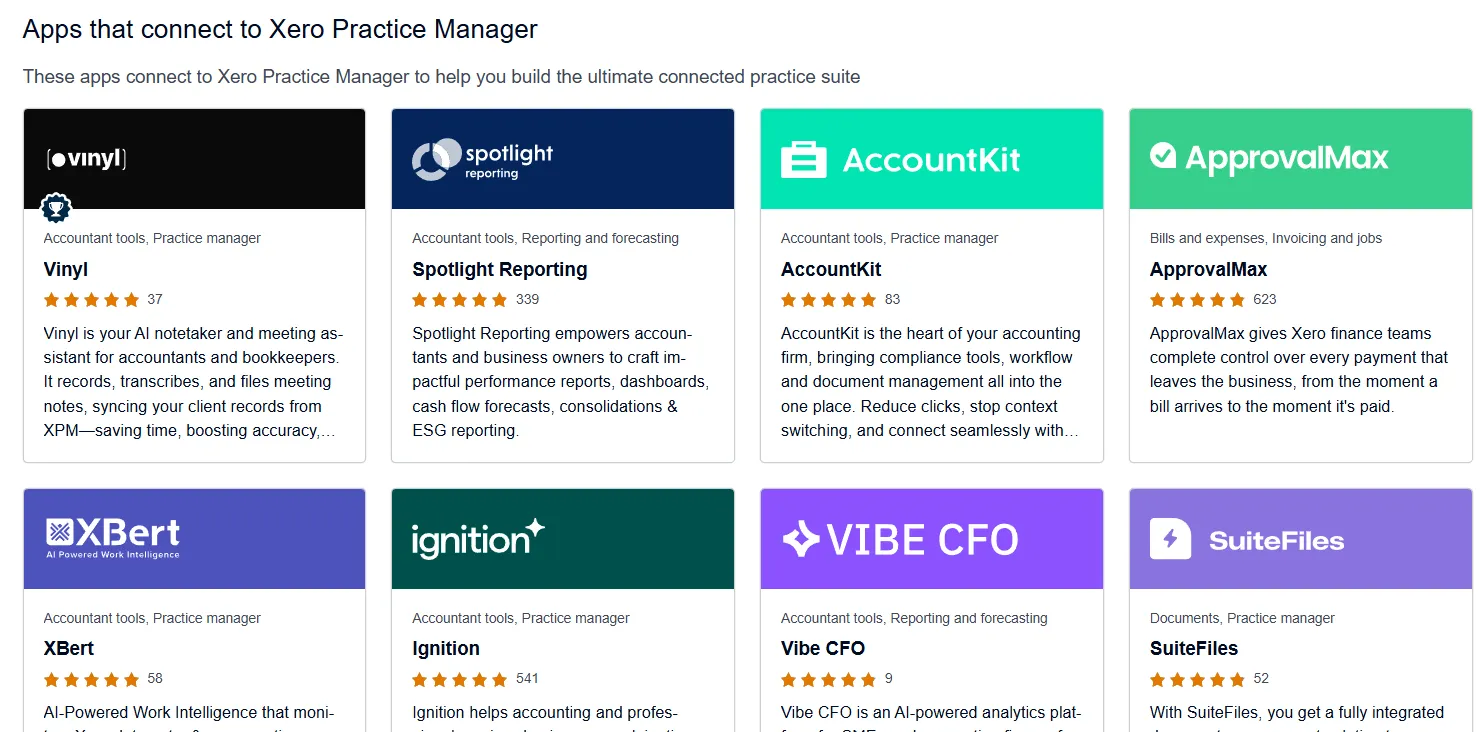
Xero’s App Store lists over 50 apps that connect to XPM, spanning document management, proposals, CRM, and reporting. The ecosystem is mature, but each additional tool adds cost, integration maintenance, and onboarding complexity.
Uku bundles a client portal and document management into the platform, available as modules firms can activate when ready. Unlike traditional portals where tickets must be connected to work items, Uku’s portal mirrors the same task on both sides: clients and accountants work on the same item with all communication, actions, documents, logs, and time tracking in one place. When clients make requests through the portal, notifications appear on the accountant’s dashboard, and they can immediately start tracking time or communicating within that task.
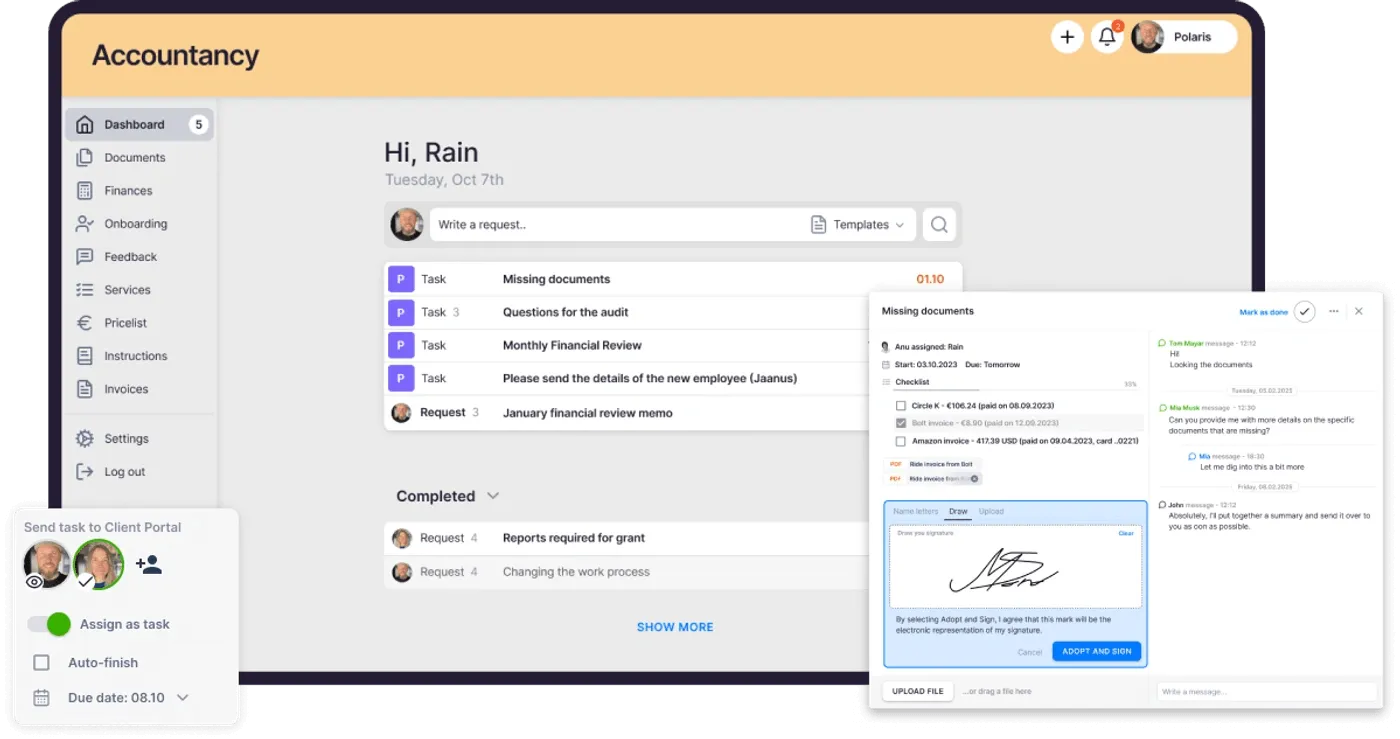
The portal uses magic link access where clients receive a time-limited email link with no password required. Inside, clients see their assigned tasks, upload documents, respond to requests, and communicate with their accountant through task-level comments. Beyond standard document exchange, firms can create unique menus for each client, run onboarding with forms, share business insight reports and price lists, and embed custom content.
The portal supports company branding with a custom logo, colors, URL, and welcome video. Firms can activate it silently or via bulk invitations. Automated reminders tied to task deadlines reduce the need for manual follow-up. Uku estimates that accountants spend up to 30% of their working day on emails, much of it chasing clients for documents, and the portal is designed to recover that time.
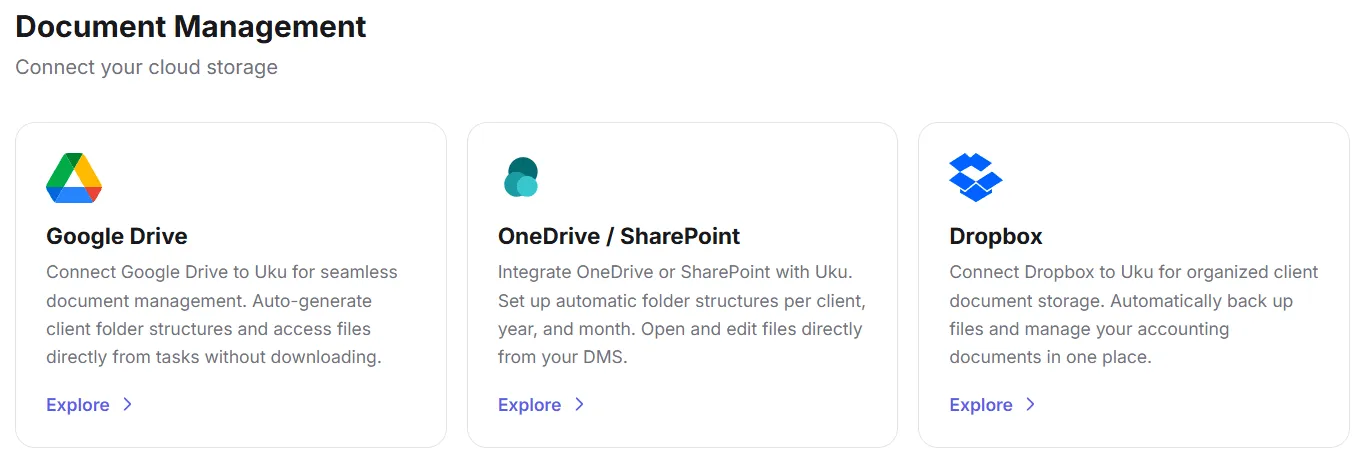
Document management integrates with Google Drive, Dropbox, SharePoint, and OneDrive, with client uploads syncing automatically to the firm’s connected cloud storage. Uku also lets users submit documents for digitalization with a single click, sending them directly into accounting software. E-signatures are included in the Elite plan.

Integration ecosystems
Xero Practice Manager is built around the Xero ecosystem. Its core advantage is the bidirectional sync with Xero accounting: invoices created in XPM push automatically to Xero, and when reconciled in Xero, they’re marked as paid in XPM. The shared client record between XPM and Xero HQ propagates edits in real time. Xero Workpapers comes included at no extra cost, pulling client details from XPM and feeding financial data into compliance workflows.
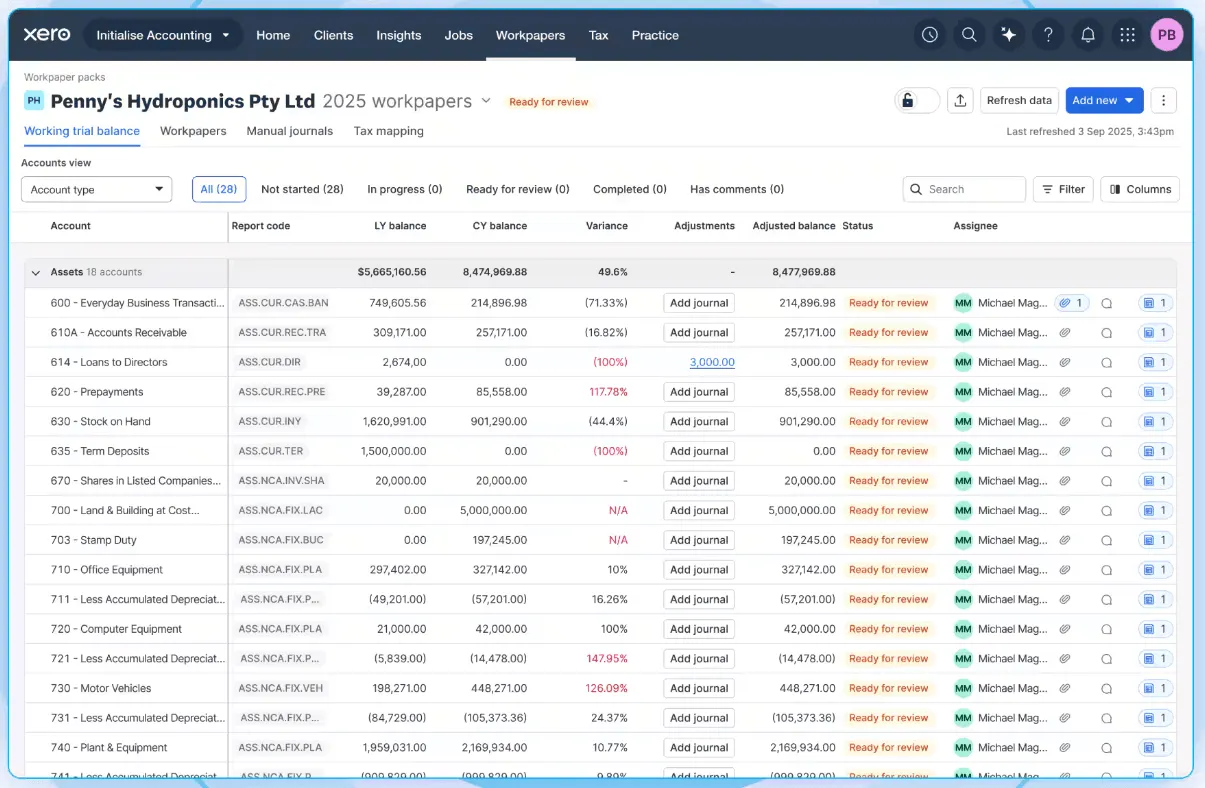
For firms whose clients are mostly on Xero, this integration is hard to match. No third-party connector can replicate the shared client record or the real-time invoice sync that comes from being a Xero-native product. The Xero App Store extends XPM with 50+ third-party integrations and a public REST API at v3.1 supports custom development.
However, this is also XPM’s constraint. The product delivers its full value only when the firm and its clients use Xero. Practices on QuickBooks, E-conomic, or other platforms lose the core integration advantage entirely.
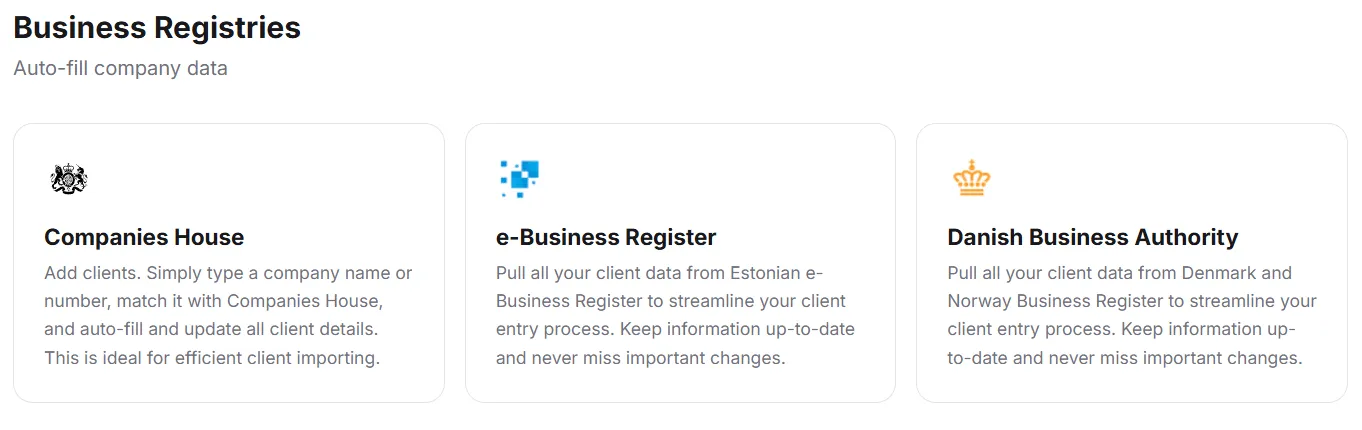
Uku takes a multi-platform approach. Accounting software integrations cover Xero, QuickBooks Online, E-conomic, Tripletex, Fortnox, FreeAgent, Merit Aktiva, SmartAccounts, Directo, and Scoro, with bidirectional client import and invoice export. Business registry integrations pull client data automatically from Companies House (UK), e-Business Register (Estonia), and the Danish Business Authority.
Email integrations connect Gmail and Microsoft 365/Exchange, allowing firms to send emails from within Uku using their own addresses. For automation, Uku supports Zapier and Make.com, opening connections to 5,000+ apps. A public REST API covers clients, contracts, invoices, tasks, and time entries. For firms with 50+ users, Uku’s development team can create custom integrations, including country-specific features like local e-invoice formats.
The breadth of accounting software integrations makes Uku a stronger fit for firms that serve clients on mixed platforms, or for practices in markets where Xero is not the dominant accounting tool.
Reporting and analytics
Xero Practice Manager provides a three-tier reporting structure: standard pre-built reports, editable sample report templates, and a custom Report Builder. Standard reports cover analysis, performance, and WIP categories. The KPI Dashboard tracks practice-specific metrics: WIP Days, Debtor Days, Average Hourly Rate, Write-Offs, and Revenue per Fee Earner.
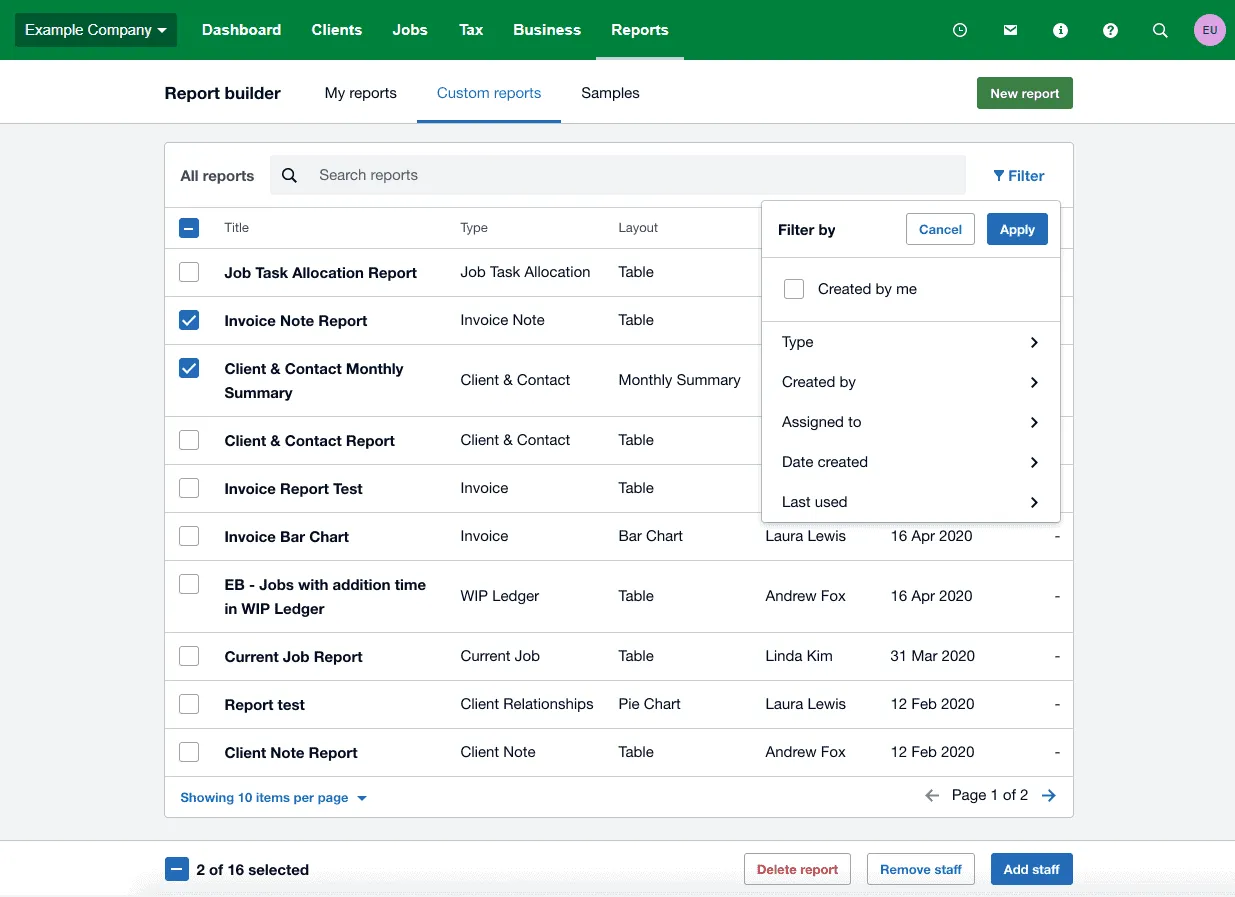
XPM’s strongest reporting capability is WIP management. The Aged WIP Report breaks unbilled work into calendar-month age buckets with an adjustable “as at” date for point-in-time analysis. Reports export to PDF, Excel, or CSV, and can be emailed directly to clients. For firms focused on tracking how billable work converts to cash, XPM’s WIP reporting is thorough.
Uku offers Reporting with three levels of depth: Summary (grouped by client, member, or topic), Tasks (individual task detail), and Time (per-session duration logs). Filters cover period, team member, client, topic, and task status, with both individual and company-wide saved report templates. Reporting provides real-time visual reports and alerts. If profitability on a client drops below cost, managers see it immediately rather than discovering the loss 30 days later.
Uku adds capabilities not commonly found in practice management tools. Its business analytics reports automatically compare agreed service volumes against actual work performed, with color-coded status indicators (red for over limit, green for within bounds, orange for remaining capacity) across all clients at once. Client Budgeting lets firms set time or cost ceilings by contract, project, or topic, with real-time progress bars and alerts before the budget runs out.
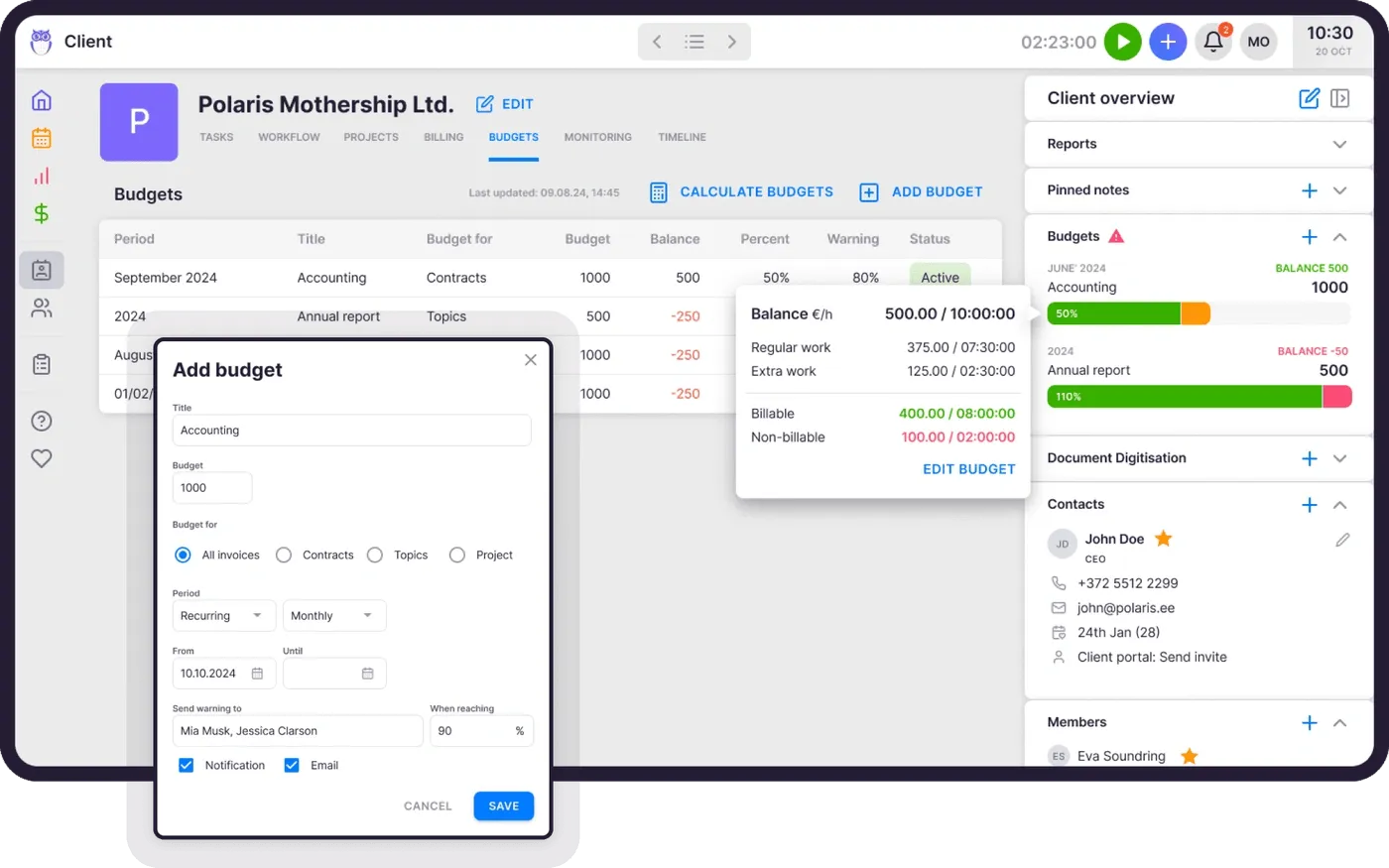
Uku also offers overlap and missing time record detection with color-coded indicators, helping firms clean up time entry discrepancies before billing.
Pricing comparison
The pricing models reflect each platform’s sales strategy.
Xero Practice Manager uses a partner-tier model. Practices at silver, gold, or platinum Xero partner status get XPM free. New and bronze-tier partners pay $149/month for up to 10 users after a 14-day free trial. Xero Workpapers is included at no extra cost, and all partners get a free Xero subscription for their own practice accounts.
For firms already at silver status, the economics are compelling: a zero-cost practice management tool integrated with the accounting software they’ve already adopted. For firms not yet in the Xero ecosystem, the $149/month flat fee is competitive for teams of 5-10, but the real cost includes third-party add-ons for capabilities XPM lacks (client portal, document management, e-signatures), plus potential implementation consulting.
Uku uses per-seat pricing across four tiers, available in €, $, and £:
| Plan | Monthly | Annual | Key features |
|---|---|---|---|
| Solo | $25/mo | $19/mo | 1 member, up to 20 active clients. Includes billing, client portal, document management, AML, e-signatures, and all integrations |
| Team | $49/member/mo | $38/member/mo | Unlimited clients, automations, workforce management |
| Elite | $62/member/mo | $48/member/mo | Client Budgeting, API, Zapier |
| Enterprise | $99/member/mo | $88/member/mo | Custom integrations, dedicated account manager |
Both annual and monthly billing options are available, with annual billing saving approximately 23%.
Uku’s monthly pricing means firms can test the platform without committing to an annual contract upfront. Solo is Uku’s single-practitioner tier, built as a powerful one-person tool rather than a stripped-down preview. At $19/member/month (annual) or $25/member/month (monthly), it gives sole practitioners integrated billing, a shared client portal, AML compliance, e-signatures inside tasks, and all integrations.
All new accounts get a 14-day free trial with full Elite access, no credit card required, and 90 minutes of free onboarding. Optional paid onboarding packages range from $700 for teams of up to 4 to $2,000 for teams up to 15. Assisted import is available across all plans.
For a 10-person team, XPM costs $149/month (if at silver status, $0). Uku’s Team plan costs $490/month ($380 annually). The gap narrows when you factor in the third-party tools XPM requires for client portal, document management, and e-signatures, but for firms already in the Xero ecosystem with those tools already in place, XPM’s bundled pricing is hard to beat on cost alone.
Setup and learning curve
Xero Practice Manager carries a steep implementation curve. The product is configurable across job statuses, categories, templates, and branded documents, but that configurability demands careful upfront planning. Xero’s own implementation support offering frames setup as a change management project with process review, data migration, and staged rollout with staff training. G2 reviewers consistently flag implementation complexity, and firms self-implementing without proper knowledge of XPM’s structure routinely face problems requiring remediation.
Xero provides a learning platform with certification tracks (L1 Associate through L3 Specialist), which helps but also signals the depth of knowledge required. For firms with existing Xero expertise, the learning curve is manageable. For firms new to the ecosystem, expect weeks to months before the team is fully productive.
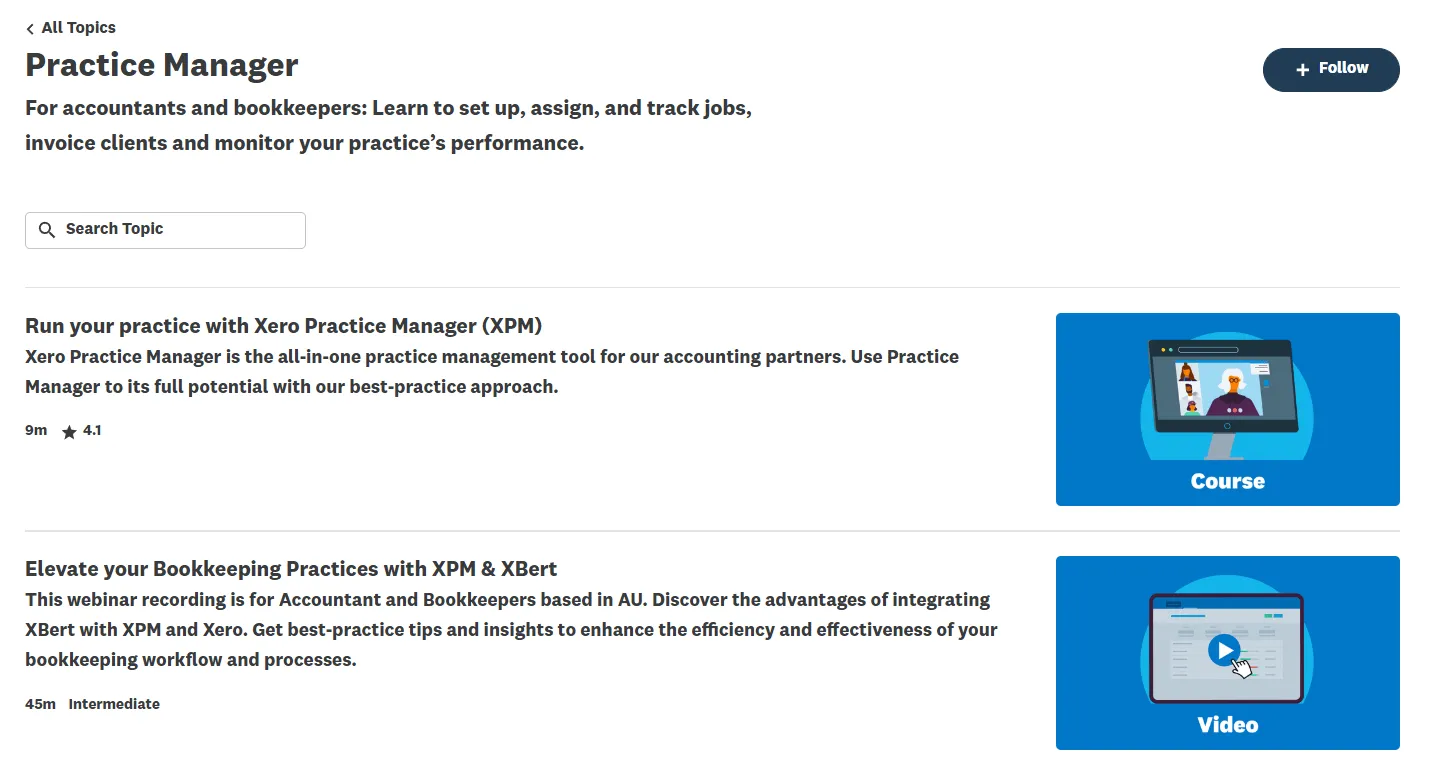
Uku is designed for fast deployment. The modular approach means firms don’t need to implement everything at once. They can start with client management and tasks on day one, then activate billing, client portal, or automation modules as the team is ready. The company says firms can set up their accounting practice within a week, following a linear setup guide: invite team members, import clients, configure custom fields, set up task templates, configure email templates, then enable optional modules. New accounts get a pre-loaded demo account with sample clients and tasks for risk-free exploration.
For firms transitioning from spreadsheets, Uku offers a direct path from Excel to structured practice management. Users can work with their existing Excel file, import it into Uku, and have automated plans ready to go. This approach addresses the risk aversion many accounting firms feel after bad experiences with software implementations.
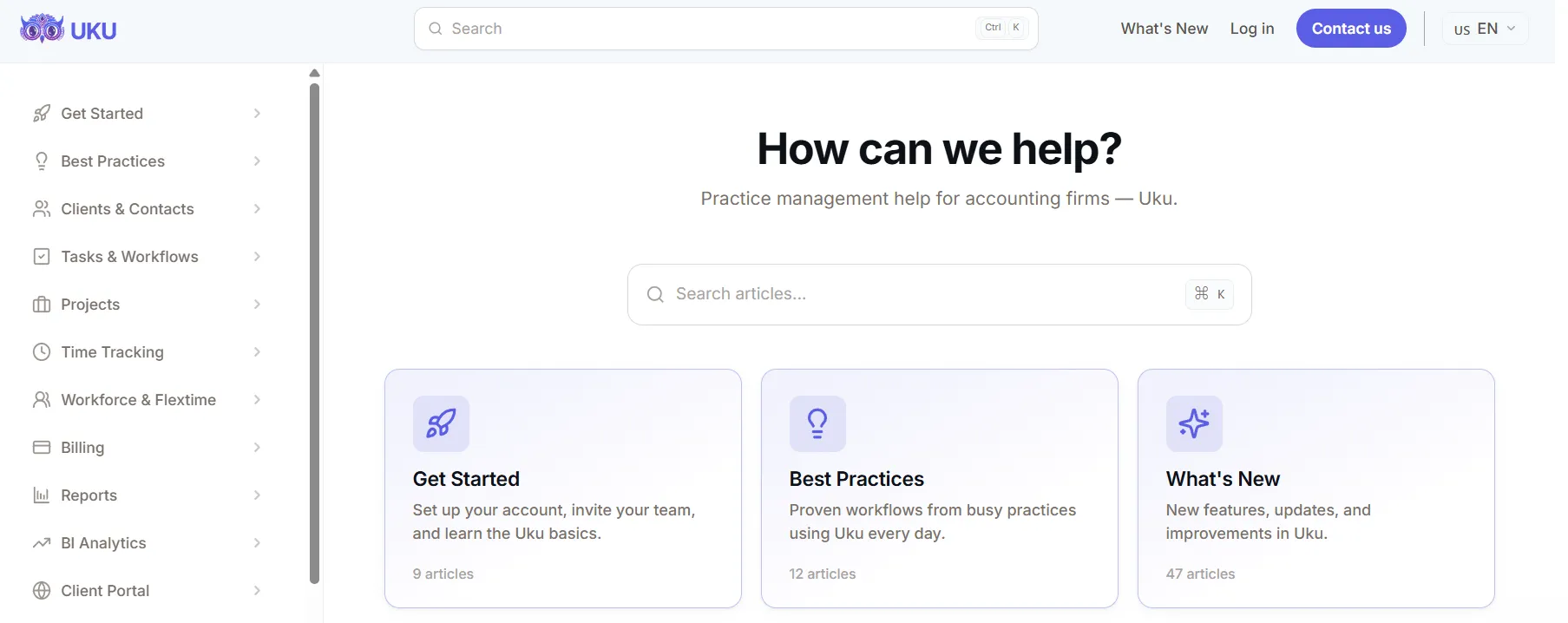
Client imports pull from connected accounting software (QuickBooks, Xero, E-conomic) or from business registries (Companies House, e-Business Register, Danish Business Authority), eliminating manual data re-entry. The help center contains 217 articles organized by workflow area, and all new accounts include 90 minutes of free onboarding.
That said, Uku is not instant-on for every team. Capterra reviewers note the interface can feel “a bit different” initially, and the Sandgrav Solutions case study acknowledged translation quality issues in the Danish localization. The learning curve is moderate rather than minimal, particularly for firms migrating complex workflows. However, with 90% of daily actions being one-click, even initially resistant team members tend to adopt the platform quickly once they start using it.

Security and compliance
Both platforms maintain strong security credentials.
Xero Practice Manager runs on Xero’s shared cloud infrastructure, which holds ISO 27001:2022 certification (audited by EY CertifyPoint) and produces an independent SOC 2 Type 2 report audited by Schellman covering Security, Availability, and Confidentiality. Xero uses standard encryption for data at rest and in transit, with data replicated across geographically distributed data centers. Multi-factor authentication is required at login, and the platform is GDPR-compliant with a Data Processing Addendum built into its terms of use.
Uku is SOC 2 Type I compliant and has completed an OWASP ASVS 2.0 security audit by an independent third party. The platform uses TLS 1.3 encryption for data in transit, AES-256 for stored secrets, and SHA-512 with random salt for password hashing. Infrastructure runs on cloud servers in Germany (EU) with Microsoft Azure for document storage. Credit card data is never stored on Uku’s servers; payments are processed through Braintree (PCI DSS Level 1). The platform has scaled to support 300 users across 13 countries using separate workspaces with consolidated reporting.
Both platforms meet the security standards that accounting firms require for client data handling. Xero’s ISO 27001 certification gives it an edge in formal compliance frameworks, while Uku’s EU-based infrastructure may appeal to European firms with data residency preferences.
Xero Practice Manager vs Uku: Which should you choose?
The choice depends on your firm’s ecosystem commitments, geographic focus, and how you prefer to adopt new software.
Choose Xero Practice Manager if:
- Your firm is already a Xero partner at silver status or above (XPM is free)
- Most or all of your clients use Xero for their accounting
- You value real-time sync between practice management and Xero accounting
- You’re comfortable adding third-party tools for client portal and document management
- Your practice is based in Australia, New Zealand, or the UK where Xero has strong market penetration
- WIP tracking and job-level profitability analysis are central to how you manage your practice
- You want access to Xero Workpapers and the broader Xero practice suite at no extra cost
Choose Uku if:
- You want to cut your team’s admin time with one-click actions and automated billing
- You value modular deployment (start with what you need and scale up without implementing everything at once)
- Your firm serves clients across multiple accounting platforms (Xero, QuickBooks, E-conomic, and others)
- You operate in markets where multilingual and multi-currency support matters
- You’re transitioning from Excel and want a straightforward implementation path
- You need monthly pricing rather than annual commitments or partner program requirements
- Built-in workflow automation with email reminders and template propagation is important to your operations
- You want a built-in client portal with passwordless access to reduce email overhead
How to switch from Xero Practice Manager to Uku
Leaving XPM does not mean leaving Xero: Uku’s Xero integration syncs clients and pushes approved invoices into the ledger, so the accounting side stays exactly where it is. Most firms are live in two to six weeks, at their own pace, and keep billing clients throughout.
- Import clients and contacts. Sync them from Xero directly, or import the spreadsheet you already maintain; on Enterprise, Uku’s team does the client import for you.
- Rebuild recurring work as task templates. Each service becomes one template with its checklist and rule-based due dates, applied per client as a task plan.
- Set up billing contracts and connect Xero. Pricing rules live on the contract, tracked time prices itself, and approved invoices export to Xero on a schedule you choose.
- Run one month in parallel, then close XPM. Keep the old system read-only for a cycle and compare the two invoice runs before you cancel.
The firms for whom this is worth doing are the ones whose clients are not all on Xero, or who need billing, a client portal and profitability in the same place. If Xero is your whole practice, XPM staying put is the right answer.
The trade-off is ecosystem integration versus modular, platform-independent coverage. Xero Practice Manager delivers the most value for firms committed to the Xero ecosystem, where the native integration eliminates data silos between practice management and client accounting. For Xero partners at silver status or above, the zero-cost access makes it a straightforward choice if you’re willing to supplement with add-ons for client-facing features.
Uku is the stronger choice for firms that want to adopt practice management at their own pace, particularly those operating across multiple markets or accounting platforms. Its modular approach means firms start working on day one with the features they need, adding capabilities as they grow (fewer vendor relationships, fewer integration points to maintain, and a single interface for the entire team). The trade-off is that Uku’s accounting software integrations, while functional, can’t match the depth of XPM’s native Xero connection.
Your decision should follow your firm’s existing commitments. If Xero is already your foundation, XPM extends it naturally. If you’re building fresh or want independence from any single accounting platform, Uku offers a modular practice management system that grows with your firm.
Related: for a deeper look at XPM on its own, see our full Xero Practice Manager review. For a tier-by-tier cost breakdown including hidden add-ons, see Xero Practice Manager pricing: worth it or consider Uku?. Comparing the wider market? See the 7 best Xero Practice Manager alternatives.
Ready to see how Uku fits your practice? Book a 30-minute demo or start your free trial.
Frequently asked questions
What is the main difference between Xero Practice Manager and Uku?
Xero Practice Manager is a practice management layer embedded in Xero's partner ecosystem, offering native integration with Xero accounting but lacking a built-in client portal and document management. Uku is a modular, platform-independent practice management solution covering tasks, billing, client portal, document management, and workflow automation, with firms choosing which modules to activate and scaling up over time. Uku integrates with Xero, QuickBooks, and 8+ other accounting platforms.
Is Xero Practice Manager really free?
XPM is free for accounting firms that reach silver, gold, or platinum status in Xero's partner program. New and bronze-tier partners pay $149/month for up to 10 users after a 14-day free trial. The specific requirements to reach silver status are not publicly disclosed by Xero.
Does Uku integrate with Xero?
Yes. Uku has a Xero integration that supports client import, billing data collection, and invoice export. However, the integration is not as deep as XPM's native Xero connection, which shares a single client record in real time and provides bidirectional invoice sync with automatic payment reconciliation.
Which platform has a better client portal?
Uku includes a built-in client portal where clients and accountants work on the same task, with all communication, documents, and actions in one place. The portal supports magic link access (no passwords), automated deadline reminders, document exchange, customizable menus per client, onboarding forms, and business insight reports. Xero Practice Manager does not have a client portal, so firms need to add third-party tools like Content Snare or SuiteFiles for similar functionality.
How does pricing compare for a 10-person firm?
At silver partner status, Xero Practice Manager is free for up to 10 users. For bronze/new partners, it costs $149/month flat. Uku's Team plan costs $490/month ($380/month on annual billing) for 10 members but includes the client portal, document management, and automated billing that XPM requires paid add-ons to match. Uku offers monthly billing with no annual commitment required, and pricing is available in €, $, and £.
Which platform is easier to set up?
Uku is generally faster to deploy thanks to its modular approach. Firms can start with just the modules they need on day one and add more over time. Xero itself recommends using its partner consulting team for XPM setup, and users consistently report a steep learning curve due to the product's configurability and the need to properly structure job templates, categories, and statuses.
Can either platform work for firms outside the Xero ecosystem?
Uku integrates with Xero, QuickBooks, E-conomic, Tripletex, and 8+ other accounting platforms, making it viable regardless of which accounting software your clients use. XPM's value is tightly coupled to the Xero ecosystem, and firms whose clients primarily use QuickBooks or other platforms lose the core integration advantage.
Which platform has better workflow automation?
Uku offers workflow automation with recurring task generation, email automation embedded in task templates, and template propagation that pushes improvements to existing client plans across the firm. XPM provides recurring jobs and configurable job templates but lacks email automation and conditional workflow features, with users describing its automation as basic compared to modern competitors.

Published May 18, 2026 · Updated Oct 1, 2026