Nothing left unbilled.
Uku turns the work your team already tracks into invoices that send, chase, and reconcile themselves — billing built for how accounting firms actually get paid.
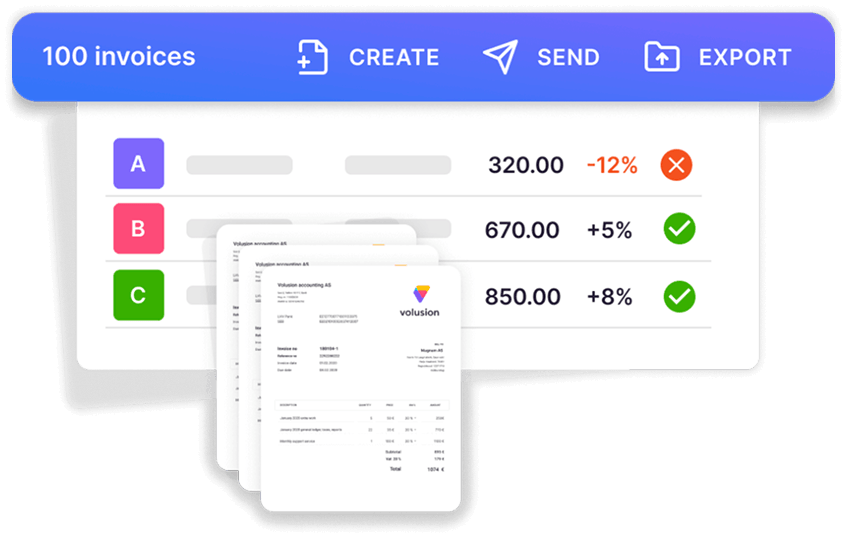
- Auto-generate invoices from tracked time — 100 clients billed in ~30 minutes, not 3 days
- Six pricing models, three automatic payment reminders, one connected flow
- Two-way sync with Xero, QuickBooks, and 8+ more — no double entry
4.8 from 300+ reviews · No credit card required
Uku bills from the same tracked time your team already logs — every billable minute becomes an invoice line automatically, and nothing slips through.
to bill 100+ clients
Review, approve, and send your whole client book in bulk — the drafts are already generated from tracked time and task data.
of revenue lost to unbilled work
Industry estimates put revenue leakage at 1–5% of firm revenue. Uku surfaces every delivered-but-unbilled hour so you can recover it.
days of billing prep, per cycle
The spreadsheets, manual checks, and approval chasing disappear from the monthly cycle entirely.
Uku's invoicing solution enabled us to increase our revenue by 34% in the last year.
Mia S., verified on G2
The whole cycle, in two minutes.
Watch a contract turn tracked time into a sent, paid invoice — no manual steps in between.
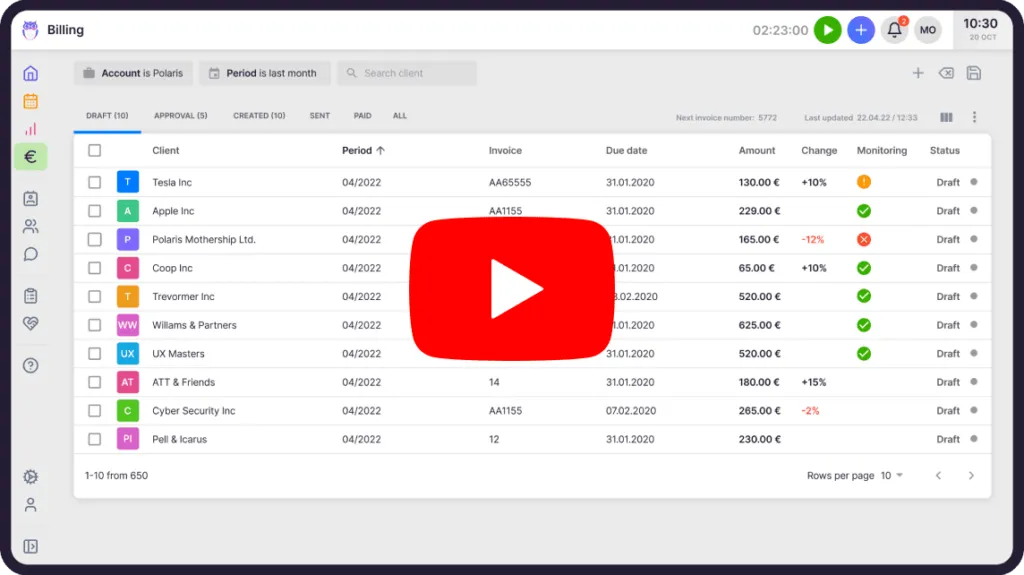 Watch how Uku's automated billing works · YouTube
Billing that runs itself.
Set a contract once — recurrence, invoice day, service rows — and Uku generates the draft invoice from the hours and task data your team already logs. Recurring work bills itself; you just check it.
- Draft → Approval → Created → Sent → Paid — one place
- Bulk create, recalculate, send, and mark-paid
- Draws directly from Time Tracking and task data
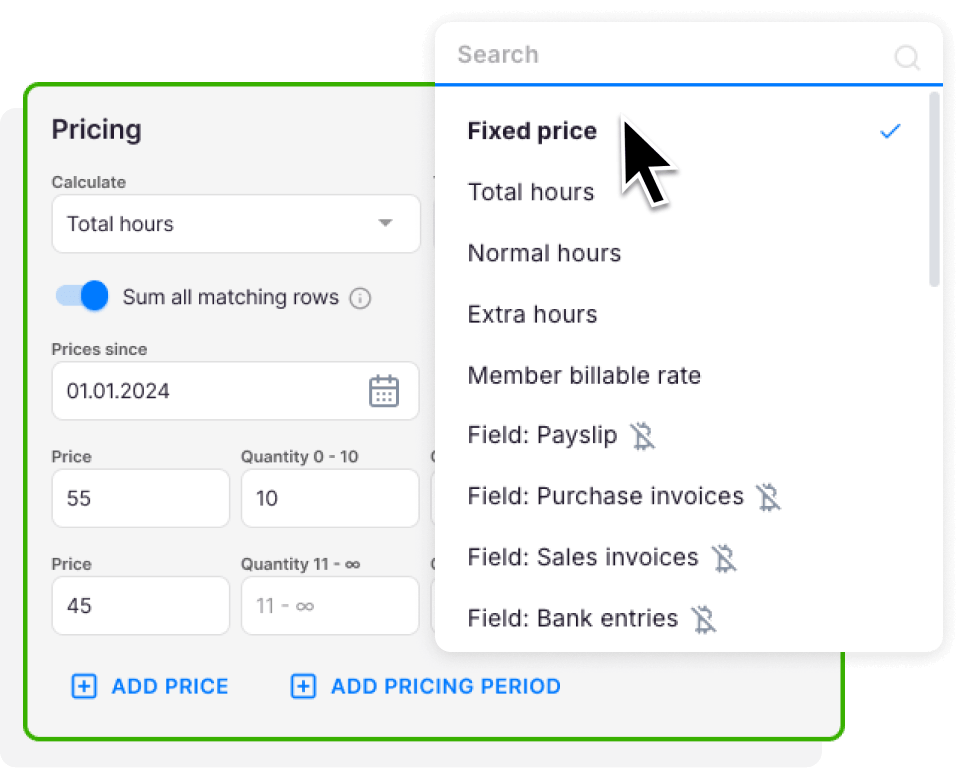
Fixed fee, hourly, per-item — or all of it on one invoice.
Most tools make you pick flat or metered. Uku does fixed price, hourly, member-rate, per-piece, task-triggered, and disbursement — or all of them combined on one invoice, including "first N units flat, then per-unit above."
- One clean invoice for retainer + overage hours + per-payslip charges
- Schedule a price change in advance — it activates on its own
- Bill a parent company for all its subsidiaries, itemized
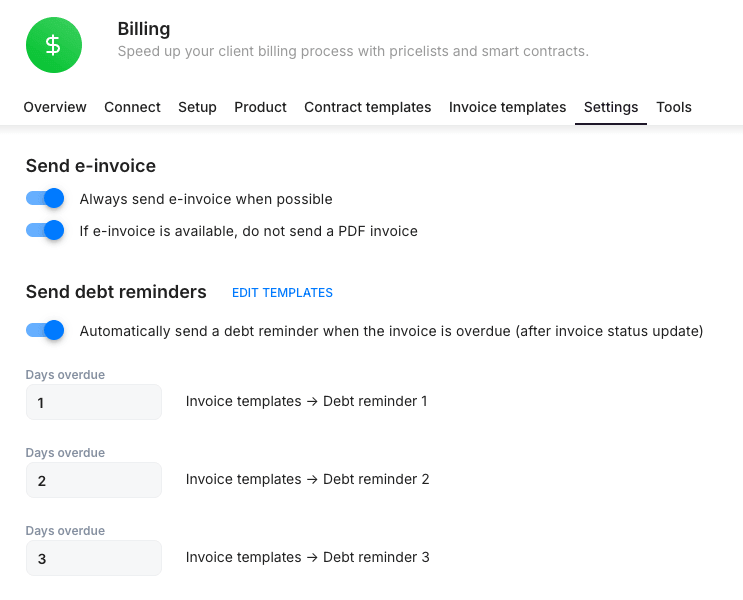
Stop chasing late payers.
Uku sends up to three escalating payment reminders on a schedule you set, in the client's language — and stops automatically the moment the invoice is marked paid.
- Firms that automate AR typically cut DSO by 15–30 days
- Opt any client out, customize every reminder
- Never write "just following up on invoice #…" again
Find the money that slipped through.
When work lands after an invoice is already locked, most firms simply eat it. Uku compares all billable work against what was actually invoiced — and shows each missed item with an estimated value.
- Every delivered-but-unbilled hour, with its estimated value
- One click reclaims it into the next billing period
- Runs on the same engine that builds your invoices
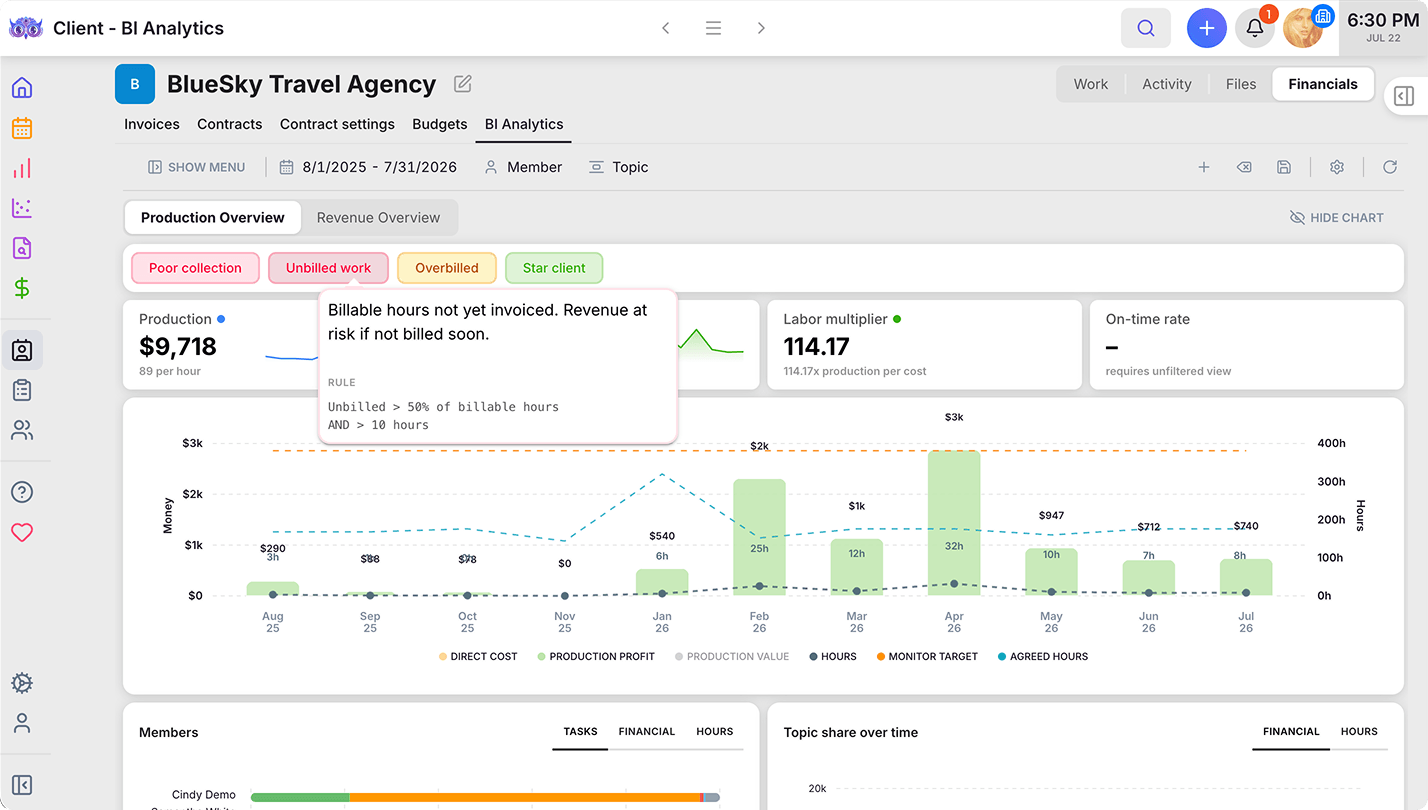
Let clients pay in a click — right in the portal.
Send the invoice and your client pays it online, in the same Client Portal where every invoice you've issued is already waiting. Take payments through your own Stripe or a custom payment page — Uku supports both — so invoices get paid faster, with far less chasing.
- Pay in the Client Portal — clients settle invoices online, no back-and-forth
- Stripe or your own payment page — Uku supports both
- Every issued invoice in one place — automatically visible to the client
- Paid faster — less chasing, healthier cash flow
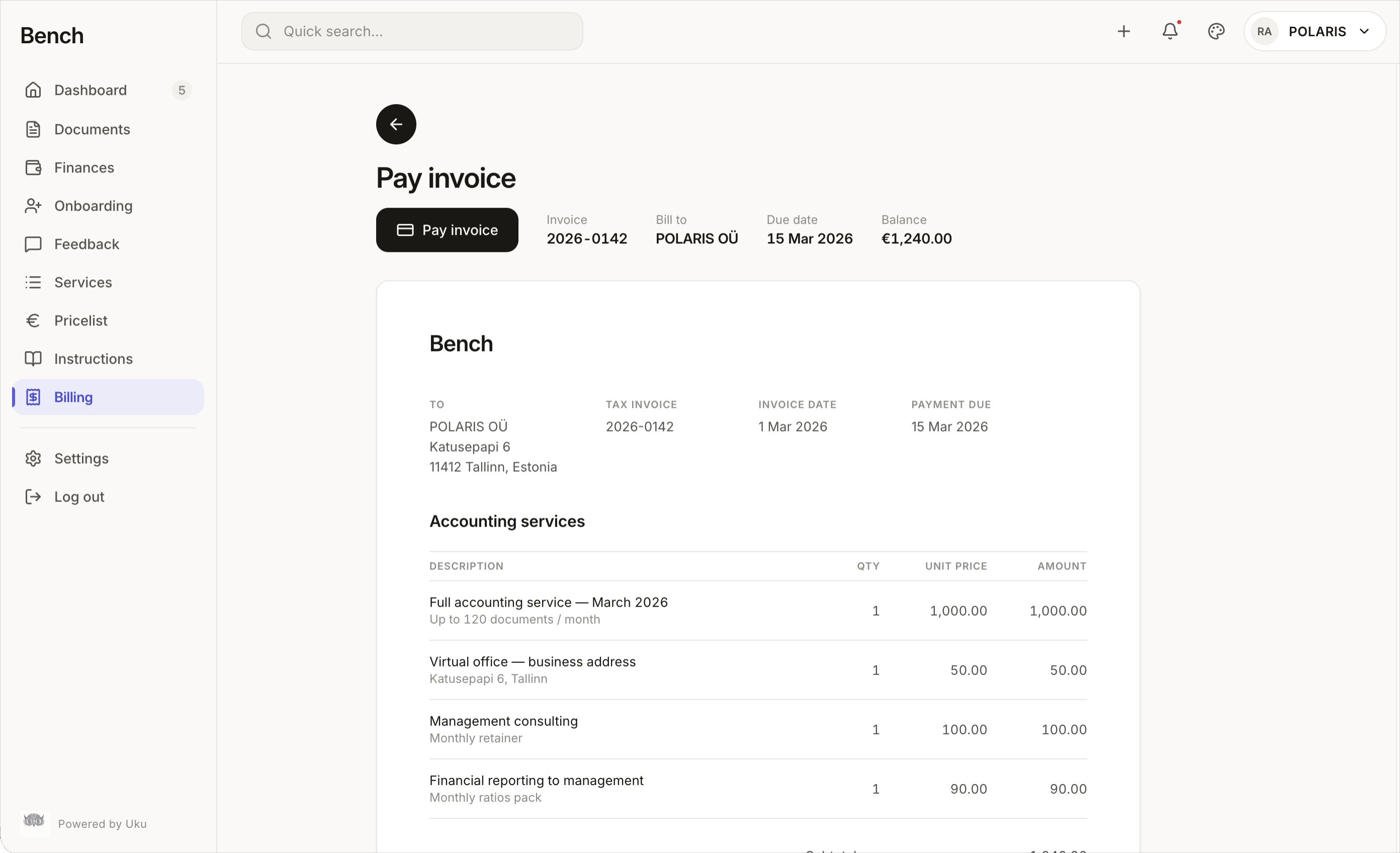
Know what you billed, what you're owed and what you earned.
What went on each invoice, who is late paying, and which work actually makes money, answered in Uku instead of a spreadsheet. On every plan with billing; invoice approvals and profit sharing come with Elite.
Every invoice line, backed by the work.
See whose time sits behind each line before the invoice goes out. When a client asks what they're paying for, you already have the answer.
- See who did what behind every invoice line
- Discounts and write-downs with the reason on record
- Move work to next month without losing it
- Know which tasks are billed and which are not
| Person · task | Month | Hours | Billed |
|---|---|---|---|
| Emma · Monthly bookkeepingDiscount | Sep | 4:30 | 200.00 |
| James · Monthly bookkeeping | Sep | 2:00 | 100.00 |
| Emma · Monthly bookkeepingFrom August | Aug | 1:00 | 50.00 |
−25.00 · agreed with client · by Olivia
Illustration · figures invented
Know who owes you, and since when.
Every open invoice, who is late and by how much, in one view. You know who to call first.
- AR aging report by client: 30, 60, 90 days and over
- Average days to pay (DSO) for every client
- Statements of account sent to one client or all of them
- Invoices, payments and contracts in one place
| Client | Current | 1–30 | 31–60 | 61+ |
|---|---|---|---|---|
| Northwind Ltd | 1,200 | 480 | 0 | 0 |
| Baltic Foods | 0 | 600 | 750 | 0 |
| Harbor & Co | 360 | 0 | 0 | 240 |
| Total | 1,560 | 1,080 | 750 | 240 |
Illustration · figures invented
Partial payments and retainers, handled.
Installments, deposits, part now and part later. Uku records it all and shows your client exactly what is left to pay. No more “didn't we already pay this?” emails.
- Partial payments recorded as they arrive
- Retainers and prepayments deducted from the final invoice
- Clients see what is left to pay in the portal and in reminders
- Tax handled correctly on prepayment invoices
| Date | Payment | Amount |
|---|---|---|
| Sep 3 | Retainer deducted | 250.00 |
| Sep 12 | Bank transfer | 450.00 |
- Total
- 1,200.00
- Paid so far
- 450.00
- Credit applied
- 250.00
- Remaining
- 500.00
Illustration · figures invented
More coming to billing.
Credit notes and write-offs
Correct an invoice in a few clicks, in full or in part. When a client won't pay, write it off and Uku stops chasing it.
Proof of work with every invoice
Attach a clear list of the work done, so clients see what they're paying for before they ask.
Rates by person and role
Set billing and cost rates per person, role or service. A raise counts from the day you choose.
Price changes without the risk
Update your standard prices once and roll them out, without overwriting the deals you made with individual clients.
Invoice approvals
Have a partner sign off before any invoice goes out.
Profit sharing
See who earned what on every invoice, partners and outside contributors included.
Track. Bill. Collect.
Track
Your team logs time and task data against client work — they already do.
Bill
Contracts turn that data into invoices automatically, on schedule.
Collect
Reminders chase overdue invoices and stop themselves when paid.
- Most firms: 3 days of spreadsheets, manual checks, and waiting on approvals Uku firms: 100+ clients billed in ~30 minutes
- Most firms: Bill what you remembered to log Uku firms: Surface every hour that was delivered
- Most firms: “Just following up on invoice #…” Uku firms: Reminders that send and stop themselves
The bottleneck was never the invoice. It was everything upstream.
Yes, Uku can do that.
Every billing question we hear from accounting firms — and the answer is always the same.
- Can I auto-generate invoices from tracked time?
- Can I bill fixed-fee, hourly, and per-item work on the same invoice?
- Can I set flat-fee-plus-overage pricing in one row?
- Can I send automatic, escalating payment reminders?
- Do reminders stop automatically when a client pays?
- Can I send invoices in the client's language and currency?
- Can I bill a parent company for all its subsidiaries on one invoice?
- Can I apply EU reverse-charge VAT automatically?
- Can I issue credit notes and partial corrections?
- Can I sync invoices and payment status two-way with Xero and QuickBooks?
- Can I roll a price change across every contract at once?
- Can I recover billable work that was missed after an invoice locked?
- Can I bill from custom fields like number of payslips or documents?
- Can I see, per task, whether it's billed — and why not?
Any questions about billing?
How do accounting firms automate billing?
They connect billing to the work their team already tracks. In Uku, a contract defines the recurrence, invoice date, and services once; the system then generates each invoice automatically from logged time and task data, ready to review and send in bulk — turning days of manual prep into minutes.
What is revenue leakage, and how much do firms lose?
Revenue leakage is billable work that never makes it onto an invoice at full value — from uncaptured time, scope creep, or write-downs. Industry estimates put the loss at 1–5% of revenue — up to $100k a year for a $2M firm. Uku surfaces delivered-but-unbilled work so you can recover it.
Can Uku bill from tracked time automatically?
Yes. Uku pulls each team member's logged hours (and task-field quantities like payslip counts) straight into the invoice, applying the pricing model on the contract — hourly, per-item, member-rate, or a combination — with no re-keying.
How do automated payment reminders work?
Uku sends up to three escalating reminders after an invoice's due date, on a schedule you set and in the client's language. They stop automatically the moment the invoice is marked paid — manually or via your accounting sync — and any client can be opted out.
Does Uku connect to QuickBooks and Xero?
Yes — two-way. Uku exports finalized invoices to your accounting system and pulls payment status back, so an invoice marked paid in QuickBooks or Xero shows paid in Uku. It also syncs tax rates and article codes. Merit Aktiva, e-conomic, Fortnox, and more are supported.
What's the difference between fixed-fee, hourly, and value billing?
Hourly bills time spent — which punishes efficiency. Fixed-fee and value billing charge an agreed price for the outcome, giving clients certainty and rewarding your speed. Uku supports both (and combinations), so you can move to fixed-fee pricing without leaving hourly work behind.
Can Uku bill a parent company for its subsidiaries?
Yes. Link subsidiaries to a parent, and Uku consolidates their contracts — even different billing cycles landing in the same month — onto one invoice, with each line labeled by subsidiary.
Can I record partial payments in Uku?
Coming soon. You'll record each payment as it arrives, and both you and your client see what's paid and what's still owed: on the invoice, in the Client Portal and in payment reminders.
Does Uku have an AR aging report?
Coming soon. A new billing overview shows who owes you, how much and for how long, by client, in 30, 60 and 90-day buckets, plus how quickly each client pays. You can also send clients a statement of account, one at a time or all at once.
Can I bill retainers or prepayments in Uku?
Coming soon. Invoice a retainer or prepayment up front, then deduct it from the final invoice, with the tax handled correctly and nothing counted as revenue twice.
Can a partner approve invoices before they go out?
Coming soon on the Elite plan. Choose who has to sign off, and nothing is issued until they have. Every approval and comment stays with the invoice.
Have a question? Contact us — real people answer.
Top-rated by accounting firms, consistently.







Explore the rest of Uku.
Deliver the work
Serve clients
Run a profitable firm
 QuickBooks
  Xero
Xero  Gmail
Gmail  Google Drive
  Dropbox
  Zapier
  Microsoft 365









Elevate your efficiency with the powerful yet easy-to-use accounting practice management software.
"Let's create a dream, where the team is happy, clients are well served and profits are fair." — Rain Allikvee, Co-founder of Uku