

Nothing Left Unbilled
- Fast billing process
- Automated data collection and invoicing
- Flexible pricing & contract templates
No credit card required.


Michael H.
IT manager
It's simply wonderful – our clients' tasks are easily integrated into the workflow. Less emails, less client chasing and most importantly, clients love our client portal.

Anu A.
CFO
Uku's Client Portal puts client first, makes collecting missing documents and communication easy, and is very easy to use.

Annika L.
Chief accountant
A year with Uku and we can serve 38% more clients. Couldn't imagine life without Uku.
Fast & Reliable
Billing Automation
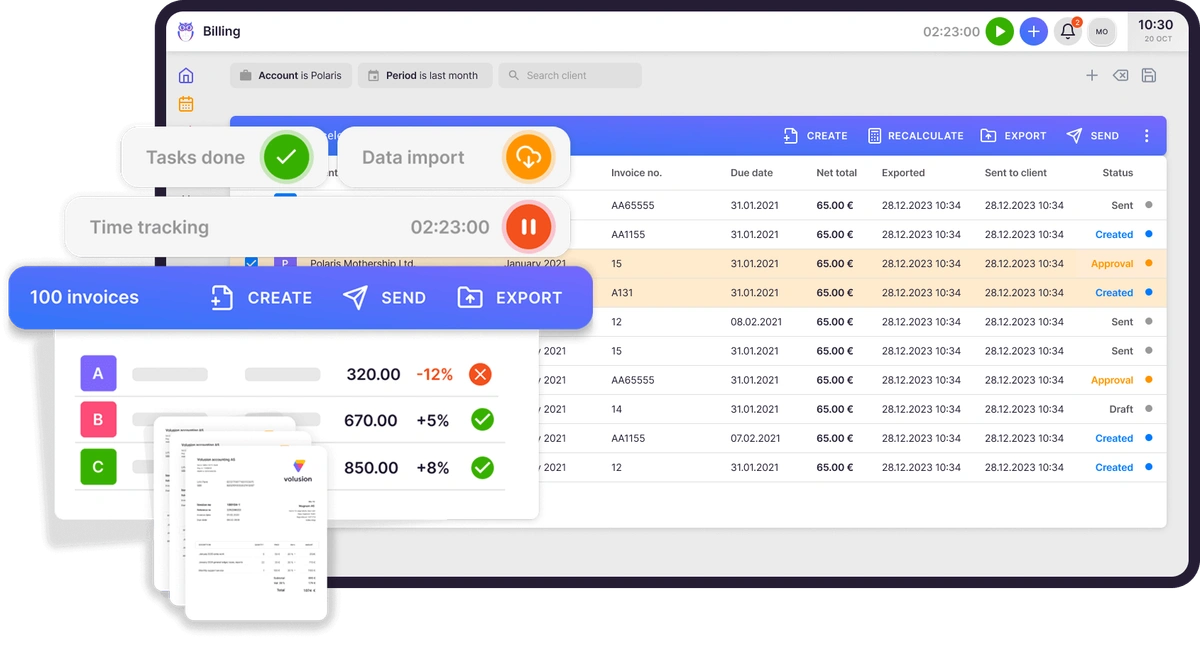
Uku's automated billing will do the mundane work of creating invoices for you. You just have to proofread the invoices and send them out.
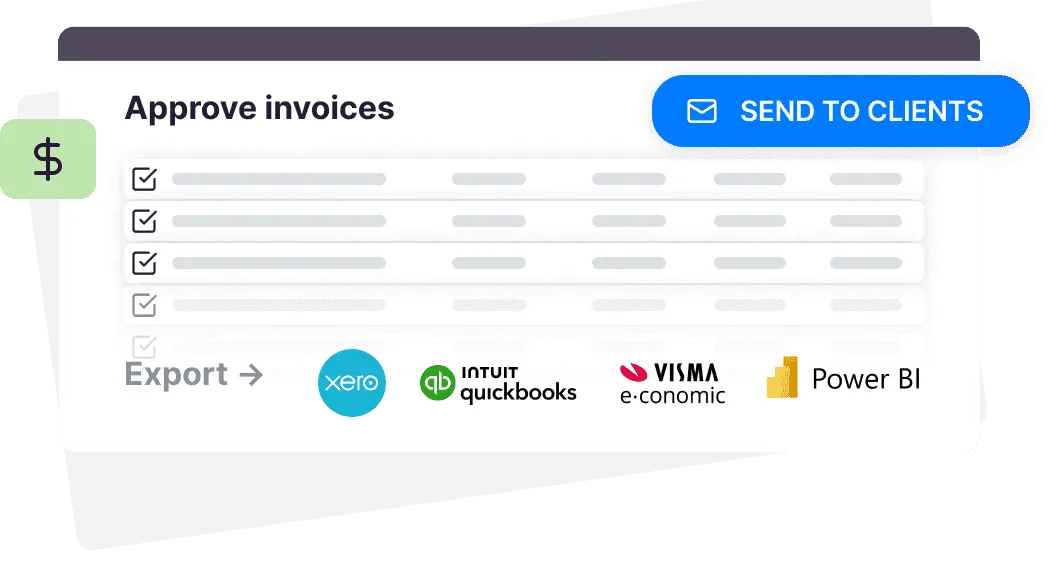
You'll never forget to send an invoice again. Create automatically, adjust, approve and send invoices straight from Uku.
Automated
Data Collection & Invoicing
Uku collects data from your time tracking data and custom value entries.
You create contract templates tailored to the accounting services you offer. Assign the templates to your clients and Uku creates the invoices.
Flexible
Pricing Options
Create product and contract templates, and modify according to specific clients if necessary.
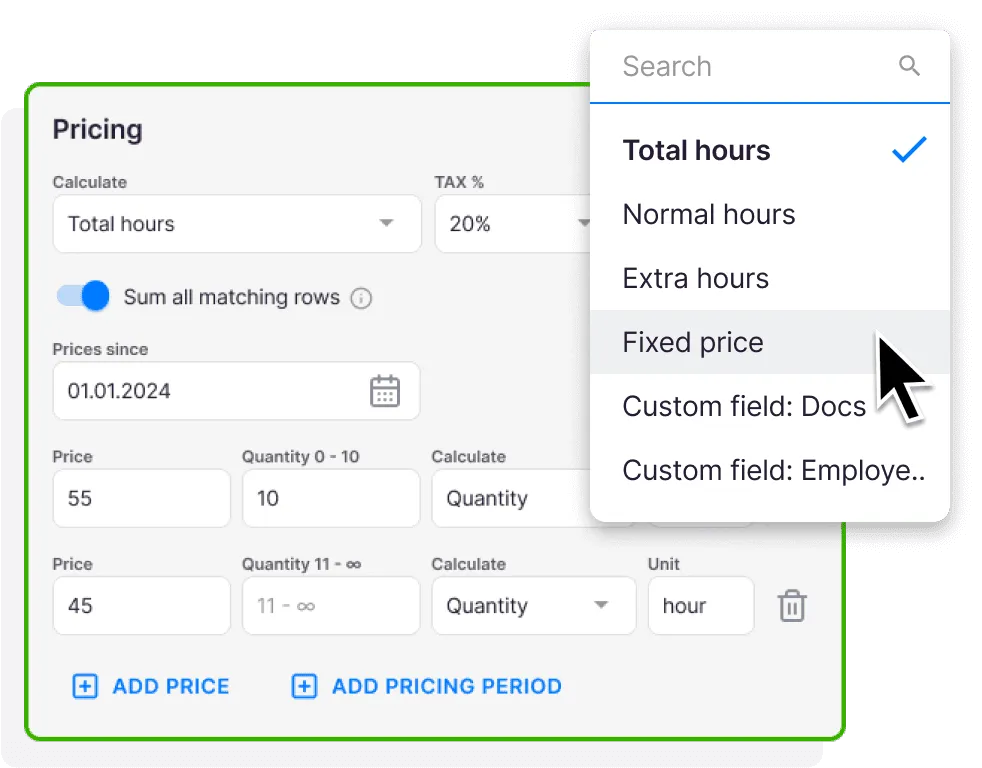
You can choose between several pricing options, set minimum time, use rounding, and create custom fields.
Create personalized billing contracts for the clients with extra dynamic pricing options: time, fixed, item & mix.
Time Tracking and Billing
Integrated into your accounting firm's workflow
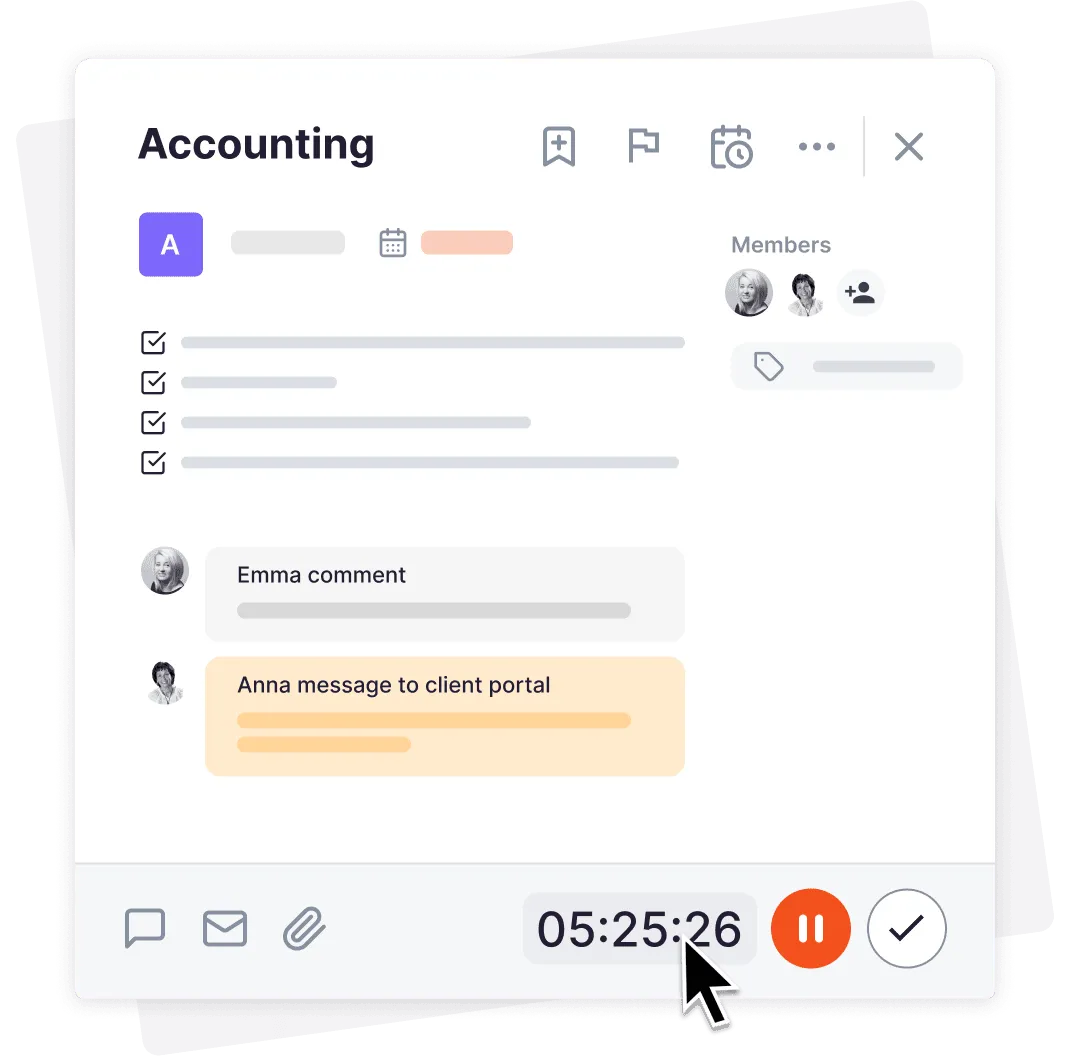
Add estimations, rounding or minimum time requirements for maximum profitability. Define billable and non-billable time.
The complete workflow in a single task – time tracking, task done, custom fields and entries.
Benefits of Automated Billing
Setup billing fast
Even with a 1000+ clients, Uku's contract templates allow customization for each client.
Create master templates
Standardize services and prices for your clients. Make pricing changes and billing processes transparent and fast.
Create an automated system
Ensure that all your work done always gets billed and reduce the time you spend on invoicing.
Bill services based on time, volume, or recurring fees
Create personalized contracts for the clients with extra dynamic pricing options.
Use price ranges with levels
Reduce the price on larger volumes, do it in levels and use cumulative summation or pricing periods.
Set minimum time and rounding
Increase the profitability of your accounting firm by setting minimum time requirements and applying rounding rules to your services.
Import services from your accounting software
Automatically import all products, services, tax rates, and other parameters to speed up billing setup.
Automatically export invoices to your accounting software
For everything to work smoothly, the invoices send to your accounting program. Uku integrates with Xero, e-conomic, Merit, and 360 Ksiegowość.
Keep track of payment status
Maintain a clear overview of client payment statuses with the accounting practice management software.
Define company defaults
Set up company-wide billing settings applied for each client under the billing app.
Split revenue
Add one or several people into one resource and divide the share between them. Pay bonuses or just track who has contributed to which invoices / services / clients.
Bill parent company
Subsidiary invoices can be now charged to their parent company. Either separate invoices per subsidiary or merge all invoices.
Use placeholders
Like invoice period, next or previous period, client primary member, quantity as number, time or time in number format.
Bill later
Under task, you can change when this work is billed: Task Start Date, Task Due Date, Task End Date, Custom Date, or Never.
Debt reminders
Automate invoice debt reminders (customizable) to cut DSO and speed collections without manual follow-up.
Your Accounting Billing Process with Uku
Review and approve
Create a monthly task to review and approve automatically generated invoices. It only takes 30 minutes for 100+ clients.
Export to accounting
Easily export all invoices to your accounting software, like Xero for example.
Send to clients
You can send all invoices from Uku at once to your clients' email. Ensure that no invoice is left behind.
Uku will speed up 🚀 your billing process
Time is your most valuable asset
100 clients took 8 hours
- 1 Excel sheet for each client
- 2 Duplicate an invoice
- 3 Enter data manually
- 4 Review
- 5 Send invoice out
100 clients takes 0.5 hours
- 1 Uku generates invoices from data
- 2 Review & approve
- 3 Send invoice out
How to set up client invoicing?
Check out the more in-depth tutorial in Uku's help center
Step 1
Define your services
1. Add invoice parameters
TAX codes, product codes, articles, resource codes, units and bank accounts. Use import!
1. Create service
Name the service in different languages and specify the included task topics. Define the parameters for integration such as product code, project code, resource code or use custom values.
1. Add pricing calculation
Choose fixed, hours, or volume pricing through custom field. Define pricing levels with different calculation methods and periods. You can combine and mix every pricing model. It's truly the most flexible pricing setup you have seen!
View examples ›Step 2
Create master contracts
2. Add contract template
Define billing recurrence - monthly, quarterly, or yearly. Invoice date, like creation date, last day of the month, or any specific date 1,2,3,4,5...
2. Add services
Add the created services to the contract in the necessary order in the invoice. It is wise to add more services because Uku is smart and does not add the services that have not been provided.
View examples ›Step 3
Add contracts to clients
3. Choose contracts
Choose contracts with different periods and custom settings under each client. You can do it for multiple clients at once as well.
3. Customize as needed
You can customize every part of the service according to the client's agreement. For example, with some clients, the hourly price is higher, or additional work is cheaper.
Accounting practice management software
Why accounting firms love
❤️ Uku's billing feature?
With the help of your personal assistant Uku, your work day is stress-free and decisions data-based.
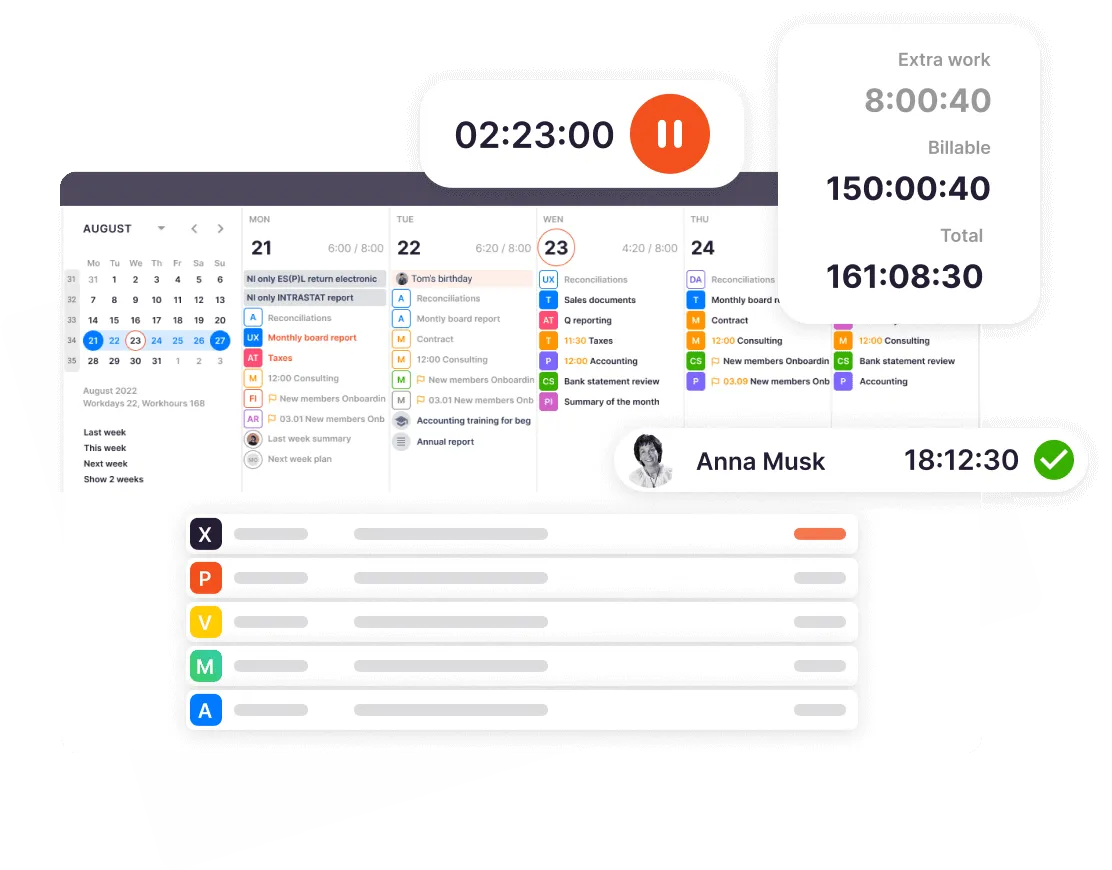
① Your team is focused, productive & organized
Powerful and easy-to-use
task management
Simple way to track your clients' work status, who's doing which task, and all your deadlines. No task deadlines will be missed again, even when substituting a colleague.
② Your team saves ~30% of the time
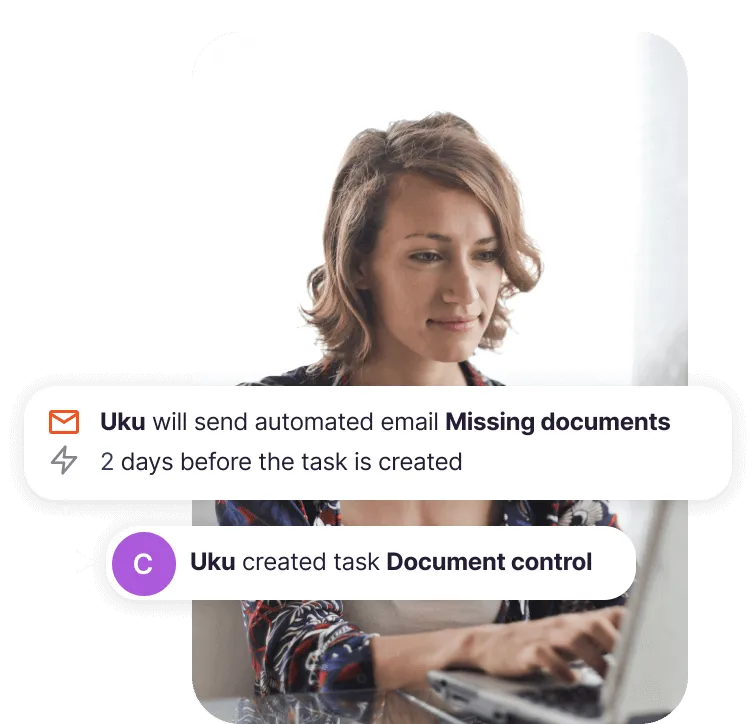
Automate workflows, communication & billing
Set up recurring task plans for services, email templates for notifications, reminders, etc, and several pricing models once. Add, edit, and reuse the templates forever.
③ You have the full visibility to grow
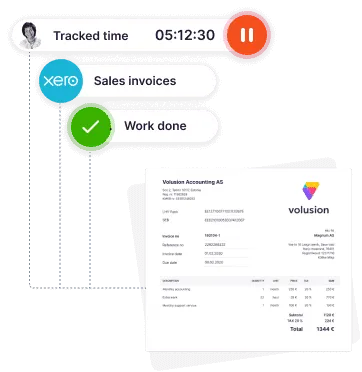
Turn data into actionable insights
Uku's reporting & monitoring help you price your services fairly and determine where to remove inefficiencies. Tracking time provides valuable insights to client agreements, and helps make wise decisions to grow your business.
Uku's Vision
The Future of Billing Systems
We are driven by the desire to increase your efficiency, enabling you to achieve more with less effort and increase your earnings.
We work hard to bring the following solutions:
FAQ
Any questions?
Still have questions? Contact Us
Key Features of the Software for Accounting Firms
View all Uku's accounting practice management features
Client Management
Keep all important information in the client profile. Easily import and export all data to keep relevant information always available.
Explore moreTime Tracking
Tracking time is addictively easy in Uku. Enter time manually or track with the timer and conveniently map even the smallest tasks.
Explore moreTeam Collaboration
Take the pain out of employee replacements. Assign tasks, add attachments or comments and keep relevant information in one place.
Explore moreWorkflow Automation
Standardize your accounting work with recurring task templates and dependencies. Uku sends tasks to the right person at the right time.
Explore moreTask Management
Tasks appear on the dashboard and calendar when it's time. The team lead gets a quick overview of whether work is on schedule.
Explore moreReporting & Analysis
Overview of time spent by customers, tasks and employees. Prevent bottlenecks, optimize processes and operate profitably.
Explore more CurrentBilling
Speed up your invoicing by setting up automated billing with a fixed, hourly or service-based rate. Send invoices to clients and your accounting software.
Explore moreClient Budgeting
Agree on a budget with your client, and we'll help you keep track. Get notified before the budget's maxed out.
Explore moreAgreements Monitoring
Keep track of billable hours and operate profitably. React operatively to workload changes when workload exceeds agreements.
Explore moreWorkforce Management
All-in-one workforce management: centralize employee data, automate HR tasks, and streamline time tracking.
Explore moreDocument Management
Keep files organized, accessible, and secure with automated organization that puts every document exactly where it belongs.
Explore moreEmail Management
Transform emails into tasks instantly, automate recurring messages, and track follow-ups in one place.
Explore moreProject Management
Simplify onboarding for new clients and team members. Track project progress with a real-time overview.
Explore moreClient Portal
Elevate client communication, streamline document collection and digitisation with your beautifully branded, secure Client Portal.
Explore moreFlextime
Manage working hours, overtime, and vacations in one place. Real-time balance for every team member, exports to your accountant.
Explore moreGet started with Uku today.
Elevate your efficiency with Uku, the powerful yet easy-to-use accounting practice management software.
Try free for 14 days
“Let’s create a dream, where the team is happy, clients are well served and profits are fair.
Rain Allikvee / Uku’s co-founder