What is the difference between client budgeting and agreement monitoring?
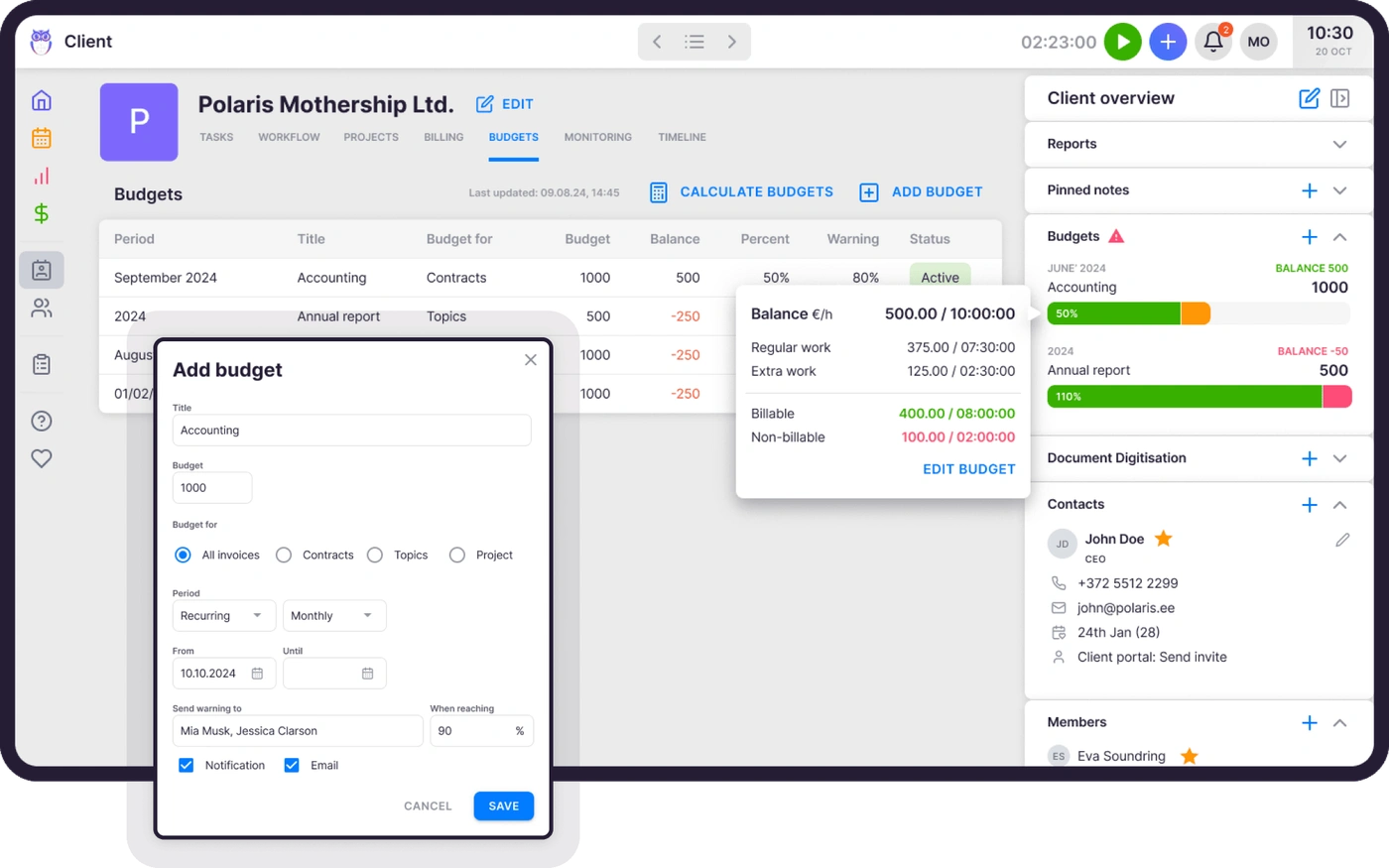
Budgeting measures the money. You set a budget in any currency per client, and Uku warns you before it maxes out. Monitoring measures everything else — it compares the client agreement to the actual work done, mostly time plus the documents you processed and the payroll you ran, and shows a real-time red/orange/green status per client. Budgeting caps the fee; monitoring proves whether the price still fits the workload.
What is client budgeting in Uku?
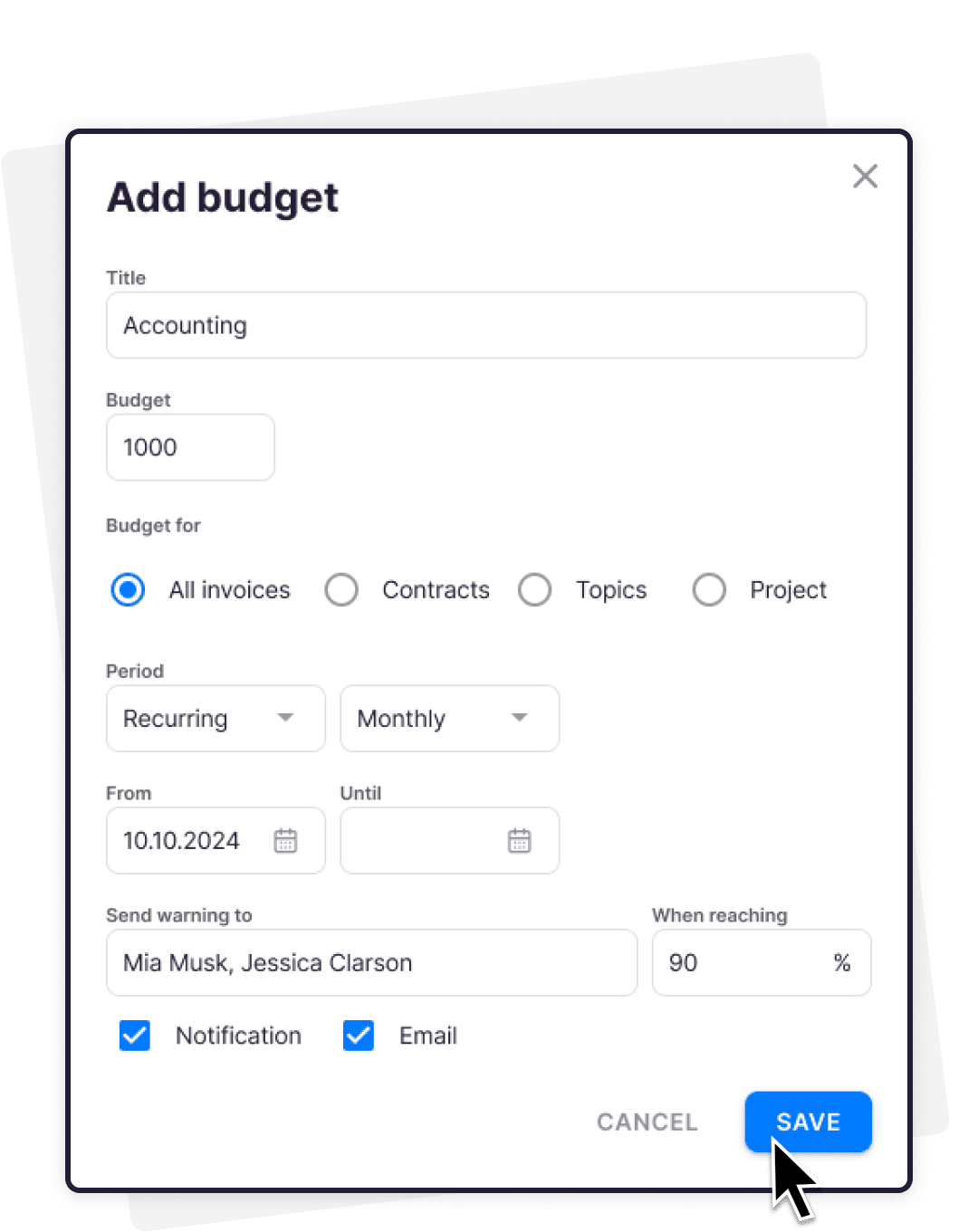
You agree on a budget with your client — in any currency — and Uku tracks every logged minute against it in real time. When the budget approaches its limit, Uku notifies you so you can react in time.
What is client agreement monitoring?
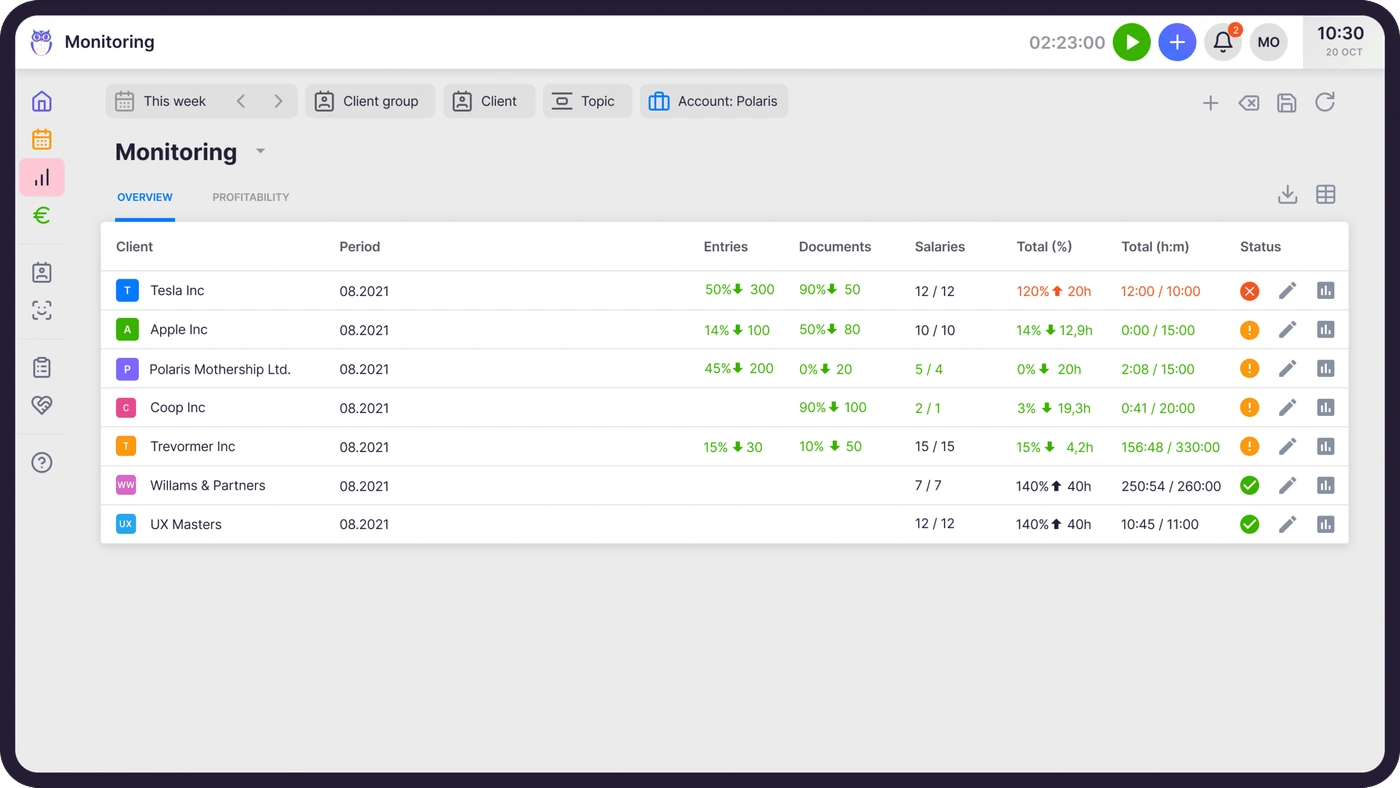
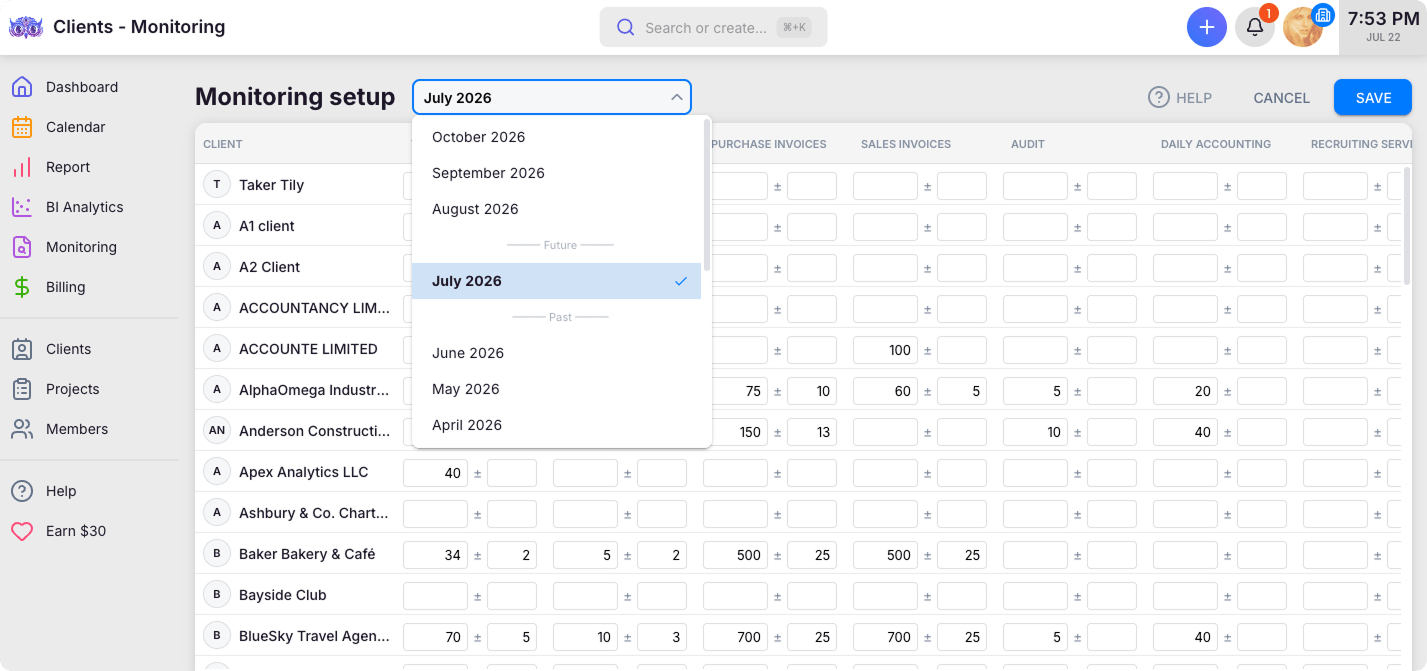
Agreement monitoring automatically compares the work you agreed with a client to the actual work done — mostly time, plus the documents you processed and the payroll you ran. A simple red/orange/green status shows whether each client is still profitable, so you can react before you do free extra work.
How does the traffic-light system work?
Red means the client exceeds the agreed plan — you are doing more work than you are paid for. Green means work is within the agreed limits and profit is on track. Orange means there is still room, but the limit is approaching.
How do budget notifications work?
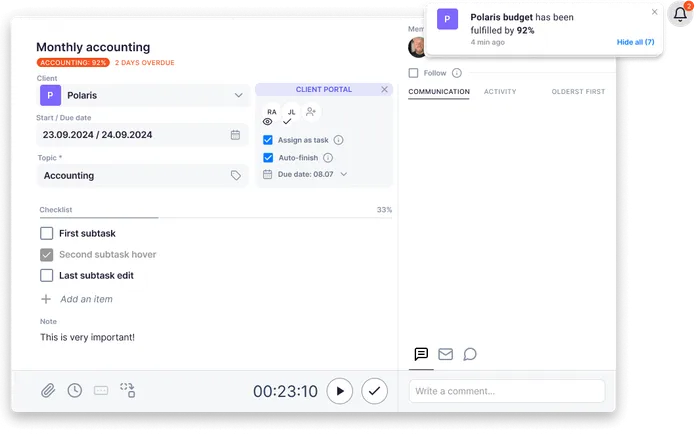
Choose a threshold, for example 80% or 90% of the agreed budget. When a client's tracked work crosses it, the team lead gets an alert — before the budget is used up, not after.
How do budgeting and monitoring help with pricing?
Budget-versus-actual history and the monitoring traffic light both show which agreements are regularly exceeded. That gives you concrete evidence for renegotiating prices — firms report discovering significant underpriced work this way.
Is this included in my plan?
Client Budgeting and Agreement Monitoring are available in Uku's higher plans. Monitoring can be set up for all clients at once — it is easier than filling an Excel sheet.















 QuickBooks
  Xero
Xero  Gmail
Gmail  Google Drive
  Dropbox
  Zapier
  Microsoft 365