The client portal you don't have to explain.
Collect documents, communicate and digitize through Uku's client portal — branded as yours, secure by default.
- Magic link access — no usernames, no forgotten passwords
- Automated reminders chase documents so your team doesn't
- White-label — your logo, colors, URL, and welcome video
4.8 from 300+ reviews · No credit card required
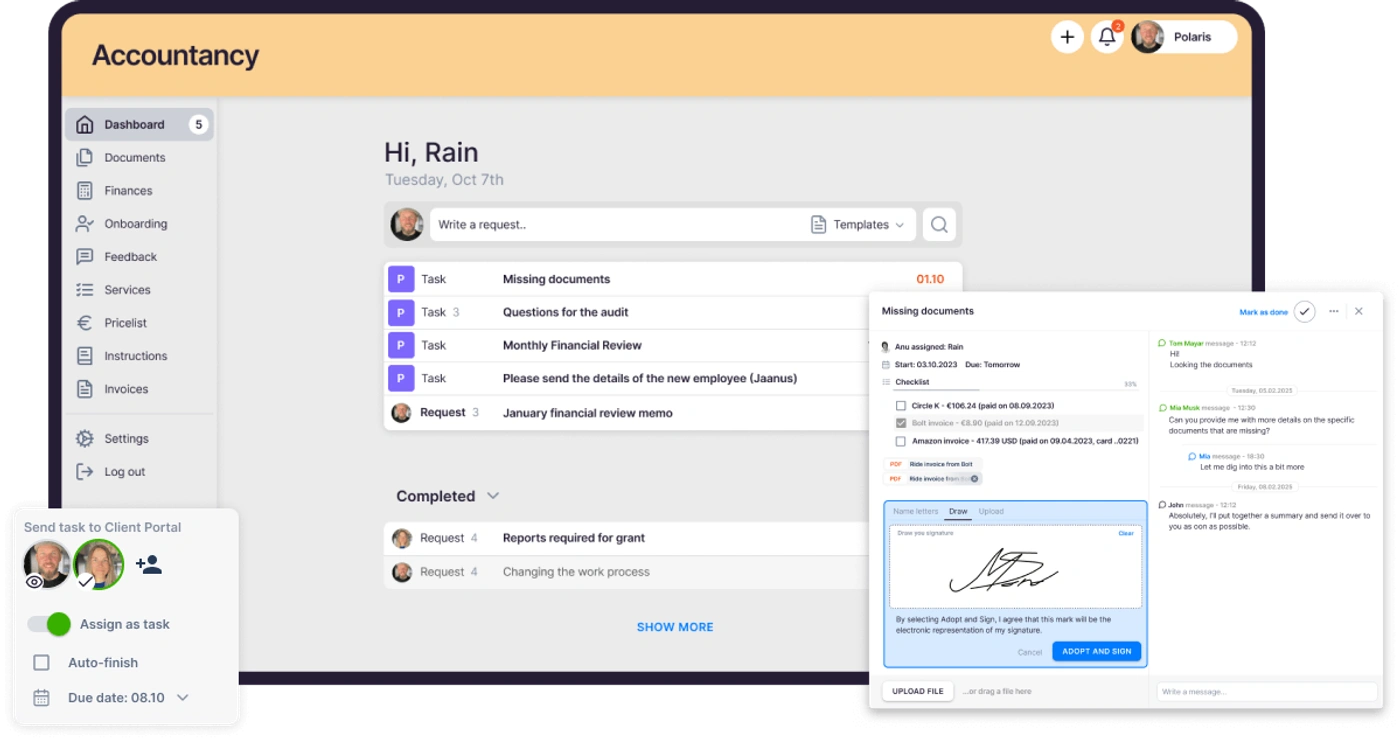
Accountants spend up to 30% of their day chasing clients for data. When requests, reminders, and uploads live in one branded portal your clients actually use, that time goes back to real work.
Value added to your firm annually
20 accountants spending 2h daily chasing clients = 2,000+ hours wasted per year. The client portal gives that time back.
Client access — no passwords
Clients click a magic link in their email and they're in. No usernames, no forgotten passwords, no support tickets.
Less time spent on emails
Accountants spend up to 30% of their day chasing clients for data. Automated reminders and a shared portal cut that to near zero.
"Uku client portal has enhanced our operations, improved client satisfaction, and streamlined our processes."
Helen T., verified on Capterra
Your branded portal, ready in minutes.
Clients log in with a magic link — no passwords, no friction. They see their tasks, upload files, and communicate. You see everything in your workflow.
View Client Portal demo · YouTubeWhat is a client portal for accountants?
A client portal is a secure, branded platform where accounting firms and their clients collaborate in one place. Instead of scattered emails, shared drives, and phone calls — everything happens through a single portal that your clients access with a magic link.
Client portal software replaces the back-and-forth of document collection, deadline reminders, and communication. Your clients see their tasks, upload files, and message your team. You see everything organized in your workflow — no chasing, no missed deadlines.
Because the portal lives inside Uku, every document, task, and message becomes part of a single source of truth for who's doing what across the team — so anyone can pick up a client conversation without digging through inboxes.
The end of slow, disorganized data collection.
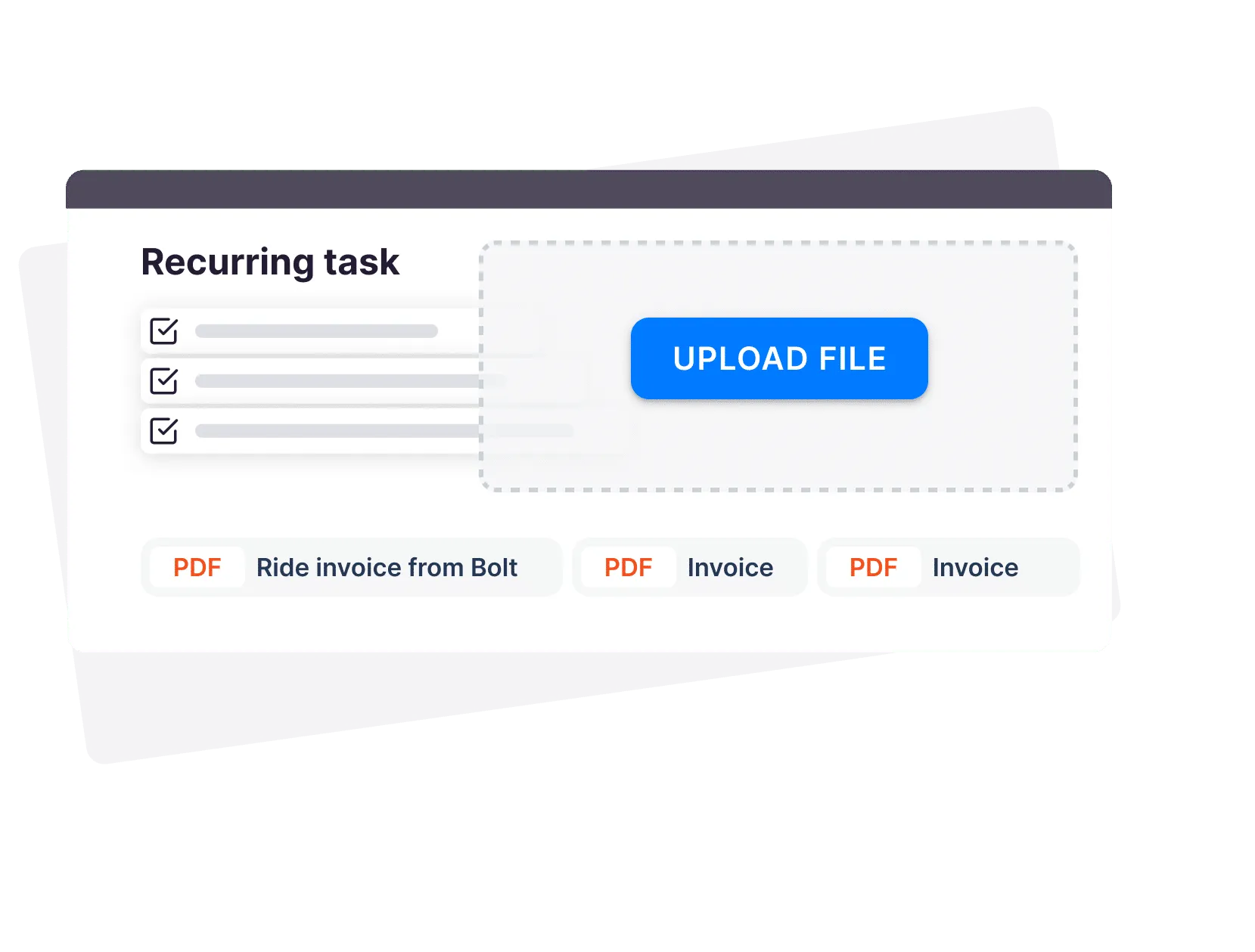
Assign document tasks with checklists and deadlines. Uku handles follow-ups and deadline reminders to get documents fast, and files land in your connected document management. Invoices your firm issues wait in the same portal, ready to pay in a click.
- Recurring document requests with to-do lists
- Clients upload files straight into your workflow
- Follow-up reminders before and after the deadline — automatic
No lost emails or confusing conversations.
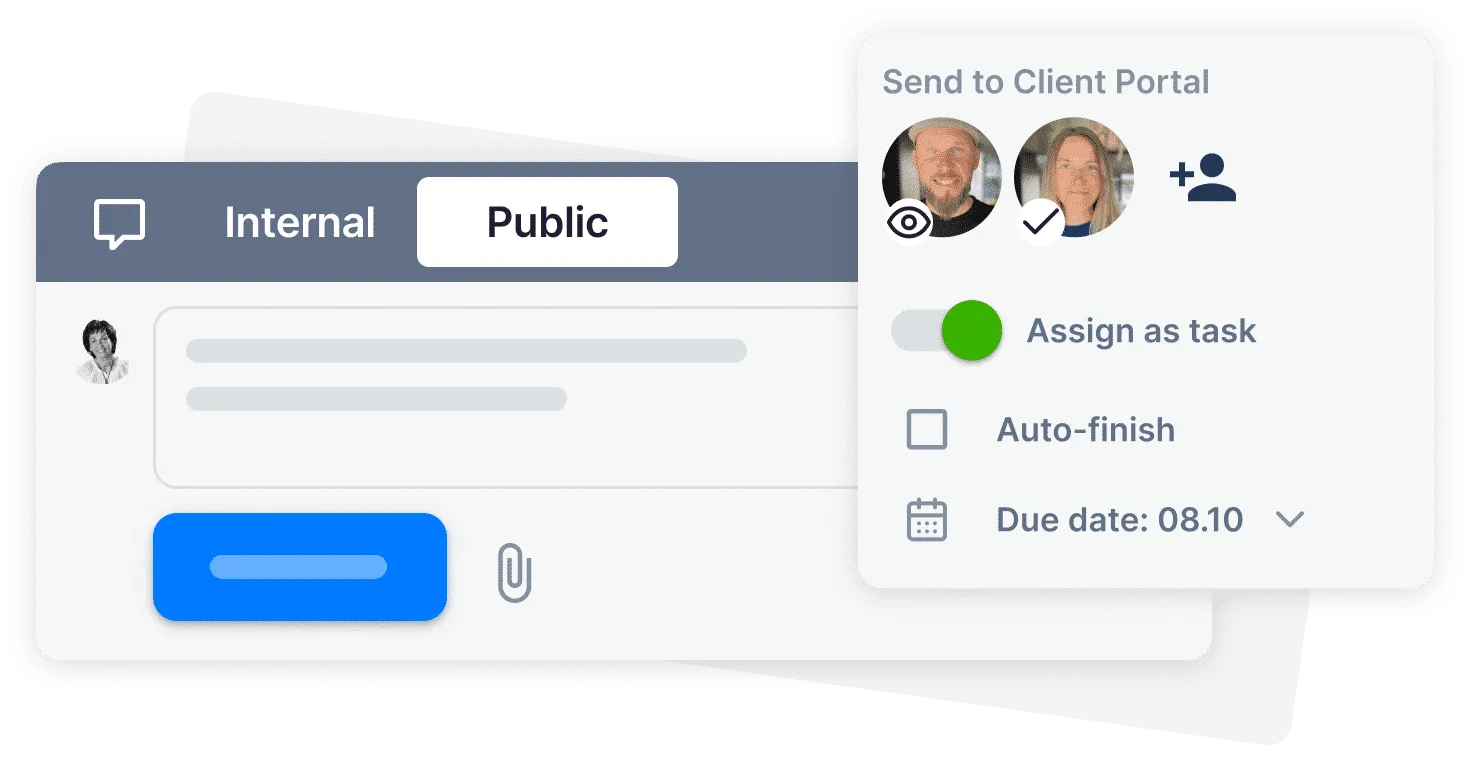
Message your client directly through multiple contacts. Assign tasks and checklists, request files, and keep everyone on track.
- Direct messaging — no email switching
- Everything shared, so your team responds fast
- Works with Email Management for a full client timeline
Stop chasing clients for deadlines and documents.
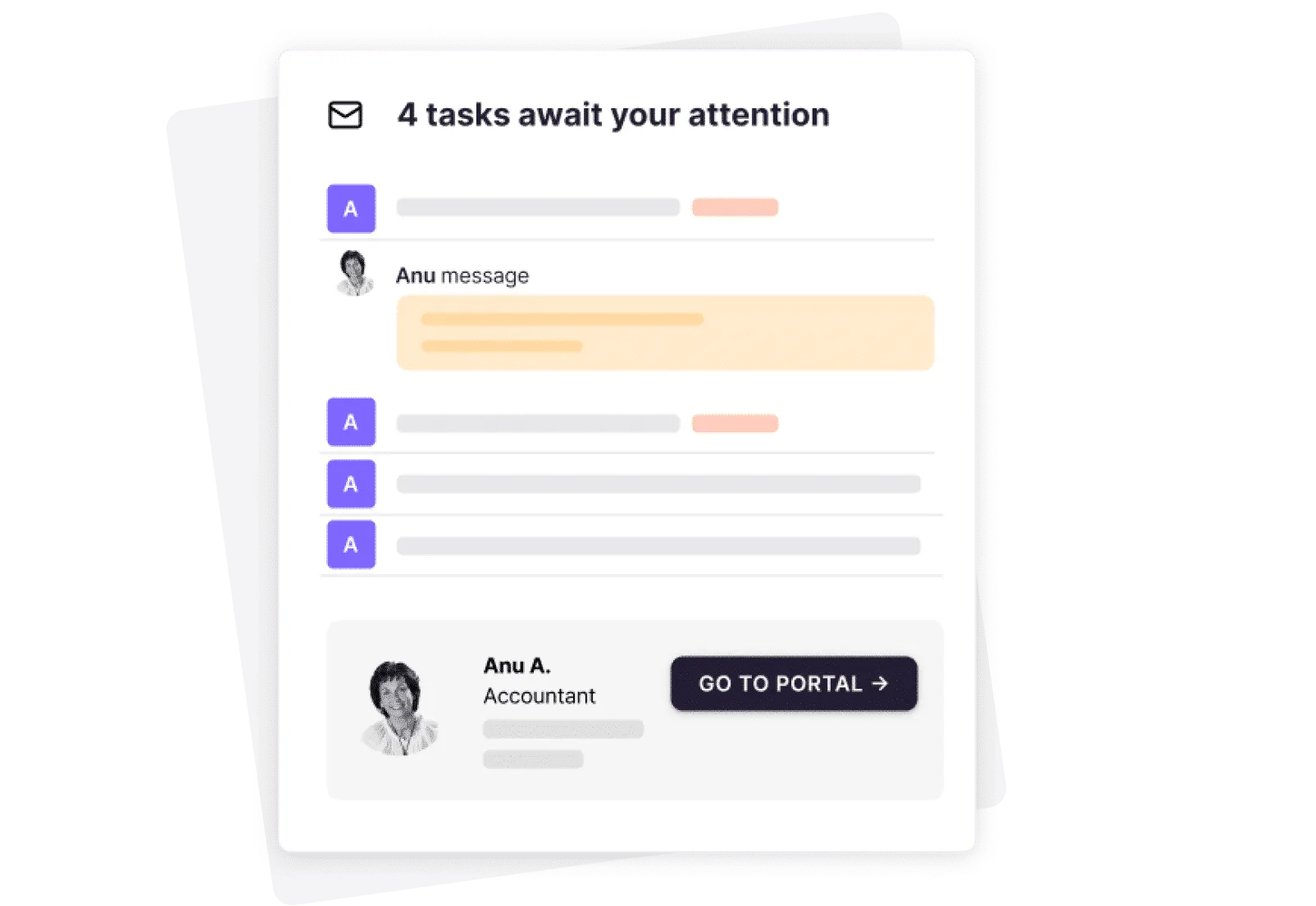
"I love sending my clients 3 reminders per week!" — said no one ever. Uku
- Reminders before and after every deadline
- Your team's time goes to accounting and advisory work
- Clients deliver on time — without the friction
Customized to your accounting firm brand.
White-label your portal with your logo, welcome video, brand colors, URL, and language. Your clients see your brand, not ours.
- Branded portal live in minutes
- Custom menu — personalized per client
- One click digitizes documents to QuickBooks or Xero
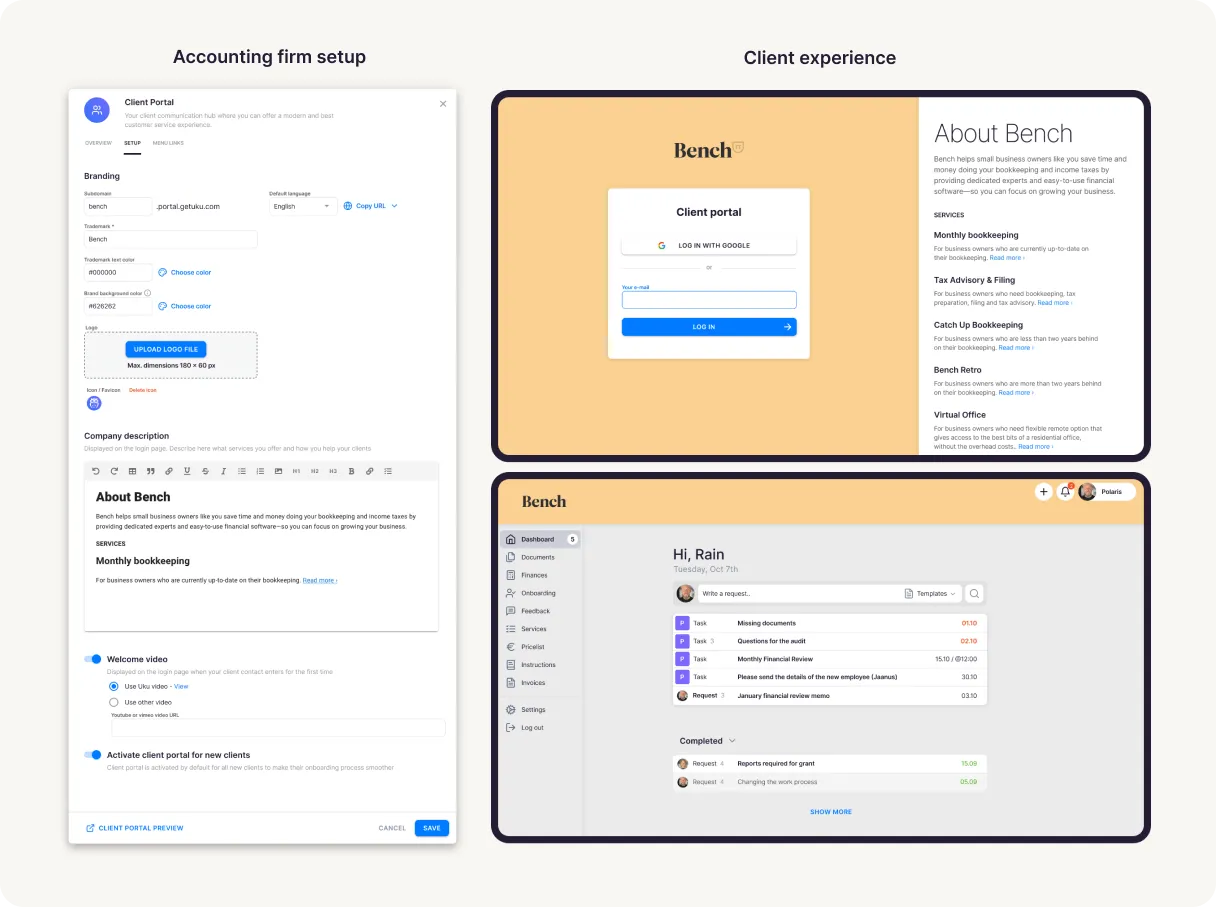
Client portal software features.
Magic link access
Clients log in through a secure link in their email. No passwords to steal, share, or forget.
Document tasks
Assign document requests with checklists and deadlines. See status without asking.
Document digitization
One click sends shared files through your digitization partner to QuickBooks or Xero.
Automated reminders
Follow-ups before and after deadlines — Uku does the chasing for you.
White-label branding
Logo, colors, custom URL, welcome video, and language — fully yours.
Any device, any language
Works on desktop, tablet, and mobile. Multiple languages. Google Drive, OneDrive, and Dropbox connections.
Yes, Uku client portal can do that.
Every client portal question we hear from accounting firms — and the answer is always the same.
- Can clients log in with a magic link — no passwords needed?
- Can I white-label the portal with my logo, colors, and custom URL?
- Can I assign document tasks to clients with checklists and deadlines?
- Can Uku send automatic reminders before and after deadlines?
- Can clients upload files directly through the portal?
- Can I digitize documents to QuickBooks or Xero with one click?
- Can I message clients directly through the portal?
- Can I customize the portal menu for each client's needs?
- Can I use the portal in multiple languages and on mobile?
- Can I connect Google Drive, OneDrive, or Dropbox?
How to make the portal work for you.
Gather client information
- Set up a recurring task starting from the 1st of the month with a deadline on the 5th.
- Add a to-do list of required documents for every month, plus the option to add new ones.
- Uku notifies the client via email with follow-up reminders before and after the deadline.
- The client adds documents and answers questions. You complete work on time — without chasing.
Make finance reviews easier
- Set a recurring task with the meeting agenda, report links, and notes.
- Add a meeting link and assign it to the Client Portal with your message.
- The client gets notified via email to prepare questions for the meeting.
- Make a meeting memo and add it to the notes with the video recording for easy reference.
Simplified client onboarding
- Assign an onboarding task connected with dependent tasks from a template.
- Add specific questions about the client's needs and situation.
- The client gets notified via email with follow-ups to complete each step.
- The client shares access (tax office, bank) and sends the necessary reports.
Implementing a client portal could add €40,000+ of value to your firm annually — 20 accountants × 2h/day chasing clients is 2,000+ hours per year.
Client portal questions.
What is client portal software?
Client portal software gives your clients a secure, branded space to interact with your firm. Instead of email chains and shared folders, clients log in to see their tasks, upload documents, communicate with your team, and track deadlines — all in one place.
How do my clients log into the client portal?
Through a magic link sent to their email — no usernames or passwords needed. You can add clients one by one or in bulk, and optionally send a welcome email with an introductory sample task.
Can I use my branding in Uku's client portal?
Yes! Add your logo, an icon, brand colors, a custom domain name, and a description. You can preview your portal before inviting clients. Each portal is white-labeled to your firm.
Is Uku's client portal secure?
Yes. Uku is SOC 2 certified and uses bank-level encryption. Clients access the portal through a secure magic link. All documents are encrypted in transit and at rest, and your firm controls exactly what each client can see.
How is a client portal different from email?
Email is scattered and easy to lose track of. A portal centralizes document requests, deadlines, communication, and uploads in one branded space. Automatic reminders replace manual follow-ups. Nothing gets lost in an inbox.
How much does the client portal cost?
The client portal is included free with Uku's Team and Enterprise plans. No extra cost, no per-client fees.
Is the client portal available on mobile?
Yes! It works on any device — desktop, tablet, or smartphone. Your clients can upload documents and complete tasks anywhere.
Can I switch from another client portal to Uku?
Yes. Firms switching from another client portal or platform can migrate quickly: import your client list in bulk, set up branding, and invite clients — most firms are live within a day.
Have a question? Contact us — real people answer.
Top-rated by accounting firms, consistently.







Explore the rest of Uku.
Deliver the work
Serve clients
Run a profitable firm
 QuickBooks
  Xero
Xero  Gmail
Gmail  Google Drive
  Dropbox
  Zapier
  Microsoft 365









Elevate your efficiency with the powerful yet easy-to-use accounting practice management software.
"Let's create a dream, where the team is happy, clients are well served and profits are fair." — Rain Allikvee, Co-founder of Uku