




Documents secure, organized, and ready when you need them.
Connect the cloud storage you already use — Uku puts every file exactly where it belongs.
- Connect Google Drive, OneDrive, SharePoint, or Dropbox
- Auto-organize files by client, year, and month
- Digitize and send to QuickBooks or Xero with one click
4.8 from 300+ reviews · No credit card required
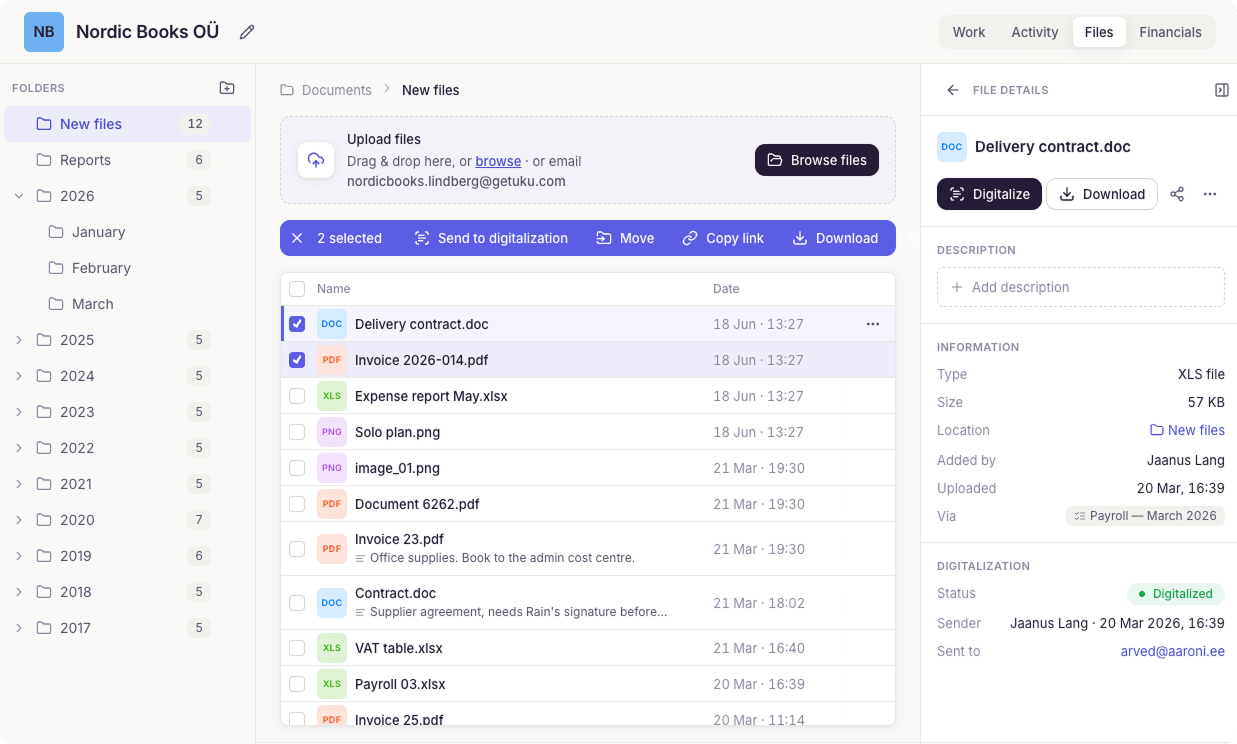
A document you can't find is a document you don't have. When every file lands on the right client, year, and month automatically, audits and substitutions stop being archaeology.
Less time chasing documents
Clients upload through the portal, Uku organizes by folder. No more email attachments, no manual filing.
Digitize and send to accounting
Upload a file, click digitize, and it flows through your partner to QuickBooks or Xero. No manual data entry.
Cloud storage integrations
Google Drive, OneDrive, SharePoint, and Dropbox. Work with files directly — no downloads needed.
"I can have a full overview of my accounting clients' pending tasks, updated documents and receive live notifications when my clients upload their documents."
Manuel S., verified on G2
Uku works with the tools you already use.

Google Drive
Auto-generate client folders. Access files directly from tasks.

OneDrive / SharePoint
Set up folder structures per client, year, and month.

Dropbox
Organized storage with automatic backups on Azure.
Azure Backup
All files backed up automatically. SOC 2 compliant, AES-256 encryption.
Organize and access files easily.
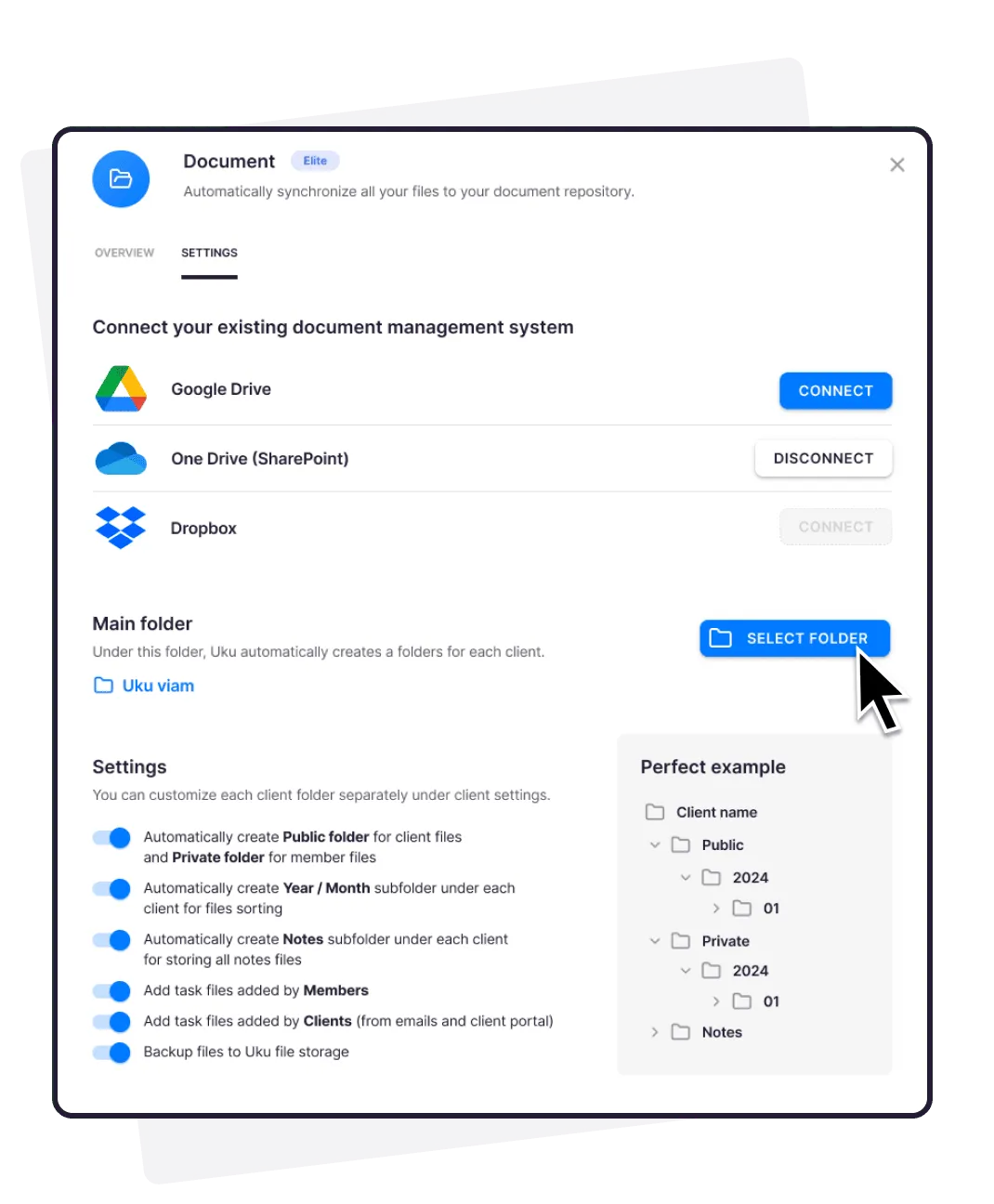
Connect your DMS and define where Uku saves files. Set up specific folders per client, or let Uku auto-generate them.
- Auto-generate folders by client, year, or month
- Open files directly in your DMS — no downloads needed
- Automatic backups on Uku's Azure servers
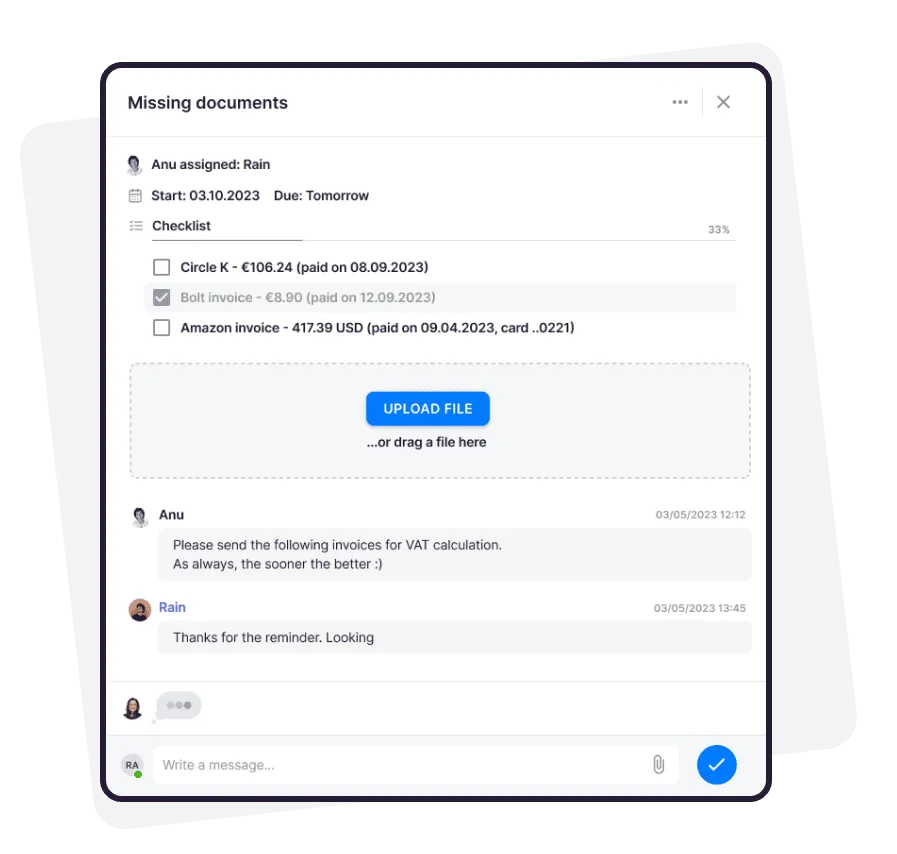
Simplify document requests and collection.
Boost client satisfaction with easier collaboration. Request and collect documents through your branded, secure client portal — and send the ones that need signing for e-signature without leaving the task.
- Missing-document checklists with automatic reminders
- Magic-link uploads — no passwords for clients
- Collected via the Client Portal
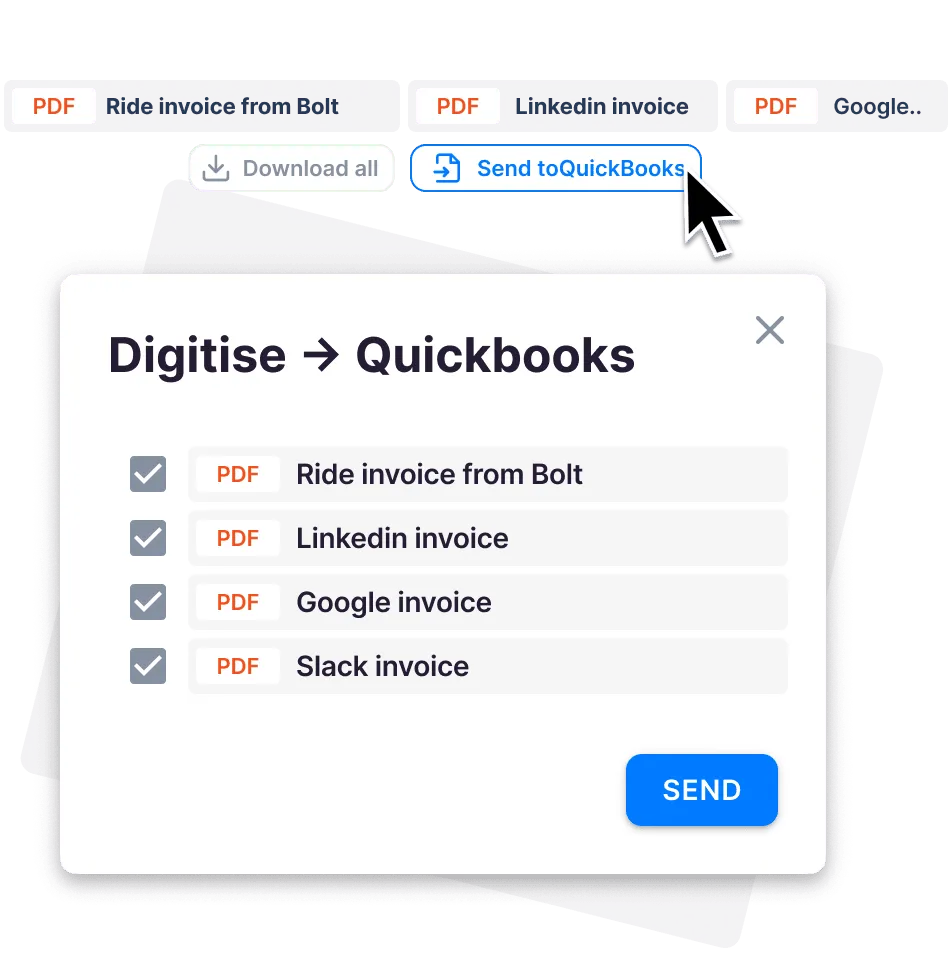
Instant file digitization.
Every file uploaded to a task can be digitized and sent to QuickBooks or Xero with one click.
- No manual data entry — files flow through your digitization partner
- Reduce errors and save valuable time
- Part of your integration stack
Document management features.
DMS connections
Google Drive, OneDrive, SharePoint, and Dropbox — connected in minutes.
Custom folder structures
Define once — by client, year, or month — and Uku generates the right folders.
Direct file access
Open uploaded files directly in your DMS. Work with them instantly, no downloads.
Portal collection
Clients upload through a magic link; automatic reminders chase the stragglers.
One-click digitization
Send uploaded files through your digitization partner to QuickBooks or Xero.
Azure backups
Opt into automatic backups on Uku's Azure servers for added peace of mind.
Yes, Uku document management can do that.
Every document management question we hear from accounting firms — and the answer is always the same.
- Can I connect Google Drive, OneDrive, SharePoint, or Dropbox?
- Can Uku auto-generate folders by client, year, and month?
- Can I open files directly in my DMS without downloading?
- Can clients upload documents through a branded portal?
- Can Uku send automatic reminders for missing documents?
- Can I digitize invoices and send them to QuickBooks or Xero with one click?
- Can I back up all files automatically on Azure servers?
- Are documents encrypted with TLS 1.3?
- Can I set different folder structures per client?
- Can multiple team members access the same client documents?
Accountants are a favourite phishing target. We take that seriously.
Document management questions.
Which document management systems does Uku integrate with?
Uku connects with Google Drive, OneDrive, SharePoint, and Dropbox. You can open uploaded files directly in your DMS without downloading them.
How does Uku organize client documents automatically?
Define your folder structure once — by client, year, or month. Uku automatically generates the correct folders when files are uploaded. No manual sorting needed.
Can clients upload documents through the portal?
Yes. Assign document tasks to clients through the client portal. They get a magic link, upload files, and you receive them organized in the right folder. Automatic reminders handle follow-ups.
How does document digitization work?
Every file uploaded to a task can be digitized and sent to QuickBooks or Xero with one click through your digitization partner. No manual data entry needed.
Are my documents secure in Uku?
Uku uses TLS 1.3 encryption for all documents and communication. You can also opt into automatic backups on Uku's Azure servers. SOC 2 compliant.
How much does document management cost?
Document management is included in the Solo, Elite and Enterprise plans. The Team plan does not include it. No extra cost on those plans, no per-document fees, no storage limits on connected DMS.
Have a question? Contact us — real people answer.
Top-rated by accounting firms, consistently.







Explore the rest of Uku.
Deliver the work
Serve clients
Run a profitable firm
 QuickBooks
  Xero
Xero  Gmail
Gmail  Google Drive
  Dropbox
  Zapier
  Microsoft 365









Elevate your efficiency with the powerful yet easy-to-use accounting practice management software.
"Let's create a dream, where the team is happy, clients are well served and profits are fair." — Rain Allikvee, Co-founder of Uku