Email management that takes emails off your team's plate.
Uku automates recurring emails, keeps your templates smart, and puts the whole firm on one communication timeline.
- Automate recurring emails and follow-ups
- Professional templates with smart placeholders
- Full client communication timeline for every team member
4.8 from 300+ reviews · No credit card required
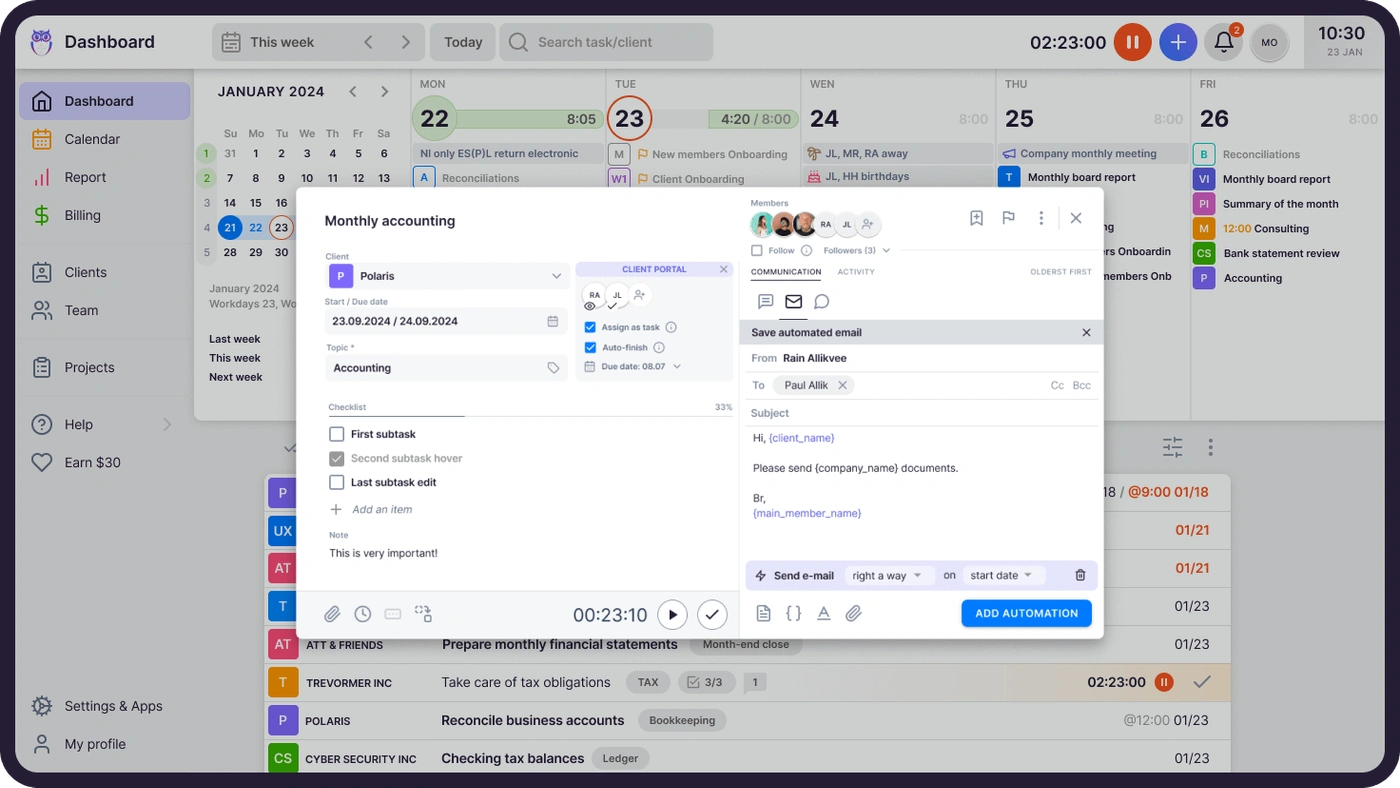
"Did anyone reply to this client yet?" should never be a question. When every email from every team member lands on one client timeline, the answer is always one glance away.
Saved per team member, monthly
Automated emails and templates eliminate repetitive writing. Your team spends time on accounting, not copying and pasting the same message.
Forgotten follow-ups
Trigger-based automation sends the right email at the right time. Task completed? Start date arrived? The client already knows.
Communication history visible
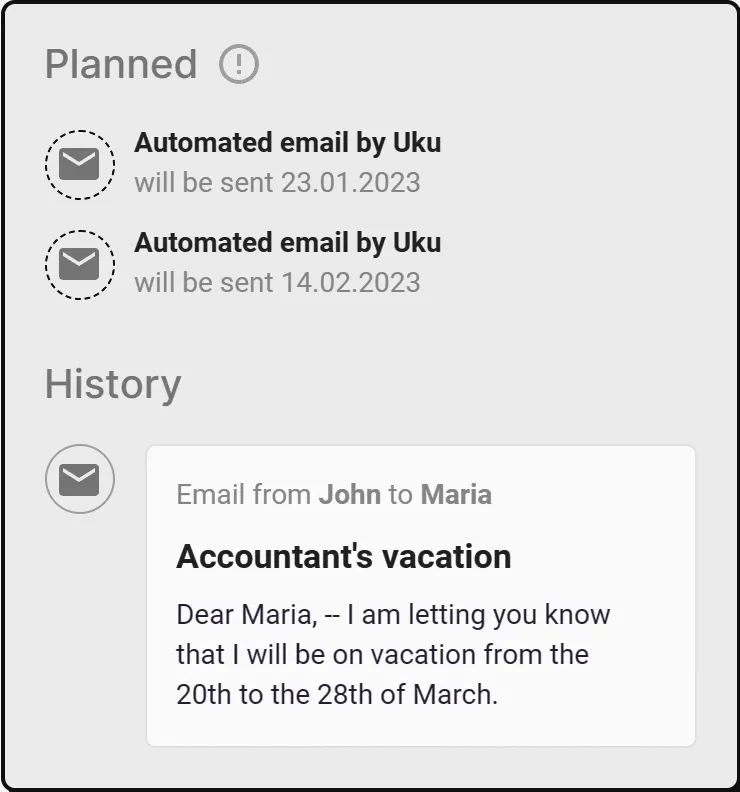
Every email from every team member lives on one timeline. Vacation handoffs and client questions answered without digging through inboxes.
“Sending emails from Uku allows us to provide excellent client communication. Additionally, we save about 8 hours per team member of working time monthly.”
Pille, CFO
Quick, easy & professional client communication.
Stop writing and sending the same emails over and over. Automate recurring messages and let your team focus on what they do best.
 Watch how Uku's email management works · YouTube
Automated emails that save hours every month.
Add automatic emails to recurring tasks. Trigger them after a task is completed or when the start or end date arrives — the mail lives on the same task as the work and the time.
- The same message goes to 200 clients in seconds
- Timely, consistent updates — written by no one
- Triggers tied to your workflows
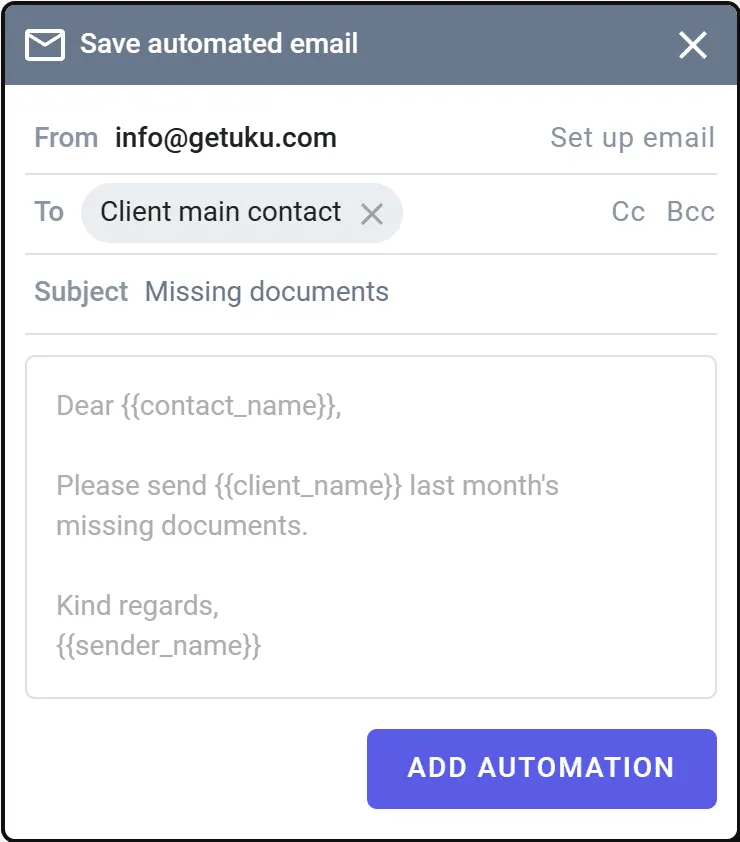
Fast and consistent client communication.
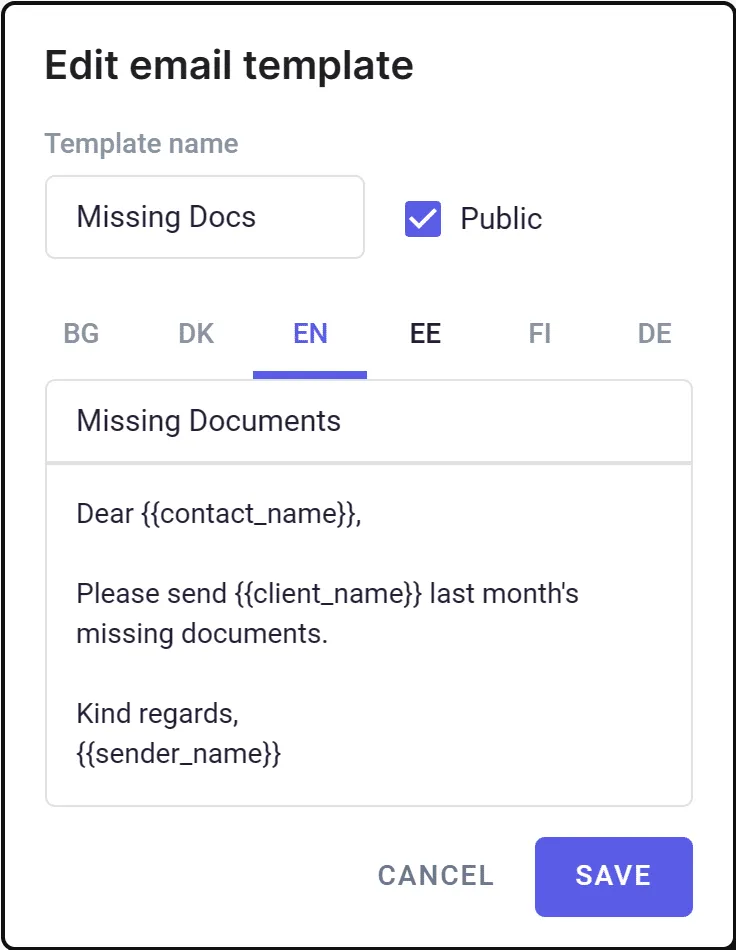
Letters are pre-written for you. Use placeholders like {{client_name}} and Uku fills them automatically.
- Personal and company-wide templates
- Translations — Uku sends in the language on the client profile
- Placeholders for deadline, period, company name, and more
The full client conversation on a single timeline.
Emails sent by all team members, gathered in one place. No more digging through personal inboxes.
- History available even when colleagues are on vacation
- New team members get full context from day one
- Lives on the client profile — one source of truth
Everything you need for professional client emails.
Email automation
Add emails to recurring tasks. Automate based on task completion, start, or end time.
Personal & company templates
Pre-written letters ensure a consistent, professional communication style.
Template translations
Uku sends letters in the language specified on the client profile.
Smart placeholders
{{client_name}}, {{deadline}}, {{period}} — replaced with the correct values automatically.
Communication timeline
All team members' interactions with a client on one timeline, accessible to everyone.
Multiple email addresses
Send from company, team member, or client-specific addresses based on context.
Gmail integration
Connect Gmail in minutes. Emails sent from Uku appear in your Gmail sent folder.
Office 365 integration
Connect Outlook seamlessly. Full sync with your Office 365 sent folder.
SMTP server
Connect any email server. Fill in the fields and send a test letter to verify.
Yes, Uku email management can do that.
Every email management question we hear from accounting firms — and the answer is always the same.
- Can I automate recurring emails based on task triggers?
- Can I create templates with smart placeholders like client name and deadline?
- Can I send emails in the client's preferred language automatically?
- Can I see all client communication from every team member on one timeline?
- Can I connect Gmail, Office 365, or my own SMTP server?
- Can I send from different email addresses — company, personal, or client-specific?
- Can I trigger emails when a task is completed or a deadline arrives?
- Can I access communication history when a colleague is on vacation?
- Can I add file attachments to automated emails?
- Can I track which emails have been sent to each client?
Email management questions.
Can I send emails directly from Uku?
Yes. Connect your Gmail, Office 365, or SMTP server to Uku and send emails without leaving the platform. Sent emails appear in both Uku's timeline and your email provider's sent folder.
How does email automation work?
Add automatic emails to recurring tasks. Choose a trigger — task completed, start date arrived, or end date arrived — and Uku sends the email for you. No manual work, no forgotten follow-ups.
Can I use email templates with placeholders?
Yes. Create templates with placeholders like {{client_name}}, {{deadline}}, or {{company_name}}. Uku replaces them automatically when the email is sent. Templates support multiple languages — Uku picks the right language based on the client profile.
Does Uku track all client communication?
Every email sent by any team member is recorded on the client's communication timeline. When a colleague is on vacation, you can see the full conversation history instantly — no digging through inboxes.
Which email providers does Uku integrate with?
Uku integrates with Gmail, Office 365 (Outlook), and any SMTP server. The setup takes minutes. Emails sent from Uku automatically appear in your provider's sent folder.
Can different team members send from different email addresses?
Yes. You can configure company-wide, team-member-specific, and client-specific email addresses. Uku sends from the right address based on the context.
How much does email management cost?
Email management is included in all Uku plans. No extra cost, no per-email fees. You get automation, templates, timeline, and integrations out of the box.
Have a question? Contact us — real people answer.
Top-rated by accounting firms, consistently.






Explore the rest of Uku.
Deliver the work
Serve clients
Run a profitable firm
 QuickBooks
  Xero
Xero  Gmail
Gmail  Google Drive
  Dropbox
  Zapier
  Microsoft 365









Elevate your efficiency with the powerful yet easy-to-use accounting practice management software.
"Let's create a dream, where the team is happy, clients are well served and profits are fair." — Rain Allikvee, Co-founder of Uku