Glossary
Accounting Automation
Accounting automation is the use of software to carry out accounting-related work that would otherwise require a person to do it by hand. It's sold as one term but covers two distinct layers — automating the client's ledger (bank feeds, categorisation, reconciliation) and automating the firm's own operations (recurring work, document chasing, billing) — and most confusion in buying decisions comes from treating the two as interchangeable.
The two things this term covers
“Accounting automation” gets sold as a single category, and it isn’t one. Ledger automation happens inside the client’s books — bank feed matching, receipt capture, transaction categorisation, reconciliation — and lives in tools like QuickBooks, Xero, or e-conomic. Firm automation happens inside the practice itself: generating the recurring work before someone has to remember to, chasing clients for missing documents, and turning logged hours into an invoice without anyone rebuilding it from a spreadsheet.
Both are real. They solve different problems, and a firm that automates the ledger perfectly can still have people manually working out who owes what by Friday, because that’s a firm-operations gap, not a bookkeeping one. For a full breakdown of what to automate first and in what order, see our guide to accounting automation for firms; this entry stays at the definition.
Genuine automation vs a task list with a button
The word gets attached to features that don’t actually remove manual work. The test is whether a step still needs a human to notice, re-enter, or export something before the next step can happen.
| Task | Genuinely automated looks like | Still manual behind the interface |
|---|---|---|
| Recurring work | Next cycle’s tasks generate on a schedule, from a template | Someone duplicates last month’s checklist by hand |
| Document chasing | Reminders fire on their own until the item arrives | A person checks a list and sends the email |
| Time to invoice | Logged hours flow straight into a draft invoice | Time is exported to a spreadsheet, then re-typed |
| Due dates | Shift automatically around weekends and holidays | Fixed calendar dates that land on a Saturday and sit there |
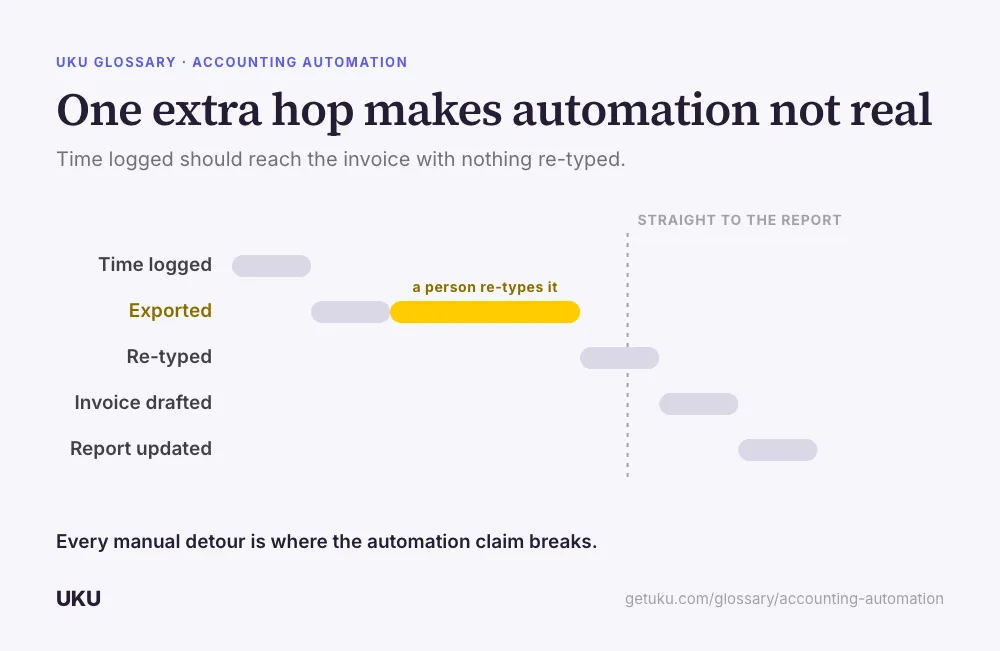
If any row on the right describes a tool you’re evaluating, the automation claim is about display, not about removing the work. This is the same distinction that sits underneath accounting workflow management: management defines what the steps should be, and automation is only real once those steps execute without a person re-triggering each one.
What automation doesn’t remove
Automation is reliably good at coordination and data movement, and reliably bad at judgement. It can generate the task, chase the document, and draft the invoice. It cannot decide whether an ambiguous transaction belongs in one account or another, and it cannot have the conversation where you tell a client what a bad quarter actually means for their business. Firms that automate the coordination layer well don’t generally shrink their advisory work — they free up the hours that judgement work actually needs, because the hours that used to go into chasing and re-entering data go somewhere else instead.
This is also where AI and automation get confused. Most of what belongs under “accounting automation” is deterministic — rules and schedules that behave the same way every time, which is exactly the property you want in a filing deadline. AI is a different tool for a different job: it’s probabilistic, and it earns its place where a human is still reading the output before it goes anywhere, not where a rule would do.
Evaluating an automation claim from a vendor
The reliable test is running one real client through the full loop during a trial rather than watching a demo. Let a template generate next month’s tasks without touching it. Let the team log time against those tasks for a week. Generate an invoice from that logged time. Open a profitability report and check whether the numbers arrived without anyone retyping a figure along the way. Every point where a spreadsheet had to sit in the middle is a point where the automation claim was softer than it sounded.
Where this fits inside a firm’s operations
Accounting automation isn’t a standalone purchase most firms make on its own — it’s a property of the practice management software underneath the whole operation. The recurring-work half lives in workflow automation, the billing half in automated billing, and the newest layer connects an AI assistant to the same live data those systems already hold, scoped to what you explicitly grant it access to.
How Uku handles accounting automation
Last updated September 19, 2026 Reviewed by Rain Allikvee