Glossary
Accounting Workflow Management
Accounting workflow management is the discipline of standardising a firm's recurring work — bookkeeping, payroll, VAT, tax — into a repeatable sequence of steps, owners, and deadlines that runs the same way for every client, every cycle. In practice it means defined task templates, clear handoffs between people, and due-date logic that accounts for weekends and holidays, rather than staff rebuilding the checklist from memory each month.
What “workflow” means inside an accounting firm
Outside accounting, “workflow” often just means a sequence of steps for a one-off project. Inside a firm, it almost always means something narrower and more demanding: the same sequence, repeated every month or quarter, for every client on that service, indefinitely. A monthly bookkeeping close isn’t a project that finishes — it’s a cycle that has to restart correctly forty times a month without anyone re-deciding what the steps are.
That repetition is what makes workflow management its own discipline rather than a subset of general project planning. A project plan gets built once. An accounting workflow gets built once and then has to survive being run by different people, at different times, for years.
The anatomy of a managed workflow
A workflow that’s actually managed — as opposed to loosely followed — has four parts, and firms that struggle with consistency are usually missing one of them.
| Part | What it defines | What happens if it’s missing |
|---|---|---|
| Trigger | What starts the cycle (a date, a document arriving) | The work starts late, or inconsistently, per client |
| Sequence | The order steps must happen in, and dependencies | Steps happen out of order; rework follows |
| Ownership | Who is responsible for each step | Steps sit unowned until someone notices |
| Due-date logic | When each step is due, relative to the trigger | Fixed calendar dates land on weekends and holidays |
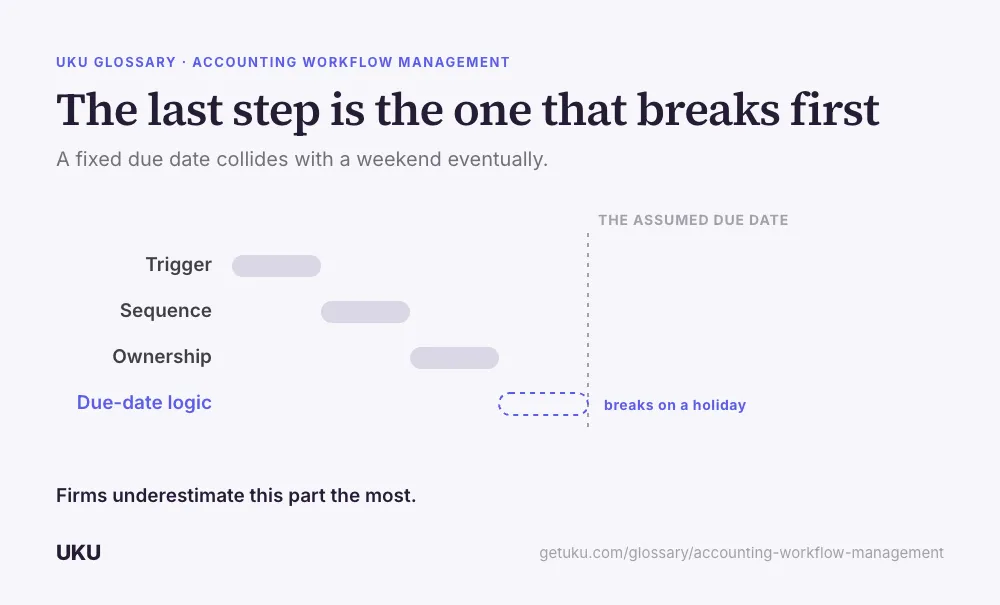
The last row is the one firms underestimate most. A due date hard-coded to “the 5th of the month” quietly breaks every time the 5th falls on a Saturday. A managed workflow sets the due date relative to a working day and a stated holiday rule, so the sequence stays correct without anyone adjusting it by hand each time it collides with a calendar.
Where workflows actually fail
Two failure points account for most of the breakdowns firms see, and neither is a skills problem.
Invisibility. A monthly cycle across dozens of clients has no single deadline that raises an alarm the way a court filing or a tax due date does — each client simply drifts on its own timeline. A firm running this on memory or a shared spreadsheet finds out a January close never started sometime in March, not on the second of February when it would still be a small problem.
The handoff. Work rarely fails inside a single person’s list of tasks. It fails in the gap between two people — a preparer finishes their part and assumes the reviewer knows to pick it up, and nothing visibly moves the work forward. A managed workflow makes the handoff itself a tracked event, not an assumption.
Workflow management vs workflow automation
These get used interchangeably and shouldn’t be. Workflow management is the decision-making: what the steps are, who owns them, how due dates are set. Workflow automation is software executing part of that decision without a person triggering it each time — most commonly, generating next month’s set of tasks on a schedule from a template, the core of workflow automation as a product category. Automation without a defined workflow underneath it just runs the wrong sequence faster; the management work has to happen first. For where automation fits more broadly across a firm’s operations, see accounting automation.
Building your first managed workflow
The practical starting point is one real client’s actual cycle, not an idealised version written from a whiteboard. List every step in the order it genuinely happens, name an owner for each one, and set due dates relative to the trigger date rather than a fixed date on the calendar. Once that sequence is written down, it becomes a template: assign it to a client and the next cycle generates itself in the same order, with the same owners, without anyone rebuilding the checklist from memory. Visibility into how that sequence is actually running — which clients are on track and which have stalled — is what turns the workflow from a document into something the firm can manage day to day; most firms track this through team collaboration views built around the task, not a status meeting.
How Uku handles accounting workflow management
Last updated September 19, 2026 Reviewed by Rain Allikvee