Glossary
Cloud Accounting
Cloud accounting means the general ledger and financial records live in software hosted online rather than installed on a single desktop, giving staff, clients and bank feeds real-time access from anywhere instead of one machine holding the current file. For a firm, the shift is less about the software vendor and more about what becomes possible once the books are never locked to one desk: remote staffing, live client visibility, and workflow that does not wait for someone to open a local file.
The change is structural, not cosmetic
“Cloud accounting” gets described as a feature comparison — more integrations, nicer interface, automatic bank feeds — but the change that actually matters to a firm is structural. A desktop ledger lives on one machine; only whoever has that machine open has the current numbers. A cloud ledger lives online; anyone with the right access sees the same live record at the same time, from any device. Everything else — the bank feeds, the mobile access, the real-time balance — follows from that one shift.
| Under desktop accounting | Under cloud accounting |
|---|---|
| One current file, on one machine | One live record, reachable from anywhere |
| Bank transactions imported in batches | Bank feeds update continuously |
| Reconciliation happens at month-end | Reconciliation can happen weekly or daily |
| Sharing the file means sending a copy | Access is a login, not a file transfer |
| A bookkeeper is tied to a specific desk | Work can be done from anywhere with access |
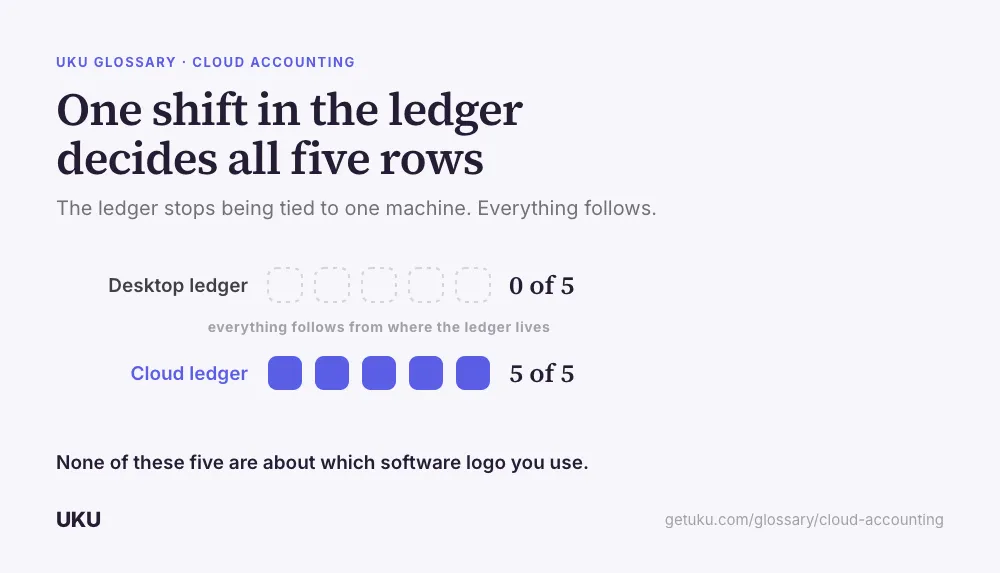
None of these rows are about which vendor’s logo is on the software. They are about what becomes operationally possible once the books stop being locked to one location.
What it actually changes about a firm’s workflow
The most visible change is how often the work happens. A desktop-era close was naturally batched — nobody wanted to open the file more than they had to, so transactions piled up and reconciliation happened once a month in one sitting. Continuous bank feeds remove the reason to batch: transactions can be coded close to the day they occur, which spreads the reconciliation load across the month instead of concentrating it at the end.
The second change is who can do the work. Because the ledger is not tied to a specific machine, staff can work on a client’s books from anywhere with access, which is the technical foundation under remote staffing and, at the firm level, under the virtual accounting firm model generally. Cloud accounting is the ledger-software piece of that story; the rest of it — onboarding, document exchange, task tracking — is a practice-management layer built on top.
What it does not automatically fix
Moving to cloud accounting software does not, by itself, give a client a curated view of their numbers, coordinate staff workload, or track which client’s monthly close is running late. Those are practice-management problems, and the cloud ledger has no opinion about them. A firm still needs a client portal to decide what a client actually sees, and a workflow layer to track the recurring cycle across every client rather than assuming continuous bank feeds make the work self-managing.
That gap is the most common disappointment firms report after switching ledgers: the software got faster, but the firm’s internal coordination did not improve on its own, because the ledger was never the layer responsible for it.
Where firms actually run it
The two ledgers most firms build their toolkit around are QuickBooks Online and Xero — Uku connects to both, which is where practice management picks up the coordination the ledger itself does not handle. See the QuickBooks integration and Xero integration pages for how that connection works.
The staffing and security trade-offs
Cloud accounting removes the constraint that staff need to be near a specific office computer, which widens the hiring pool the same way it widens client geography. It also moves security responsibility rather than eliminating it — a cloud provider typically secures the infrastructure better than a small firm could alone, but the firm is still accountable for access control: who has a login, how it’s protected, and what happens the day someone leaves. Firms that treat the migration as purely a software swap, without updating access practices to match, trade one risk for a different one rather than reducing it.
Why “cloud” alone doesn’t make a firm efficient
It’s tempting to treat the move to cloud accounting as the upgrade itself, but the ledger switch only removes one constraint — the one-machine, one-file bottleneck. It does not automatically give a firm visibility into its own workload. A firm running forty clients’ books on a cloud ledger still has no built-in way to see which of those forty closes is running late this month, because that question was never inside the ledger’s scope to answer, cloud or not. The improvement clients actually notice — faster answers, fewer chased documents, a portal instead of an email thread — comes from the practice-management layer built on top of the cloud ledger, not from the cloud migration by itself.
This is also why moving to cloud accounting is often the right moment to fix a firm’s internal process rather than just its software. The bank-feed automation frees up hours that used to go into manual data entry; what a firm does with those recovered hours — reinvests them in more clients at the same staffing level, or in advisory work that used to get squeezed out by month-end catch-up — depends entirely on whether the surrounding workflow was rebuilt to take advantage of the faster ledger, or left running the same batched, once-a-month habits the desktop era required.
How Uku handles cloud accounting
Last updated September 19, 2026 Reviewed by Rain Allikvee