Glossary
Document Management System
A document management system is software that stores, organizes, and controls access to business records, and keeps a history of who touched each file and when. For an accounting firm it is the layer that turns scattered client attachments into something indexed, permissioned, and retrievable on demand — the difference between finding a file and searching for one.
What the term covers
A document management system (DMS) is the software layer that stores, organizes, and controls access to a firm’s records — client files, engagement letters, signed contracts, supporting schedules — and keeps a history of what happened to each one. It is not the storage itself. A firm can have unlimited cloud storage and still not have document management, because storage answers “where is the file” and a DMS answers “who touched it, when, and who is allowed to.”
The category sits next to, but is distinct from, secure file sharing, which is about moving a document between two parties safely. A DMS is about what happens to the file after it arrives: where it lives, how it is named, who can open it, and how long it stays.
Why a shared drive is not a document management system
Most firms start with a shared drive because it is free and everyone already knows how to use one. It works until the firm has enough clients and enough staff turnover that nobody can say with confidence who has access to what, or find last March’s bank statement without opening six folders.
| Capability | Shared drive | Document management system |
|---|---|---|
| Client-level folder structure | Manual, drifts over time | Generated automatically per client |
| Version history | Usually none — files get overwritten | Every prior version stays addressable |
| Access control | Whole-drive or whole-folder | Per client, per role |
| Audit trail | None | Who opened, edited, or downloaded what, and when |
| Retention rule | Whoever remembers to delete | Applied on a schedule |
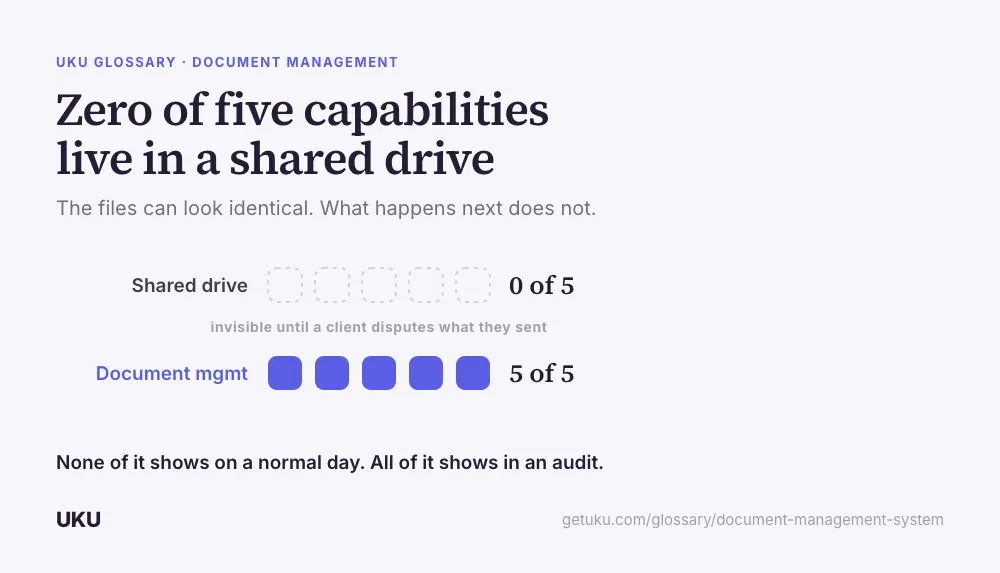
None of those five gaps are visible on a normal day. They show up on the day a client disputes what they submitted, a staff member leaves and someone has to work out what they could still see, or a regulator asks for a file from three years ago.
What a firm actually needs it to handle
Three things, in order of how often they come up:
Client folders that don’t drift. A new client should get the same folder structure as every other client, without a staff member building it by hand. Firms that automate this connect their document management to the cloud storage they already run — Google Drive, OneDrive, or SharePoint — so the structure is generated the same way every time.
A record of who submitted what, and when. This is what makes a document management system different from an inbox. A client portal that logs each upload against a request gives the firm a timestamped answer to “when did the client send this,” instead of scrolling through email.
Signed documents filed with the rest of the file. A signature is only useful attached to the document it belongs to, in the folder where the rest of that engagement’s paperwork lives — not sitting in a separate inbox from a signing tool. Firms that keep e-signatures and file storage in the same system avoid the step of manually moving a signed PDF back into its folder.
What breaks without one
The failure mode is not dramatic — it is slow. A firm without a real document management system does not lose client records outright; it loses time to finding them, and it loses confidence in whether the copy it found is the current one. Multiply that by every client and every request in a filing season, and the cost is a staffing problem that looks, from the outside, like the firm just needs to hire more people.
The other failure is access drifting past who should have it. Without role- and client-level permissions, the default is that everyone with drive access can see every client’s folder, which is fine until it is the reason an engagement letter or a departing staff member’s laptop becomes a real question.
How it connects to the rest of the client file
A document management system is rarely the whole answer on its own. The documents a client sends usually need to be requested in the first place, which is a tax organizer or a checklist inside a portal; some of them need a signature before they are final; and all of them eventually need to be retrievable months or years later, by someone who was not the person who filed them. The system that connects those steps — request, storage, signature, retrieval — is what turns document handling from a task into infrastructure.
How Uku handles document management system
Last updated September 19, 2026 Reviewed by Rain Allikvee