Glossary
E-signatures
An e-signature is any electronic indication of intent to sign a document — a typed name, a drawn mark, or a click — captured with enough evidence to show who signed and when. It is not one fixed technology: signature laws generally recognize a range from a simple typed name to a certificate-backed qualified signature, and which level a document needs depends on what it is.
What an e-signature is
An e-signature is an electronic way of showing that a specific person intended to agree to a document — a typed name, a drawn mark, a click on “I agree,” or a certificate-backed digital signature. The common thread across all of them is intent plus evidence: the document needs to show who signed and that they meant to.
What it is not is one single technology. Signature frameworks in most jurisdictions (the EU’s eIDAS regulation is the most detailed public example) recognize a range of signature strength, and an accounting firm’s engagement letters do not usually need the strongest tier available.
The three commonly recognized levels
This is a general description of how signature frameworks are structured, not legal advice for a specific jurisdiction or document type — confirm the requirement that applies to your firm with counsel before relying on it.
| Level | What it requires | Typical use |
|---|---|---|
| Simple | Any electronic mark — typed name, drawn signature, click-to-accept | Routine client agreements, internal approvals |
| Advanced | Uniquely linked to the signer, with tamper-evidence on the document | Engagement letters, contracts with moderate risk |
| Qualified | A certificate from an accredited provider, usually ID-verified | Documents where law specifically requires the highest tier |
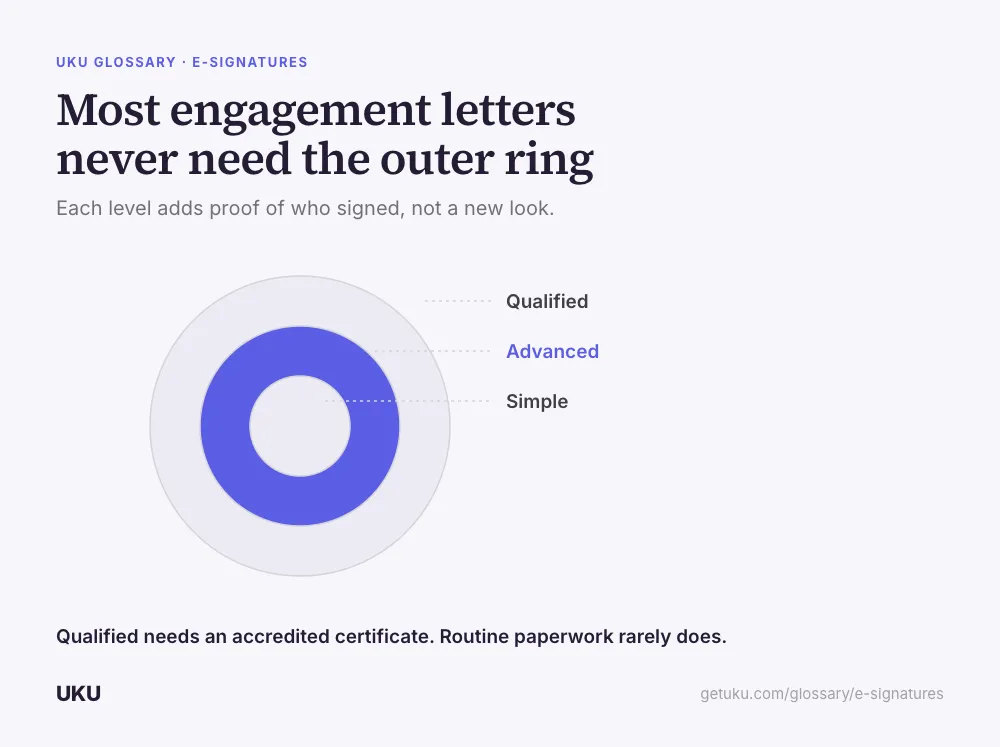
Most of the paperwork an accounting firm signs with clients — engagement letters, authorizations, service agreements — sits comfortably at the simple or advanced level. Firms rarely need qualified signatures unless a specific regulation names the document type.
What actually makes a signature defensible
The signature mark itself is the least important part of the evidence. What holds up later is the record around it:
Who signed, from where. An IP address and a timestamp, captured at the moment of signing and stamped onto the document rather than stored only in a separate system log that could be lost or overwritten independently of the file.
What they signed, unchanged. The signed document should be the same file the signer saw — not a version someone edited afterward. This is why the signature and the file need to live together rather than in a signing tool disconnected from where the document is filed.
Where it lives afterward. A signed PDF that ends up in a separate signing platform, disconnected from the client’s other records, is harder to produce months later than one filed straight into the document management system alongside everything else in that engagement.
Where it fits in the client file
Signing is rarely a standalone step. A document usually needs to be requested first, then reviewed, then signed, then filed — and the weakest point in that chain is often the handoff between tools. A client asked to sign through a client portal they already use for everything else does not need a new login or a separate email from an unfamiliar signing vendor; the request, the signature, and the filed copy stay in one place instead of three.
What to check before switching signing tools
Firms evaluating a change usually ask about three things, in this order: whether the tool records IP address and timestamp on the document itself, whether signed files land automatically in the client’s existing folder or need to be moved manually, and whether the request goes out from the firm’s own mailbox or from a third-party signing domain the client has never seen before. The third one sounds cosmetic and is not — a client is far more likely to open and sign something that arrives from an address they recognize.
Why signing gets stuck in practice
The most common failure isn’t a technical one — it’s that nobody can tell whether a document is waiting on the client or was never actually sent. A signing request that disappears into a separate tool, outside the task or engagement it belongs to, leaves the person managing that engagement guessing whether to follow up or wait. Firms that keep signature status visible on the same task the document lives on — signed, sent, or overdue, at a glance — avoid the awkward version of this problem, which is chasing a client for a signature that quietly bounced or was never opened.
A second, smaller failure is document format. Engagement letters and authorizations arrive as PDFs, Word documents, and the occasional scanned image, and a signing step that only accepts one format pushes the firm into manually converting files before every request. A signing process that accepts the formats clients actually send removes a step that otherwise has to happen every single time.
What doesn’t change with the signature type
Regardless of which of the three levels a document needs, the operational requirements are the same: the signer has to be clearly identified, the document has to be unambiguous about what was agreed to, and the record has to survive as long as the firm might need to produce it — which, for engagement letters and tax authorizations, can be years after the signature was applied. Choosing the right signature level is a legal question answered once per document type; keeping the evidence retrievable afterward is an operational one answered every time a document is filed.
How Uku handles e-signatures
Last updated September 19, 2026 Reviewed by Rain Allikvee