Glossary
Practice Management Software
Practice management software is a centralized platform that runs the operational side of a professional services firm — clients, work, time, and billing — in one system instead of scattered spreadsheets and separate tools. For accounting firms specifically, the category typically adds recurring compliance workflows, client document collection, and billing tied directly to logged time, none of which a generic project management tool is built to do.
What it actually replaces
Most firms don’t adopt practice management software because they lack tools — they adopt it because they have too many, and none of them talk to each other. A typical pre-adoption stack looks like a shared drive for documents, a spreadsheet for deadlines, email for client requests, and a separate app for invoicing. Each piece works on its own. None of them know what the others are doing, so someone has to manually keep them in sync, and that person is the single point of failure.
Practice management software collapses that stack into one system where the client record, the work, the time spent, and the invoice are the same data viewed from different angles — not four exports that have to agree with each other.
The core modules, and why they have to be one system
| Module | What it covers | Why it fails split from the rest |
|---|---|---|
| Client records | Contacts, contracts, custom fields, history | Nobody has the full picture; onboarding starts from scratch each time |
| Work / tasks | What’s due, for whom, by when | Deadlines live in a person’s memory instead of a system |
| Time tracking | Hours logged against a client and a service | Billing can’t be trusted if time isn’t captured where the work happens |
| Billing | Invoices generated from the work and time above | A disconnected invoicing tool means someone re-enters every line by hand |
The reason vendors sell these as one product rather than four is that a gap between any two of them creates a manual reconciliation job — and that job is exactly the kind of work a firm bought software to stop doing.
Practice management software vs a generic project tool
A generic tool like a spreadsheet-plus-project-board can hold tasks and deadlines reasonably well. Where it breaks down is anything that repeats on a schedule and anything that has to end in an invoice — two things that describe almost all professional services work.
| Generic project tool | Practice management software | |
|---|---|---|
| Recurring engagements | Manually duplicated each cycle | Templates generate the next cycle automatically |
| Client billing | Not built in; needs a separate tool | Invoices draft from logged time and contracts |
| Time tracking | Optional add-on, if present at all | Native, tied to the client and the task |
| Document collection | Generic file uploads | Client-facing requests with reminders |
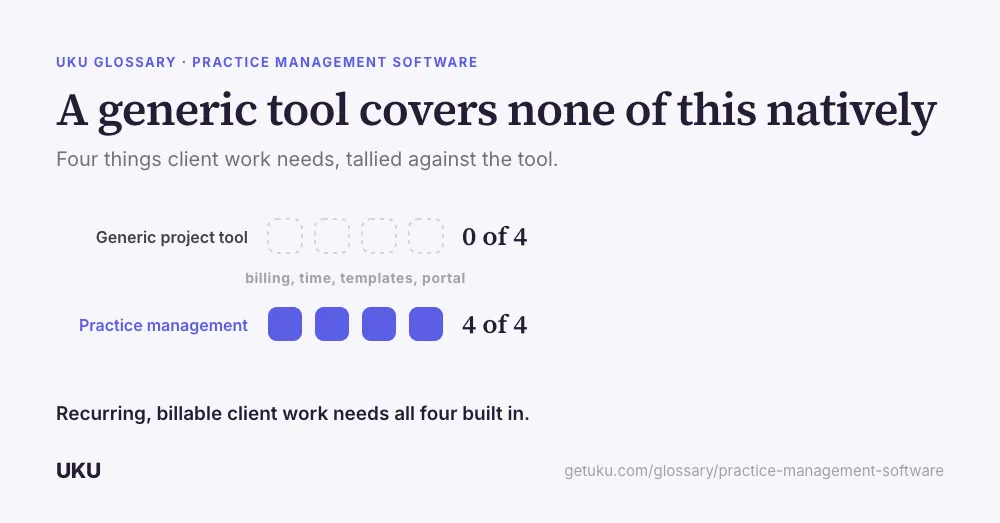
Firms that try to run recurring, billable client work on a generic tool usually end up building the missing half themselves in a spreadsheet — which is the exact problem the software was supposed to remove.
Who this actually serves
The category spans any business with recurring clients and billable time: accounting and bookkeeping firms, law firms, consultancies, agencies. Accounting is the most calendar-driven of those — monthly bookkeeping, quarterly filings, annual tax deadlines — which is why most vendors, Uku included, build the accounting-specific version first: recurring workflow templates for filing cycles, a client portal shaped around bank statements and receipts, and billing that reads directly from logged time rather than a separate estimate.
What breaks without it
For a firm running on spreadsheets and email, nothing fails all at once. What happens instead is a slow drift: a recurring job that quietly stops being created every month, hours that get logged three weeks late and half-remembered, an invoice that goes out for less than the work actually cost. None of those show up as an incident. They show up months later as a margin that’s thinner than the pricing implied.
Two adjacent disciplines sit underneath this category and are worth knowing as separate terms: accounting workflow management is the practice of standardising the recurring cycle itself, and accounting automation is what happens when software takes over the parts of that cycle that don’t need judgement. Practice management software is the system that holds both.
What to check before buying
Two things separate a practice management platform that actually works from one that just looks the part on a sales call. First, whether billing genuinely reads from logged time — a time tracking module that feeds automated billing directly means the invoice matches the work; a bolted-on invoicing screen means someone re-checks every line by hand. Second, whether the client-facing side is actually usable by a non-technical client: a client portal that a bookkeeping client opens once a month to upload a bank statement is worth more than one built for a developer’s idea of a client. Ask a vendor to show both, live, with a real client’s data — not a slide.
How Uku handles practice management software
Last updated September 19, 2026 Reviewed by Rain Allikvee