Glossary
QuickBooks Online
QuickBooks Online is Intuit's cloud-hosted general ledger software — the system where a business's transactions are recorded, bank accounts reconciled, and financial statements produced. For an accounting firm, it is the client's books, not the firm's operating system: it holds the numbers, while a separate practice-management layer runs the firm around them — tasks, deadlines, staffing, billing and the client relationship.
What it is and what it is not
QuickBooks Online is the ledger — the system of record for a client’s transactions, reconciliations and financial statements. It is a specific instance of cloud accounting: hosted online rather than installed on a machine, with bank feeds that update automatically and access that isn’t tied to one desk.
For a firm, the useful distinction is what QuickBooks Online is responsible for versus what it is not:
| QuickBooks Online handles | It does not handle |
|---|---|
| The client’s transactions and ledger | Which staff member is assigned to which client |
| Bank reconciliation | Whether this month’s close is on schedule |
| Financial statement generation | Task deadlines across a client roster |
| The client’s own bookkeeping records | Time tracking, billing, or firm-side capacity |
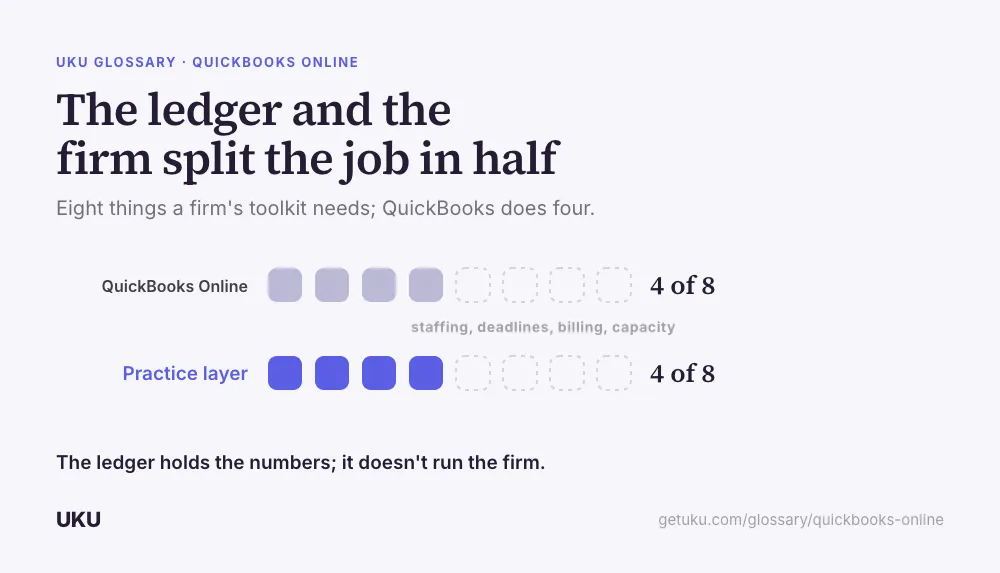
That second column is where a firm’s own operating problems live, and QuickBooks Online was never built to solve them — it is client-facing books software, not firm-facing practice management.
Where it sits in a firm’s toolkit
A firm serving clients on QuickBooks Online needs a layer above the ledger that tracks the recurring work across every client at once: whose books are due this month, who is assigned, what’s overdue. That layer is workflow automation and, more broadly, practice management software — tools built for the firm’s internal operations rather than for the client’s accounting records.
The connection between the two matters more than either tool in isolation. A firm re-entering client names, statuses, or numbers by hand between its ledger and its practice-management system is carrying overhead the integration exists to remove — see the QuickBooks + Uku integration for how that connection is meant to work: the ledger holds the books, the practice layer runs the firm, and the two stay in sync without manual re-entry.
Why the distinction matters for firms specifically
A business owner using QuickBooks Online alone only has to think about their own books. A firm serving dozens or hundreds of clients on QuickBooks Online has an entirely different problem: coordinating staff and deadlines across every one of those separate ledgers at once. That coordination problem does not shrink because the underlying software is good — it is a different category of problem, and it is why firms running client volume on QuickBooks Online almost universally run a second system for the firm side of the work.
Firms delivering outsourced bookkeeping feel this most directly, since the entire service is the recurring monthly cycle repeated across every client’s books — the ledger holds each client’s individual result, but the firm needs its own view across all of them at once to know whether the service is being delivered on time.
Serving a mixed client base
Most firms do not get to choose one ledger for every client — clients arrive already on whatever they picked, or a region’s default differs from another’s. A firm that also serves clients on Xero needs its internal workflow to look the same regardless of which ledger a given client’s books live in, which is the practical reason firms choose practice-management software that connects to more than one general ledger rather than standardizing their internal tools around a single vendor’s ecosystem.
What onboarding a QuickBooks Online client actually involves
Adding a new client on QuickBooks Online is not just a software connection — it’s a firm-side setup checklist that has nothing to do with the ledger itself. Someone has to be granted the right access level, an engagement letter has to be signed, a recurring cycle has to be scheduled, and the client needs a route to send documents and ask questions. None of that lives inside QuickBooks Online, which only starts being useful to the firm once the surrounding process is in place.
Firms that treat the ledger connection as the whole onboarding step tend to discover the gap later, usually when a client asks a question nobody assigned anyone to answer. Building client onboarding into a repeatable checklist — rather than improvising it per client — is what keeps the ledger connection from being the only part of the relationship that actually got set up on day one.
The firm’s view versus the client’s view
QuickBooks Online is built around a single company’s books, which is the right scope for the business owner using it directly. A firm serving that same client needs a second, wider view: not just this client’s ledger, but where this client sits relative to every other client on the roster — whose close is late, whose invoice is overdue, whose engagement is up for renewal. That firm-wide view is what a practice-management layer adds on top of the ledger connection, and it’s the reason the two systems are complementary rather than substitutes for each other.
How Uku handles quickbooks online
Last updated September 19, 2026 Reviewed by Rain Allikvee