Glossary
Secure File Sharing
Secure file sharing is the practice of moving a document between a firm and a client with encryption in transit and at rest, access limited to the intended recipient, and a record of who sent or opened what and when. It is a property of the whole exchange — not a setting on the file itself — which is why the same PDF can be shared securely through one channel and insecurely through another.
What “secure” actually means here
Secure file sharing is not a feature you turn on — it is a property of the whole path a document travels: encrypted while it moves, encrypted at rest once it lands, accessible only to the person it was meant for, and logged so the firm can answer “who had this file, and when” if it is ever asked. A PDF attached to a plain email and the same PDF sent through a client portal can be identical files with very different security, because the difference lives in the channel, not the document.
For an accounting firm this matters more than for most businesses, because the files in question — bank statements, tax IDs, payroll data — are exactly the category clients are told to protect, and a firm that mishandles them is liable for the exposure even if the breach happened on the client’s end of the exchange.
How the common channels compare
| Method | Encrypted in transit | Access control | Audit trail |
|---|---|---|---|
| Plain email attachment | Partial, inconsistent | None once delivered | None |
| Shared cloud folder link | Usually yes | Weak by default — link-holder can open it | Limited, provider-dependent |
| Client portal | Yes | Authenticated per client, revocable | Full — who uploaded, viewed, downloaded |
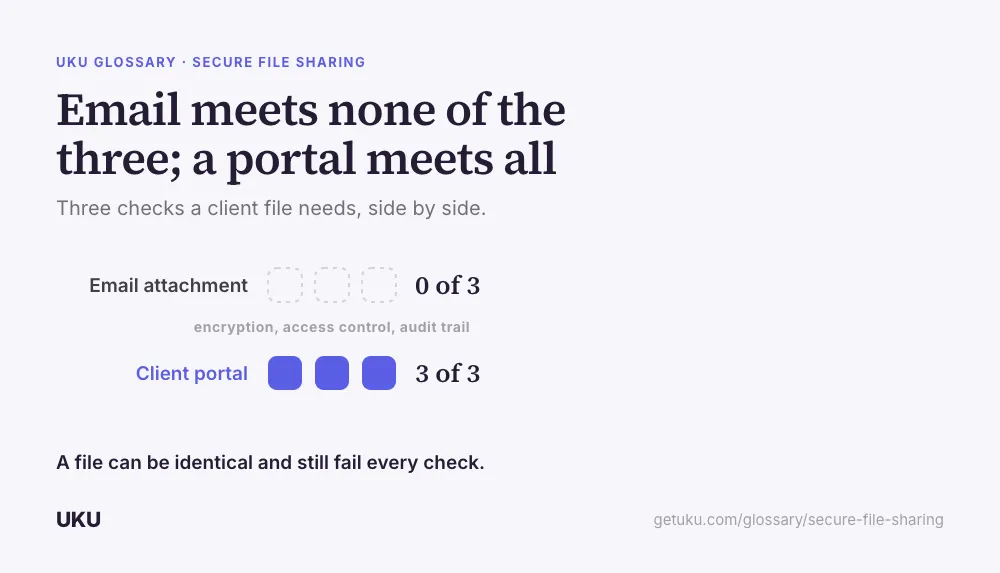
The gap that matters most in practice is access control after the fact. An email attachment or an unrestricted cloud link, once sent, is effectively out of the firm’s hands — there is no way to revoke it or confirm it was only opened by the intended person. A client portal keeps that control with the firm for as long as the document exists.
Where firms actually lose control of files
Forwarded email threads. A client forwards the original request to a bookkeeper, a spouse, or an outside accountant, and the firm has no visibility into who now has the file. This is not malicious — it is just how email works — but it is the single most common way sensitive client data ends up somewhere nobody intended.
Links that never expire. A shared-drive link created for one document request often keeps working indefinitely, because nobody goes back to revoke it once the engagement is over.
No record of receipt. Without a log, the firm cannot prove when a document arrived, which matters when a client disputes whether they sent something on time, or when a signed copy needs to be traced back to the version that was actually e-signed.
What replaces the risk
The fix most firms converge on is routing every client exchange through one authenticated channel instead of whichever app the client happens to open first. A document request sent as a task inside a portal — rather than an open invitation to “upload anytime” — gives the client one clear place to send files, and gives the firm a timestamped, access-controlled record once they land. From there the files still need somewhere permanent to live; that’s the job of a document management system, which is the next step after the file has arrived safely.
Sharing outward, not just inward
The same problem runs in the other direction: a firm sending a client’s own signed statement, a completed tax filing, or a draft engagement letter back to them has the same exposure as receiving one. A copy sitting in the firm’s own “sent” folder, attached to an email, is just as unaccounted for as a client attachment sitting in an inbox — it’s outside the system the firm actually controls the moment it’s sent. Routing outbound documents through the same authenticated channel closes that gap symmetrically, rather than treating security as something that only applies to what comes in.
What to check with a vendor before trusting it
A firm evaluating a new client-facing tool for file exchange — a portal, a signing product, a shared drive integration — should be able to get a direct answer to three questions: is the connection encrypted end to end, not just on the login page; can access be revoked for a specific file or a specific person without shutting down the whole account; and does the vendor log access in a way the firm can actually retrieve, rather than promising it exists somewhere in a system nobody can query. A vendor that can’t answer one of the three quickly is usually a sign the feature was never built to be audited, only to sound secure in a sales conversation.
How Uku handles secure file sharing
Last updated September 19, 2026 Reviewed by Rain Allikvee