









Invoices
Your team's tracked time and contracts become invoices in Uku. Review, approve, and they land inside 360 Księgowość — header, line items, VAT, due date.
- Header
- Line items
- VAT rate
- Due date
Your team tracks the work. Uku turns it into invoices 360 Księgowość gets the same day. No spreadsheets, no missed minutes, no end-of-month panic.
4.8 from 300+ reviews · No credit card required
Uku finds the 15–30% of revenue your 360 Księgowość invoice can't see.
I'd been looking for a practice management solution for my accounting firm for years. Uku was the answer to our problems.
— Christer H., CHK · verified on G2
360 Księgowość holds the books. Uku runs the practice. Here's exactly what moves between them — and which way. No black boxes.
Your team's tracked time and contracts become invoices in Uku. Review, approve, and they land inside 360 Księgowość — header, line items, VAT, due date.
Every 360 Księgowość customer lands in Uku via API. Uku auto-creates API keys for each client on activation.
Clients with mismatched register codes are imported but flagged for review.
Your 360 Księgowość products become Uku billing templates — articles, VAT rates, units and resource codes.
Each article is tied to one VAT rate. Create separate articles per rate (e.g. AUDIT-23, AUDIT-0).
Uku auto-imports the actual volume of work per client — documents, entries, sales and purchase invoices, bank entries, VAT entries, and more. One interactive report, no switching between clients.
Imports actual entry counts for last month, including changes inserted into previous periods.
When 360 Księgowość marks an invoice paid, Uku closes the loop on the same client.
Automatic if enabled in billing settings.
Invoice export on demand · Payment status checked automatically · Re-sync clients any time.
Settings → 360 Księgowość → enter email and password. Uku auto-creates API keys for each client and imports your customer list.
Set monthly recurrence. Uku imports documents, entries, invoices, bank entries — the actual counts, including changes from previous periods.
Pick the services, set the rates. Add volume pricing if you bill by entry count. Uku starts collecting time and data for you.
Review, hit send. It lands in 360 Księgowość — line items, VAT, due date.
Enter your 360 Księgowość email and password. Uku auto-creates API keys for each client and pulls everyone in — name, email, address, NIP/register code.
Large client base? Import may take up to 10 minutes. Your books and your practice stay in lockstep — without anyone chasing it.
Uku auto-imports the actual volume of work for each client from 360 Księgowość — documents, entries, sales and purchase invoices, bank entries, VAT entries, and more. No more switching between clients in 360 Księgowość to count documents.
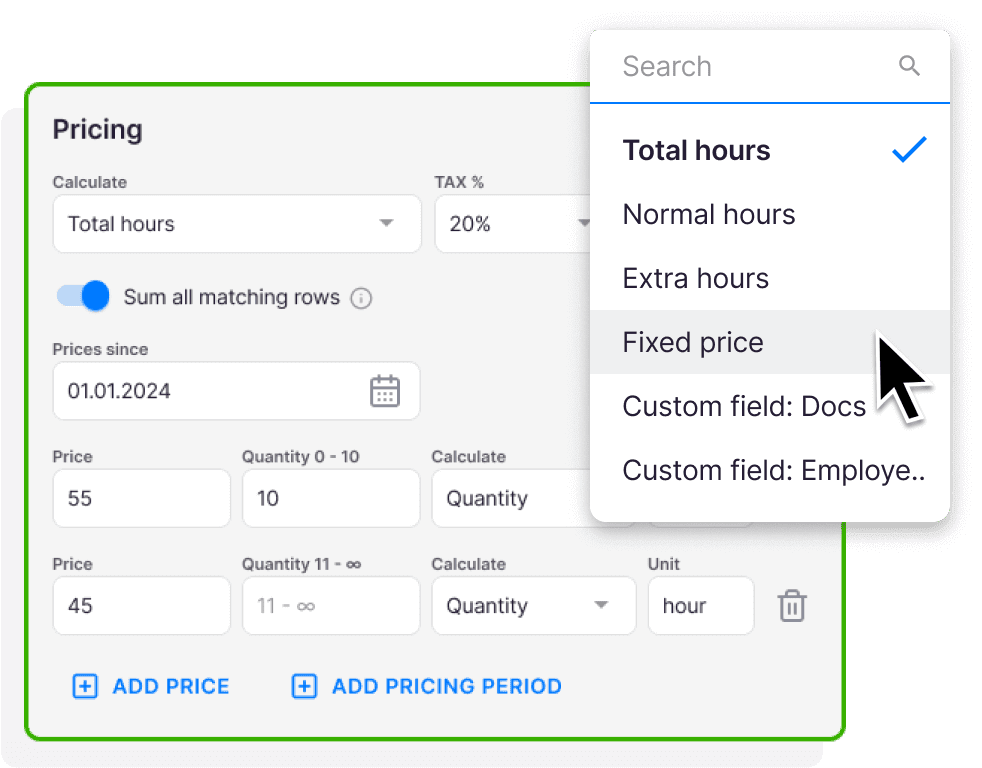
The numbers land in one interactive report. Uku uses them to bill volume-based contracts automatically — including changes inserted into previous periods. Mix time, fixed, and volume pricing in the same contract.
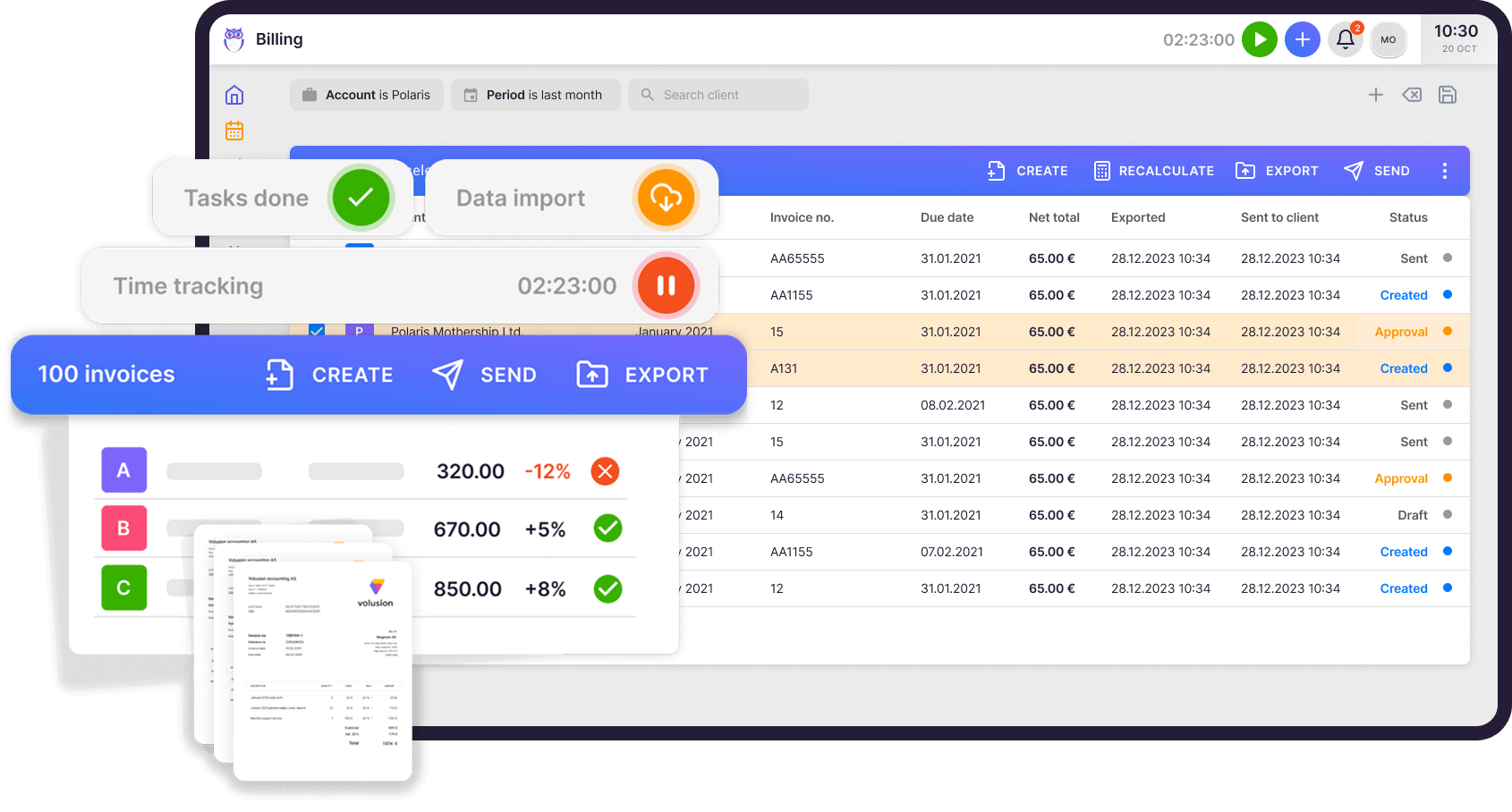
Review the draft, hit send. Uku pushes the invoice into 360 Księgowość — header, line items, VAT, due date. All of it.
360 Księgowość marks it paid? Uku closes the loop on the same client. No double entry. No reconciliation. No spreadsheets in the middle.
360 Księgowość knows which invoices are paid. Uku knows the rest. So Uku sends the reminders — politely, on a schedule you set.
Set up two reminders or five. Different templates for 2, 7, and 14 days overdue. Your team stops chasing money and goes back to actual work.
On schedule
Set your own schedule, write your own emails, change the tone any time. Uku runs it. Your team doesn't touch it.
1 year with Uku and we can serve 38% more clients. Couldn't imagine life without Uku.

Uku is simple and intuitive and covers anything we might need from a work management system — from tracking time and managing tasks to billing. It has increased efficiency and visibility throughout our team.

Uku's team is very helpful in coming up with solutions. In our company, Uku has brought the client closer to accountant while giving both the accountant and management an overview of how much time is spent on what kind of work or communication.

Uku is the perfect solution for financial services companies unlike any other. Uku team is a pleasure to work with. They're quick to respond and offer adaptations and upgrades to match our needs.

I'd been looking for a practice management solution for my accounting firm for years. Uku was the answer to our problems.

Uku is easy to use and accountants actually love working with it.

Every question we hear about the 360 Księgowość integration — and the answer is always the same.
Go to Uku Settings → 360 Księgowość → Activate. Enter your 360 Księgowość email and password. Uku auto-creates API keys for all clients. You need Admin or Manager permissions in Uku and a 360 Księgowość Pro or Premium plan.
One-way: 360 Księgowość → Uku. Customers, addresses and register codes flow into Uku. We deliberately don't push client edits back — your books stay the single source of truth.
From 360 Księgowość → Uku: customers, articles, tax rates, units, resource codes, purchase and sales invoice counts, payment status. From Uku → 360 Księgowość: invoices, line items, VAT rates, due dates.
Yes. This is the killer feature: 360 Księgowość reports the number of sales and purchase invoices per client per month, and Uku uses that number to bill your volume-based contracts automatically.
In 360 Księgowość (and Merit Aktiva), each article is tied to a single VAT rate. If you need the same service at different VAT rates, create separate articles — e.g. AUDIT-23 and AUDIT-0.
No. Only invoices created after the integration is activated can be exported. Invoices created before activation cannot be sent retroactively.
2FA on 360 Księgowość may prevent client import. Contact Uku support — we have workarounds to complete the connection.
Have a question? Contact us — real people answer.















Elevate your efficiency with the powerful yet easy-to-use accounting practice management software.
"Let's create a dream, where the team is happy, clients are well served and profits are fair." — Rain Allikvee, Co-founder of Uku

 QuickBooks
  Xero
Xero  Gmail
Gmail  Google Drive
  Dropbox
  Zapier
  Microsoft 365
