Every report your firm runs on — time, tasks, and productivity.
Uku reports on time, tasks and team productivity in real time — from a firm-wide overview down to a single time entry.
- Know where every hour went — per client and per service, in real time
- Catch it while you can still fix it — overdue work, overloaded people, messy logs
- Show clients what they paid for — export to PDF or Excel, or feed Power BI
4.8 from 300+ reviews · No credit card required
Decisions based on real data, not gut feeling. When every tracked minute rolls up into a live report, you find out about a slipping deadline or an overloaded teammate now — not thirty days too late. Looking for profitability, realization, and margins? That's Uku BI Analytics.
Accounted for
See exactly where your team's time went — per client, per service — so invoices are accurate and nothing is left on the table.
Not thirty days late
A slipping deadline or an overloaded teammate shows up in a live report today, while you can still do something about it.
Numbers you can trust
Gaps and overlaps in time logs are flagged and fixed, so you bill with confidence and your analytics stay honest.
Uku has increased efficiency and visibility throughout our team.
Verified user review
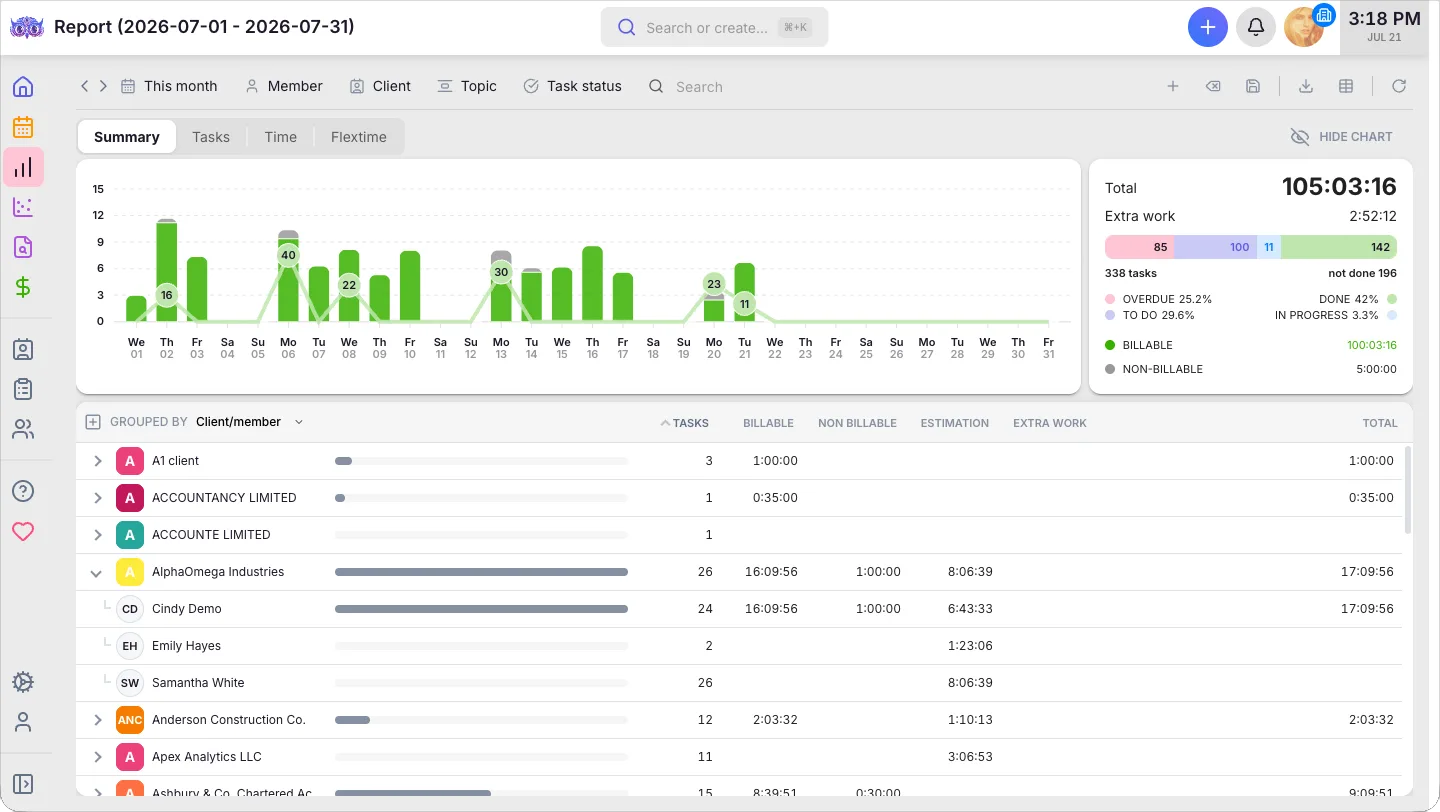
See where every hour actually goes.
A two-level tree of time by client, member, topic, or project. Progress bars show each row's share of the total, alongside task counts, extra work, and total hours.
- Group by client, member, topic or project — the view that answers your question
- Billable vs non-billable, plus estimate vs actual hours
- Task status at a glance — Overdue, Active, Done, with percentages
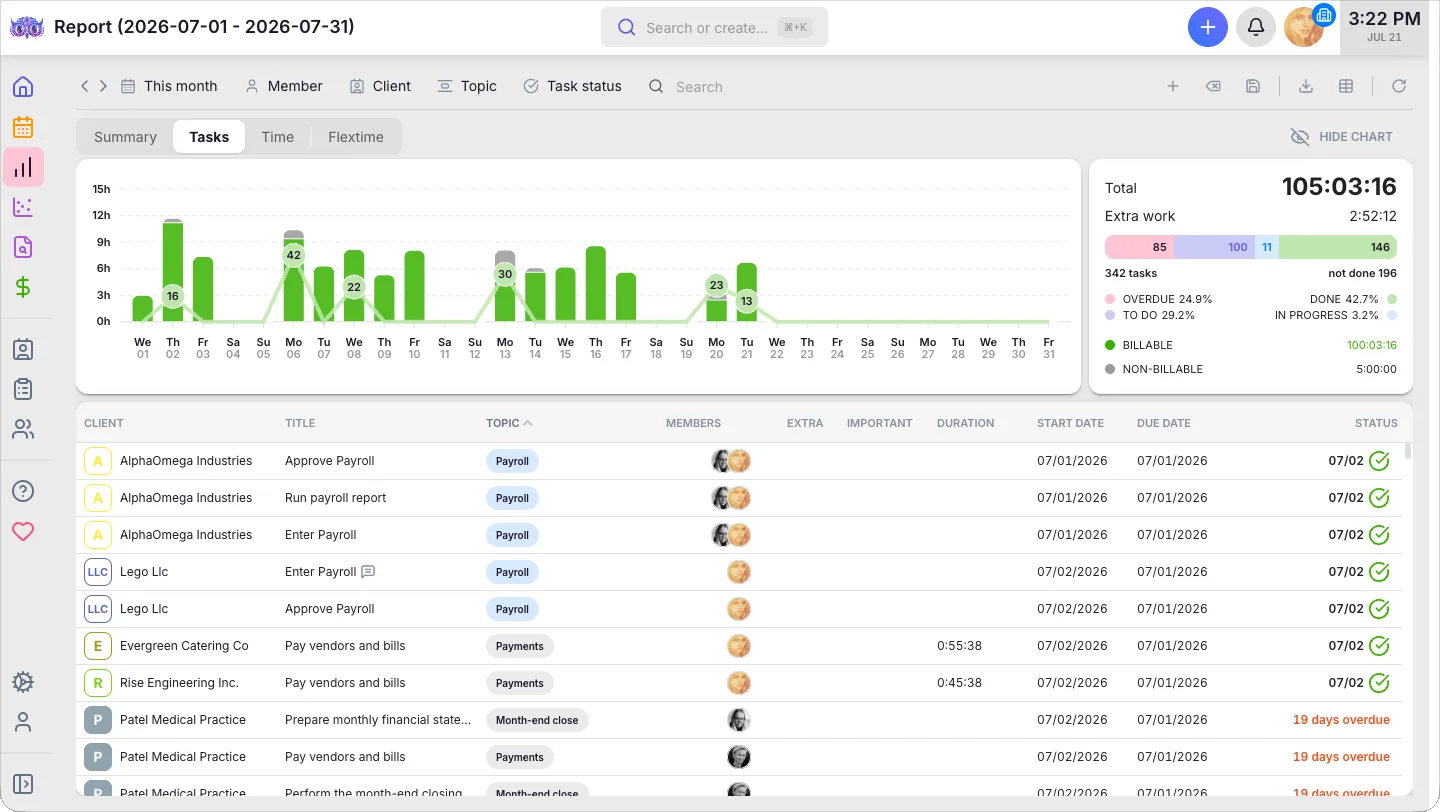
Catch overdue work before your client does.
A flat list of every task matching your filters — client, topic, assignee, duration, dates, and status — so overdue work and unbilled tasks surface in one place.
- One row per task — client, topic, assignee, dates, status
- Surface overdue work before the client has to ask
- Filter unbilled tasks to prep invoicing without the guesswork
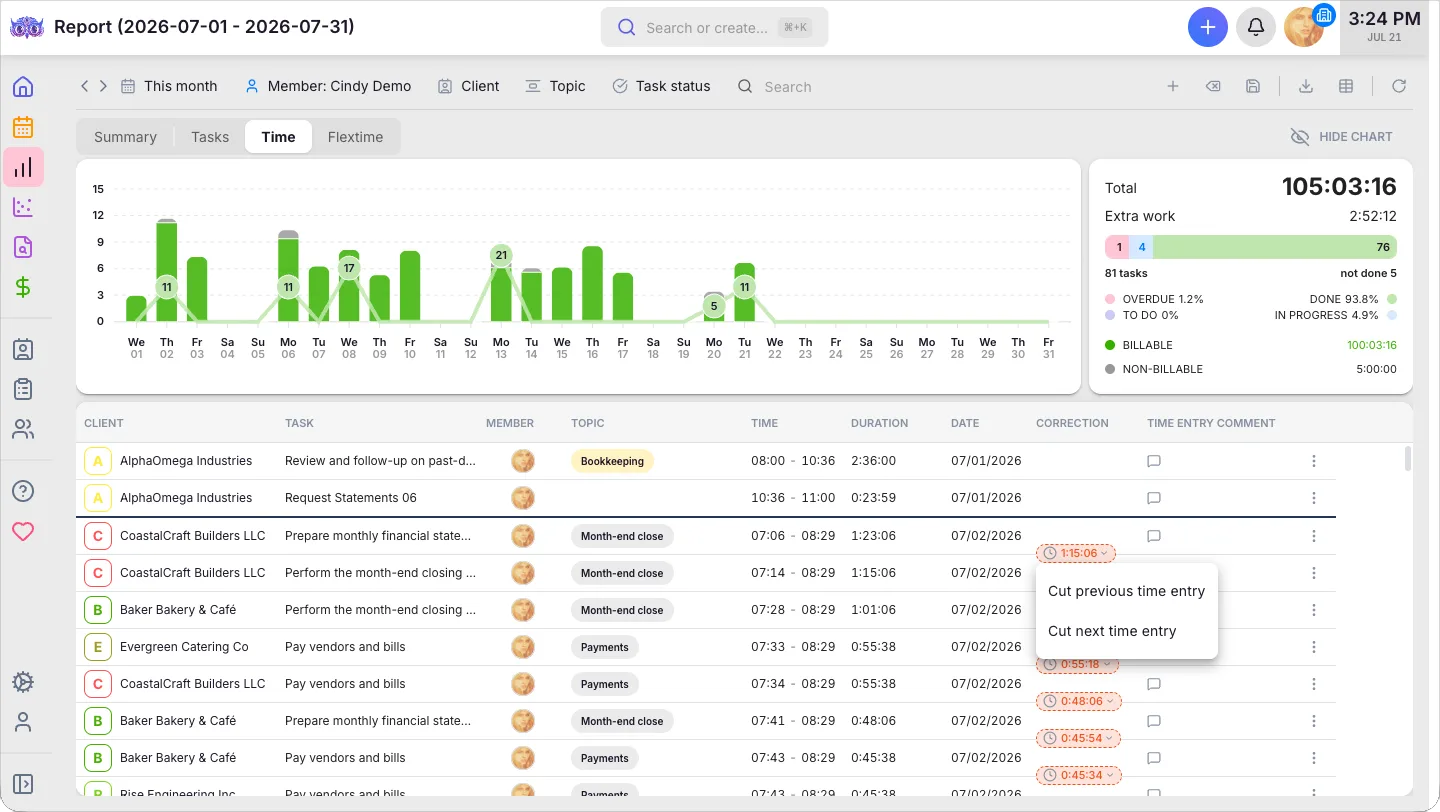
Bill for every minute — and only the right ones.
Every individual time entry — start, end, duration, comment — plus the gaps and overlaps that quietly distort your numbers, flagged so you can fix them on the spot.
- One row per time entry — start, end, duration, comment
- Green line = gap (untracked time), red line = overlap (double-tracked)
- Fix gaps and overlaps inline before they ever reach a bill
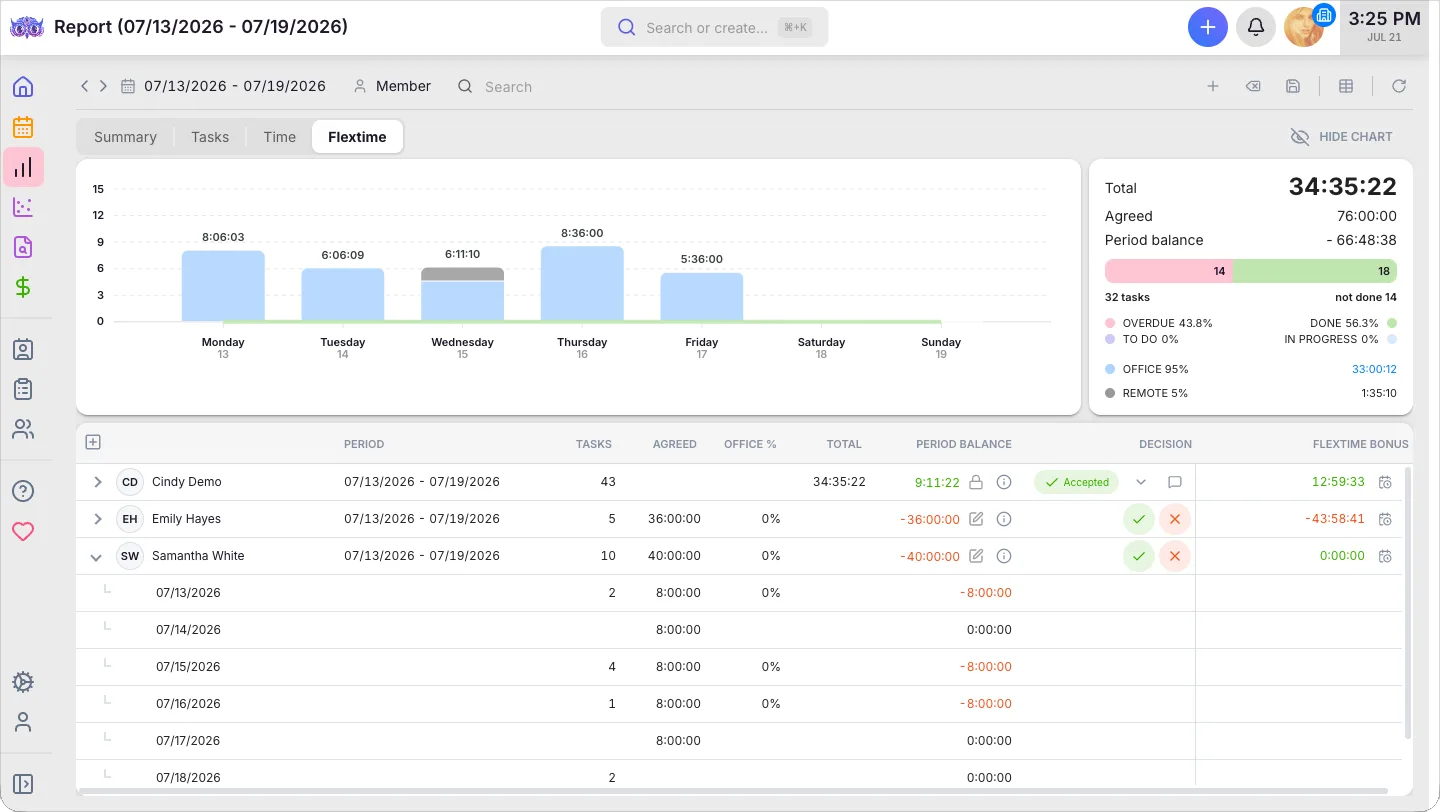
Keep your team balanced — and fairly paid.
Compare each team member's agreed hours against what they actually worked. The period balance turns green when they're over and red when under — approve or decline every period with an audit trail.
- Agreed vs total hours, with the running period balance
- Green = worked over, red = worked under the agreement
- Approve or decline periods — and track each member's flextime bonus
Take your analysis further in any tool.
Pull Uku's data into the software you already use — Excel, Google Sheets, or Power BI. Business intelligence on your terms: blend Uku data with your accounting software or CRM.
- Open REST API — pull firm data into Power BI, spreadsheets, or any tool
- Blend Uku data with your accounting software or CRM
- See it alongside every Uku integration
Reporting features.
The whole firm, live
One real-time picture of where time goes, what's done, and who's overloaded — drill from the overview down to a single entry.
Deep filters & drill-down
Filter by client, member, topic, task status, and period — then click any summary row to drill straight to the tasks and entries behind it.
Gap & overlap detection
Color-coded lines flag untracked and double-tracked time, so every report is built on clean data.
Saved report templates
Save filters and grouping as templates — personal or company-wide for the whole team.
PDF & Excel export
Export completed work and time records as a file to show the client exactly where time was spent.
Public API & Power BI
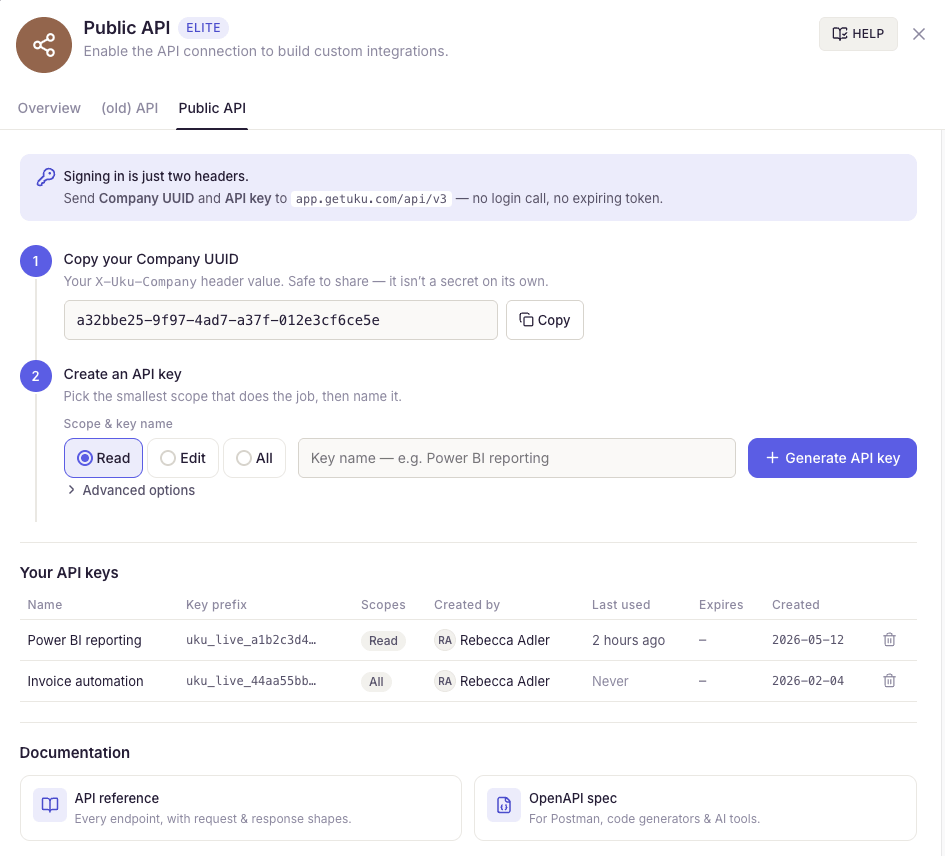
Pull firm data into Power BI or any analytics tool with Uku's open REST API.
Yes, Uku reporting can do that.
Every reporting question we hear from accounting firms — and the answer is always the same.
- Can I see time usage per client in real time?
- Can I see time spent by topic — e.g. annual reports?
- Can I group the summary by client, member, topic or project?
- Can I save report templates for the whole team?
- Can I export reports as PDF or Excel?
- Can I feed data into Power BI via a public API?
- Can I see every employee's workload and rebalance tasks?
- Can I track tasks by status — done, ongoing, overdue?
- Can I catch gaps and overlaps in time logs?
- Can I compare each member's agreed vs actual hours in flextime?
Reporting questions.
What do Uku's reports show?
Everything your firm runs on: where every hour went (grouped by client, member, topic, or project), which tasks are done or overdue, whether your time logs are clean, and how each person's hours compare to their agreement. Filter by client, member, topic, or period and drill from a firm-wide overview down to a single time entry.
Does Uku show client profitability?
Reporting shows where every hour goes; the money view lives in Uku BI Analytics (available on the Elite plan). BI Analytics turns the same time and invoice data into per-client profitability, realization, utilization, and margin.
Does Uku track agreed vs actual hours?
Yes — the Flextime tab compares each team member's agreed hours against what they actually worked in a period. The period balance turns green when they're over and red when under, and you approve or decline each period with an audit trail. Setting agreed work targets per client is Uku Monitoring, a separate feature.
Can I save and share report templates?
Yes. Save your filters and grouping as report templates — personal or company-wide, so the whole team checks the same numbers. Reports export as PDF or Excel.
Does Uku work with Power BI?
Yes. Uku's public REST API lets you pull firm data into Power BI or any analytics tool for custom dashboards and advanced analysis.
How does Uku keep time logs clean?
The Time tab flags gaps and overlaps between consecutive entries with color-coded lines — green for untracked time, red for double-tracked — so you catch and fix data-quality issues before they reach billing or analytics.
Have a question? Contact us — real people answer.
Top-rated by accounting firms, consistently.







Explore the rest of Uku.
Deliver the work
Serve clients
Run a profitable firm
 QuickBooks
  Xero
Xero  Gmail
Gmail  Google Drive
  Dropbox
  Zapier
  Microsoft 365









Elevate your efficiency with the powerful yet easy-to-use accounting practice management software.
"Let's create a dream, where the team is happy, clients are well served and profits are fair." — Rain Allikvee, Co-founder of Uku