Switch from spreadsheets to Uku.
You built the tracker, and for a while it worked. Uku is what firms move to when the answer to who’s doing what, and is it on time? stops fitting in a grid — and it imports the sheets you already keep.
- One place for the whole team — not one file per person
- Recurring work rolls itself forward — no copying last month’s tab
- Imports your spreadsheet directly — company name is the only required column
4.8 from 300+ reviews · No credit card required
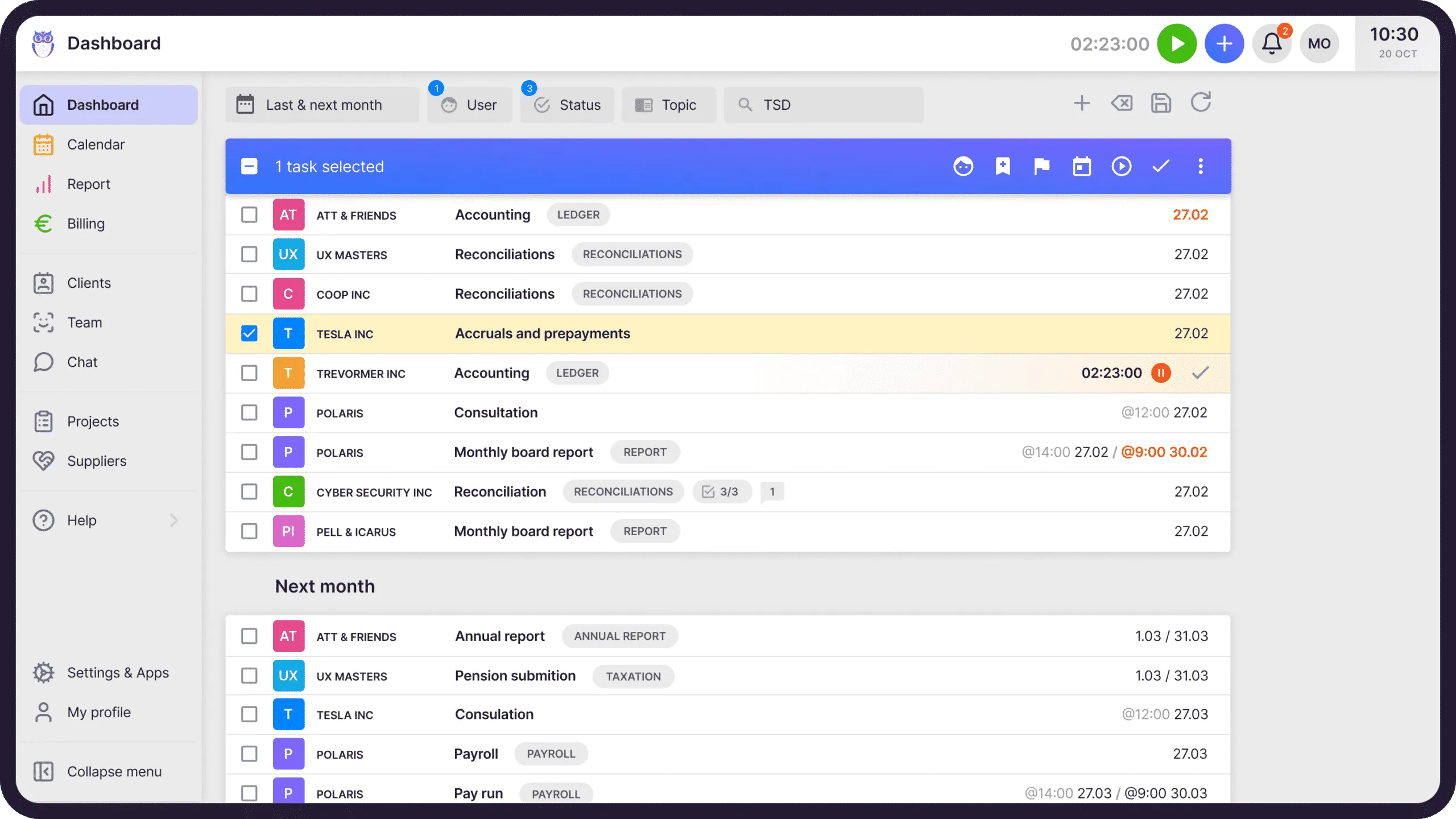
A spreadsheet answers the question you ask it. A firm needs the answer to a question someone else asks: who’s doing what, and is it on time?
Nobody leaves a spreadsheet because it stopped working.
They leave because the firm grew past what one file can hold, and the day that becomes obvious is usually a bad one. Every reason below is one our own customers named in a public review, in their words rather than ours.
- The manager’s blind spot
The accountant knows. The firm doesn’t.
This is the one that actually forces the move, and it isn’t about the accountant being disorganised — it’s that a personal system can’t be read by anyone else. The work is under control and still invisible to the person who has to answer for it.
Before Uku, the accountants had this information themselves, but the managers couldn’t monitor the performance in real time… It helped us get rid of guessing games, countless (and off sync) spreadsheets, forgetting, and chaos.
Anu A. · Capterra, May 2022
- The sheet count
One tracker becomes twenty.
It rarely starts badly. It starts with one clean sheet, and then a tab per client, a file per year, a copy for the colleague who needed it on Friday. Nobody decided to build a system out of twenty files; it just accumulated.
I love that UKU helps me to track and plan my daily tasks without the need of keeping 1000 Excel sheets.
Jekaterina D. · Capterra, May 2024
- The parallel life
The sheet is never the only place you look.
Deadlines end up in a calendar, the to-do list lives somewhere else, and the tracker only reflects reality when someone remembers to update it. Three places to check means three places to be wrong.
I don’t have to keep a separate calendar, to-do list, or excel for my work.
Annika M. · G2, April 2023
- The unpaid hour
Nothing in a spreadsheet reminds you.
A sheet doesn’t roll next month’s work forward, doesn’t chase a client for a missing document, and doesn’t tell you a return is due on Friday. All of that runs on somebody’s memory — usually the same somebody, every month.
I don´t need to write excel anymore!!!
Triin P. · G2, December 2023
Quotes are verbatim from verified reviews on Capterra and G2, shortened only where marked. You can read them, and the rest, on our reviews page.
Three things the spreadsheet does better than we do.
It would be easy to write this page as though the grid were the enemy. It isn’t. It is the most successful business tool ever made, and there are things it wins at outright.
It starts working immediately
No onboarding, no import, no vendor. You open a file and you are already using it.
It bends to anything
No data model to argue with. A spreadsheet will represent any process your firm invents, however strange.
It already fits your head
You built it, so it matches how you think. No software can promise that on day one.
The move is worth making when the firm needs something a personal tool can’t give it: one version, visible to everyone, that keeps running when its author is on holiday.
One screen, not one file each.
Clients, tasks, time, documents, and billing live in one place the whole team opens. Nobody asks which version is current, because there is only one. The manager sees the same picture as the accountant, without asking for it.
Next month is already there.
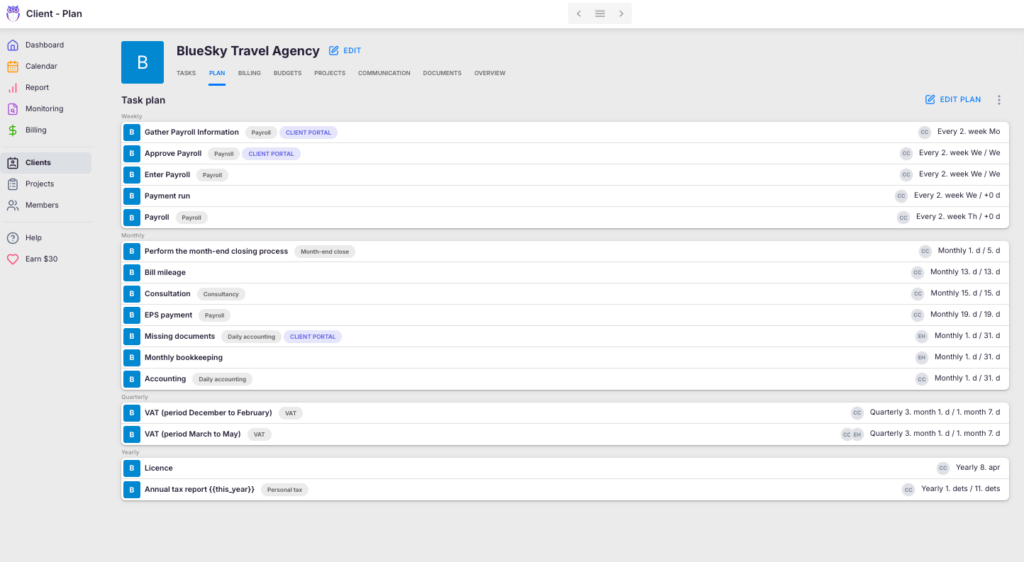
Weekly, monthly, quarterly, yearly — the work each client needs is described once, and Uku rolls it forward on schedule. No copying last month’s tab, no wondering whether the copy was complete, and no one person holding the routine in their head.
The time tab stops being an invoice draft.
In a spreadsheet, billing is a monthly re-typing exercise, and it is where the errors get expensive. In Uku the time entries, fixed fees, and contracts you already recorded flow straight into the invoice. Set the rules once and the month runs itself.
How automated billing works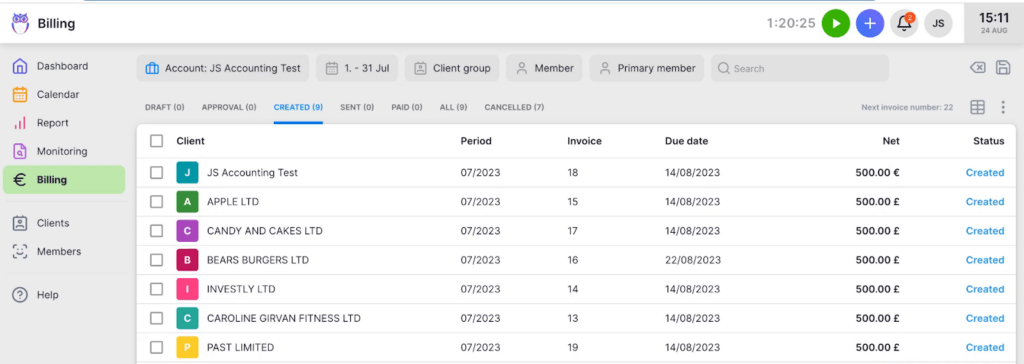
A 300-person firm made this exact move.
Leinonen runs accounting across 11 countries, and ran a great deal of it in Excel. Their Head of Accounting, Külli Kink, is blunt about the old way: “The old methods were very time-consuming. It took a considerable effort to get the overview.”

Spreadsheets and email vs Uku.
There is no price row worth arguing about here — a spreadsheet is free and Uku is not. The difference is what each one costs you in time, and in risk.
Uku prices are yearly-billed display rates in USD. The last two rows are the ones spreadsheets win; we left them in because a table that wins everything isn’t a comparison.
Newer to this category? See the best practice management software, our guide for small accounting firms, or Uku’s full pricing.
Where the time actually went.
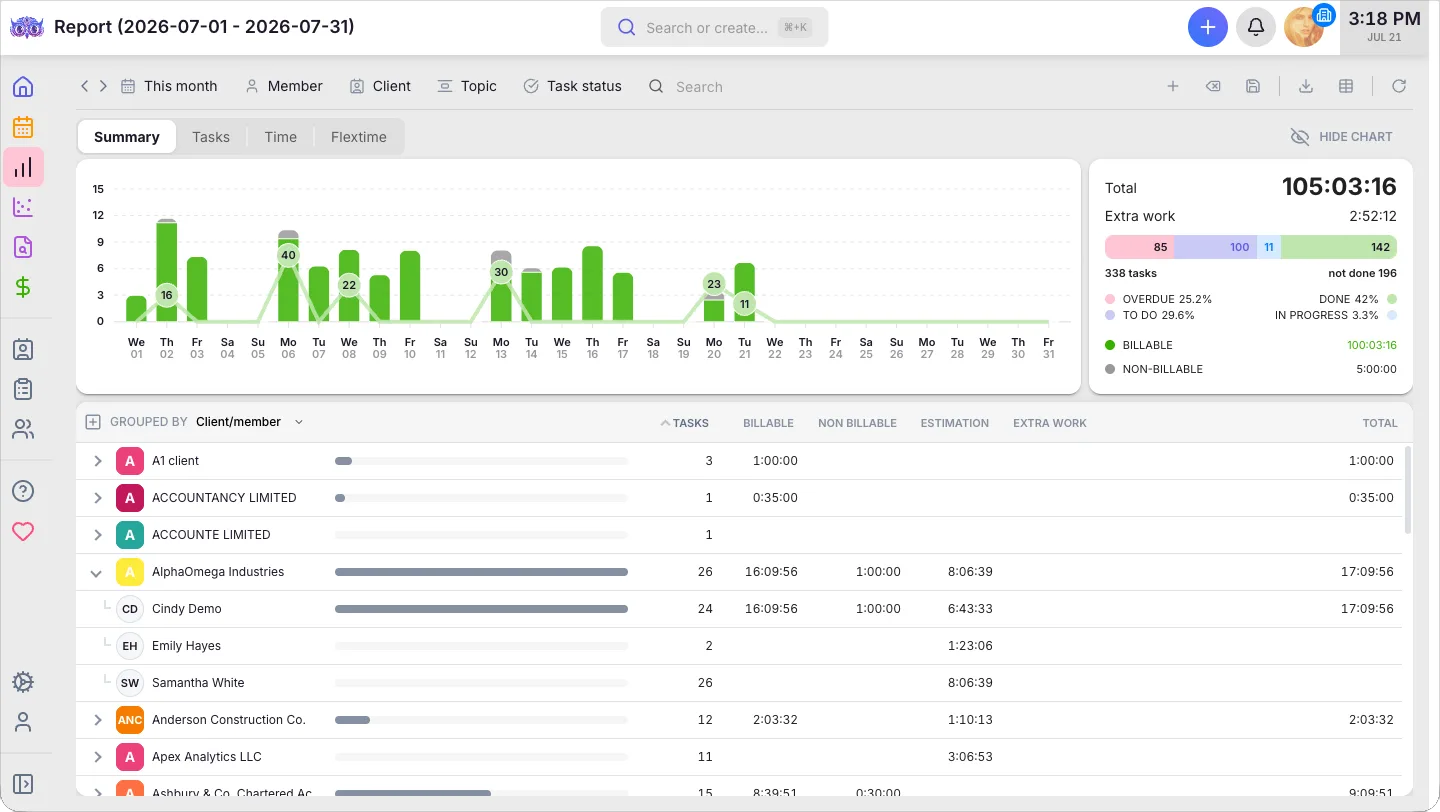
A tracker tells you what happened only if every row was filled in honestly. Uku counts it as the work happens: hours by member and by client, billable against non-billable, and which clients are genuinely profitable. Reporting comes with every plan from Team up, and deeper BI Analytics on Elite.
This is the easiest migration we do.
Firms coming off another platform have to fight an export first. You don’t — your data is already in the format Uku reads, and it is already yours.
Upload the sheet you already keep
Drag in your .xls or .xlsx client list. Only the company name is required — email, phone, address and custom fields are all optional, so a thin sheet is fine.
Map the columns
Uku matches your column headings to its fields and shows you a preview before anything is created. Include a registration code and re-importing won’t create duplicates.
Turn your monthly routine into workflows
We help map the work you track in tabs into Uku workflow templates, so it rolls forward every month instead of being copied forward by hand.
Go live
A free 90-minute onboarding session gets the team confident. Most firms are live in two to six weeks — and your data exports back out to CSV whenever you want it. With the Uku MCP server connected to your AI assistant, the company setup itself can be done in a day.
Want the step-by-step? Our help center has the full import playbook, with screenshots and the exact column mapping. Read the migration playbook
Moving off spreadsheets — your questions
Can Uku import my existing Excel spreadsheets?
Yes, and this is the easiest migration we do — spreadsheet data is clean and simple compared with exporting from another platform. You upload the .xls or .xlsx file you already keep, Uku maps your column headings to its fields, and you see a preview before anything is created. Only the company name is mandatory; every other column is optional. You can also sync clients straight from Xero, QuickBooks, or e-conomic. Our team helps with the import.
Is a spreadsheet really not good enough to run an accounting firm?
For one person, a spreadsheet is often genuinely fine, and we would rather say so than sell you something you don’t need. It stops being fine at the point where someone other than its author needs to answer a question from it — a manager checking whether work is on time, a colleague covering during illness, a new hire trying to find out what this client needs each month. That is a specific moment, and most firms can name the month it happened to them.
How long does it take to move from spreadsheets to Uku?
Most firms are live in two to six weeks: client import, recurring-work setup, and team training, at your own pace. Solo accountants are often live in a day or two. Every new account also gets a free 90-minute onboarding session.
What does it cost compared with free spreadsheets?
Uku starts at $19 per member per month on the Solo plan, or about 23% less billed yearly. Spreadsheets cost nothing on the licence — that comparison is real and we won’t dress it up. What changes is where the hours go: firms that move their billing into Uku report invoice preparation dropping from two or three days to about thirty minutes. Whether that is worth a subscription depends on what those days are worth in your firm, which is a question only you can answer.
Will I lose the flexibility I have in Excel?
You lose some, and you should know that before you decide. A spreadsheet will do literally anything you can think of, and no practice-management tool matches that. What you get back is that the flexibility no longer depends on one person maintaining it — workflows, custom fields, client-specific task plans and your own statuses are all configurable, and they keep working when that person is on holiday. Uku also exports to Excel, so anything you genuinely want in a grid still can be.
Have a question? Contact us — real people answer.
Top-rated by accounting firms, consistently.







Explore the rest of Uku.
Deliver the work
Serve clients
Run a profitable firm
 QuickBooks
  Xero
Xero  Gmail
Gmail  Google Drive
  Dropbox
  Zapier
  Microsoft 365

Keep the spreadsheet for the things it’s good at. Give the firm somewhere better to live.
"Let's create a dream, where the team is happy, clients are well served and profits are fair." — Rain Allikvee, Co-founder of Uku