Time tracking for accounting firms — addictively easy.
Your time is money. Uku knows where every billable minute goes.
- Stopwatch, manual entry, or bulk time entry — your choice
- Get paid for every billable minute
- Integrated with billing and your accounting software
4.8 from 300+ reviews · No credit card required
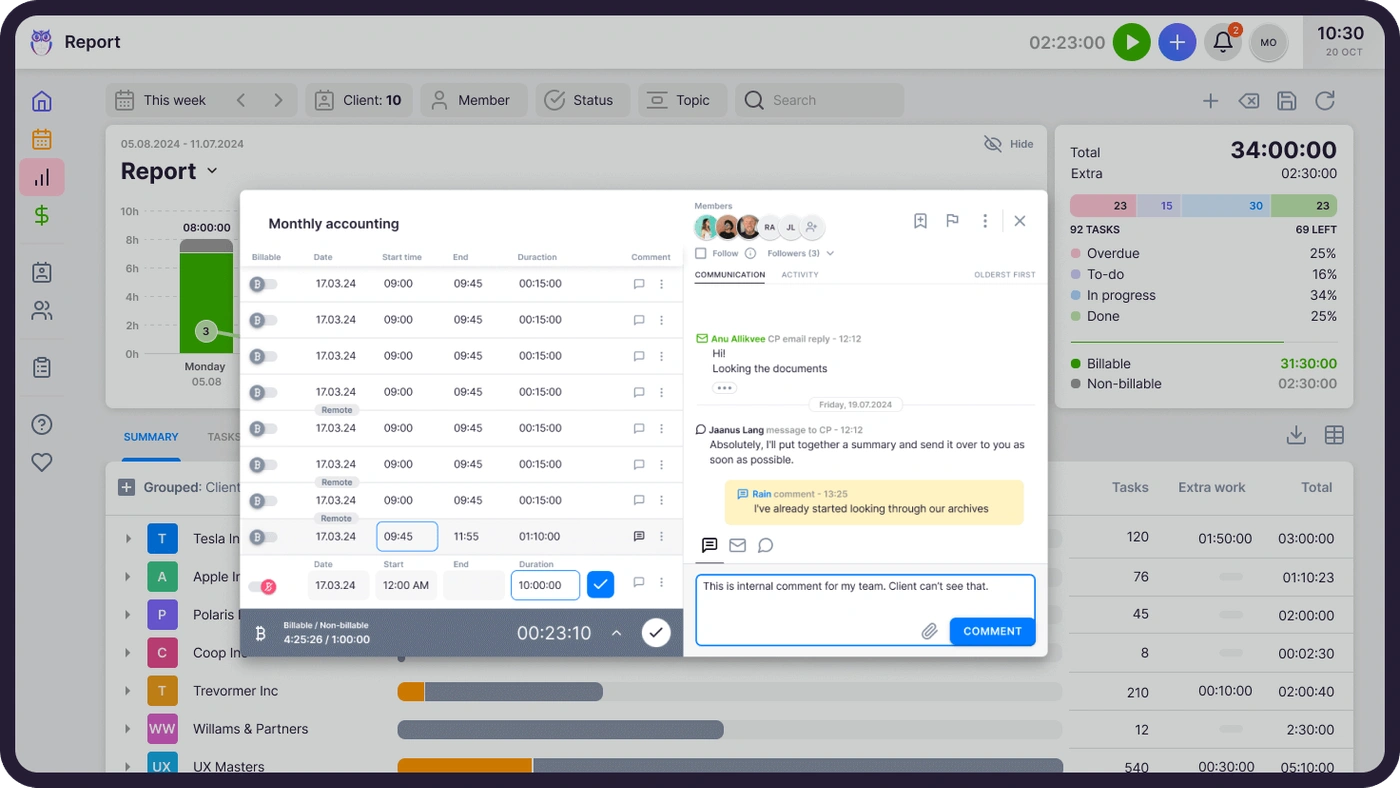
When every minute lands on a client and a task, pricing stops being guesswork — you bill for the work you actually did and see exactly which clients consume your team.
Less time on billing
Tracked time flows directly into automated invoicing. No more manual hour-counting at month end.
Billable work captured
Stopwatch, manual entry, and bulk time entry ensure every minute is logged — even quick emails and phone calls.
Guesswork in pricing
Analytical reports show exactly how much time each client consumes. Adjust pricing based on real data, not assumptions.
"Precise work tracking has enabled us to reevaluate our pricing model and make long-desired changes."
Martti Tarro, CHK, verified on Trustpilot
Pick a suitable way to track your time.
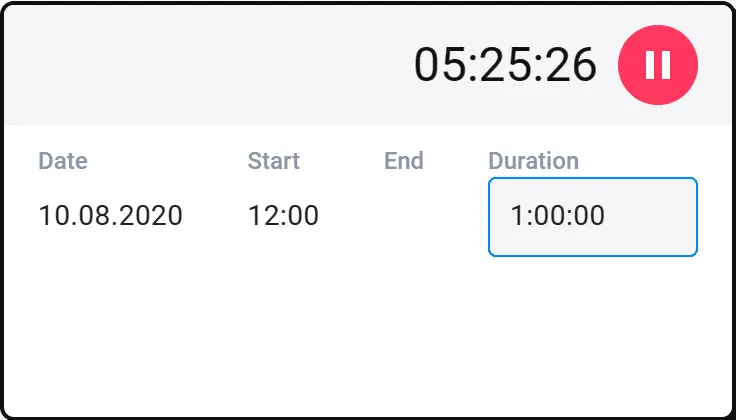
Measure time with a stopwatch, enter time entries manually, or add spent time to multiple tasks at once. Every entry belongs to a task, alongside the client emails about it.
- Stopwatch starts straight from the task — even for the smallest jobs
- Bulk entry — add time to many tasks at once, equally or divided
- Analyze productivity across your entire team
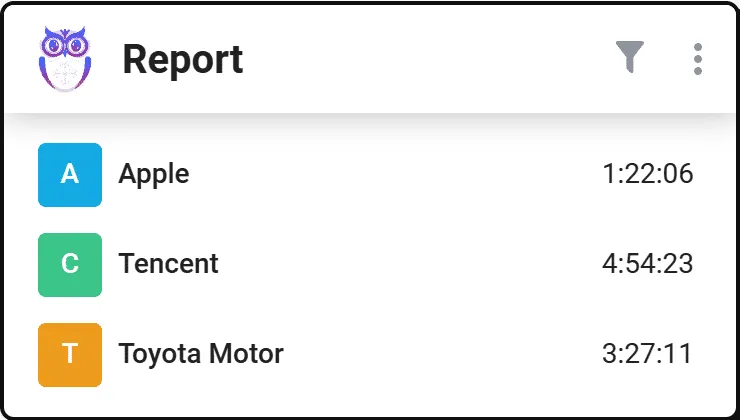
Pinpoint time-consuming clients.
Find customers whose prices to adjust. Price services according to spent time and charge for the work you really did.
- The report identifies clients where time exceeds what you bill
- Solid input for Reporting and pricing decisions
- Never underestimate the value of your time again
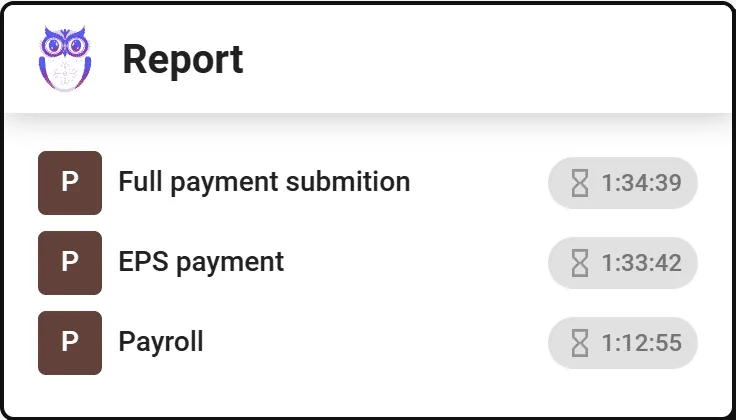
Gain client trust with transparent time management.
Display the time spent with the list of tasks completed for the client. Rely on solid numbers in price negotiations.
- Time reports per client, with completed tasks listed
- Export as PDF or CSV to share directly with clients
- Transparency that wins negotiations
Automated billing saves 80% of your time.
Enter your service price list, set up automatic invoicing, review, and send — to the client or your accounting software.
- Tracked time feeds Automated Billing directly
- Rounding rules, minimum time, and billable/non-billable flags
- Export invoices to QuickBooks, Xero, e-conomic, and more
Time tracking software features for accountants.
Stopwatch
Start a new task immediately and easily track even the most minor tasks.
Manual time entry
Add the full duration of a task or enter the start and end time under the task.
Bulk time entry
Bulk-select tasks and add time at once. Enter the same amount or divide it equally between tasks.
Automatic time entries
Add a forecast to the task and the forecast is automatically marked as the time spent.
Time forecasting
Give tasks a time forecast to better plan your work time and team workload.
Billable and non-billable
Distinguish billable hours from non-billable tasks that you don't need to add to invoices.
Distinguish extra work
Get an accurate overview of additional tasks done for a client — and bill for them.
Analytical time reports
A powerful report with filters: time spent on customers, tasks, and employees.
Export time data
Export as PDF or CSV to show clients how you've spent time, or request data through the API.
Yes, Uku time tracking can do that.
Every time tracking question we hear from accounting firms — and the answer is always the same.
- Can I track time with a stopwatch directly from my task?
- Can I enter time manually by adding duration or start/end times?
- Can I add time to multiple tasks at once with bulk entry?
- Can I automatically log forecasted time as actual time spent?
- Can I distinguish billable from non-billable hours?
- Can I mark extra work separately for accurate client billing?
- Can I set time forecasts to plan workload and capacity?
- Can I see analytical reports by client, task, and team member?
- Can I export time data as PDF or CSV to share with clients?
- Can I connect time tracking directly to automated billing?
Time tracking questions.
How does Uku's time tracking work?
Uku offers multiple ways to track time: use the built-in stopwatch to track in real time, enter time manually after completing a task, or use bulk time entry to add hours to multiple tasks at once. Time entries are linked directly to clients and tasks for accurate billing.
Can I track billable and non-billable hours separately?
Yes. Every time entry can be marked as billable or non-billable. Non-billable time is excluded from invoices but still visible in reports — so you always know exactly where your team's time goes.
How does time tracking connect to billing?
Time entries feed directly into Uku's automated billing system. Set up billing contracts with hourly rates, and Uku calculates invoices automatically based on tracked time. Rounding rules, minimum time, and custom fields are all supported.
Can I see how much time my team spends on each client?
Absolutely. The time usage report gives you a detailed breakdown by client, task, and team member. Filter by date range, billable status, or task type to pinpoint exactly where time is being spent — and where you're undercharging.
Can I export time tracking data?
Yes. Export time data as PDF or CSV files to share with clients or import into other systems. You can also access time data through Uku's API for custom integrations.
Does Uku have a browser extension for time tracking?
Yes. The Uku browser plugin lets you start and stop the timer, switch between tasks, and add time entries — all without leaving your current tab. It's the fastest way to track even quick tasks like emails and phone calls.
What is automatic time entry?
When you add a time forecast to a task, Uku can automatically mark the forecasted time as the actual time spent. This is useful for tasks with predictable durations — no manual entry needed.
Is time tracking included in all plans?
Time tracking is a core feature included in all Uku plans — Solo, Team, Elite, and Enterprise. The stopwatch, manual entry, bulk entry, reports, and export are all available from day one.
Have a question? Contact us — real people answer.
Top-rated by accounting firms, consistently.







Explore the rest of Uku.
Deliver the work
Serve clients
Run a profitable firm
 QuickBooks
  Xero
Xero  Gmail
Gmail  Google Drive
  Dropbox
  Zapier
  Microsoft 365









Elevate your efficiency with the powerful yet easy-to-use accounting practice management software.
"Let's create a dream, where the team is happy, clients are well served and profits are fair." — Rain Allikvee, Co-founder of Uku