

Client Budgeting for Accounting Firms
See When You're Doing More Than the Client Paid For
- Agree on a budget and Uku helps you keep track
- Get notified before the budget's maxed out
- Plan ahead, adjust, and maintain strong client relationships
No credit card required.

What client budgeting delivers
0
Surprise overruns
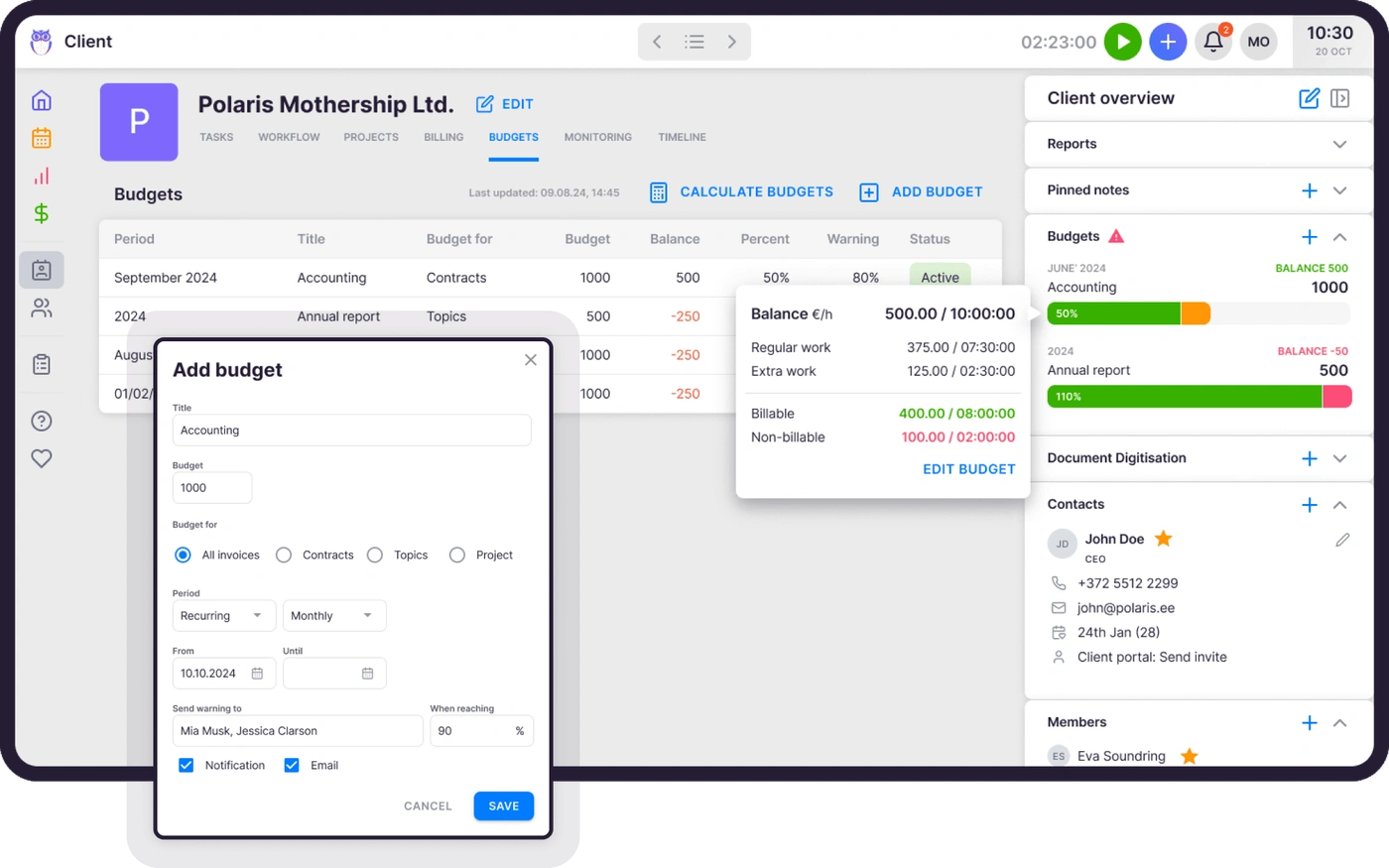
Every client has a clear budget. Uku warns you before the limit is reached, so you never do free work without knowing.
100%
Budget visibility
Real-time progress bars show exactly where each client stands. No spreadsheets, no guessing.
4
Budgeting styles
Budget by all invoices, contract, project, or set of topics. Choose what fits each client relationship.
"Uku has given our company data which we use monthly to make our pricing decisions."
Highly Flexible Client Budgeting
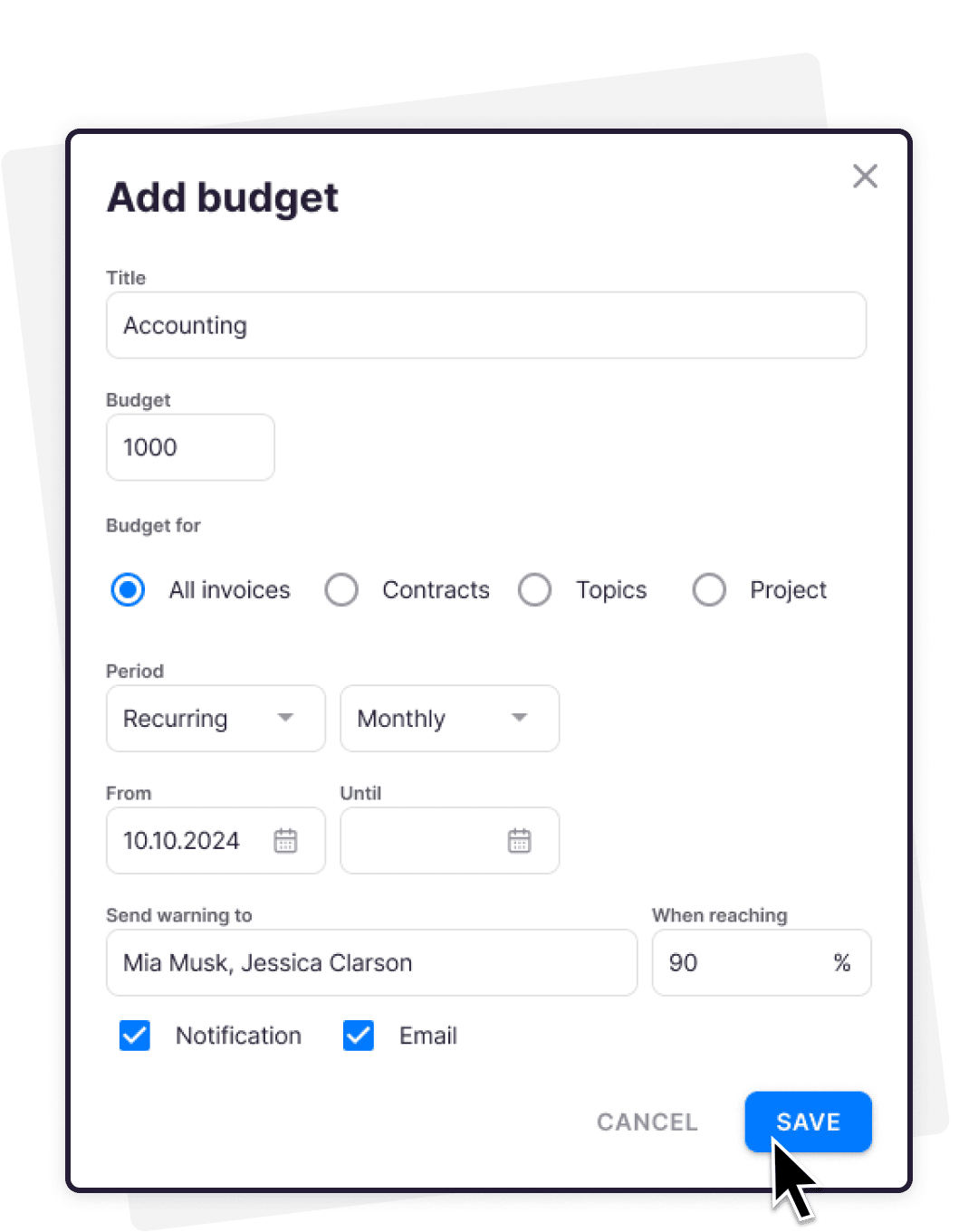
Uku makes it easy to budget on your terms. Choose the budgeting style that best fits your client relationship and project scope.
All invoices
Set a single budget that covers every invoice for a client. Perfect for ongoing work or retainers.
By contract
Budget based on specific contracts. Clear financial boundaries from start to finish.
By project
Assign budgets to individual projects for detailed tracking. Every task aligns with your client's expectations and financial goals.
By set of topics
Group related tasks under a budgeted set of topics. Keep complex needs organized and transparent.
Full Insight with Budget History
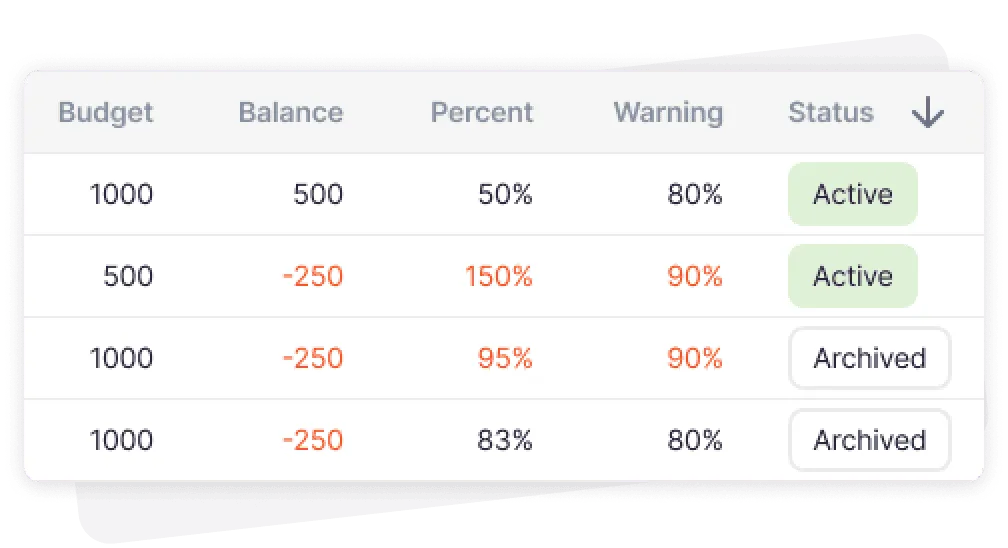
Gain complete visibility into your clients' budgeting history. Uku keeps a record of previous budget periods.
Easily spot trends, identify recurring issues, and understand whether a budget fluctuation is just a one-off or a real concern.
Real-Time Budget Progress Tracking
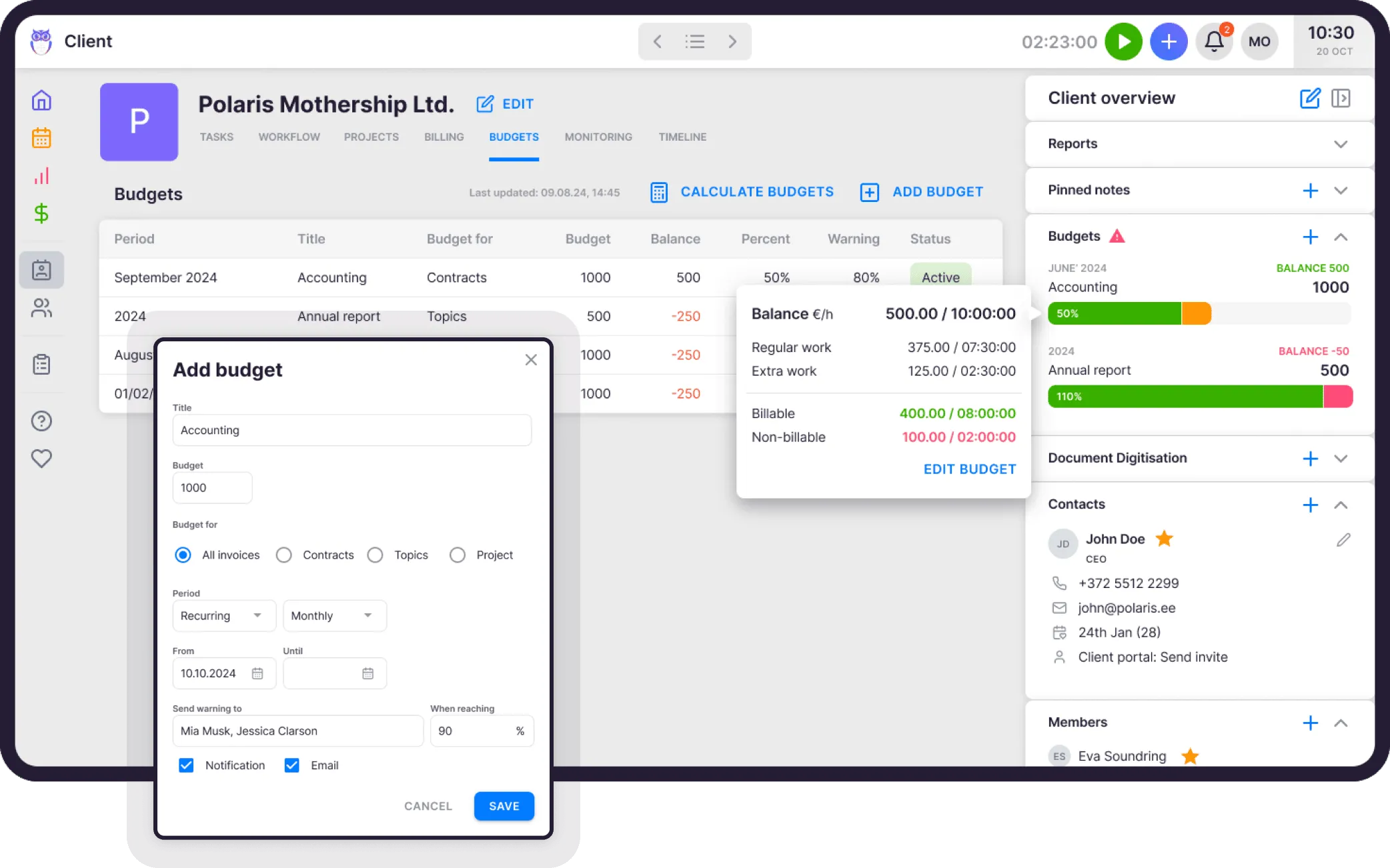
Stay informed with Uku's clear, real-time progress bar. Accurate budget usage and balance at a glance.
Make adjustments before reaching limits. See the split between regular work, extra work, billable and non-billable time.
Smart Alerts for Budget Oversight
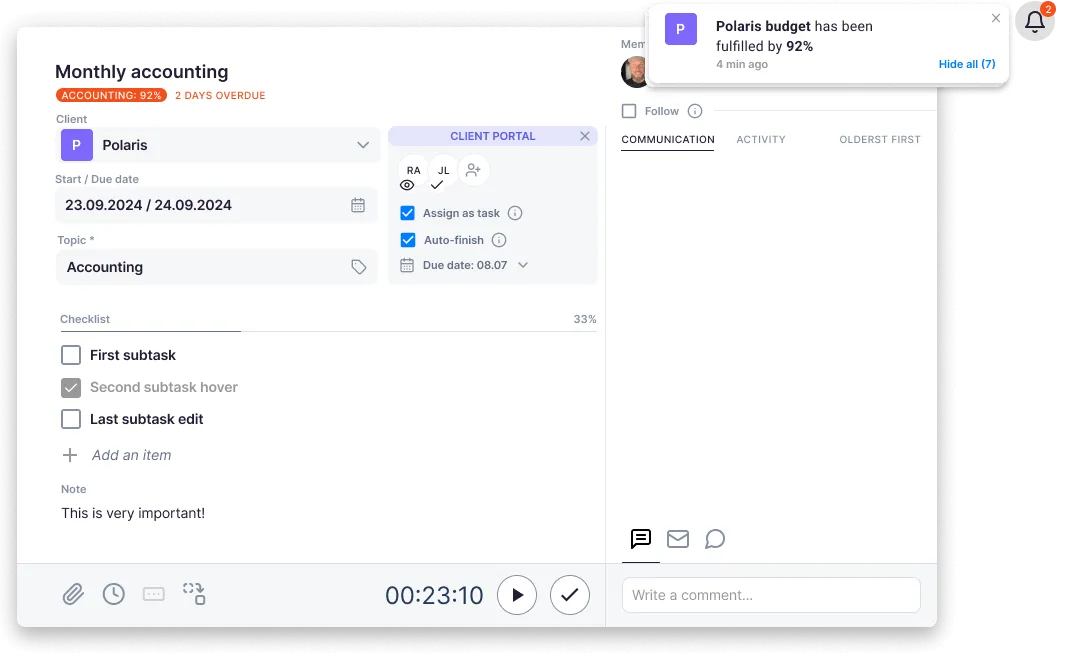
Uku keeps you informed with automatic alerts under every client task when a budget is fulfilled.
Sends notifications so you can act quickly to maintain control. No more accidental overwork on low-margin clients.
Client budgeting checklist
Yes, Uku client budgeting can do that.
Every client budgeting question we hear from accounting firms — and the answer is always the same.
- Can I set a single budget for all invoices of a client? Yes!
- Can I budget by contract, project, or set of topics? Yes!
- Can I see a real-time progress bar for every budget? Yes!
- Can I get automatic alerts when a budget is almost reached? Yes!
- Can I set a custom warning threshold (e.g. 90%)? Yes!
- Can I choose who receives budget notifications? Yes!
- Can I view budget history for previous periods? Yes!
- Can I see the balance split between regular and extra work? Yes!
- Can I track billable vs non-billable time within the budget? Yes!
- Can I set up recurring monthly budgets automatically? Yes!
FAQ
Questions about client budgeting
Still have questions? Contact Us
Key Features of the Software for Accounting Firms
View all Uku's accounting practice management features
Client Management
Keep all important information in the client profile. Easily import and export all data to keep relevant information always available.
Explore moreTime Tracking
Tracking time is addictively easy in Uku. Enter time manually or track with the timer and conveniently map even the smallest tasks.
Explore moreTeam Collaboration
Take the pain out of employee replacements. Assign tasks, add attachments or comments and keep relevant information in one place.
Explore moreWorkflow Automation
Standardize your accounting work with recurring task templates and dependencies. Uku sends tasks to the right person at the right time.
Explore moreTask Management
Tasks appear on the dashboard and calendar when it's time. The team lead gets a quick overview of whether work is on schedule.
Explore moreReporting & Analysis
Overview of time spent by customers, tasks and employees. Prevent bottlenecks, optimize processes and operate profitably.
Explore moreBilling
Speed up your invoicing by setting up automated billing with a fixed, hourly or service-based rate. Send invoices to clients and your accounting software.
Explore more CurrentClient Budgeting
Agree on a budget with your client, and we'll help you keep track. Get notified before the budget's maxed out.
Explore moreAgreements Monitoring
Keep track of billable hours and operate profitably. React operatively to workload changes when workload exceeds agreements.
Explore moreWorkforce Management
All-in-one workforce management: centralize employee data, automate HR tasks, and streamline time tracking.
Explore moreDocument Management
Keep files organized, accessible, and secure with automated organization that puts every document exactly where it belongs.
Explore moreEmail Management
Transform emails into tasks instantly, automate recurring messages, and track follow-ups in one place.
Explore moreProject Management
Simplify onboarding for new clients and team members. Track project progress with a real-time overview.
Explore moreClient Portal
Elevate client communication, streamline document collection and digitisation with your beautifully branded, secure Client Portal.
Explore moreFlextime
Manage working hours, overtime, and vacations in one place. Real-time balance for every team member, exports to your accountant.
Explore moreTrusted by 1000+ accounting firms worldwide









Get started with Uku today.
Elevate your efficiency with Uku, the powerful yet easy-to-use accounting practice management software.
Try free for 14 days
“Let’s create a dream, where the team is happy, clients are well served and profits are fair.
Rain Allikvee / Uku’s co-founder