Practice management platform

Accounting practice management software for accounting firms.

Everything your firm needs, in one place — manage your team, clients, billing, and workflows in one powerful, easy-to-use system.

  • Manage your team, clients, and billing from a single dashboard
  • Automate recurring workflows and communication
  • Track time, tasks, and profitability in real time

4.8 from 300+ reviews  ·  No credit card required

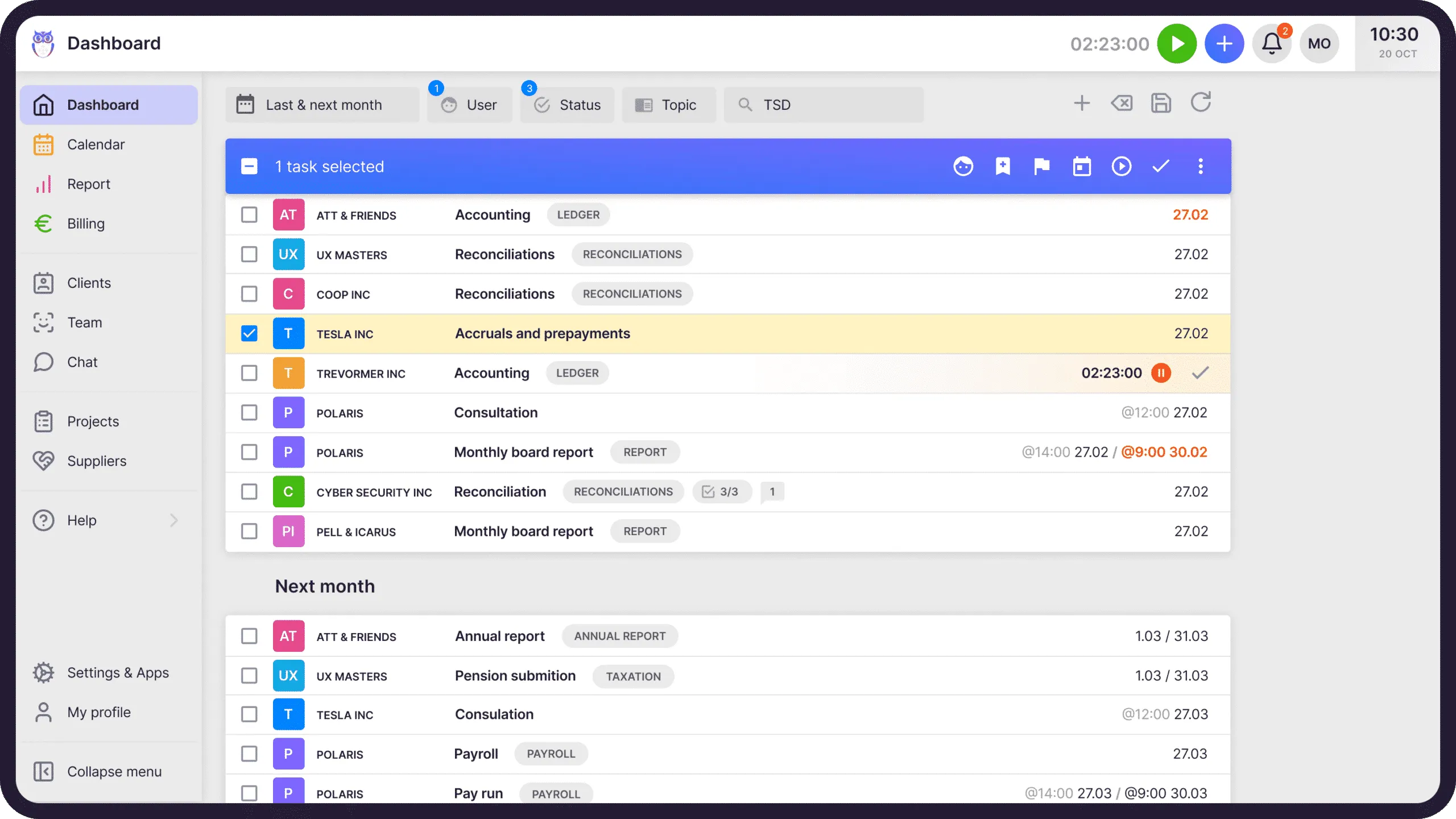
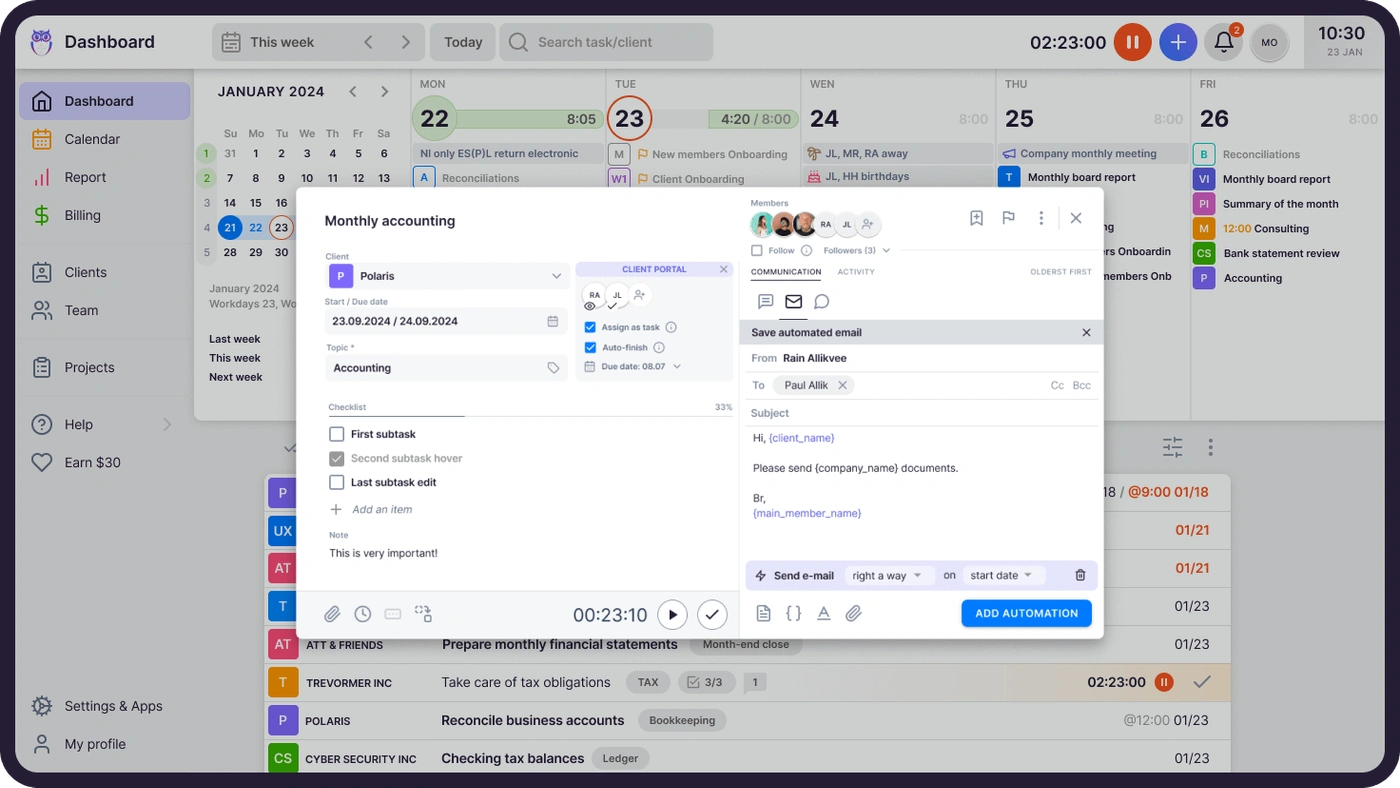
Uku dashboard — accounting practice management overview with tasks, clients, and billing
Trusted by 1000+ accounting firms worldwide
LeinonenBaker TillySandgrav SolutionsGrowNumeriCHKRobby & Bobby1Office

Accounting practice management software is one system for the work your firm now spreads across spreadsheets, inboxes, and memory. In Uku, every client's month follows the same path: the work appears, gets done, gets billed, gets paid. This tour walks that path.

Part one

Deliver the work.

The month starts with work appearing — on the right dashboard, for the right person, on the right day. Nobody plans it by hand.

Every morning, the day's plan is already on the dashboard.

Tasks appear when it's time to work on them — not before, not after. Accountants see their own plan for today; team leads see every client, every deadline, and who's overloaded. Drag tasks between days to rebalance. Mark one done, and the sun comes out on your screen.

Explore Task Management
Uku task management — daily task plan on the dashboard with calendar view

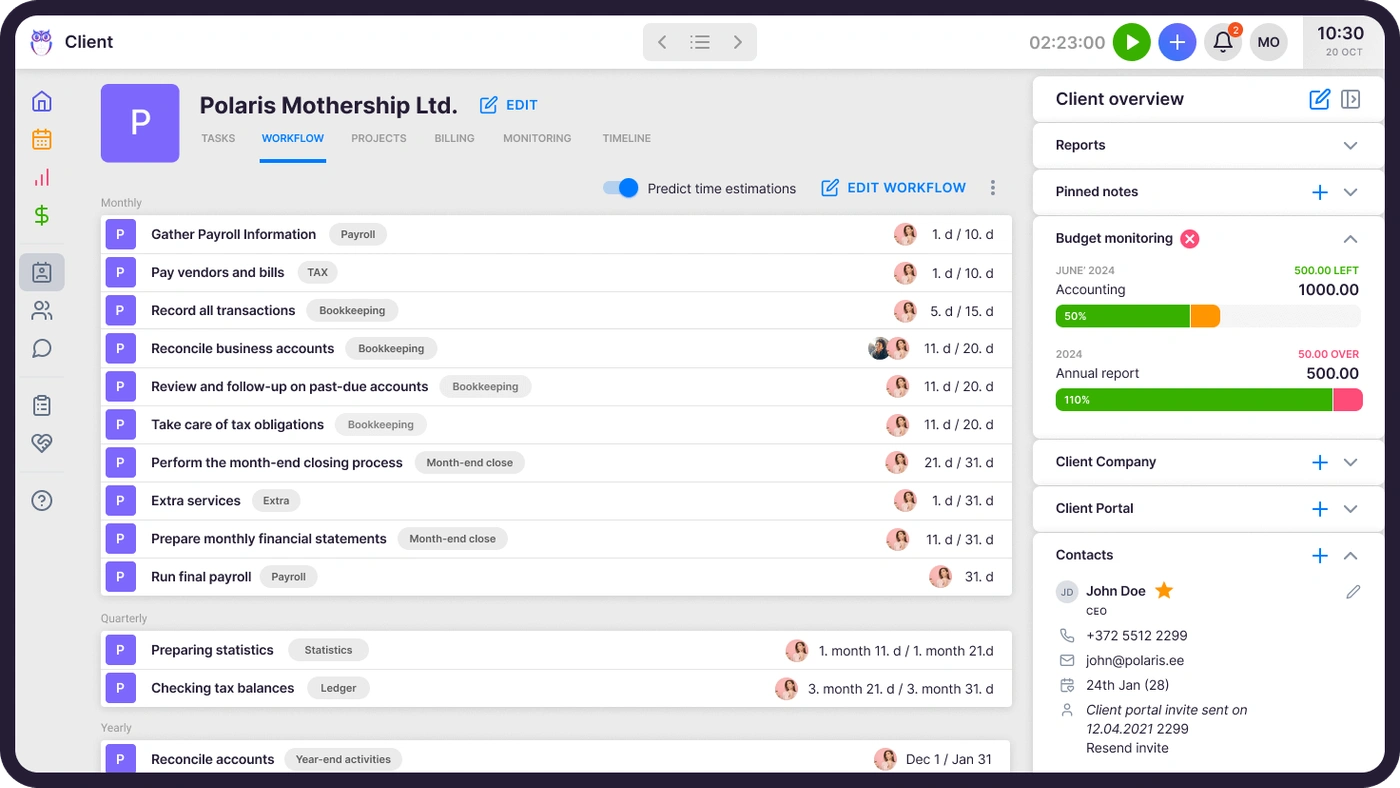
Set up a client's workflow once. It repeats forever.

Monthly bookkeeping, payroll, VAT — accounting work recurs, so Uku treats recurrence as the default. Build a workflow template with deadlines and dependencies, assign it to a client, and every month's tasks generate themselves. Firms save around 30% of their time this way.

Explore Workflow Automation
Uku workflow automation — client workflow overview with automated task planning

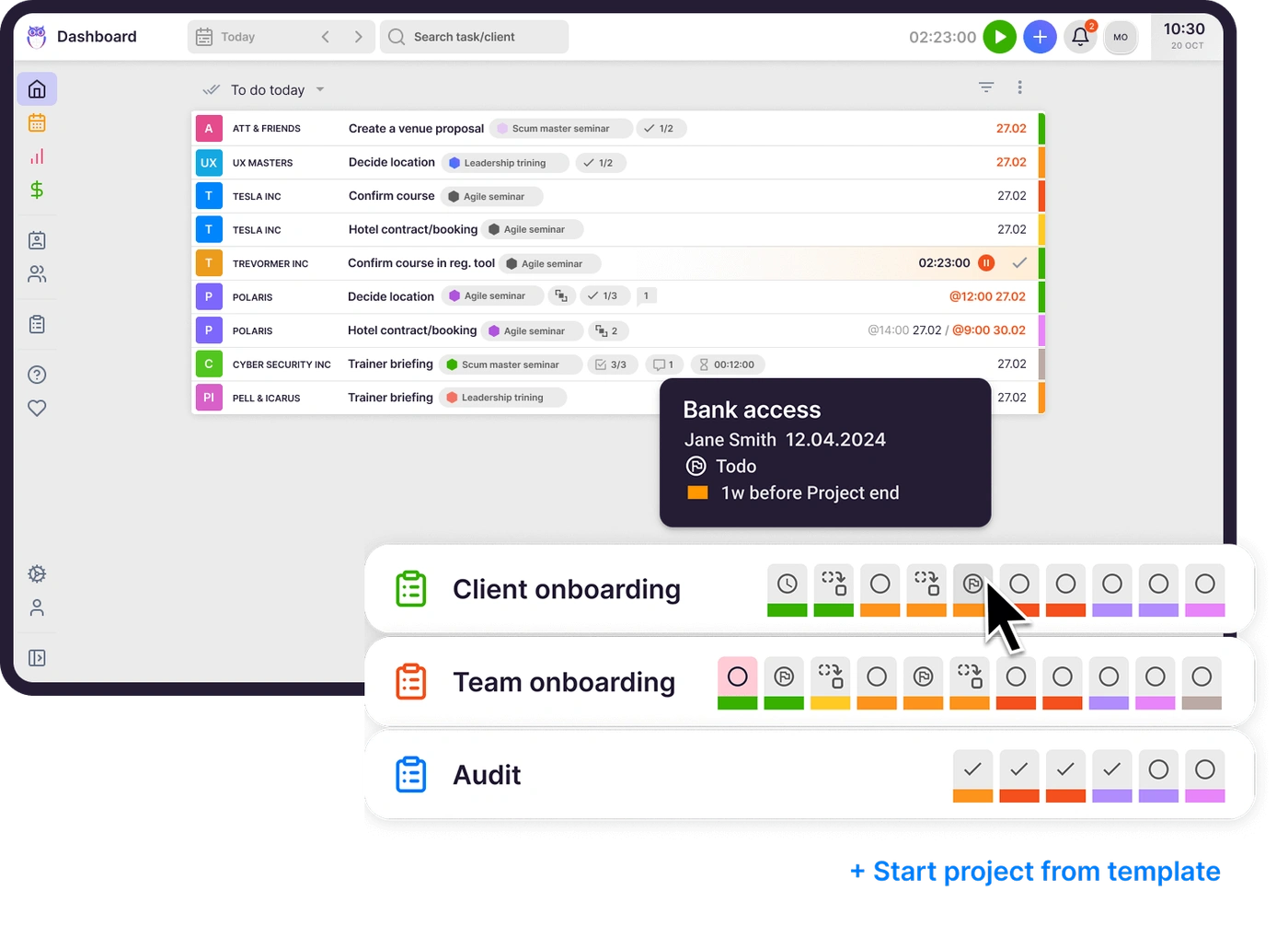
One-off engagements get the same structure as monthly work.

Client onboarding, an audit, a system migration — projects run alongside recurring work with real-time progress you can see at a glance. New team members and new clients start from a template, so nothing depends on someone remembering the steps.

Explore Project Management
Uku project management — engagement dashboard with progress across the team

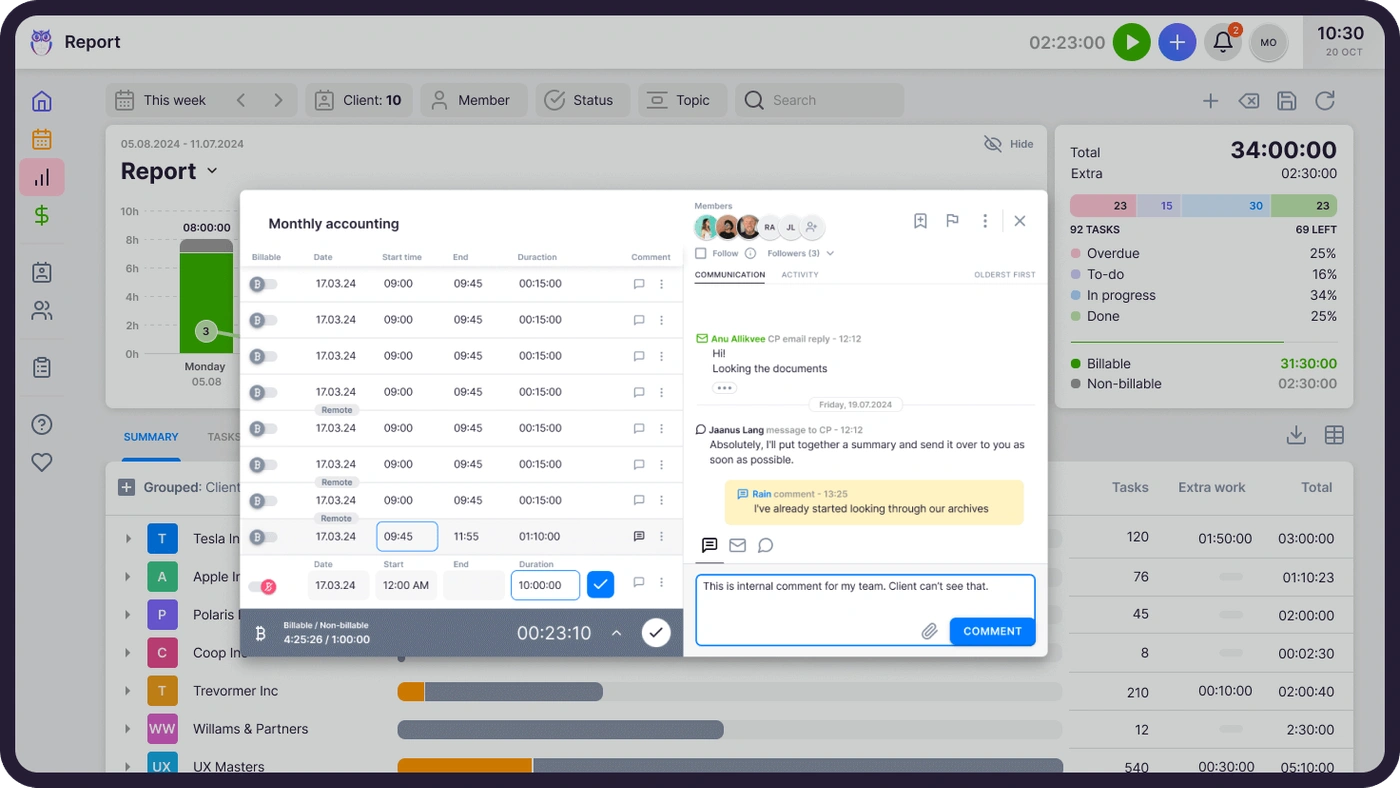
Time logs itself where the work happens.

The timer lives on the task, so tracking is one click — or enter time manually, even for several tasks at once. Because every minute lands on a client and a service, this is the data that later prices your work and fills your invoices. No separate timesheet day.

Explore Time Tracking
Uku time tracking — timers on tasks and transparent time entries by client

Emails become tasks. Reminders send themselves.

Connect your inbox and turn a client's email into a task without leaving Uku. Recurring messages — "please send your bank statements" — go out automatically on schedule, and the whole communication history stays attached to the client.

Explore Email Management
Uku email management — client communication and automated email schedules

Anyone can pick up anyone's work. Painlessly.

Instructions, passwords, files, and comments live on the task and the client — not in someone's head. When a colleague is on vacation, reassign their tasks in bulk and the substitute has everything they need on day one.

Explore Team Collaboration
Uku team collaboration — shared team dashboard with assignments and workload
Part two

Serve clients.

Mid-month is client work: questions answered, documents collected, everything findable. Uku keeps the client side as organized as the firm side.

One profile holds everything you know about a client.

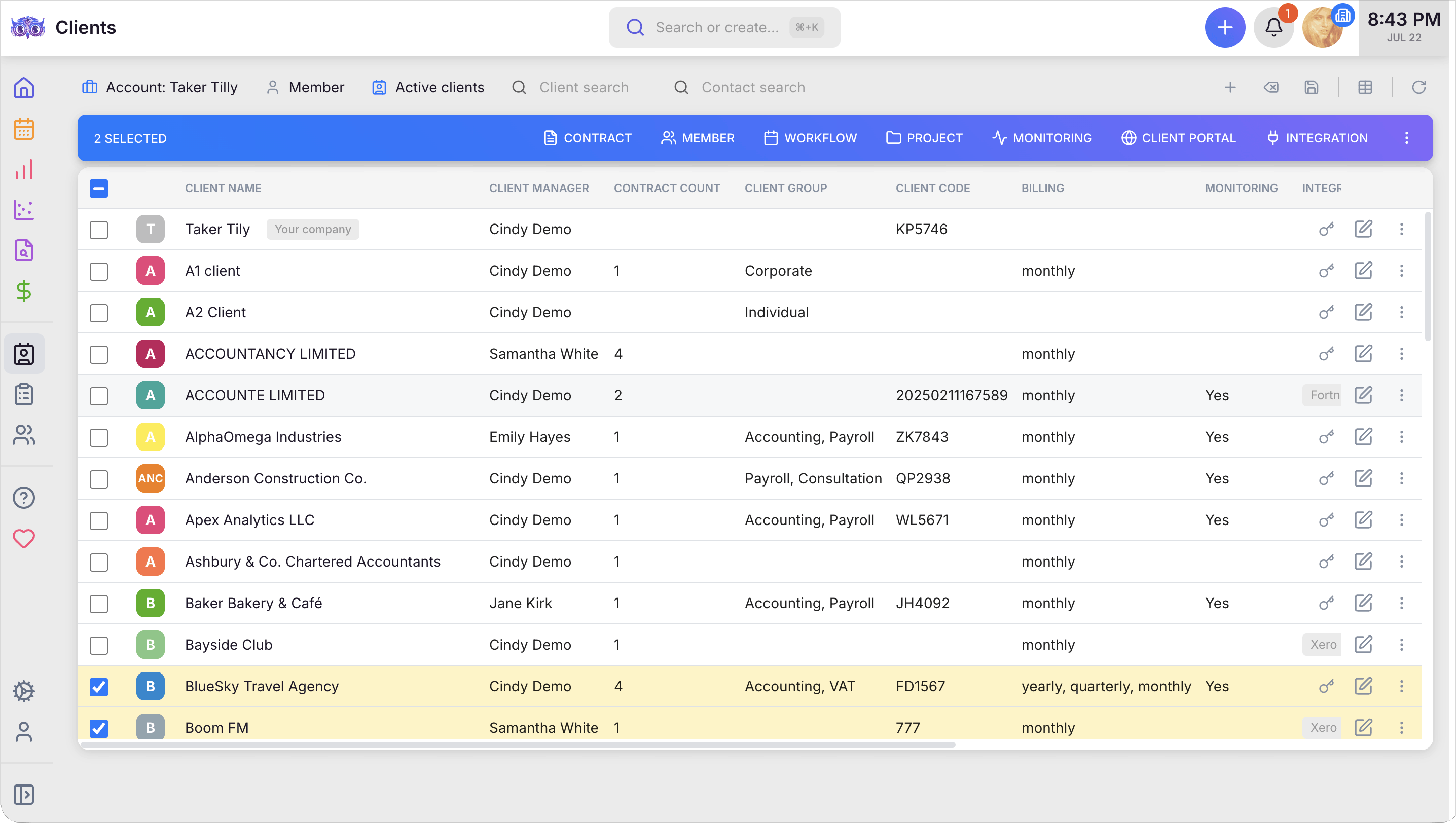
Contacts, contracts, custom fields, task history, time spent, emails sent — the client profile is the single place your whole firm looks. Import clients from your accounting software or Excel in minutes; export just as easily.

Explore Client Management
Uku accounting CRM — the client list with managers, billing, monitoring, and integrations

Clients upload documents to a portal with your name on it.

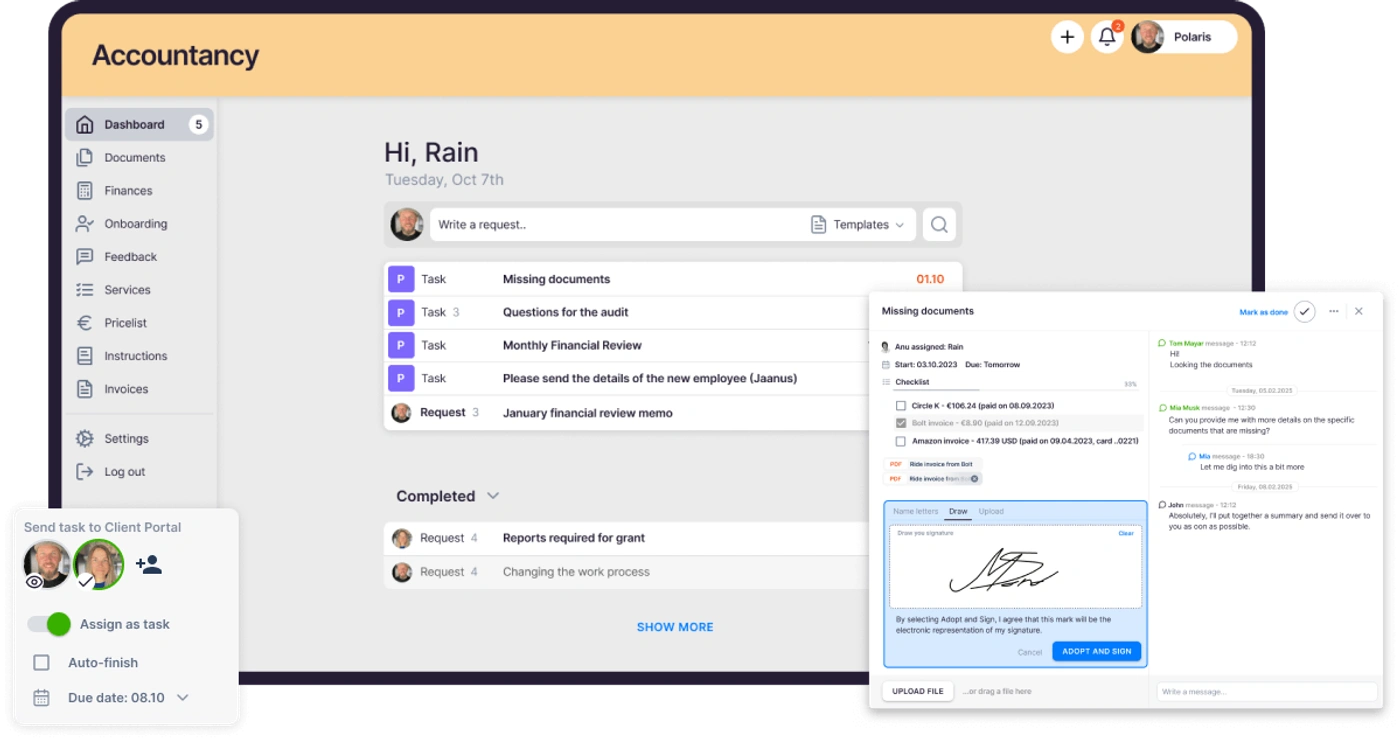
Instead of chasing attachments over email, send clients to your branded, secure portal. They see what's requested, upload what's missing, and get automatic reminders until it's done — without you writing a single follow-up.

Explore Client Portal
Uku client portal — branded document collection with automatic reminders

Every document files itself where it belongs.

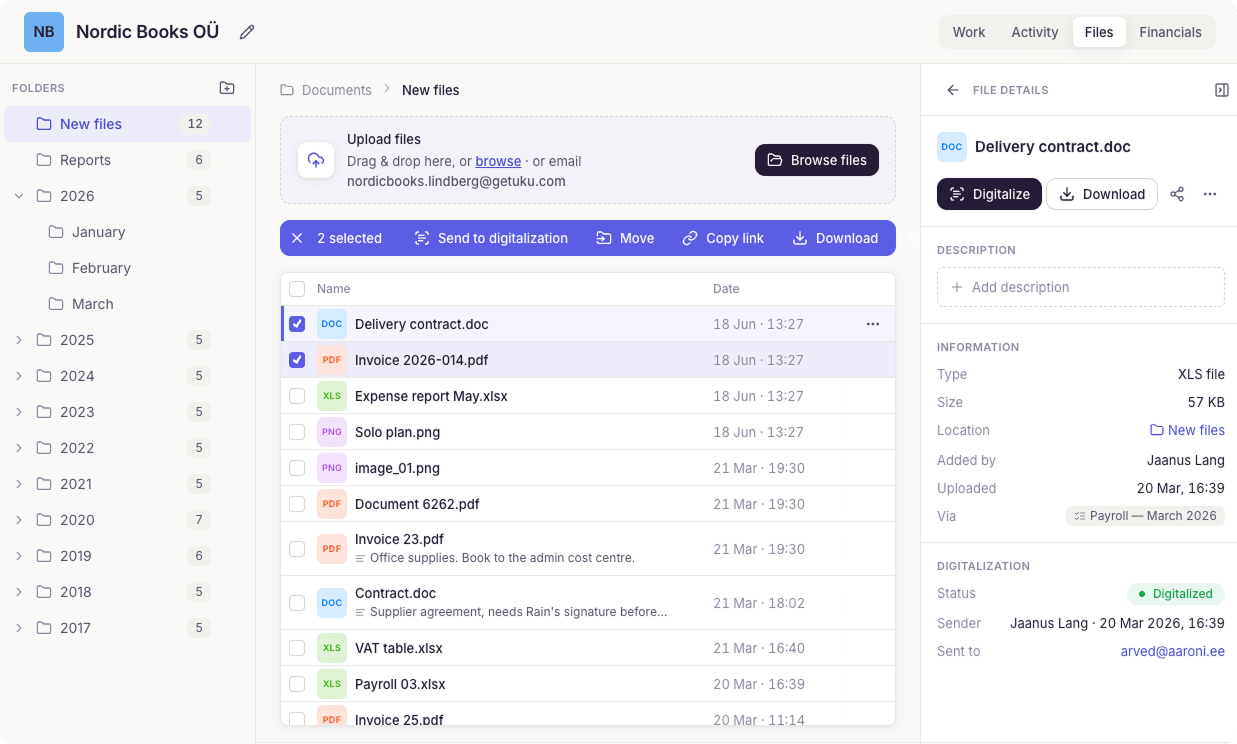
Whatever arrives — through the portal, by email, or by upload — lands organized by client, period, and type, automatically. Connect Google Drive or Dropbox if that's where your archive lives. Finding a document stops being a task of its own.

Explore Document Management
Uku document management — files organized by client, year, and month

Look after the team, and clients never feel a gap.

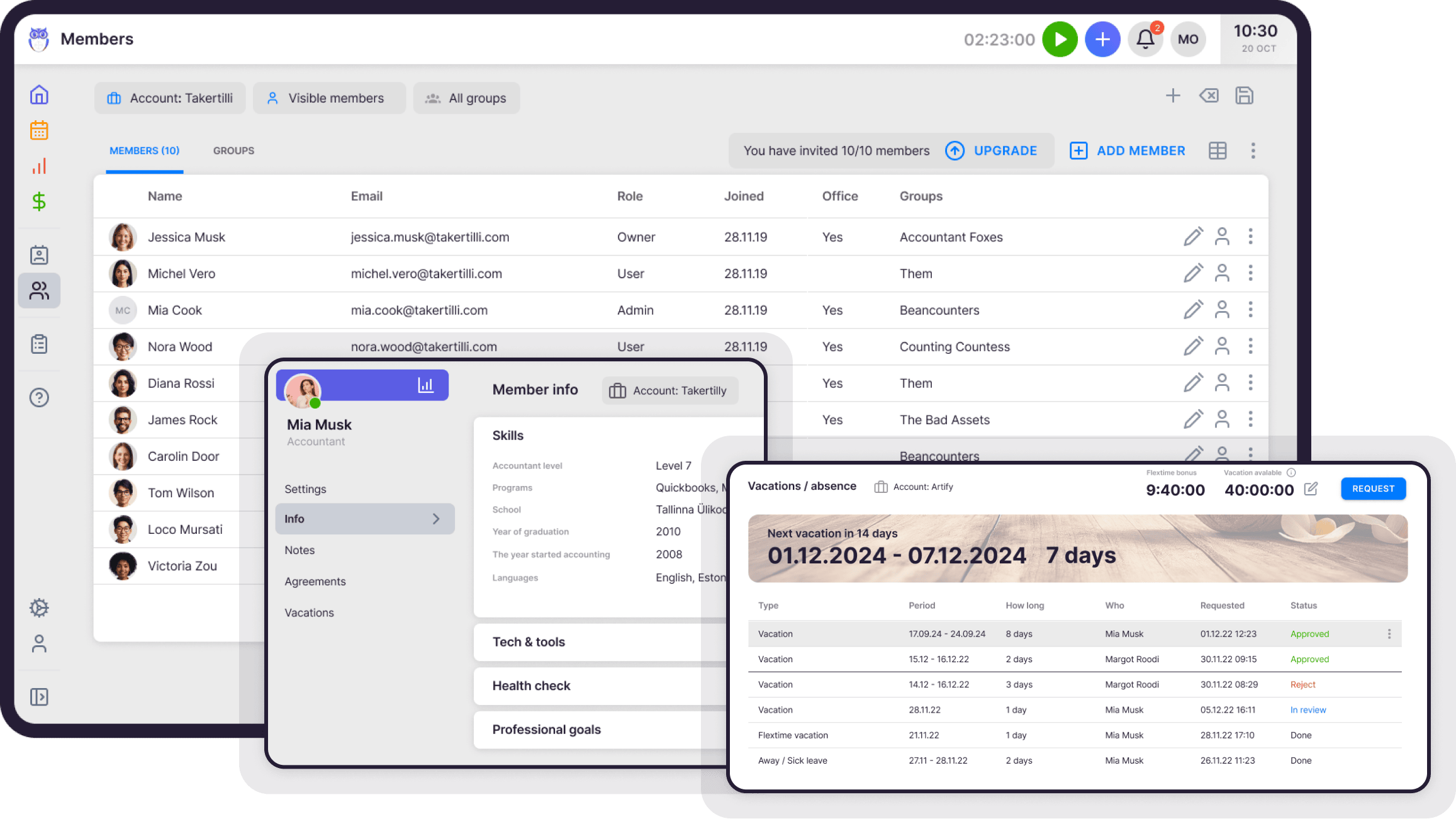
Team vacations, attendance, flextime, and onboarding all live in Uku — no separate HR tool. When a colleague is out, coverage is already arranged, so client work never stalls and nothing slips.

Explore Workforce Management
Uku workforce management — Members view with employee data, working hours, and vacations
Part three

Run a profitable firm.

The month ends with money. Because the work and the time are already in Uku, billing and profitability come out of it — instead of being reconstructed from memory.

Invoices draft themselves from the month's work.

Fixed fee, hourly, service-based, or a mix — set the contract once, and at month's end every invoice is drafted, with extra work included. You proofread and send. Firms cut invoice preparation from days to hours, and nothing billable slips through.

Explore Automated Billing

Know a client is unprofitable before the month ends.

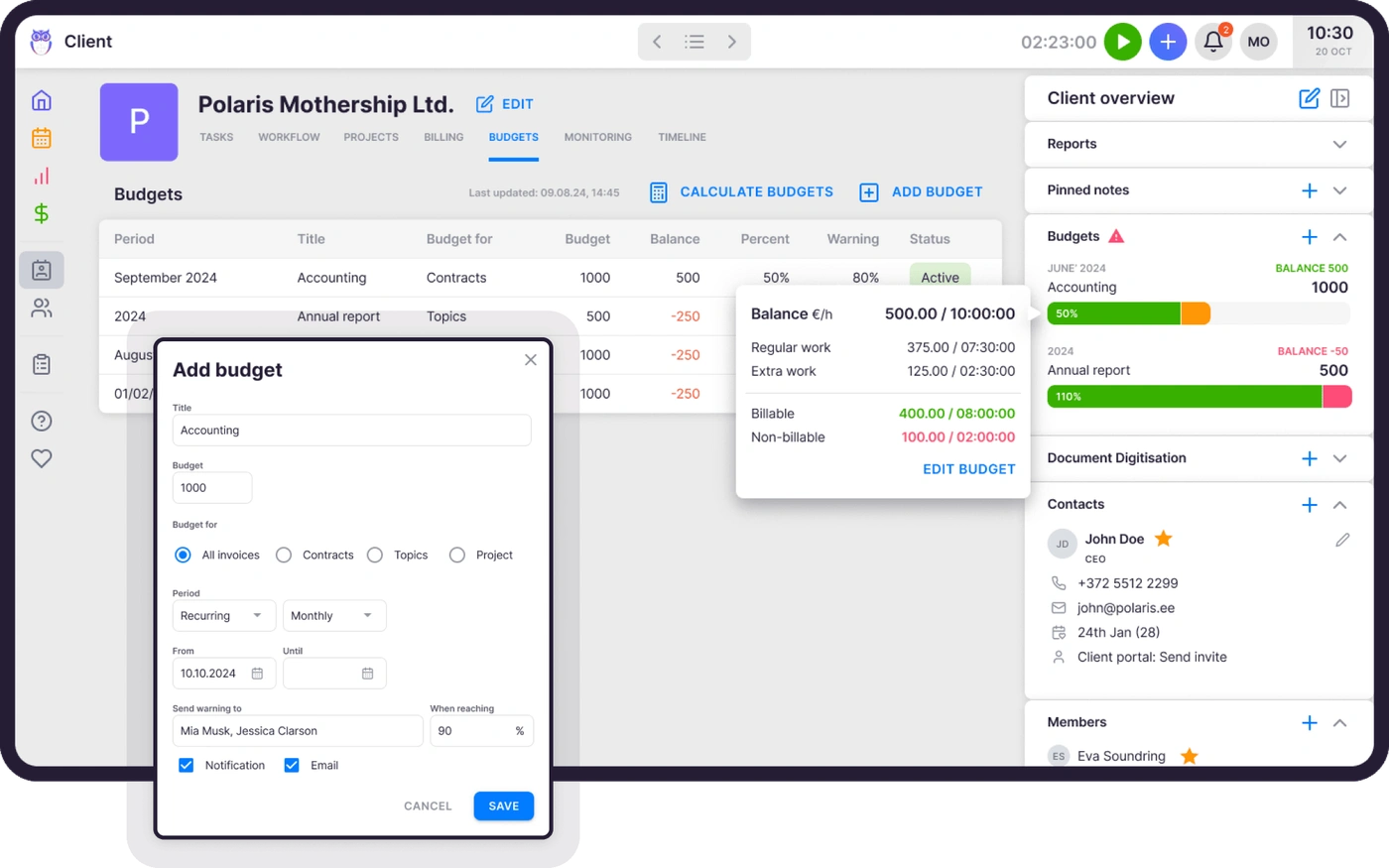
Agree on a budget with each client and Uku tracks the hours against it as they're logged. You're notified before the budget maxes out — while there's still time to talk scope or price, not after the margin is gone.

Explore Client Budgeting
Uku client budgeting — budgets tracked against logged hours with margin alerts

See where every hour and task actually goes.

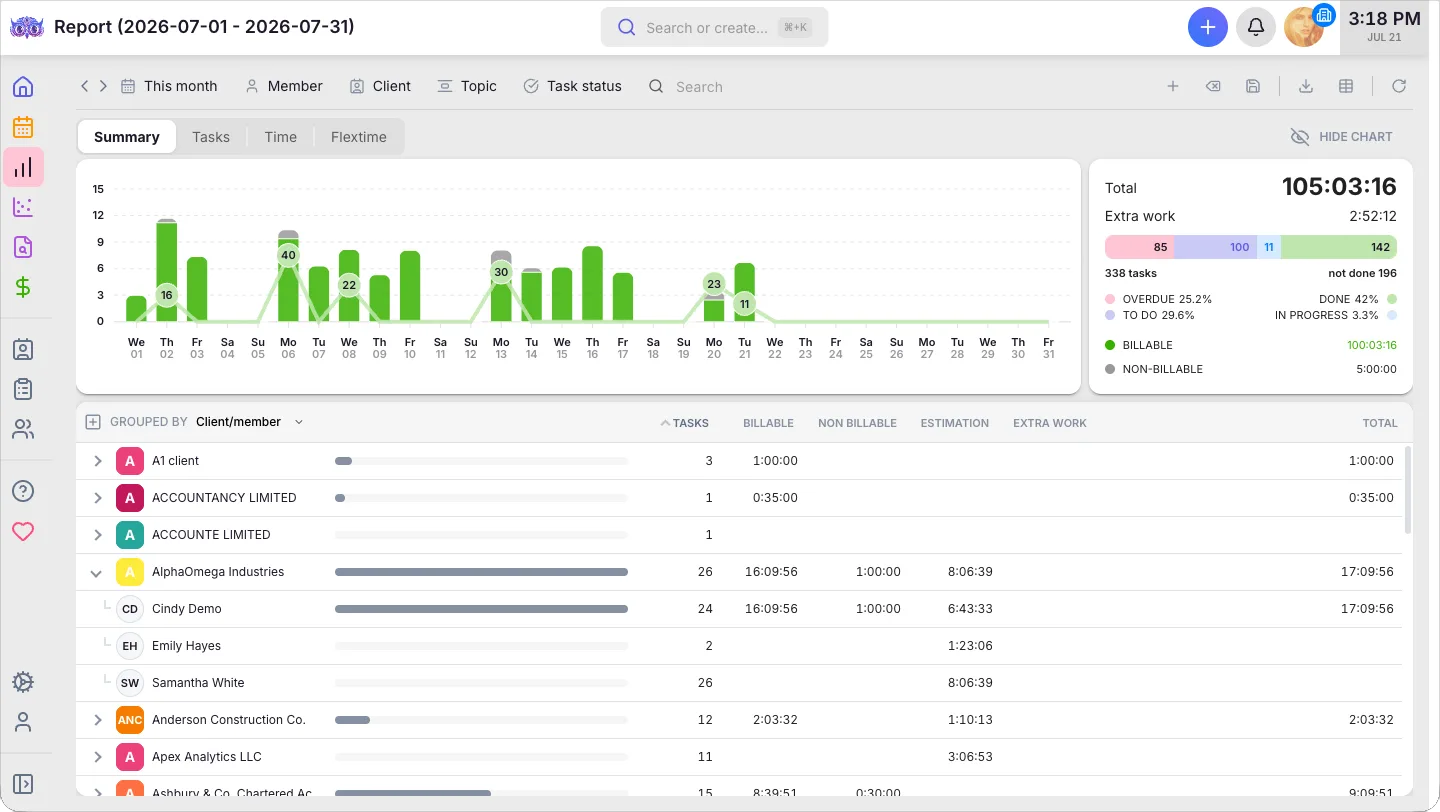
Every tracked minute and completed task rolls up into live reports: time by client, workload by person, deadlines met. See where the hours go, spot who's overloaded, and rebalance the team before the month runs away — with numbers, not gut feeling.

Explore Reporting
Uku reporting — time and task reports by client and team member

See which clients, services, and hours actually pay.

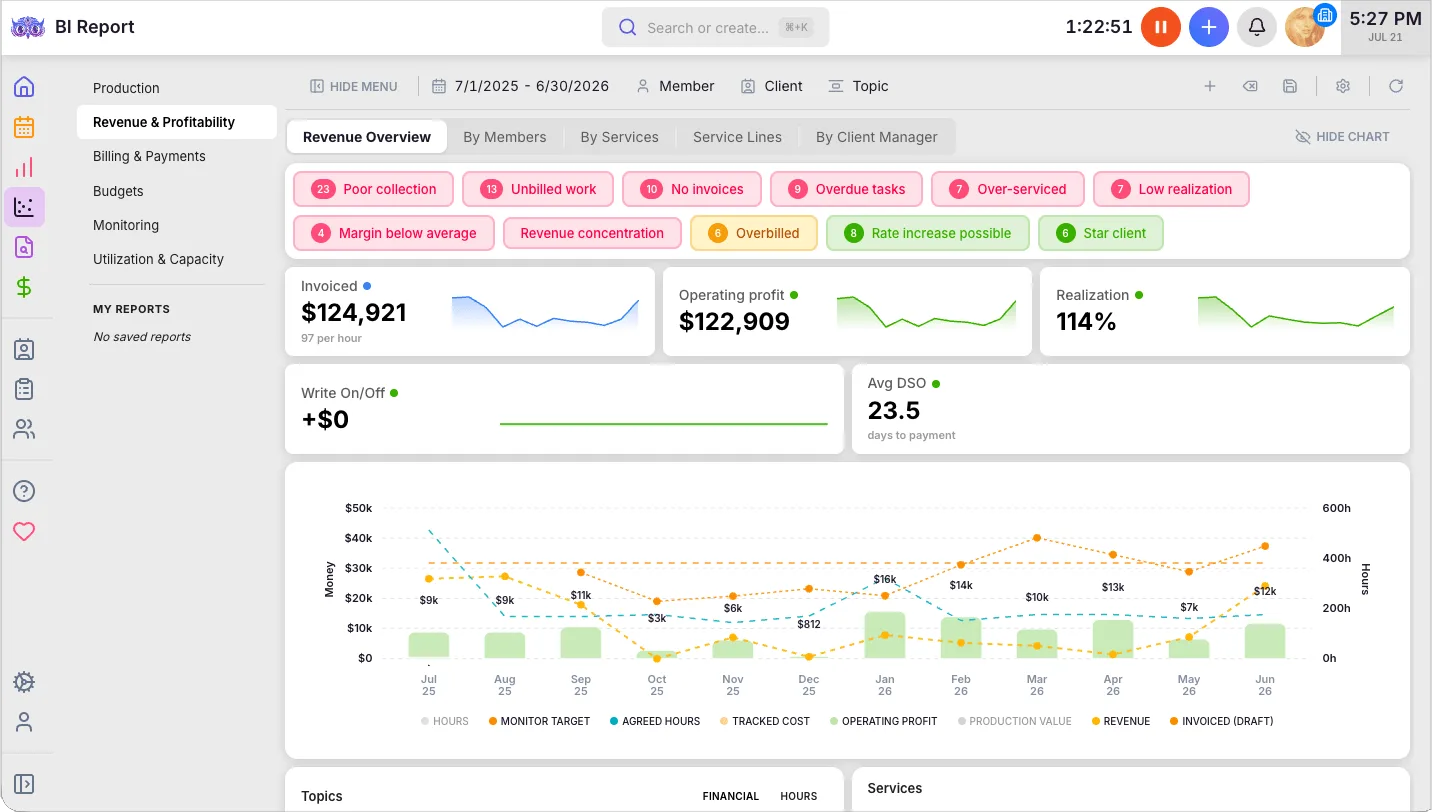
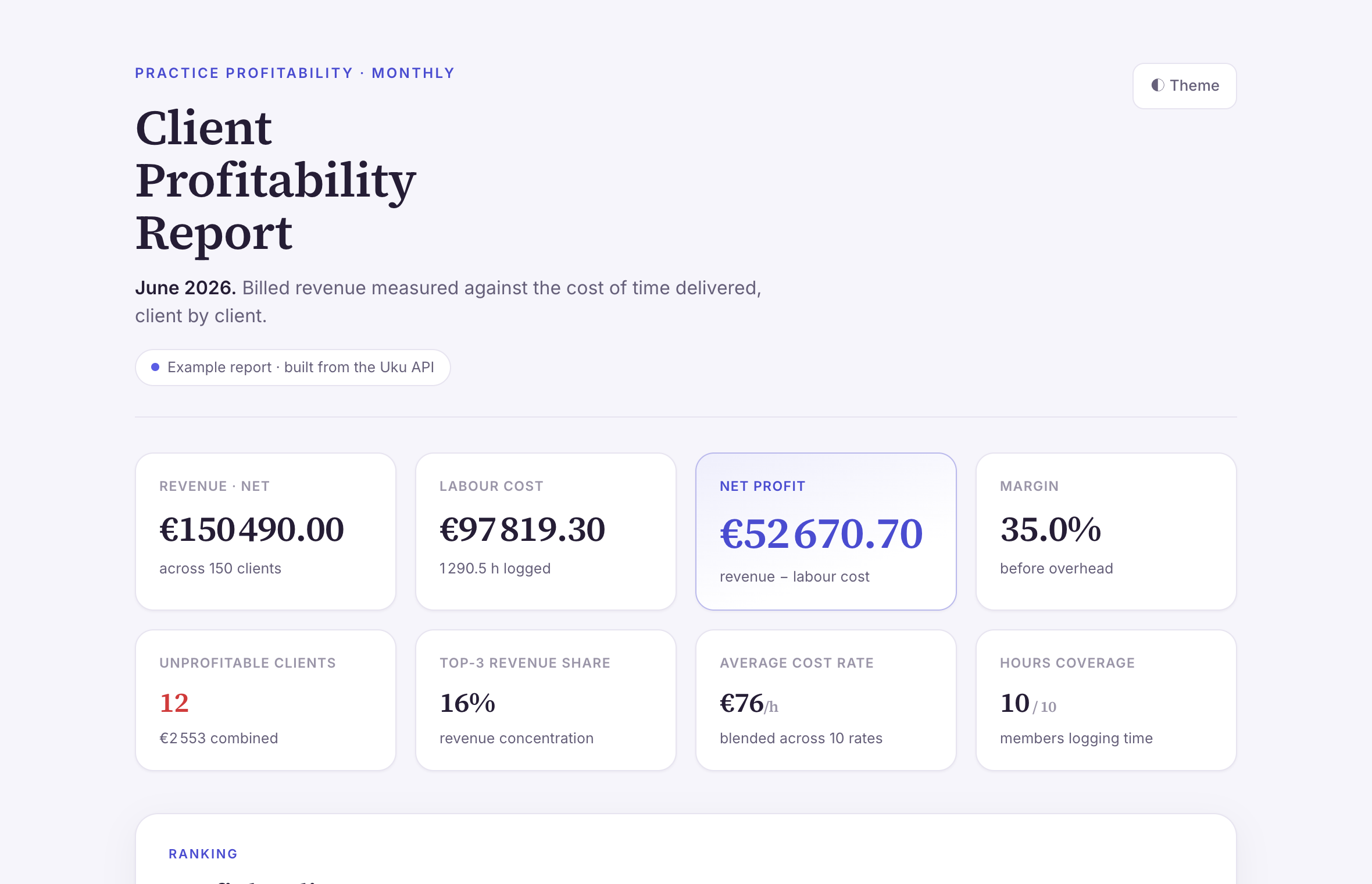
Every invoice and logged hour feeds one profitability view: margin by client, by service, by person. Firms like CHK use it monthly to make pricing decisions — with numbers, not gut feeling.

Explore BI Analytics
Uku BI Analytics — revenue and profitability by client and service

Uku plugs into the software you already run.

Invoices sync to QuickBooks, Xero, e-conomic, and Merit Aktiva. Email connects through Microsoft 365 and Gmail; files through Google Drive and Dropbox. A public API covers the rest. Your accounting software stays; the chaos around it goes.

Explore Integrations
Independent demo

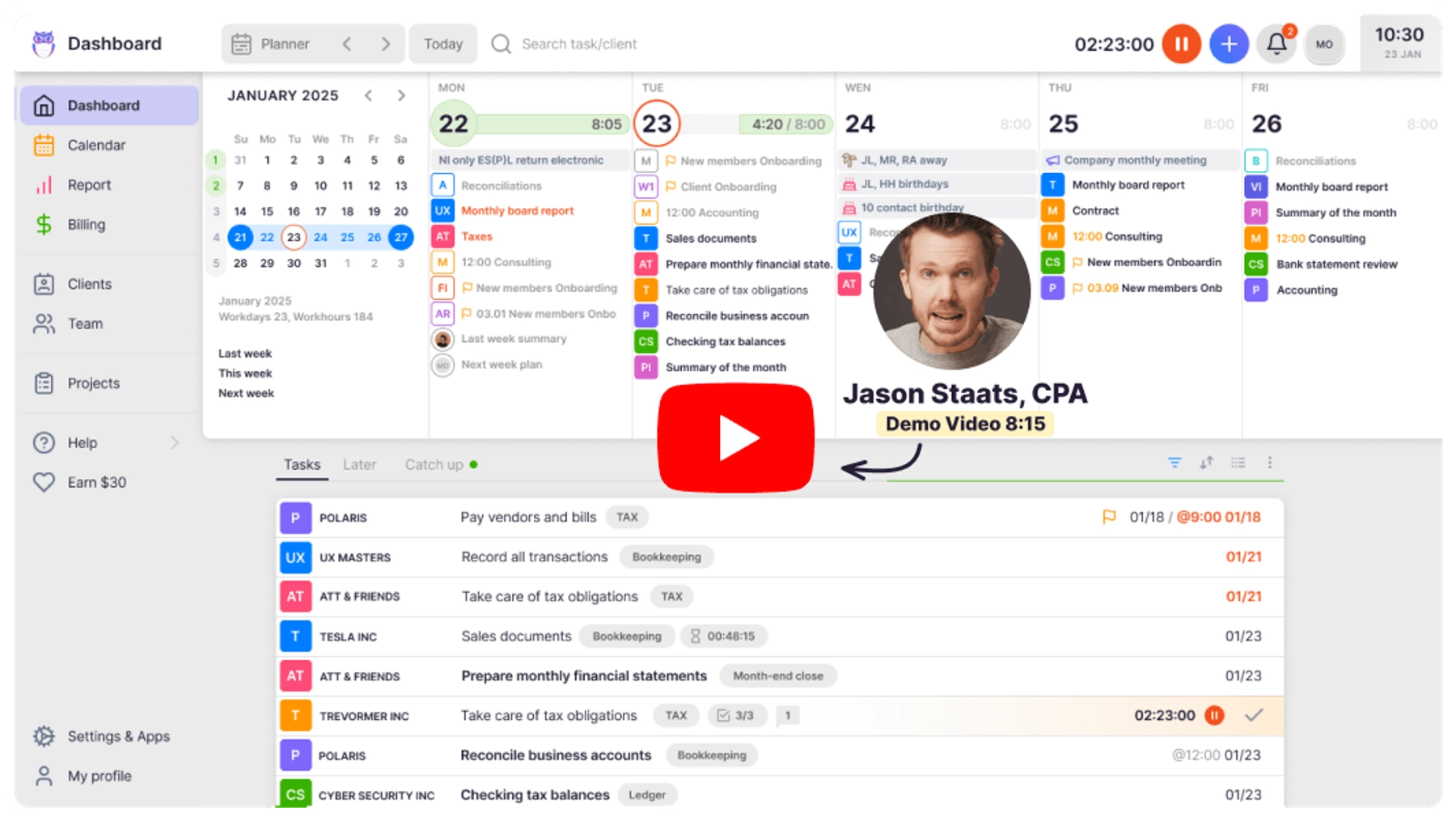
Watch Jason Staats put Uku through its paces.

Accounting creator Jason Staats gave Uku a full run-through on his Demo Day. A heads-up: the tour above and Jason's video both show Uku in 2024 — the product ships improvements every month, so for the very latest, book a demo or start a free account.

Jason Staats demoing Uku on his Demo Day Jason Staats' full Uku walkthrough · Demo Day 2024
Jason Staats
The practice management system with the best calendar planning view — you plan when you'll actually work on each task, not just when it's due, and when a teammate's out, you hop right in and see exactly what they had planned.
Jason Staats
Now drive it yourself

Click through the real product. No signup.

The tour showed you the path — this is the actual interface. Step through it at your own pace.

Use to move between steps

What Uku delivers

Real results from accounting firms using Uku.

38%

More clients, same team

Uku firms serve 38% more clients without adding headcount. Automation handles the repetitive work so your team focuses on what matters.

12h

Saved per person, weekly

Accountants using Uku save 12 hours per week on admin, communication, and task management. That time goes back to advisory and client work.

23%

Higher profit via billing

Accurate time tracking connected to automated billing means nothing goes unbilled. Firms using Uku see 23% higher profitability on average.

"The best thing about Uku is that it’s made specifically for the accountants — it brings tasks, clients, planning and billing all in one place."

Mariana T., verified on Capterra
Practice management checklist

Yes, Uku practice management can do that.

Every practice management question we hear from accounting firms — and the answer is always the same.

  • Can I manage all my clients, tasks, and billing from one system?
  • Can I automate recurring monthly workflows for every client?
  • Can I track time and connect it directly to billing contracts?
  • Can I see a real-time overview of my team's workload and deadlines?
  • Can I set up automated email reminders for document collection?
  • Can I generate invoices automatically from tracked time and fixed fees?
  • Can I give clients a branded portal for uploading documents?
  • Can I monitor client agreements and get notified when workload exceeds the contract?
  • Can I manage employee vacations, flextime, and overtime in one place?
  • Can I integrate with Xero, QuickBooks, or e-conomic for seamless invoicing?
  • Can I onboard new clients and team members with project templates?
  • Can I see profitability reports by client, service, or team member?
Independent user reviews

Top-rated by accounting firms, consistently.

G2
Uku's user reviews and ratingsBased on our G2 ratings
G2 Best Usability 2025 G2 High Performer Winter 2026 G2 Momentum Leader 2025 G2 Most Implementable Summer 2025 G2 Easiest To Do Business With Winter 2026 G2 Users Love Us
9.5
Ease of UseAverage: 8.6
9.7
Quality of SupportAverage: 8.6
8.9
Ease of SetupAverage: 8.5
FAQ

Questions about accounting practice management software.

What is accounting practice management software?

Accounting practice management software is a centralized platform that helps accounting firms manage their clients, tasks, team, billing, and communication in one place. Instead of juggling spreadsheets, emails, and separate tools, everything your firm needs lives in a single system built specifically for accountants.

How is Uku different from generic project management tools?

Unlike generic tools like Asana or Monday.com, Uku is built specifically for accounting firms. It understands recurring monthly deadlines, client-accountant relationships, billing contracts, and the unique workflows of bookkeeping. You get workflow templates designed for accountants, automated billing based on tracked time, and a client portal that makes document collection effortless.

How long does it take to set up Uku?

Most firms are up and running within 1-2 weeks. Uku's onboarding team handles the setup with you — importing clients, configuring workflows, and training your team. You get a dedicated account manager who ensures a smooth transition from your current system.

Can I try Uku before committing?

Yes. Uku offers a free 14-day trial with full access to all features. No credit card required. You can also book a personalized demo to see how Uku would work for your specific firm.

Does Uku integrate with my accounting software?

Uku integrates with Xero, QuickBooks, e-conomic, Tripletex, and more. Invoices generated in Uku are automatically synced to your accounting software. Uku also connects with Companies House for UK firms, and offers a public API for custom integrations.

How does Uku handle data security?

Uku is SOC 2 Type I certified and uses 256-bit encryption for all data. Your data is stored in secure European data centers. We take security seriously because accounting firms handle sensitive financial information every day.

What kind of support does Uku offer?

Uku provides premium support via live chat, email, and video calls. Our support team is rated 9.7/10 on G2 for quality of support — one of the highest scores in the category. Every firm gets a dedicated account manager for onboarding and ongoing questions.


Have a question? Contact us — real people answer.

Get started with Uku today

Elevate your efficiency with the powerful yet easy-to-use accounting practice management software.

"Let's create a dream, where the team is happy, clients are well served and profits are fair." — Rain Allikvee, Co-founder of Uku

Rain Allikvee, Co-founder of Uku
Rain Allikvee
Co-founder, building Uku since 2017