

TaxDome has earned its place as a leading practice management platform for accountants, bookkeepers, and tax professionals. With its all-in-one approach combining CRM, workflow automation, document management, billing, and a highly-rated client portal, it’s easy to see why over 10,000 firms rely on it daily.
But as your accounting practice grows and evolves, you might find that an all-in-one solution doesn’t always align perfectly with your specific needs. Perhaps you need more intuitive billing automation, deeper team collaboration tools, or a platform built specifically for your niche, whether that’s bookkeeping, tax resolution, or enterprise-level operations. Some firms also find that TaxDome’s comprehensive nature requires substantial upfront configuration and a 6-8 week onboarding timeline, which doesn’t suit every workflow.
That’s where this guide comes in. We’ve researched and tested the market to bring you dedicated TaxDome alternatives that excel in specific areas, whether you’re looking to:
- Start working on day one with modular feature adoption rather than complex all-at-once implementation
- Streamline your billing process and get paid faster with powerful automated invoicing
- Improve team collaboration and workflow visibility across distributed offices
- Access purpose-built tools for tax resolution or bookkeeping-specific workflows
- Find a more affordable entry point with flexible monthly pricing
- Integrate a dedicated workflow tool with your existing software stack
This isn’t about finding a “better” platform than TaxDome. It’s about finding the right fit for your firm’s unique workflow, team structure, and growth trajectory. Some firms may use these tools alongside TaxDome, while others may find a complete replacement. Let’s explore the options.
| TaxDome Alternatives at a Glance | ||
|---|---|---|
 | Starts at: Free (Solo) G2 Score: 4.7 Capterra Score: 4.8 | Uku Best Alternative for Modular Implementation and Effortless Billing We chose Uku because it lets firms start working on day one with only the modules they need, then scale up gradually. Its automated billing transforms invoicing into a 30-minute task, and flexible monthly pricing eliminates the need for large upfront annual commitments. |
 | Starts at: $59/user/mo G2 Score: 4.8 Capterra Score: 4.7 | Karbon Best Alternative for Enterprise-Grade Practice Management with Distributed Teams Karbon excels at team collaboration and workflow visibility for larger, multi-location firms with its Triage email system and Practice Intelligence analytics suite. |
 | Starts at: $19/mo G2 Score: 4.7 Capterra Score: 4.8 | Financial Cents Best Alternative for Affordable Entry and Ease of Use Financial Cents offers an accessible entry point into practice management with a $19/month Solo plan and industry-leading 4.9/5.0 ease-of-use rating, though it’s limited to US markets. |
 | Starts at: $45/user/mo G2 Score: 4.6 Capterra Score: 4.5 | Canopy Best Alternative for Tax-Specialized Firms Needing Tax Resolution Tools Canopy provides purpose-built tax resolution infrastructure with IRS transcript integration, notice management databases, and pre-built resolution workflows. |
 | Starts at: $40/user/mo G2 Score: 4.2 Capterra Score: 4.8 | Jetpack Workflow Best Alternative for Workflow-Only Needs Jetpack Workflow focuses primarily on workflow management with 70+ pre-built templates, making it ideal for firms that already have separate solutions for client-facing functions. |
 | Starts at: $10/client/mo G2 Score: 5.0 | Double Best Alternative for Bookkeeper-Specialized Per-Client Pricing Double offers per-client pricing with unlimited users and deep two-way ledger integration with QuickBooks Online and Xero, purpose-built for bookkeeping firms. |
What is TaxDome?

TaxDome is a comprehensive, cloud-based practice management software designed for accountants, bookkeepers, and tax preparers. Founded in 2017 by brothers Victor and Ilya Radzinsky, the platform serves as an all-in-one hub that helps professionals manage client relationships, workflow automation, document storage, and billing. Its key features include:
- CRM and Client Management: Centralized client database with unlimited contacts, custom fields, and tagging for segmentation
- Workflow Automation: Visual pipeline-based system with customizable stages, automations, and conditional logic
- Secure Document Management: Unlimited cloud storage, folder templates, and a built-in PDF editor
- Client Portal and Mobile App: White-labeled, highly-rated portal with Google SSO and no-login links for specific actions, plus native iOS/Android apps
- Billing and Payments: Integrated invoicing with Stripe and CPACharge, recurring billing, and payment locking
- E-Signatures: Unlimited signatures with Knowledge-Based Authentication (KBA) for IRS compliance
- Proposals and Engagement Letters: Customizable templates with tiered service packages and integrated payment collection
When everything works together, TaxDome creates a unified client experience: clients receive proposals, sign engagement letters, upload documents, communicate through secure messaging, and pay invoices all within a single branded portal. This ecosystem approach has made TaxDome particularly popular among solo practitioners and small firms seeking to consolidate their tech stack.
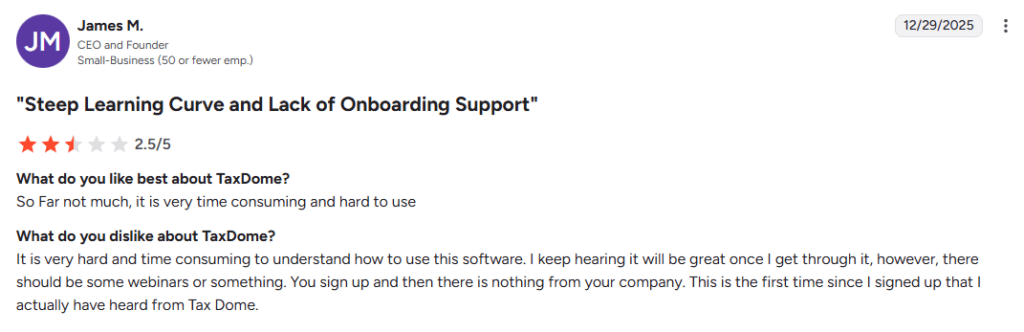
However, TaxDome’s all-in-one approach comes with tradeoffs. The platform requires substantial upfront configuration with an average 6-8 week onboarding timeline, and users frequently cite a steep learning curve. Additionally, TaxDome requires annual billing commitments (1-year, 2-year, or 3-year terms paid upfront), which may not suit firms wanting to test software before making significant financial commitments. That’s where these alternatives come in.
Source: G2
How We Curated Our List of TaxDome Alternatives
After researching the practice management market, we found that accounting professionals are looking for platforms that address specific operational challenges. While TaxDome excels as an all-in-one solution for many firms, users often need more specialized capabilities in key areas:
- Modular implementation that allows firms to start working immediately with only the features they need
- Streamlined billing automation that transforms invoicing from a time-consuming process into a quick, painless task
- Flexible monthly pricing without long-term annual commitments
- Advanced team collaboration for distributed teams needing real-time visibility across multiple locations
- Purpose-built tax resolution tools with dedicated IRS transcript analysis and notice management
- Bookkeeping-specific workflows with deep ledger integration and per-client pricing models
- Simpler, more affordable options for solo practitioners just starting their digital transformation
Each platform on this list was chosen because it offers genuine advantages for particular use cases and firm types.
| ❗DISCLAIMER: We aren’t covering every practice management tool on the market. Our focus is on highlighting the best alternatives that address specific limitations or gaps in TaxDome for various use cases. Every platform has its strengths, and TaxDome remains an excellent choice for many firms. |
|---|
1. Uku: Best TaxDome Alternative for Modular Implementation and Effortless Billing

Uku is a comprehensive accounting practice management software designed to streamline workflows, automate billing, and improve collaboration within accounting firms. Created from the ground up to be international, especially for UK and US markets, Uku serves 1,000+ clients across 25+ countries with support for 12 languages and multi-currency capabilities. Key features include:
- Modular Feature Deployment: Start with just CRM and tasks, then gradually activate time tracking, billing, client portal, and other modules as needed
- Three-Level Workflow Structure: Task templates cascade into client task plans, which generate individual tasks, automating the majority of recurring workflows
- Automated Billing: Transforms multi-day invoicing into a ~30-minute process through automatic data collection and invoice generation
- BI Reporting: Real-time visual reports on team performance, client profitability, and workload distribution with deep filtering capabilities
- Time Tracking: Multiple methods including stopwatch, manual entry, and bulk time allocation with 90% of actions being one-click
- Integrated Client Portal: Clients and accountants work on the same task with all communication, documents, and time tracking in one place
- Flextime Management: Built-in tools for managing employee vacation, overtime, and work-life balance
For accounting firms that want to start working on day one rather than spending weeks on configuration, Uku’s modular approach represents a fundamentally different philosophy from TaxDome’s comprehensive all-at-once implementation.
Why Choose Uku Over TaxDome
The biggest difference between Uku and TaxDome is Uku’s modular approach to features. Where TaxDome requires substantial upfront configuration and training with an average 6-8 week onboarding timeline, Uku allows firms to implement software step by step. This is specifically one of the biggest reasons why clients switch from TaxDome to Uku.
Fast & Flexible Deployment: Start Working on Day One
Like an iPhone where you start with basic functionality and add apps as needed, Uku lets users begin with just CRM and tasks, then gradually add features. Firms can import their Excel data and have automated plans ready within hours, not weeks.
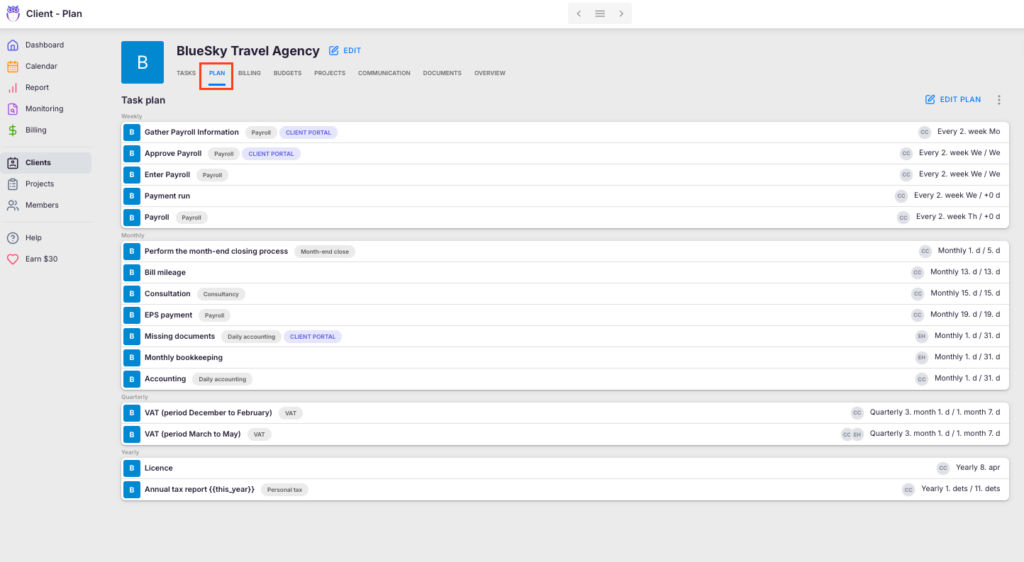
This modular deployment eliminates the substantial upfront configuration required by all-in-one platforms. Whether you’re transitioning from spreadsheets or another practice management tool, Uku is designed as the easiest and fastest platform to onboard. Many firms describe it as going “from Excel to greatness” because of how quickly they can become productive.
⚡ Uku in Action: Your firm decides to try practice management software on Monday. Instead of blocking out six weeks for configuration and training, you import your client list from Excel, set up basic task templates, and your team starts tracking work that same afternoon. Over the following weeks, you activate time tracking, then billing, then the client portal, each when you’re ready rather than all at once.
Flexible Monthly Pricing vs. Annual Commitments
TaxDome requires annual billing commitments (1-year, 2-year, or 3-year terms paid upfront), starting at $800/year for the Essentials plan. Uku offers both monthly and annual billing options, allowing firms to test the system without large upfront financial commitments.
Clients prefer paying approximately $38 monthly to test the system rather than committing to hundreds or thousands of dollars upfront. This flexibility is particularly valuable for firms that have had negative experiences with software implementations in the past and want to validate the fit before committing.
Automated Billing That Transforms Your Invoicing Process
Uku’s billing automation goes beyond basic invoice generation. The platform automatically collects billable data from time tracking entries and custom fields, then generates invoices based on predefined client contracts. Whether you bill hourly, use fixed fees, or have a mixed pricing model, Uku handles it all with minimal manual intervention.
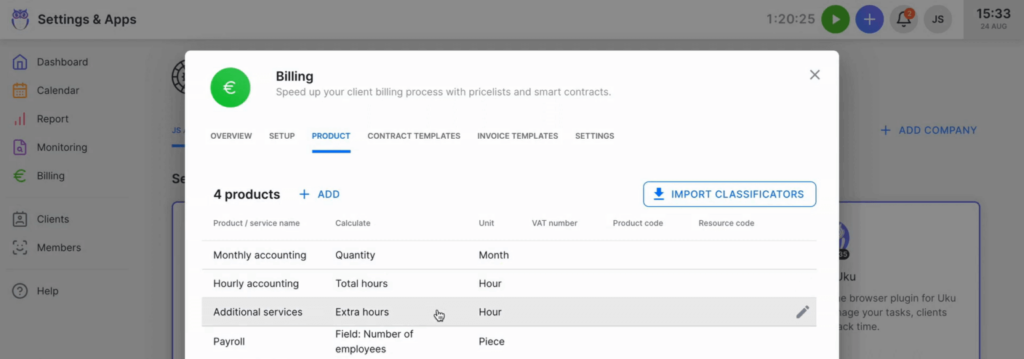
The system supports personalized billing contracts with sophisticated pricing configurations:
- Time-based billing with customizable hourly rates
- Fixed-fee billing for specific services or packages
- Item-based billing for individual services
- Complex price lists based on quantity, time, material, and ranges with different rates for different periods
- Advanced rounding rules based on entry, team, client, or month
Uku even handles scenarios like billing unplanned interruptions: a one-minute call can be automatically billed as 15 minutes based on your configured rules. According to Uku, firms can complete what previously took two to three days in approximately 30 minutes for over 100 clients.
While TaxDome offers integrated billing with workflow automations that can trigger invoice creation, Uku’s billing is designed with automation as its primary focus, potentially requiring less manual configuration for firms with complex billing needs.
⚡ Uku in Action: Imagine closing out the month. Instead of manually reviewing each client’s time entries and creating individual invoices, you open Uku’s billing module. The system has already collected all billable time, applied each client’s contracted rates and rounding rules, and generated draft invoices. You review them, make any necessary adjustments, and send them all in bulk. What used to be a multi-day headache is now finished before your second cup of coffee.
BI Reporting: Know Your Profitability in Real-Time
Uku’s BI Reporting provides comprehensive views into your firm’s performance with deep filters, saved report templates, and three levels of depth: summary, tasks, and time. The system tracks both sales prices and actual cost prices, so if an employee costs €30/hour but bills at €45/hour, managers can see whether they’re profitable.
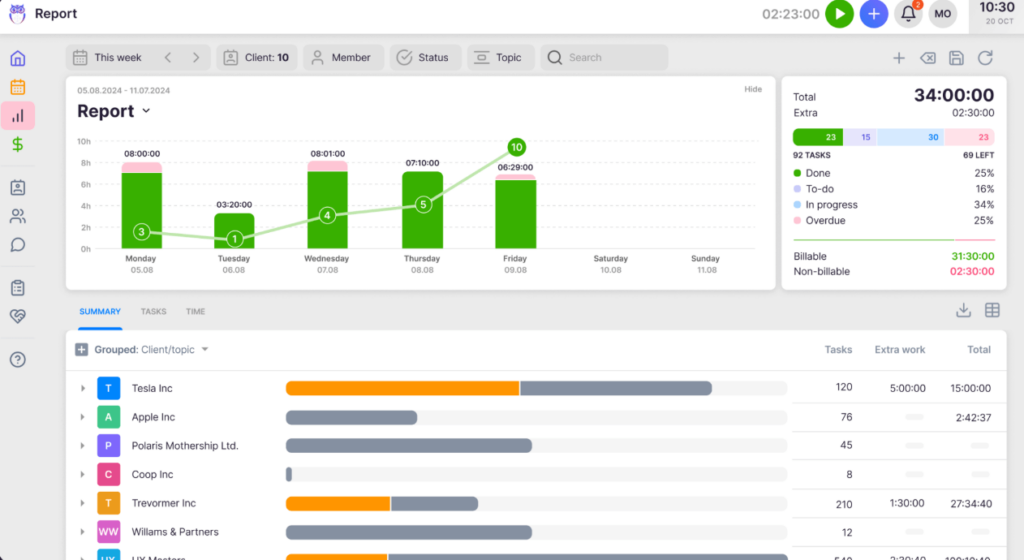
When employees work eight hours but only six are billable, the BI Reporting provides insights into whether the issue is employee efficiency, client difficulty, or pricing structure. Key capabilities include:
- Team Performance Reporting: Workload distribution, time usage analysis, and task completion tracking by employee
- Client Profitability Analysis: Visual reports showing which clients are profitable and which are draining resources
- Task Status Overviews: Real-time tracking of what’s done, ongoing, or overdue across the entire firm
- Real-Time Alerts: Prevent discovering losses 30 days too late with proactive notifications
Customers report seeing up to ~20% more profit by discovering outdated agreements where they were billing for eight hours but employees were doing 20 hours of work. For firms needing even deeper analysis, Uku provides a public API to connect with external BI tools.
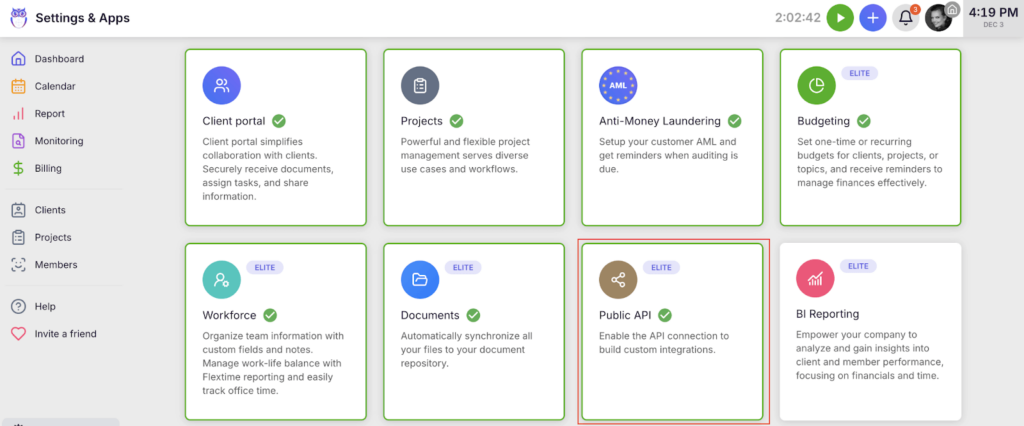
⚡ Uku in Action: You’ve been serving Client A for two years, and they always seem satisfied. But Uku’s BI Reporting reveals something surprising: you’re consistently spending 40% more time than what’s covered by their monthly retainer. Armed with this data, you have a constructive conversation about either adjusting the scope or the fee. Either way, you’ve stopped the profit drain.
A System Your Team Will Actually Enjoy Using
Uku emphasizes remarkable ease of use despite advanced setup capabilities. The platform is designed to minimize admin time, with time tracking UX that has received significant investment: 90% of actions are one-click, dramatically reducing day-to-day admin tasks compared to competitors where everyday repetitive actions are more time-consuming.
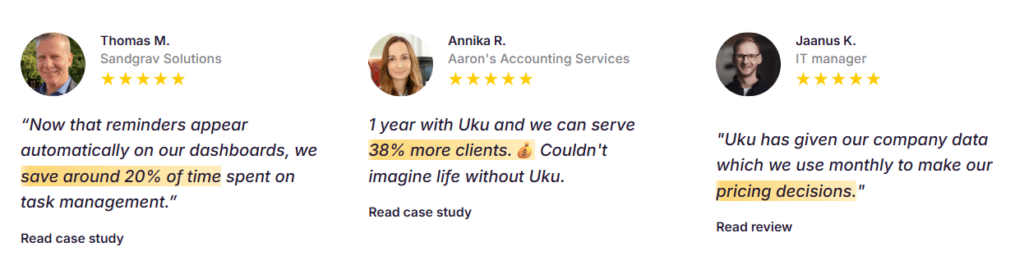
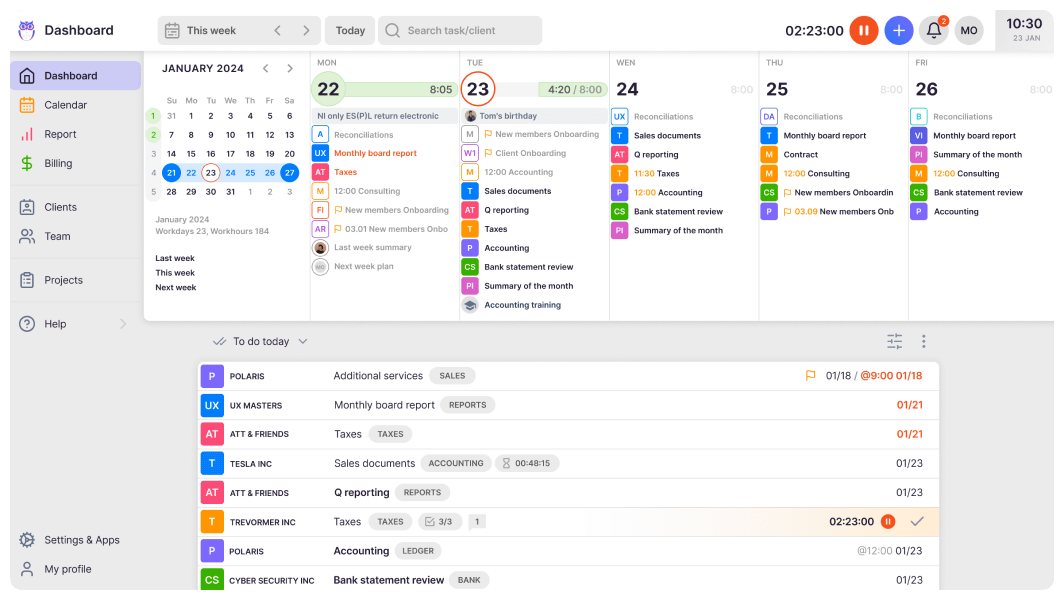
Uku’s interface is consistently praised for being beautiful and user-friendly. The dashboard provides a clean overview of tasks, and the calendar view allows for drag-and-drop rescheduling. Even resistant users aged 50+ who initially complain about tracking time often become the biggest champions after a month of use.
The client portal mirrors the exact same task on both sides: clients and accountants work on the same item with all communication, actions, documents, logs, and time tracking in one place. Clients access it through a “magic link” in their email, eliminating the need to remember usernames and passwords. The portal can be fully customized with company branding including logo, colors, and custom domain, and firms can create unique menus for each client.
⚡ Uku in Action: Your newest hire starts on Monday. By Wednesday, they’re managing their own task queue, tracking time with one-click entries, and communicating with clients through the portal. No extensive training sessions required, no frustrated sighs at confusing interfaces.
Uku Pricing
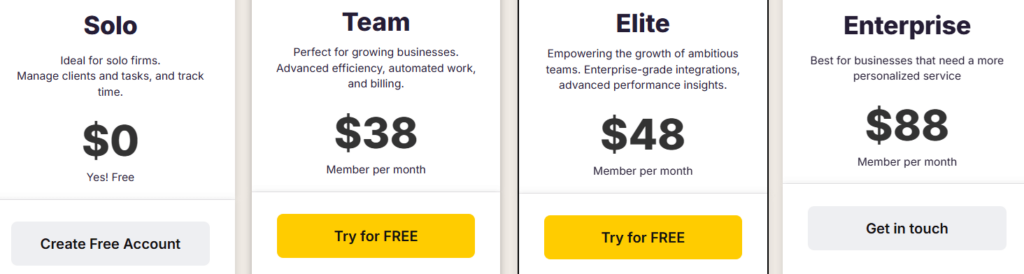
Uku offers four pricing tiers available in €, $, and £ with both monthly and annual billing options (annual billing provides a 23% discount):
Solo Plan (Free)
- 1 member, up to 25 clients
- Unlimited tasks, task plan templates, time tracking
- Reporting, CRM, calendar, Mini Uku browser plugin
Team Plan: from $38/member/month
- All Solo features plus teamwork functionalities
- Email integration, client portal, unlimited clients
- Access management, custom fields, company templates
- Live chat support and integrations
Elite Plan: $48/member/month
- Everything in Team plus Google Drive, Dropbox, and OneDrive integrations
- Customizable client portal menu, workforce management
- Actionable audit log, client budgeting, document management, e-signatures
- Zapier integration
Enterprise Plan: $88/member/month
- All Elite features plus custom integrations
- Assisted client import, tailor-made team workshop
- Early access to new features, dedicated account manager
Uku also offers a 14-day free trial with access to Elite plan features and 90 minutes of free onboarding assistance.
Who Should Use Uku?
Choose Uku if:
- You want to start working on day one: If TaxDome’s 6-8 week onboarding timeline feels too long, Uku’s modular approach lets you import your data and start being productive immediately, adding features gradually as you need them.
- You want to minimize your team’s admin time: If everyday repetitive actions in your current software feel slow, Uku’s one-click time tracking and automated billing can dramatically reduce the administrative burden on your team.
- You’re transitioning from Excel and want the easiest implementation: If you’re moving from spreadsheets to practice management for the first time, Uku is designed specifically for this transition with simple data import and gradual feature adoption.
- You need flexible monthly pricing rather than annual commitments: If you prefer testing software before making large financial commitments, Uku’s monthly billing option provides flexibility that TaxDome’s annual-only structure doesn’t offer.
- You need multilingual or multi-currency support: If your firm operates across borders or serves international clients, Uku’s support for 12 languages and multiple currencies (€, $, £) provides capabilities that some competitors lack.
- You want to transform your billing process: If invoicing is currently a multi-day headache involving spreadsheets and manual calculations, Uku’s automated billing can reduce it to approximately 30 minutes even for 100+ clients.
Ready to start working on day one instead of weeks from now? Start your free 14-day Uku trial and see how modular implementation and automated billing can transform your practice. With a free Solo plan and flexible monthly pricing, there’s no risk in discovering what Uku can do for your firm.
Real Story: Why Sandgrav Solutions Chose Uku Over TaxDome
Sandgrav Solutions, an 11-person Danish consulting firm specializing in digitalized bookkeeping, evaluated multiple practice management platforms before making their decision.
“After looking at various systems, for example, TaxDome, Sandgrav Solutions found their answer in Uku. After a very good presentation of Uku, we saw that it was a perfect match for our company.”
Thomas Fox Maule, Accounting Consultant at Sandgrav Solutions
The results speak for themselves. Since switching, the team saves around 20% of time previously spent on task management — time they now invest in client consulting.
“Now that reminders appear automatically on our dashboards, we save around 20% of time spent on task management.”
Thomas Fox Maule
Read the full Sandgrav Solutions case study to see how they transformed their workflow.
2. Karbon: Best TaxDome Alternative for Enterprise-Grade Practice Management with Distributed Teams
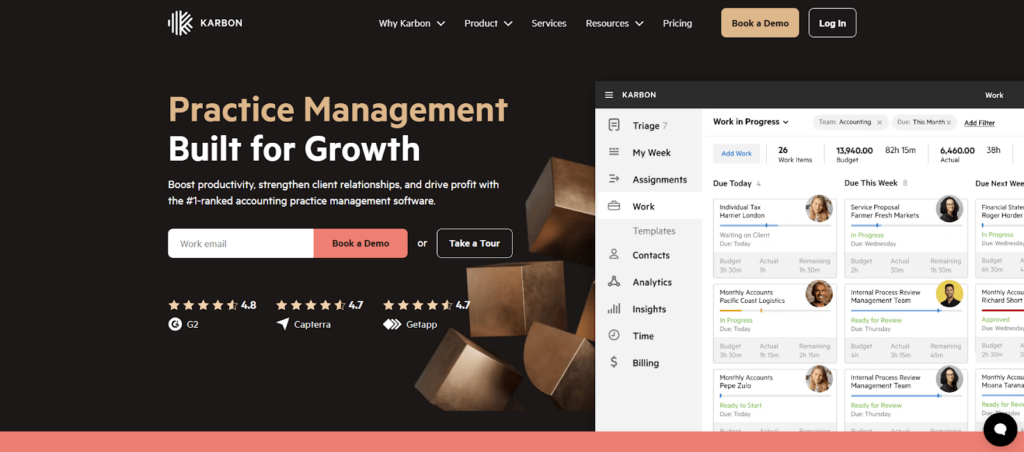
Karbon is a cloud-based practice management platform designed for accounting firms and professional services businesses seeking sophisticated coordination capabilities. Ranked #1 on G2 in its category, Karbon serves as a central hub for managing workflows, client communication, and internal team collaboration. Key features include:
- Karbon AI: GPT-powered features for email drafting, task creation, and smart suggestions
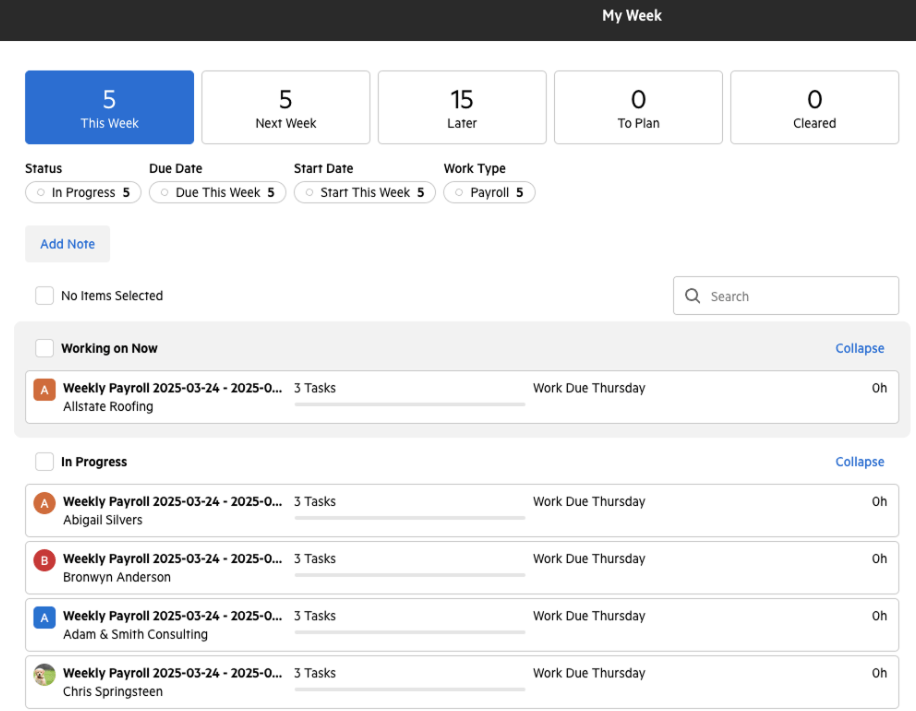
- “My Week” Dashboard: Personalized view organizing work items into intuitive buckets with calendar integration
- Triage Email System: Consolidated inbox that links correspondence to clients and enables team collaboration
- Workflow Templates: Sophisticated automation with task dependencies and conditional logic
- Practice Intelligence: 12 pre-built dashboards covering profitability, capacity planning, and workflow analysis
- Resource Planning Dashboard: Firm-wide visibility into team capacity and workload distribution
Why Choose Karbon Over TaxDome for Distributed Teams
Karbon stands out in several ways for larger, more complex accounting operations:
- Superior Internal Team Collaboration
Where TaxDome excels at client-facing features, Karbon’s architecture is fundamentally built around team collaboration. The Triage feature transforms email from individual silos into a collaborative workspace where any team member can see, comment on, and assign client correspondence. The “Colleague’s Week” view allows managers to understand team workloads at a glance across different offices or time zones.
Source: Karbon
- Advanced Workflow Automation with Conditional Logic
Karbon’s workflow engine handles nuanced conditional logic required when managing diverse service lines simultaneously. The “Tasklist automators” can trigger cascading actions when specific conditions are met, providing flexibility that larger operations require.
- Practice Intelligence for Strategic Decision-Making
Karbon’s suite of 12 pre-built dashboards covers everything from profitability analysis to team capacity planning. The Resource Planning Dashboard provides firm-wide visibility. For firms needing custom analytics, Karbon offers direct access to its Snowflake data warehouse for connection to external BI tools like Power BI, though this requires separate Power BI licenses starting at $14/user/month in addition to Karbon’s subscription.
Considerations: Karbon’s billing setup and confirmation process can take considerable time compared to more billing-focused platforms. For firms where rapid invoicing is a priority, this is worth evaluating during a trial.
🏅 NOTE: We also evaluated Canopy and TaxDome’s Business plan for this archetype. While both offer comprehensive features, Karbon provides the most sophisticated team collaboration and distributed workforce management capabilities for full-service firms needing advanced coordination across multiple locations.
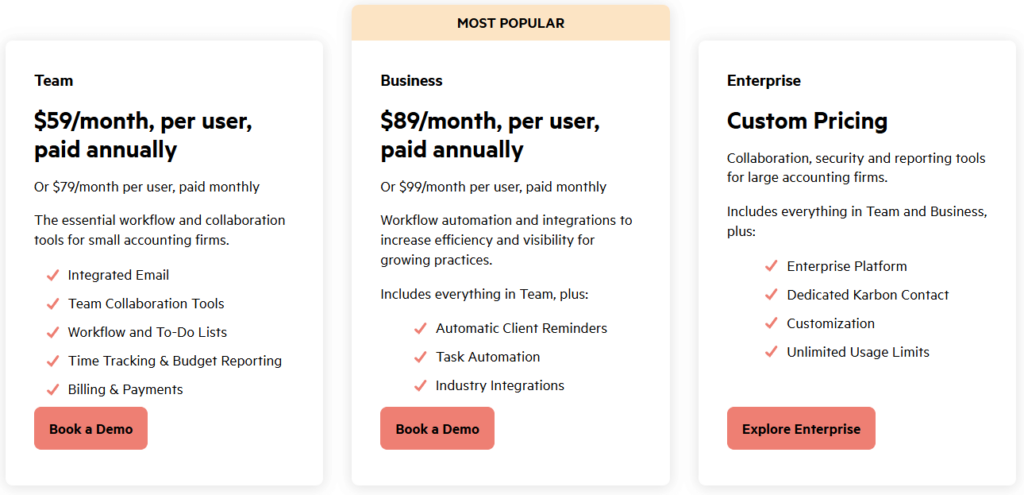
Karbon Pricing
Karbon offers both monthly and annual billing options:
- Team Plan: $59/user/month (annual) with Email Triage, collaboration tools, and time tracking
- Business Plan: $89/user/month (annual) with automatic client reminders, task automation, and client portal
- Enterprise Plan: Custom pricing with unlimited usage limits and a dedicated Karbon contact
Who Should Use Karbon?
Choose Karbon if:
- You manage a distributed or multi-location accounting team needing sophisticated coordination
- You require enterprise-grade analytics with custom reporting capabilities
- You prioritize robust internal team collaboration tools (though Karbon now also offers a client portal)
Streamline collaboration and reporting with Karbon.
3. Financial Cents: Best TaxDome Alternative for Affordable Entry and Ease of Use
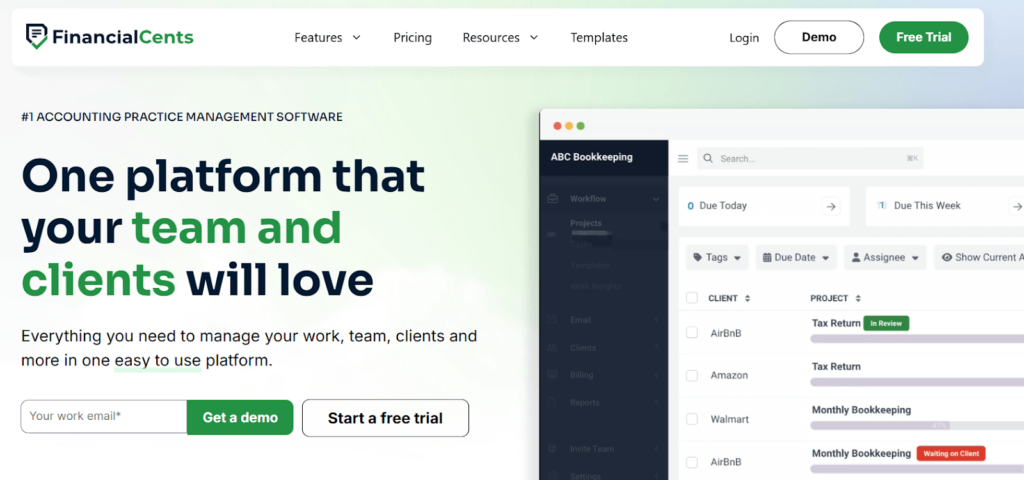
Financial Cents is a cloud-based practice management software that provides small and solo accounting firms with an accessible entry point. With an industry-leading 4.8/5.0 ease-of-use rating, it’s designed for the “everyday firm” that needs essential features without overwhelming complexity. Key features include:
- Workflow Management: Customizable templates with visual dashboards and 100+ community templates
- Client CRM: Centralized contact information, notes, and document storage
- Time Tracking: Manual entry and live timer functionality
- Client Portal: Passwordless “magic link” access with automated task requests
- QuickBooks Integration: Two-way time sync and one-way invoice sync
- Proposals: Engagement letters with integrated e-signature functionality
Why Choose Financial Cents Over TaxDome for Small Firm Accessibility
Financial Cents stands out for smaller firms in several ways:
- Significantly Lower Entry Price
The Solo plan starts at just $19/month for a single user, compared to TaxDome’s Essentials plan at $800 annually (approximately $66/month). For solo practitioners testing the waters, Financial Cents presents a lower financial barrier.
- Industry-Leading Ease of Use
With a 4.9/5.0 ease-of-use rating, the platform prioritizes intuitive navigation over feature density. Where TaxDome users cite a steep learning curve, Financial Cents allows firms to get running quickly with minimal configuration.
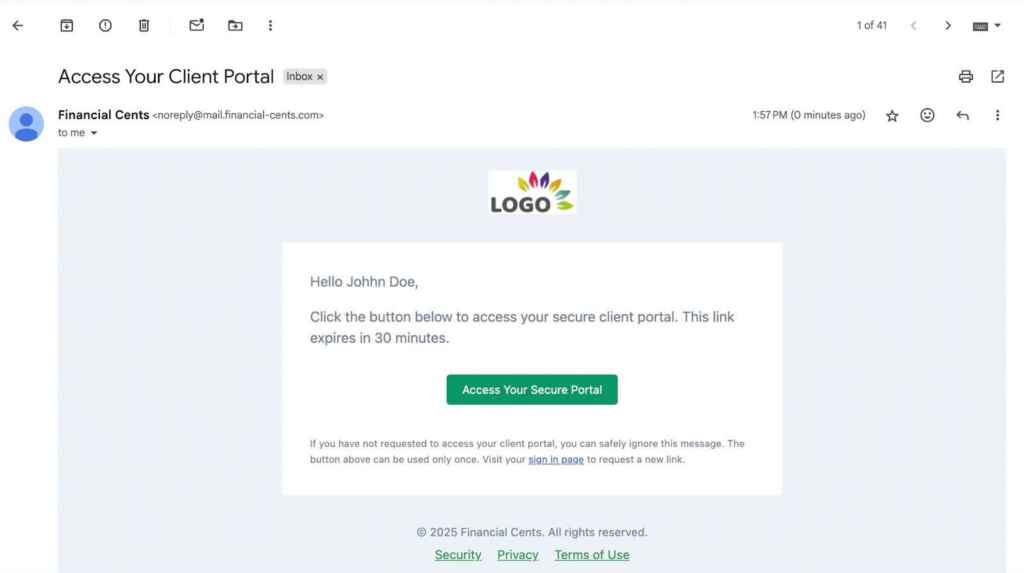
- Passwordless Client Portal
Clients access the portal through “magic links,” eliminating username and password friction. This approach is designed to encourage higher client adoption rates, particularly among less tech-savvy clientele.
Source: Financial Cents
Important Limitations to Consider:
- Geographic Focus: Financial Cents is US/Canada-centric with billing only in USD and no multilingual support. Firms with international clients or operations may find this limiting.
- Annual Commitment Required: Financial Cents requires a minimum 1-year purchase commitment for annual plans, with no true month-to-month flexibility on the annual pricing tier.
- No Native Xero Integration: Financial Cents integrates natively with QuickBooks Online but requires Zapier for Xero integration. Firms using Xero as their primary accounting software may face workflow inefficiencies.
🏅 NOTE: We also evaluated Pixie and Jetpack Workflow for affordable entry points. Financial Cents offers a strong combination of essential features at an accessible price point with superior ease-of-use ratings for US/Canada-based firms.
Financial Cents Pricing
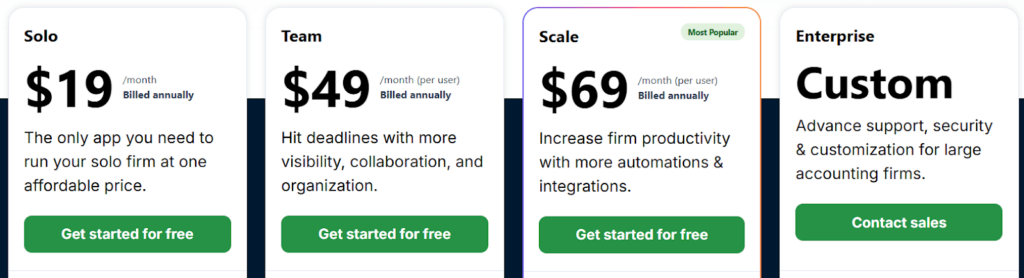
- Solo Plan: $19/month (single user) with workflow management, client portal, and CRM
- Team Plan: $49/user/month with email integration and e-signatures
- Scale Plan: $69/user/month with auto-follow-ups and task dependencies
- Enterprise Plan: Custom pricing with API access and premium training
Who Should Use Financial Cents?
Choose Financial Cents if:
- You’re a US or Canada-based solo practitioner or very small firm just starting out
- Your team includes members who are less comfortable with technology
- You use QuickBooks Online as your primary accounting software
- You want essential practice management features without enterprise complexity
Simplify practice management with Financial Cents.
Still comparing alternatives? Let us help.
Every firm has different needs. Book a free 30-minute consultation and we’ll help you figure out which practice management solution actually fits your workflow — no sales pitch, just honest advice.
4. Canopy: Best TaxDome Alternative for Tax-Specialized Firms Needing Tax Resolution Tools
Canopy is a cloud-based practice management platform originally founded in 2014 as a tax resolution tool. While it has evolved into comprehensive firm-wide software, it retains deep expertise in tax workflows. Serving over 4,000 accounting firms with a 90% customer satisfaction score, its key features include:
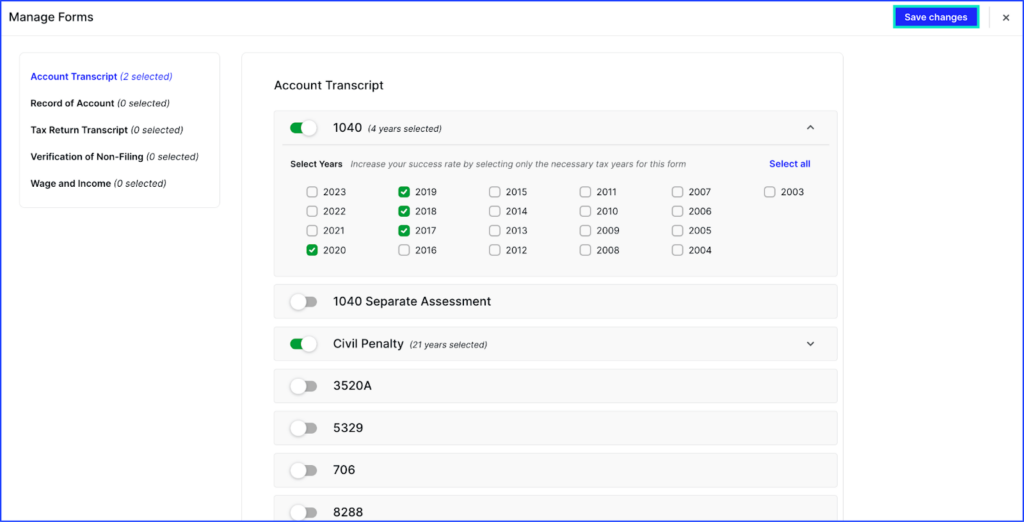
- IRS Transcript Integration: Pull up to 20 years of client transcripts with automated monitoring
- Tax Resolution Tools: Pre-built workflows for notices, penalty abatements, and offers in compromise
- Modular Pricing: Build a custom solution by selecting only the modules you need
- AI-Enhanced Automation: ChatGPT-powered features for email drafting and smart intake
- Document Management: Unlimited storage with robust e-signature functionality including KBA
- Extensive Integrations: Native connections to major tax software, QuickBooks, and Zapier
Why Choose Canopy Over TaxDome for Tax-Specialized Workflows
Canopy offers distinct advantages for tax-focused firms:
- Purpose-Built Tax Resolution Infrastructure
While TaxDome provides IRS integration for transcript downloads, Canopy’s capabilities run deeper. Scheduled automated transcript pulls, version comparison for detecting IRS activity, and a comprehensive notice database with step-by-step resolution instructions set it apart for firms handling significant tax resolution work.
Source: Canopy
- Modular Pricing Flexibility
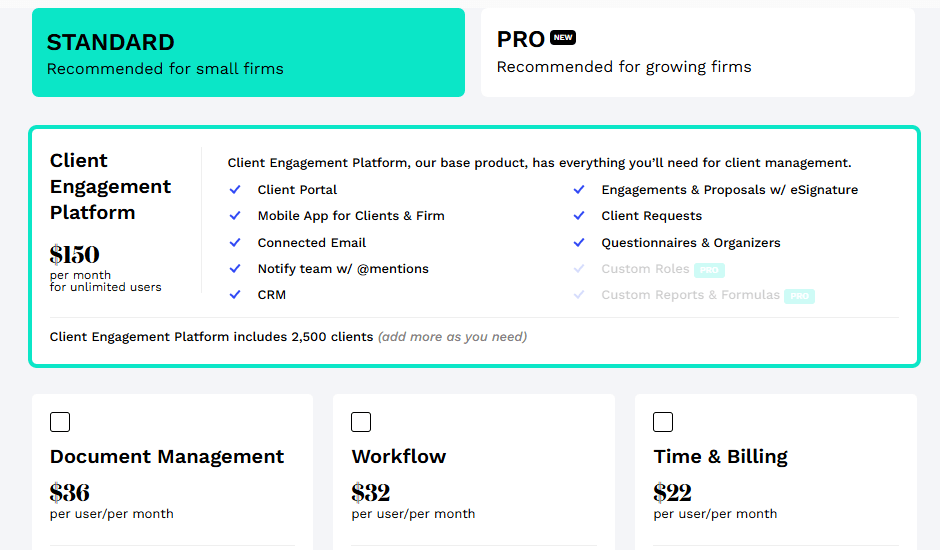
TaxDome’s all-inclusive model includes features many tax-focused firms may not need. Canopy lets firms start with just the Client Engagement Platform ($150/month for unlimited users) and selectively add Document Management, Workflow, or Time & Billing modules as needed. That said, Canopy also positions itself as an all-in-one platform for firms wanting the complete suite.
- AI-Powered Automation Focus
Following its April 2025 Series C funding of $70 million (bringing total funding to $236.5 million), Canopy has invested heavily in AI, including smart intake features and automatic document classification.
🏅 NOTE: We also evaluated Karbon and TaxDome’s native tax features. Canopy offers highly specialized tax workflow infrastructure for firms whose primary business involves complex tax preparation and resolution work.
Canopy Pricing
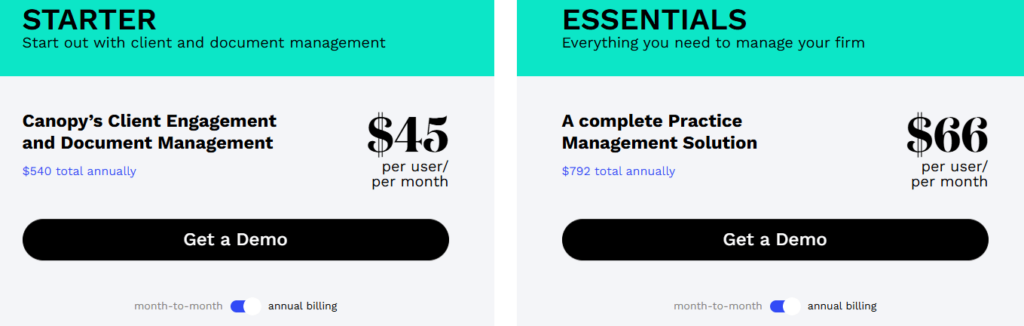
Plans for Small Firms (4 users or less):
- Starter Plan: $45/user/month (annual) combining Client Engagement and Document Management
- Essentials Plan: $66/user/month (annual) with complete practice management
Plans for Growing Firms (Modular):
- Client Engagement Platform: From $150/month for unlimited users
- Document Management: $36/user/month
- Workflow: $32-40/user/month
- Tax Resolution Add-on: $50/user/month
Who Should Use Canopy?
Choose Canopy if:
- Your firm specializes in tax resolution work requiring IRS notice management
- You want the flexibility to build a custom solution or adopt a complete package
- You value continuous innovation and AI integration in your practice management
Streamline tax resolution workflows with Canopy.
5. Jetpack Workflow: Best TaxDome Alternative for Workflow-Only Needs
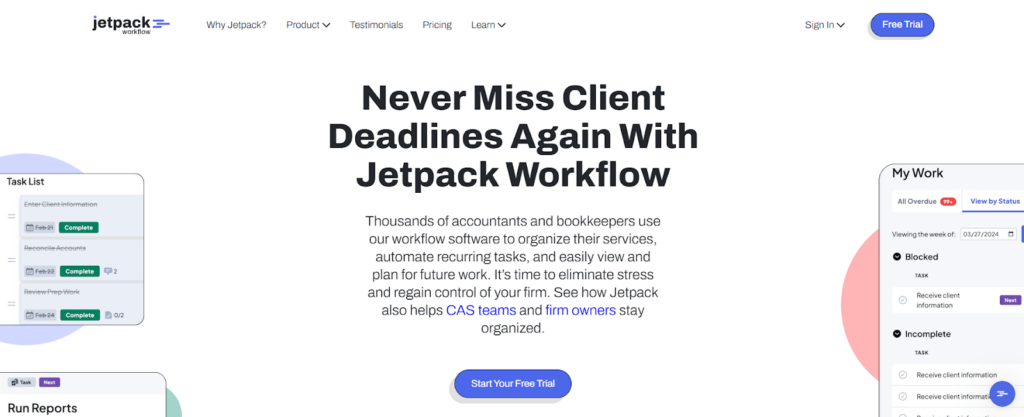
Jetpack Workflow is a cloud-based workflow management software that focuses primarily on internal workflow management rather than attempting to be a comprehensive all-in-one solution. It’s a strong choice for firms that already have separate solutions for client portals, billing, or document management. Key features include:
- Workflow Standardization: Create and automate recurring client work through customizable templates
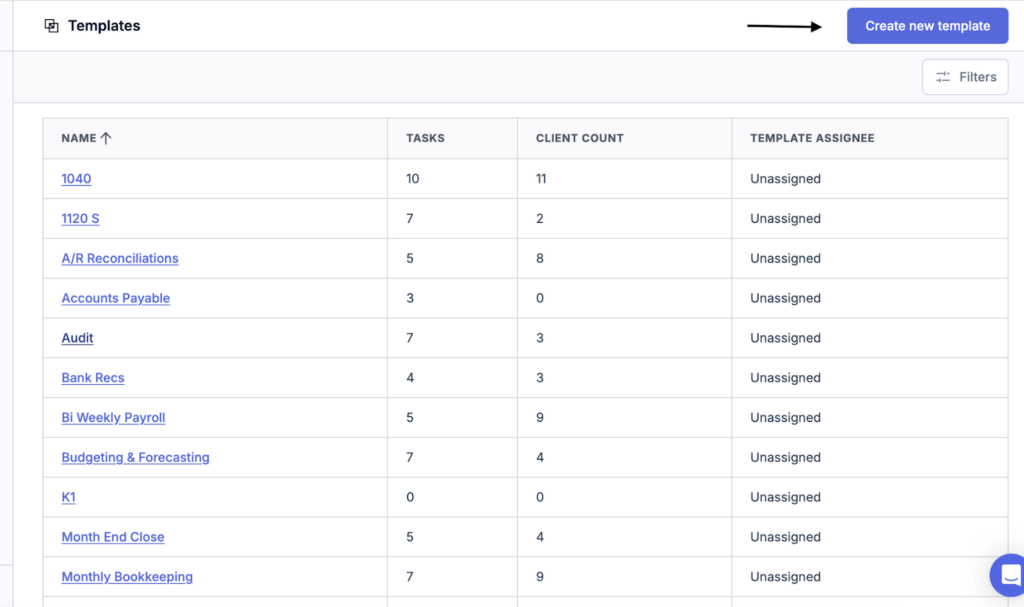
- 70+ Pre-Built Templates: Ready-to-use workflows for tax returns, payroll, audits, and more
- Unlimited Projects: No restrictions on projects, clients, or templates
- Task Dependencies: Sophisticated workflow logic with cascading deadlines
- Team Capacity Planning: Workload management with progress visualization
- Change Management: Template updates cascade to all future projects automatically
Why Choose Jetpack Workflow Over TaxDome for Dedicated Workflows
Jetpack Workflow offers distinct advantages for certain firms:
- Focused Simplicity Over Feature Density
Where TaxDome requires substantial upfront configuration, Jetpack Workflow’s clean interface allows new team members to become productive quickly. For firms whose primary pain point is workflow tracking (not client communication or document exchange), this focus provides genuine value.
- Superior Template Library
Over 70 pre-built templates specifically designed for accounting tasks can be imported with a single click. The change management system means template updates cascade to all future projects automatically.
Source: Jetpack Workflow
- Straightforward Pricing
At $40/user/month (annual), firms pay primarily for workflow management without many bundled features they may not use. This optimizes software spending for firms following a best-of-breed strategy.
🏅 NOTE: We also evaluated Aero Workflow and generic project management tools. Jetpack Workflow offers a mature accounting-specific template library combined with a straightforward user experience.
Jetpack Workflow Pricing
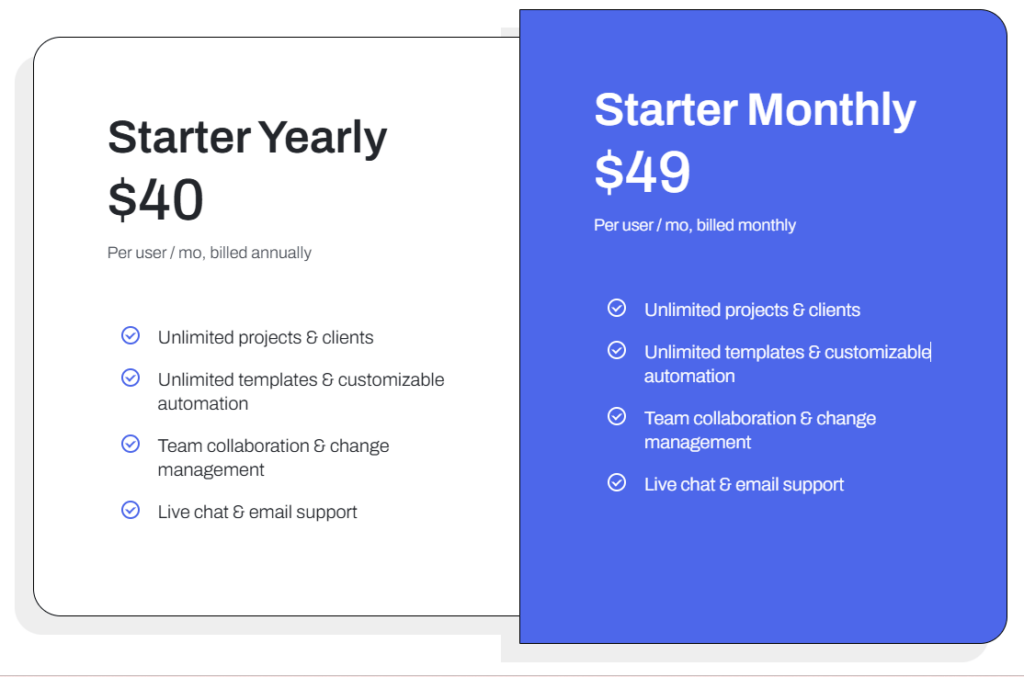
- Starter (Annual): $40/user/month with unlimited projects, templates, and support
- Starter (Monthly): $49/user/month with identical features
- Custom Setup Services: Starting at $299 for enhanced onboarding and training
Who Should Use Jetpack Workflow?
Choose Jetpack Workflow if:
- You already have separate solutions for client-facing functions and need dedicated workflow management
- Your primary pain point is deadline management and process standardization
- You prefer a best-of-breed software strategy rather than an all-in-one platform
Start improving your firm’s workflow with Jetpack Workflow.
6. Double: Best TaxDome Alternative for Bookkeeper-Specialized Per-Client Pricing
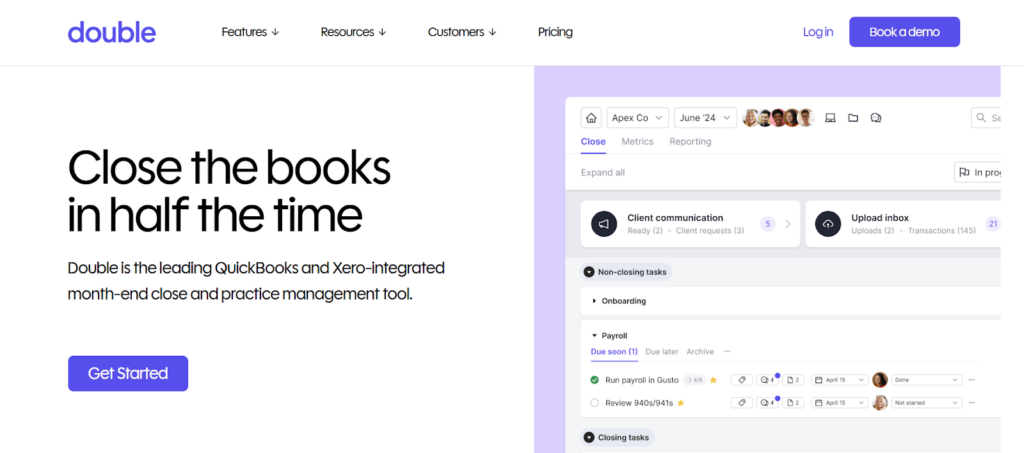
Double is an all-in-one accounting platform built specifically for bookkeeping firms that integrates deeply with QuickBooks Online and Xero. Recognized by Intuit as a Platinum Partner, its per-client pricing model and AI-powered month-end close features make it particularly appealing for firms focused on monthly recurring bookkeeping services. Key features include:
- Per-Client Pricing: $8-$50 per client monthly with unlimited users included
- Two-Way Ledger Sync: Bidirectional integration that pushes corrections directly to client files
- File Review Tools: Highlights miscoded transactions and uncategorized entries
- Receipt Management: AI categorization that extracts data and suggests coding
- Custom Client Portal: Passwordless access with multiple receipt submission channels
- 1099/W-9 Tracking: Direct vendor request capabilities built into the platform
Why Choose Double Over TaxDome for Bookkeeping Firms
Double provides unique advantages for bookkeeping-focused practices:
- Per-Client Pricing That Scales
While TaxDome charges $800-$1,200/user/year, Double charges $8-$50 per connected client with unlimited team members. For a firm managing 30 clients at the Core tier, the monthly cost is $300 regardless of team size. This aligns costs with revenue rather than headcount.
- Deep Two-Way Ledger Integration
When you identify a miscoded transaction in Double, that change is instantly pushed back to the client’s live QuickBooks or Xero file. This bidirectional sync makes Double the actual workspace for bookkeeping rather than a tracking tool alongside accounting software.
- AI-Powered Month-End Close
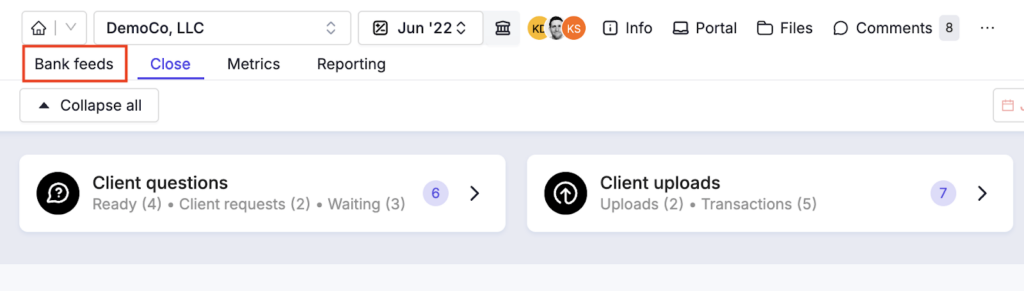
AI bank feeds organize transactions with high-confidence recommendations, AI-assisted reconciliation identifies discrepancies, and AI journal entries generate balanced entries from uploaded source documents. These features directly target the repetitive aspects of monthly bookkeeping.
Source: Double
🏅 NOTE: We also evaluated other bookkeeping-specific tools. Double offers the most seamless combination of deep ledger integration with per-client pricing that scales with your book of business.
Double Pricing
- Lite: $8/client/month (excludes portal, AI bank feeds; all clients must be on Lite)
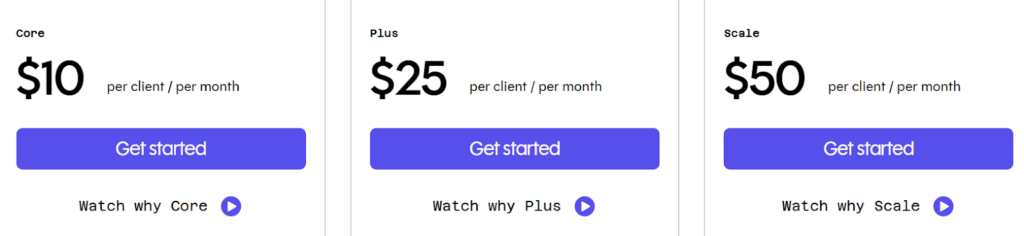
- Core: $10/client/month with 2-way ledger integration, branded portal, and AI bank feeds
- Plus: $25/client/month adding AI financial summaries and receipt management
- Scale: $50/client/month with accruals management, AI journal entries, and AI bills
Who Should Use Double?
Choose Double if:
- Your firm specializes in bookkeeping rather than tax preparation
- You want pricing that scales with clients rather than headcount
- You need to work directly within client ledgers rather than alongside them
- Your clients benefit from easy, frictionless portal access for monthly interactions
Simplify client bookkeeping with Double.
Switching from TaxDome? Here’s What to Expect
If you’ve decided TaxDome isn’t the right fit, the thought of migrating your entire practice to a new platform can feel overwhelming. We get it — you have clients to serve and deadlines to meet. Here’s the good news: switching doesn’t have to mean weeks of downtime.
The 4-Step Migration Process
Step 1: Discovery call (30 minutes)
We review your current TaxDome setup — how many clients, what workflows you use, and what’s not working. No prep needed on your end.
Step 2: Data migration (1–3 days)
Our team imports your client list, contact details, and task structures. You don’t need to manually re-enter anything.
Step 3: Workflow setup (1–2 days)
We recreate your recurring workflows and task templates in the new system.
Step 4: Team training & go-live (1 day)
A quick walkthrough for your team, then you’re live. Most firms are fully operational within one week — not the 6–8 weeks typical with TaxDome’s own onboarding.
Timeline: Most firms migrate in 5–7 business days, not months.
Compare that to TaxDome’s typical 6–8 week onboarding period. Sandgrav Solutions’ Thomas Fox Maule recalls: “The implementation went smoothly. Uku’s onboarding specialist assisted with creating the plans and the tasks.”
The Final Verdict
While TaxDome works well as an all-in-one solution for many accounting firms, growing practices often benefit from specialized tools that offer deeper capabilities in specific areas. Based on our research, here are the best alternatives:
- Uku for modular implementation, effortless billing, and flexible monthly pricing
- Karbon for enterprise-grade practice management with distributed teams
- Financial Cents for affordable entry and maximum ease of use (US/Canada)
- Canopy for tax-specialized firms needing comprehensive resolution tools
- Jetpack Workflow for dedicated workflow management alongside existing tools
- Double for bookkeeping firms wanting per-client pricing and deep ledger integration
Remember, you don’t have to choose between TaxDome and these alternatives exclusively. Many firms successfully use complementary tools to create their ideal tech stack. Consider your specific needs, team structure, and growth plans when deciding which solution works best for you.
Ready to start working on day one instead of spending weeks on configuration? Start your free 14-day Uku trial and discover how modular implementation and automated billing can transform your practice. With a free Solo plan and flexible monthly pricing, there’s no long-term commitment required to see what Uku can do for your firm.
Frequently Asked Questions
What is the best alternative to TaxDome?
The best alternative depends on your firm’s size, budget, and workflow needs. For firms that want European support, multilingual capabilities, and fast onboarding, Uku is a strong choice. For larger US-based firms focused on deep integrations, Karbon or Canopy may be a better fit. Our full comparison above breaks down each option in detail.
How much does TaxDome cost per user?
TaxDome’s pricing starts at $800/year for the Essentials plan (single user). The Pro plan costs $1,000 per user per year, and the Business plan costs $1,200 per user per year. All plans require annual upfront payment — there’s no monthly billing option. A 10-person firm on the Pro plan pays $10,000/year upfront. For a detailed breakdown, see our TaxDome pricing analysis.
Is it hard to switch from TaxDome to another platform?
Switching platforms is simpler than most firms expect. With Uku, for example, the full migration — including client data import, workflow setup, and team training — typically takes 5–7 business days. That’s significantly faster than TaxDome’s own 6–8 week onboarding process. Most providers offer migration assistance to make the transition smooth.
Does TaxDome work for accounting firms outside the US?
TaxDome works internationally, but its strongest integrations (IRS, Lacerte, ProConnect, Drake) are US-focused. European and international firms may find that features like tax software integrations are less useful. Alternatives like Uku offer support in 12 languages and are designed specifically for the European and global accounting market.
What features should I look for in a TaxDome alternative?
Focus on your firm’s actual pain points rather than feature checklists. Key areas to evaluate: workflow automation (how many clicks to assign recurring tasks?), onboarding timeline (weeks vs. days), client portal quality, pricing transparency (watch for hidden per-user costs), and integration with your existing accounting software. The right tool is the one your team will actually use daily.