

While many tools handle basic tasks, US-based firms face unique challenges – from relentless IRS deadlines to managing Sales Tax across state lines. The best software isn’t just a to-do list; it’s an automated operations manager that handles the Tax Season crunch.
Accountants have the highest risk of having their jobs automated. Even though accounting practice management software often seems a threat, we see it as an opportunity to:
- Cut manual labour
- Remember countless deadlines
- Free your task list of routine administrative tasks
The most successful accounting firms let technology help them get ahead of competitors.
Simple changes that enhance accountants’ work process:
- Standardizing and automating accounting firm processes ensures everyone knows what they’re doing.
- Integrating your accounting tech stack is the easiest way to avoid wasting time on copying and pasting data.
- Analyzing data allows us to make the most profitable data-based business decisions.
- Accounting team collaboration helps remote work function.
- Reducing the time spent in your email inbox and enhancing client communication.
What is accounting practice management software?
Accounting practice management software simplifies accountants’ work by automating routine tasks, freeing time for more meaningful activities. Features like task management, team collaboration, and client information centralization ensure everyone stays on the same page, even when someone is out sick.
The software tracks time spent on tasks, automatically generates invoices, and provides insightful reports on customer profitability and productivity. Plus, it monitors client agreements in real time, so there are no surprises. It’s like having a reliable assistant who never forgets a task and always has your back. So, you can focus on what you do best, knowing everything is controlled.
You may also find it beneficial to integrate tools like Quickbooks and Xero. If you’re looking for a good deal, keep an eye out for an Xero discount.
Should I create a custom accounting workflow management software?
It is important to note that custom solutions take much time to develop, and keeping them up is a costly process. Many accounting firms partner with a software outsourcing company to evaluate their needs. Focusing on developing software can detract from the work accounting firms do best. Even the best accounting firms trust software companies to help them.
There are professional IT teams that focus on simplifying accountants’ daily work. Several accounting practice management software solutions on the market fulfil the needs of bookkeeping firms and financial teams.
How to find the best tax workflow management software?
Some practice management software is purely for task management. In others, it comes as a part of a more significant range of features. Finding the right fit for your company depends on your accounting firm, clients, other software you use, budget and personal preferences.
Here are the best accounting practice management software options for accounting firms, bookkeepers and CPAs in the USA in no particular order.
We judge the accounting workflow software by the most essential features for an accounting firm:
- Workflow or task management
- Time tracking and billing
- Accounting team collaboration
- Business insights and reporting
- CRM and client portals
- User-friendliness
- Pricing
Here are 9 best workflow management software for accountants:
1. Uku
2. Karbon
3. Taxdome
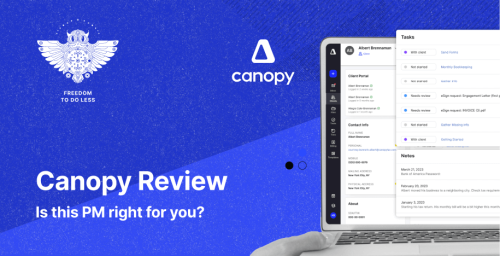
6. Canopy
7. Thomson Reuters Practice CS
8. Aiwyn
9. IRIS
Quick Comparison: All 9 Practice Management Tools at a Glance
Before we dive into detailed reviews, here’s a side-by-side comparison to help you quickly narrow down your options:
| Uku | Karbon | TaxDome | Financial Cents | Jetpack Workflow | Canopy | Practice CS | Aiwyn | IRIS | |
|---|---|---|---|---|---|---|---|---|---|
| Best for (team size) | 10–50 | 10–100 | 200+ | <20 | <20 | 10–50 | 50+ | Top 500 | Top 100 |
| Starting price | $38/u | $59/u | $50/u | $49/u | $56/u | $25/u | Quote | Quote | Quote |
| Free plan | ✓ | — | — | — | — | — | — | — | — |
| Workflow mgmt | ✓ | ✓ | ✓ | ✓ | ✓ | ✓ | ✓ | ✓ | ✓ |
| Time tracking | ✓ | ✓ | ✓ | ✓ | Limited | ✓ | ✓ | ✓ | ✓ |
| Built-in billing | ✓ | ✓ | Limited | ✓ | — | ✓ | ✓ | ✓ | ✓ |
| Client portal | ✓ | ✓ | ✓ | ✓ | — | ✓ | ✓ | ✓ | ✓ |
| Mobile app | — | ✓ | ✓ | — | ✓ | — | ✓ | — | — |
| Capterra rating | 4.8 | 4.7 | 4.7 | 4.8 | 4.1 | 4.2 | 4.2 | N/A | N/A |
1. Uku – a multi-functional workflow software for accountants in USA

Uku is a popular practice management software for accountants in Northern Europe, Canada and the USA. The software automates accountants’ processes, giving them time for more valuable tasks. Uku’s most valued features are automated invoicing and client agreement monitoring, which helps accountants ensure profitability.
While Uku has strong roots in Europe, its customizable workflow templates are fully adaptable for US GAAP and IRS compliance cycles, making it a hidden gem for modern US firms looking for clean, bloat-free software.
Jason Staats rated Uku as the best accounting practice management software for USA accounting firms in 2026. Uku is also used in Estonia’s most successful accounting firms.

Capterra score: 4.8
G2 score: 4.7
Read more about G2 accounting practice management software reviews here.
Who is Uku suited for?
Uku is for accounting, tax, and bookkeeping firms with teams of 10-200 employees. However, Uku is a good solution for one-person accounting firms because the Solo plan is free.
Workflow and Task Management
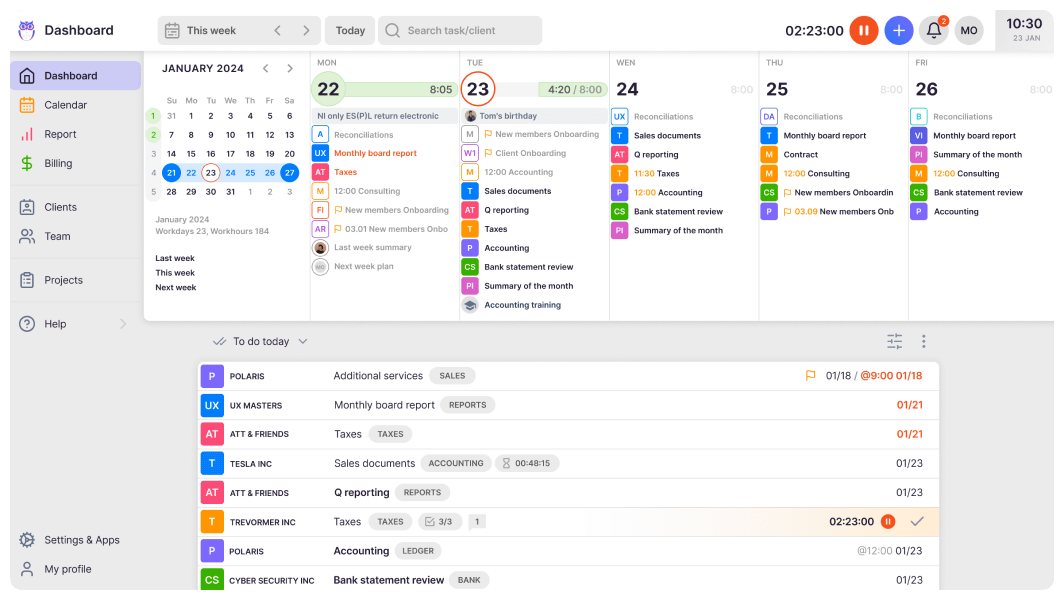
The combined workflow software Uku provides all the tools necessary for managing an accountant’s daily, weekly, monthly, and yearly recurring or one-time tasks with dependencies. Create work plan templates from scratch or use templates we’ve created based on US accounting standards. Uku provides a dashboard and a thorough calendar view to sort your tasks how you’d like.
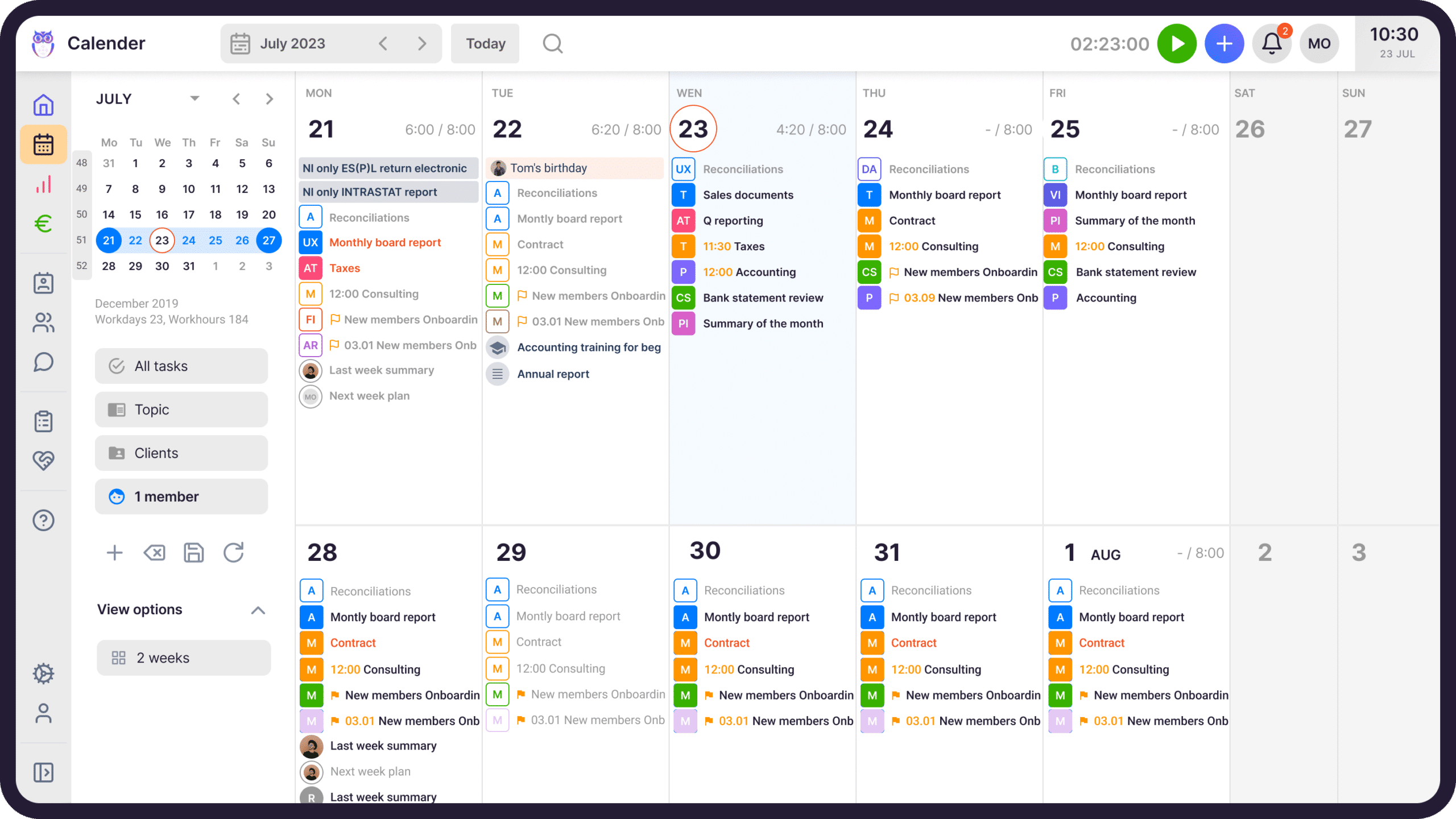
Automated workflows guarantee a dashboard with today’s relevant tasks. In addition, a detailed calendar view with a 1, 2, 3 or 4-week view differentiates Uku from its competitors.
Emailing is a large part of an accountant’s work. Enter email automation into your work plans, and Uku sends emails for you. Never spend too much time in your inbox again. You can create tasks from emails that arrive in your inbox. An even more advanced way to communicate with your clients is via the highly customizable Uku Client Portal.
Read more about Uku’s new client portal features here.
Time Tracking & Billing
Time tracking is an excellent way to raise productivity, find bottlenecks and increase profits in your accounting firm. Uku provides several ways to manage your time entries.
Measure time with a stopwatch or log it manually. When you mark a task as done, Uku will automatically mark the time spent and, if necessary, add it to an invoice.
If you’ve been working for years, you know how long it takes to finish a task. Uku allows time estimations, so you don’t have to measure or add time entries. You can also distinguish billable and not billable time entries and whether you want to add to the client’s invoice and those that you do not. We busted common myths regarding time tracking in an accounting firm.
That allows Uku’s automated billing to do the mundane work of creating invoices for you. You just have to proofread the invoices and send them out. Create personalized billing contracts for the clients with extra dynamic pricing options: time, fixed, item & mix. Create, adjust, automate, approve and send invoices straight from Uku.
Annika Lattik, a long-time Uku user, has cheered:
“Creating invoices now takes 15 minutes instead of 1-2 days.”
Accounting Team Collaboration
Whether your team works from an office or remotely, team collaboration is as important as communicating with clients. Uku has several options to help an accounting team work as effectively as possible.
When an accountant goes on vacation or gets ill, delegate or assign tasks to colleagues with just one click. Share tasks between colleagues. Following tasks is the most useful for mentors with students or new employees.
Managing vacations and overtime is simple with Uku’s Flextime app. Manage your accounting team’s working hours while Uku adequately calculates working hours according to national holidays and other information you’ve entered.
Business Insights and Reporting
You can only make business decisions with detailed data about your working time, productivity and other indicators.
Uku’s advanced reporting gives you time expense reports by client, team member and task. You’ll also see which tasks are overdue.
Client agreement monitoring is a significant feature that differentiates Uku from its competitors. The report compares the client’s contractual workload (hours, entries, documents, etc) with actual work done.
CRM and Client Portal
Working half-time as a CRM software, Uku’s centralized client profiles keep all critical client information in one place and are easily shared. You can leave comments, mention team members and leave attachments to tasks. To learn why an accountant should use CRM, read our article “CRM for accountants: Why, how, and when?.”
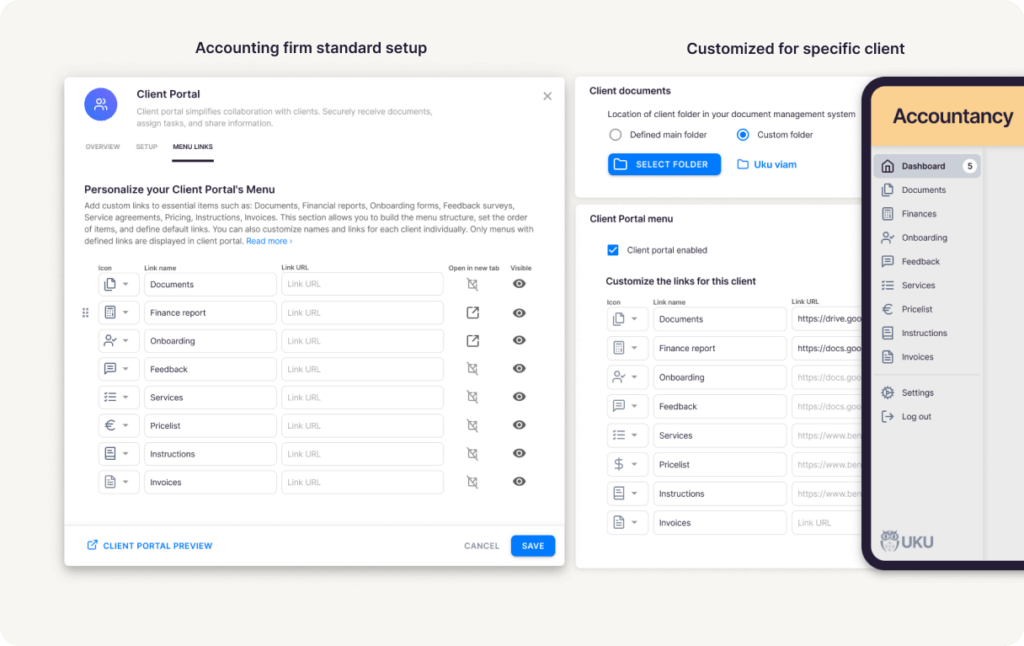
Client Portal is the new, innovative way to communicate with your accounting clients.
Uku has focused on creating a highly customizable Client Portal so your accounting firm’s client portal feels familiar to your clients. Delegate tasks, receive documents and send automatic reminders from Uku’s client portal.
User-friendliness
Uku is described as a beautiful, well–structured and easy-to-use system highly customizable according to your accounting firm’s needs. The free onboarding help from Uku’s specialist makes onboarding easier than ever.
Pricing:
- Solo plan: Free
- Team plan: $38-49/month per user
- Enterprise plan: $58-75/month per user
| 👍 Uku does best: | 👎 Uku’s limits: |
| Flexible and customisable workflow setup | Fewer integrations |
| Highly customisable Client Portal | Basic AML |
| Calendar view | No chat |
| Sharable CRM | |
| Client agreement monitoring | |
| Flextime – vacation and overtime management | |
| Automated billing | |
| Free trial and free onboarding help | |
| Very user-friendly and intuitive |
Book a 30-minute personal Uku demo or Create a free Uku account
Uku Reviews
Uku is like my second memory – with Uku’s help, I can’t and won’t forget anything. We use it daily and I can’t imagine ever working without Uku again – it is just the most helpful notebook you can ever use.
Uku has small problems sometimes, but Uku’s customer support deals with problems quickly.
Anni K., Accountant Team Leader
Uku is helping to solve our workflow issues. We would find some customers were not given the attention we wanted to give as our work load increased. It is hard to have visability accross the team as we have grown so quickly. Uku reporting and time tracking solves this.
Lucy D., Accounting Firm Manager
Uku helps track people’s activities. Plus, it’s a good reminder for repetitive tasks. It also helps the new person track what they need to do so that everything important stays in mind. Also, as a team leader, it provides a good overview of people’s working hours, which also enables better budgeting.
On the negative side, I would point out that I don’t have all the knowledge to use Uku more effectively. If I knew all the possibilities, I believe that my work would be even more effective.
Eliisa M., Accounting Team Lead
2. Karbon – a good accountant’s workflow software for tech-savvy financial teams
Who is Karbon suited for?
Karbon is an accountant practice management software for accounting, tax, and bookkeeping firms with teams of 10-100 employees. Some larger and smaller firms also use Karbon.
Capterra score: 4.7
G2 score: 4.8
Read more about G2 accounting practice management software reviews here.
Workflow and Task Management
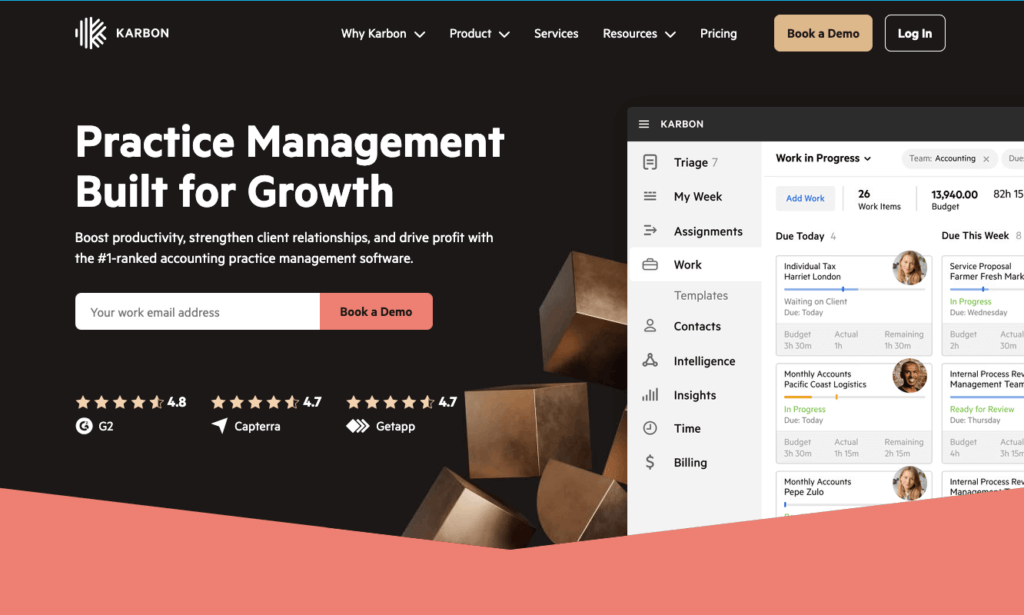
Karbon has a My Week dashboard with a task list and a one-day calendar. You can standardize processes with work templates and set recurring tasks with dependencies and auto-reminders.
Time Tracking and Billing
Karbon allows tracking time with a stopwatch and provides time estimations for tasks. You can also make simple changes to time entries.
Karbon’s billing solution helps if you charge for your time and have fixed or monthly recurring fees. You can create, adjust, manage, approve, and send invoices.
Accounting Team Collaboration
Everyone can have access to emails sent in Karbon. Tasks and sub-tasks can be shared and are accessible on a Kanban board. In addition, you can communicate with colleagues straight from Karbon.
Business Insights and Reporting
In Karbon, Insights are based on tracked time and help you understand if jobs or clients are on a budget and if you need to improve staff utilization or allocate resources. You can also see the last time a client was contacted.
CRM and Client Portal
The practice management software Karbon has a client portal for accountant-client collaboration. All of Karbon’s users have access to shared client contacts. The software sends your clients auto-reminders and has templates to simplify client onboarding.
User-friendliness
Karbon is quite user-friendly. However, some users have noted the need for a more streamlined analytics setup and a more comprehensive client portal.
Karbon, the accounting practice management software, does not offer a free trial or help with onboarding. Therefore, getting used to the software takes time and effort without knowing if it suits your needs.
Pricing
- Team plan: $59/month per user
- Enterprise plan: $89/month per user
| 👍 Karbon does best: | 👎 Karbon’s limits: |
| Sending and managing emails | Relatively expensive |
| Great internal communication | Managing emails in Karbon is strongly encouraged, not voluntary |
| Several integrations | Limited time tracking |
| Sending and managing emails | Client Portal with limited customisation |
| IOS and Android apps | Basic workflow automation features and templates |
| Automated reminders | Billing by colleague’s billable rate only |
| Basic reports for insights | Can’t send invoices to accounting software |
Karbon Reviews
Karbon makes it possible for me to complete my responsibilities in an efficient fashion. I am able to collaborate in real-time with team members and look up communications I may need to review to complete my day-to-day tasks in this system.
Accessing a team member’s Triage when they are unexpectedly out can be challenging. This limitation can cause delays or bottlenecks in the workflow, as it is not always straightforward to retrieve the necessary information or tasks the absent team member was managing without accessing this.
Abigail C., People Advisory Lead & HR Business Partner
The main help is by shared triage, as I work on many clients with multiple team members, via the shared triage we can tackle tasks here and not duplicate efforts.
Furthermore adding comments to emails works a treat. I’m not a massive fan on the timesheets functionality, as it seems to be very time consuming, and not work too well on how we as a business operate.
Jay M., Accounting Consultant
3. Taxdome – a bookkeeping workflow software to manage accounting teams, clients and projects

Who is Taxdome suited for?
Taxdome is for accounting, tax, and bookkeeping firms with teams of 200+ employees.
Capterra score: 4.8
G2 score: 4.7
Read more about G2 accounting practice management software reviews here.
Workflow and Task Management
Taxdome keeps your tasks in one place and visible to team members. You can choose workflow templates and automate repetitive tasks.
The practice management software automatically triggers actions like sending emails or notifications, creating invoices or updating client information.
Time Tracking & Billing
Track time for your work tasks with a stopwatch or enter time entries manually. You can set up automatic recurring invoices and payments.
Taxdome lacks customization options when creating one-time invoices.
Accounting Team Collaboration
Taxdome gives you insights into the team’s productivity and helps evaluate performance. You can assign tasks to colleagues, mention them and send notifications to get fast responses. Taxdome provides an audit trail.
Business Insights and Reporting
Taxdome’s business reports give you quite basic insights. It helps track your team’s performance, showing client activity, billing information and task completion rates.
CRM and Client Portal
Taxdome offers a client portal and a client mobile app. Both allow clients to access their documents, invoices and other information. There’s also a chat for accountants to communicate with their clients.
Taxdome’s CRM feature allows you to store clients’ and leads’ information on a single dashboard. It has simplified client onboarding and automated reminders.
User-friendliness
Although the accounting practice management software has many features, it is uncomfortable. You have to click many times and take many steps to perform tasks. It also takes much time to customize and learn to use the platform.
Pricing
- Starting from $50/month per user
| 👍 Taxdome does best: | 👎 Taxdome’s limits: |
| A mobile app | No analytical reports |
| Client portal with a chat | Difficult to use |
| Many integrations | No billing or invoicing capabilites |
| Free trial | |
| Audit trail for tasks |
Taxdome Reviews
It keeps everything in one place – documents, signatures, contact info etc with a single log in. In addition, Taxdome is easy for my clients to use so they do.
I don’t like that TaxDome is constantly opening new tabs when I click on different things. I end up with multiple tabs and I am constantly clicking back and forth trying to find the right one.
Kristi C.
The main reason we use TaxDome is because it is a safe and secure way to gather and exchange documents between our firm and our clients that is simple to use and understand for our clients.
TaxDome on the business side for the firm will require a learning curve. We have been using it for two years and still have not accessed to all the portal’s features.
Charlotte Y.
Read more about Taxdome alternatives here.
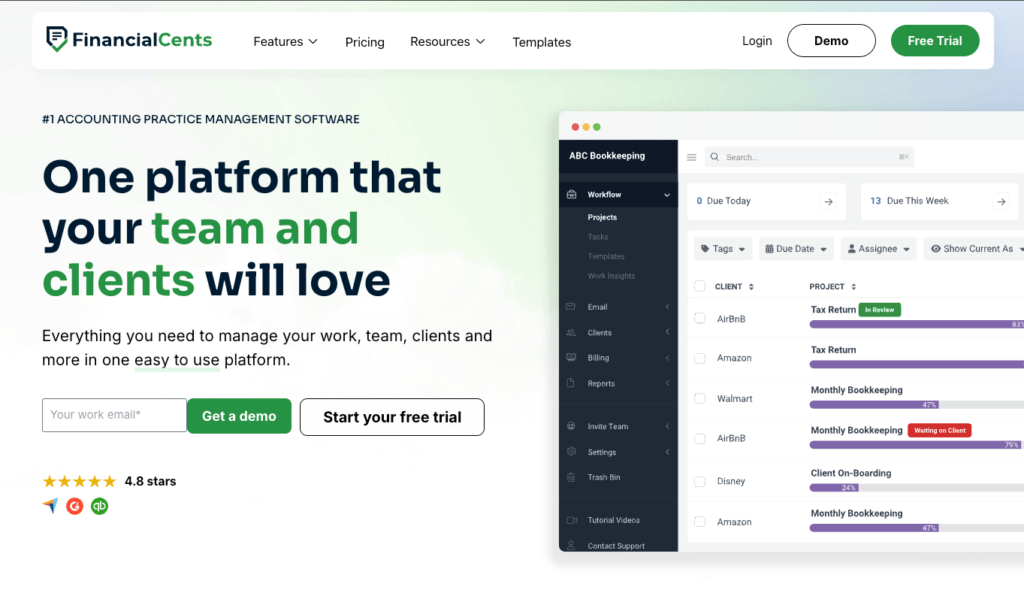
4. Financial Cents – small business workflow management software
Who is Financial Cents suited for?
Financial Cents is a workflow management accounting software for accounting, tax, and bookkeeping firms with teams of less than 20 employees and solos.
Capterra score: 4.8
G2 score: 4.8
Read more about G2 accounting practice management software reviews here.
Workflow and Task Management
Financial Cents helps manage your accounting workflows with templates. You can create recurring projects and add dependencies to tasks. All staff can access tasks with due dates, ensuring fewer tasks slip out of sight.
Time Tracking and Billing
Financial Cents software has a built-in time tracker and allows entering time entries manually.
To create invoices, you must integrate Financial Cents with your accounting software, like QuickBooks Online.
Accounting Team Collaboration
Your team can chat, share files and receive notifications on projects in the Financial Cents app. In addition, you have an overview of who is working on which task.
Business Insights and Reporting
Financial Cents gives you insights on capacity management, time tracking reports and effective hourly rates.
CRM and Client Portal
Financial Cents helps you collect data, like documents, from clients with automated requests and text or email reminders.
Clients can access the Financial Cents client portal with a magic link. The portal streamlines client communication – clients can complete requests, answer questions and upload documents.
User-friendliness
Financial Cents has simple features, suitable for starting accounting firms or not as tech-savvy bookkeepers. Users have noted that navigation could be more intuitive.
Pricing
- Team plan: $49/month per user
- Scale plan: $69/month per user
| 👍 Financial Cents does best: | 👎 Financial Cents’ limits: |
| Various tools for workflow automation | No mobile app |
| Suitable for not as tech-savvy people | Basic business insights |
| Detailed client database | Limited workflow templates |
| Easy to implement | Fewer integrations |
| No invoicing capabilities |
Financial Cents Reviews
Financial Cents has been a great tool for us. The features that it offers like client work tracking, document storage, and time tracking have helped with the efficiency and organization of our work. It has a user-friendly interface which makes it easy to use and integrate, making it an excellent choice for improving operational productivity in accounting practices.
For small firms or individual practitioners, the cost of Financial Cents might be a consideration.
Francesca C.
I love how fast it is. It’s extremely quick moving from task to task. The previous software I was using was very slow and cumbersome. It has a simple framework, but there’s so much it does. There is no billing feature. Cannot send invoices.
Alfonse S., Owner
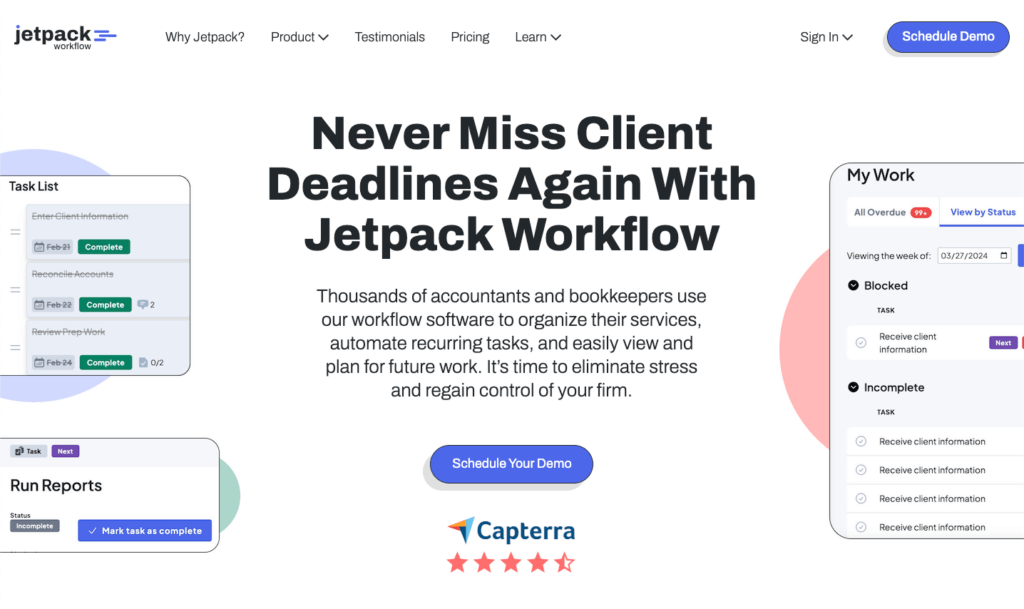
5. Jetpack Workflow – simple accounting practice workflow management for small teams
Who is Jetpack Workflow suited for?
Jetpack Workflow is not explicitly made for accounting firms but can be used for accountants practice management, tax, and bookkeeping firms with teams of less than 20 employees.
Capterra score: 4.8
G2 score: 4.1
Read more about G2 accounting practice management software reviews here.
Workflow and Task Management
Jetpack automates recurring tasks and jobs, similar to project management software. Your jobs are visualized in a simple-looking dashboard. Jetpack Workflow provides a library of templates.
Time Tracking and Billing
Jetpack Workflow offers limited time-tracking tools. To track time for a job, you must open the specific job to start the timer, making the process time-consuming.
The practice management software does not allow the creation of invoices. You must send your time entries to Quickbooks or other accounting software to create invoices for your accounting clients.
Accounting Team Collaboration
You can message your colleagues within the Jetpack app, keeping notes and communication in the same place.
Business Insights and Reporting
Jetpack Workflow covers all the basic insights – how much work has been completed and which jobs are ahead.
CRM and Client Portal
Jetpack is one of the few practice management software programs that does not offer a client portal for easier communication between accountants and their clients.
However, accountants can store client information, review activity, send emails and store documents in the CRM section.
User-friendliness
Jetpack Workflow has received mostly positive reviews from its users. It’s easy to use and helps keep track of jobs. However, people have said it’s sometimes difficult to avoid entering information on the wrong client.
Furthermore, Jetpack Workflow lacks many features other accounting practice management software have by trying to fit everyone.
Pricing
- Organize plan: $56/month per user
- Scale plan: $63/month per user
| 👍 Jetpack Workflow does best: | 👎 Jetpack Workflow‘s limits: |
| Useful dashboard | Limited time tracking tools |
| Easy to use | No invoicing or billing system |
| Affordable | Basic insights |
| Jetpack app | No client portal |
| Limited automation | |
| Weak email management |
Jetpack Workflow Reviews
Jetpack Workflow does what it says it will very well: which is internal workflow management and data housing. The product is dependable and consistent. I found the support staff easy to work with.
This product is limited to a specific wheelhouse. We quickly outgrew the product and needed more features. We sought more of a CRM that could help us manage emails as a team, and we needed a mobile app to work on the go.
Megan S., Operations Manager
It is easy to track time and set up separate jobs/clients in Jetpack Workflow. The company has made some questionable changes to the product – some of which have been addressed, others haven’t.
When you end a task from the bottom screen, the dialogue box stays open. If you don’t manually clear them, they will eventually take over the bottom of the tab. It would also be nice if there was a widget that could follow you on your desktop so that you can see your time tracking/change it without going back to Jetpack Workflow.
Lane S., Executive and Marketing Assistant
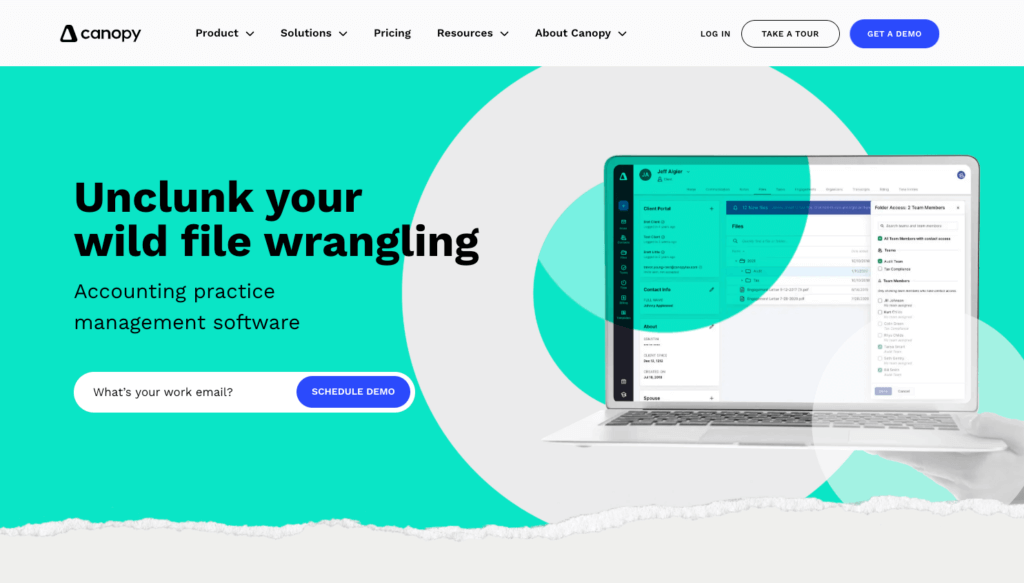
6. Canopy – modular workflow software for bookkeepers
Who is Canopy suited for?
Canopy is one of the accounting management tools made for accounting, tax, and bookkeeping firms with teams of 10-50 employees.
Capterra score: 4.2
G2 score: 4.6
Read more about G2 accounting practice management software reviews here.
Workflow and Task Management
Canopy automates your recurring tasks with subtasks, which you can create from templates. Tasks can be organized by the client for an easier overview or look at every task the employees are doing. You also get an activity log.
Time Tracking and Billing
Canopy offers a built-in timer and manual time entries. You can create time budgets for tasks and subtasks.
For billing, you’ll get customizable invoices and rates. You can automate the invoicing process and share them straight with clients. Canopy sends a friendly reminder to your clients when the invoice due date is coming up.
Accounting Team Collaboration
Assign specific tasks to team members, set deadlines and get notifications when they are completed. You can track employees’ progress in real time and get an overview in a team calendar.
Business Insights and Reporting
Canopy helps you analyze data by visualizing it. For a richer insight, you can add a formula to your search. You can analyze billing, service items, team members and client profitability.
CRM and Client Portal
The accounting practice management software keeps your client data, records and communication in one place.
Canopy also offers a customizable Client Portal where accountants and clients can share files and view invoices. Unfortunately, you cannot communicate with clients through the client portal.
User-friendliness
Canopy users appreciate the software’s ease of use and implementation, yet they encounter challenges with certain aspects of its user interface. Some users reported issues with syncing, and others needed help navigating the interface and filtering information.
Pricing
Canopy has a quite tricky pricing system, where the essential feature, client engagement, is free for up to 250 clients, but everything else costs extra per user. There’s also an extra implementation fee.
For example, document management costs 40$/user per month, workflows 35$/user per month and time and billing 25$/user per month. Every 50 extra clients after 250 clients is about 14$ extra.
| 👍 Canopy does best: | 👎 Canpoy‘s limits: |
| Invoicing capabilities | Complicated pricing system |
| Pre-built reports | Fewer workflow templates |
| Thorough work management | Limited customization on reporting |
| Key features are available at extra cost only |
Canopy Reviews
I like that Canopy allows me to manage the majority of my firm’s workflow seamlessly. Previously, I relied on separate apps for billing, time tracking, project management, and client data storage. Since starting my own tax practice last year, Canopy has been awesome, it has helped me consolidate 90% of my tech stack into a single platform.
Canopy’s task workflow seems a little hard to use and is not as intuitive as some others I have used in the past. More specifically I have a hard time figuring out why staff cant see certian sub-task etc when they are assinged to them.
Travis W., CPA and Owner
I have been using Canopy software for a while now and there are definitely many positive aspects to it. The user interface is very user-friendly and it is easy to navigate through the different features. The customer support is also very helpful and responsive.
There are some negatives as well, especially when it comes to the billing portion of the software. One major issue is that there is no way to put a balance on an account, which can be frustrating when trying to keep track of expenses.
The billing report is also quite vague and doesn’t provide detailed information about what is billed in the invoices. This means that you would need to open each invoice one by one or view by client individual, which is very time-consuming and unhelpful.
April W., Executive Assistant
7. Thomson Reuters Practice CS – Enterprise-Grade Workflow for Large Firms
Who is Practice CS suited for?
Practice CS is built for mid-size to large accounting firms with 50+ staff members that already operate within the Thomson Reuters ecosystem. If your firm uses CS Professional Suite products (UltraTax CS, Accounting CS, FileCabinet CS), Practice CS is the natural hub that ties everything together. It’s not a good fit for small firms or cloud-first teams – this is a legacy-grade platform built for firms that value depth over modern UX.
Workflow and Task Management
Practice CS delivers one of the most mature workflow engines on the market. You can build multi-step workflows with task templates, set up automated task assignment based on staff roles, and track every engagement from start to finish. The system supports recurring task automation, due date tracking with alerts, and workflow status dashboards.
Where it stands out: over 160 built-in reports let you drill into every dimension of your practice – from staff utilization to project profitability. The depth of reporting is unmatched by newer cloud-native tools.
Time Tracking & Billing
Time tracking in Practice CS is tightly integrated with billing. Staff can log time against specific clients and engagements, and the system automatically calculates billing based on your rate structures. It supports multiple billing methods – hourly, fixed-fee, and blended rates.
Invoicing pulls directly from time entries, WIP (work-in-progress) reports, and AR aging. For firms that bill extensively based on time, Practice CS offers one of the most comprehensive billing engines available.
Accounting Team Collaboration
The platform supports firm-wide collaboration through shared calendars, staff scheduling, and internal messaging. Managers can see every team member’s workload at a glance, making resource allocation during busy season more manageable. Integration with Microsoft Outlook keeps communication centralized.
However, collaboration feels traditional – there’s no real-time co-editing or Slack-like messaging. It’s built for hierarchical firms where managers assign work and staff execute.
Business Insights and Reporting
This is Practice CS’s crown jewel. With 160+ built-in reports covering staff productivity, client profitability, realization rates, AR aging, and more, it gives firm leaders unprecedented visibility into practice performance. Reports can be customized, scheduled, and exported.
The dashboard view provides high-level KPIs, while detailed reports let you drill into specific metrics. For data-driven managing partners, this level of reporting is a major advantage over lighter tools.
CRM and Client Portal
Client relationship management is handled through the broader CS Professional Suite, with Practice CS tracking client engagement data. NetClient CS provides a client portal where clients can access documents, sign forms electronically, and communicate with their accountants.
The portal is functional but dated in design compared to modern alternatives like Uku or TaxDome. Clients familiar with consumer-grade SaaS may find the interface less intuitive.
User-friendliness
This is where Practice CS shows its age. The interface is primarily desktop-based with a web companion, and the learning curve is steep. New staff typically need formal training to become productive. The mobile app helps with on-the-go time entry and approvals, but the core experience is a Windows desktop application.
For firms already embedded in the Thomson Reuters ecosystem, the familiarity outweighs the dated UX. For everyone else, the onboarding investment is significant.
Pricing
Practice CS uses custom, quote-based pricing. Thomson Reuters doesn’t publish rates publicly, which is common for enterprise software. Expect to pay significantly more than cloud-native alternatives – firms typically report costs that scale with the number of CS Suite products and user licenses.
Implementation and training add to the total cost. Budget for a dedicated admin or at least a power user who can manage the system full-time.
Practice CS Reviews
Capterra: 4.2/5 (1,820 reviews)
Users consistently praise the depth of functionality and reporting. The most common complaints center around the dated interface and the complexity of setup and maintenance. Firms that have used Practice CS for years tend to rate it highly – they’ve built their processes around its capabilities.
Pros:
- Deep integration with the entire Thomson Reuters CS Suite ecosystem
- 160+ reports covering every aspect of practice management
- Mature, battle-tested platform with decades of development
- Mobile app for time tracking and approvals
Cons:
- Primarily desktop-based – not a true cloud solution
- Steep learning curve requiring formal training
- Expensive with non-transparent pricing
- Requires a dedicated administrator for ongoing management
8. Aiwyn – AI-Powered Practice Automation for Top CPA Firms
Who is Aiwyn suited for?
Aiwyn is designed for the top tier of the accounting profession – specifically Top 500 CPA firms looking to modernize their billing and practice operations with AI. If your firm has 100+ staff and struggles with slow collections, manual billing processes, or disconnected systems, Aiwyn offers a compelling solution. It’s not designed for small or solo practices – the platform, pricing, and implementation are built for larger organizations.
Workflow and Task Management
Aiwyn approaches workflow differently from traditional practice management tools. Rather than building a general-purpose task management system, it focuses on automating the revenue lifecycle – from engagement letters through billing to collections. The platform orchestrates the end-to-end billing workflow, automatically routing tasks to the right people at the right time.
Smart workflows trigger based on events: when an engagement is completed, Aiwyn can automatically draft an invoice, send it for partner approval, and initiate the collection process – all without manual intervention.
Time Tracking & Billing
This is Aiwyn’s strongest differentiator. The AI-powered bill drafting feature analyzes historical billing data, engagement terms, and time entries to automatically generate invoice drafts. Partners review and approve rather than build invoices from scratch.
The results speak for themselves: firms using Aiwyn report a 22% reduction in Days Sales Outstanding (DSO) and 69% of invoices are paid within 7 days. For firms where slow collections tie up millions in receivables, this represents a significant financial impact.
Accounting Team Collaboration
Aiwyn provides a unified platform where partners, managers, and billing staff can collaborate on the revenue cycle. The dashboard gives real-time visibility into billing status, outstanding receivables, and collection progress. Automated notifications keep everyone informed without the need for manual follow-ups.
The platform integrates with existing practice management systems, so it complements rather than replaces your current collaboration tools.
Business Insights and Reporting
Analytics in Aiwyn focus on financial performance: realization rates, collection efficiency, billing cycle times, and revenue forecasting. The AI engine identifies patterns in your billing data – for example, which clients consistently pay late, which engagement types have the highest write-downs, or where pricing adjustments could improve margins.
These insights help firm leadership make data-driven decisions about pricing, staffing, and client relationships.
CRM and Client Portal
Aiwyn includes a client-facing payment portal that modernizes the payment experience. Clients can view invoices, make payments online, set up autopay, and access billing history. The portal supports multiple payment methods and provides a consumer-grade experience that clients increasingly expect.
For CRM functionality, Aiwyn integrates with your existing systems rather than building a standalone CRM module.
User-friendliness
The platform features a modern, clean interface that feels contemporary compared to legacy tools. Since Aiwyn was built from the ground up (founded in 2020), it benefits from modern design principles and cloud-native architecture. The learning curve is moderate – the AI does much of the heavy lifting, so users spend less time on manual configuration.
Implementation typically involves integrating with your existing practice management and accounting systems, which requires some technical setup but is handled by Aiwyn’s professional services team.
Pricing
Aiwyn uses custom pricing based on firm size and scope. With $127M in venture capital funding, the company is investing heavily in product development and go-to-market. Pricing is quote-based and typically involves an annual contract.
Given the target market (Top 500 firms) and the ROI claims (22% DSO reduction), the pricing reflects an enterprise-grade solution. Firms should evaluate the ROI against their current collection metrics to assess value.
Aiwyn Reviews
As a relatively new entrant (founded in 2020), Aiwyn has limited public reviews on traditional platforms. However, the company has gained significant traction among Top 100 CPA firms, and case studies show impressive results.
Pros:
- AI-powered billing automation that genuinely reduces manual work
- Impressive metrics: 22% DSO reduction, 69% of invoices paid within 7 days
- Modern, cloud-native platform with clean UX
- Unified billing-to-collection workflow
Cons:
- Young company (founded 2020) – still proving long-term reliability
- Designed for large firms – not suitable for small practices
- Limited public reviews on Capterra/G2
- Narrower scope than full practice management suites
9. IRIS – Modular Practice Management for Top-Tier Firms
Who is IRIS suited for?
IRIS is best suited for Top 100–250 CPA firms and international accounting practices that need enterprise-level practice management with global capabilities. If your firm operates across borders, handles multi-currency engagements, or needs deep integration with Microsoft Dynamics 365, IRIS deserves serious consideration. With 58 of the top 100 US CPA firms as clients, it has proven itself at the highest levels of the profession.
Workflow and Task Management
IRIS Practice Management offers a modular workflow system that can be customized to match your firm’s specific processes. Task management supports templates, recurring workflows, assignment rules, and deadline tracking. The system is designed to handle the complexity of multi-office, multi-service-line firms.
One of IRIS’s strengths is its ability to manage different workflow types for different service lines (audit, tax, advisory) within the same platform, with appropriate controls and approval chains for each.
Time Tracking & Billing
Time tracking in IRIS is comprehensive, supporting multiple entry methods and integration with desktop applications. The billing module handles complex scenarios including multi-currency billing, split billing, and inter-company charges – capabilities that matter for international firms.
Invoicing is flexible, with templates that can be customized by client, service line, or office. The system tracks WIP, generates AR reports, and supports the full billing lifecycle from time entry to payment receipt.
Accounting Team Collaboration
IRIS provides firm-wide collaboration through shared workspaces, document management, and integrated communication tools. The platform supports role-based access controls, so sensitive engagement data is visible only to authorized team members.
For multi-office firms, IRIS helps maintain consistency in processes and standards while allowing local flexibility. The integration with Microsoft 365 (Outlook, Teams, SharePoint) keeps collaboration flowing through tools your team already uses.
Business Insights and Reporting
Reporting in IRIS leverages its Dynamics 365 foundation to deliver powerful business intelligence. Standard reports cover utilization, profitability, pipeline, and client metrics. The Dynamics 365 connection means you can extend reporting with Power BI for custom dashboards and advanced analytics.
For firms that invest in data-driven management, the ability to combine practice management data with financial data in a unified BI platform is a significant advantage.
CRM and Client Portal
CRM capabilities benefit from the Microsoft Dynamics 365 backbone, providing a full-featured client relationship management system. You can track leads, manage client communications, and monitor the sales pipeline alongside practice operations.
The client portal allows clients to access documents, approve invoices, and communicate with their service team. It’s functional and secure, though the interface reflects its enterprise heritage more than consumer-grade design trends.
User-friendliness
IRIS is a powerful but complex system. The modular design means firms can start with the modules they need and expand over time, but the initial setup and configuration require significant investment. Training is essential, and most firms work with IRIS implementation partners to get up and running.
The interface has improved with recent updates but still carries the weight of its enterprise architecture. Users familiar with Microsoft products will find the navigation patterns somewhat familiar.
Pricing
IRIS uses quote-based pricing that reflects its enterprise positioning. Implementation costs typically start around $15,000, with ongoing per-user licensing on top. The modular approach means you pay for the components you use, but a full implementation can represent a significant investment.
For large firms, the cost is justified by the breadth of capabilities and the ability to consolidate multiple point solutions into one platform. For smaller firms, the price-to-value ratio is harder to justify.
IRIS Reviews
G2: 3.7/5
Reviews on G2 reflect the typical enterprise software experience: users appreciate the depth and breadth of functionality but cite complexity and occasional performance issues. The company’s UK heritage means US-based support is still maturing compared to its UK operations.
Pros:
- Trusted by 58 of the top 100 US CPA firms
- Modular architecture – use only what you need
- Multi-currency and international capabilities
- Deep Microsoft Dynamics 365 integration with Power BI
Cons:
- UK-origin company – US support and documentation still expanding
- Complex implementation with significant upfront cost ($15K+)
- Can be slow with large datasets
- Not cost-effective for firms under 50 staff
So, here they are – the best accounting workflow management software for accountants, bookkeepers and CPAs.